ACE BAYOU DUAL21DL X ROCKER CHAIR User Manual

ACE BAYOU CORP. X ROCKER CHAIR Users Manual

Users Manual

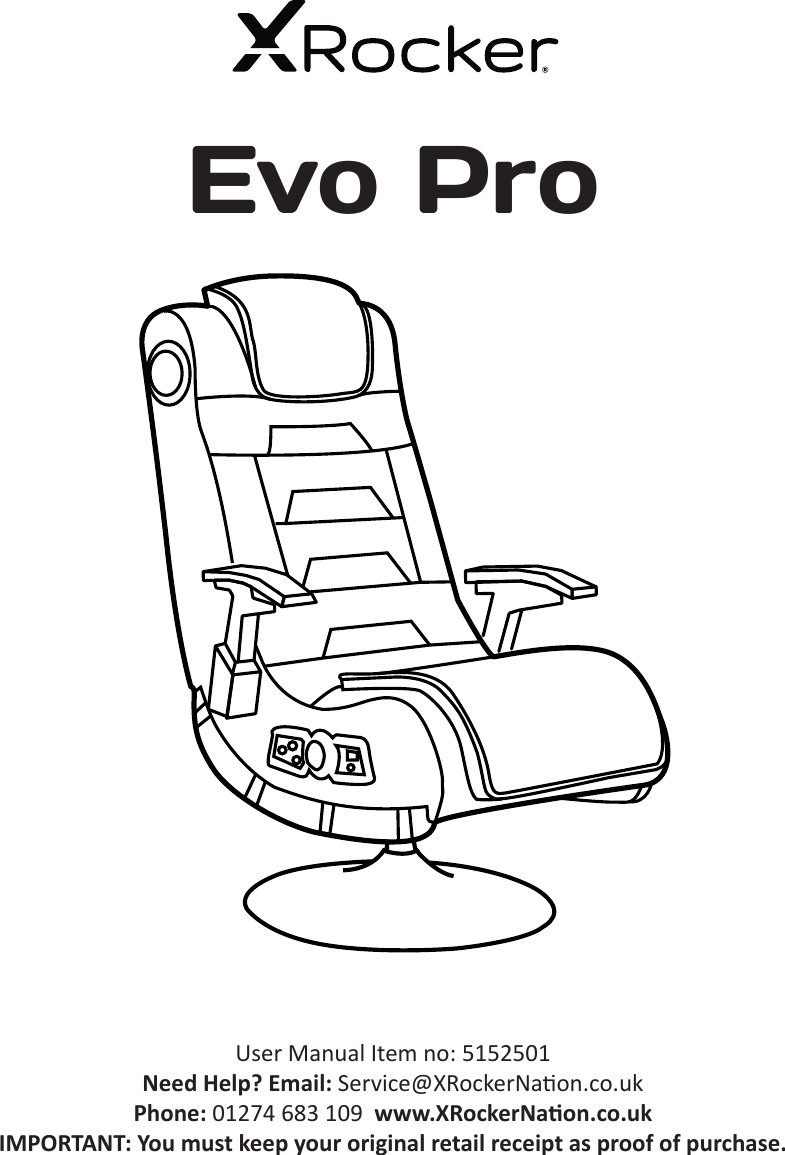
User Manual Item no: 5152501Need Help? Email: Service@XRockerNaon.co.uk Phone: 01274 683 109  www.XRockerNaon.co.ukIMPORTANT: You must keep your original retail receipt as proof of purchase.Evo Pro
2Thank you for purchasing this X Rocker gaming chair. You are now close to enhancing your favourite games with glorious audio!To get started, please assemble the chair using the assembly instrucons on the separate leaet and then follow the instrucons in this manual to get rocking!Table of contentsϯBox contents and control panel overviewϰ  Wireless Connecon guide: TV (All consoles)ϱ  Wired Connecon guide: TV (All consoles)ϲ  Connect by controller (PS4 systems only)ϳ  Bluetooth Connecon Guideϴ  Troubleshoong psϵ  Health and safety informaonϭϬ    Power supply safety informaonWelcome to X Rocker!
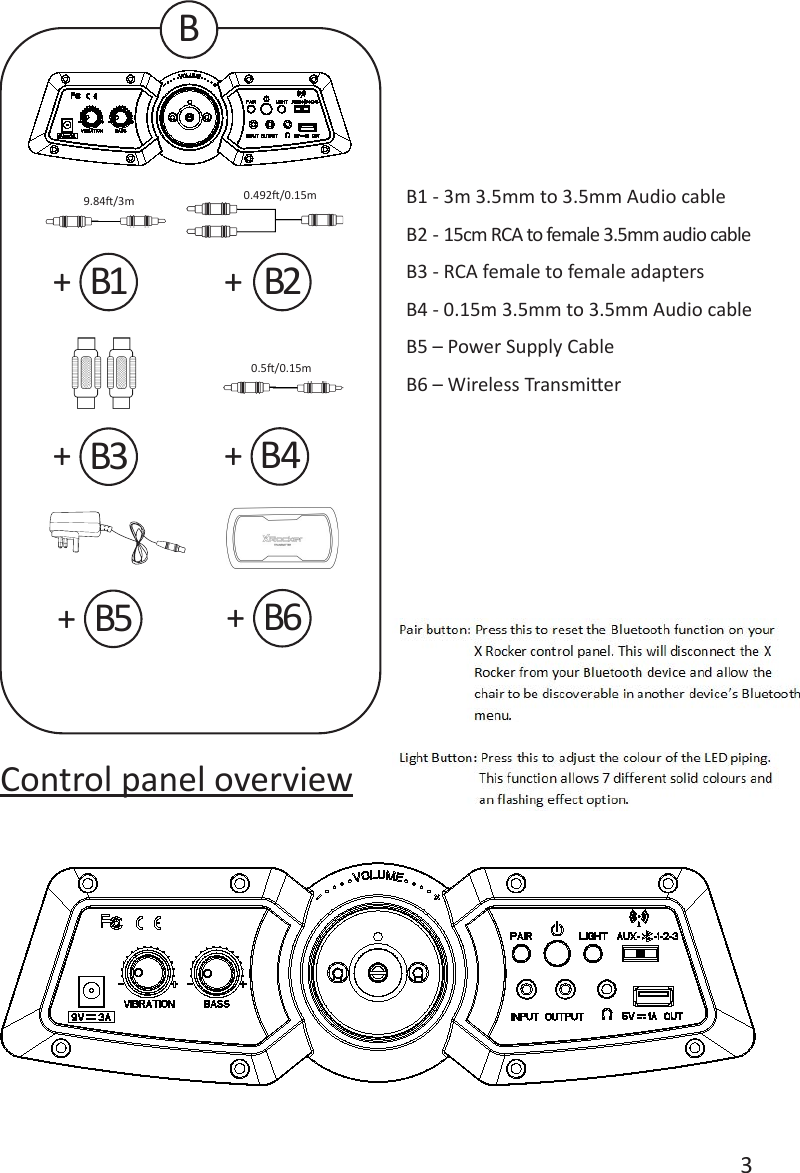
3+++++Control panel overviewB1 - 3m 3.5mm to 3.5mm Audio cable B2 - 15cm RCA to female 3.5mm audio cableB3 - RCA female to female adaptersB4 - 0.15m 3.5mm to 3.5mm Audio cableB5 – Power Supply CableB6 – Wireless TransmierBB1B3B5B4B2+B69.84/3m 0.492/0.15m0.5/0.15m
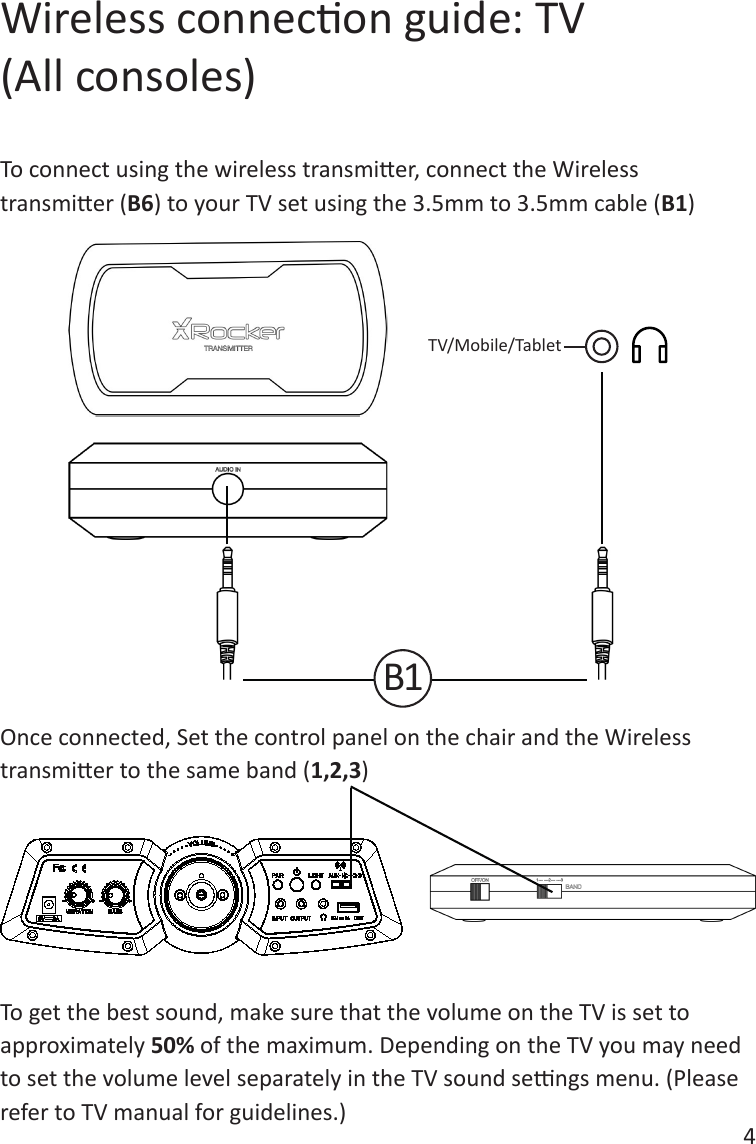
4To connect using the wireless transmier, connect the Wireless transmier (B6) to your TV set using the 3.5mm to 3.5mm cable (B1)Once connected, Set the control panel on the chair and the Wireless transmier to the same band (1,2,3)To get the best sound, make sure that the volume on the TV is set to approximately 50% of the maximum. Depending on the TV you may need to set the volume level separately in the TV sound sengs menu. (Please refer to TV manual for guidelines.)Wireless connecon guide: TV(All consoles)B1TV/Mobile/Tablet
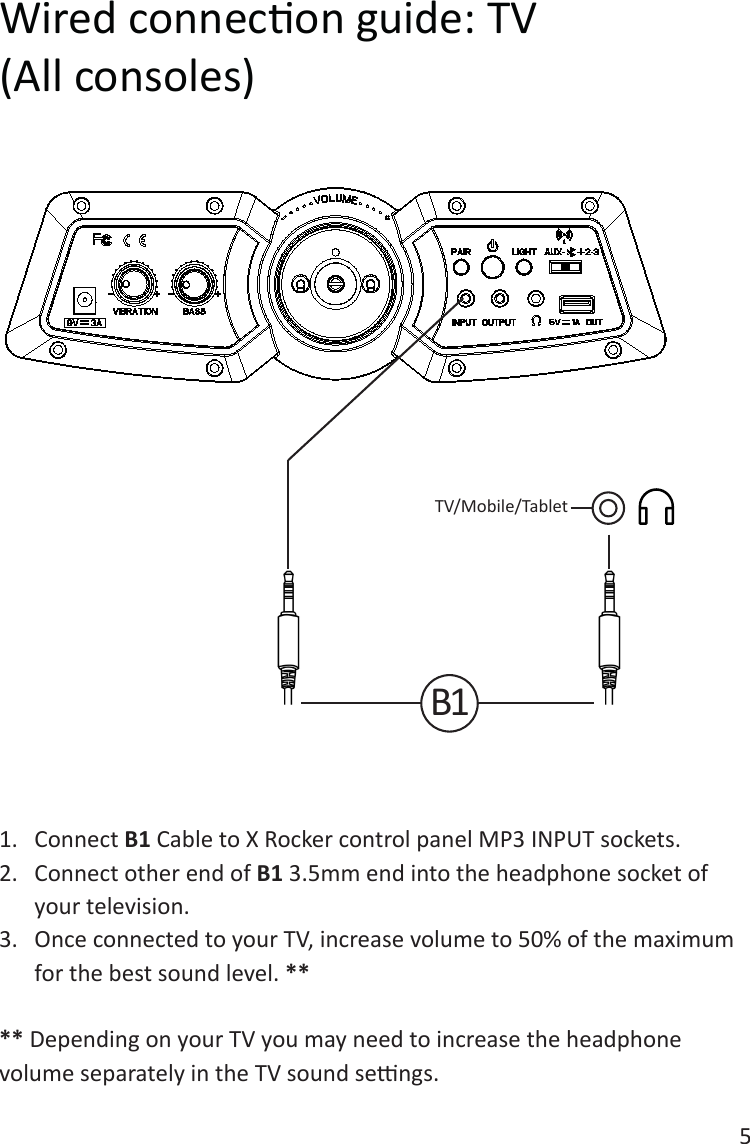
5Wired connecon guide: TV(All consoles)1.  Connect B1 Cable to X Rocker control panel MP3 INPUT sockets.2.  Connect other end of B1 3.5mm end into the headphone socket of your television.3.  Once connected to your TV, increase volume to 50% of the maximum for the best sound level. **** Depending on your TV you may need to increase the headphone volume separately in the TV sound sengs. TV/Mobile/TabletB1
61.  Connect the B1 cable to the boom of the PS4 controller via the headset socket.2.  Connect the other end of the B1 cable to the chair via the green port.3.  With the PS4 turned on, go to the main menu (or locate the main menu screen). Press and hold the PS buon on the PS4 controller unl the quick menu appears on screen.4.  In this menu select [Adjust sound and devices]5.  Then select [output to headphones]6.  Change the seng from [Chat Only] to [All audio]7.  Make sure the volume in the previous menu is set to the maximum.8.  Set the control panel Wireless switch to the ‘OFF’ posion.Connect by controller: (PS4 systems only)B1
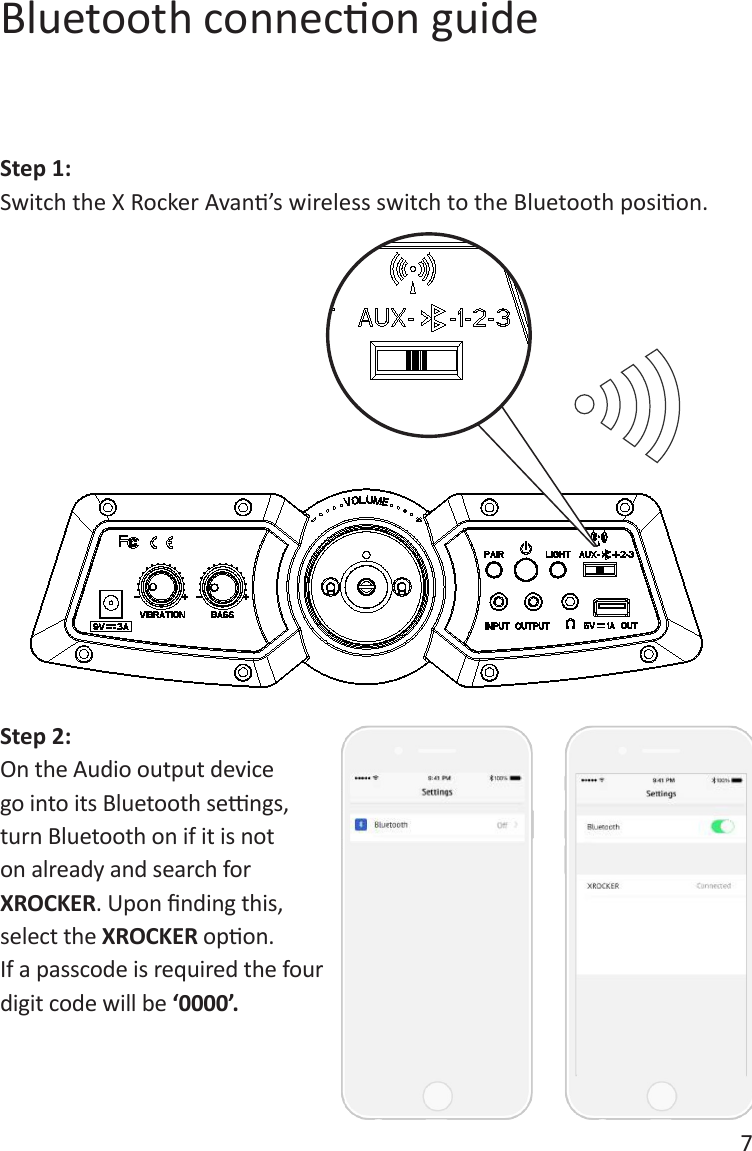
7Bluetooth connecon guideStep 1:Switch the X Rocker Avan’s wireless switch to the Bluetooth posion.Step 2:On the Audio output device go into its Bluetooth sengs, turn Bluetooth on if it is not on already and search for XROCKER. Upon nding this, select the XROCKER opon. If a passcode is required the four digit code will be ‘0000’.
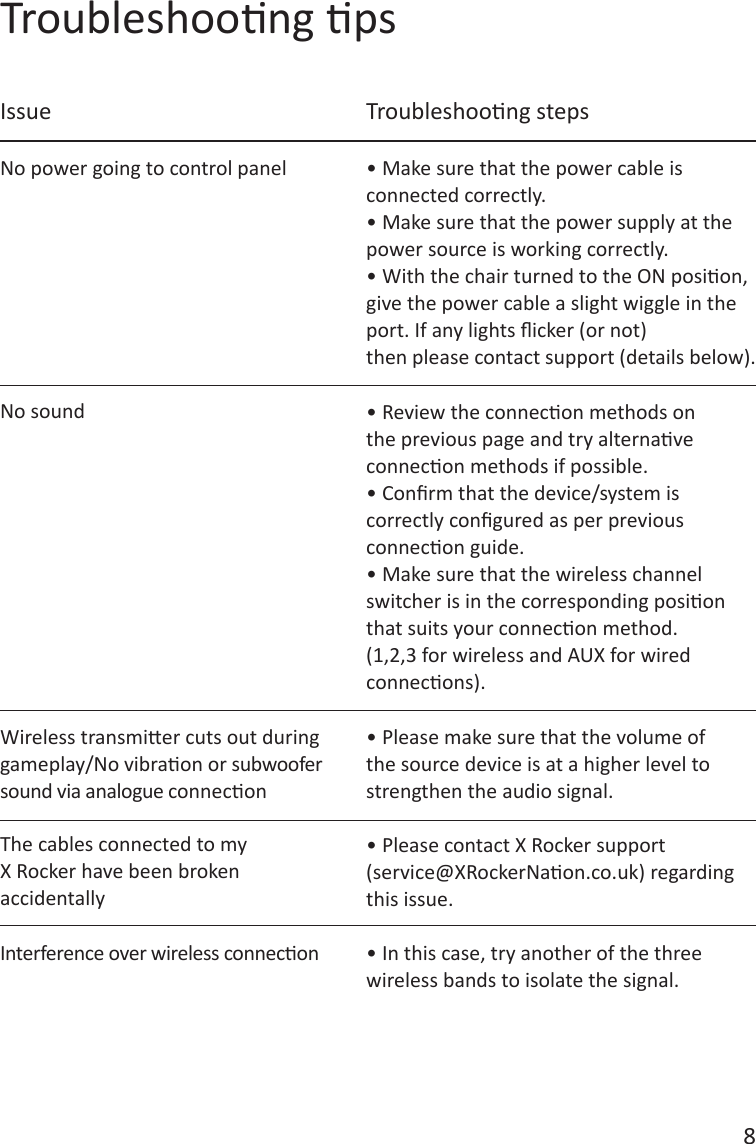
8Troubleshoong ps• Make sure that the power cable is connected correctly.• Make sure that the power supply at the power source is working correctly.• With the chair turned to the ON posion, give the power cable a slight wiggle in the port. If any lights icker (or not)then please contact support (details below).• Review the connecon methods on the previous page and try alternave connecon methods if possible.• Conrm that the device/system is correctly congured as per previous connecon guide.• Make sure that the wireless channelswitcher is in the corresponding posion that suits your connecon method. (1,2,3 for wireless and AUX for wired connecons).• Please make sure that the volume of the source device is at a higher level to strengthen the audio signal.• Please contact X Rocker support(service@XRockerNaon.co.uk) regarding this issue.• In this case, try another of the three wireless bands to isolate the signal. No power going to control panelIssue Troubleshoong stepsNo soundWireless transmier cuts out during gameplay/No vibraon or subwoofer sound via analogue conneconThe cables connected to myX Rocker have been brokenaccidentallyInterference over wireless connecon
9Health and safety informaon• Avoid immersing or allowing the X Rocker to come into contact with liquids.• Please consult X Rocker Support before unscrewing any of the electrical components on the chair.• Please be mindful of any cabling laid out between the X Rocker and power source/audio device.• Please be mindful of cabling aached when moving/swivelling the X Rocker.• If the cables or electrical equipment are broken then this may present a choking risk, please contact Support for replacements and dispose of these parts safely.• Do not stand on the X Rocker or exceed the 120kg weight limit via other means.• Do not lean back on the chair to the point in which the pedestal would li o the ground.• X Rocker armrests are designed for support and comfort during gameplay, please do not use these as support for geng in/out of the chair.• Playing audio for long periods at loud volumes may contribute to dicules in hearing.• Please be considerate to others when playing audio through the X Rocker speakers at higher volumes.
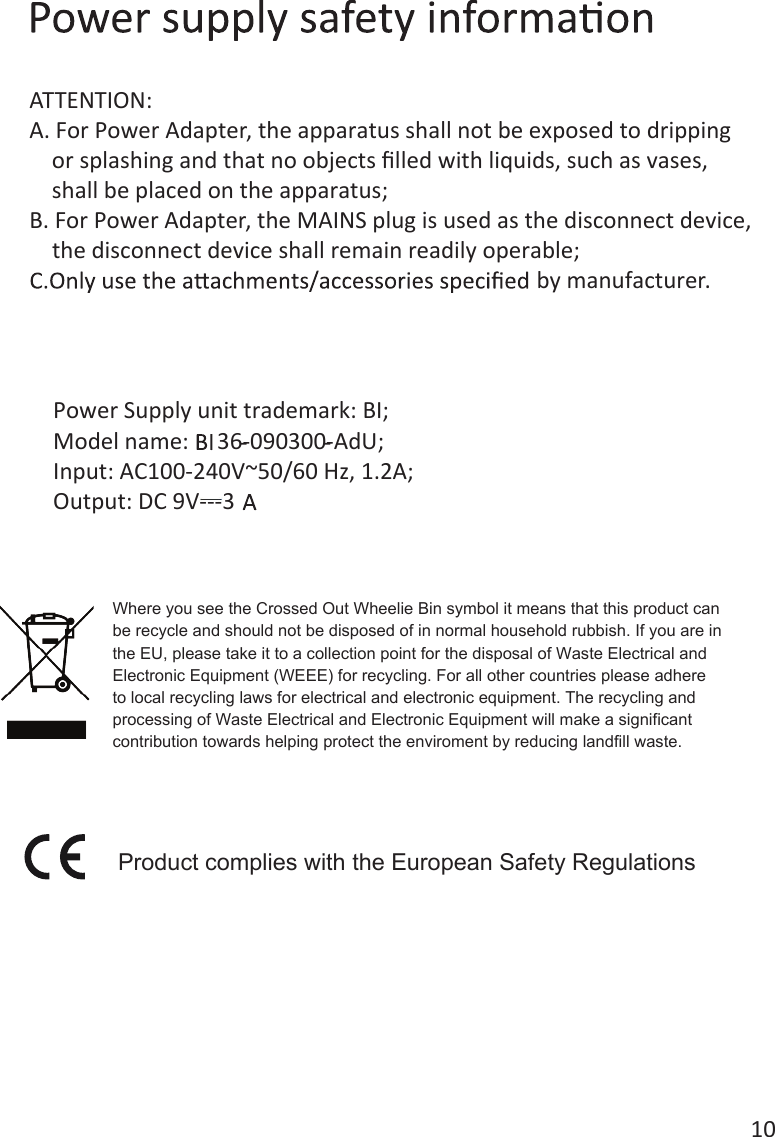
10Power Supply unit trademark: BI;Model name:     36-090300-AdU;Input: AC100-240V~50/60 Hz, 1.2A;Output: DC 9V---3ATTENTION:A. For Power Adapter, the apparatus shall not be exposed to dripping     or splashing and that no objects filled with liquids, such as vases,     shall be placed on the apparatus;B. For Power Adapter, the MAINS plug is used as the disconnect device,     the disconnect device shall remain readily operable;by manufacturer. Product complies with the European Safety RegulationsWhere you see the Crossed Out Wheelie Bin symbol it means that this product can be recycle and should not be disposed of in normal household rubbish. If you are in the EU, please take it to a collection point for the disposal of Waste Electrical and Electronic Equipment (WEEE) for recycling. For all other countries please adhere to local recycling laws for electrical and electronic equipment. The recycling andprocessing of Waste Electrical and Electronic Equipment will make a significant contribution towards helping protect the enviroment by reducing landfill waste.
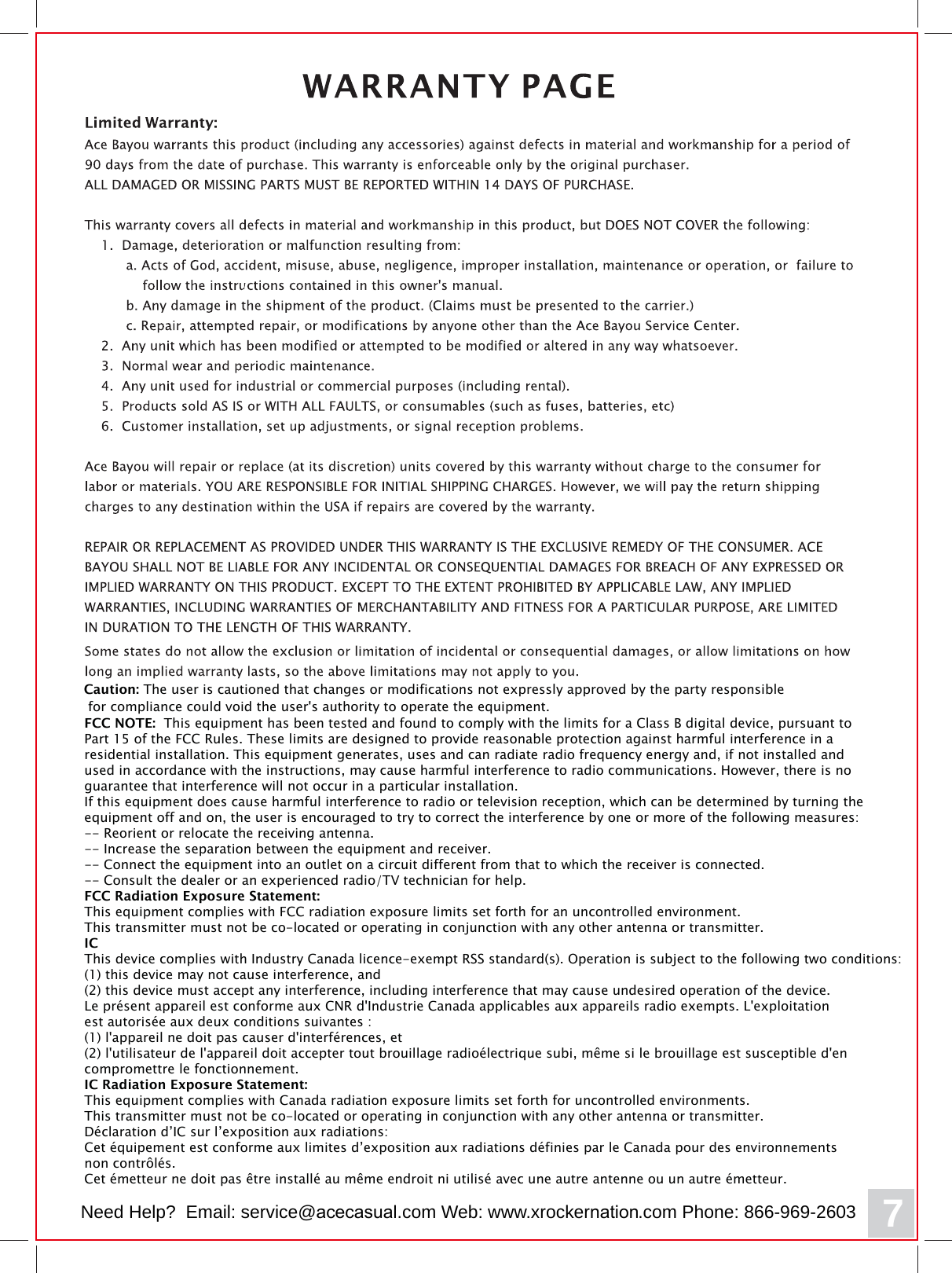
FCC NOTE:  This equipment has been tested and found to comply with the limits for a Class B digital device, pursuant to Part 15 of the FCC Rules. These limits are designed to provide reasonable protection against harmful interference in a residential installation. This equipment generates, uses and can radiate radio frequency energy and, if not installed and used in accordance with the instructions, may cause harmful interference to radio communications. However, there is no guarantee that interference will not occur in a particular installation. If this equipment does cause harmful interference to radio or television reception, which can be determined by turning the equipment off and on, the user is encouraged to try to correct the interference by one or more of the following measures: -- Reorient or relocate the receiving antenna.-- Increase the separation between the equipment and receiver. -- Connect the equipment into an outlet on a circuit different from that to which the receiver is connected. -- Consult the dealer or an experienced radio/TV technician for help. FCC Radiation Exposure Statement:This equipment complies with FCC radiation exposure limits set forth for an uncontrolled environment. This transmitter must not be co-located or operating in conjunction with any other antenna or transmitter. ICThis device complies with Industry Canada licence-exempt RSS standard(s). Operation is subject to the following two conditions: (1) this device may not cause interference, and (2) this device must accept any interference, including interference that may cause undesired operation of the device.Le présent appareil est conforme aux CNR d'Industrie Canada applicables aux appareils radio exempts. L'exploitation est autorisée aux deux conditions suivantes : (1) l'appareil ne doit pas causer d'interférences, et  (2) l'utilisateur de l'appareil doit accepter tout brouillage radioélectrique subi, même si le brouillage est susceptible d'en compromettre le fonctionnement. IC Radiation Exposure Statement:This equipment complies with Canada radiation exposure limits set forth for uncontrolled environments. This transmitter must not be co-located or operating in conjunction with any other antenna or transmitter.Déclaration d’IC sur l’exposition aux radiations:Cet équipement est conforme aux limites d’exposition aux radiations définies par le Canada pour des environnements non contrôlés.Cet émetteur ne doit pas être installé au même endroit ni utilisé avec une autre antenne ou un autre émetteur.  7Caution: The user is cautioned that changes or modifications not expressly approved by the party responsible for compliance could void the user's authority to operate the equipment.Need Help?  Email: service@acecasual.com Web: www.xrockernation.com Phone: 866-969-2603
Need Help? Email: Service@XRockerNaon.co.uk Phone: 01274 683 109 www.XRockerNaon.co.ukIMPORTANT: You must keep your original retail receipt as proof of purchase.
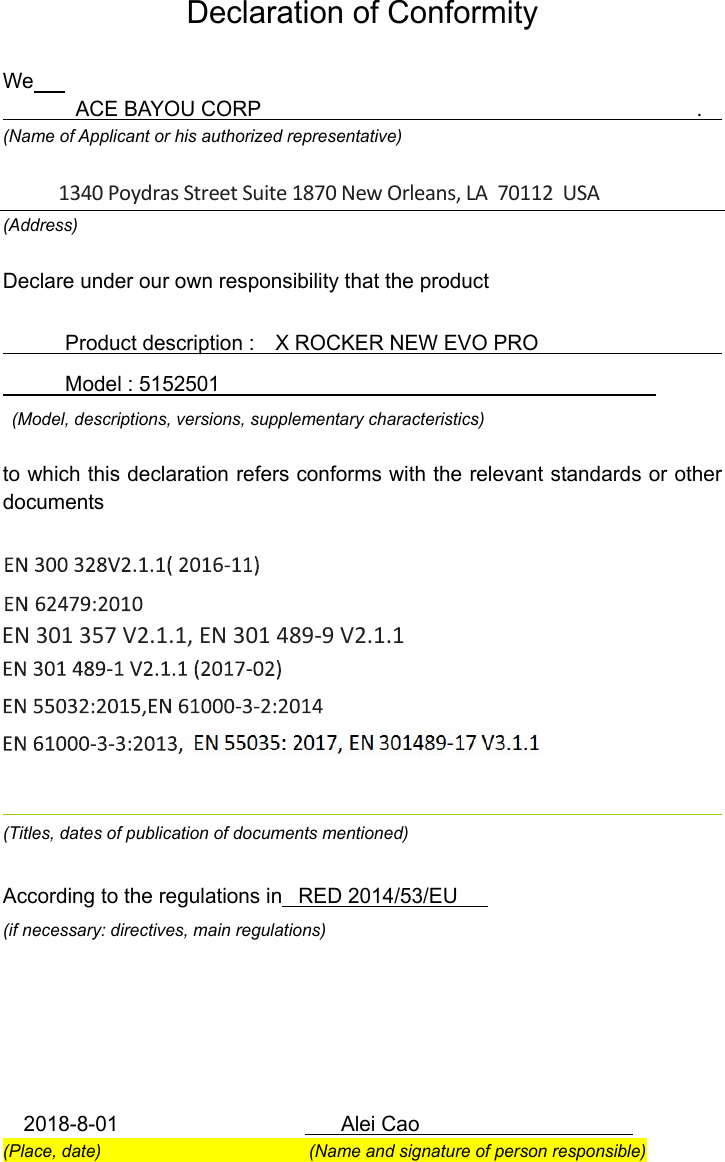
Declaration of Conformity  We             ACE BAYOU CORP                                          .     (Name of Applicant or his authorized representative)  (Address) Declare under our own responsibility that the product              Product description :    X ROCKER NEW EVO PRO                                     Model : 5152501                                             (Model, descriptions, versions, supplementary characteristics)  to which this declaration refers conforms with the relevant standards or other documents                      (Titles, dates of publication of documents mentioned)  According to the regulations in   RED 2014/53/EU (if necessary: directives, main regulations)           2018-8-01                      Alei Cao                     (Place, date)                        (Name and signature of person responsible) 1340 Poydras Street Suite 1870 New Orleans, LA  70112  USAEN 301 357 V2.1.1, EN 301 489-9 V2.1.1

Navigation menu