Airwave Technologies AWW698TX 5.8GHz Video Sender User Manual Users manual

Airwave Technologies Inc 5.8GHz Video Sender Users manual

Users manual

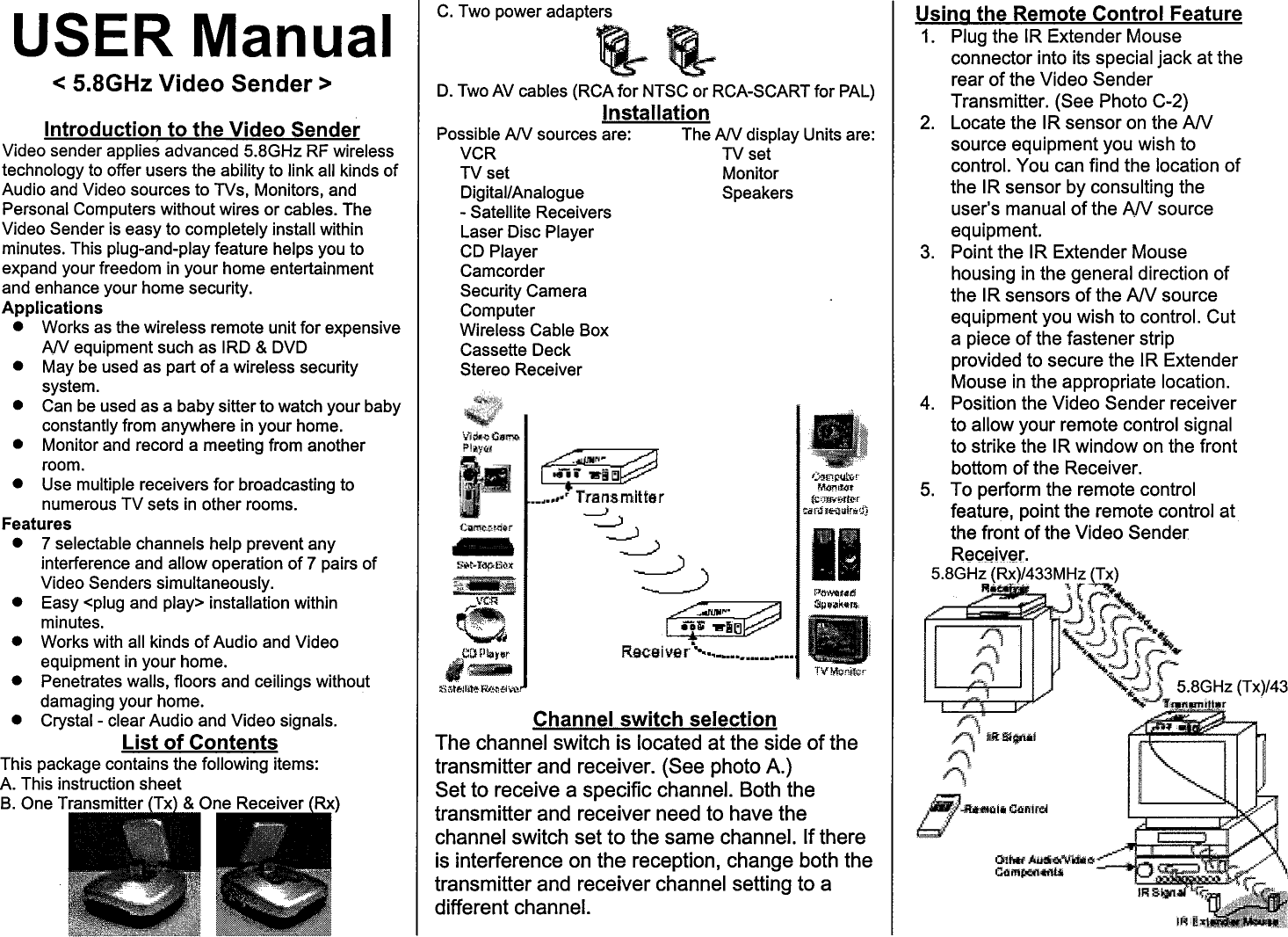
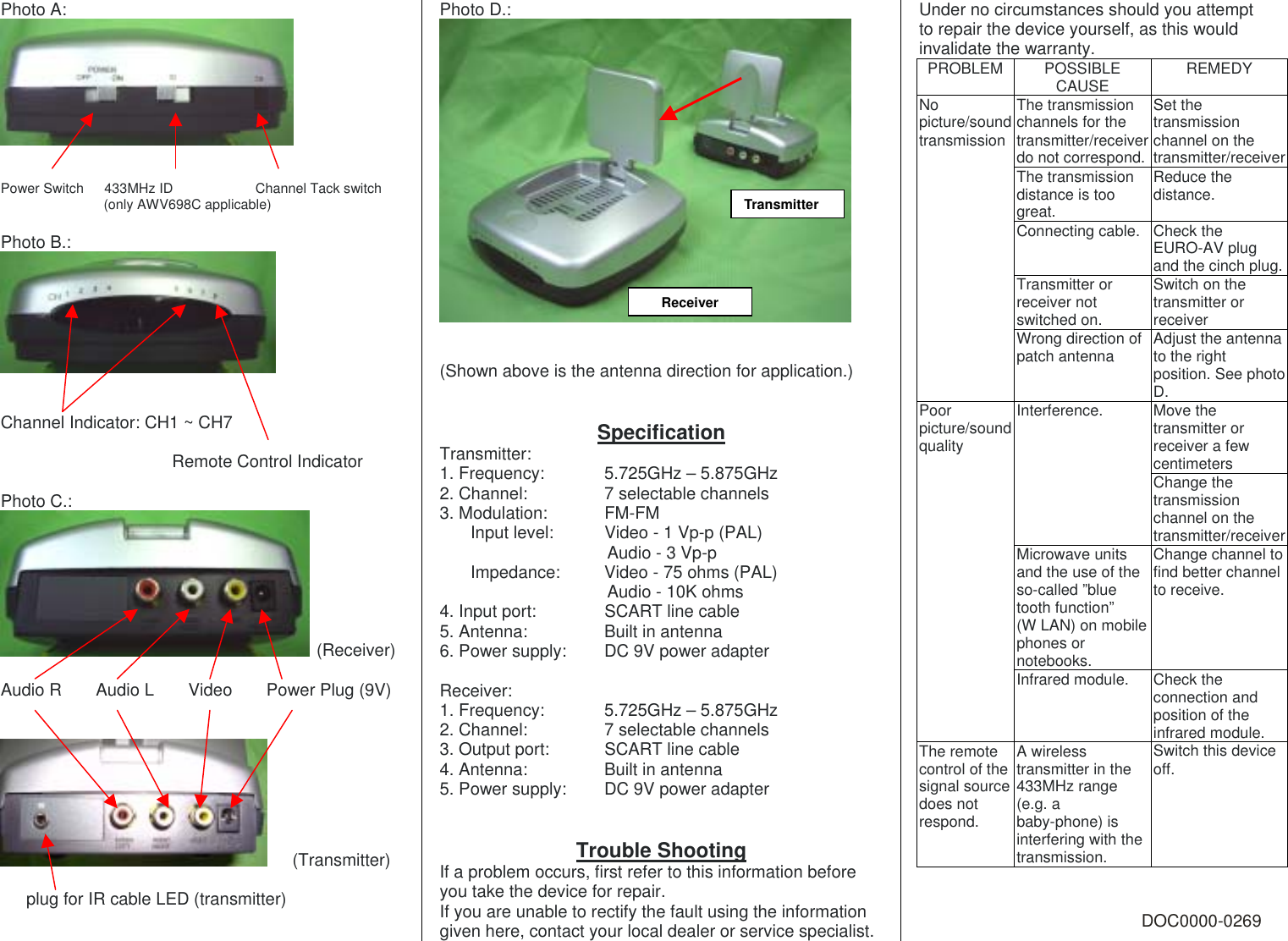
Photo A:    Power Switch   433MHz ID            Channel Tack switch                (only AWV698C applicable)  Photo B.:    Channel Indicator: CH1 ~ CH7                      Remote Control Indicator  Photo C.:  (Receiver)  Audio R    Audio L    Video    Power Plug (9V)      (Transmitter)     plug for IR cable LED (transmitter)  Photo D.:    (Shown above is the antenna direction for application.)   Specification Transmitter: 1. Frequency:    5.725GHz – 5.875GHz 2. Channel:    7 selectable channels 3. Modulation:    FM-FM Input level:    Video - 1 Vp-p (PAL) Audio - 3 Vp-p Impedance:   Video - 75 ohms (PAL) Audio - 10K ohms 4. Input port:    SCART line cable 5. Antenna:    Built in antenna 6. Power supply:  DC 9V power adapter  Receiver: 1. Frequency:    5.725GHz – 5.875GHz 2. Channel:    7 selectable channels 3. Output port:    SCART line cable 4. Antenna:    Built in antenna 5. Power supply:  DC 9V power adapter   Trouble Shooting If a problem occurs, first refer to this information before you take the device for repair. If you are unable to rectify the fault using the information given here, contact your local dealer or service specialist. Under no circumstances should you attempt to repair the device yourself, as this would invalidate the warranty. PROBLEM POSSIBLE CAUSE  REMEDY The transmission channels for the transmitter/receiver do not correspond.Set the transmission channel on the transmitter/receiver The transmission distance is too great. Reduce the distance. Connecting cable. Check the EURO-AV plug and the cinch plug. No picture/sound transmissionTransmitter or receiver not switched on. Switch on the transmitter or receiver   Wrong direction of patch antenna  Adjust the antenna to the right position. See photo D. Move the transmitter or receiver a few centimeters Interference. Change the transmission channel on the transmitter/receiver Microwave units and the use of the so-called ”blue tooth function”   (W LAN) on mobile phones or notebooks. Change channel to find better channel to receive. Poor picture/sound quality Infrared module.  Check the connection and position of the infrared module. The remote control of the signal source does not respond. A wireless transmitter in the 433MHz range (e.g. a baby-phone) is interfering with the transmission. Switch this device off.   DOC0000-0269 TransmitterReceiver
 FCC Notices  This device complies with Part 15 of FCC rules. Operation is subject to the following two conditions:  (1) This device may not cause harmful interference. (2) This device must accept any interference received, including interference that may cause undesired operations.  CAUTION: Change or modification not expressly approved by the party responsible for compliance could void the user’s authority to operate this equipment.

Navigation menu