Anelto ANH0217 In-Home Cellular PERS User Manual

Anelto, Inc. In-Home Cellular PERS

User Manual

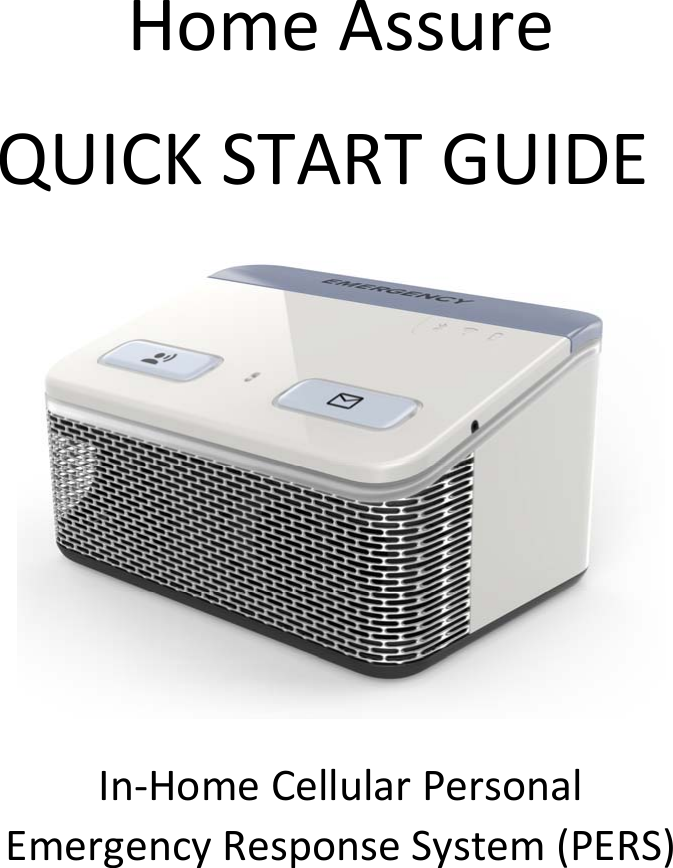
HomeAssureQUICKSTARTGUIDEIn‐HomeCellularPersonalEmergencyResponseSystem(PERS)
Page2TableofContentsItemsinyourBox.............................................................3Step1:ReadingtheDirections........................................5Step2:PreparingyourSystem........................................6Step3:ActivatingyourSystem........................................7Step4:TalkingtotheCallCenter....................................8Step5:WearableAccessories..........................................9Step6:SettingupyourWearable....................................10Step7:365AccessApp.....................................................11Step8:ReceivingMessages.............................................12Step9:UsingtheTestButton..........................................13Step10:TheNightlight....................................................14QuickReference:BatteryLife..........................................15QuickReference:LEDIndicators......................................16ImportantTipsandReminders........................................18RegulatoryCompliance:FCC/IC.......................................19
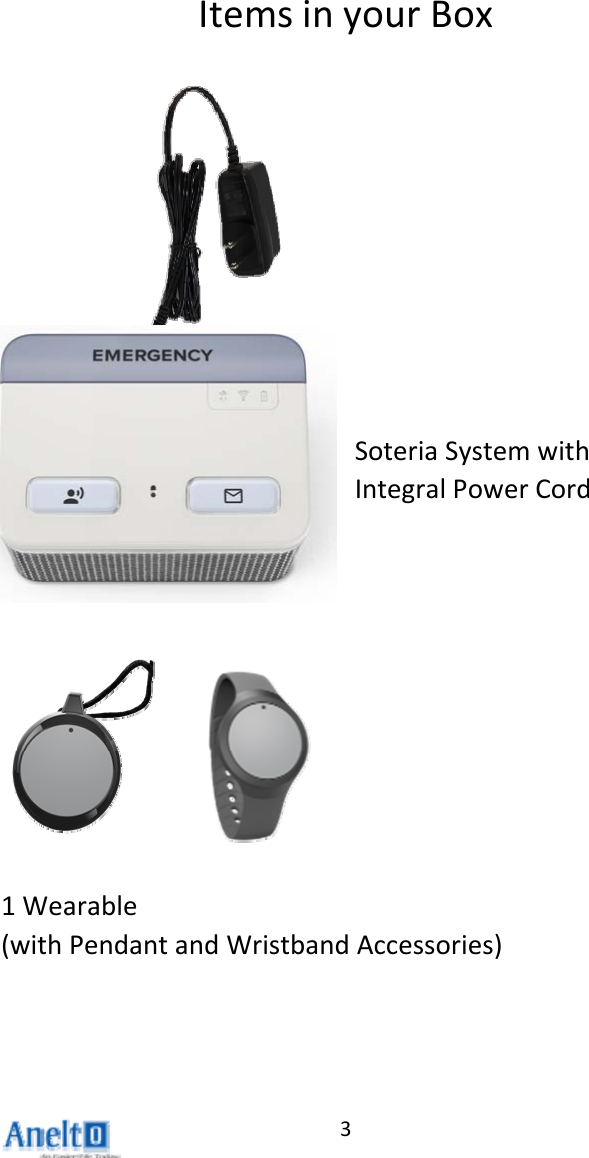
3ItemsinyourBoxSoteriaSystemwithIntegralPowerCord1Wearable(withPendantandWristbandAccessories)
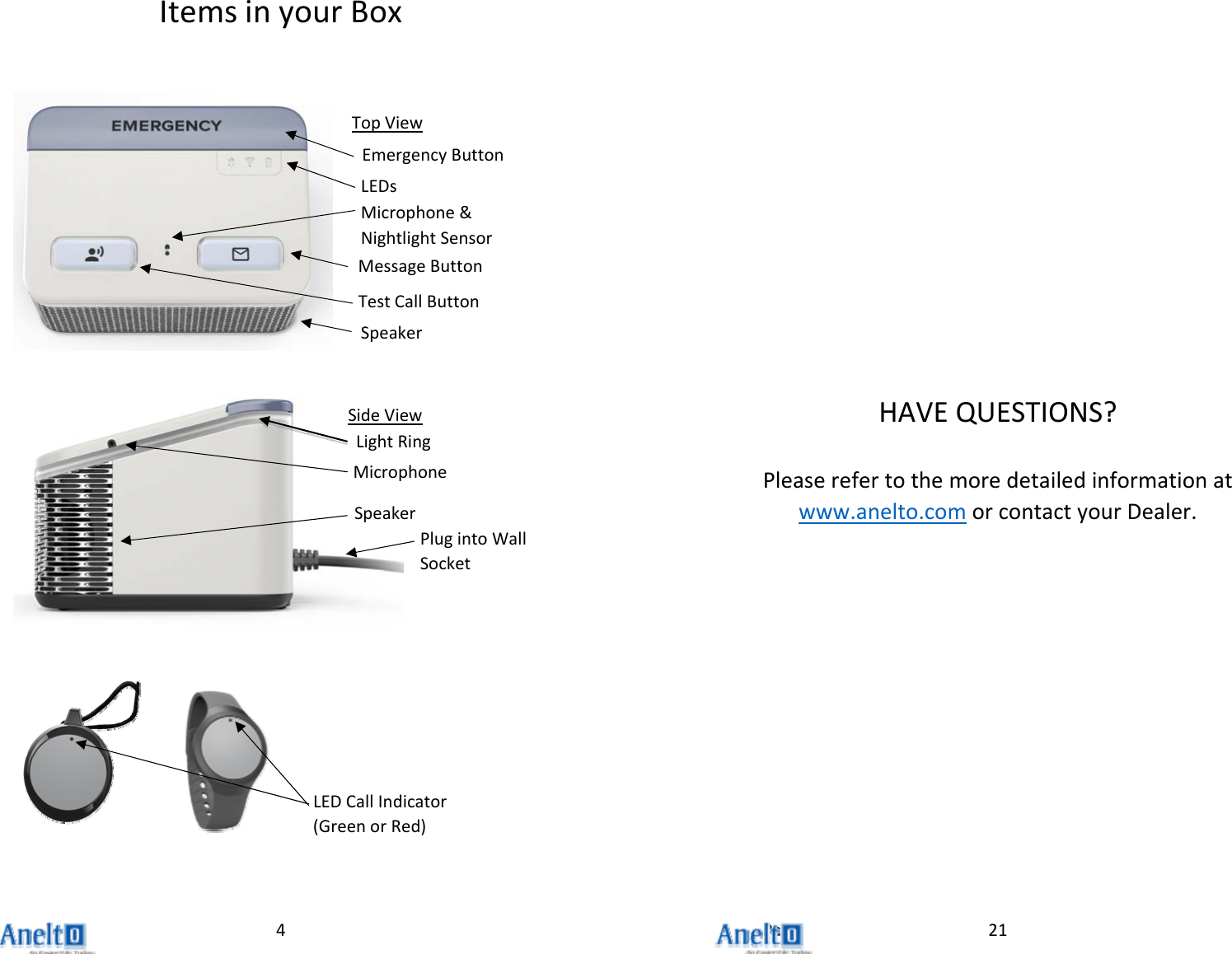
Page4ItemsinyourBoxLEDCallIndicator(GreenorRed)EmergencyButtonLEDsMessageButtonTopViewTestCallButtonSpeakerMicrophone&NightlightSensorPlugintoWallSocketSideViewMicrophoneSpeakerLightRing21HAVEQUESTIONS?Pleaserefertothemoredetailedinformationatwww.anelto.comorcontactyourDealer.
Page20EnglishThisdevicecomplieswithIndustryCanada’slicense‐exemptRSSs.Operationissubjecttothefollowingtwoconditions:(1)Thisdevicemaynotcauseinterference;and(2)Thisdevicemustacceptanyinterference,includinginterferencethatmaycauseundesiredoperationofthedevice.FrenchCetappareilestconformeauxfluxRSSexemptsdelicenced'IndustrieCanada.L'opérationestsoumiseauxdeuxconditionssuivantes:(1)Cetappareilnedoitpasprovoquerd'interférence;et(2)Cetappareildoitacceptertouteinterférence,ycomprislesinterférencessusceptiblesdeprovoquerunfonctionnementindésirabledel'appareil.5Step1:ReadingtheDirections1) . PleasetakeafewminutestoreadthroughthisquickstartguidesoyouwillbefamiliarwiththestepsrequiredtosetupyourIn‐HomeCellularPersonalEmergencyResponseSystem(PERS).2) . Pleasemakesuresomeoneiswithyouwhileyouaresettingupandtestingyoursystem.3) TheIn‐HomeCellularPERSisprogrammedwithmultipleaudiopromptstomakeiteasiertouse.Pleasefollowtheaudiopromptsiftheyoccur.
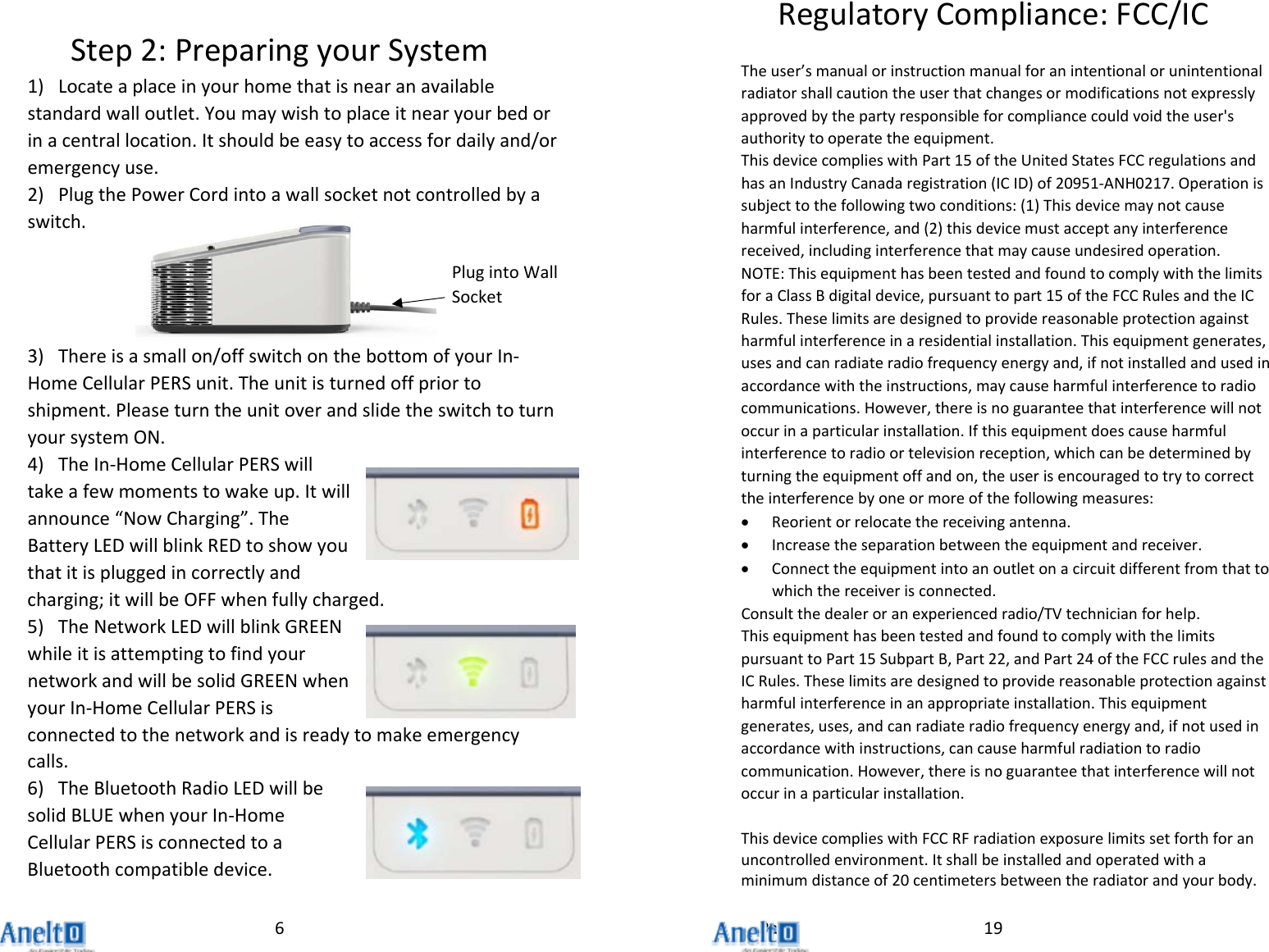
Page6Step2:PreparingyourSystem1) Locateaplaceinyourhomethatisnearanavailablestandardwalloutlet.Youmaywishtoplaceitnearyourbedorinacentrallocation.Itshouldbeeasytoaccessfordailyand/oremergencyuse.2) PlugthePowerCordintoawallsocketnotcontrolledbyaswitch.3) Thereisasmallon/offswitchonthebottomofyourIn‐HomeCellularPERSunit.Theunitisturnedoffpriortoshipment.PleaseturntheunitoverandslidetheswitchtoturnyoursystemON.4) TheIn‐HomeCellularPERSwilltakeafewmomentstowakeup.Itwillannounce“NowCharging”.TheBatteryLEDwillblinkREDtoshowyouthatitispluggedincorrectlyandcharging;itwillbeOFFwhenfullycharged.5) TheNetworkLEDwillblinkGREENwhileitisattemptingtofindyournetworkandwillbesolidGREENwhenyourIn‐HomeCellularPERSisconnectedtothenetworkandisreadytomakeemergencycalls.6) TheBluetoothRadioLEDwillbesolidBLUEwhenyourIn‐HomeCellularPERSisconnectedtoaBluetoothcompatibledevice.PlugintoWallSocket19RegulatoryCompliance:FCC/ICTheuser’smanualorinstructionmanualforanintentionalorunintentionalradiatorshallcautiontheuserthatchangesormodificationsnotexpresslyapprovedbythepartyresponsibleforcompliancecouldvoidtheuser'sauthoritytooperatetheequipment.ThisdevicecomplieswithPart15oftheUnitedStatesFCCregulationsandhasanIndustryCanadaregistration(ICID)of20951‐ANH0217.Operationissubjecttothefollowingtwoconditions:(1)Thisdevicemaynotcauseharmfulinterference,and(2)thisdevicemustacceptanyinterferencereceived,includinginterferencethatmaycauseundesiredoperation.NOTE:ThisequipmenthasbeentestedandfoundtocomplywiththelimitsforaClassBdigitaldevice,pursuanttopart15oftheFCCRulesandtheICRules.Theselimitsaredesignedtoprovidereasonableprotectionagainstharmfulinterferenceinaresidentialinstallation.Thisequipmentgenerates,usesandcanradiateradiofrequencyenergyand,ifnotinstalledandusedinaccordancewiththeinstructions,maycauseharmfulinterferencetoradiocommunications.However,thereisnoguaranteethatinterferencewillnotoccurinaparticularinstallation.Ifthisequipmentdoescauseharmfulinterferencetoradioortelevisionreception,whichcanbedeterminedbyturningtheequipmentoffandon,theuserisencouragedtotrytocorrecttheinterferencebyoneormoreofthefollowingmeasures: Reorientorrelocatethereceivingantenna. Increasetheseparationbetweentheequipmentandreceiver. Connecttheequipmentintoanoutletonacircuitdifferentfromthattowhichthereceiverisconnected.Consultthedealeroranexperiencedradio/TVtechnicianforhelp.ThisequipmenthasbeentestedandfoundtocomplywiththelimitspursuanttoPart15SubpartB,Part22,andPart24oftheFCCrulesandtheICRules.Theselimitsaredesignedtoprovidereasonableprotectionagainstharmfulinterferenceinanappropriateinstallation.Thisequipmentgenerates,uses,andcanradiateradiofrequencyenergyand,ifnotusedinaccordancewithinstructions,cancauseharmfulradiationtoradiocommunication.However,thereisnoguaranteethatinterferencewillnotoccurinaparticularinstallation.ThisdevicecomplieswithFCCRFradiationexposurelimitssetforthforanuncontrolledenvironment.Itshallbeinstalledandoperatedwithaminimumdistanceof20centimetersbetweentheradiatorandyourbody.
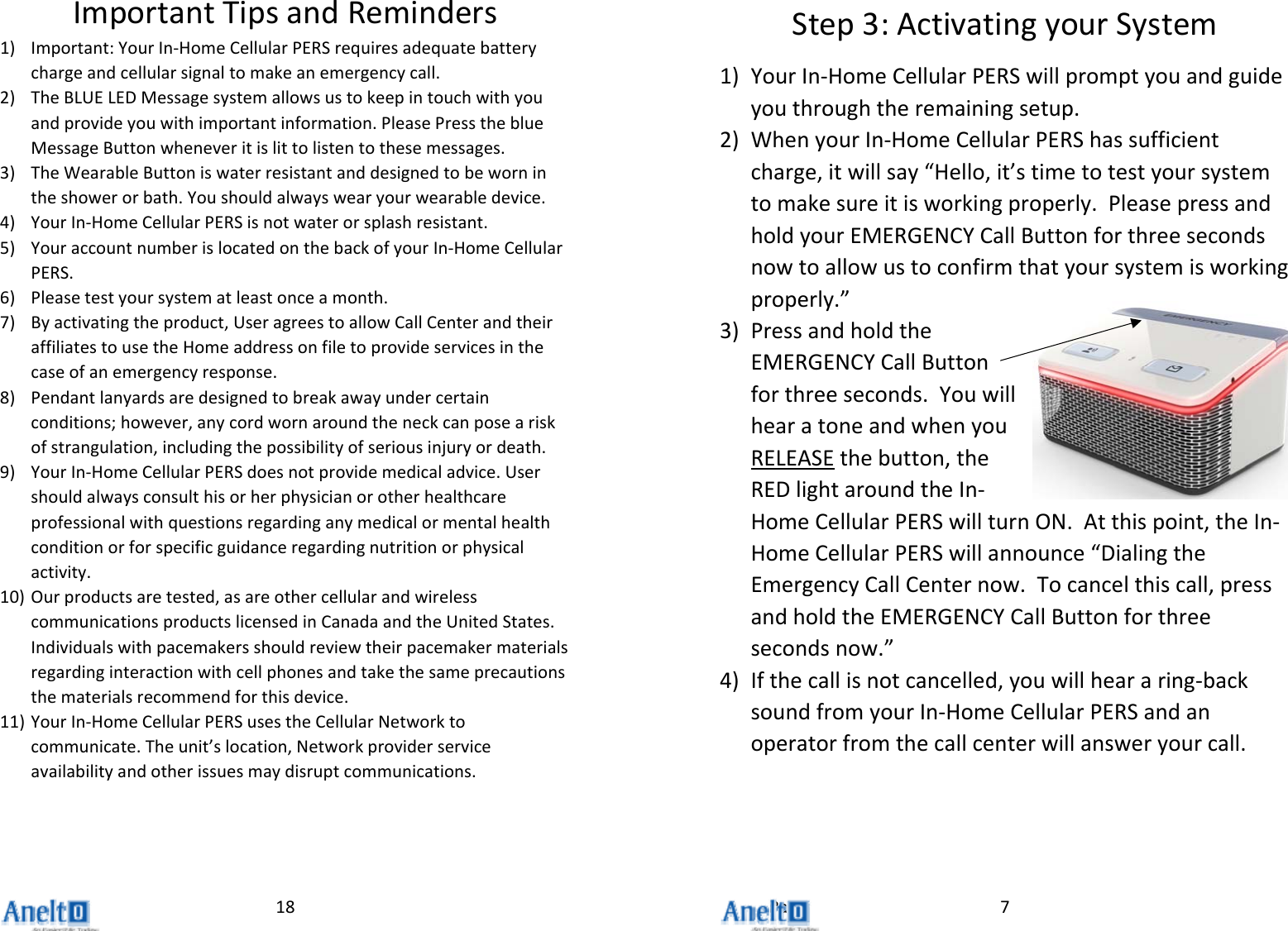
Page18ImportantTipsandReminders1) Important:YourIn‐HomeCellularPERSrequiresadequatebatterychargeandcellularsignaltomakeanemergencycall.2) TheBLUELEDMessagesystemallowsustokeepintouchwithyouandprovideyouwithimportantinformation.PleasePresstheblueMessageButtonwheneveritislittolistentothesemessages.3) TheWearableButtoniswaterresistantanddesignedtobewornintheshowerorbath.Youshouldalwayswearyourwearabledevice.4) YourIn‐HomeCellularPERSisnotwaterorsplashresistant.5) YouraccountnumberislocatedonthebackofyourIn‐HomeCellularPERS.6) Pleasetestyoursystematleastonceamonth.7) Byactivatingtheproduct,UseragreestoallowCallCenterandtheiraffiliatestousetheHomeaddressonfiletoprovideservicesinthecaseofanemergencyresponse.8) Pendantlanyardsaredesignedtobreakawayundercertainconditions;however,anycordwornaroundtheneckcanposeariskofstrangulation,includingthepossibilityofseriousinjuryordeath.9) YourIn‐HomeCellularPERSdoesnotprovidemedicaladvice.Usershouldalwaysconsulthisorherphysicianorotherhealthcareprofessionalwithquestionsregardinganymedicalormentalhealthconditionorforspecificguidanceregardingnutritionorphysicalactivity.10) Ourproductsaretested,asareothercellularandwirelesscommunicationsproductslicensedinCanadaandtheUnitedStates.Individualswithpacemakersshouldreviewtheirpacemakermaterialsregardinginteractionwithcellphonesandtakethesameprecautionsthematerialsrecommendforthisdevice.11) YourIn‐HomeCellularPERSusestheCellularNetworktocommunicate.Theunit’slocation,Networkproviderserviceavailabilityandotherissuesmaydisruptcommunications.7Step3:ActivatingyourSystem1) YourIn‐HomeCellularPERSwillpromptyouandguideyouthroughtheremainingsetup.2) WhenyourIn‐HomeCellularPERShassufficientcharge,itwillsay“Hello,it’stimetotestyoursystemtomakesureitisworkingproperly.PleasepressandholdyourEMERGENCYCallButtonforthreesecondsnowtoallowustoconfirmthatyoursystemisworkingproperly.”3) PressandholdtheEMERGENCYCallButtonforthreeseconds.YouwillhearatoneandwhenyouRELEASEthebutton,theREDlightaroundtheIn‐HomeCellularPERSwillturnON.Atthispoint,theIn‐HomeCellularPERSwillannounce“DialingtheEmergencyCallCenternow.Tocancelthiscall,pressandholdtheEMERGENCYCallButtonforthreesecondsnow.”4) Ifthecallisnotcancelled,youwillheararing‐backsoundfromyourIn‐HomeCellularPERSandanoperatorfromthecallcenterwillansweryourcall.
Page8Step4:TalkingtotheCallCenter1) Theoperatorshouldhaveyournamefromyouroriginalorderform,aswellastheaddresswhereyourIn‐HomeCellularPERSwillbelocated.Theoperatorwillconfirm:a. Yournameb. YourIn‐HomeCellularPERSaddress**c. Thequalityofyourcall2) TheIn‐HomeCellularPERSwillautomaticallyendthecallwhentheoperatorhangsup.3) TheIn‐HomeCellularPERSwillannounce“Yourcallhasended.Thankyou.”**PleasenotethatthelocationoftheIn‐HomeCellularPERSasyourcallcenterregisteredaddressisakeypartofidentifyingyourlocationshouldyouneedemergencyhelp.PLEASEDONOTMOVETHEIN‐HOMECELLULARPERSTOANOTHERADDRESSWITHOUTNOTIFYINGTHECALLCENTER.17QuickReference:LEDIndicators#1#2#3#4#5
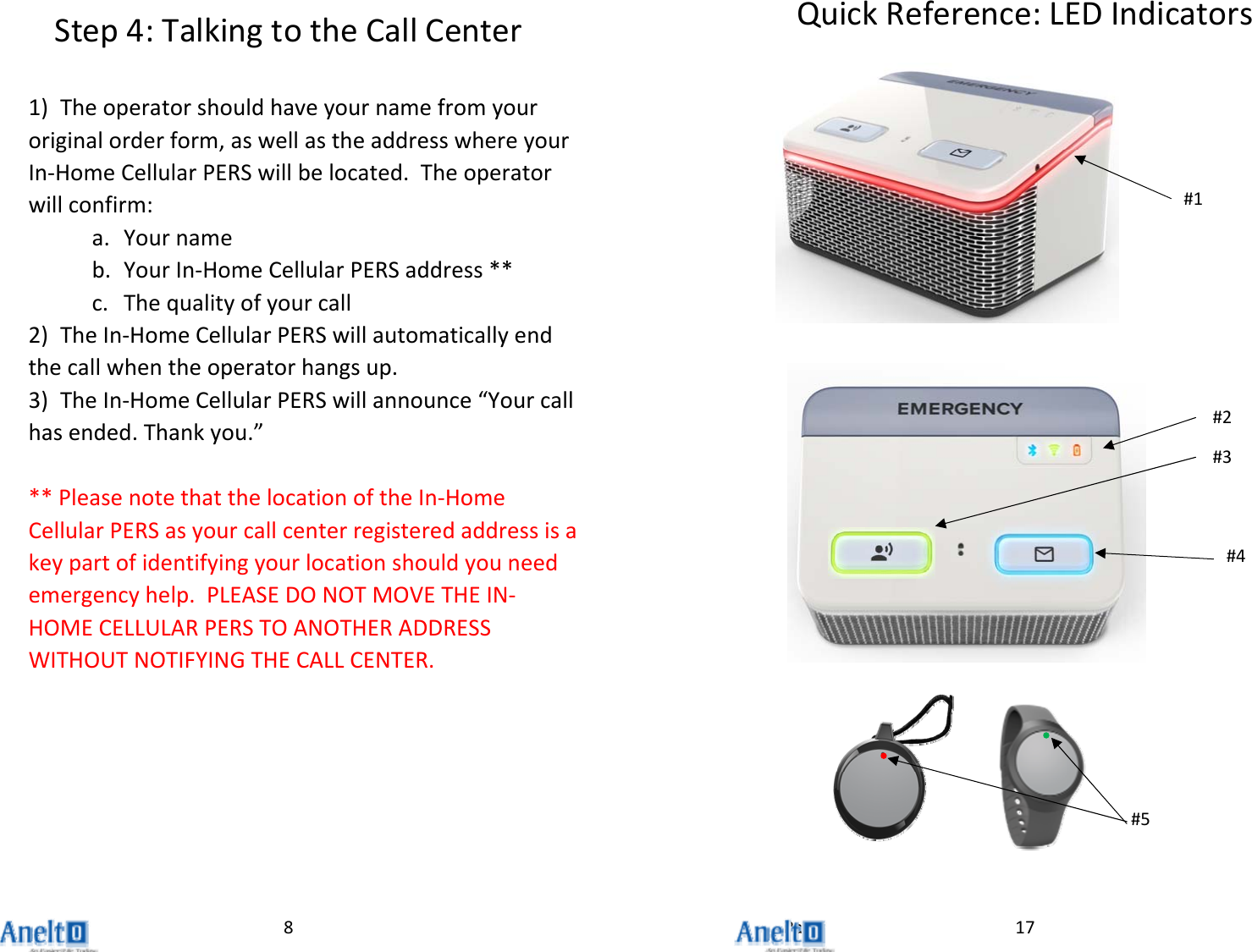
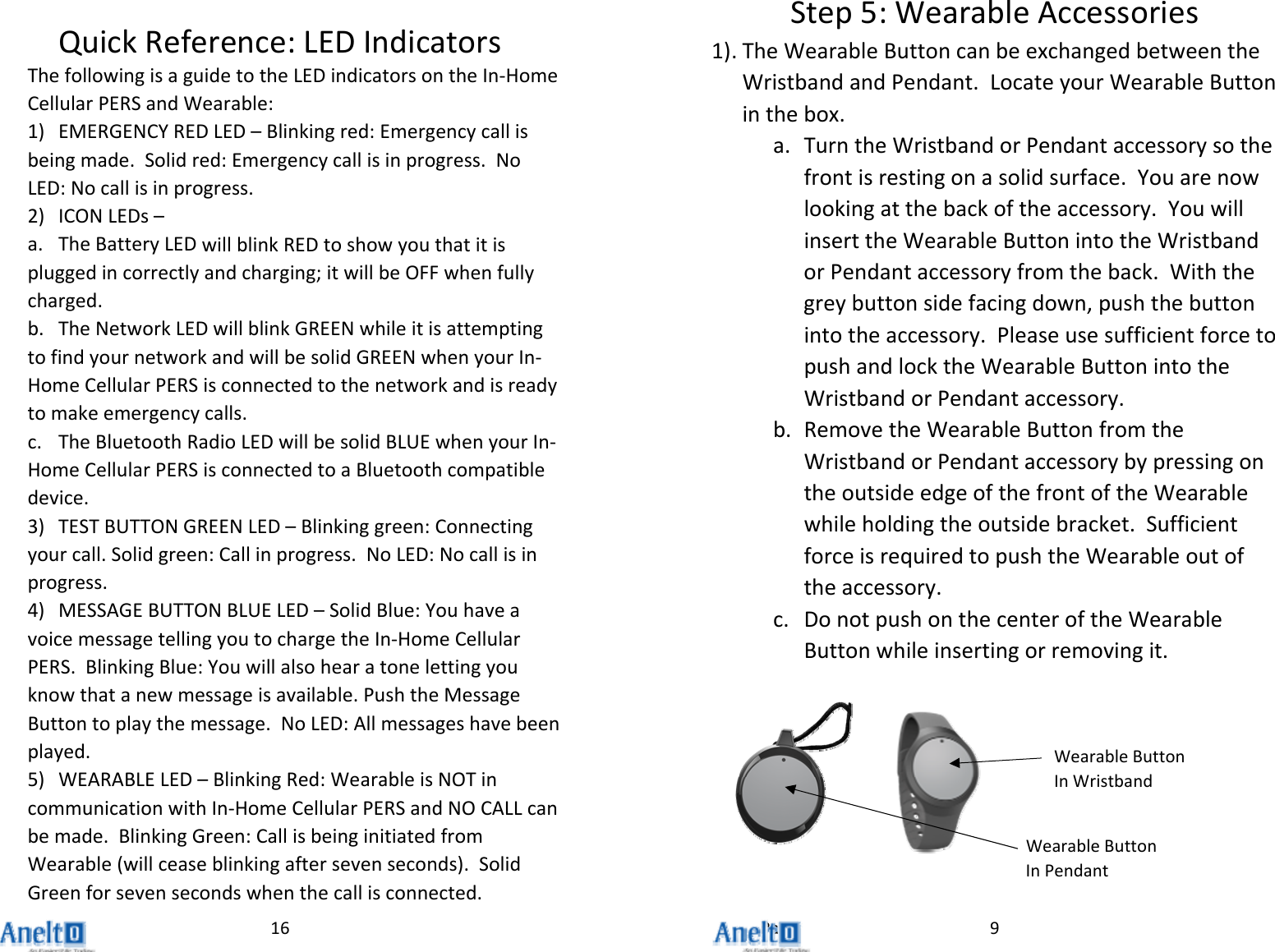
Page16QuickReference:LEDIndicatorsThefollowingisaguidetotheLEDindicatorsontheIn‐HomeCellularPERSandWearable:1) EMERGENCYREDLED–Blinkingred:Emergencycallisbeingmade.Solidred:Emergencycallisinprogress.NoLED:Nocallisinprogress.2) ICONLEDs–a. TheBatteryLEDwillblinkREDtoshowyouthatitispluggedincorrectlyandcharging;itwillbeOFFwhenfullycharged.b. TheNetworkLEDwillblinkGREENwhileitisattemptingtofindyournetworkandwillbesolidGREENwhenyourIn‐HomeCellularPERSisconnectedtothenetworkandisreadytomakeemergencycalls.c. TheBluetoothRadioLEDwillbesolidBLUEwhenyourIn‐HomeCellularPERSisconnectedtoaBluetoothcompatibledevice.3) TESTBUTTONGREENLED–Blinkinggreen:Connectingyourcall.Solidgreen:Callinprogress.NoLED:Nocallisinprogress.4) MESSAGEBUTTONBLUELED–SolidBlue:YouhaveavoicemessagetellingyoutochargetheIn‐HomeCellularPERS.BlinkingBlue:Youwillalsohearatonelettingyouknowthatanewmessageisavailable.PushtheMessageButtontoplaythemessage.NoLED:Allmessageshavebeenplayed.5) WEARABLELED–BlinkingRed:WearableisNOTincommunicationwithIn‐HomeCellularPERSandNOCALLcanbemade.BlinkingGreen:CallisbeinginitiatedfromWearable(willceaseblinkingaftersevenseconds).SolidGreenforsevensecondswhenthecallisconnected.9Step5:WearableAccessories1) . TheWearableButtoncanbeexchangedbetweentheWristbandandPendant.LocateyourWearableButtoninthebox.a. TurntheWristbandorPendantaccessorysothefrontisrestingonasolidsurface.Youarenowlookingatthebackoftheaccessory.YouwillinserttheWearableButtonintotheWristbandorPendantaccessoryfromtheback.Withthegreybuttonsidefacingdown,pushthebuttonintotheaccessory.PleaseusesufficientforcetopushandlocktheWearableButtonintotheWristbandorPendantaccessory.b. RemovetheWearableButtonfromtheWristbandorPendantaccessorybypressingontheoutsideedgeofthefrontoftheWearablewhileholdingtheoutsidebracket.SufficientforceisrequiredtopushtheWearableoutoftheaccessory.c. DonotpushonthecenteroftheWearableButtonwhileinsertingorremovingit.WearableButtonInPendantWearableButtonInWristband
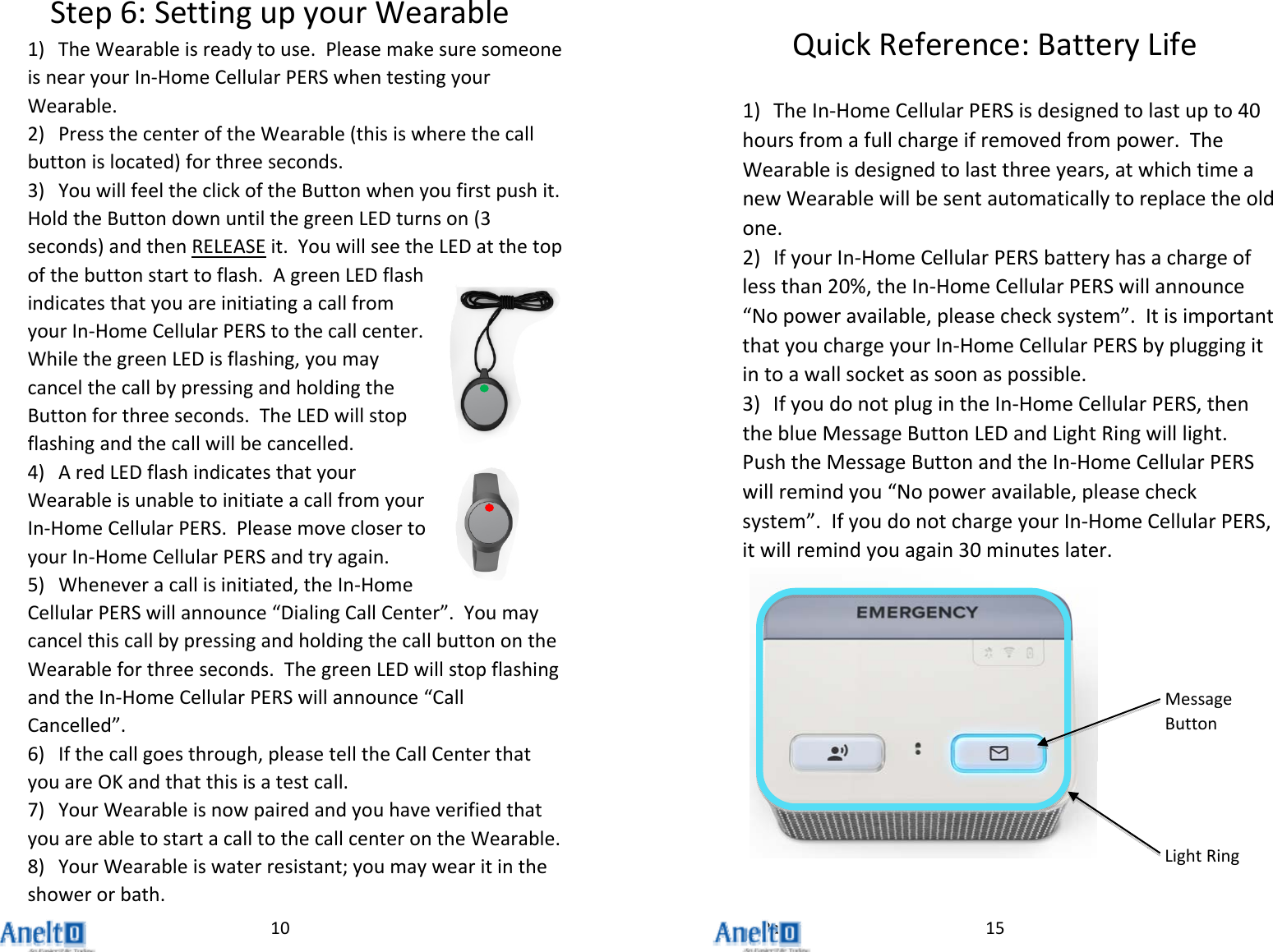
Page10Step6:SettingupyourWearable1) TheWearableisreadytouse.PleasemakesuresomeoneisnearyourIn‐HomeCellularPERSwhentestingyourWearable.2) PressthecenteroftheWearable(thisiswherethecallbuttonislocated)forthreeseconds.3) YouwillfeeltheclickoftheButtonwhenyoufirstpushit.HoldtheButtondownuntilthegreenLEDturnson(3seconds)andthenRELEASEit.YouwillseetheLEDatthetopofthebuttonstarttoflash.AgreenLEDflashindicatesthatyouareinitiatingacallfromyourIn‐HomeCellularPERStothecallcenter.WhilethegreenLEDisflashing,youmaycancelthecallbypressingandholdingtheButtonforthreeseconds.TheLEDwillstopflashingandthecallwillbecancelled.4) AredLEDflashindicatesthatyourWearableisunabletoinitiateacallfromyourIn‐HomeCellularPERS.PleasemoveclosertoyourIn‐HomeCellularPERSandtryagain.5) Wheneveracallisinitiated,theIn‐HomeCellularPERSwillannounce“DialingCallCenter”.YoumaycancelthiscallbypressingandholdingthecallbuttonontheWearableforthreeseconds.ThegreenLEDwillstopflashingandtheIn‐HomeCellularPERSwillannounce“CallCancelled”.6) Ifthecallgoesthrough,pleasetelltheCallCenterthatyouareOKandthatthisisatestcall.7) YourWearableisnowpairedandyouhaveverifiedthatyouareabletostartacalltothecallcenterontheWearable.8) YourWearableiswaterresistant;youmaywearitintheshowerorbath.15QuickReference:BatteryLife1) TheIn‐HomeCellularPERSisdesignedtolastupto40hoursfromafullchargeifremovedfrompower.TheWearableisdesignedtolastthreeyears,atwhichtimeanewWearablewillbesentautomaticallytoreplacetheoldone.2) IfyourIn‐HomeCellularPERSbatteryhasachargeoflessthan20%,theIn‐HomeCellularPERSwillannounce“Nopoweravailable,pleasechecksystem”.ItisimportantthatyouchargeyourIn‐HomeCellularPERSbypluggingitintoawallsocketassoonaspossible.3) IfyoudonotplugintheIn‐HomeCellularPERS,thentheblueMessageButtonLEDandLightRingwilllight.PushtheMessageButtonandtheIn‐HomeCellularPERSwillremindyou“Nopoweravailable,pleasechecksystem”.IfyoudonotchargeyourIn‐HomeCellularPERS,itwillremindyouagain30minuteslater.MessageButtonLightRing
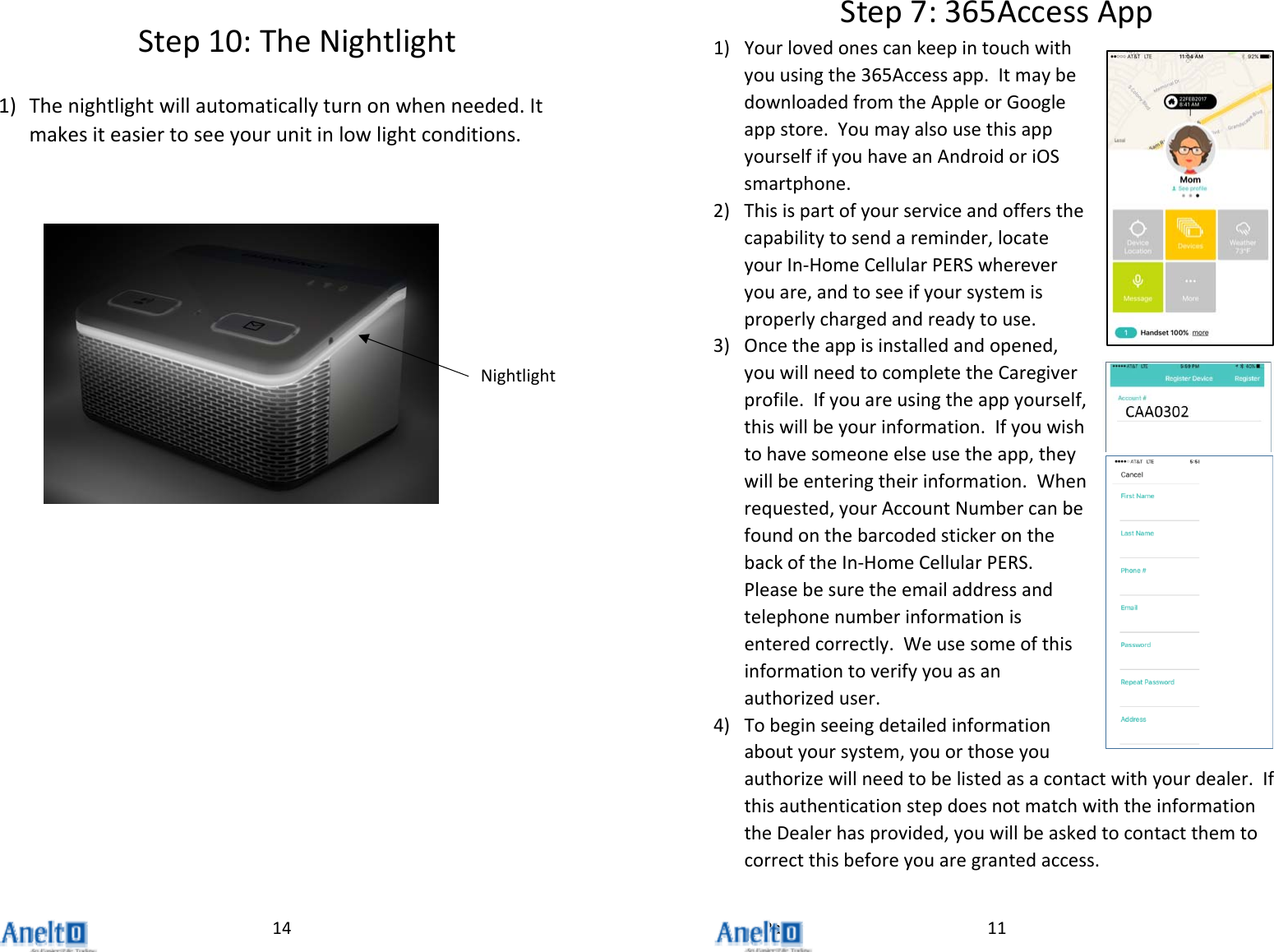
Page14Step10:TheNightlight1) Thenightlightwillautomaticallyturnonwhenneeded.Itmakesiteasiertoseeyourunitinlowlightconditions.Nightlight11Step7:365AccessApp1) Yourlovedonescankeepintouchwithyouusingthe365Accessapp.ItmaybedownloadedfromtheAppleorGoogleappstore.YoumayalsousethisappyourselfifyouhaveanAndroidoriOSsmartphone.2) Thisispartofyourserviceandoffersthecapabilitytosendareminder,locateyourIn‐HomeCellularPERSwhereveryouare,andtoseeifyoursystemisproperlychargedandreadytouse.3) Oncetheappisinstalledandopened,youwillneedtocompletetheCaregiverprofile.Ifyouareusingtheappyourself,thiswillbeyourinformation.Ifyouwishtohavesomeoneelseusetheapp,theywillbeenteringtheirinformation.Whenrequested,yourAccountNumbercanbefoundonthebarcodedstickeronthebackoftheIn‐HomeCellularPERS.Pleasebesuretheemailaddressandtelephonenumberinformationisenteredcorrectly.Weusesomeofthisinformationtoverifyyouasanauthorizeduser.4) Tobeginseeingdetailedinformationaboutyoursystem,youorthoseyouauthorizewillneedtobelistedasacontactwithyourdealer.IfthisauthenticationstepdoesnotmatchwiththeinformationtheDealerhasprovided,youwillbeaskedtocontactthemtocorrectthisbeforeyouaregrantedaccess.
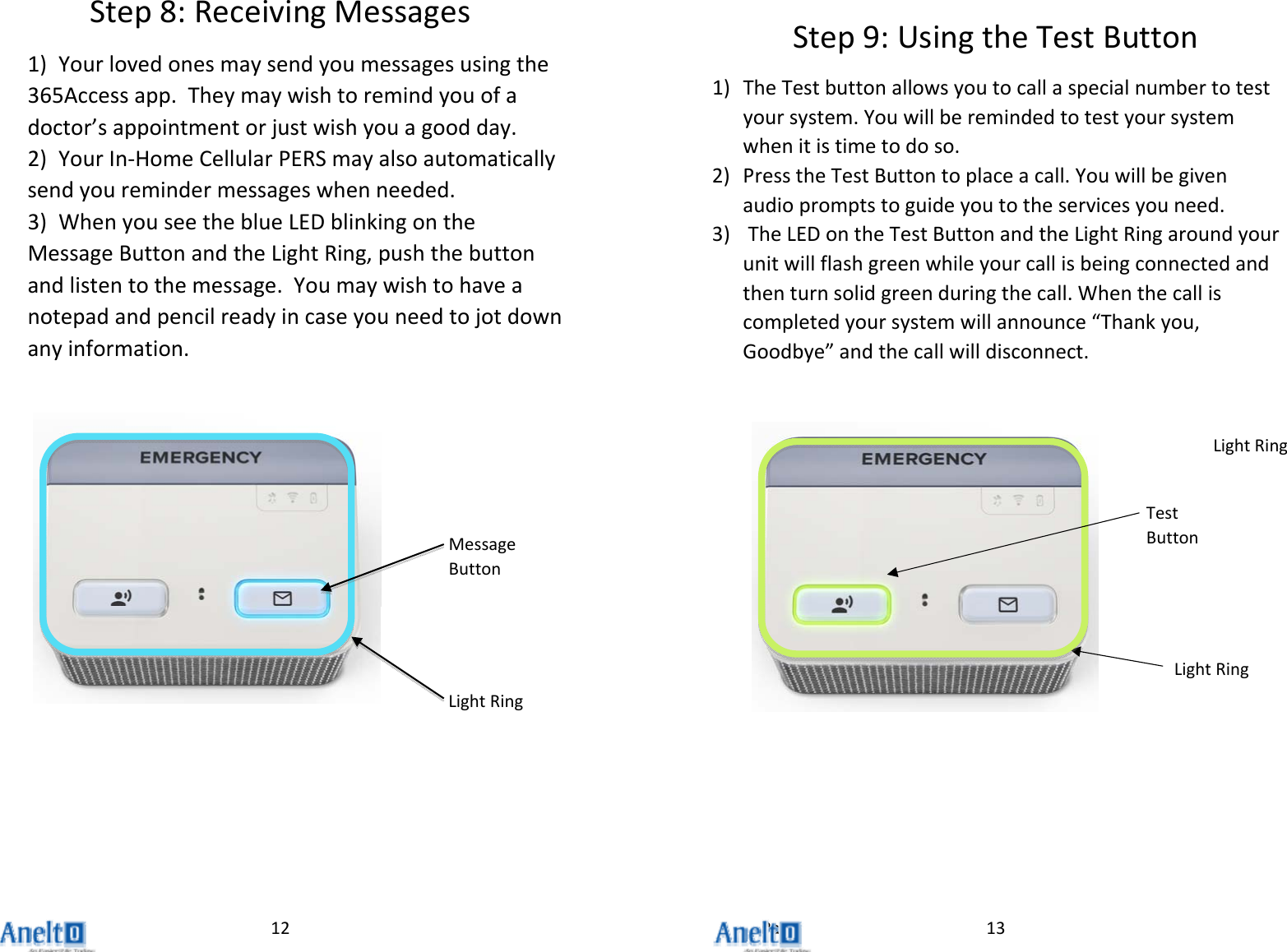
Page12Step8:ReceivingMessages1) Yourlovedonesmaysendyoumessagesusingthe365Accessapp.Theymaywishtoremindyouofadoctor’sappointmentorjustwishyouagoodday.2) YourIn‐HomeCellularPERSmayalsoautomaticallysendyouremindermessageswhenneeded.3) WhenyouseetheblueLEDblinkingontheMessageButtonandtheLightRing,pushthebuttonandlistentothemessage.Youmaywishtohaveanotepadandpencilreadyincaseyouneedtojotdownanyinformation.MessageButtonLightRing13Step9:UsingtheTestButton1) TheTestbuttonallowsyoutocallaspecialnumbertotestyoursystem.Youwillberemindedtotestyoursystemwhenitistimetodoso.2) PresstheTestButtontoplaceacall.Youwillbegivenaudiopromptstoguideyoutotheservicesyouneed.3) TheLEDontheTestButtonandtheLightRingaroundyourunitwillflashgreenwhileyourcallisbeingconnectedandthenturnsolidgreenduringthecall.Whenthecalliscompletedyoursystemwillannounce“Thankyou,Goodbye”andthecallwilldisconnect.LightRingTestButtonLightRing

Navigation menu