Ansen Electronics Co 960040TX Wireless PC transmitter User Manual W194quickguide

Ansen Electronics Co Wireless PC transmitter W194quickguide

Contents

quick install guide

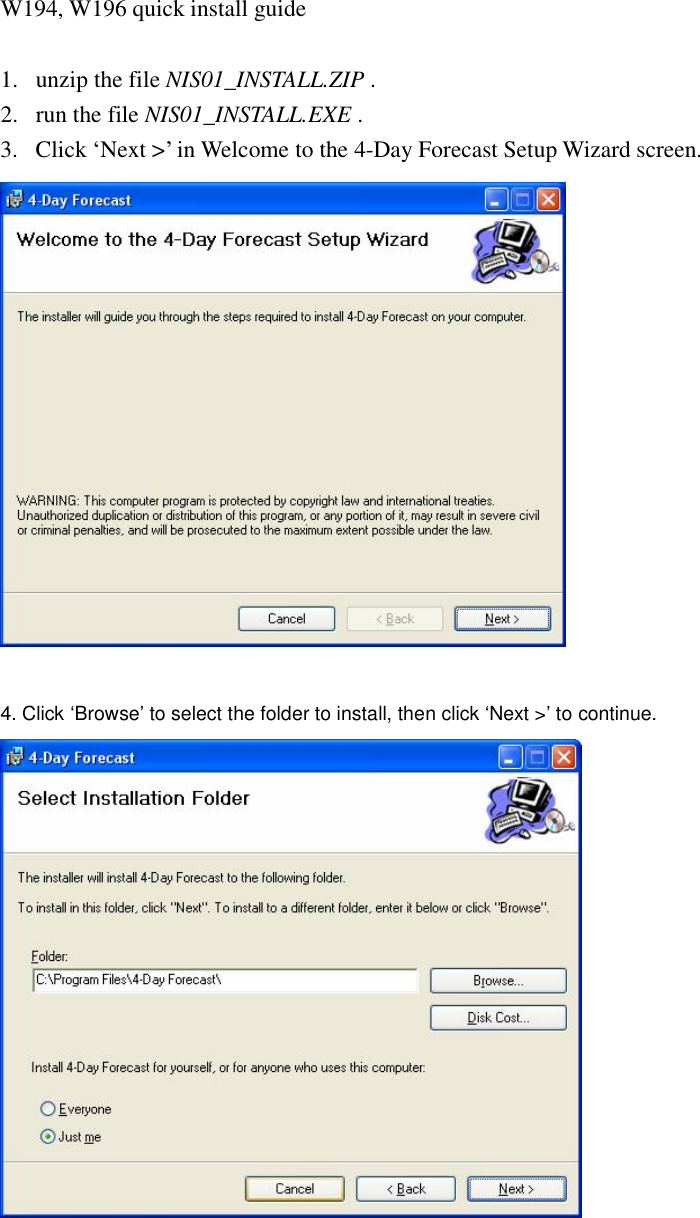
W194, W196 quick install guide  1. unzip the file NIS01_INSTALL.ZIP . 2. run the file NIS01_INSTALL.EXE . 3. Click ‘Next >’ in Welcome to the 4-Day Forecast Setup Wizard screen.   4. Click ‘Browse’ to select the folder to install, then click ‘Next >’ to continue.
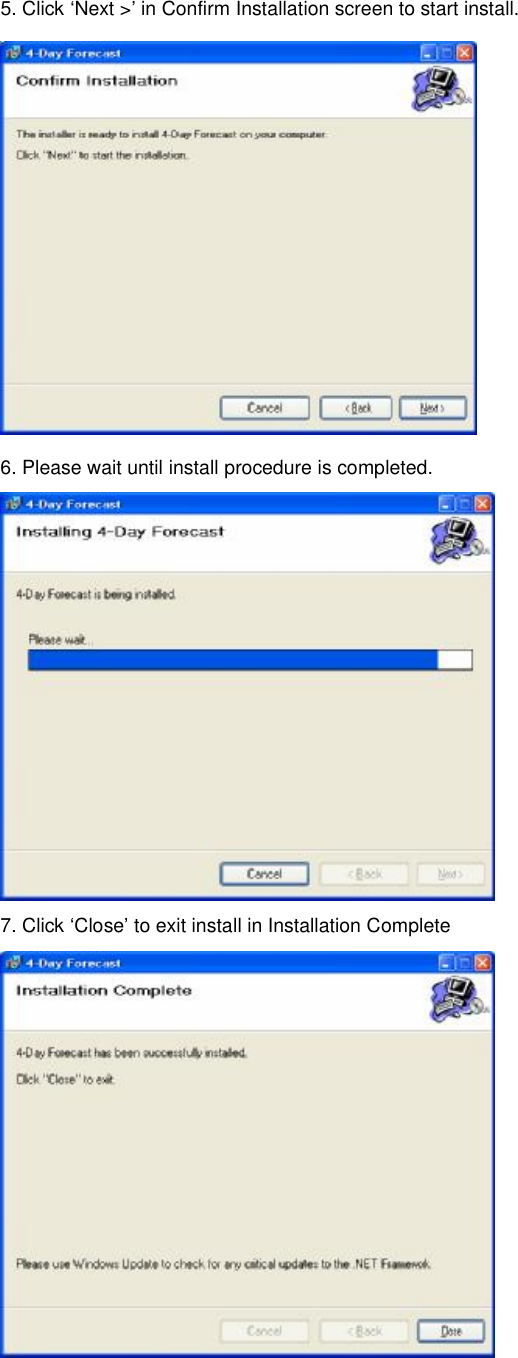
5. Click ‘Next >’ in Confirm Installation screen to start install.  6. Please wait until install procedure is completed.  7. Click ‘Close’ to exit install in Installation Complete
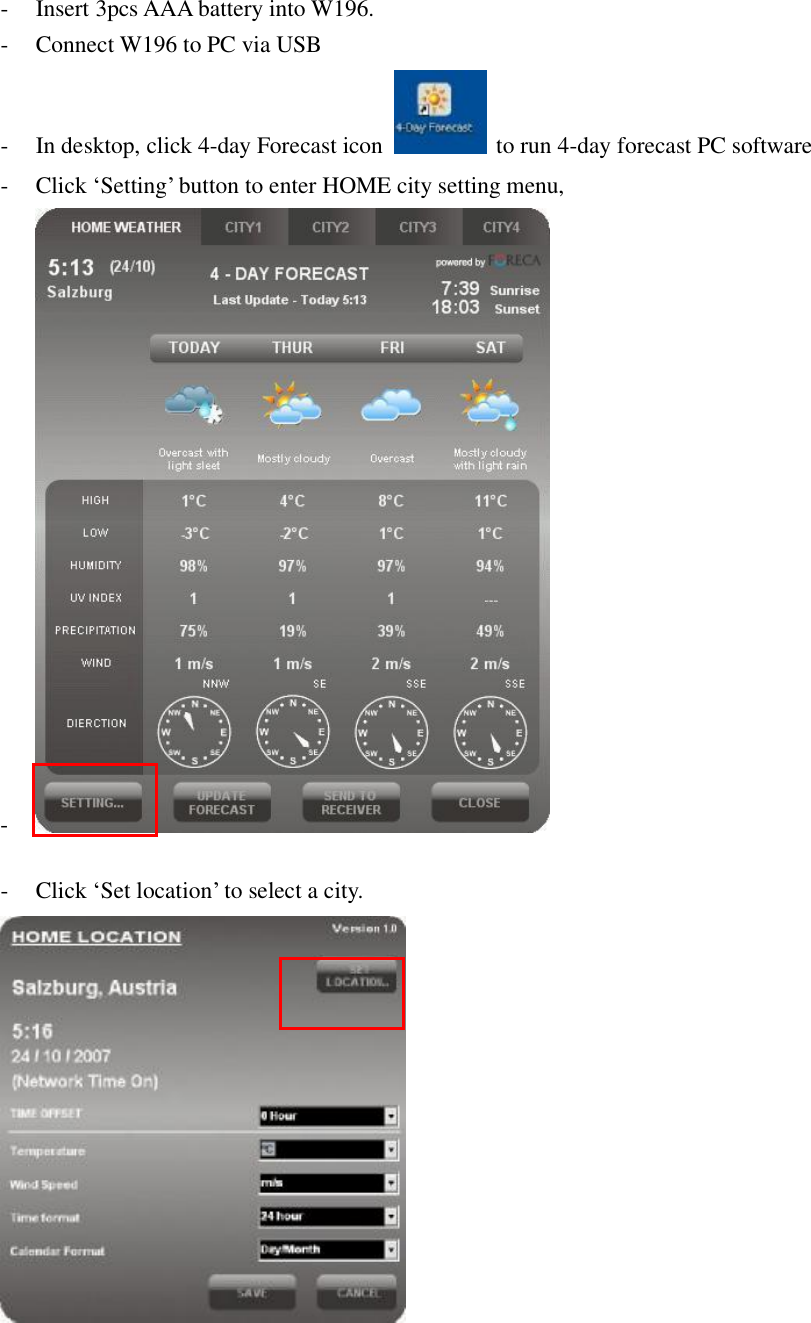
- Insert 3pcs AAA battery into W196. - Connect W196 to PC via USB - In desktop, click 4-day Forecast icon   to run 4-day forecast PC software - Click ‘Setting’ button to enter HOME city setting menu, -   - Click ‘Set location’ to select a city.
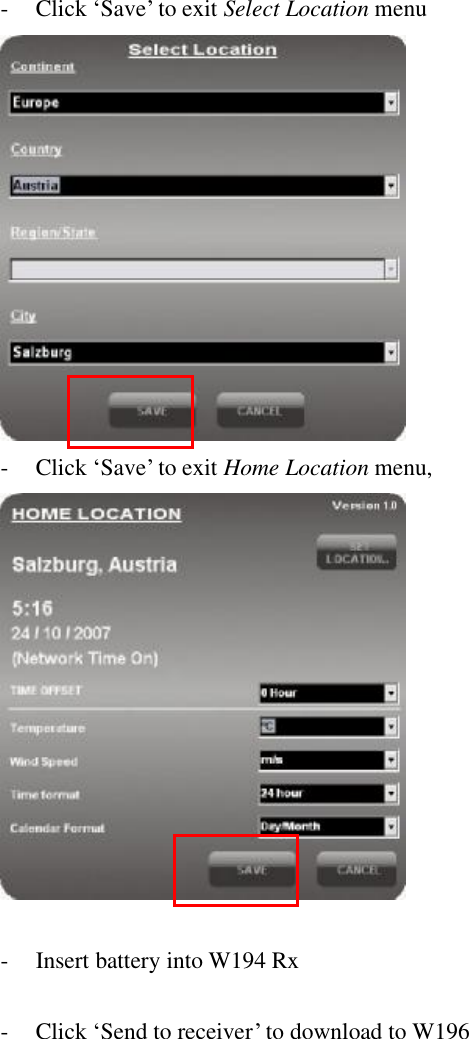
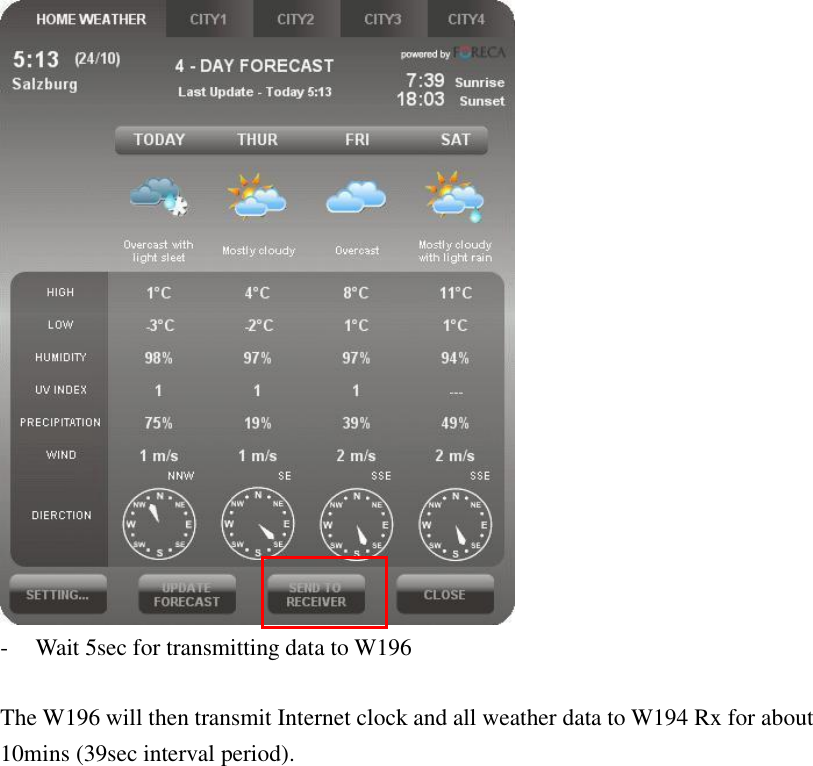
- Click ‘Save’ to exit Select Location menu  - Click ‘Save’ to exit Home Location menu,    - Insert battery into W194 Rx  - Click ‘Send to receiver’ to download to W196
 - Wait 5sec for transmitting data to W196  The W196 will then transmit Internet clock and all weather data to W194 Rx for about 10mins (39sec interval period).

Navigation menu