BERRYMED BM1000B Pulse Oximeter User Manual

BERRYMED LIMITED Pulse Oximeter

UserManual

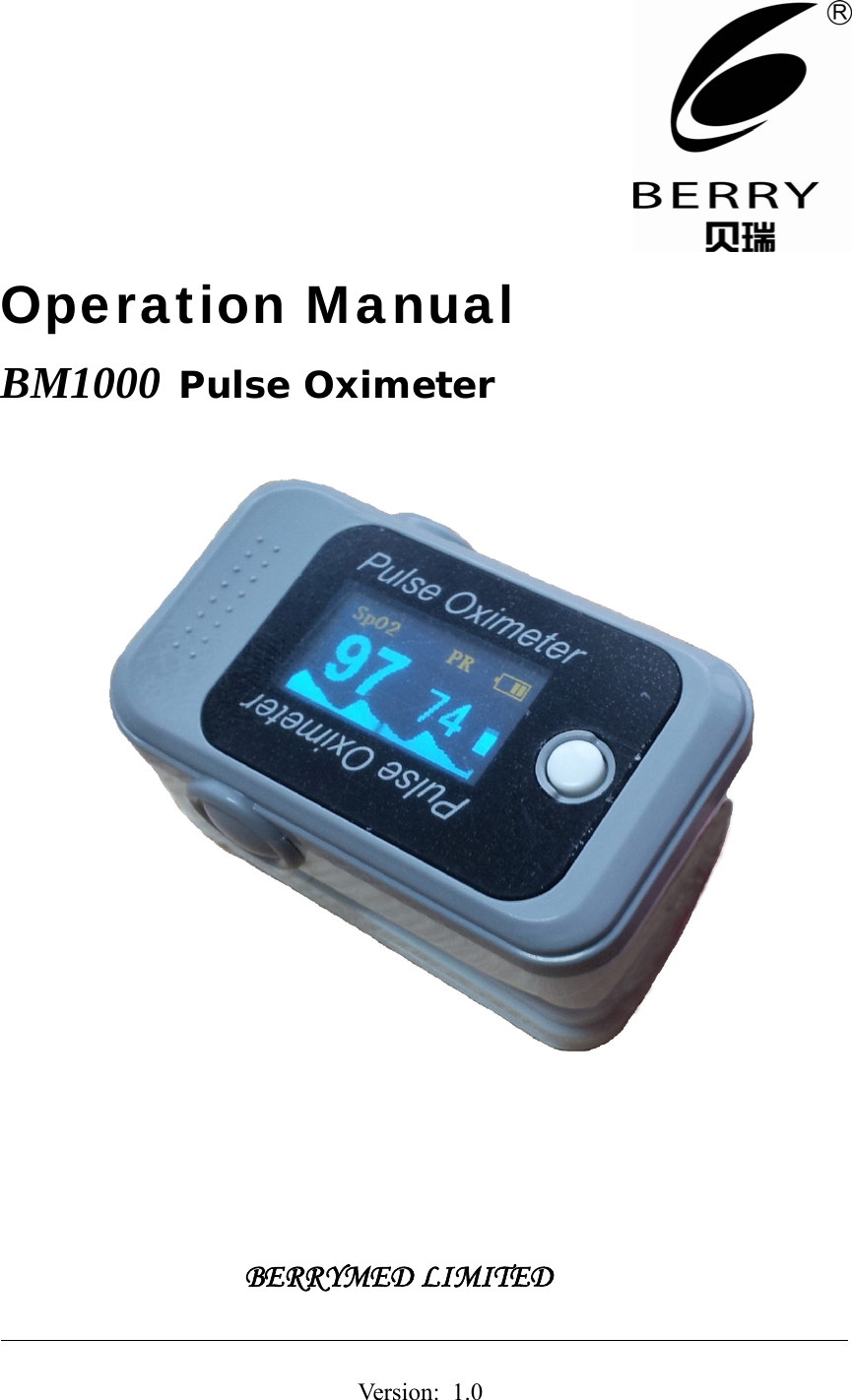
 Operation Manual BM1000 Pulse Oximeter           BERRYMED LIMITED                                                             Version:  1.0
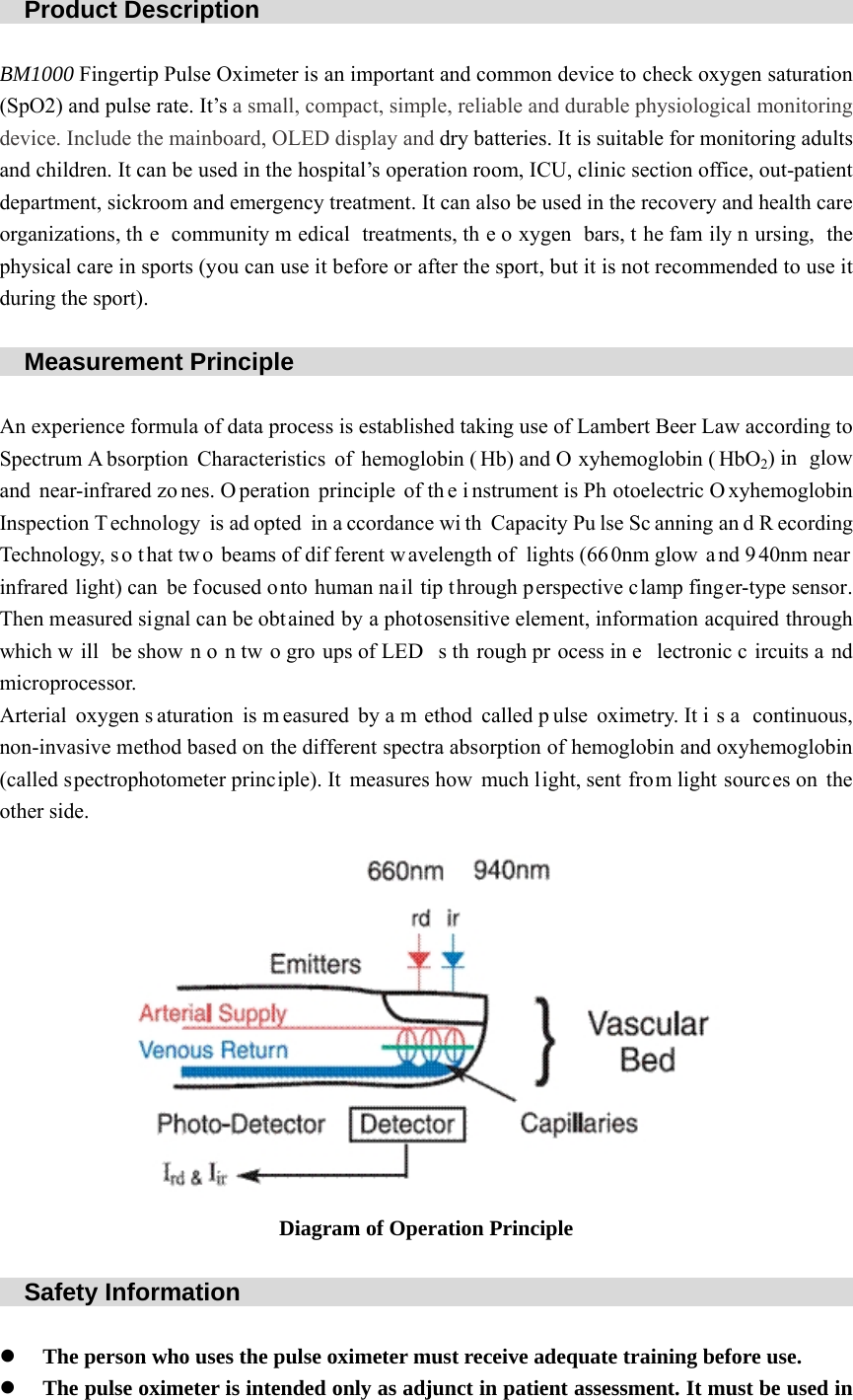
  Product Description                                                   BM1000 Fingertip Pulse Oximeter is an important and common device to check oxygen saturation (SpO2) and pulse rate. It’s a small, compact, simple, reliable and durable physiological monitoring device. Include the mainboard, OLED display and dry batteries. It is suitable for monitoring adults and children. It can be used in the hospital’s operation room, ICU, clinic section office, out-patient department, sickroom and emergency treatment. It can also be used in the recovery and health care organizations, th e community m edical treatments, th e o xygen bars, t he fam ily n ursing, the physical care in sports (you can use it before or after the sport, but it is not recommended to use it during the sport).    Measurement Principle                                                       An experience formula of data process is established taking use of Lambert Beer Law according to Spectrum A bsorption Characteristics of hemoglobin ( Hb) and O xyhemoglobin ( HbO2) in  glow and near-infrared zo nes. O peration principle of th e i nstrument is Ph otoelectric O xyhemoglobin Inspection Technology is ad opted in a ccordance wi th Capacity Pu lse Sc anning an d R ecording Technology, s o t hat tw o beams of dif ferent w avelength of lights (66 0nm glow  a nd 9 40nm near infrared light) can be focused onto human nail tip through perspective clamp finger-type sensor. Then measured signal can be obtained by a photosensitive element, information acquired through which w ill be show n o n tw o gro ups of LED s th rough pr ocess in e lectronic c ircuits a nd microprocessor. Arterial oxygen s aturation is m easured by a m ethod called p ulse oximetry. It i s a  continuous, non-invasive method based on the different spectra absorption of hemoglobin and oxyhemoglobin (called spectrophotometer principle). It measures how much light, sent from light sources on the other side.  Diagram of Operation Principle    Safety Information                                                     z The person who uses the pulse oximeter must receive adequate training before use. z The pulse oximeter is intended only as adjunct in patient assessment. It must be used in
conjunction with clinical signs and symptoms. It is not intended as a device used for treatment purposes. z When using the pulse oximeter together with the electrical surgery equipment, the user should pay attention to and guarantee safety of the patient being measured. z EXPLOSION HAZARD: Do not use the pulse oximeter in the presence of flammable anesthetics, explosive substances, vapors or liquids. z Make sure not to use the pulse oximeter during MRI (magnetic resonance imaging) scanning or CT (Computed Tomography) environment because induced current could potentially cause burns.   z The pulse oximeter is without alarm function. Continuous monitoring for a long time is not suitable. z No modification of this product is allowed. Maintenance should be operated by   professional maintenance personnel who are approved by manufacturers. z Please shut off the power before clean the pulse oximeter. Never permit high-pressure and high-temperature disinfection of the device. Never use cleaning agents/disinfectants other than the recommended. z The product is commonly seal product. Keep its surface dry and clean, and prevent any liquid from infiltrating it. z The pulse oximeter is precision and fragile. Avoid pressure, knock, strong vibration or other mechanical damage. Hold it carefully and lightly. If it is not in use, it should be appropriately placed. z For disposal of pulse oximeter and accessories, follow local regulations or your hospital’s policy regarding disposal of such pulse oximeter and accessories. Do not dispose randomly. z Use AAA alkaline batteries. Do not use carbon or poor quality batteries. Remove the batteries if the product is not to be used for a long time. z If patient is an intended operator, you must read the operation manual carefully and understand deeply or consult with the doctor and manufacturer before using. If you have any discomfort in use, please stop using immediately and go to the hospital. z A functional tester can’t be used to assess the accuracy. z The patient is an intended operator and can perform the maintenance the equipment.    Product Feature                                                           1.    Simple and convenient usage of product, simple one-touch operation. 2.    Small volume, light weight, convenient to carry. 3.    Lower consumption, original two AAA batteries can continuously work for 24 hours. 4.    Low voltage reminder show s i n scre en w hen there’s l ow bat tery, may i nfluence th e no rmal working.  5.    The machine will automatically power off when there’s no signal generated.   6.    Daily maintenance and calibration is unnecessary. 7.  Communication c an be  real ized between the pr oduct and m obile phone w ith i ts w ireless Bluetooth.
  Display Introduction                                                                                  Figure 1    Battery Installation                                                    1. Hold the product in one hand with the front panel facing the palm. Put the other hand’s big finger on th e bat tery cabinet lid’s press  sign, press downwards and p ush th e lid open at the same time. The battery cabinet is opened as shown in Figure 2. 2. Install batteries into the slots per the “+” and “-” symbols as shown in Figure 3. Cover the lid onto the cabinet and push it upwards to make it close well. z    The positive and negative electrodes of batteries should be installed correctly. Otherwise the device will be damaged. z    When install or remove batteries, please follow the correct operation sequence to operate. Otherwise the battery compartment will be damaged.     Figure 2                                Figure 3    Hang lace Installation                                                             1. Thread thinner end of the hang lace through the hanging hole. 2. Thread thicker end of the lace through the threaded end before pulling it tightly.    Directions for use
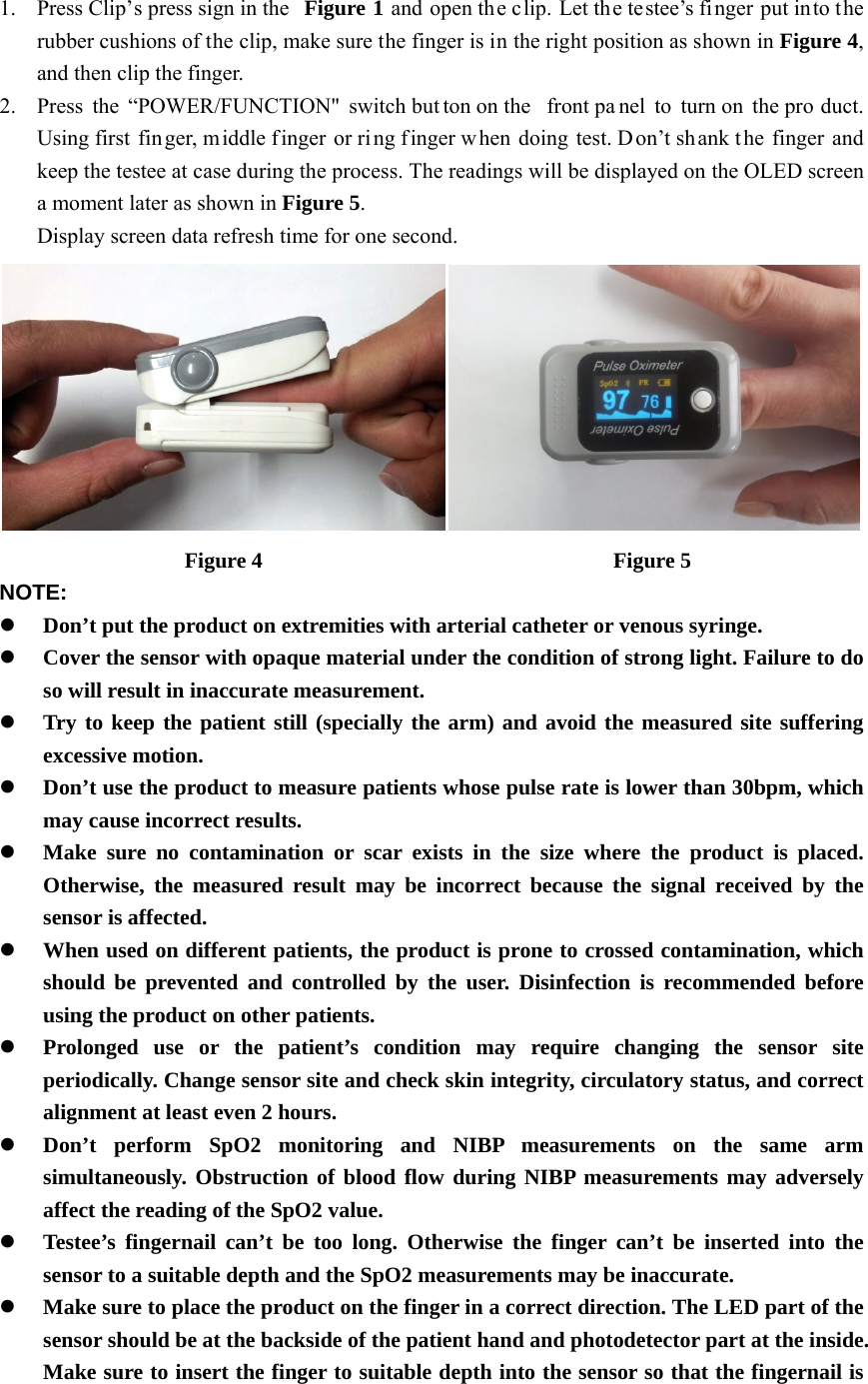
 1. Press Clip’s press sign in the  Figure 1 and open the clip. Let the testee’s finger put into the rubber cushions of the clip, make sure the finger is in the right position as shown in Figure 4, and then clip the finger. 2. Press the “POWER/FUNCTION" switch but ton on the  front pa nel to turn on  the pro duct. Using first  fin ger, middle f inger or ring finger w hen doing test. Don’t shank t he finger and keep the testee at case during the process. The readings will be displayed on the OLED screen a moment later as shown in Figure 5. Display screen data refresh time for one second.  Figure 4                                Figure 5 NOTE: z Don’t put the product on extremities with arterial catheter or venous syringe. z Cover the sensor with opaque material under the condition of strong light. Failure to do so will result in inaccurate measurement. z Try to keep the patient still (specially the arm) and avoid the measured site suffering excessive motion. z Don’t use the product to measure patients whose pulse rate is lower than 30bpm, which may cause incorrect results. z Make sure no contamination or scar exists in the size where the product is placed. Otherwise, the measured result may be incorrect because the signal received by the sensor is affected. z When used on different patients, the product is prone to crossed contamination, which should be prevented and controlled by the user. Disinfection is recommended before using the product on other patients. z Prolonged use or the patient’s condition may require changing the sensor site periodically. Change sensor site and check skin integrity, circulatory status, and correct alignment at least even 2 hours. z Don’t perform SpO2 monitoring and NIBP measurements on the same arm simultaneously. Obstruction of blood flow during NIBP measurements may adversely affect the reading of the SpO2 value. z Testee’s fingernail can’t be too long. Otherwise the finger can’t be inserted into the sensor to a suitable depth and the SpO2 measurements may be inaccurate.   z Make sure to place the product on the finger in a correct direction. The LED part of the sensor should be at the backside of the patient hand and photodetector part at the inside. Make sure to insert the finger to suitable depth into the sensor so that the fingernail is
just opposite to the light emitted from the sensor. z The highest temperature of sensor contacts with patient’s skin don’t be allowed more than 41℃. z Shock, anemia, hypothermia and the application of vasoconstriction drug may decrease arteria blood flow to an unmeasurable level. z Pigment, or deep color (for example: nail polish, artificial nails, dye or pigmented cream) may cause inaccurate measurements.    Function Description                                                  a. When the data has been displayed on the screen, change the display direction by pressing the “POWER/FUNCTION” button again. (as shown in Figure 6) b. When  th e product is  powered o n, long press  the “ POWER/FUNCTION” but ton, Bluetooth function will be started. The Bluetooth indicator light on the top of display will flicker. (as shown in Figure 7) c. The product will a utomatically be powered off when no fi nger is in the device for longer than 10 seconds. And switch to another display mode. (as shown in Figure 8)                      Figure 6                                 Figure 7                    Figure 8    Bluetooth Communication Function                                     a. Open the mobile phone, and double-click SpO2 software icon “ ”. And enter the following interface. (as shown in Figure 9)
b. c. Click the “AInput the usein Figure 11)dd new userser name, click) s” and enter thk the “DetailFigure 9 he following Figure 10 s” and jump interface. (asthe followings shown in Fig informationigure 10) n table. (as sh  hown
d. e. Input personFigure 12) Click “berry”nal informatio” and enter thon, then clickhe following iFigure 11 k “Save” and Figure 12 interface. (as enter the follshown in Figlowing interfgure 13) face. (as show wn in
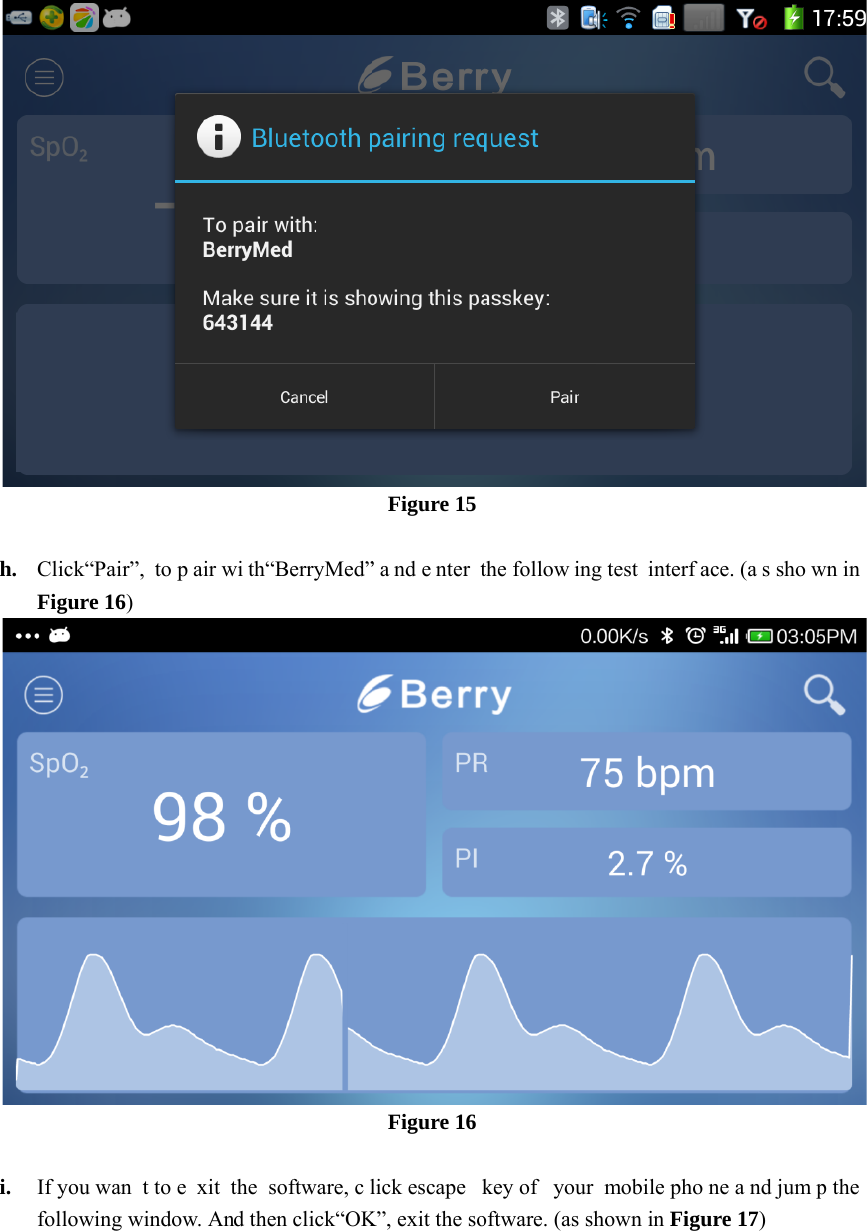
f. g. Click“Wait to  searshown in Fig”, search equrch out  the egure 15) uipment and jequipment, clFigure 13 jump the follFigure 14 lick“BerryMelowing interfaed” and  enteface. (as shower the followwn in Figure 1wing in terface 14)  e. (as
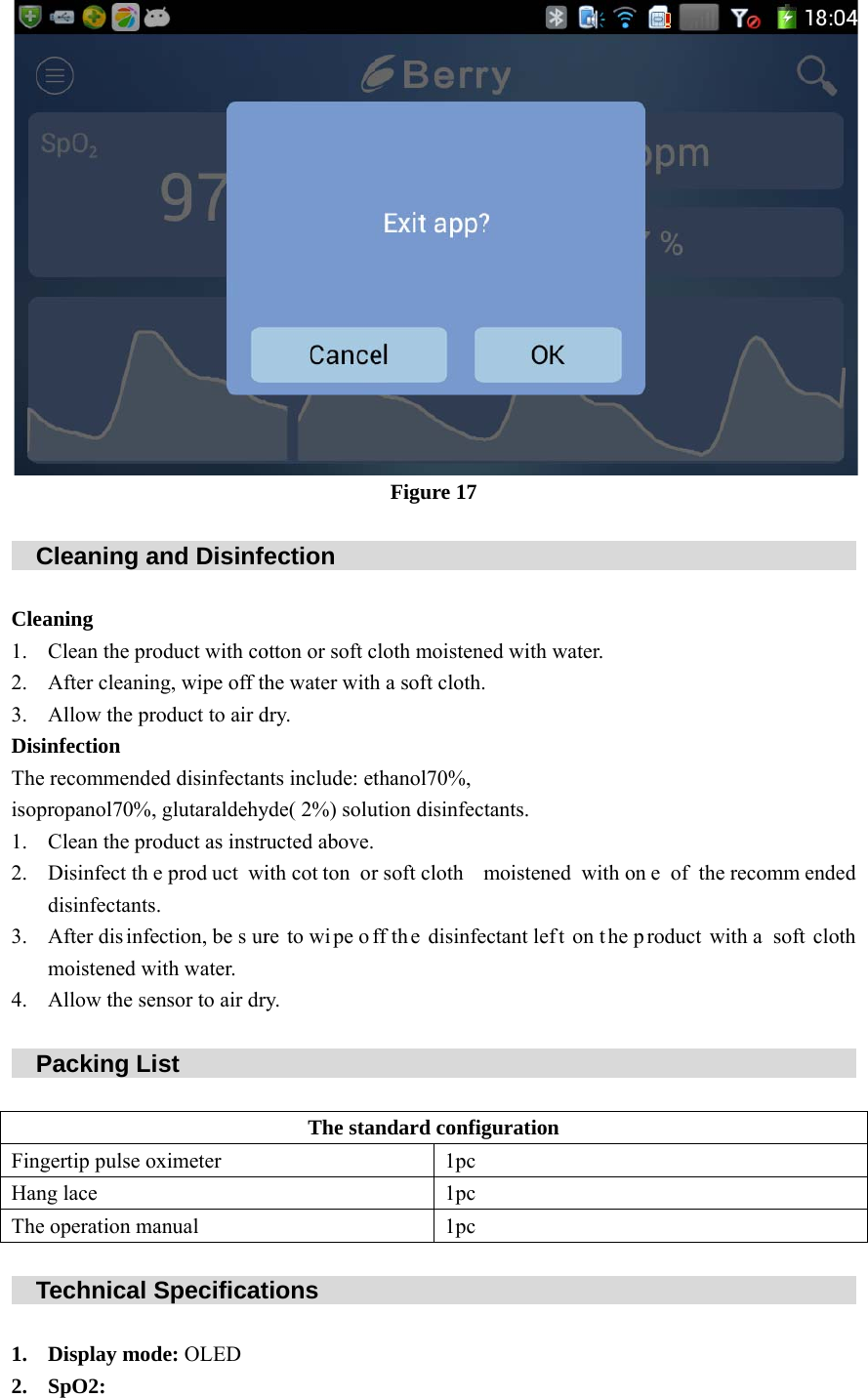
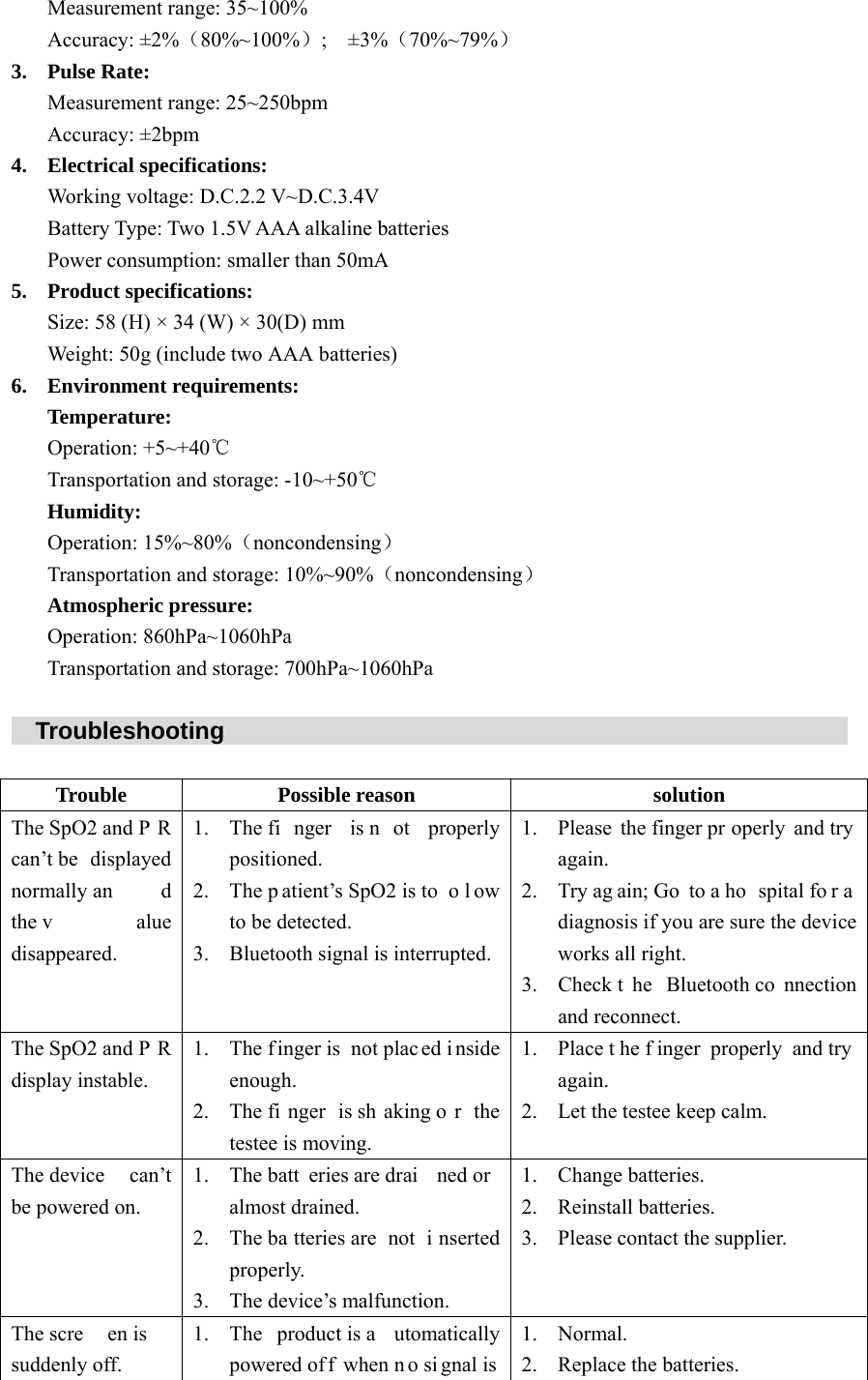
h. i. Click“Pair”, Figure 16) If you wantfollowing wito p air wi tht to e xit the indow. And thh“BerryMed”software, clhen click“OKFigure 15 ” a nd e nter tFigure 16 lick escape kK”, exit the sothe follow ingkey of  your oftware. (as shg test  interfamobile phohown in Figuace. (a s showne a nd jumpure 17)  wn in  p the
   C Clea1. 2. 3. DisiThe isop1. 2. 3. 4.    P FingHanThe    T 1. 2. Cleaning aaning Clean the proAfter cleaninAllow the prnfection recommenderopanol70%,Clean the proDisinfect thedisinfectantsAfter dis infemoistened wAllow the senPacking Ligertip pulse og lace operation maTechnical SDisplay modSpO2: and Disinfeoduct with cong, wipe off thoduct to air ded disinfectan glutaraldehyoduct as instre prod uct wi. ection, be s urwith water. nsor to air drst        ximeter anual Specificatde: OLED ection    otton or soft che water withdry. nts include: etyde( 2%) soluructed above.ith cot ton orre to wi pe ofry.         The stations     Figure 17         cloth moisteneh a soft cloth.thanol70%,ution disinfecr soft cloth mff th e disinfe         ndard config1pc1pc1pc                  ed with water. tants. moistened wectant left on         guration                  r. with on e of tn t he p roduct                            the recommewith a  soft                             ended cloth
Measurement range: 35~100% Accuracy: ±2%(80%~100%);   ±3%(70%~79%) 3. Pulse Rate: Measurement range: 25~250bpm Accuracy: ±2bpm 4. Electrical specifications: Working voltage: D.C.2.2 V~D.C.3.4V Battery Type: Two 1.5V AAA alkaline batteries Power consumption: smaller than 50mA 5. Product specifications:Size: 58 (H) × 34 (W) × 30(D) mm Weight: 50g (include two AAA batteries) 6. Environment requirements: Temperature: Operation: +5~+40℃ Transportation and storage: -10~+50℃ Humidity: Operation: 15%~80%(noncondensing) Transportation and storage: 10%~90%(noncondensing) Atmospheric pressure: Operation: 860hPa~1060hPa Transportation and storage: 700hPa~1060hPa    Troubleshooting                                                                 Trouble Possible reason  solution The SpO2 and P R can’t be  displayed normally an d the v alue disappeared.1. The fi nger is n ot properly positioned. 2. The p atient’s SpO2 is to o l ow to be detected. 3. Bluetooth signal is interrupted. 1. Please the finger pr operly and try again. 2. Try ag ain; Go  to a ho spital fo r a diagnosis if you are sure the device works all right. 3. Check t he Bluetooth co nnection and reconnect. The SpO2 and P R display instable. 1. The finger is  not plac ed i nside enough. 2. The fi nger is sh aking o r the testee is moving. 1. Place t he f inger properly and try again. 2. Let the testee keep calm. The device  can’t be powered on. 1. The batt eries are drai ned or almost drained. 2. The ba tteries are  not  i nserted properly. 3. The device’s malfunction. 1. Change batteries. 2. Reinstall batteries. 3. Please contact the supplier. The scre en is  suddenly off. 1. The product is a utomatically powered of f when n o si gnal is 1. Normal. 2. Replace the batteries.
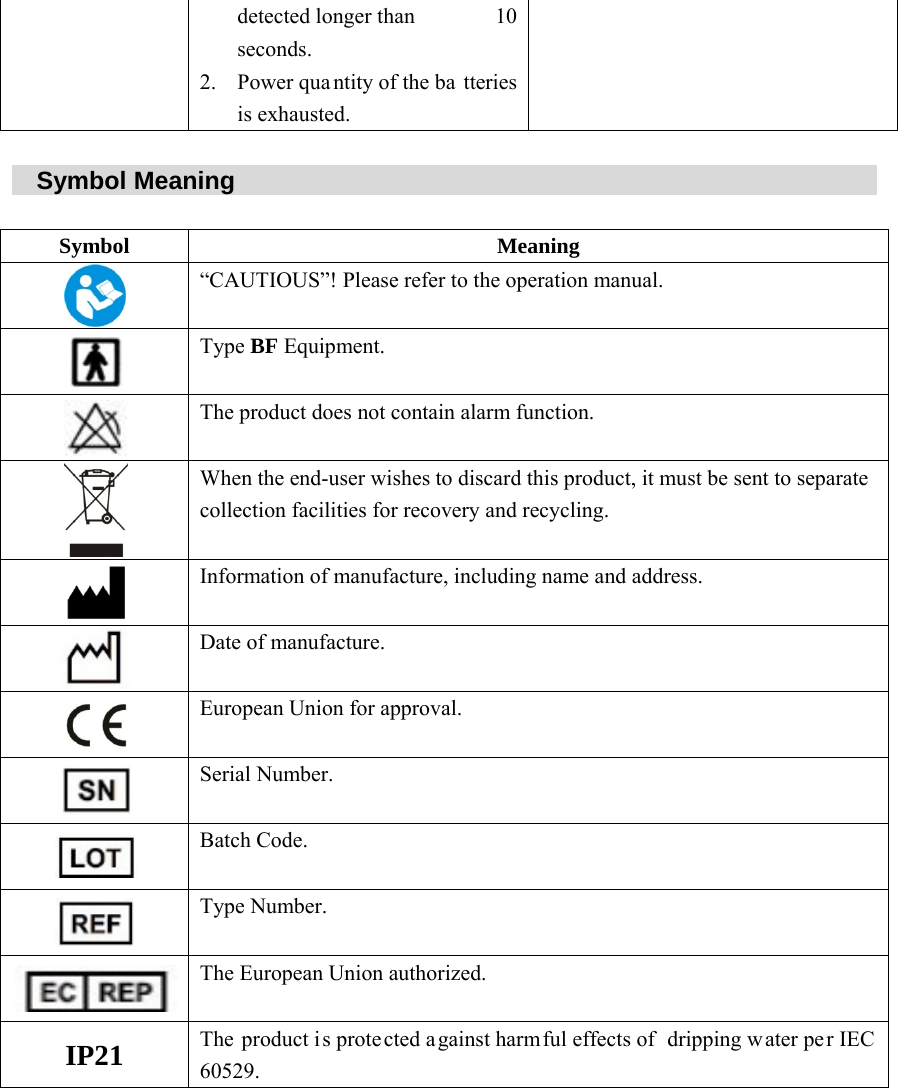
detected longer than  10 seconds. 2. Power quantity of the ba tteries is exhausted.     Symbol Meaning                                                            Symbol Meaning  “CAUTIOUS”! Please refer to the operation manual.  Type BF Equipment.  The product does not contain alarm function.  When the end-user wishes to discard this product, it must be sent to separate collection facilities for recovery and recycling.  Information of manufacture, including name and address.  Date of manufacture.  European Union for approval.  Serial Number.  Batch Code.  Type Number.  The European Union authorized. IP21  The product is protected a gainst harmful effects of  dripping w ater pe r IEC 60529.
    Shanghai Berry Electronic Tech Co., Ltd                 Suit C, 1st Floor, 7th Building, N0.1188 Lianhang Road, Minhang District,         Shanghai, China 201112   TEL: 0086-21-5853 1958      FAX: 0086-21-5853 0468    www.berry-med.com  Kingsmead Service limited (UK)     145-157 St John Street, London, EC1V 4PY (UK)   TEL :044-20-7193 9159  F AX: 044-20-7193 9159   www.kingsmead-service.com  If you need additional information, please contact with the company.
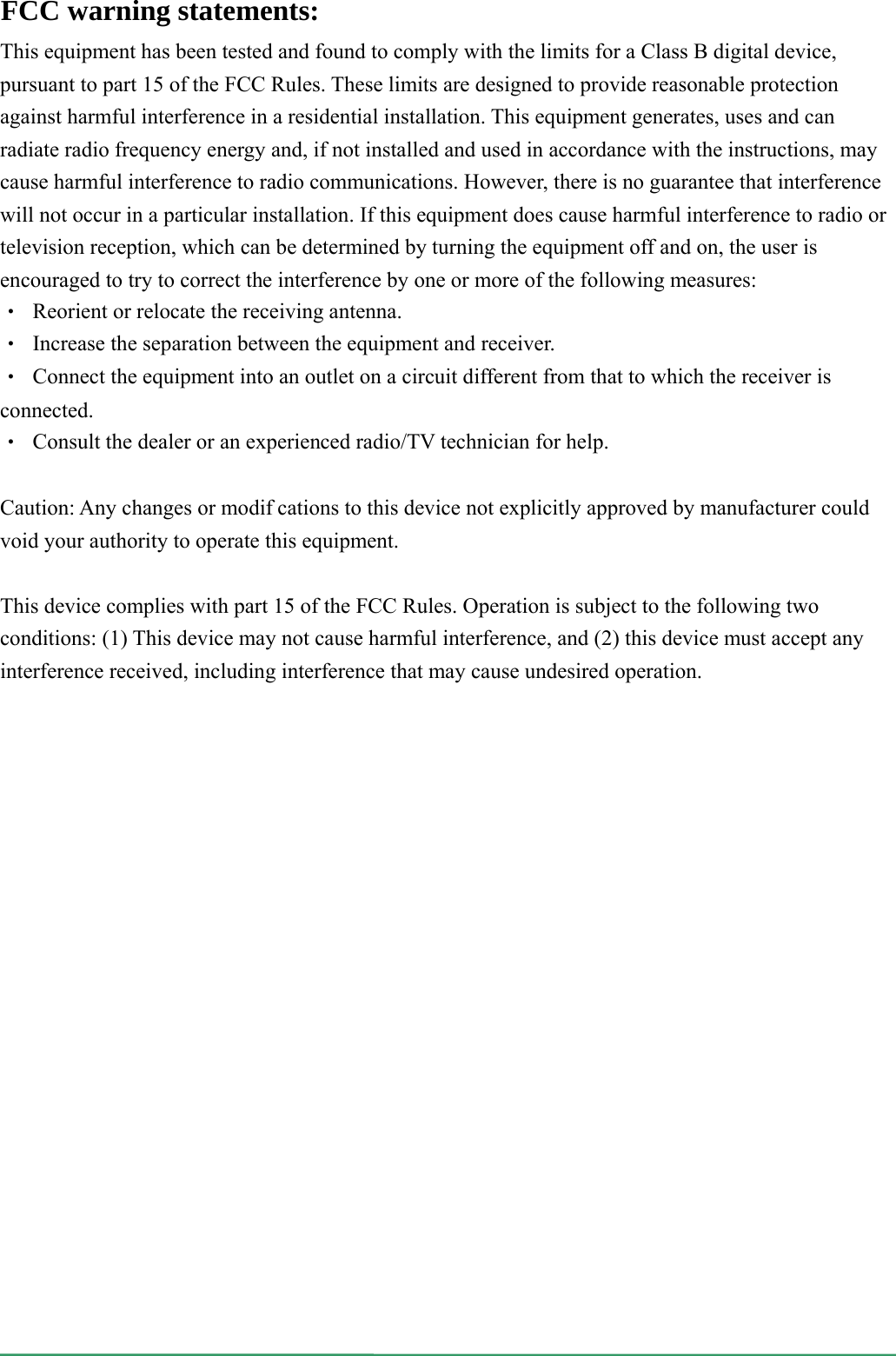
  This equipment has been tested and found to comply with the limits for a Class B digital device, pursuant to part 15 of the FCC Rules. These limits are designed to provide reasonable protection against harmful interference in a residential installation. This equipment generates, uses and can radiate radio frequency energy and, if not installed and used in accordance with the instructions, may cause harmful interference to radio communications. However, there is no guarantee that interference will not occur in a particular installation. If this equipment does cause harmful interference to radio or television reception, which can be determined by turning the equipment off and on, the user is encouraged to try to correct the interference by one or more of the following measures: ‧  Reorient or relocate the receiving antenna. ‧  Increase the separation between the equipment and receiver. ‧  Connect the equipment into an outlet on a circuit different from that to which the receiver is connected. ‧  Consult the dealer or an experienced radio/TV technician for help.  Caution: Any changes or modifcations to this device not explicitly approved by manufacturer could void your authority to operate this equipment.  This device complies with part 15 of the FCC Rules. Operation is subject to the following two conditions: (1) This device may not cause harmful interference, and (2) this device must accept any interference received, including interference that may cause undesired operation. FCC warning statements:
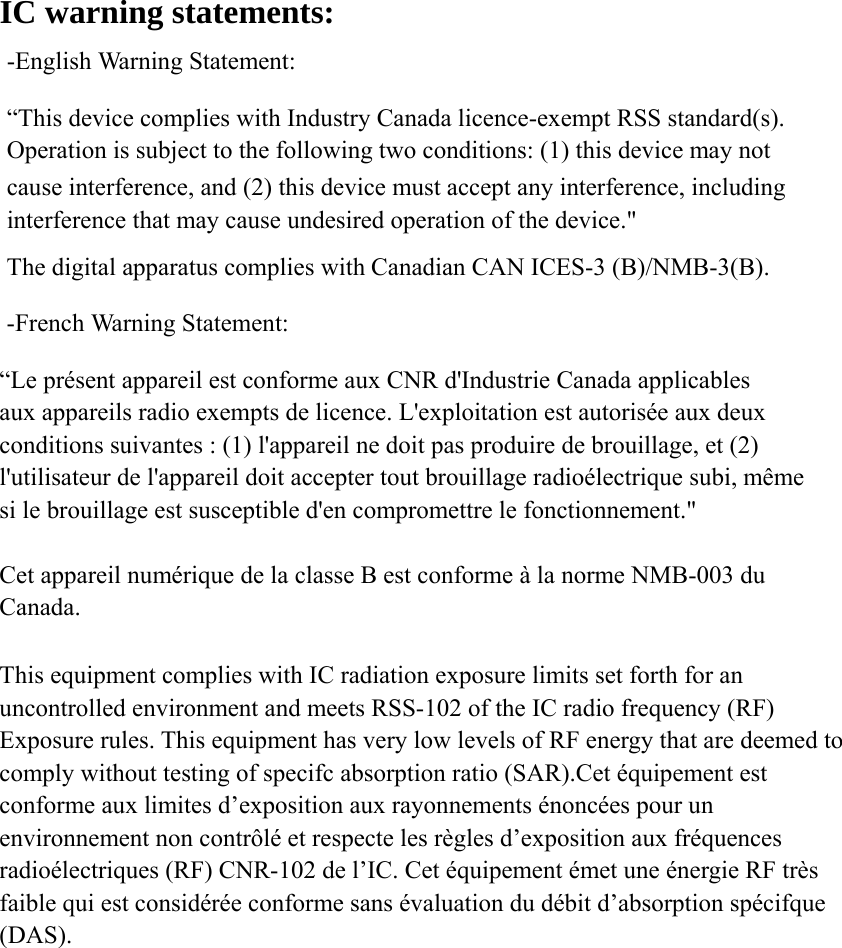
IC warning statements:   -English Warning Statement: “This device complies with Industry Canada licence-exempt RSS standard(s). Operation is subject to the following two conditions: (1) this device may not cause interference, and (2) this device must accept any interference, including interference that may cause undesired operation of the device." The digital apparatus complies with Canadian CAN ICES-3 (B)/NMB-3(B). -French Warning Statement: “Le présent appareil est conforme aux CNR d'Industrie Canada applicables aux appareils radio exempts de licence. L'exploitation est autorisée aux deux conditions suivantes : (1) l'appareil ne doit pas produire de brouillage, et (2) l'utilisateur de l'appareil doit accepter tout brouillage radioélectrique subi, même si le brouillage est susceptible d'en compromettre le fonctionnement."  Cet appareil numérique de la classe B est conforme à la norme NMB-003 du Canada.  This equipment complies with IC radiation exposure limits set forth for an uncontrolled environment and meets RSS-102 of the IC radio frequency (RF) Exposure rules. This equipment has very low levels of RF energy that are deemed to comply without testing of specifc absorption ratio (SAR).Cet équipement est conforme aux limites d’exposition aux rayonnements énoncées pour un environnement non contrôlé et respecte les règles d’exposition aux fréquences radioélectriques (RF) CNR-102 de l’IC. Cet équipement émet une énergie RF très faible qui est considérée conforme sans évaluation du débit d’absorption spécifque (DAS).

Navigation menu