Beijing Yueme Technology ZPG01YM Mi Selfie Stick Tripod User Manual

Beijing Yueme Technology Co.,LTD. Mi Selfie Stick Tripod Users Manual

User Manual

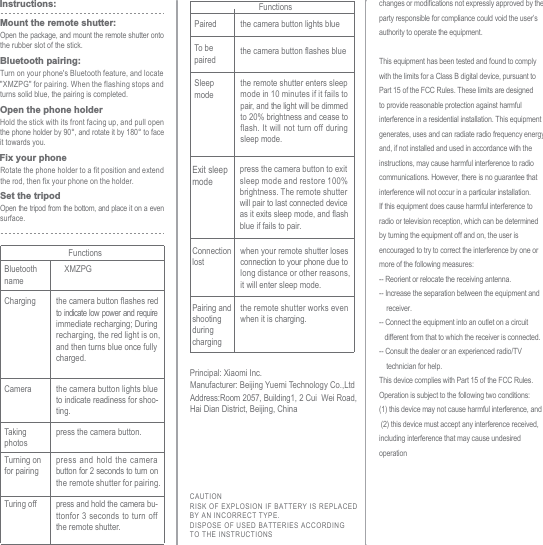
Turning on for pairingpress and hold the camera button for 2 seconds to turn on the remote shutter for pairing.Turing off press and hold the camera bu-ttonfor 3 seconds to turn off the remote shutter.Paired the camera button lights blueTo be paired the camera button flashes blueSleep modethe remote shutter enters sleep mode in 10 minutes if it fails to pair, and the light will be dimmed to 20% brightness and cease to flash. It will not turn off during sleep mode.Exit sleep modepress the camera button to exit sleep mode and restore 100% brightness. The remote shutter will pair to last connected device as it exits sleep mode, and flash blue if fails to pair.Connection lostwhen your remote shutter loses connection to your phone due to long distance or other reasons, it will enter sleep mode.Pairing and shooting during chargingthe remote shutter works even when it is charging. FunctionsFunctionsOpen the package, and mount the remote shutter onto the rubber slot of the stick.Mount the remote shutter:Turn on your phone's Bluetooth feature, and locate "XMZPG" for pairing. When the flashing stops and turns solid blue, the pairing is completed.Bluetooth pairing:Hold the stick with its front facing up, and pull open the phone holder by 90°, and rotate it by 180° to face it towards you.Rotate the phone holder to a fit position and extend the rod, then fix your phone on the holder.Open the phone holderFix your phoneOpen the tripod from the bottom, and place it on a even surface.Set the tripodInstructions:Charging the camera button flashes redto indicate low power and require immediate recharging; During recharging, the red light is on, and then turns blue once fully charged.Camera the camera button lights blue to indicate readiness for shoo-ting.Taking photospress the camera button.Bluetooth nameXMZPGPrincipal: Xiaomi Inc.CAUTIONRISK OF EXPLOSION I F BATTERY IS REPLACEDBY AN INCORRECT TYPE.DISPOSE OF USED BATTERIES ACCORDINGTO THE I NSTRUCTIONSAddress:Room 2057, Building1, 2 Cui  Wei Road, Hai Dian District, Beijing, ChinaManufacturer: Beijing Yuemi Technology Co.,Ltdchanges or modifications not expressly approved by the party responsible for compliance could void the user’s authority to operate the equipment. This equipment has been tested and found to comply with the limits for a Class B digital device, pursuant to Part 15 of the FCC Rules. These limits are designed to provide reasonable protection against harmful interference in a residential installation. This equipment generates, uses and can radiate radio frequency energy and, if not installed and used in accordance with the instructions, may cause harmful interference to radio communications. However, there is no guarantee that interference will not occur in a particular installation.If this equipment does cause harmful interference to radio or television reception, which can be determined by turning the equipment off and on, the user is encouraged to try to correct the interference by one or more of the following measures:-- Reorient or relocate the receiving antenna.-- Increase the separation between the equipment and     receiver.-- Connect the equipment into an outlet on a circuit    different from that to which the receiver is connected.-- Consult the dealer or an experienced radio/TV     technician for help.This device complies with Part 15 of the FCC Rules. Operation is subject to the following two conditions: (1) this device may not cause harmful interference, and (2) this device must accept any interference received, including interference that may cause undesired operation

Navigation menu