BloomSky STORMS1 STORM User Manual BloomSky STORM Product Manual

BloomSky, Inc. STORM BloomSky STORM Product Manual

BloomSky_STORM_Product_Manual

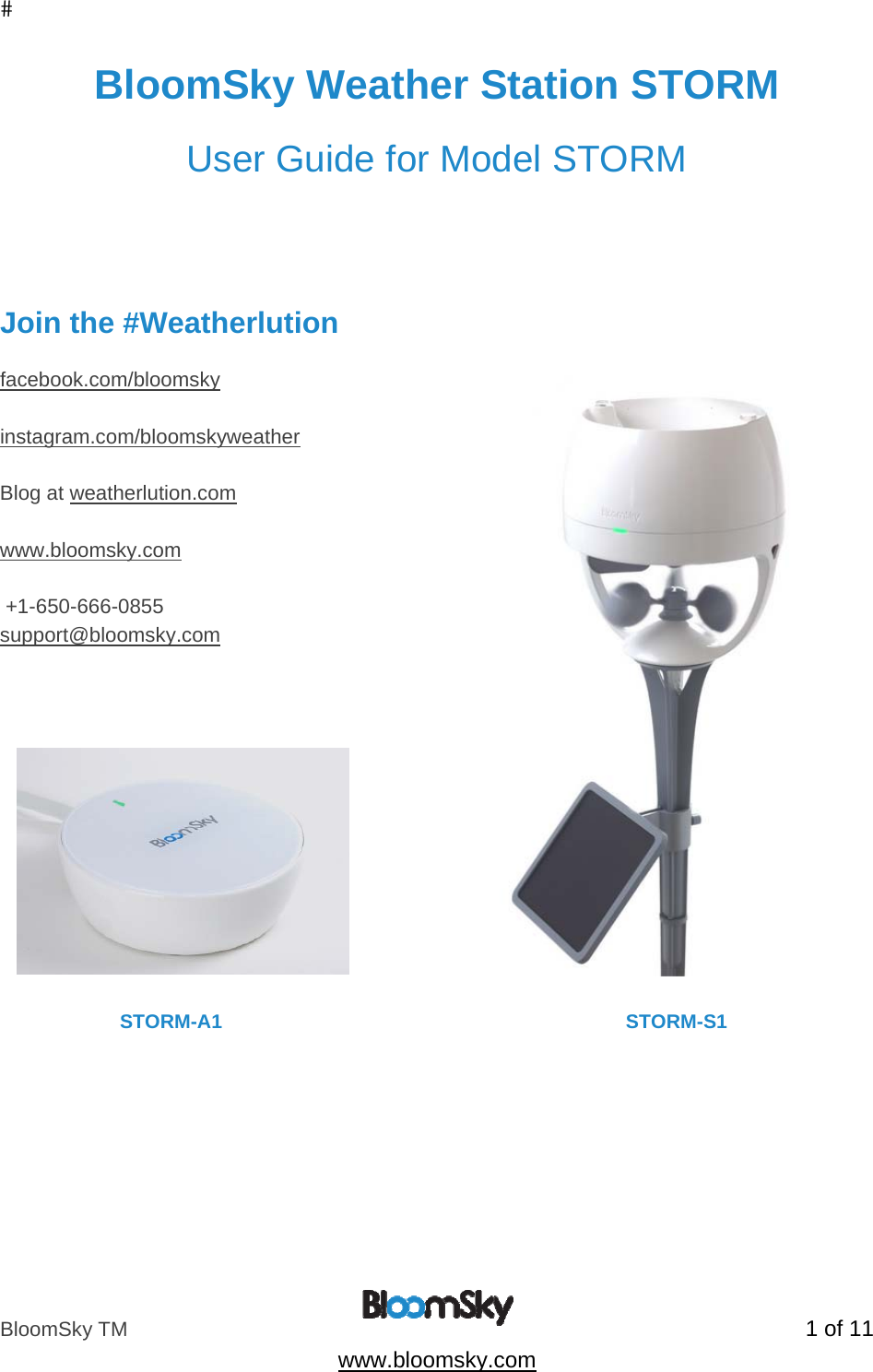
BloomSky TM   1 of 11  www.bloomsky.com BloomSky Weather Station STORM  User Guide for Model STORM     Join the #Weatherlution  facebook.com/bloomsky  instagram.com/bloomskyweather  Blog at weatherlution.com  www.bloomsky.com   +1-650-666-0855 support@bloomsky.com                               STORM-A1                                                                          STORM-S1
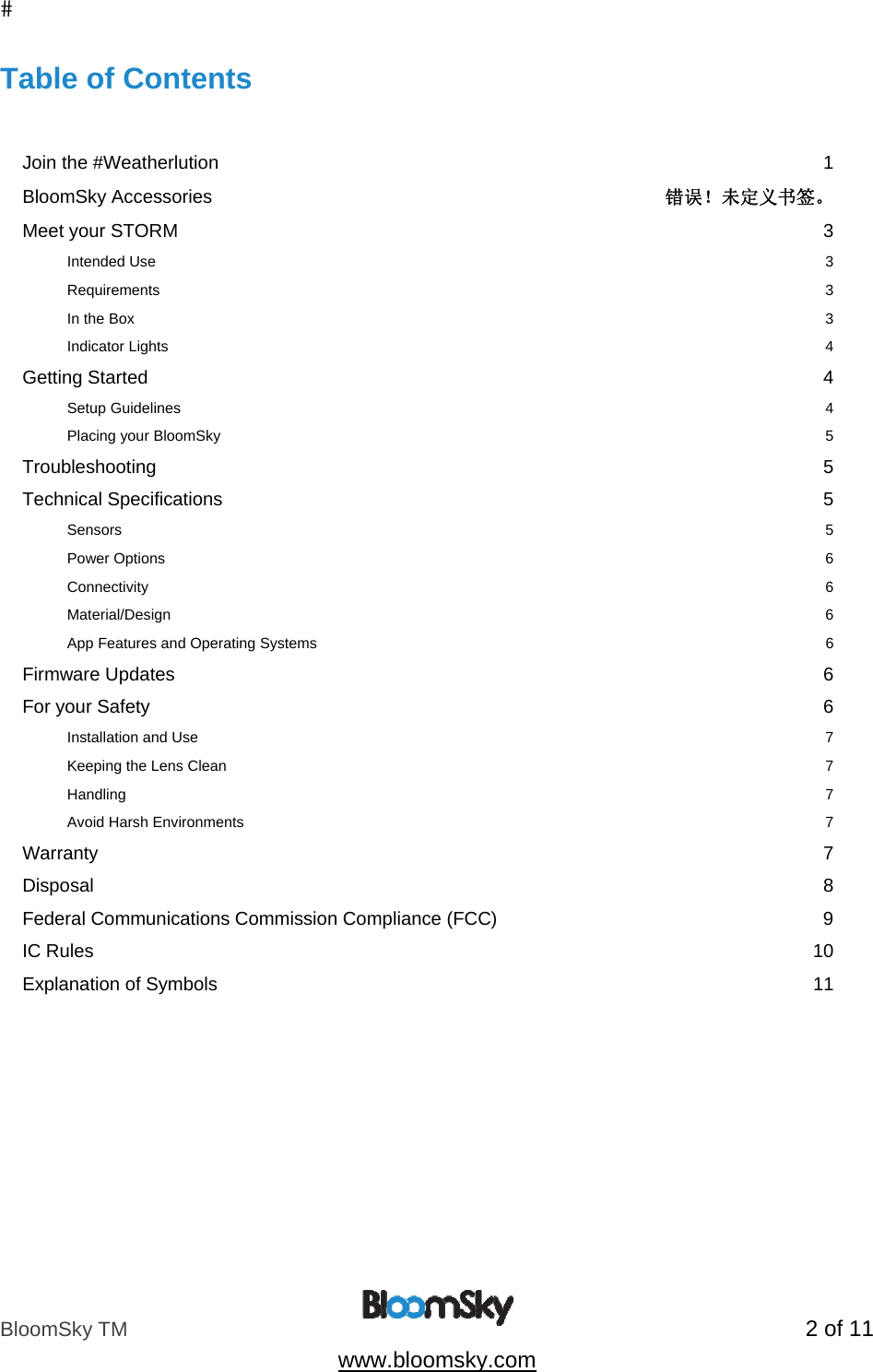
BloomSky TM   2 of 11  www.bloomsky.com Table of Contents   Join the #Weatherlution  1 BloomSky Accessories  错误!未定义书签。 Meet your STORM  3 Intended Use  3 Requirements  3 In the Box  3 Indicator Lights  4 Getting Started  4 Setup Guidelines  4 Placing your BloomSky  5 Troubleshooting  5 Technical Specifications  5 Sensors          5 Power Options    6 Connectivity       6 Material/Design                6 App Features and Operating Systems                 6 Firmware Updates  6 For your Safety  6 Installation and Use  7 Keeping the Lens Clean  7 Handling  7 Avoid Harsh Environments  7 Warranty  7 Disposal  8 Federal Communications Commission Compliance (FCC)  9 IC Rules  10 Explanation of Symbols  11
BloomSky TM   3 of 11  www.bloomsky.com  Meet your STORM  Thank you for purchasing the BloomSky Weather Station STORM, the personal weather station compatible with iOS and Android devices.    STORM consist of two parts, STORM-S1 (outdoor part) and STORM-A1 (indoor part). STORM-S1 is a weather  measurement device that uses internal sensors  to give you  wind speed, wind direction, rainfall and UV index information.  It provides accurate, hyper-local weather data that is updated every  ten seconds. STORM-A1 is a wireless access point, which receive data sent from STORM-S1, and then send the data to the cloud through Internet.  To begin, install a SKY device (model SKY1 or SKY2) first.  Read this manual before use and keep it for your future reference.  It will help you through the setup process of your BloomSky Weather Station (model STORM-S1 and STORM-A1), introduce you to your device, guide you through troubleshooting and completing a hard reset.  If you need any further assistance with your BloomSky Weather Station, you can call our customer support line at +1-650-666-0855 or email us at support@bloomsky.com. Intended Use  The BloomSky Weather Station STORM is designed to allow you to record and share weather data from its location.  The data will be sent to the cloud.  Users can search, view, and share these data anywhere through the BloomSky mobile application.  For your privacy you can choose for your BloomSky’s data to not be publicly searchable. This can be set and changed in “settings” menu of the BloomSky app.  Please refer to our Terms of Service for further details. Requirements  •  iOS version 8.0 or higher  •  Android version 4.3 or higher •  Router with LAN port •  Smart phone  •  BloomSky app installed on a smartphone or iPod.  App is available from the App Store or Google Play Store. In the Box •  One STORM-S1 •  One STORM-A1 •  One Solar Panel
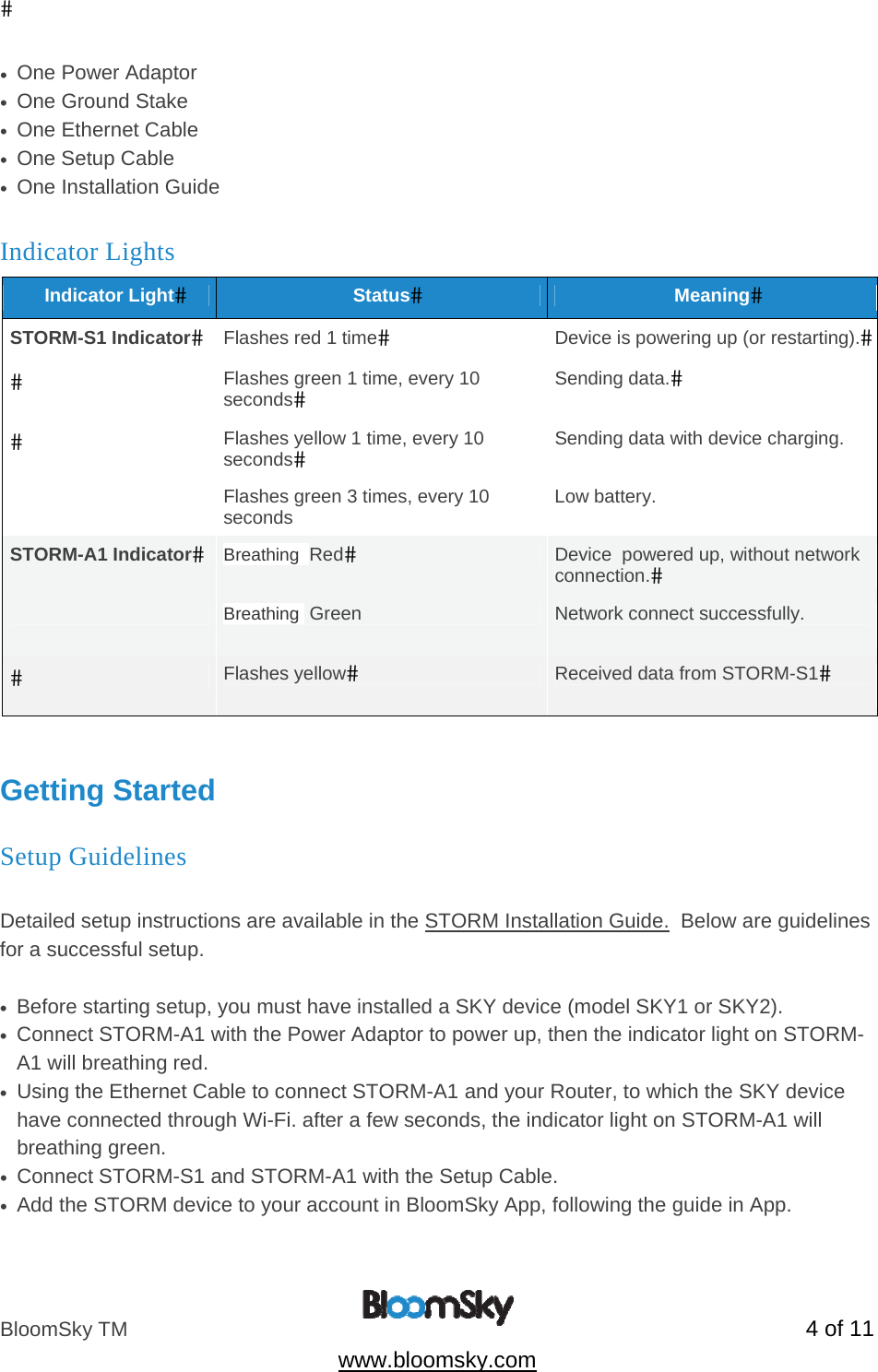
BloomSky TM   4 of 11  www.bloomsky.com •  One Power Adaptor •  One Ground Stake •  One Ethernet Cable •  One Setup Cable •  One Installation Guide Indicator Lights Indicator LightStatusMeaningSTORM-S1 IndicatorFlashes red 1 timeDevice is powering up (or restarting).Flashes green 1 time, every 10 secondsSending data.Flashes yellow 1 time, every 10 secondsSending data with device charging.  Flashes green 3 times, every 10 seconds  Low battery. STORM-A1 IndicatorBreathing  RedDevice  powered up, without network connection. Breathing  Green   Network connect successfully. Flashes yellowReceived data from STORM-S1  Getting Started Setup Guidelines  Detailed setup instructions are available in the STORM Installation Guide.  Below are guidelines for a successful setup.  •  Before starting setup, you must have installed a SKY device (model SKY1 or SKY2).  •  Connect STORM-A1 with the Power Adaptor to power up, then the indicator light on STORM-A1 will breathing red. •  Using the Ethernet Cable to connect STORM-A1 and your Router, to which the SKY device have connected through Wi-Fi. after a few seconds, the indicator light on STORM-A1 will breathing green. •  Connect STORM-S1 and STORM-A1 with the Setup Cable. •  Add the STORM device to your account in BloomSky App, following the guide in App.
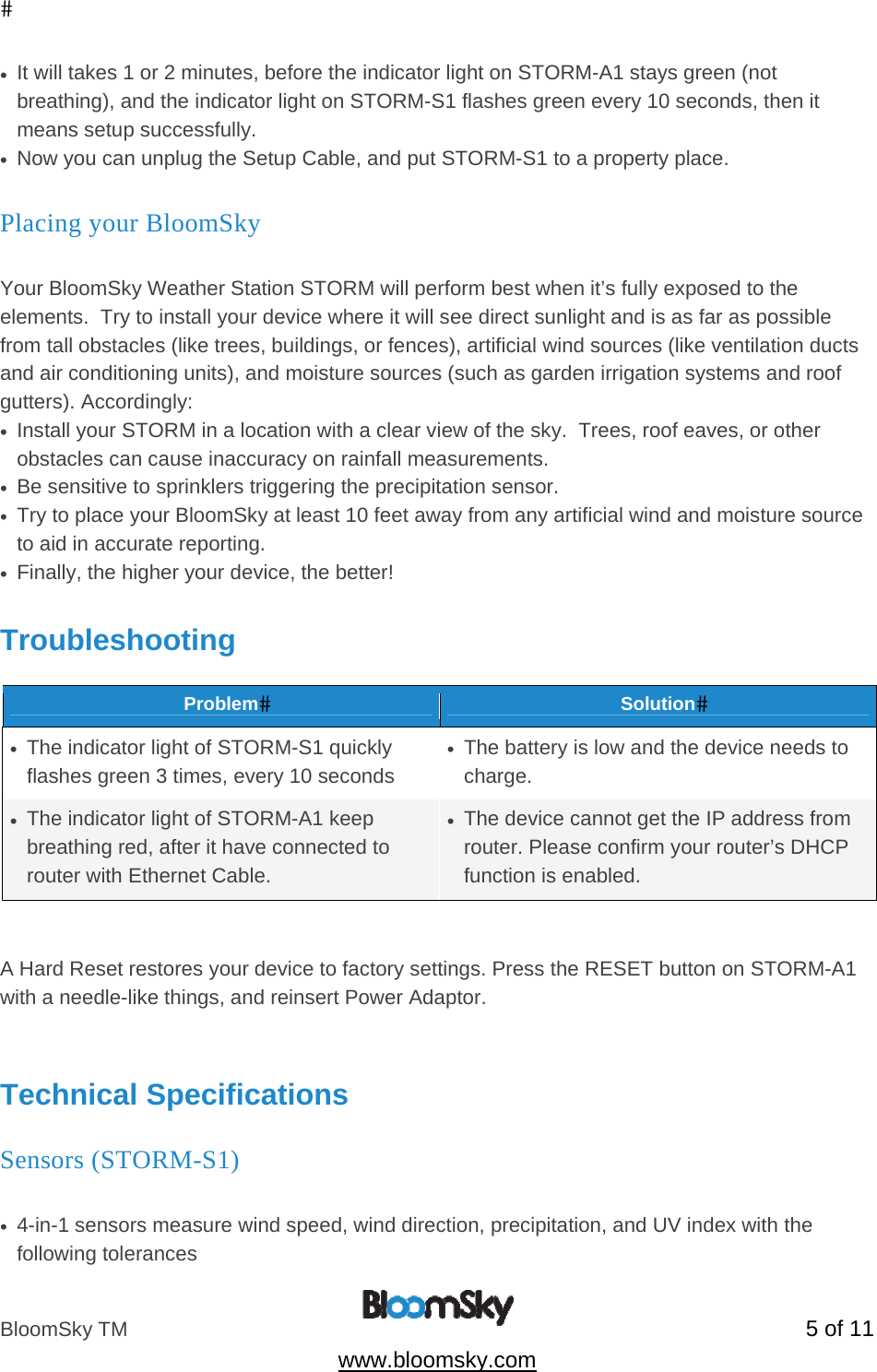
BloomSky TM   5 of 11  www.bloomsky.com •  It will takes 1 or 2 minutes, before the indicator light on STORM-A1 stays green (not breathing), and the indicator light on STORM-S1 flashes green every 10 seconds, then it means setup successfully. •  Now you can unplug the Setup Cable, and put STORM-S1 to a property place. Placing your BloomSky  Your BloomSky Weather Station STORM will perform best when it’s fully exposed to the elements.  Try to install your device where it will see direct sunlight and is as far as possible from tall obstacles (like trees, buildings, or fences), artificial wind sources (like ventilation ducts and air conditioning units), and moisture sources (such as garden irrigation systems and roof gutters). Accordingly: •  Install your STORM in a location with a clear view of the sky.  Trees, roof eaves, or other obstacles can cause inaccuracy on rainfall measurements. •  Be sensitive to sprinklers triggering the precipitation sensor. •  Try to place your BloomSky at least 10 feet away from any artificial wind and moisture source to aid in accurate reporting. •  Finally, the higher your device, the better!  Troubleshooting  ProblemSolution•  The indicator light of STORM-S1 quickly flashes green 3 times, every 10 seconds •  The battery is low and the device needs to charge. •  The indicator light of STORM-A1 keep breathing red, after it have connected to router with Ethernet Cable. •  The device cannot get the IP address from router. Please confirm your router’s DHCP function is enabled.   A Hard Reset restores your device to factory settings. Press the RESET button on STORM-A1 with a needle-like things, and reinsert Power Adaptor.   Technical Specifications Sensors (STORM-S1)          •  4-in-1 sensors measure wind speed, wind direction, precipitation, and UV index with the following tolerances
BloomSky TM   6 of 11  www.bloomsky.com •  Operating temperature range: -4°F (-20°C) to 122°F (50°C) •  wind speed accuracy: ±1m/s (max) •  start-up wind speed: 1m/s •  wind direction: 8 directions •  Precipitation accuracy: ±4% •  UV index: 11 grades Power Options   STORM-S1: •  Powered by a rechargeable lithium-ion battery •  Battery operating and charging temperature range: -4°F (-20°C) to 122°F (50°C) •  Operating time: up to two weeks per charge •  Low battery alert sends push notifications on mobile apps •   Charging Option 1: through STORM-A1, with Setup Cable connect to each other, when STORM-A1 power on. •  Charging Option 2: through solar panel •  Output: DC 5V-0.4A. STORM-A1: •  Powered by Power Adaptor (100-240V~50/60Hz(worldwide use), Output: DC 5V-1A) Connectivity      Between  STORM-S1 and STORM-A1 •  Sub-GHz connection •  Frequency Range: 868 MHz ~ 923 MHz  Material/Design                •  Water, dust, UV-resistant when the STORM-S1 is positioned upright  •  Stake apparatus stands upright on for insertion in patio or garden soil  Firmware Updates  The firmware inside of your STORM-A1 can be automatically updated through its Ethernet connection to the BloomSky Cloud. The firmware inside of your STORM-S1 can be updated by connect to STORM-A1 with Setup Cable.  For your Safety
BloomSky TM   7 of 11  www.bloomsky.com WARNING: Failure to follow these safety instructions could result in fire, electric shock, or other personal injury or loss or damage to the Product or other property. Installation and Use  Please read and follow all installation instructions carefully.  To avoid risk of shock or falls, do not install in wet weather or at night.  Use only as specified in the user manual. Handling  The Product contains sensitive components. Do not drop, disassemble, crush, puncture, incinerate, paint, or insert foreign objects into the Product. Inspect the Product periodically for damage, including battery leakage or damage to the electrical cord, as applicable.  Do not use the Product or handle before unplugging if it has been damaged.  Avoid Harsh Environments  The Product is designed to be operated in temperatures between -4°F (-20°C) to 122°F (50°C). Extreme temperatures may affect battery life or functionality.  While the Product is designed for use outdoors and in rain, avoid immersion in water or other liquids.  If the Product gets extremely wet, allow it to dry thoroughly before handling.  Do not attempt to dry the Product with an external heat source, such as an oven, microwave oven or hair dryer.  Warranty  BloomSky warrants that for a period of 1 year from shipment the product will be free from defects in materials and workmanship under normal use.  In the event of a defect, contact BloomSky at https://www.BloomSky.com/contact/ or 1-650-666-0855 for return instructions.    BloomSky’s sole obligation under this warranty will be at its option to repair or replace the product.  This warranty does not apply to products damaged by misuse, accident, or normal wear and tear.  The product is not designed for or warranted against damage from use in areas subject to electrical interference, extreme heat or cold, immersion under water, or other inherently hazardous environments.  In addition, BloomSky does not warrant the accuracy of weather data or forecasts obtained from use of the product.  ALL IMPLIED WARRANTIES OF MERCHANTABILITY OR FITNESS FOR A PARTICULAR PURPOSE ARE LIMITED TO THE DURATION OF THIS WARRANTY.  BLOOMSKY DISCLAIMS ALL OTHER EXPRESS OR IMPLIED WARRANTIES OR CONDITIONS.  TO THE EXTENT NOT PROHIBITED BY LAW, IN NO EVENT WILL BloomSky BE LIABLE FOR ANY SPECIAL, INDIRECT, CONSEQUENTIAL, INCIDENTAL OR PUNITIVE DAMAGES, HOWEVER CAUSED, ARISING OUT OF OR RELATED TO THE USE OF OR INABILITY TO USE THE PRODUCT, EVEN IF BloomSky HAS
BloomSky TM   8 of 11  www.bloomsky.com BEEN ADVISED OF THE POSSIBILITY OF SUCH DAMAGES.  IN NO EVENT WILL BloomSky’S LIABILITY EXCEED THE AMOUNT PAID BY YOU FOR THE PRODUCT.  Some jurisdictions do not allow limitations on how long an implied warranty lasts, or the exclusion or limitation of incidental or consequential damages, so the above limitations or exclusions may not apply to you.  This warranty gives you specific legal rights, and you may also have other rights which vary by jurisdiction.  Disposal  Wasteelectricalproductsshouldnotbedisposedofwithhouseholdwaste.Pleaserecyclewherefacilitiesexist.CheckwithyourlocalAuthorityorretailerforrecyclingadvice.
BloomSky TM   9 of 11  www.bloomsky.com Federal Communications Commission Compliance (FCC)  This device complies with Part 15 of the FCC Rules. Operation is subject to the following two conditions:  (1) This device may not cause harmful interference, and  (2) This device must accept any interference received, including interference that may cause undesired operation.   Cet appareil est conforme à la section 15 des réglementations de la FCC. Le fonctionnement de l’appareil est sujetaux deux conditions suivantes : (1) cet appareil ne doit pas provoquer d’interférences néfastes, et (2) cet appareil doit tolérer les interférences reçues, y compris celles qui risquent de provoquer un fonctionnement indésirable.  Note: This product has been tested and found to comply with the limits for a Class B digital device, pursuant to Part 15 of the FCC Rules. These limits are designed to provide reasonable protection against harmful interference in a residential installation. This product generates, uses, and can radiate radio frequency energy and, if not installed and used in accordance with the instructions, may cause harmful interference to radio communications. However, there is no guarantee that interference will not occur in a particular installation. If this product does cause harmful interference to radio or television reception, which can be determined by turning the equipment off and on, the user is encouraged to try to correct the interference by one or more of the following measures:  —Reorient or relocate the receiving antenna.  —Increase the separation between the equipment and receiver.  —Connect the equipment into an outlet on a circuit different from that to which the receiver is connected.  —Consult the dealer or an experienced radio/TV technician for help.  Please take attention that changes or modification not expressly approved by the party responsible for compliance could void the user’s authority to operate the equipment.  This equipment should be installed and operated with a minimum distance 20cm between the radiator and your body  Cet équipement doit être installé et utilisé à une distance minimale de 20 cm entre le radiateur et votre corps
BloomSky TM   10 of 11  www.bloomsky.com IC Rules  This device complies with Industry Canada licence-exempt RSS standard(s). Operation is subject to the following two conditions:  (1) this device may not cause interference, and (2) this device must accept any interference, including interference that may cause undesired operation of the device.  Le présent appareil est conforme aux CNR d'Industrie Canada applicables aux appareils radio exempts de licence. L'exploitation est autorisée aux deux conditions suivantes : (1) l'appareil ne doit pas produire de brouillage, et (2) l'utilisateur de l'appareil doit accepter tout brouillage radioélectrique subi, même si le brouillage est susceptible d'en compromettre le fonctionnement.  Under Industry Canada regulations, this radio transmitter may only operate using an antenna of a type and maximum (or lesser) gain approved for the transmitter by Industry Canada. To reduce potential radio interference to other users, the antenna type and its gain should be so chosen that the equivalent isotropically radiated power (e.i.r.p.) is not more than that necessary for successful communication.  Conformément à la réglementation d'Industrie Canada, le présent émetteur radio peut fonctionner avec une antenne d'un type et d'un gain maximal (ou inférieur) approuvé pour l'émetteur par Industrie Canada. Dans le but de réduire les risques de brouillage radioélectrique à l'intention des autres utilisateurs, il faut choisir le type d'antenne et son gain de sorte que la puissance isotrope rayonnée équivalente (p.i.r.e.) ne dépasse pas l'intensité nécessaire à l'établissement d'une communication satisfaisante.
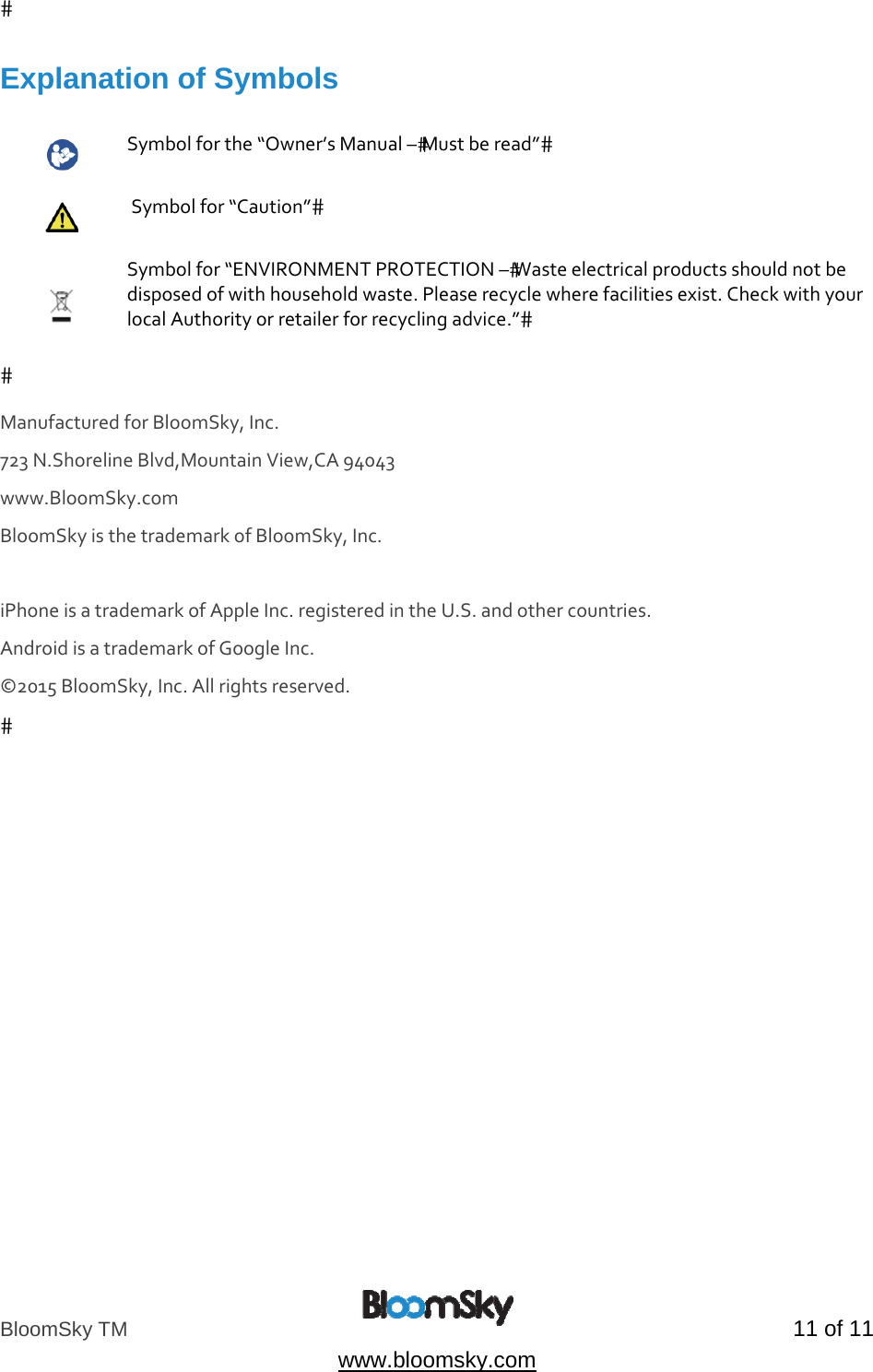
BloomSky TM   11 of 11  www.bloomsky.com Explanation of Symbols   Symbolforthe“Owner’sManual–Mustberead” Symbolfor“Caution” Symbolfor“ENVIRONMENTPROTECTION–Wasteelectricalproductsshouldnotbedisposedofwithhouseholdwaste.Pleaserecyclewherefacilitiesexist.CheckwithyourlocalAuthorityorretailerforrecyclingadvice.”ManufacturedforBloomSky,Inc.723N.ShorelineBlvd,MountainView,CA94043www.BloomSky.com BloomSkyisthetrademarkofBloomSky,Inc.iPhoneisatrademarkofAppleInc.registeredintheU.S.andothercountries. AndroidisatrademarkofGoogleInc.©2015BloomSky,Inc.Allrightsreserved. 

Navigation menu