BlueExpert Technology BED101 Bluetooth AV Dongle User Manual Manual

BlueExpert Technology Corp. Bluetooth AV Dongle Manual

Manual

 BED101 User manual  1Bluetooth Class2 Bluetooth AV Dongle User manual  Doc Version :20050627 Product ID  BED101 Product Name  BED Class 2 Bluetooth AV Dongle Firmware Version  Rev 6.3.1 USB-AV Hardware Version  Rev.01  DESCRIPTION BED101 Bluetooth USB Dongle is a Bluetooth stereo audio transmitter that transmits stereo audio thru Bluetooth A2DP Profile to Bluetooth stereo receiver(Headphone:BES102). Comply with Bluetooth Specification V1.2 and support A2DP profile, Users can benefit form the convenience of wireless stereo function.  FEATURE z  Comply with Bluetooth Specification V1.2 z  New Bluetooth V1.2 Mandatory Functionality 1.Adaptive Frequency Hopping (AFH) 2. Faster Connections 3. Flow and Flush Timeout 4. Parameter Ranges z  Optional V1.2 Functionality Supported 1.  Extended SCO (eSCO) EV3+CRC,EV4,EV5 2. Scatter Mode 3.  LMP Absence Mark, Quality of service and SCO handle 4.  L2CAP flow and error Control 5. Synchronization z  Built-in Link controller and Link Manager Protocol z  USB interface fits desktop/laptop PCs z  Compliant with USB 1.1 Specification (that is, works with all USB interface) z  Bluetooth Class 2 operation with over 10m range z  Easy to follow-friendly user interface (Plug & Play) provides an easy way to connect other Bluetooth devices  APPLICATIONS: Notebook、PC
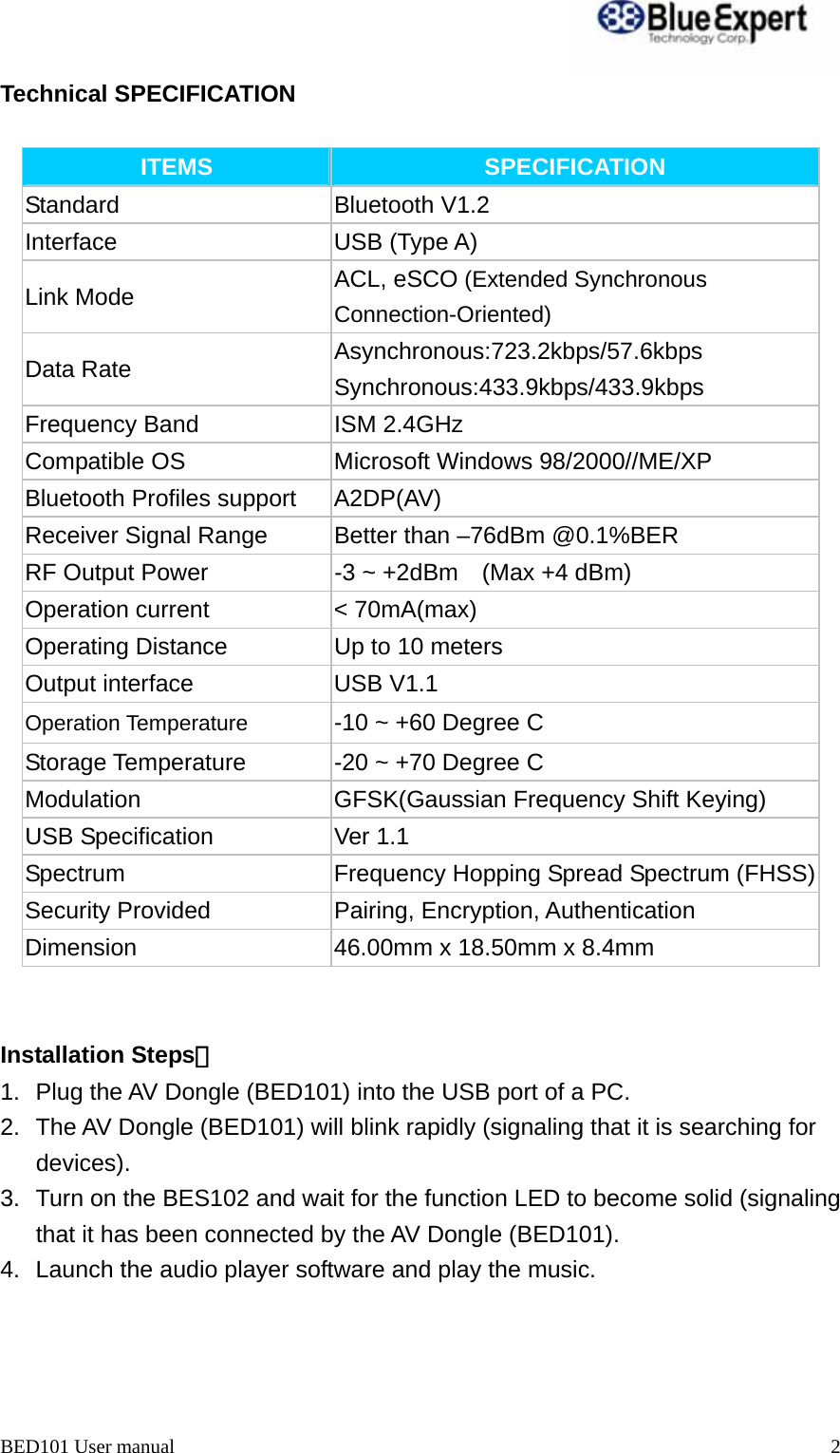
 BED101 User manual  2Technical SPECIFICATION  ITEMS  SPECIFICATION Standard Bluetooth V1.2 Interface USB (Type A) Link Mode  ACL, eSCO (Extended Synchronous Connection-Oriented) Data Rate  Asynchronous:723.2kbps/57.6kbps Synchronous:433.9kbps/433.9kbps Frequency Band  ISM 2.4GHz   Compatible OS  Microsoft Windows 98/2000//ME/XP Bluetooth Profiles support  A2DP(AV) Receiver Signal Range  Better than –76dBm @0.1%BER RF Output Power  -3 ~ +2dBm    (Max +4 dBm)   Operation current  < 70mA(max) Operating Distance  Up to 10 meters Output interface  USB V1.1 Operation Temperature  -10 ~ +60 Degree C Storage Temperature  -20 ~ +70 Degree C Modulation  GFSK(Gaussian Frequency Shift Keying) USB Specification  Ver 1.1 Spectrum Frequency Hopping Spread Spectrum (FHSS)Security Provided  Pairing, Encryption, Authentication Dimension  46.00mm x 18.50mm x 8.4mm   Installation Steps: 1.  Plug the AV Dongle (BED101) into the USB port of a PC. 2.  The AV Dongle (BED101) will blink rapidly (signaling that it is searching for          devices).      3.  Turn on the BES102 and wait for the function LED to become solid (signaling         that it has been connected by the AV Dongle (BED101).           4.  Launch the audio player software and play the music.
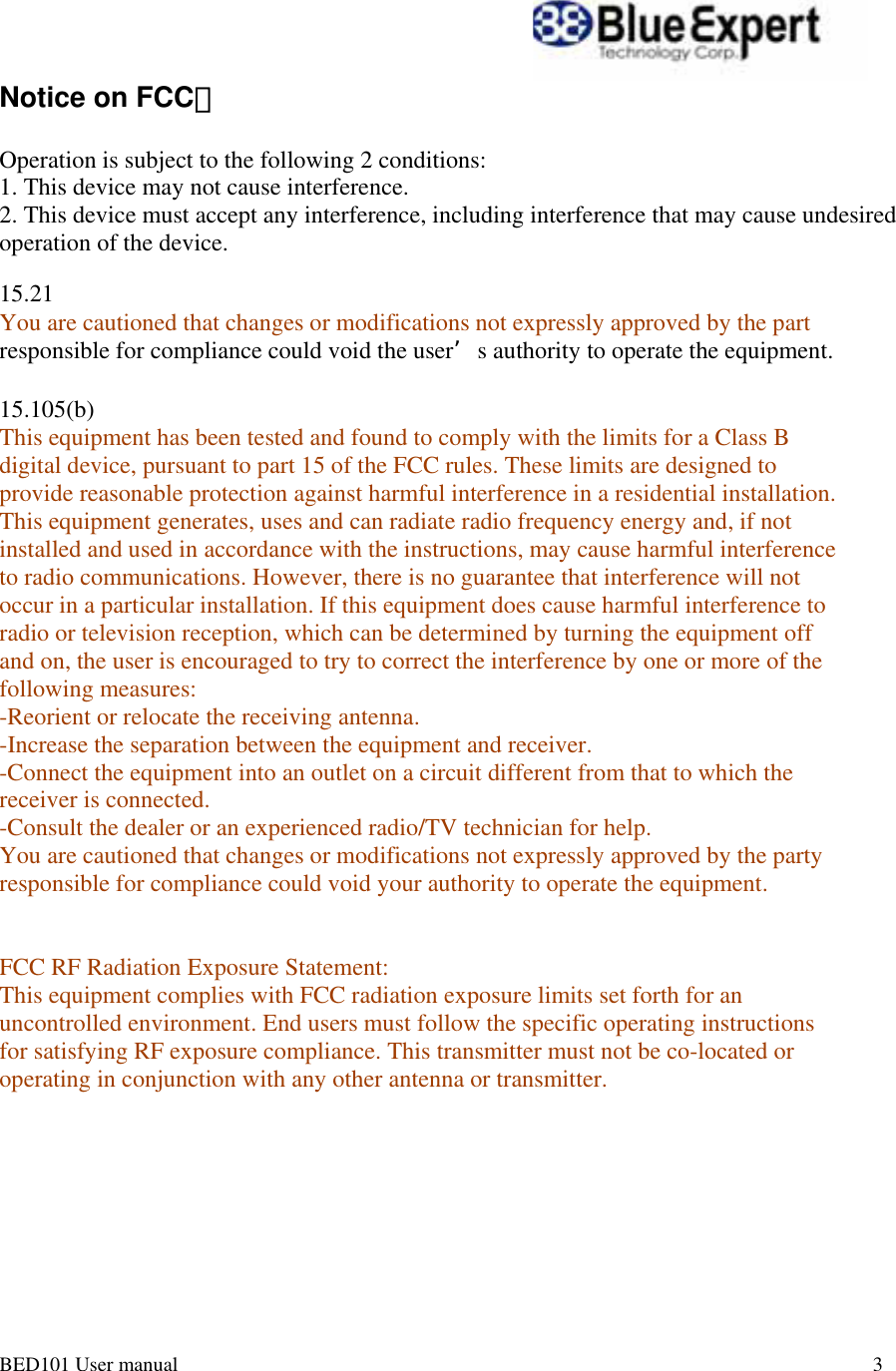
BED101 User manual       3                                                                                           Notice on FCC:   Operation is subject to the following 2 conditions: 1. This device may not cause interference.  2. This device must accept any interference, including interference that may cause undesired operation of the device.  15.21  You are cautioned that changes or modifications not expressly approved by the part  responsible for compliance could void the user’s authority to operate the equipment.   15.105(b)  This equipment has been tested and found to comply with the limits for a Class B  digital device, pursuant to part 15 of the FCC rules. These limits are designed to  provide reasonable protection against harmful interference in a residential installation.  This equipment generates, uses and can radiate radio frequency energy and, if not  installed and used in accordance with the instructions, may cause harmful interference  to radio communications. However, there is no guarantee that interference will not  occur in a particular installation. If this equipment does cause harmful interference to  radio or television reception, which can be determined by turning the equipment off  and on, the user is encouraged to try to correct the interference by one or more of the  following measures:  -Reorient or relocate the receiving antenna.  -Increase the separation between the equipment and receiver.  -Connect the equipment into an outlet on a circuit different from that to which the  receiver is connected.  -Consult the dealer or an experienced radio/TV technician for help.  You are cautioned that changes or modifications not expressly approved by the party  responsible for compliance could void your authority to operate the equipment.    FCC RF Radiation Exposure Statement:  This equipment complies with FCC radiation exposure limits set forth for an  uncontrolled environment. End users must follow the specific operating instructions  for satisfying RF exposure compliance. This transmitter must not be co-located or  operating in conjunction with any other antenna or transmitter.

Navigation menu