Bron Elektronik RFS24 Remote Control for Flashlights User Manual

Bron Elektronik AG Remote Control for Flashlights

User Manual

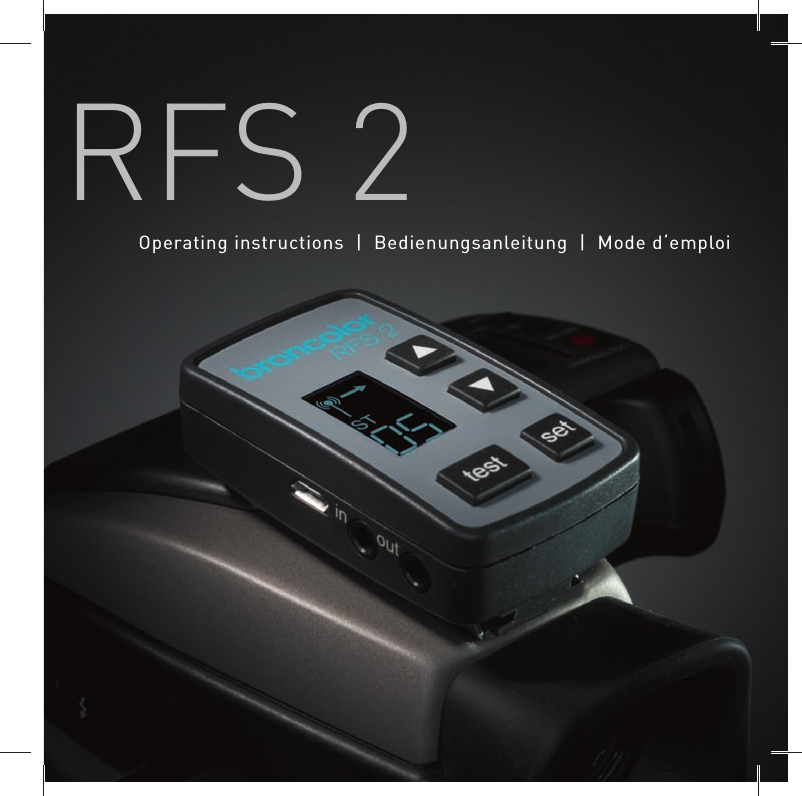
RFS 2Operating instructions | Bedienungsanleitung | Mode d‘emploi
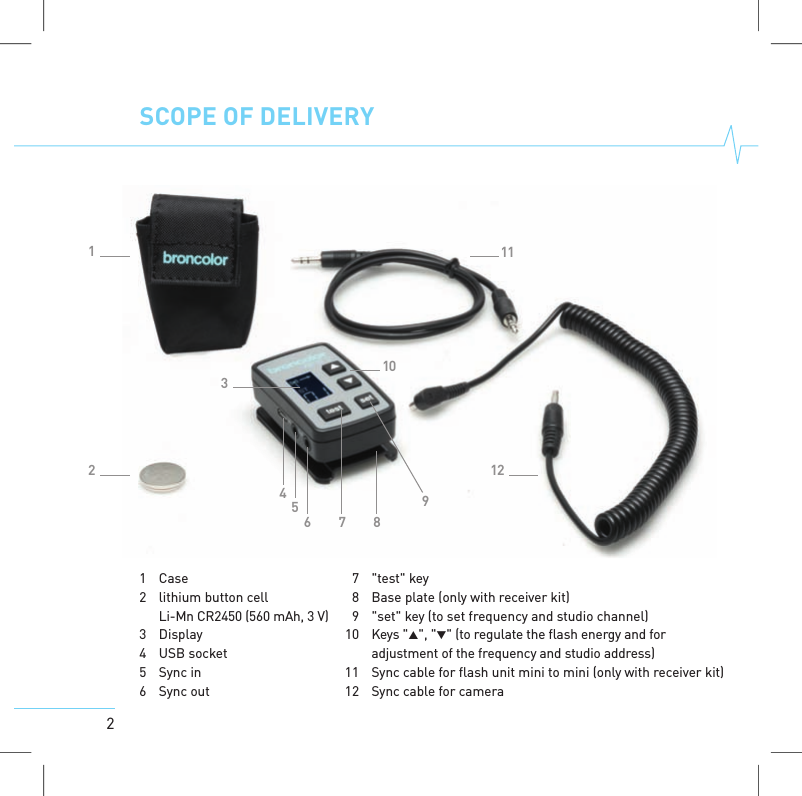
21 Case2 lithium button cellLi-Mn CR2450 (560 mAh, 3V)3 Display4 USB socket5Sync in6Sync out3456 7 89101112127 "test" key8 Base plate (only with receiver kit)9 "set" key (to set frequency and studio channel)10 Keys "", ""(toregulatethe flash energy and foradjustment of the frequency and studio address)11 Sync cable for flash unit mini to mini (only with receiver kit)12 Sync cable forcameraSCOPE OF DELIVERY
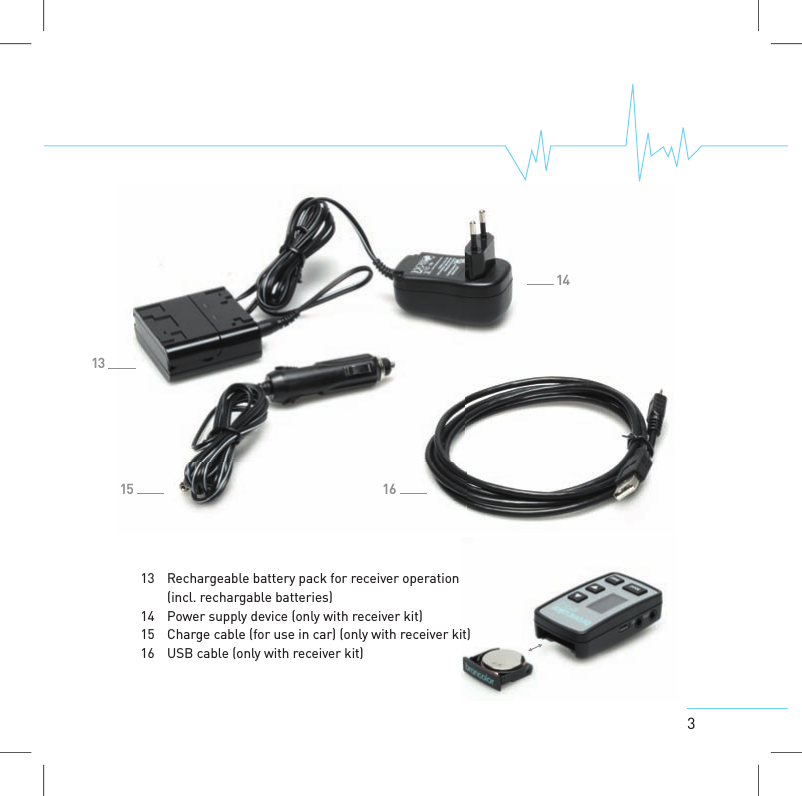
31315 161413 Rechargeable battery pack forreceiver operation(incl. rechargable batteries)14 Power supply device (only with receiver kit)15 Charge cable (for use in car) (only with receiver kit)16 USB cable (only with receiver kit)
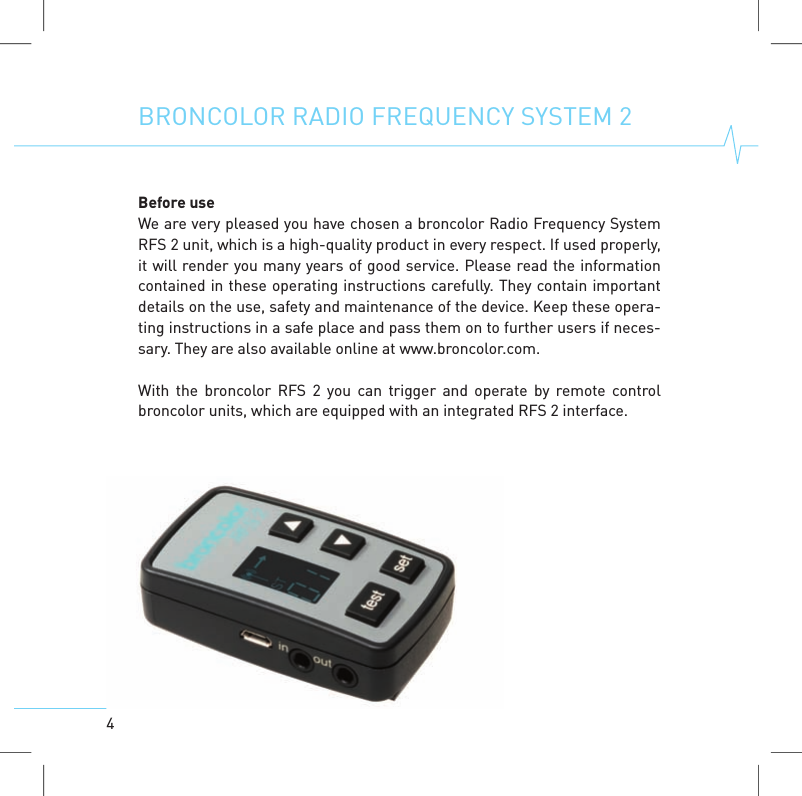
4BRONCOLOR RADIO FREQUENCYSYSTEM 2Before useWe are very pleased you have chosen a broncolor Radio Frequency SystemRFS 2 unit, which is a high-quality product in every respect. If used properly,it will render you many years of good service. Please read the informationcontained in these operating instructions carefully. They contain importantdetails on the use, safety and maintenance of the device. Keep these opera-ting instructions in a safe place and pass them on to further users if neces-sary. They are also available online at www.broncolor.com.With the broncolor RFS 2 youcan trigger and operate by remote controlbroncolor units, which are equipped with an integrated RFS 2 interface.
51. OPERATION AS TRANSMITTER OR RECEIVERThe transceiver can be operated in two modes. The unit is always in trans-mitting mode when used in battery operation. The transceiver functions astransmitter.If the transceiver is supplied with energy through the provided power supplyunit via the USB-port, the device switches over automatically to receivingmode. The transceiver functions as receiver.Manual switchover of the mode is not possible.
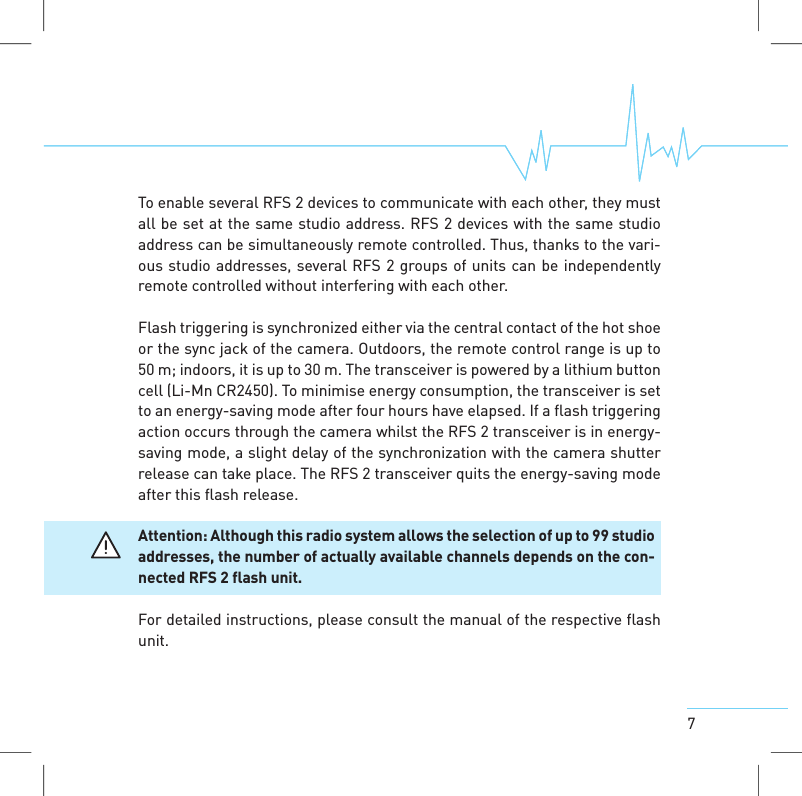
62. RADIO FREQUENCYSYSTEM 2 (RFS 2)The radio frequency system broncolor RFS 2 consists of the following ele-ments:> RFS 2 as transmitter on the camera> RFS 2 as receiver at the power packs / monolights without internal RFS 2radio frequency system> RFS 2 as internal radio frequency system integrated in the power packs /monolights2.1 RFS 2 transceiver as transmitterThe RFS2transceiver is used to remote-control one or morebroncolor powerpacks or monolights equipped with RFS 2 interface using radio signals totrigger flashes. Power packs or monolights without integrated RFS 2 inter-facescan be operated by connecting an RFS 2 transceiver (as receiver) tothem (see 1.2).
7To enable several RFS 2 devices to communicate with each other, they mustall be set at the same studio address. RFS 2 devices with the same studioaddress can be simultaneously remote controlled. Thus, thanks to the vari-ous studio addresses, several RFS 2 groups of units can be independentlyremote controlled without interfering with each other.Flash triggering is synchronized either via the central contact of the hot shoeor the sync jack of the camera. Outdoors, the remote control range is up to50 m; indoors, it is up to 30 m. The transceiver is powered by a lithium buttoncell (Li-Mn CR2450). To minimise energy consumption, the transceiver is setto an energy-saving mode after four hours have elapsed. If a flash triggeringaction occurs through the camera whilst the RFS 2 transceiver is in energy-saving mode, a slight delay of the synchronization with the camera shutterrelease cantake place. The RFS 2 transceiver quits the energy-saving modeafter this flash release.Attention: Although this radio systemallows the selection of up to 99 studioaddresses, the number of actuallyavailablechannels depends on the con-nected RFS2flash unit.For detailed instructions, please consult the manual of the respective flashunit.
82.2 RFS 2 transceiver as receiverThe device can be used as an external receiver for broncolor power packs,monolights, and third-party units that are not equipped to receive RFS 2data. When using the device as a receiver, use the respective power supplyunit and plug it into the USB socket on the side of the device. The device willautomatically switch to the receiver mode.Connect the sync cable with the "out" jack of the RFS 2 transceiver and thesync jack on the flash unit.2.3 Operation>KeysThe device has four keys: "test", "set", "" and "". Depending on the currentmode of the device, they have different functions. The functions depend onhow long the keys are pressed.>Key press durationA short key press is shorter than a second, a longer actuation is longer thana second.>Trigger test flash / activate sync out connectionTo trigger a test flash, briefly press the "test" button on the RFS 2 transcei-ver. Pressing the “test” button also activates the sync out connection.
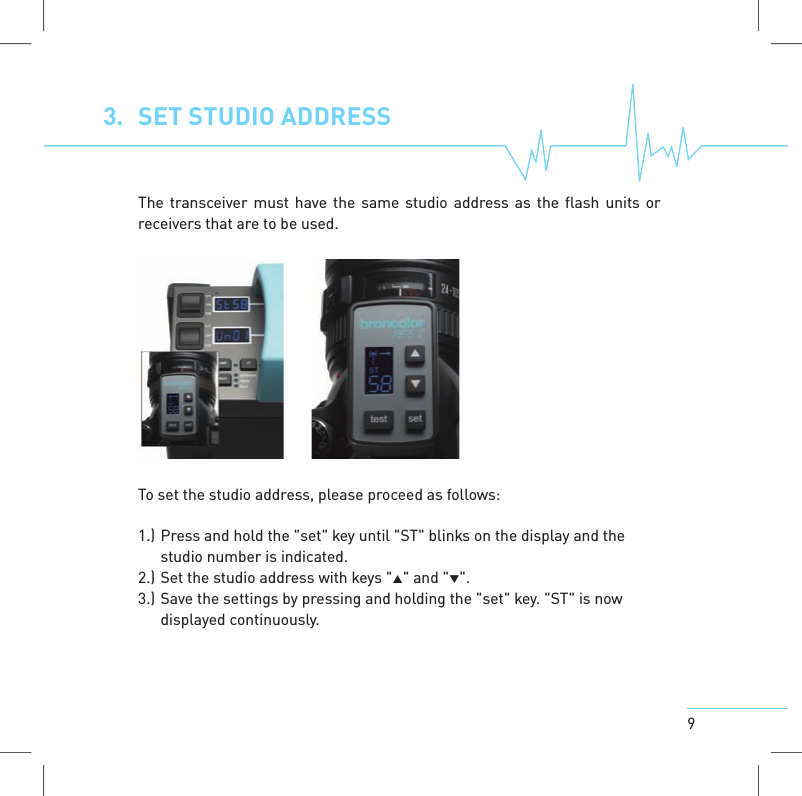
93. SET STUDIO ADDRESSThe transceiver must have the same studio address as the flash units orreceivers that are to be used.To set the studio address, please proceed as follows:1.) Press and hold the "set" key until "ST" blinks on the display and thestudio number is indicated.2.) Set the studio address with keys "" and "".3.) Save the settings by pressing and holding the "set" key. "ST" is nowdisplayedcontinuously.
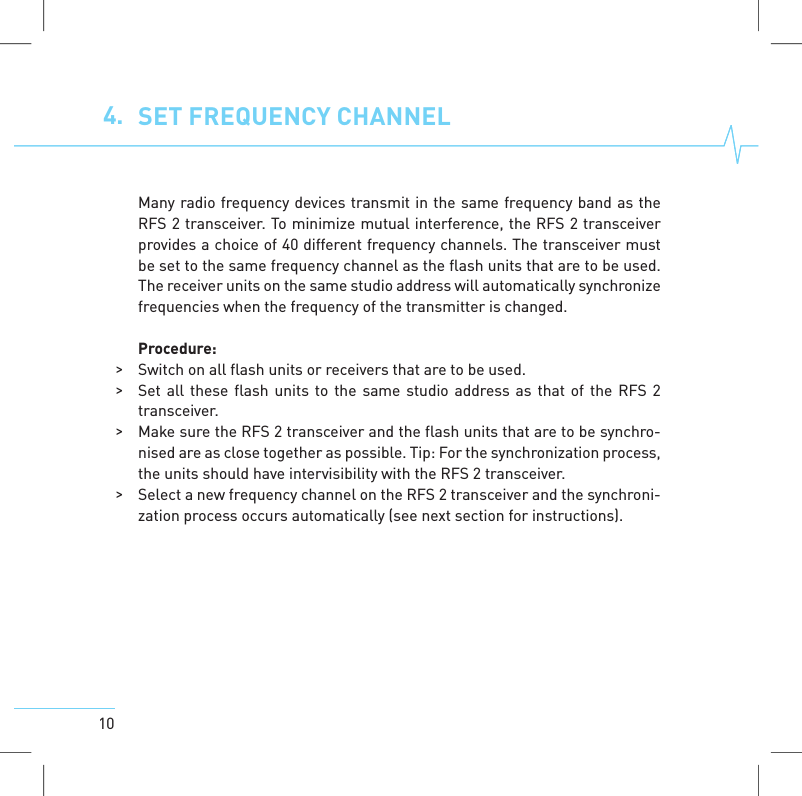
104. SET FREQUENCYCHANNELMany radio frequency devices transmit in the same frequency band as theRFS 2 transceiver. To minimize mutual interference, the RFS 2 transceiverprovides a choice of 40 different frequency channels. The transceiver mustbe set to the same frequency channel as the flash units that are to be used.The receiver units on the same studio address will automatically synchronizefrequencies when the frequency of the transmitter is changed.Procedure:>Switch on all flash units or receivers that are to be used.>Set all these flash units to the same studio address as that of the RFS 2transceiver.>Make sure the RFS 2 transceiver and the flash units that are to be synchro-nised are as close together as possible. Tip: For the synchronization process,the units should have intervisibility with the RFS 2 transceiver.>Select a new frequency channel on the RFS 2 transceiver and the synchroni-zation process occurs automatically (see next section for instructions).
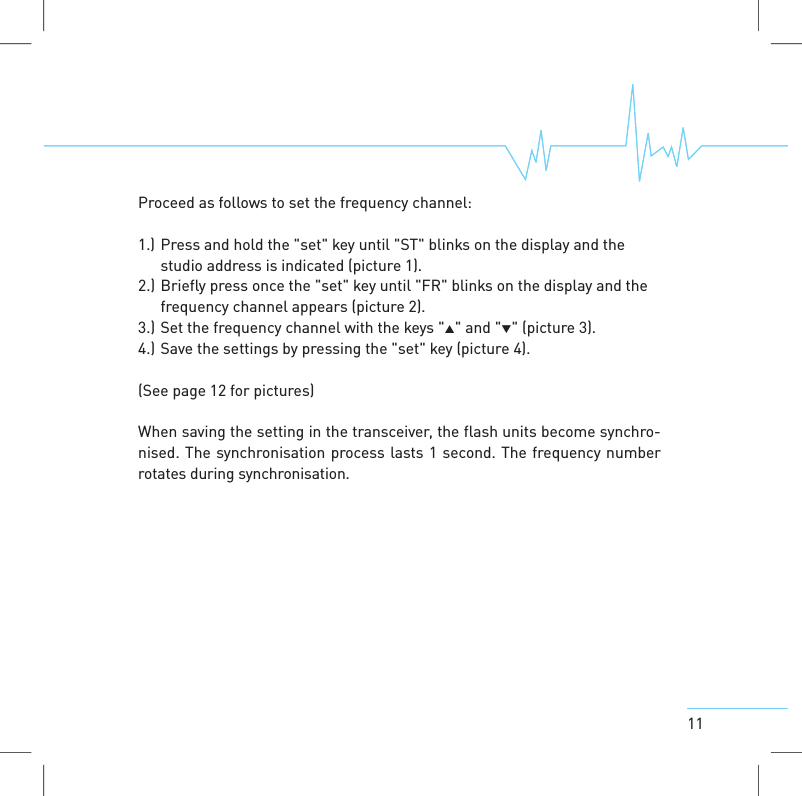
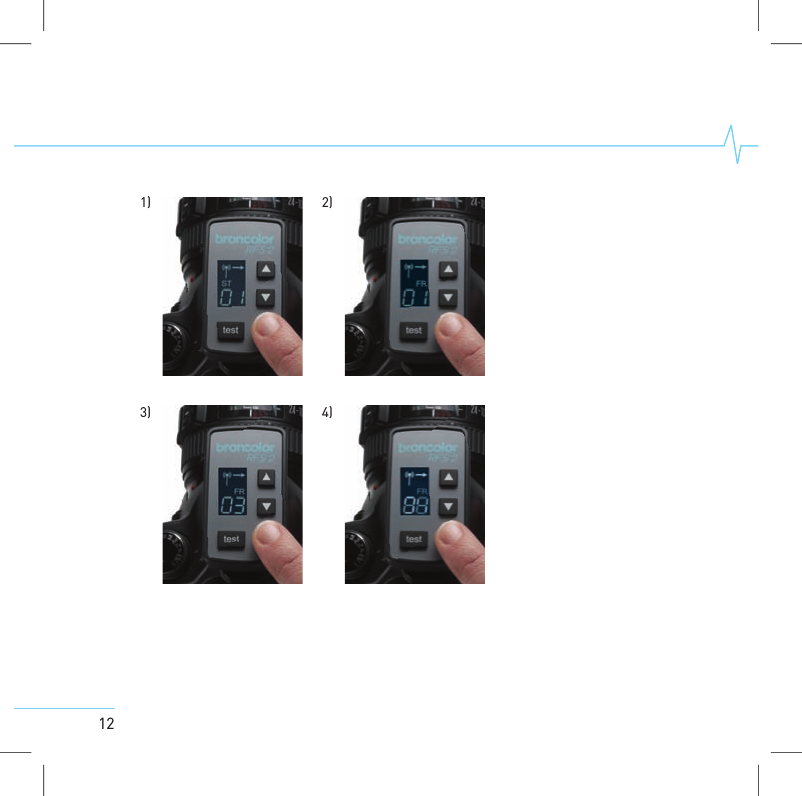
11Proceed as follows to set the frequency channel:1.) Press and hold the "set" key until "ST" blinks on the display and thestudio address is indicated (picture 1).2.) Briefly press once the "set" key until "FR" blinks on the display and thefrequency channel appears (picture 2).3.) Set the frequency channel with the keys "" and "" (picture 3).4.) Save the settings by pressing the "set" key (picture 4).(See page 12 for pictures)When saving the setting in the transceiver, the flash units become synchro-nised. The synchronisation process lasts 1 second. The frequency numberrotatesduring synchronisation.
121) 2)3) 4)
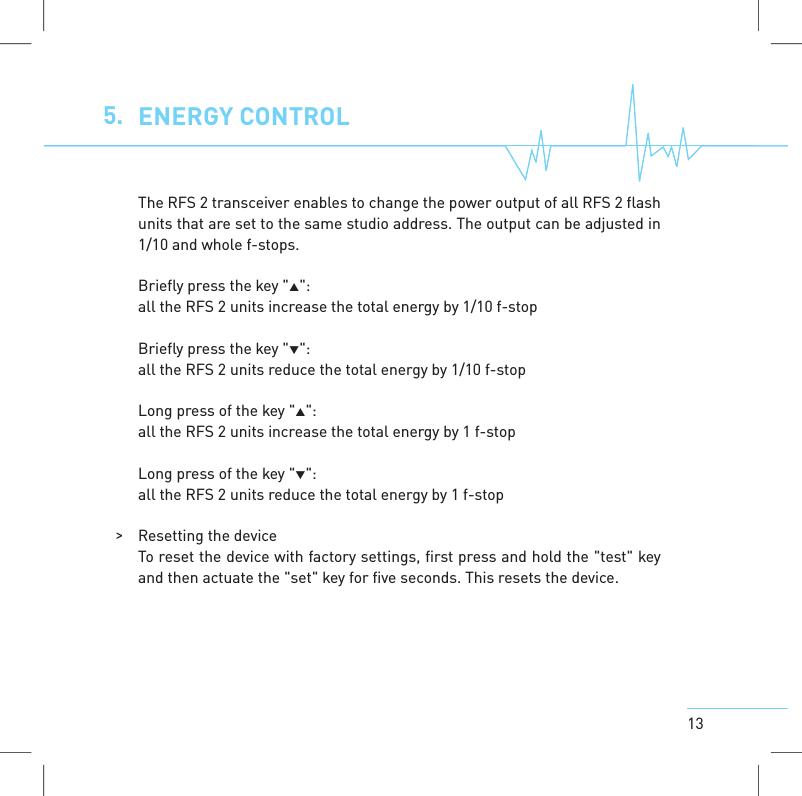
135. ENERGYCONTROLThe RFS 2 transceiver enables to change the power output of all RFS 2 flashunits that are set to the same studio address. The output can be adjusted in1/10 and whole f-stops.Briefly press the key "":all the RFS 2 units increase the total energy by 1/10 f-stopBriefly press the key "":all the RFS 2 units reduce the total energy by 1/10 f-stopLong press of the key "":all the RFS 2 units increase the total energy by 1 f-stopLong press of the key "":all the RFS 2 units reduce the total energy by 1 f-stop>Resetting the deviceTo reset the device with factory settings, first press and hold the "test" keyand then actuate the "set" keyfor five seconds. This resets the device.
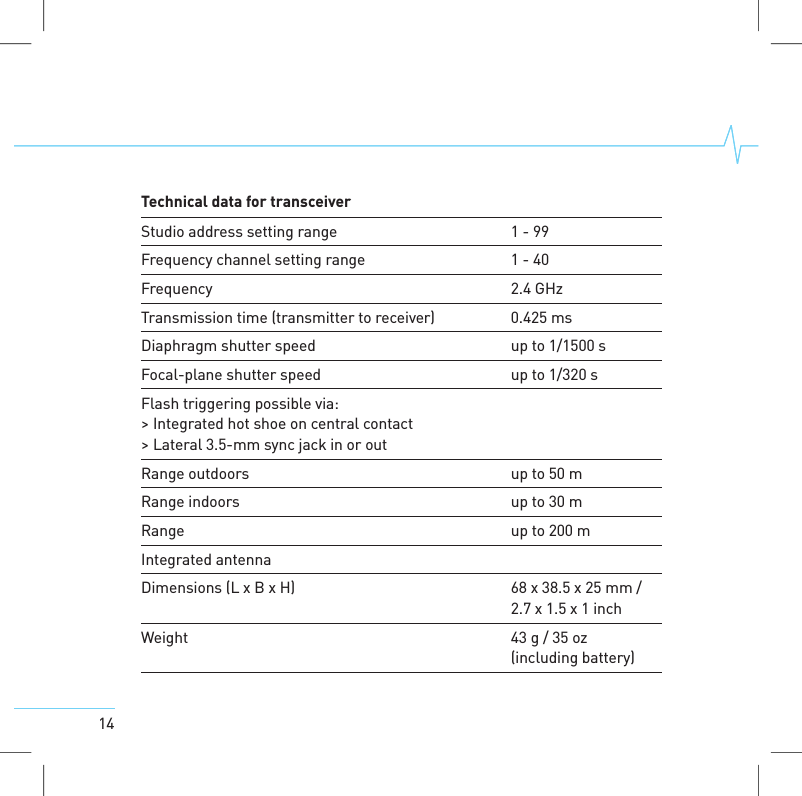
14Technical data for transceiverStudio addresssetting range 1-99Frequency channel setting range 1-40Frequency 2.4 GHzTransmission time (transmitter to receiver) 0.425 msDiaphragm shutter speed up to 1/1500 sFocal-plane shutter speed up to 1/320 sFlash triggering possiblevia:>Integrated hot shoe on central contact>Lateral 3.5-mm sync jack in or outRange outdoorsupto 50 mRange indoorsupto 30 mRange up to 200 mIntegrated antennaDimensions (L xBxH) 68 x38.5 x25 mm /2.7 x1.5 x1inchWeight 43 g/35 oz(including battery)
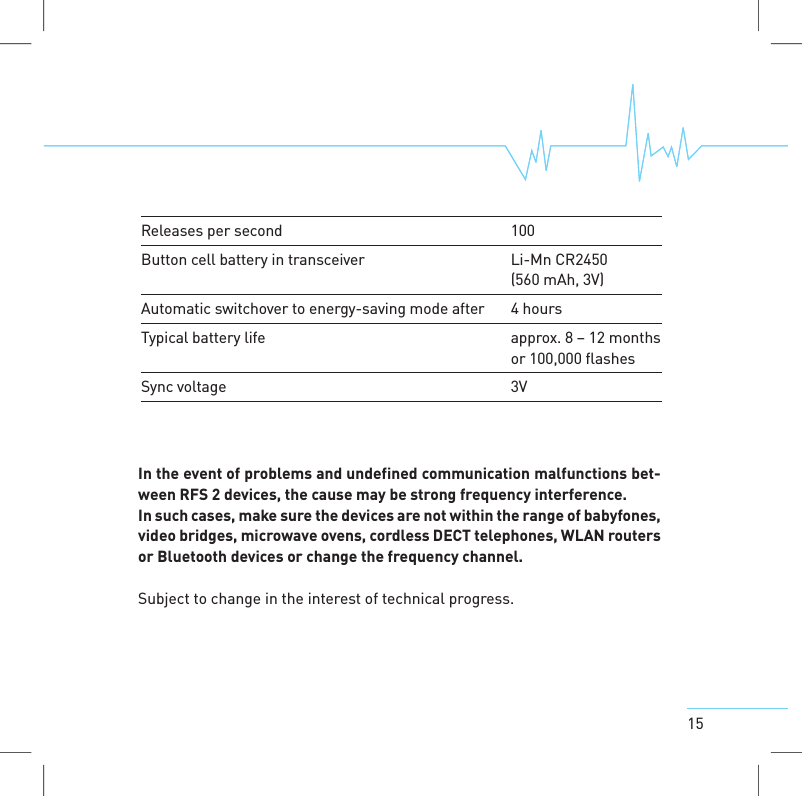
15In the event of problems and undefined communication malfunctions bet-ween RFS 2 devices, the cause may be strong frequency interference.In such cases, make sure the devices are not within the range of babyfones,video bridges, microwave ovens, cordless DECT telephones, WLAN routersor Bluetooth devices or change the frequency channel.Subject to change in the interest of technical progress.Releases per second 100Button cell battery in transceiver Li-Mn CR2450(560 mAh, 3V)Automatic switchoverto energy-saving mode after 4hoursTypical battery lifeapprox.8–12 monthsor 100,000 flashesSync voltage 3V
Bron Elektronik AG         Bron Elektronik AG CH-4123 Allschwil         CH-4123 Allschwil Schweiz (Switzerland)        WA-96-4            Schweiz (Switzerland)        WA-96-4   FCC Compliance Statements §15.19 and §15.21  Section 15.19 Labelling requirements This device complies with Part 15 of the FCC Rules. Operation is subject to the following two conditions: (1) this device may not cause harmful interference, and (2) this device must accept any interference received, including interference that may cause undesired operation.  Section 15.21 Information to user Changes or modifications not expressly approved by the party responsible for compliance could void the user's authority to operate the equipment.                                FCC Compliance Statements §15.19 and §15.21  Section 15.19 Labelling requirements This device complies with Part 15 of the FCC Rules. Operation is subject to the following two conditions: (1) this device may not cause harmful interference, and (2) this device must accept any interference received, including interference that may cause undesired operation.  Section 15.21 Information to user Changes or modifications not expressly approved by the party responsible for compliance could void the user's authority to operate the equipment.
Bron Elektronik AG         Bron Elektronik AG CH-4123 Allschwil         CH-4123 Allschwil Schweiz (Switzerland)        WA-96-4            Schweiz (Switzerland)        WA-96-4

Navigation menu