CCT Tech Advanced MA300 2.4GHz 40 Channel Analog Modulation Cordless Phone User Manual MA360Book

CCT Tech Advanced Products Limited 2.4GHz 40 Channel Analog Modulation Cordless Phone MA360Book

User Manual first half

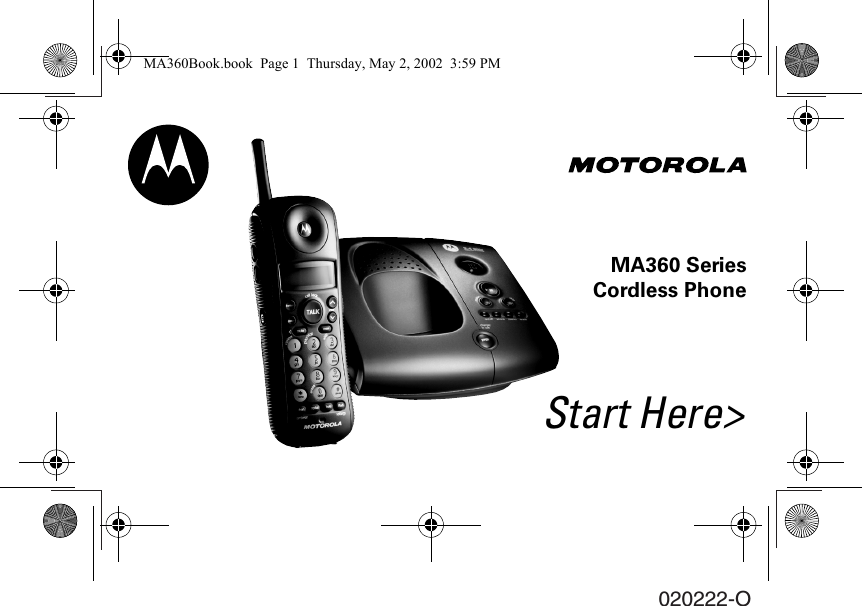
Start Here>MA360 SeriesCordless Phone020222-OMA360Book.book  Page 1  Thursday, May 2, 2002  3:59 PM
MA360Book.book  Page 2  Thursday, May 2, 2002  3:59 PM
010253-OMA360 Series Cordless PhoneQuick ReferenceTo check your messages from the handset:1. Make sure the handset is off. 2. Press chan. The phone plays a voice menu.3. Press the button for the action you want to perform: ÑErase message.\Review message.]Play or stop playing message.^Skip message. _Turn the answering machine on or off. }Repeat the voice menu. MA360Book.book  Page 3  Thursday, May 2, 2002  3:59 PM
PRELIMINARY010253-OImportant Numbers_______________________________________________________________________________________________________________________________________________________________________________________________________________________________________________________________________________________________________________________________________________________________________________________________________________________________________________________________________________________________________________MA360Book.book  Page 4  Thursday, May 2, 2002  3:59 PM
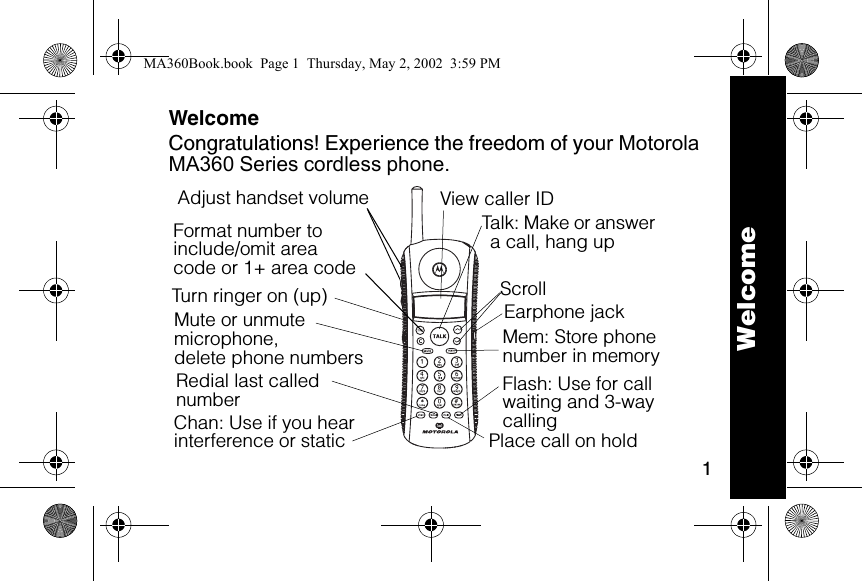
1WelcomeCongratulations! Experience the freedom of your Motorola MA360 Series cordless phone.Format number to include/omit areacode or 1+ area code6lmnTalk: Make or answer a call, hang upEarphone jack Flash: Use for call waiting and 3-way callingTurn ringer on (up)Adjust handset volumeChan: Use if you hear interference or staticRedial last called numberMute or unmute microphone,delete phone numbers Place call on holdScrollMem: Store phone number in memoryView caller ID WelcomeMA360Book.book  Page 1  Thursday, May 2, 2002  3:59 PM
2For a copy of a large-print version of this guide, or for product-related questions, please contact:1-800-353-2729 U.S.A.1-800-461-4575 Canada1-888-390-6456 TTY (Text Telephone)On the web, please refer to: www.motorola.com/cordlessCongratulations on your purchase of a Motorola product! Product registration is an important step toward enjoying your new Motorola product. Registering helps us facilitate warranty service, and permits us to contact you should your Motorola product require an update or other service. Registration is not required for warranty coverage. To register your product on-line, visit:www.motorola.com/warranty/cordless.WelcomeMA360Book.book  Page 2  Thursday, May 2, 2002  3:59 PM
3Please retain your original dated sales receipt for your records. For warranty service of your Motorola Personal Communications Product, you will need to provide a copy of your dated sales receipt to confirm warranty status.MOTOROLA, the Stylized M Logo, and all other trademarks indicated as such herein are trademarks of Motorola, Inc.® Reg. U.S. Pat. & Tm. Off. All other product or service names are the property of their respective owners.© 2002 Motorola, Inc. All rights reserved.Personal Communications Sector1500 Gateway Blvd., Boynton Beach, FL 33426-82926881040B55-OMA360Book.book  Page 3  Thursday, May 2, 2002  3:59 PM
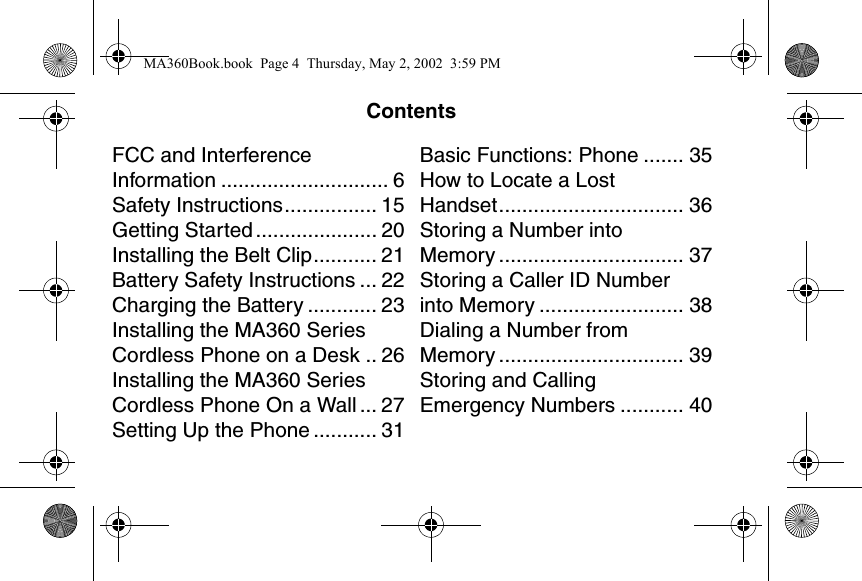
ContentsFCC and Interference Information ............................. 6Safety Instructions................ 15Getting Started ..................... 20Installing the Belt Clip........... 21Battery Safety Instructions ... 22Charging the Battery ............ 23Installing the MA360 Series Cordless Phone on a Desk .. 26Installing the MA360 Series Cordless Phone On a Wall ... 27Setting Up the Phone ........... 31Basic Functions: Phone ....... 35How to Locate a Lost Handset................................ 36Storing a Number into Memory ................................ 37Storing a Caller ID Number into Memory ......................... 38Dialing a Number from Memory ................................ 39Storing and Calling Emergency Numbers ........... 40CONTENTSMA360Book.book  Page 4  Thursday, May 2, 2002  3:59 PM
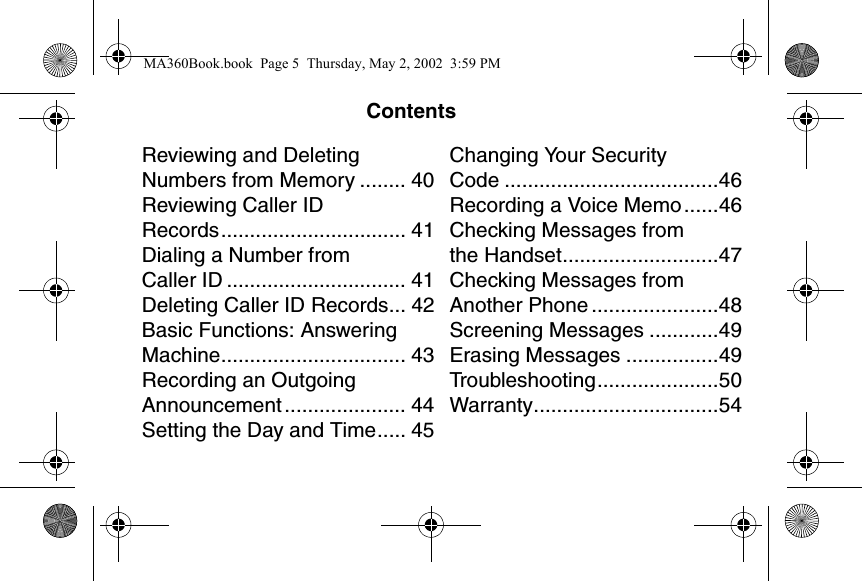
ContentsReviewing and Deleting Numbers from Memory ........ 40Reviewing Caller ID Records................................ 41Dialing a Number from Caller ID ............................... 41Deleting Caller ID Records... 42Basic Functions: Answering Machine................................ 43Recording an Outgoing Announcement ..................... 44Setting the Day and Time..... 45Changing Your Security Code .....................................46Recording a Voice Memo......46Checking Messages from the Handset...........................47Checking Messages from Another Phone ......................48Screening Messages ............49Erasing Messages ................49Troubleshooting.....................50Warranty................................54MA360Book.book  Page 5  Thursday, May 2, 2002  3:59 PM
6FCC and Interference InformationThis equipment complies with Parts 15 and 68 of the FCC rules and the requirements adopted by the Administrative Council for Terminal Attachments (ACTA). On the bottom of this equipment is a label that contains, among other information, a product identifier in the form US:AAAEQ##TXXX. You must, upon request, provide this number to the telephone company. A plug and jack used to connect this equipment to the premises wiring and telephone network must comply with applicable FCC Part 68 rules and requirements adopted by the ACTA. A compliant telephone cord and modular plug is provided with this product. It is designed to be connected to a compatible modular jack that is also compliant. See installation instructions for details. FCC and InterferenceMA360Book.book  Page 6  Thursday, May 2, 2002  3:59 PM
7➊Notification of the Local Telephone CompanyOn the bottom of this equipment is a label indicating, among other information, the Ringer Equivalency Number for the equipment. You must, upon request, provide this information to your telephone company. The REN is useful in determining the number of devices you may connect to your telephone line and still have all of these devices ring when your telephone number is called. In most (but not all) areas, the sum of the RENs of all devices connected to one line should not exceed 5. To be certain of the number of devices, you may connect to your line as determined by the REN, you should contact your local telephone company. The REN for this product is part of the product identifier that has the format US:AAAEQ##TXXXX. The digits FCC and InterferenceMA360Book.book  Page 7  Thursday, May 2, 2002  3:59 PM
8represented by ## are the REN without a decimal point (e.g., 03 is a REN of 0.3). Note:  This equipment may not be used on coin service provided by the telephone company. Note:  Connection to party line service is subject to state tariffs. Contact the state public utility commission, public service commission or corporation commission for information. Note:  If your home has specially wired alarm equipment connected to the telephone line, ensure the installation of this cordless phone does not disable your alarm equipment. If you have questions about what will disable alarm equipment, consult your telephone company or a qualified installer. FCC and InterferenceMA360Book.book  Page 8  Thursday, May 2, 2002  3:59 PM
9Note:  Notice must be given to the telephone company upon permanent disconnection of your telephone from your line. Note:  The FCC requires that you connect your cordless telephone to the nationwide telephone network through a modular telephone jack (USOC RJ11C/RJ11W or RJ14C/RJ14W). ➋Rights of the Telephone CompanyShould your equipment cause trouble on your line which may harm the telephone network, the telephone company shall, where practicable, notify you that temporary discontinuance of service may be required. Where prior notice is not practical and the circumstances warrant such action, the telephone company may temporarily disconnect service immediately. In case of such temporary FCC and InterferenceMA360Book.book  Page 9  Thursday, May 2, 2002  3:59 PM
10discontinuance, the telephone company must:(1)promptly notify you of such temporary discontinuance; (2) afford you the opportunity to correct the situation; (3)inform you of your right to bring a complaint to the Commission pursuant to procedures set forth in Subpart E of Part 68, FCC Rules and Regulations. The telephone company may make changes in its facilities, equipment, operations, or procedures that could affect the operation of the equipment. If this happens, the telephone company will provide advance notice in order for you to make necessary modifications to maintain uninterrupted service. FCC and InterferenceMA360Book.book  Page 10  Thursday, May 2, 2002  3:59 PM
11Interference InformationThis device complies with Part 15 of the FCC Rules. Operation is subject to the following two conditions: (1) This device may not cause harmful interference; and (2) This device must accept any interference received, including interference that may cause undesired operation. This equipment has been tested and found to comply with the limits for a Class B digital device, pursuant to Part 15 of the FCC Rules. These limits are designed to provide reasonable protection against harmful interference in a residential installation. This equipment generates, uses, and can radiate radio frequency energy and, if not installed and used in accordance with the instructions, may cause harmful FCC and InterferenceMA360Book.book  Page 11  Thursday, May 2, 2002  3:59 PM
12interference to radio communications. However, there is no guarantee that interference will not occur in a particular installation. If this equipment does cause harmful interference to radio or television reception, which can be determined by turning the equipment on and off, the user is encouraged to try to correct the interference with one or more of the following measures: • Reorient or relocate the receiving antenna (that is, theantenna for radio or television that is “receiving” theinterference). • Reorient or relocate and increase the separationbetween the telecommunications equipment and thereceiving antenna. FCC and InterferenceMA360Book.book  Page 12  Thursday, May 2, 2002  3:59 PM
13• Connect the telecommunications equipment into anoutlet on a circuit different from that to which the receivingantenna is connected. If these measures do not eliminate the interference, please consult your dealer or an experienced radio/television technician for additional suggestions. Also, the Federal Communications Commission has prepared a helpful booklet, “How to Identify and Resolve Radio/TV Interference Problems.” This booklet is available from the U.S. government Printing Office, Washington, D.C. 20402. Please specify stock number 004-000-00345-4 when ordering copies. FCC and InterferenceMA360Book.book  Page 13  Thursday, May 2, 2002  3:59 PM
14The FCC requires this product to be serviced only by Motorola or its authorized service agents. Changes or modifications not expressly approved by Motorola could void not only the user's authority to operate the equipment, but also the limited warranty. Hearing Aid CompatibilityThis telephone system meets the FCC standards for hearing aid compatibility. FCC and InterferenceMA360Book.book  Page 14  Thursday, May 2, 2002  3:59 PM
15Important Safety InstructionsFollow these safety precautions when using your cordless phone to reduce the risk of fire, electric shock and injury to persons or property: Reduce risk of fire and shock by➊Keep all slits and openings of the phone unblocked. Do not set the phone on a heating register or over a radiator. Ensure that proper ventilation is provided at the installation site. ➋Do not use while wet or while standing in water. ➌Do not use this product near water (for example, near a bath tub, kitchen sink, or swimming pool). ➍Do not allow anything to rest on the power cord. Place the power cord so that it will not be walked on.   Safety InstructionsMA360Book.book  Page 15  Thursday, May 2, 2002  3:59 PM
16➎Never insert objects of any kind into the product slits as that may result in fire or shock. ➏Unplug this product from the wall outlet before cleaning. Do not use liquid cleaners or aerosol cleaners. Use a damp cloth for cleaning. ➐Do not disassemble this product. If service or repair work is required, contact the Motorola address found in the back of this user’s guide. ➑Do not overload wall outlets and extension cords. ➒Avoid using during an electrical storm. Use a surge protector to protect the equipment. ➓Do not use this cordless phone to report a gas leak, especially if you are in the vicinity of the gas line.Safety InstructionsMA360Book.book  Page 16  Thursday, May 2, 2002  3:59 PM
17Unplug this cordless phone immediately from an outlet if:• The power cord or plug is damaged or frayed. • Liquid has been spilled into the product. • The product has been exposed to rain or water. Do notretrieve the handset or base until after you have unpluggedthe power and phone from the wall. Then retrieve the unitby unplugged cords. • The product has been dropped or the cabinet has beendamaged. • The product exhibits a distinct change in performance. Safety InstructionsMA360Book.book  Page 17  Thursday, May 2, 2002  3:59 PM
18Installation Guidelines➊Read and understand all instructions and save them for future reference. ➋Follow all warnings and instructions marked on the product. ➌Do not install this product near a bath tub, sink or shower. ➍Operate this phone using only the power source that is indicated on the marking label. If you are unsure of the power supply to your home, consult with your dealer or local power company. ➎Do not place this product on an unstable cart, stand or table. This product may fall, causing serious damage to the product. Safety InstructionsMA360Book.book  Page 18  Thursday, May 2, 2002  3:59 PM
19➏Adjust only those controls that are covered by the operating instructions. Improper adjustment of other controls may result in damage and will often require extensive work to restore the product to normal operation. ➐Clean this product with a soft, damp cloth. Do not use chemicals or cleaning agents to clean this phone. ➑Use only the power supply that came with this unit. Using other power supplies may damage the unit. ➒Because cordless phones operate on electricity, you should have at least one phone in your home that isn’t cordless, in case the power in your home goes out. ➓To avoid interference to nearby appliances, do not place the base of the cordless phone on or near a TV, microwave oven, or VCR. Safety InstructionsMA360Book.book  Page 19  Thursday, May 2, 2002  3:59 PM
20Getting StartedBefore you can make or answer calls, you need to install and set up your cordless phone. The next few pages walk you through the installation and set-up process. Getting StartedMA360Book.book  Page 20  Thursday, May 2, 2002  3:59 PM
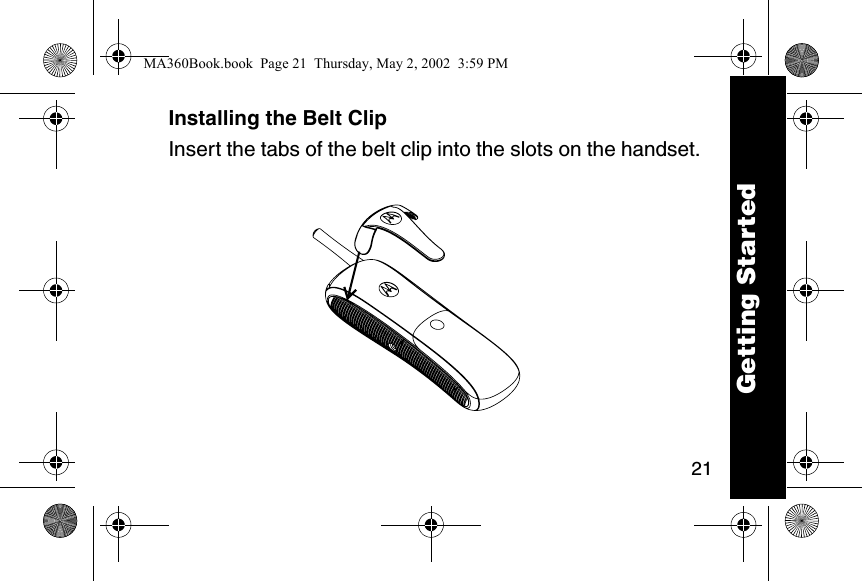
21Installing the Belt Clip Insert the tabs of the belt clip into the slots on the handset.Getting StartedMA360Book.book  Page 21  Thursday, May 2, 2002  3:59 PM
22Battery Safety Instructions• Do not burn, disassemble, mutilate, or puncture the battery. The battery contains toxic materials that could be released, resulting in injury. •Caution: There is a risk of explosion if you replace the battery with an incorrect battery type. Use only the battery that came with your phone or an authorized replacement recommended by the manufacturer.• Keep batteries out of the reach of children. • Remove batteries if storing over 30 days. • Do not dispose of batteries in fire, which could result in explosion. • The rechargeable batteries that power this product must be disposed of properly and may need to be recycled. Refer to your battery’s label for battery type. Contact your local recycling center for proper disposal methods. Getting StartedMA360Book.book  Page 22  Thursday, May 2, 2002  3:59 PM
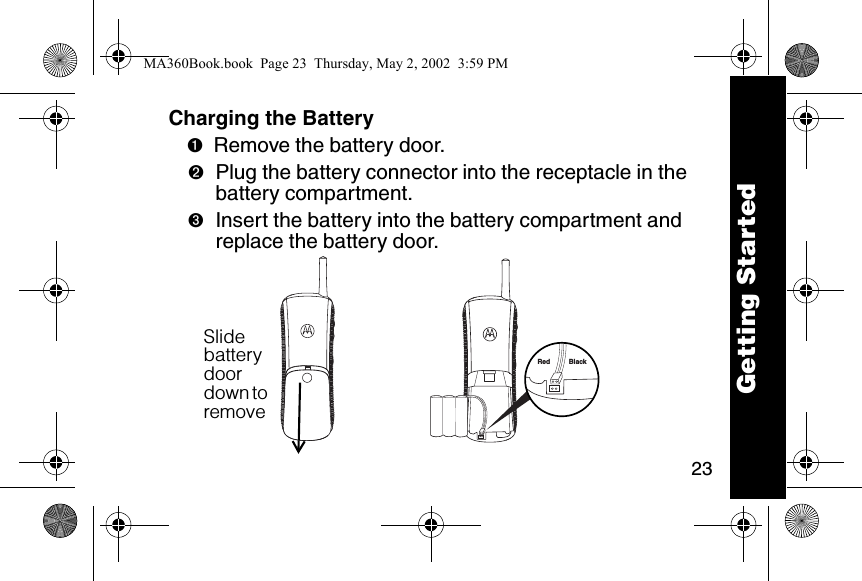
23Charging the Battery ➊Remove the battery door.➋Plug the battery connector into the receptacle in the battery compartment.➌Insert the battery into the battery compartment and replace the battery door. Red BlackSlide battery door down to remove Getting StartedMA360Book.book  Page 23  Thursday, May 2, 2002  3:59 PM
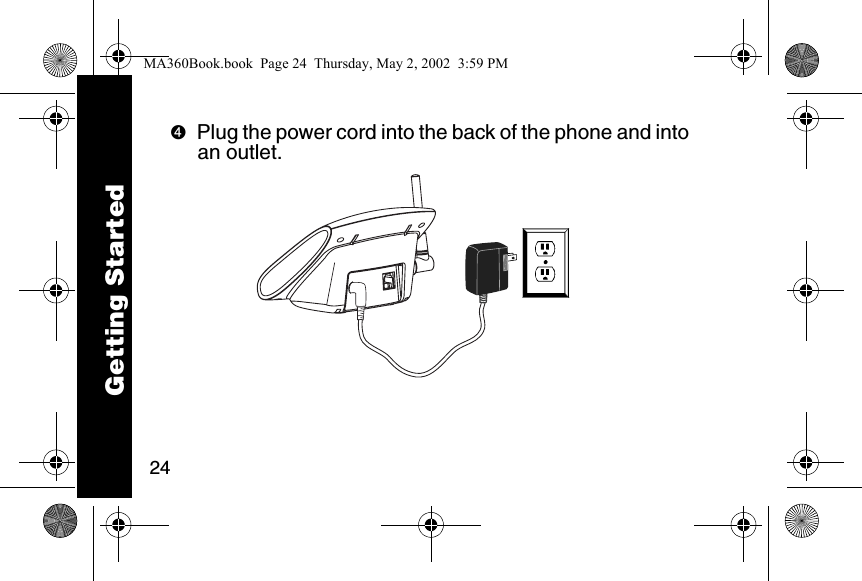
24➍Plug the power cord into the back of the phone and into an outlet. Getting StartedMA360Book.book  Page 24  Thursday, May 2, 2002  3:59 PM
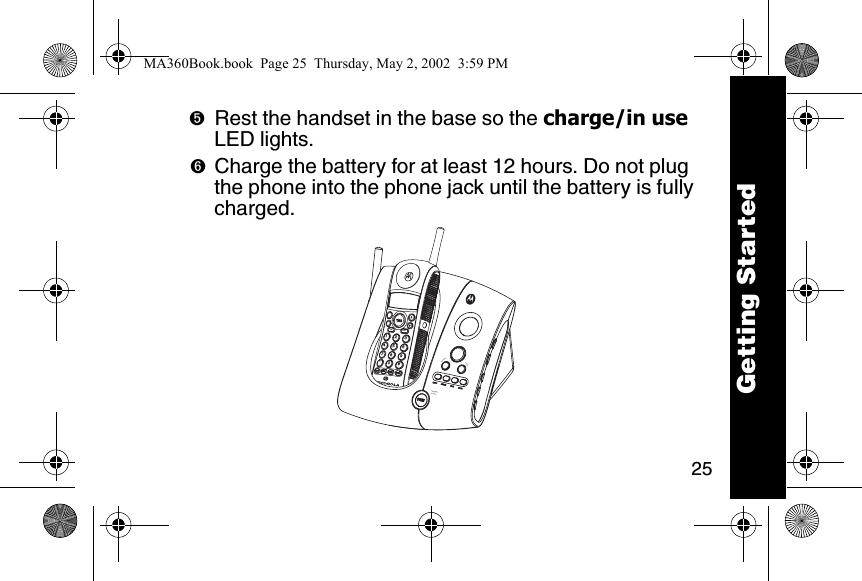
25➎Rest the handset in the base so the charge/in use LED lights. ➏Charge the battery for at least 12 hours. Do not plug the phone into the phone jack until the battery is fully charged. reviewskipcharge/in usememmute123456780*#9Getting StartedMA360Book.book  Page 25  Thursday, May 2, 2002  3:59 PM
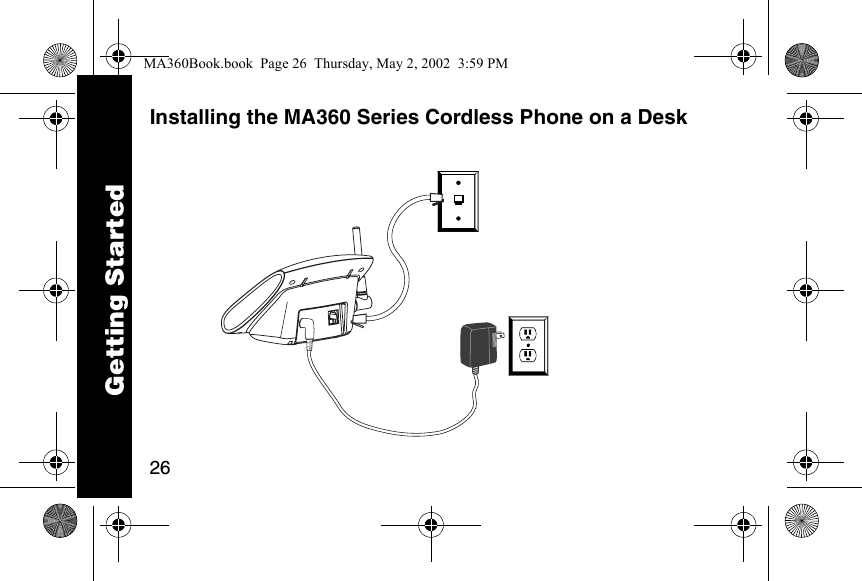
26Installing the MA360 Series Cordless Phone on a DeskGetting StartedMA360Book.book  Page 26  Thursday, May 2, 2002  3:59 PM

Navigation menu