Capital Prospect G7M Remote Transmitter User Manual g7m Quick guide

Capital Prospect Ltd Remote Transmitter g7m Quick guide

User manual_KUTG7M

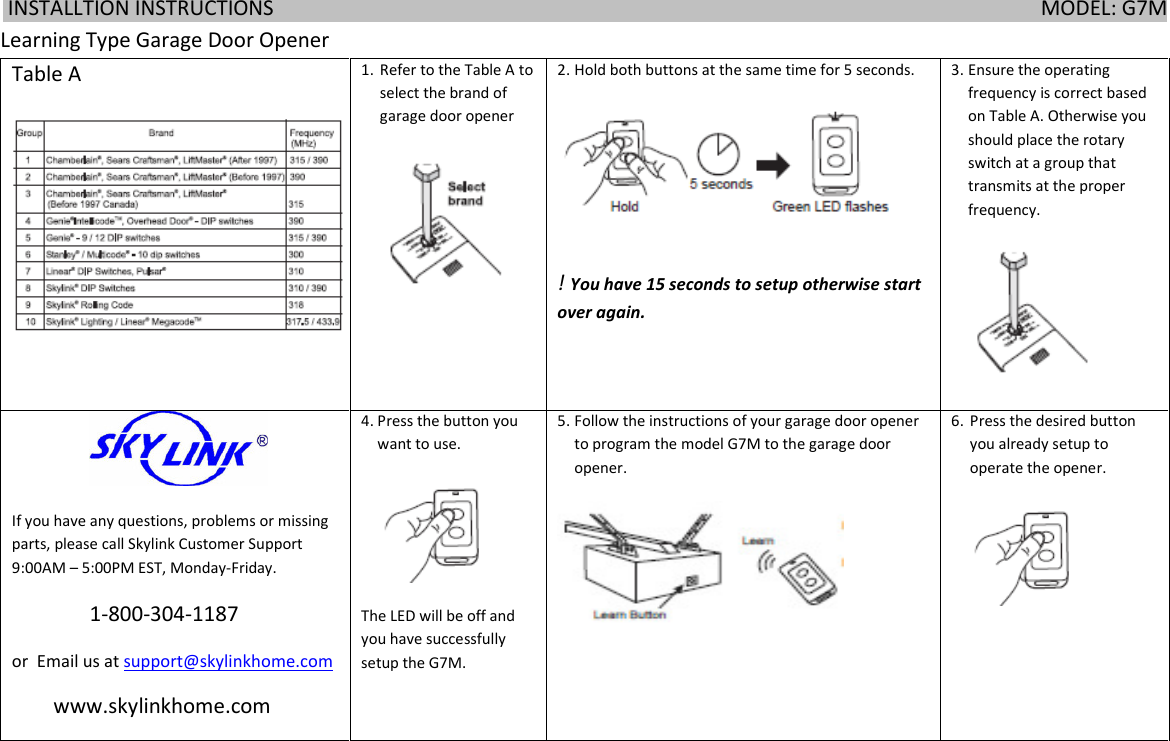
 INSTALLTION INSTRUCTIONS                                                                                                                                                    MODEL: G7M      Learning Type Garage Door Opener Table A 1. Refer to the Table A to select the brand of garage door opener  2. Hold both buttons at the same time for 5 seconds.  ! You have 15 seconds to setup otherwise start over again. 3. Ensure the operating frequency is correct based on Table A. Otherwise you should place the rotary switch at a group that transmits at the proper frequency.                   If you have any questions, problems or missing parts, please call Skylink Customer Support 9:00AM – 5:00PM EST, Monday-Friday.                1-800-304-1187  or  Email us at support@skylinkhome.com         www.skylinkhome.com 4. Press the button you want to use.  The LED will be off and you have successfully setup the G7M. 5. Follow the instructions of your garage door opener to program the model G7M to the garage door opener.  6. Press the desired button you already setup to operate the opener.
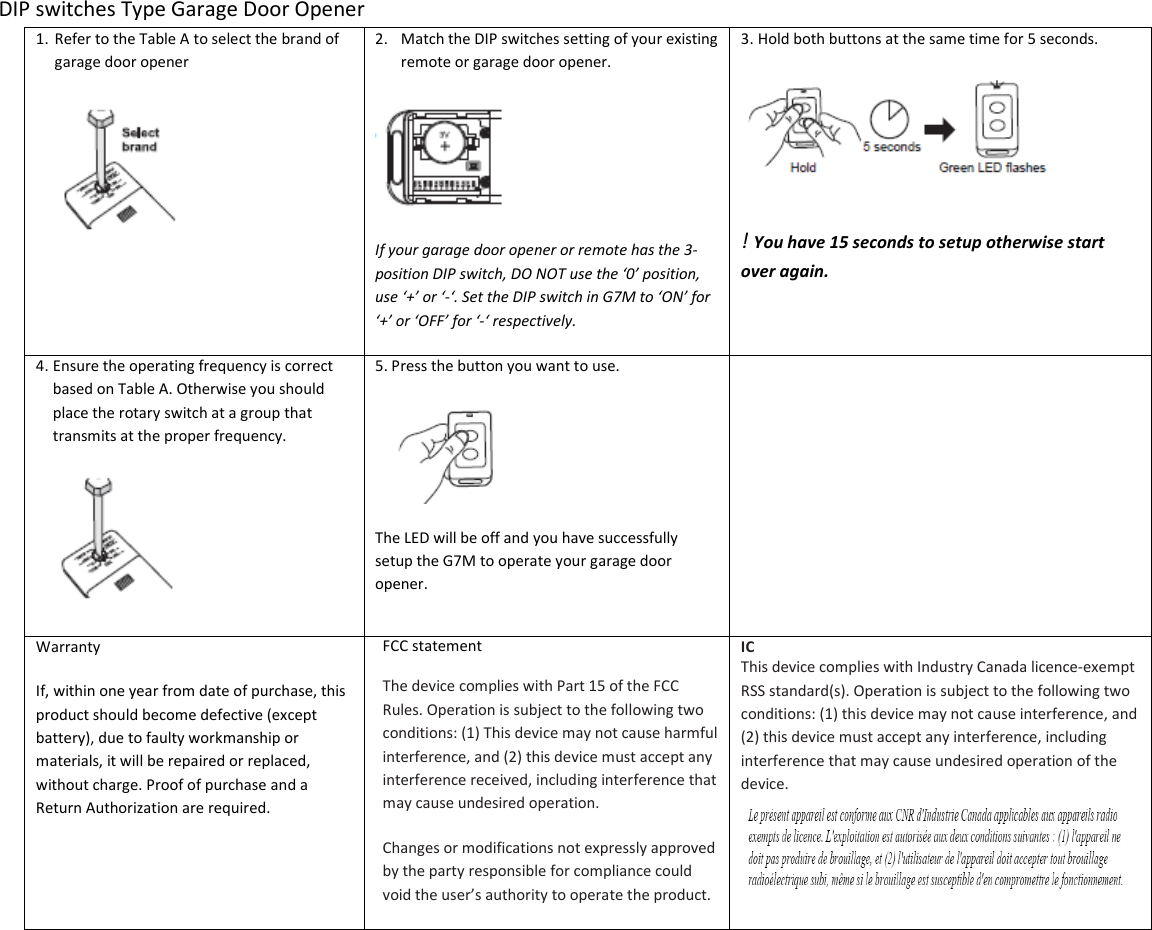
 DIP switches Type Garage Door Opener 1. Refer to the Table A to select the brand of garage door opener  2. Match the DIP switches setting of your existing remote or garage door opener.  If your garage door opener or remote has the 3-position DIP switch, DO NOT use the ‘0’ position, use ‘+’ or ‘-‘. Set the DIP switch in G7M to ‘ON’ for ‘+’ or ‘OFF’ for ‘-‘ respectively. 3. Hold both buttons at the same time for 5 seconds.  ! You have 15 seconds to setup otherwise start over again. 4. Ensure the operating frequency is correct based on Table A. Otherwise you should place the rotary switch at a group that transmits at the proper frequency.  5. Press the button you want to use.  The LED will be off and you have successfully setup the G7M to operate your garage door opener.                                                 Warranty If, within one year from date of purchase, this product should become defective (except battery), due to faulty workmanship or materials, it will be repaired or replaced, without charge. Proof of purchase and a Return Authorization are required. FCC statement The device complies with Part 15 of the FCC Rules. Operation is subject to the following two conditions: (1) This device may not cause harmful interference, and (2) this device must accept any interference received, including interference that may cause undesired operation. Changes or modifications not expressly approved by the party responsible for compliance could void the user’s authority to operate the product. IC This device complies with Industry Canada licence-exempt RSS standard(s). Operation is subject to the following two conditions: (1) this device may not cause interference, and (2) this device must accept any interference, including interference that may cause undesired operation of the device.

Navigation menu