ChargePoint CT1H00 Electric Vehicle Charging Station User Manual Bollard Inst

ChargePoint, Inc. Electric Vehicle Charging Station Bollard Inst

Contents

User Manual 1

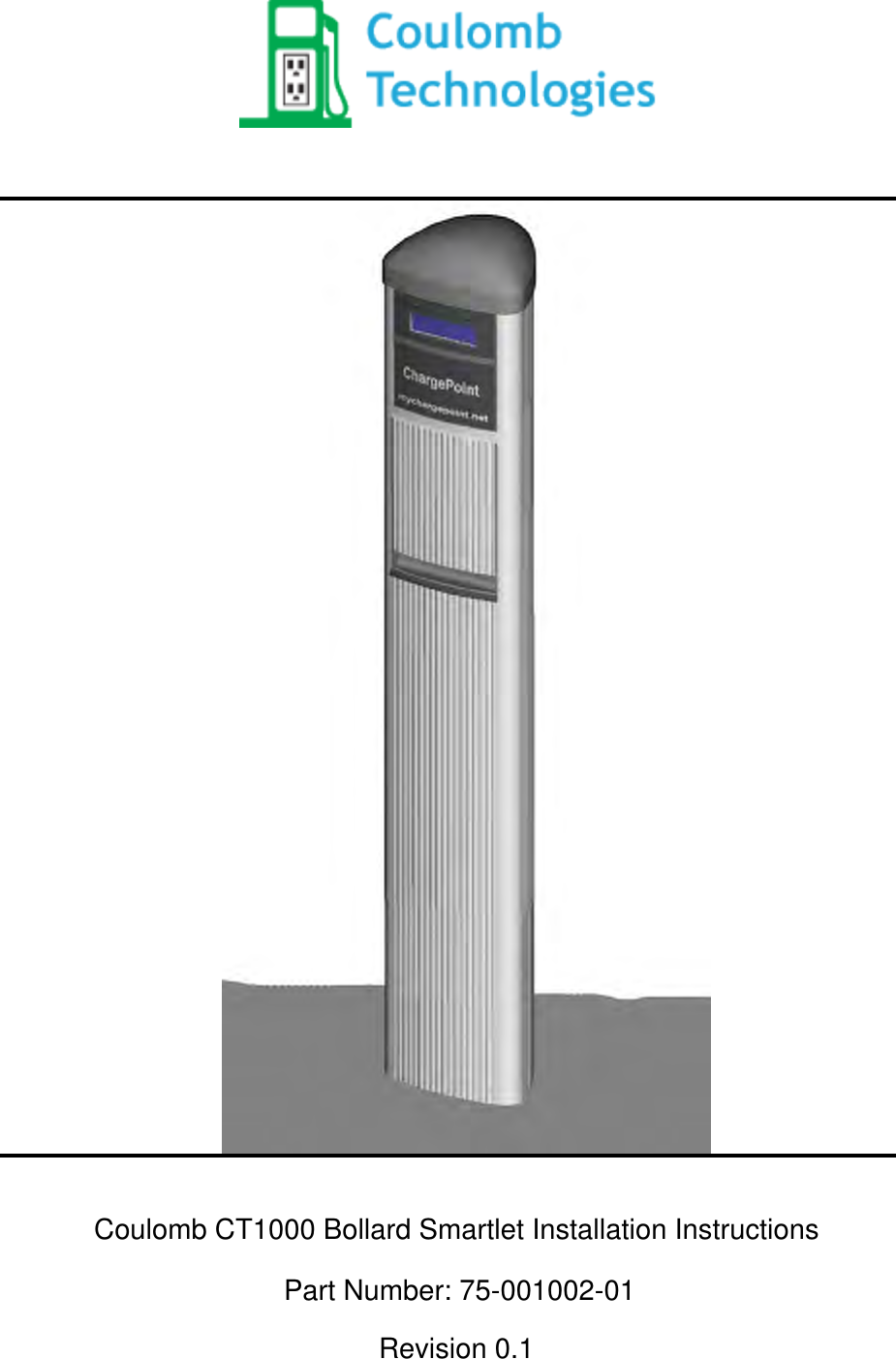
Coulomb CT1000 Bollard Smartlet Installation InstructionsPart Number: 75-001002-01Revision 0.1
CopyrightCopyright© 2008 Coulomb Technologies, Inc.  All rights reserved.This material is protected by the copyright laws of the United States and other countries. It may not be modied, reproduced or distributed without the prior, express written consent of Coulomb Technologies, Inc.Safety and ComplianceThis manual only covers installation of Coulomb’s Smartlet™ Charging Station and should not be used for any other product.  Before installing the Smartlet Charging Station, you should review this manual carefully and consult with a licensed contractor, licensed elec-trician and trained installation expert to ensure compliance with local building practices, climate conditions, safety standards, and state and local codes.  The Smartlet Charging Station should be installed only by a licensed contractor and a licensed electrician and in accordance with the U.S. National Electric Code and the National Fire Protection Association codes and standards.  The Smartlet Charging Station should be inspected by an authorized installer prior to the initial use.  Under no circumstances will compliance with the information in this manual relieve the user of his/her responsibility for compliance with all applicable codes or safety standards.No Guarantee as to AccuracyReasonable eort was made to ensure that the specications and other information in this manual were accurate and complete at the time of its publication.  However, the specica-tions and other information in this manual are subject to change at any time without prior notice.  Warranty Information and DisclaimerYour use of or modication to the Smartlet Charging Station in a manner in which the Smartlet Charging Station is not intended to be used or modied will void the limited warranty.  Other than any such limited warranty, the Coulomb products are provided “AS IS,” and Coulomb and its distributors expressly disclaim all implied warranties, including any warranty of design, merchantability, tness for a particular purposes and non-infringement, to the maximum extent permitted by law.Limitation of LiabilityIN NO EVENT SHALL COULOMB TECHNOLOGIES, INC. OR ITS AUTHORIZED DISTRIBUTORS BE LIABLE FOR ANY INDIRECT, INCIDENTAL, SPECIAL, PUNITIVE, OR CONSEQUENTIAL DAMAGES, INCLUDING WITHOUT LIMITATION LOST PROFITS, LOST DATA, LOSS OF USE, COST OF COVER, OR LOSS OR DAMAGE TO THE SMARTLET CHARGING STATION, ARISING OUT OF OR RELATING TO THE USE OR INABILITY TO USE THIS MANUAL, EVEN IF COULOMB TECHNOLOGIES, INC. OR ITS AUTHORIZED DISTRIBUTORS HAVE BEEN ADVISED OF THE POSSIBILITY OF SUCH DAMAGES.TrademarksCOULOMB TECHNOLOGIES, SMARTLET, and CHARGEPOINT are trademarks or service marks of Coulomb Technologies, Inc in the U.S. and other countries.  All other trademarks or service marks mentioned in this manual or on the Coulomb Technologies, Inc. website are the property of their respective owners. Coulomb CT1000 Bollard Smartlet Installation Instructions           Revision 0.1                PRELIMINARY
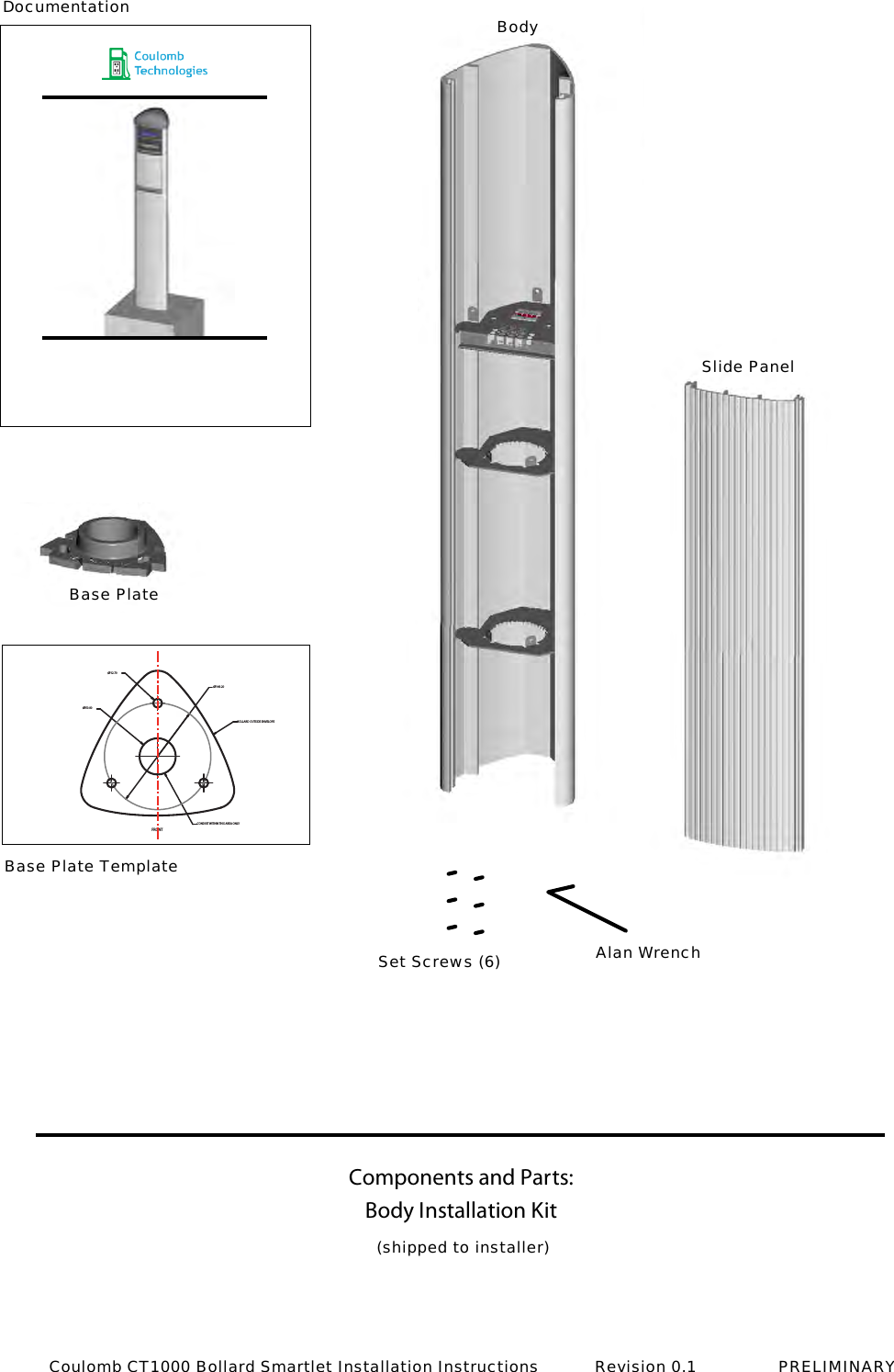
Components and Parts: Ø149.20Ø12.70Ø50.80FRONTBOLLARD OUTSIDE ENVELOPECONDUIT WITHIN THIS AREA ONLYBody Installation Kit(shipped to installer)BodyDocumentationBase PlateBase Plate TemplateSet Screws (6) Alan WrenchSlide PanelCoulomb CT1000 Bollard Smartlet Installation Instructions           Revision 0.1                PRELIMINARY
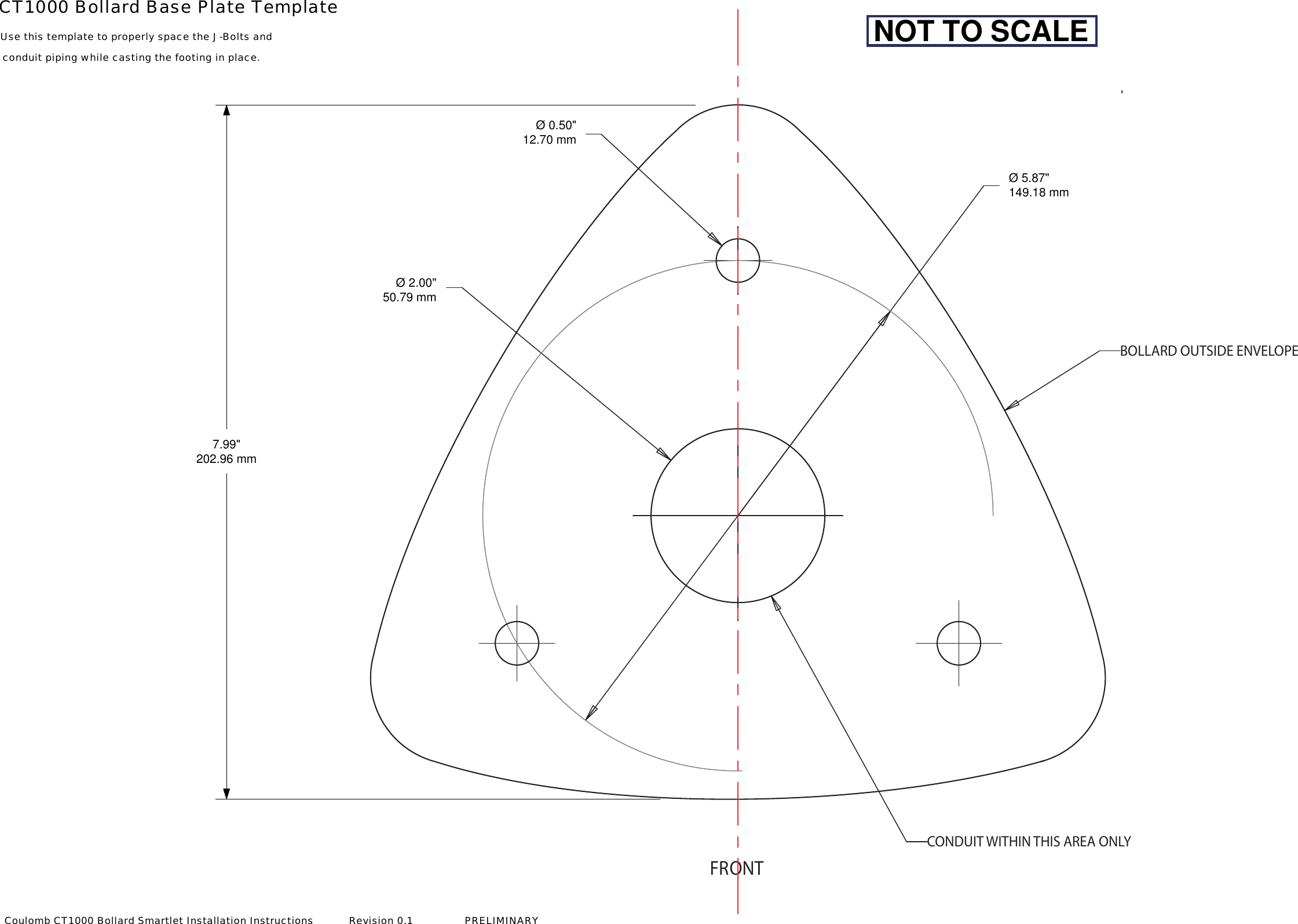
FRONTBOLLARD OUTSIDE ENVELOPECONDUIT WITHIN THIS AREA ONLYØ 2.00"50.79 mm7.99"202.96 mmØ 0.50"12.70 mmØ 5.87"149.18 mmCT1000 Bollard Base Plate TemplateUse this template to properly space the J-Bolts andconduit piping while casting the footing in place. NOT TO SCALECoulomb CT1000 Bollard Smartlet Installation Instructions           Revision 0.1                PRELIMINARY
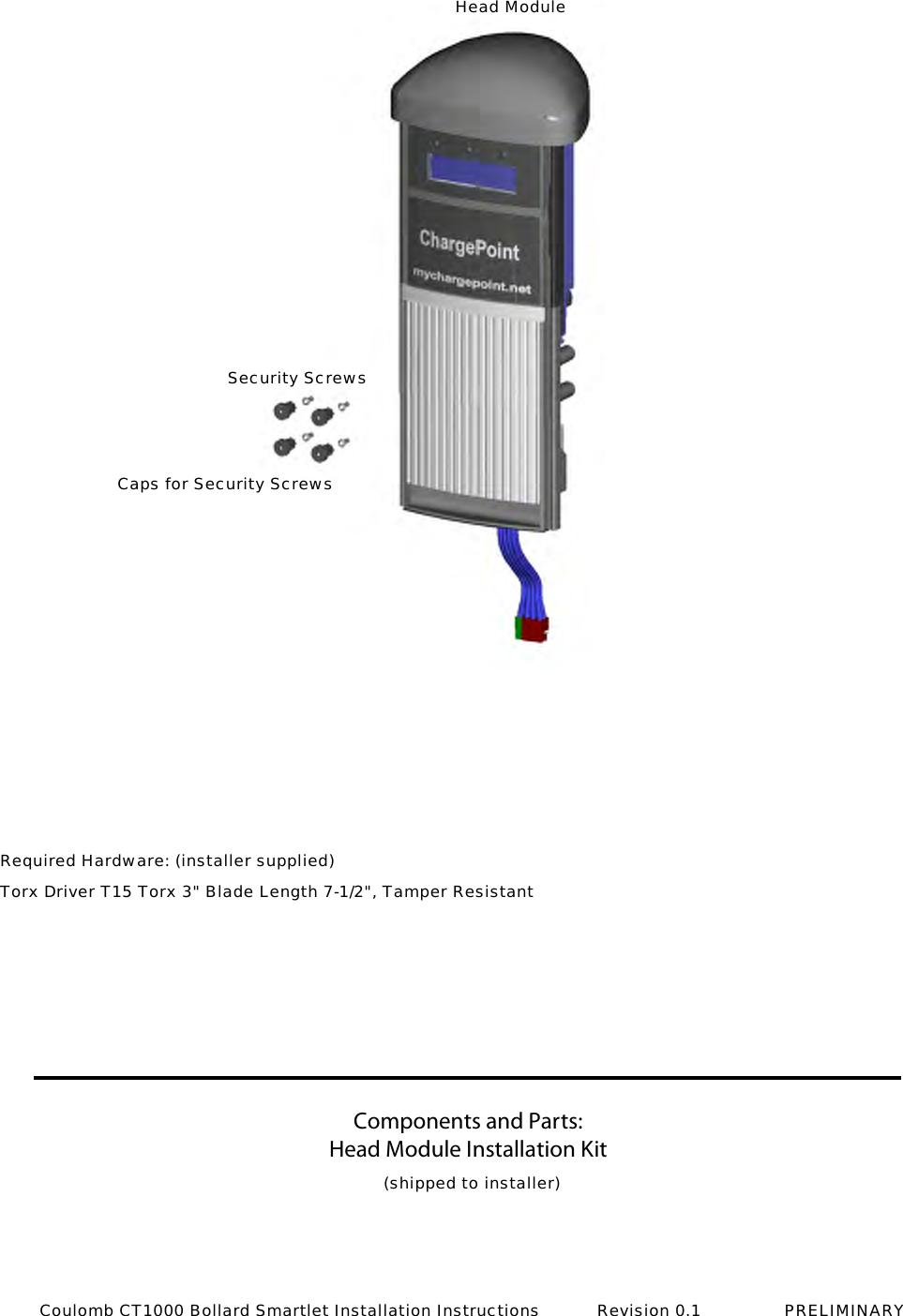
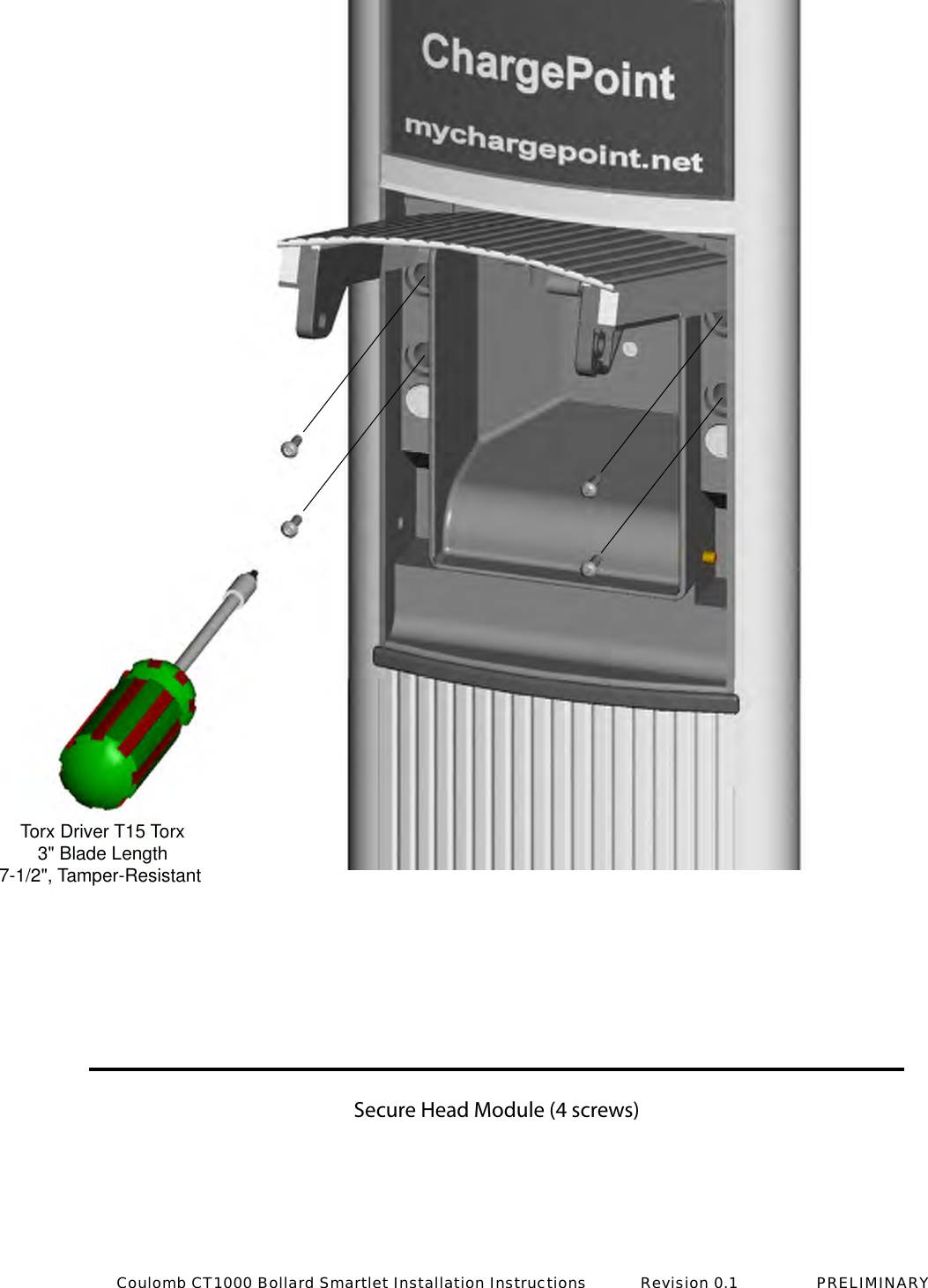
Components and Parts:Head Module Installation Kit Head ModuleSecurity ScrewsCaps for Security Screws(shipped to installer)Required Hardware: (installer supplied)Torx Driver T15 Torx 3" Blade Length 7-1/2", Tamper ResistantCoulomb CT1000 Bollard Smartlet Installation Instructions           Revision 0.1                PRELIMINARY
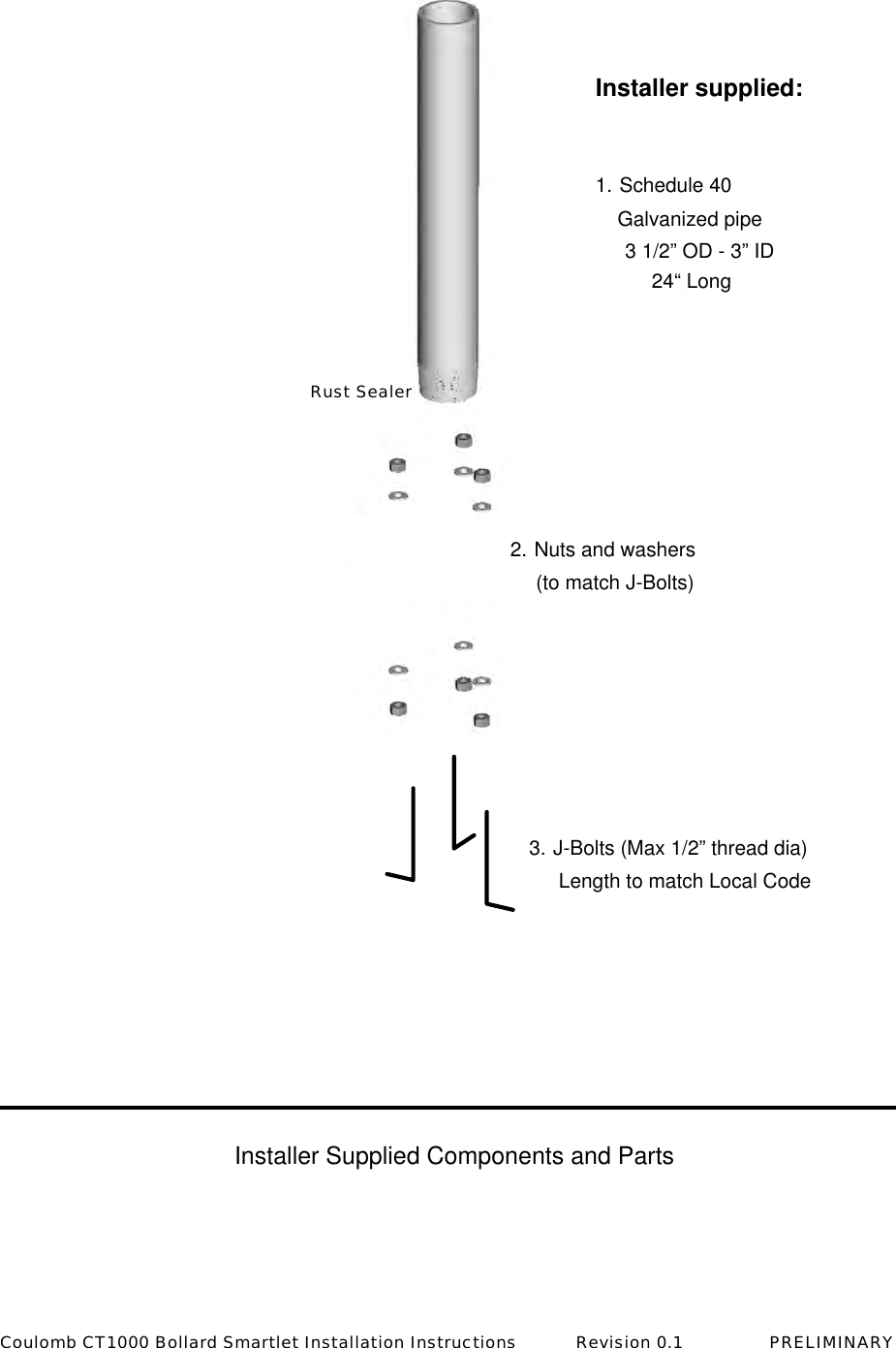
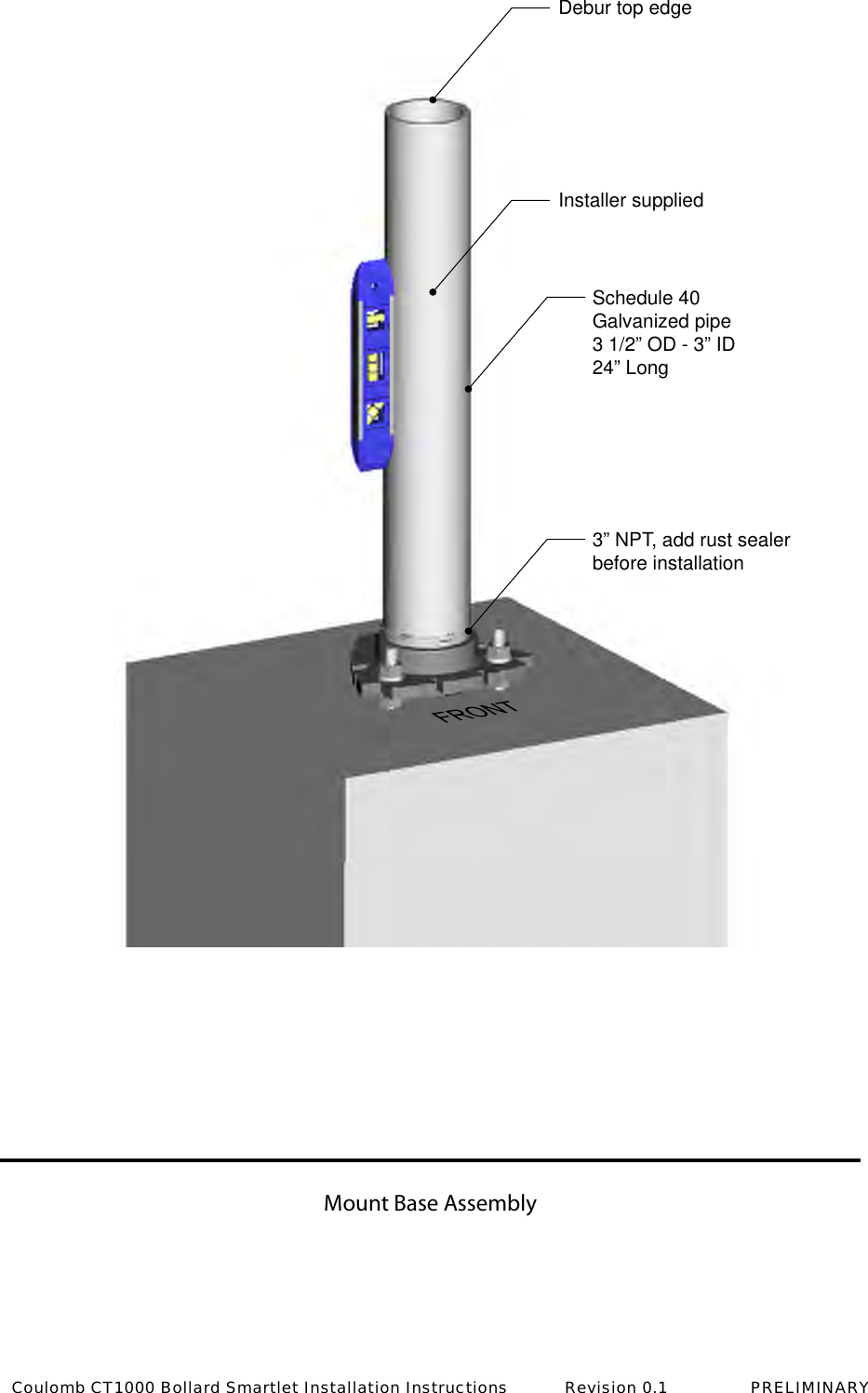
 Installer supplied:1. Schedule 40  Galvanized pipe  3 1/2” OD - 3” ID  24“ Long2. Nuts and washers  (to match J-Bolts)3. J-Bolts (Max 1/2” thread dia)  Length to match Local CodeInstaller Supplied Components and PartsRust SealerCoulomb CT1000 Bollard Smartlet Installation Instructions           Revision 0.1                PRELIMINARY
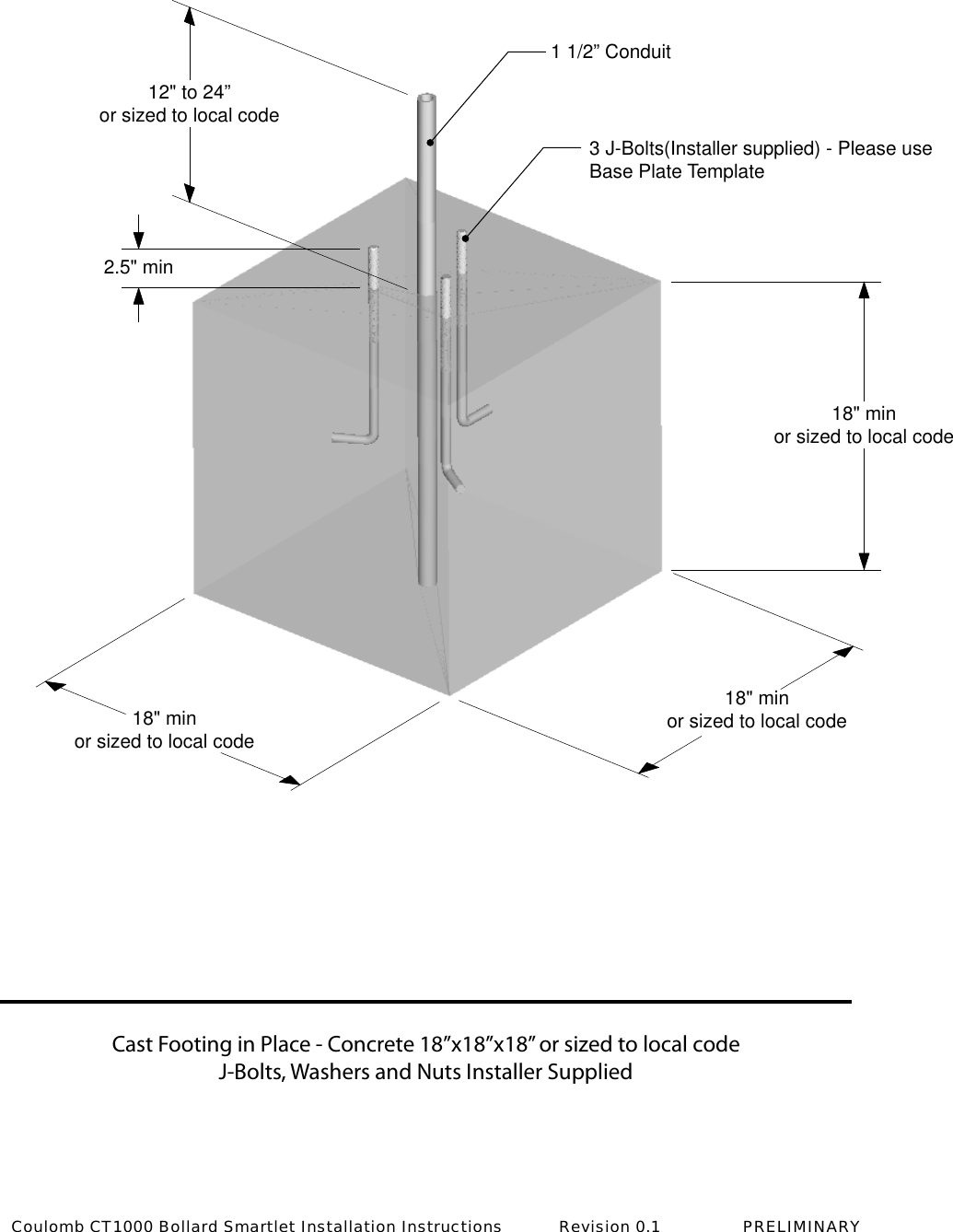
Cast Footing in Place - Concrete 18”x18”x18” or sized to local codeJ-Bolts, Washers and Nuts Installer Supplied18" minor sized to local code18" minor sized to local code18" minor sized to local code2.5" min12" to 24”or sized to local code3 J-Bolts(Installer supplied) - Please useBase Plate Template1 1/2” ConduitCoulomb CT1000 Bollard Smartlet Installation Instructions           Revision 0.1                PRELIMINARY
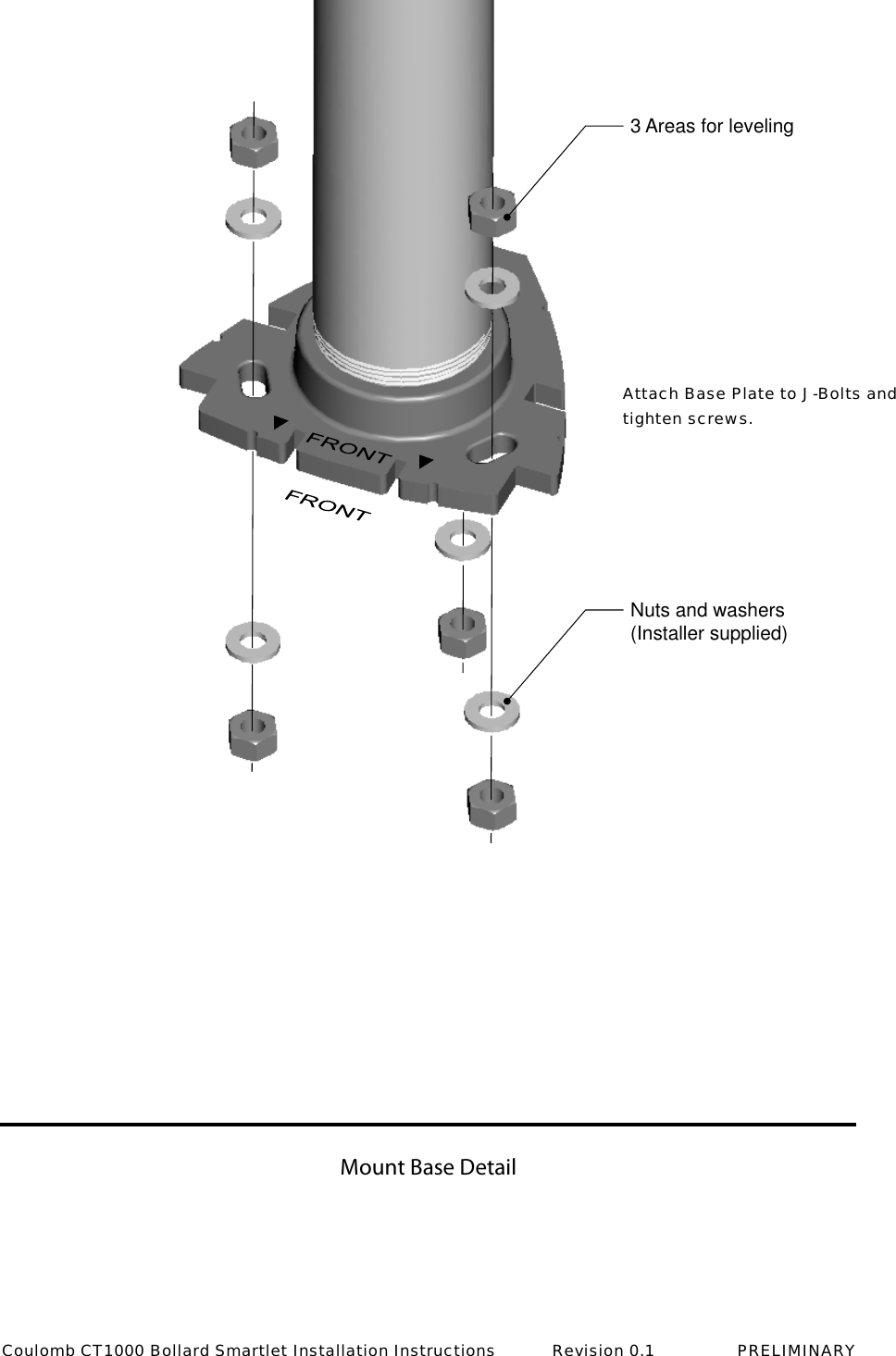
Mount Base Detail3 Areas for levelingNuts and washers(Installer supplied)Attach Base Plate to J-Bolts and tighten screws.Coulomb CT1000 Bollard Smartlet Installation Instructions           Revision 0.1                PRELIMINARY
Mount Base Assembly Schedule 40Galvanized pipe3 1/2” OD - 3” ID24” LongInstaller suppliedDebur top edge3” NPT, add rust sealerbefore installationCoulomb CT1000 Bollard Smartlet Installation Instructions           Revision 0.1                PRELIMINARY
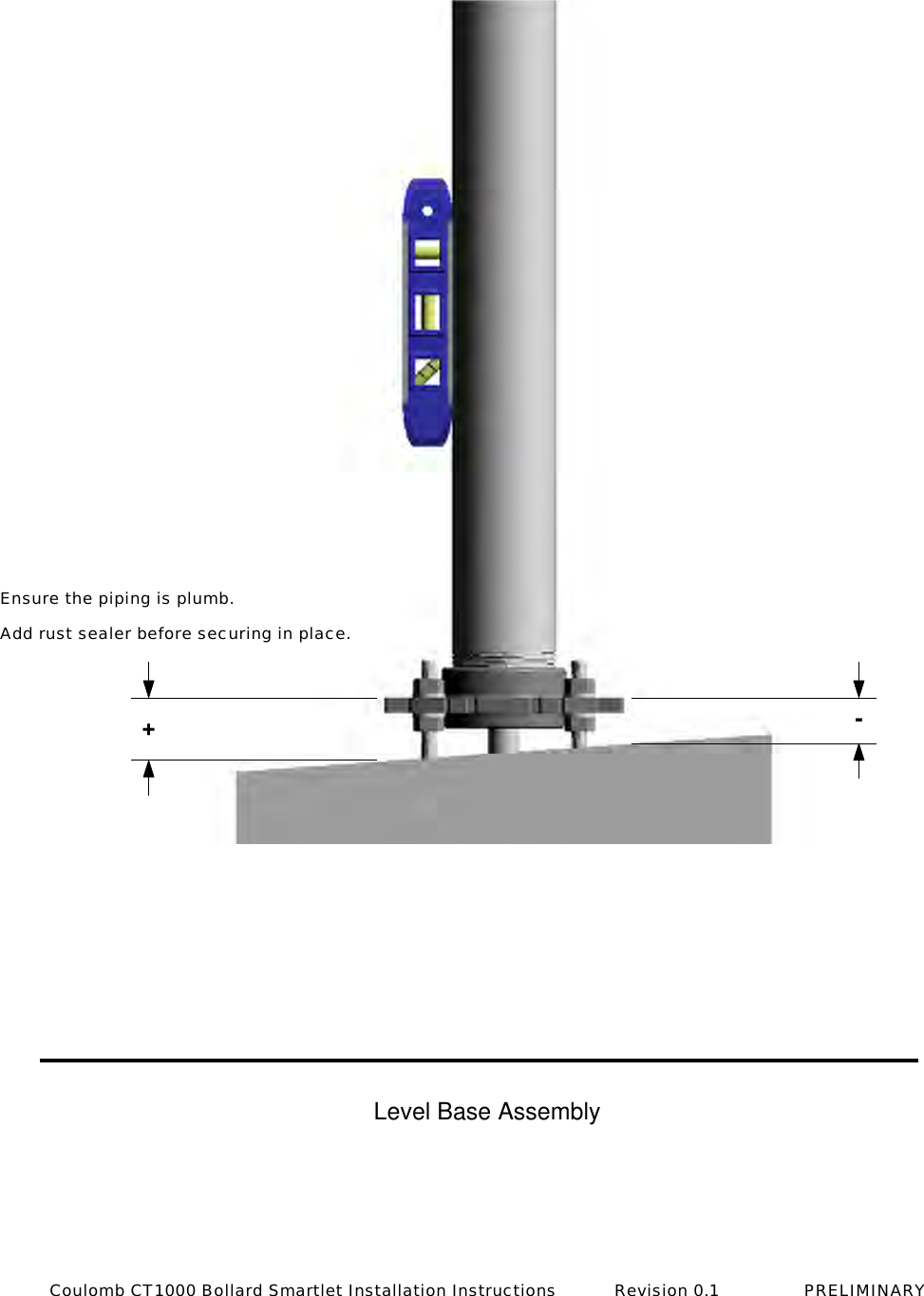
+-Ensure the piping is plumb. Add rust sealer before securing in place.Level Base AssemblyCoulomb CT1000 Bollard Smartlet Installation Instructions           Revision 0.1                PRELIMINARY
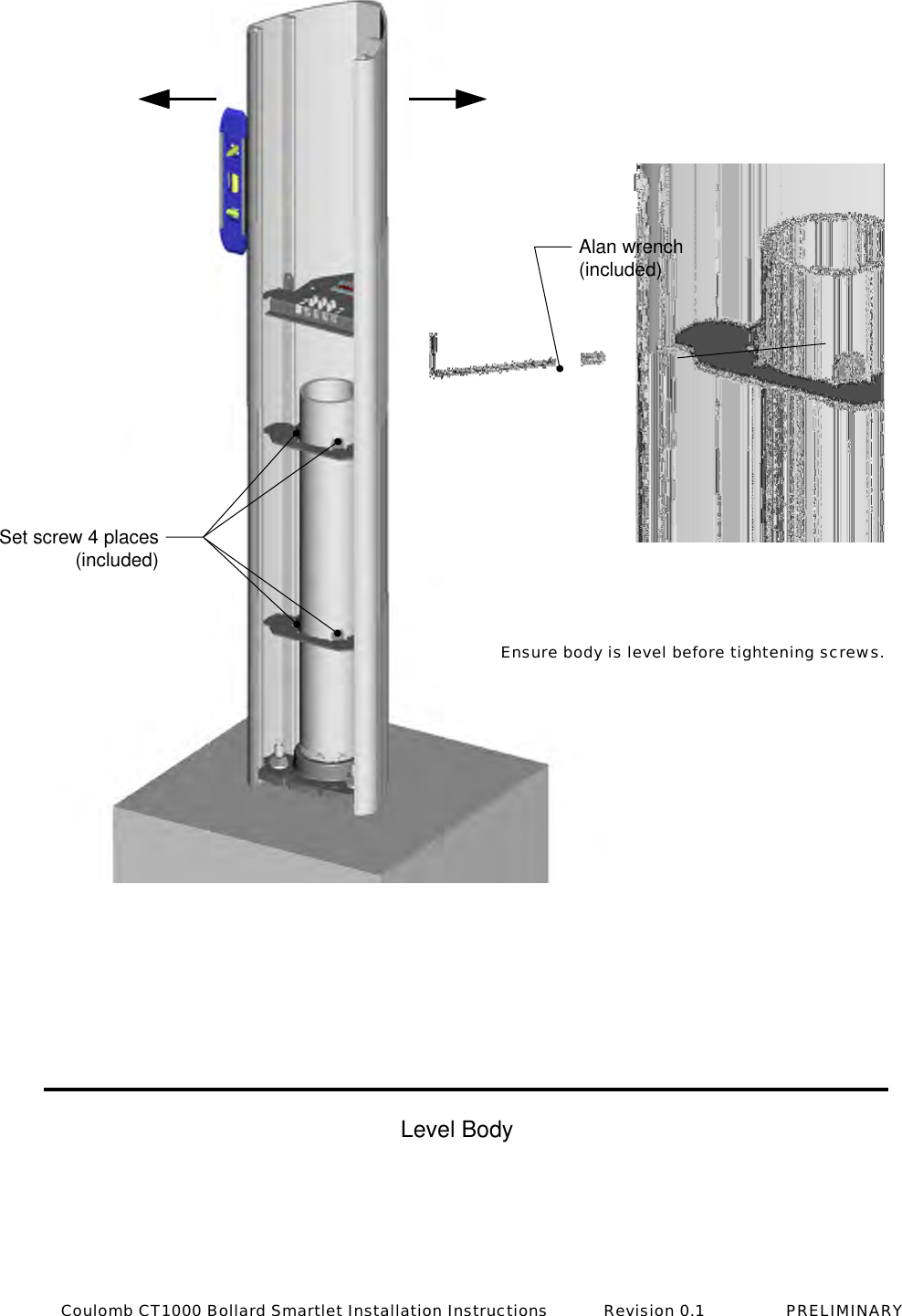
Set screw 4 places(included)Alan wrench(included)Level BodyEnsure body is level before tightening screws.Coulomb CT1000 Bollard Smartlet Installation Instructions           Revision 0.1                PRELIMINARY
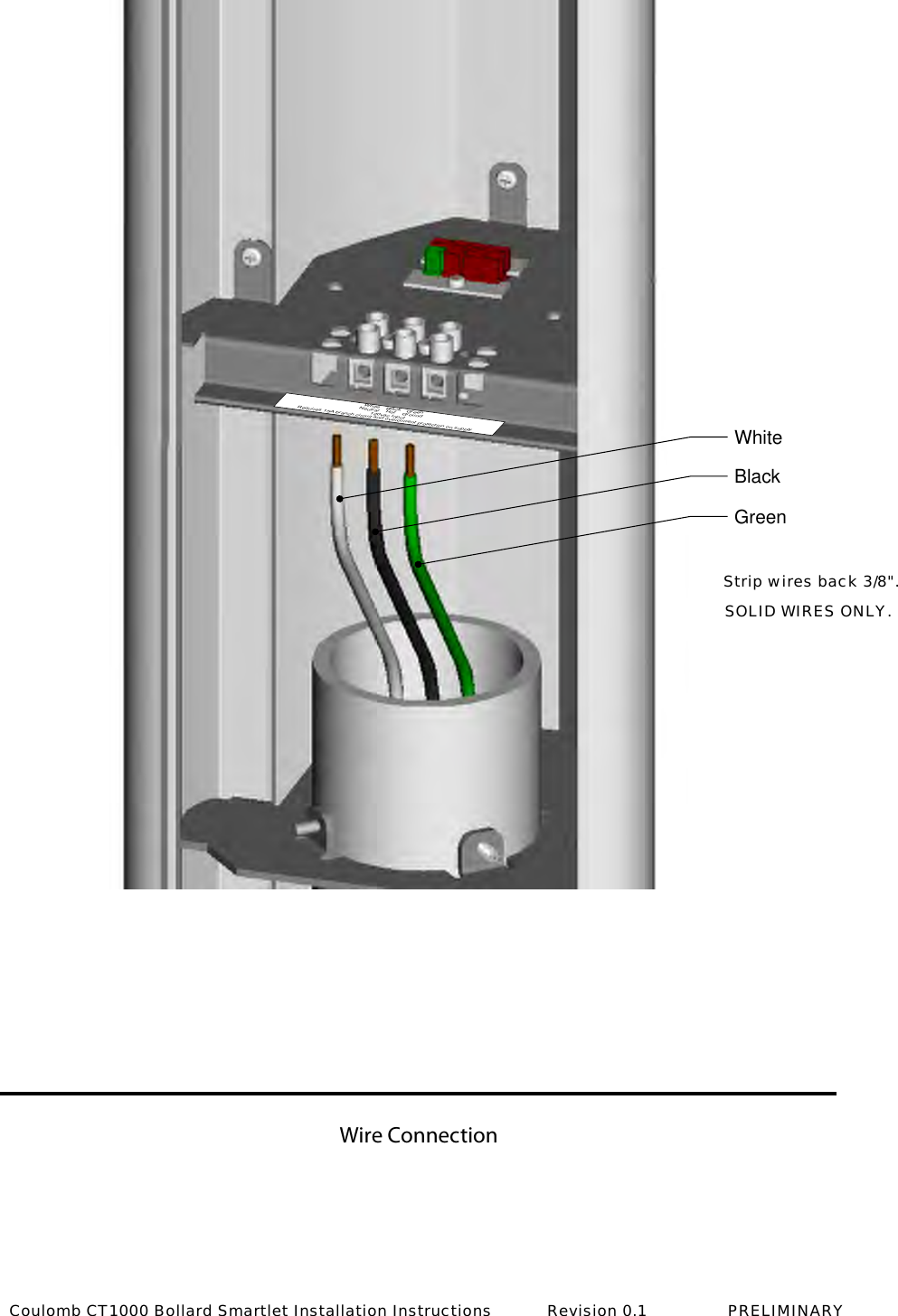
Wire ConnectionWhiteBlackGreenWhiteNeutral BlackHot120vac InputRequires 15A branch circuit and overcurrent protection on supplyGreenGroundStrip wires back 3/8".SOLID WIRES ONLY.Coulomb CT1000 Bollard Smartlet Installation Instructions           Revision 0.1                PRELIMINARY
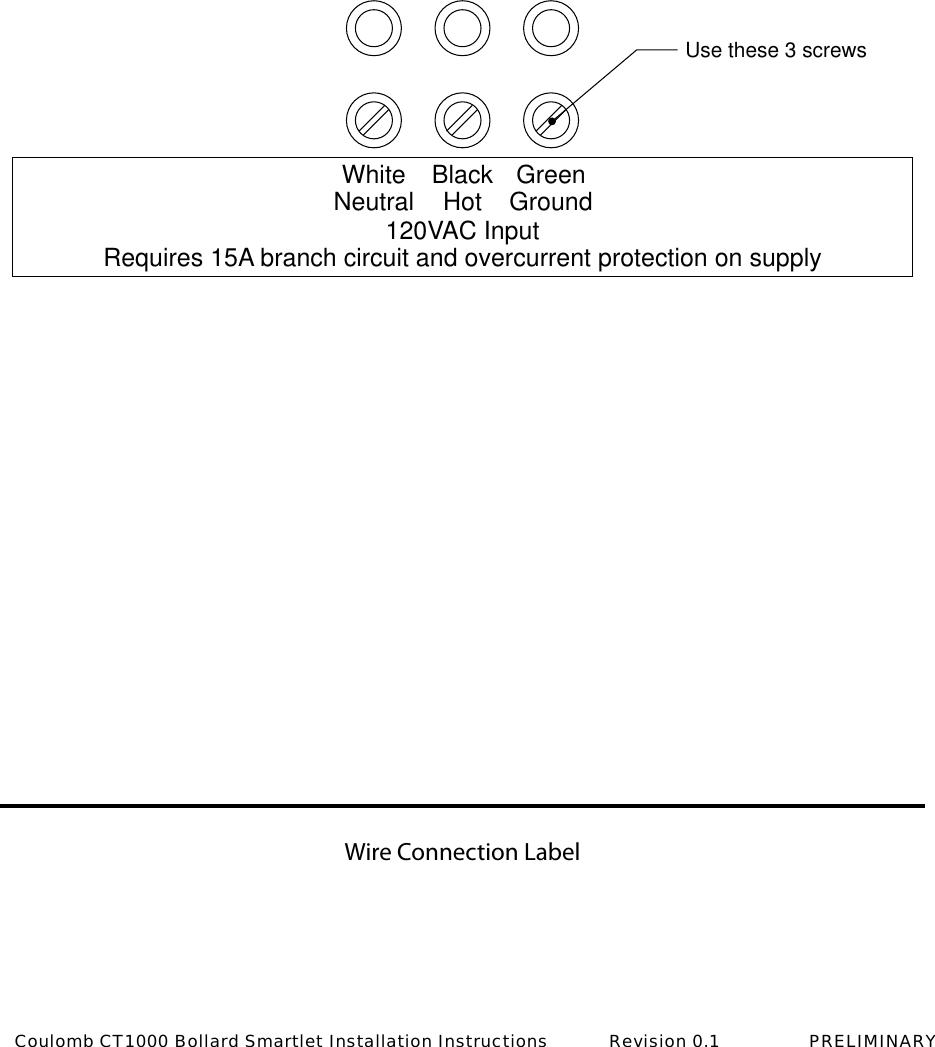
Wire Connection LabelUse these 3 screwsWhiteNeutral BlackHot120VAC InputRequires 15A branch circuit and overcurrent protection on supplyGreenGroundCoulomb CT1000 Bollard Smartlet Installation Instructions           Revision 0.1                PRELIMINARY
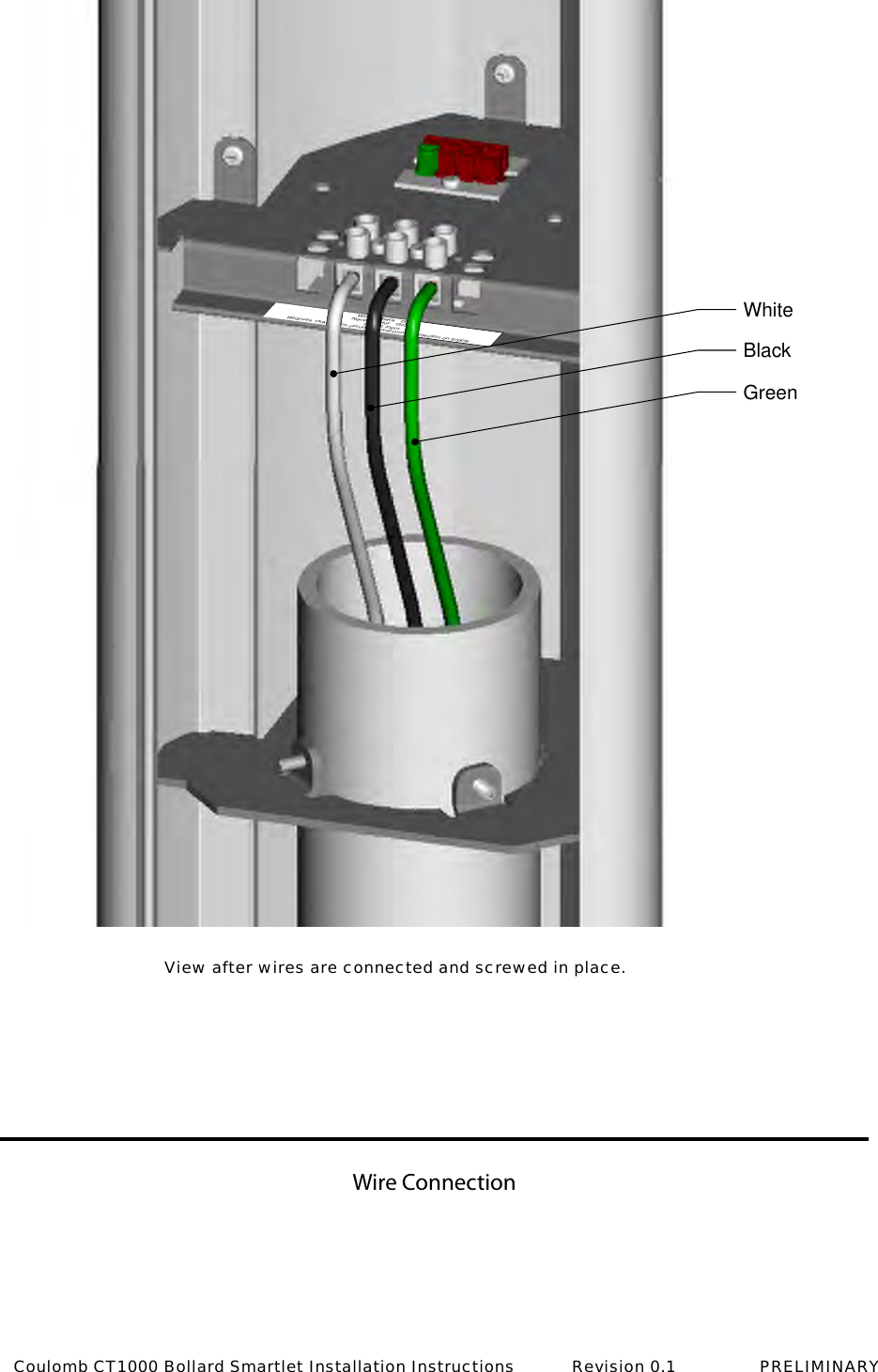
Wire ConnectionWh   Neutr    BlackHot1        c InputRequires 15A         ch circuit        overcurre       otection on supplyG       Gro      WhiteBlackGreenView after wires are connected and screwed in place.Coulomb CT1000 Bollard Smartlet Installation Instructions           Revision 0.1                PRELIMINARY
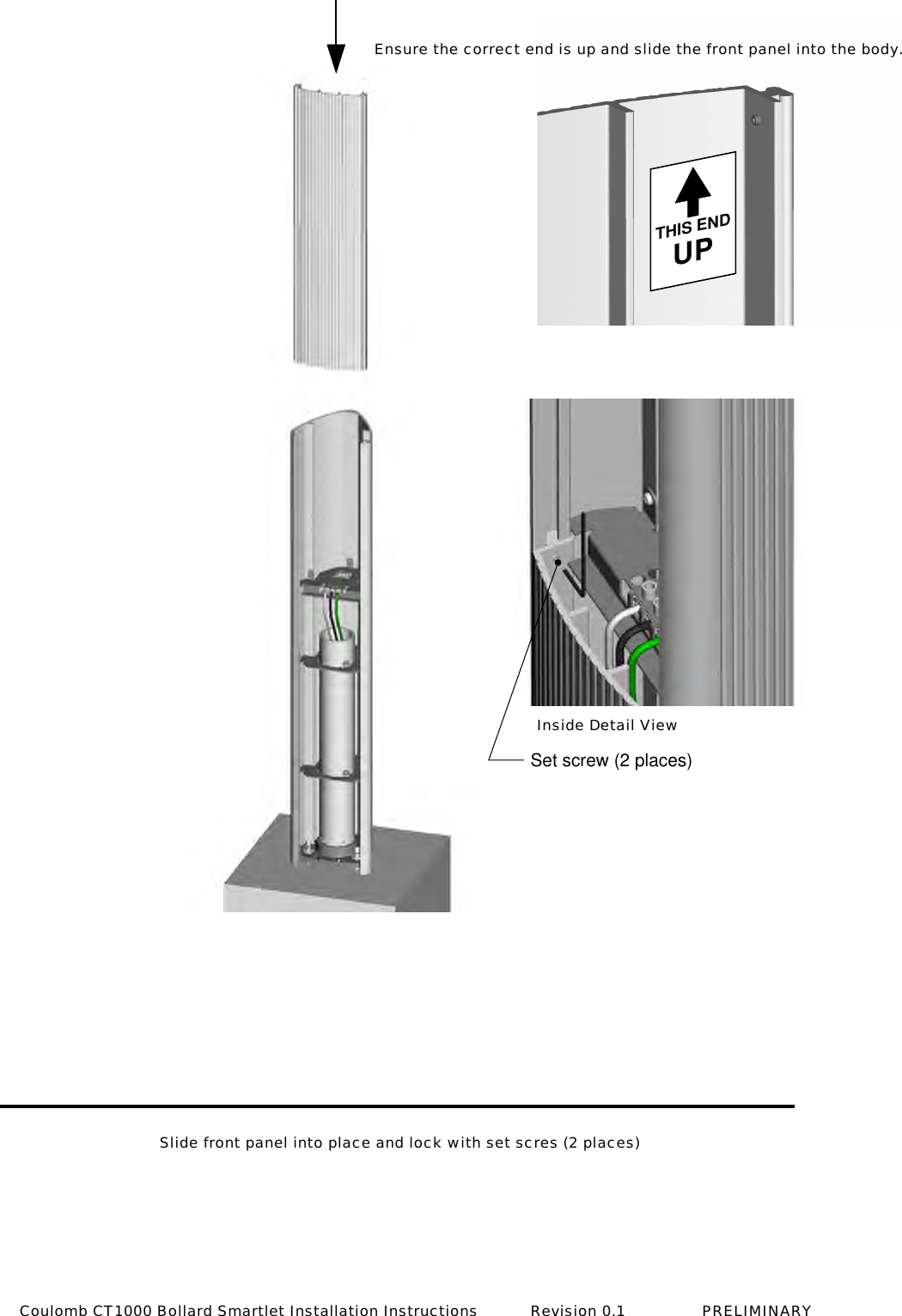
Set screw (2 places)THIS ENDUPInside Detail ViewEnsure the correct end is up and slide the front panel into the body.Slide front panel into place and lock with set scres (2 places)Coulomb CT1000 Bollard Smartlet Installation Instructions           Revision 0.1                PRELIMINARY
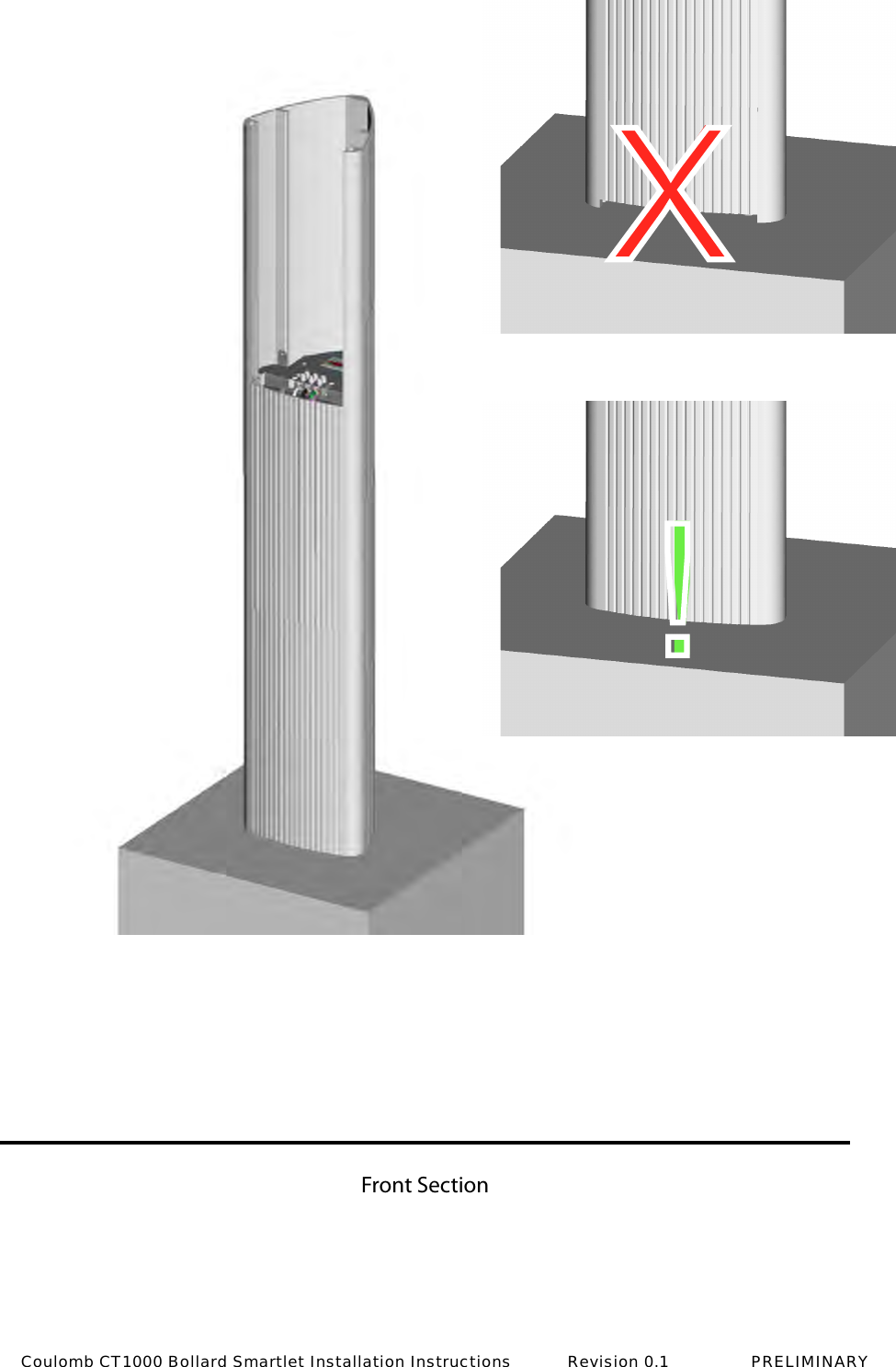
Front SectionX!Coulomb CT1000 Bollard Smartlet Installation Instructions           Revision 0.1                PRELIMINARY
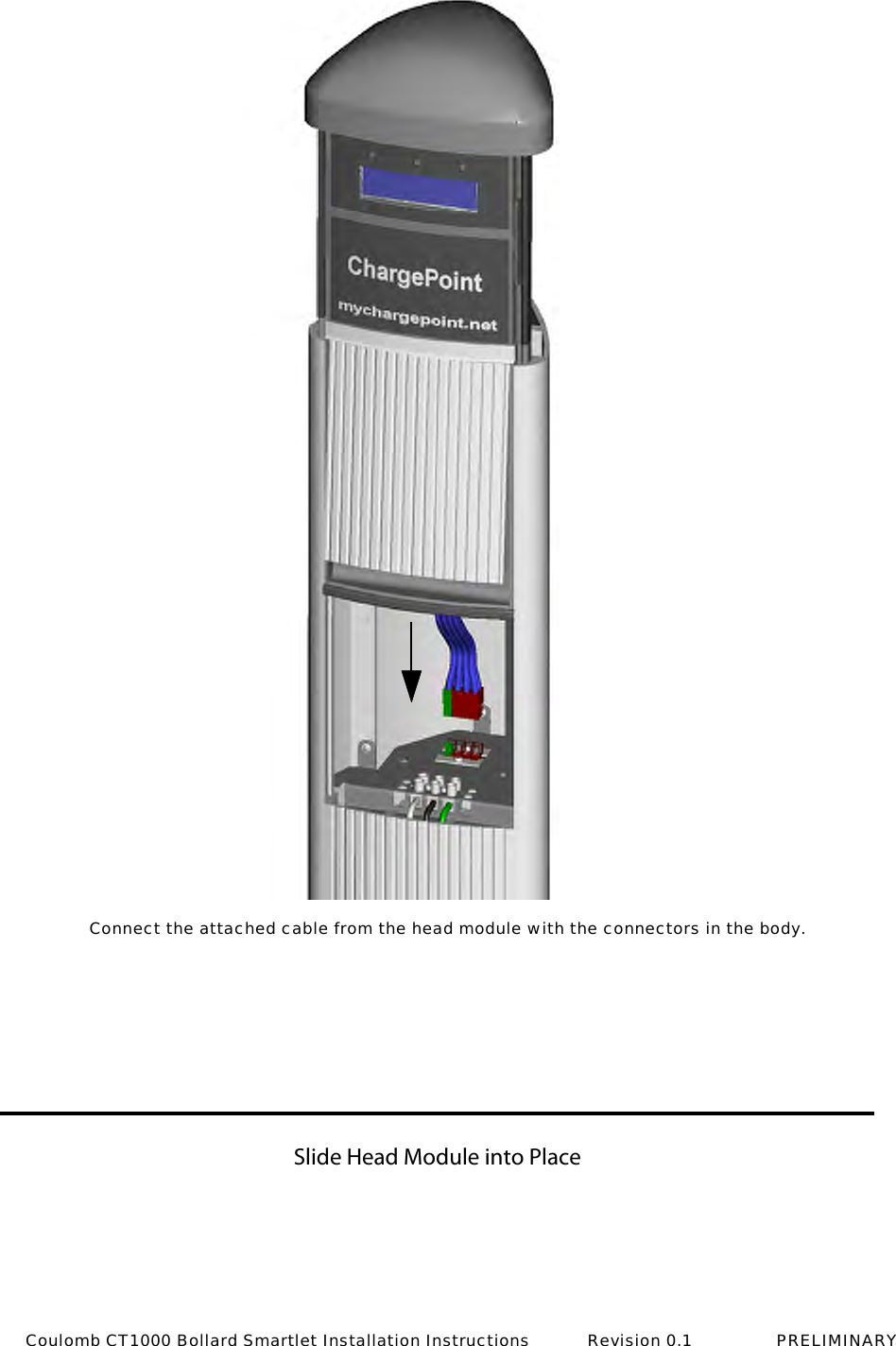
Slide Head Module into PlaceConnect the attached cable from the head module with the connectors in the body.Coulomb CT1000 Bollard Smartlet Installation Instructions           Revision 0.1                PRELIMINARY
Secure Head Module (4 screws)Torx Driver T15 Torx3" Blade Length7-1/2", Tamper-Resistant Coulomb CT1000 Bollard Smartlet Installation Instructions           Revision 0.1                PRELIMINARY
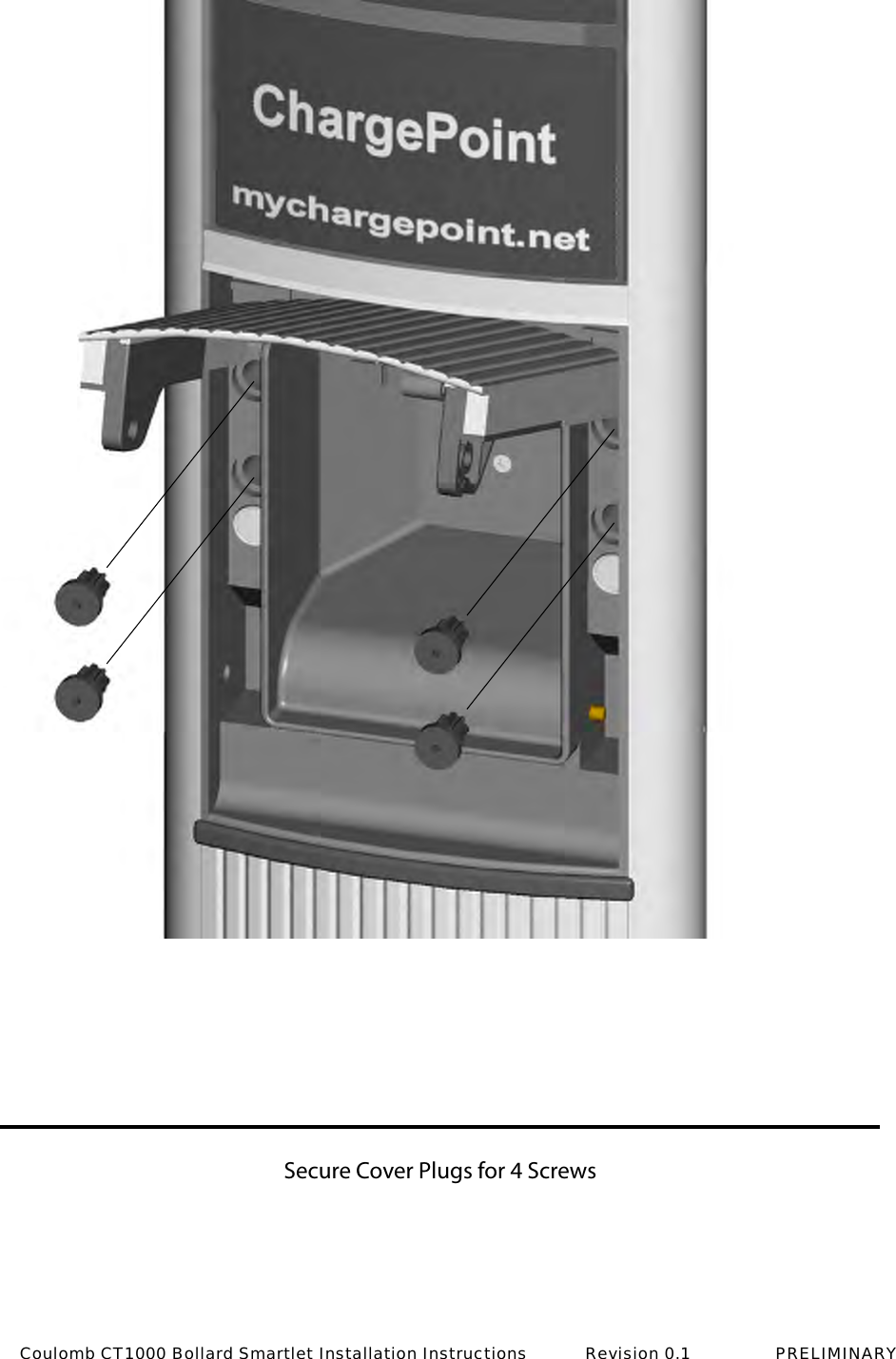
Secure Cover Plugs for 4 ScrewsCoulomb CT1000 Bollard Smartlet Installation Instructions           Revision 0.1                PRELIMINARY
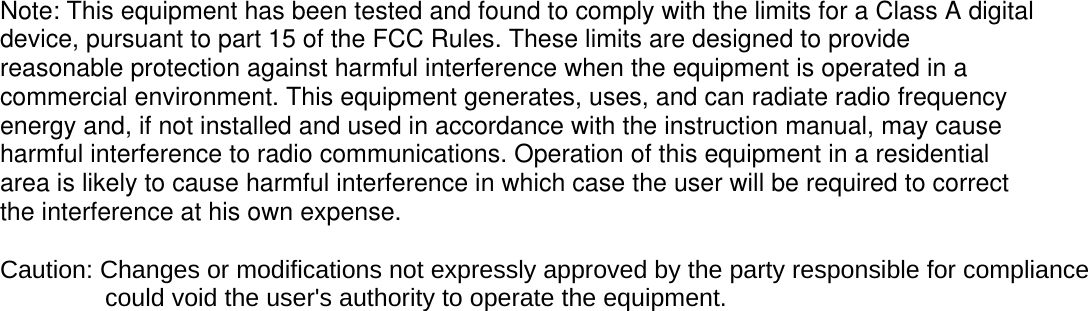
Note: This equipment has been tested and found to comply with the limits for a Class A digital device, pursuant to part 15 of the FCC Rules. These limits are designed to provide reasonable protection against harmful interference when the equipment is operated in a commercial environment. This equipment generates, uses, and can radiate radio frequency energy and, if not installed and used in accordance with the instruction manual, may cause harmful interference to radio communications. Operation of this equipment in a residential area is likely to cause harmful interference in which case the user will be required to correct the interference at his own expense.  Caution: Changes or modifications not expressly approved by the party responsible for compliance               could void the user's authority to operate the equipment.

Navigation menu