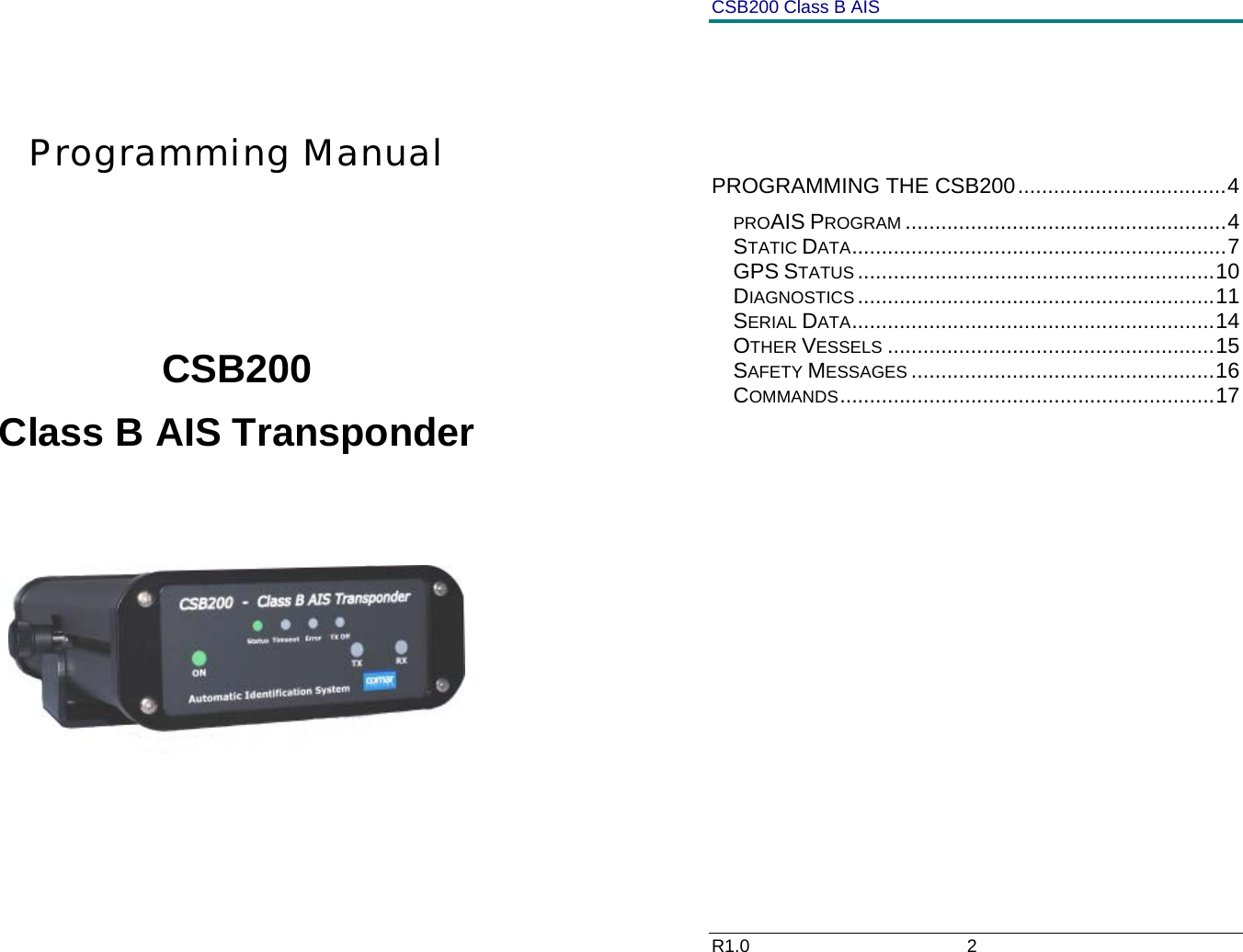
Comar Systems CSB200 Class B AIS Transponder User Manual CSB200 R1 0ProgrammingManual

Comar Systems Ltd Class B AIS Transponder CSB200 R1 0ProgrammingManual

Programming Manual

     Programming Manual       CSB200 Class B AIS Transponder       CSB200 Class B AIS R1.0                             2            PROGRAMMING THE CSB200...................................4 PROAIS PROGRAM ......................................................4 STATIC DATA...............................................................7 GPS STATUS ............................................................10 DIAGNOSTICS ............................................................11 SERIAL DATA.............................................................14 OTHER VESSELS .......................................................15 SAFETY MESSAGES ...................................................16 COMMANDS...............................................................17
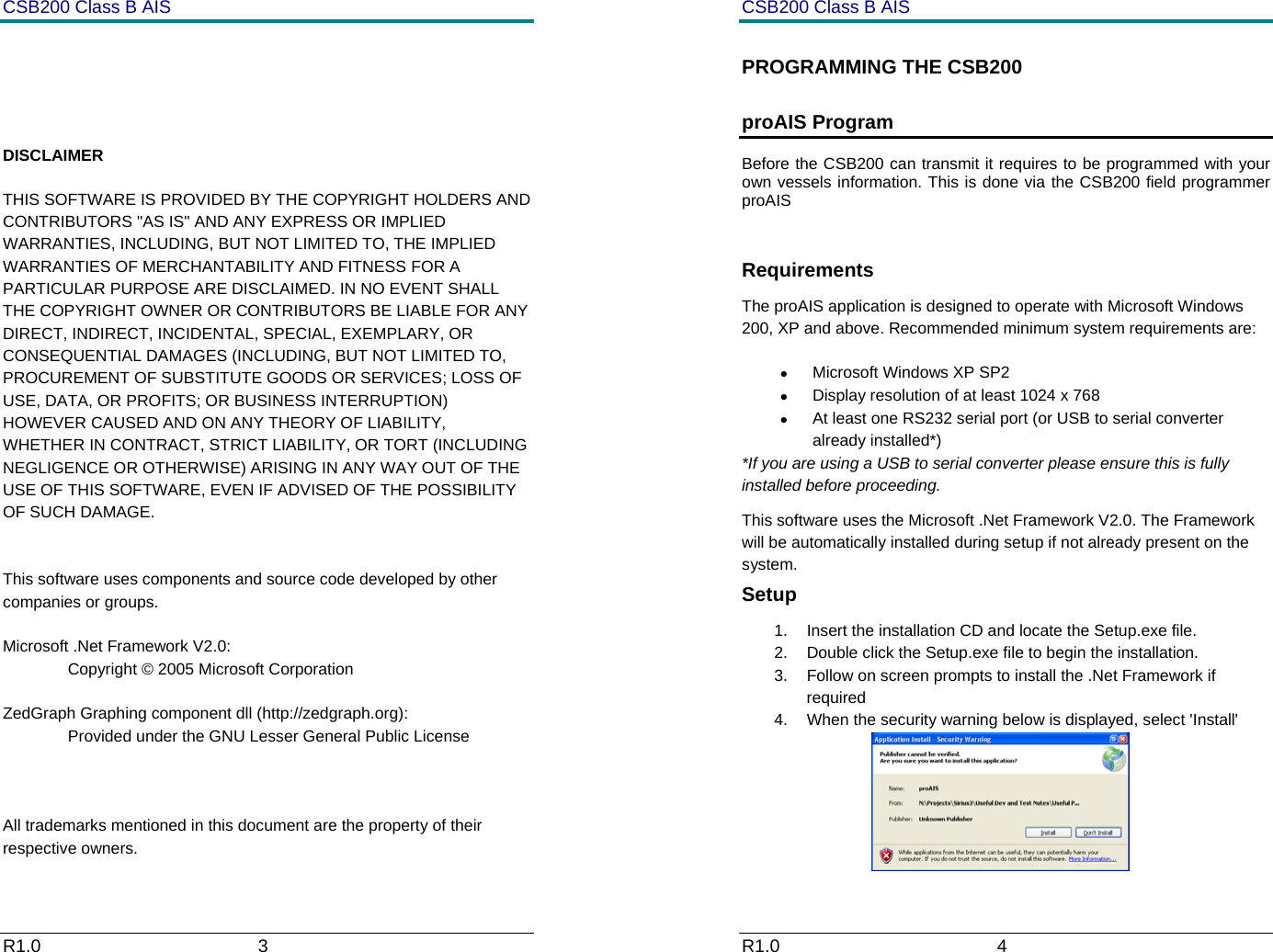
CSB200 Class B AIS R1.0                             3              DISCLAIMER THIS SOFTWARE IS PROVIDED BY THE COPYRIGHT HOLDERS AND CONTRIBUTORS "AS IS" AND ANY EXPRESS OR IMPLIED WARRANTIES, INCLUDING, BUT NOT LIMITED TO, THE IMPLIED WARRANTIES OF MERCHANTABILITY AND FITNESS FOR A PARTICULAR PURPOSE ARE DISCLAIMED. IN NO EVENT SHALL THE COPYRIGHT OWNER OR CONTRIBUTORS BE LIABLE FOR ANY DIRECT, INDIRECT, INCIDENTAL, SPECIAL, EXEMPLARY, OR CONSEQUENTIAL DAMAGES (INCLUDING, BUT NOT LIMITED TO, PROCUREMENT OF SUBSTITUTE GOODS OR SERVICES; LOSS OF USE, DATA, OR PROFITS; OR BUSINESS INTERRUPTION) HOWEVER CAUSED AND ON ANY THEORY OF LIABILITY, WHETHER IN CONTRACT, STRICT LIABILITY, OR TORT (INCLUDING NEGLIGENCE OR OTHERWISE) ARISING IN ANY WAY OUT OF THE USE OF THIS SOFTWARE, EVEN IF ADVISED OF THE POSSIBILITY OF SUCH DAMAGE.   This software uses components and source code developed by other companies or groups.  Microsoft .Net Framework V2.0:   Copyright © 2005 Microsoft Corporation  ZedGraph Graphing component dll (http://zedgraph.org):   Provided under the GNU Lesser General Public License     All trademarks mentioned in this document are the property of their respective owners. CSB200 Class B AIS R1.0                             4         PROGRAMMING THE CSB200 proAIS Program Before the CSB200 can transmit it requires to be programmed with your own vessels information. This is done via the CSB200 field programmer proAIS  Requirements The proAIS application is designed to operate with Microsoft Windows 200, XP and above. Recommended minimum system requirements are: • Microsoft Windows XP SP2 •  Display resolution of at least 1024 x 768 •  At least one RS232 serial port (or USB to serial converter already installed*) *If you are using a USB to serial converter please ensure this is fully installed before proceeding.  This software uses the Microsoft .Net Framework V2.0. The Framework will be automatically installed during setup if not already present on the system. Setup 1.  Insert the installation CD and locate the Setup.exe file. 2.  Double click the Setup.exe file to begin the installation.  3.  Follow on screen prompts to install the .Net Framework if required 4.  When the security warning below is displayed, select 'Install'
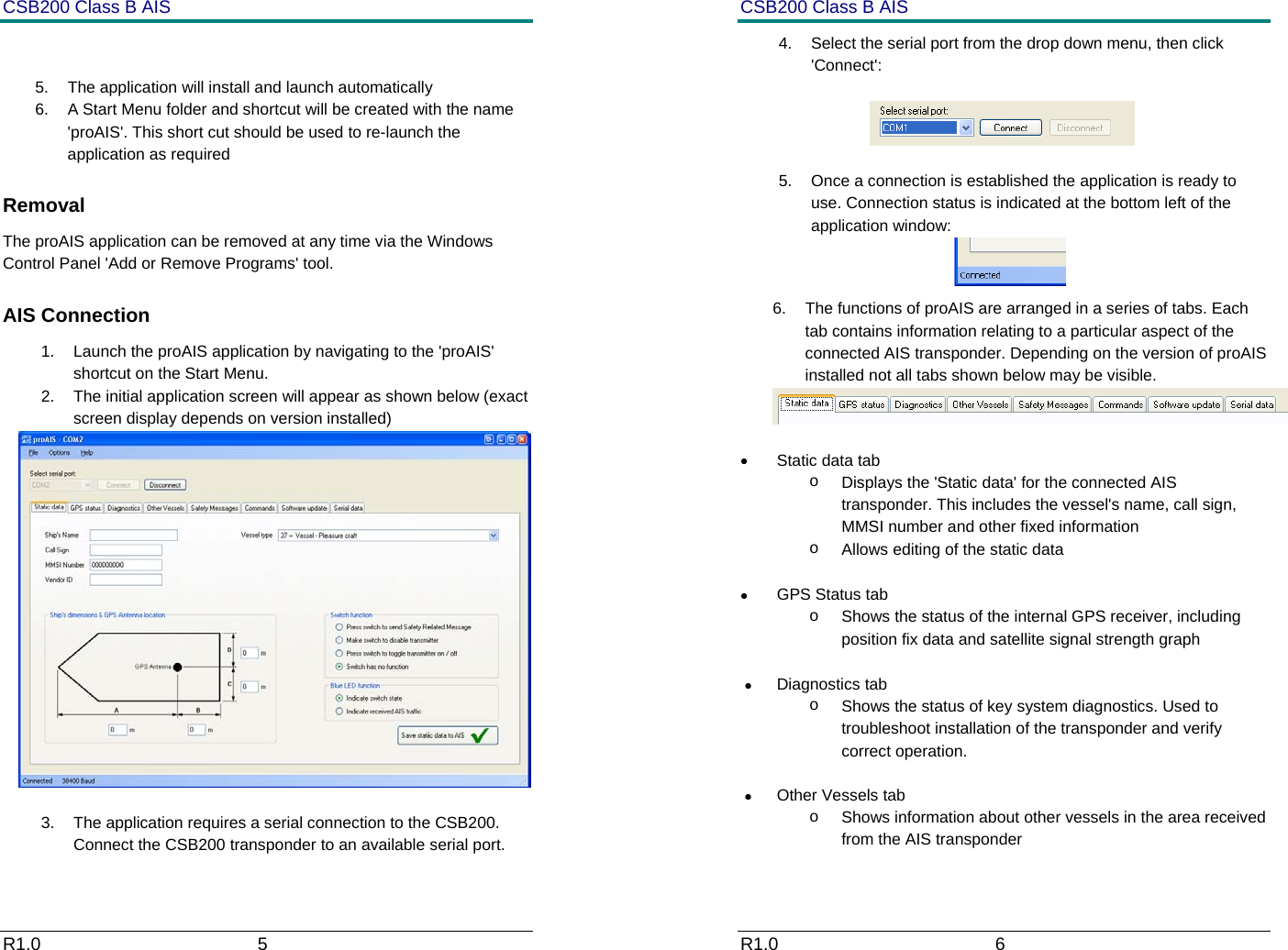
CSB200 Class B AIS R1.0                             5          5.  The application will install and launch automatically 6.  A Start Menu folder and shortcut will be created with the name 'proAIS'. This short cut should be used to re-launch the application as required Removal The proAIS application can be removed at any time via the Windows Control Panel 'Add or Remove Programs' tool.  AIS Connection 1.  Launch the proAIS application by navigating to the 'proAIS' shortcut on the Start Menu. 2.  The initial application screen will appear as shown below (exact screen display depends on version installed)   3.  The application requires a serial connection to the CSB200. Connect the CSB200 transponder to an available serial port.  CSB200 Class B AIS R1.0                             6         4.  Select the serial port from the drop down menu, then click 'Connect':                   5.  Once a connection is established the application is ready to use. Connection status is indicated at the bottom left of the application window:  6.  The functions of proAIS are arranged in a series of tabs. Each tab contains information relating to a particular aspect of the connected AIS transponder. Depending on the version of proAIS installed not all tabs shown below may be visible.   • Static data tab o  Displays the 'Static data' for the connected AIS transponder. This includes the vessel's name, call sign, MMSI number and other fixed information o  Allows editing of the static data  •  GPS Status tab o  Shows the status of the internal GPS receiver, including position fix data and satellite signal strength graph  • Diagnostics tab o  Shows the status of key system diagnostics. Used to troubleshoot installation of the transponder and verify correct operation. • Other Vessels tab o  Shows information about other vessels in the area received from the AIS transponder
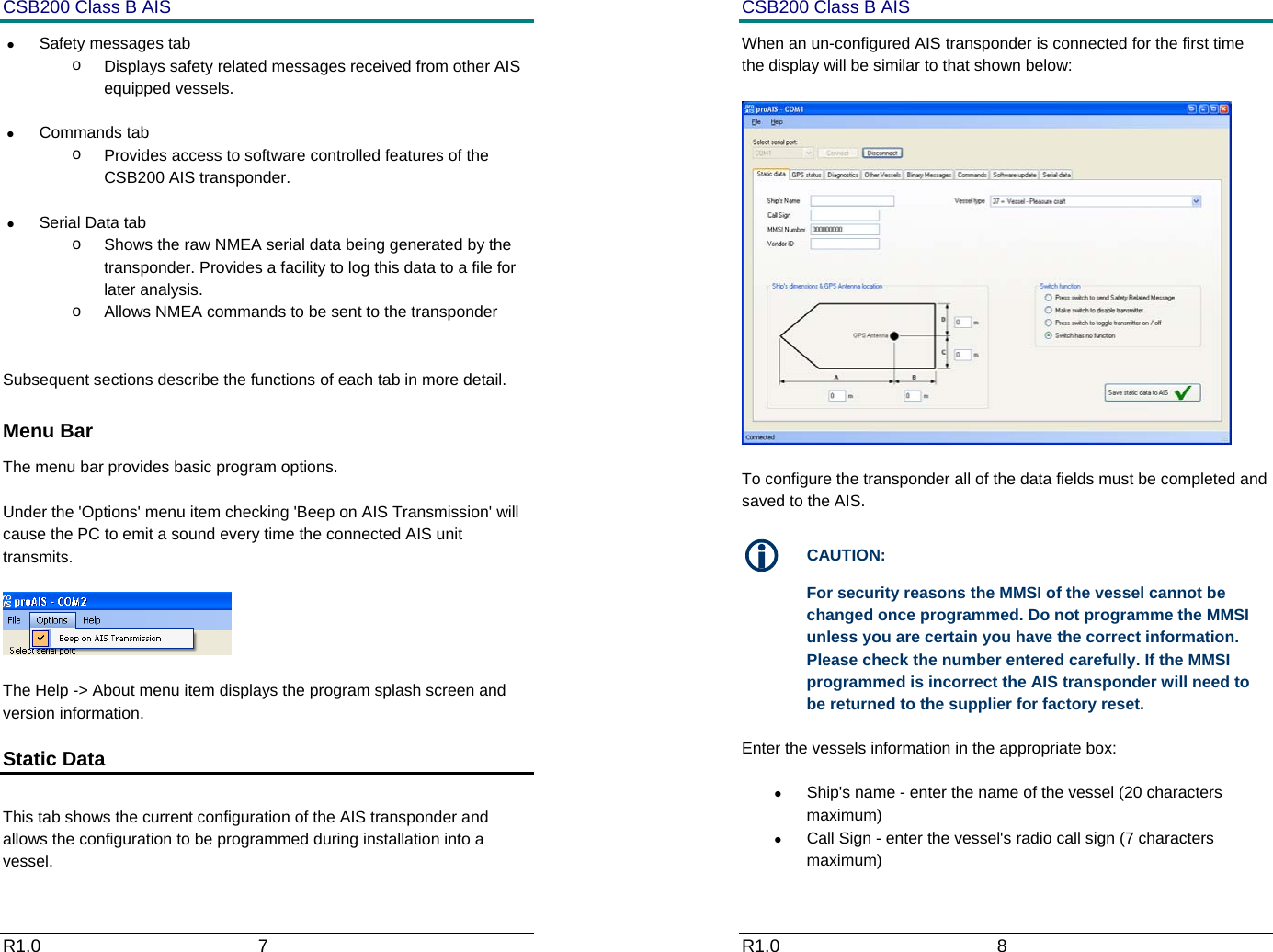
CSB200 Class B AIS R1.0                             7         •  Safety messages tab o  Displays safety related messages received from other AIS equipped vessels. • Commands tab o  Provides access to software controlled features of the CSB200 AIS transponder.  •  Serial Data tab o  Shows the raw NMEA serial data being generated by the transponder. Provides a facility to log this data to a file for later analysis. o  Allows NMEA commands to be sent to the transponder   Subsequent sections describe the functions of each tab in more detail.  Menu Bar The menu bar provides basic program options.   Under the 'Options' menu item checking 'Beep on AIS Transmission' will cause the PC to emit a sound every time the connected AIS unit transmits.    The Help -> About menu item displays the program splash screen and version information. Static Data   This tab shows the current configuration of the AIS transponder and allows the configuration to be programmed during installation into a vessel. CSB200 Class B AIS R1.0                             8         When an un-configured AIS transponder is connected for the first time the display will be similar to that shown below:    To configure the transponder all of the data fields must be completed and saved to the AIS.  L CAUTION: For security reasons the MMSI of the vessel cannot be changed once programmed. Do not programme the MMSI unless you are certain you have the correct information. Please check the number entered carefully. If the MMSI programmed is incorrect the AIS transponder will need to be returned to the supplier for factory reset. Enter the vessels information in the appropriate box: •  Ship's name - enter the name of the vessel (20 characters maximum) •  Call Sign - enter the vessel's radio call sign (7 characters maximum)
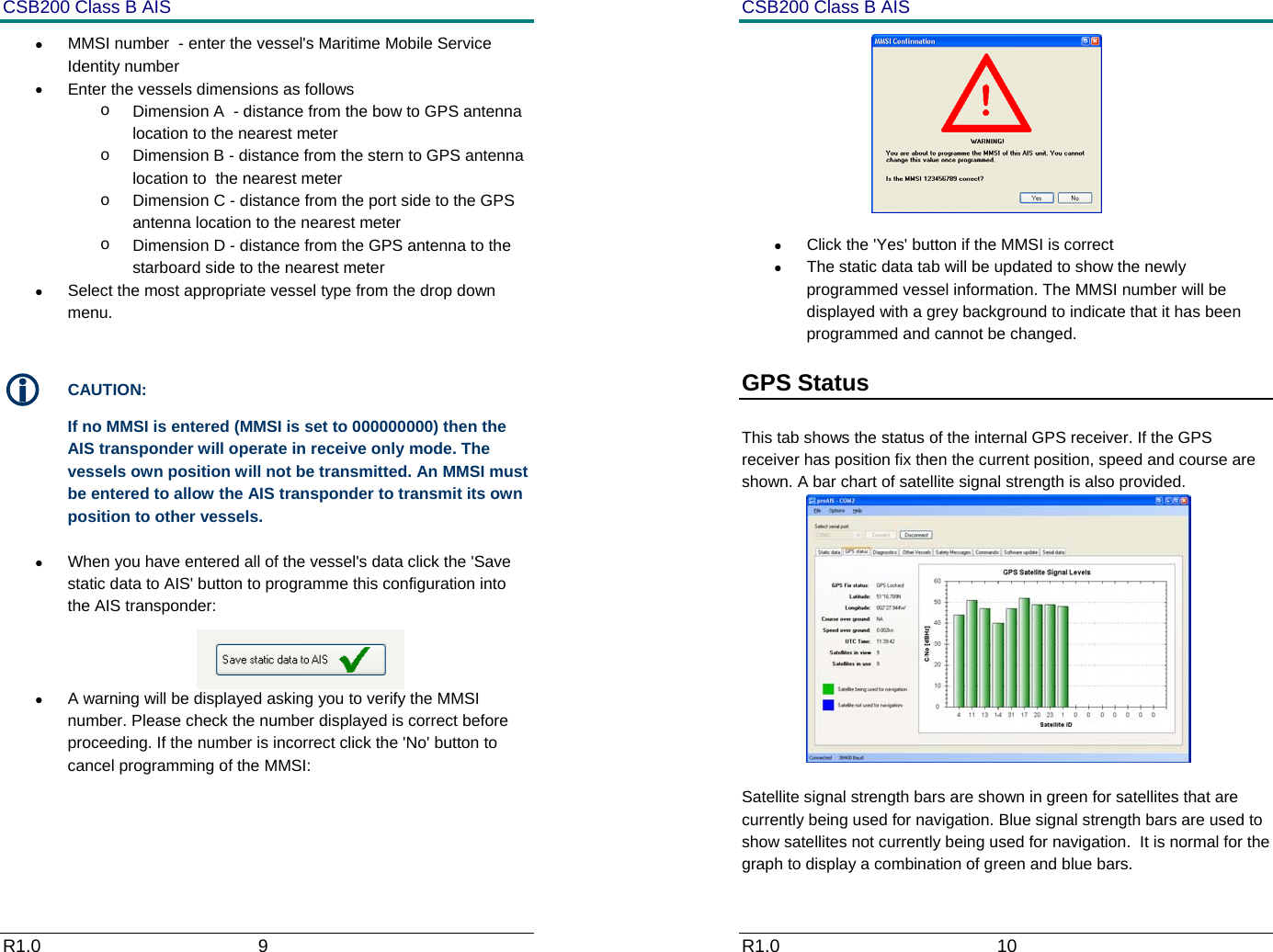
CSB200 Class B AIS R1.0                             9         •  MMSI number  - enter the vessel's Maritime Mobile Service Identity number •  Enter the vessels dimensions as follows o  Dimension A  - distance from the bow to GPS antenna location to the nearest meter o  Dimension B - distance from the stern to GPS antenna location to  the nearest meter o  Dimension C - distance from the port side to the GPS antenna location to the nearest meter o  Dimension D - distance from the GPS antenna to the starboard side to the nearest meter •  Select the most appropriate vessel type from the drop down menu.  L CAUTION: If no MMSI is entered (MMSI is set to 000000000) then the AIS transponder will operate in receive only mode. The vessels own position will not be transmitted. An MMSI must be entered to allow the AIS transponder to transmit its own position to other vessels.  •  When you have entered all of the vessel's data click the 'Save static data to AIS' button to programme this configuration into the AIS transponder:  •  A warning will be displayed asking you to verify the MMSI number. Please check the number displayed is correct before proceeding. If the number is incorrect click the 'No' button to cancel programming of the MMSI:  CSB200 Class B AIS R1.0                             10          •  Click the 'Yes' button if the MMSI is correct •  The static data tab will be updated to show the newly programmed vessel information. The MMSI number will be displayed with a grey background to indicate that it has been programmed and cannot be changed. GPS Status   This tab shows the status of the internal GPS receiver. If the GPS receiver has position fix then the current position, speed and course are shown. A bar chart of satellite signal strength is also provided.  Satellite signal strength bars are shown in green for satellites that are currently being used for navigation. Blue signal strength bars are used to show satellites not currently being used for navigation.  It is normal for the graph to display a combination of green and blue bars.
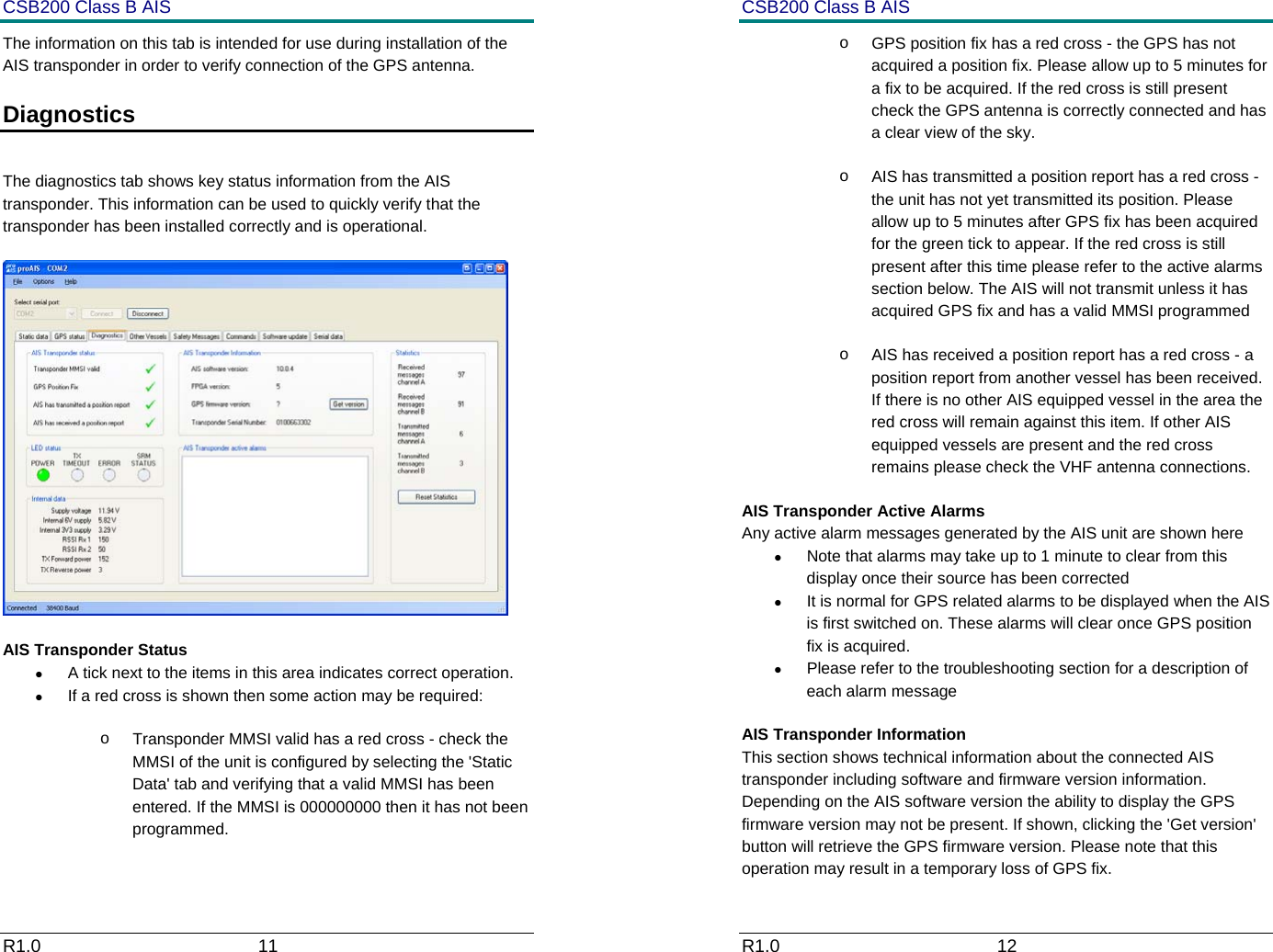
CSB200 Class B AIS R1.0                             11         The information on this tab is intended for use during installation of the AIS transponder in order to verify connection of the GPS antenna.  Diagnostics   The diagnostics tab shows key status information from the AIS transponder. This information can be used to quickly verify that the transponder has been installed correctly and is operational.   AIS Transponder Status •  A tick next to the items in this area indicates correct operation. •  If a red cross is shown then some action may be required: o  Transponder MMSI valid has a red cross - check the MMSI of the unit is configured by selecting the 'Static Data' tab and verifying that a valid MMSI has been entered. If the MMSI is 000000000 then it has not been programmed. CSB200 Class B AIS R1.0                             12         o  GPS position fix has a red cross - the GPS has not acquired a position fix. Please allow up to 5 minutes for a fix to be acquired. If the red cross is still present check the GPS antenna is correctly connected and has a clear view of the sky. o  AIS has transmitted a position report has a red cross - the unit has not yet transmitted its position. Please allow up to 5 minutes after GPS fix has been acquired for the green tick to appear. If the red cross is still present after this time please refer to the active alarms section below. The AIS will not transmit unless it has acquired GPS fix and has a valid MMSI programmed  o  AIS has received a position report has a red cross - a position report from another vessel has been received. If there is no other AIS equipped vessel in the area the red cross will remain against this item. If other AIS equipped vessels are present and the red cross remains please check the VHF antenna connections. AIS Transponder Active Alarms Any active alarm messages generated by the AIS unit are shown here •  Note that alarms may take up to 1 minute to clear from this display once their source has been corrected •  It is normal for GPS related alarms to be displayed when the AIS is first switched on. These alarms will clear once GPS position fix is acquired. •  Please refer to the troubleshooting section for a description of each alarm message AIS Transponder Information This section shows technical information about the connected AIS transponder including software and firmware version information. Depending on the AIS software version the ability to display the GPS firmware version may not be present. If shown, clicking the 'Get version' button will retrieve the GPS firmware version. Please note that this operation may result in a temporary loss of GPS fix.
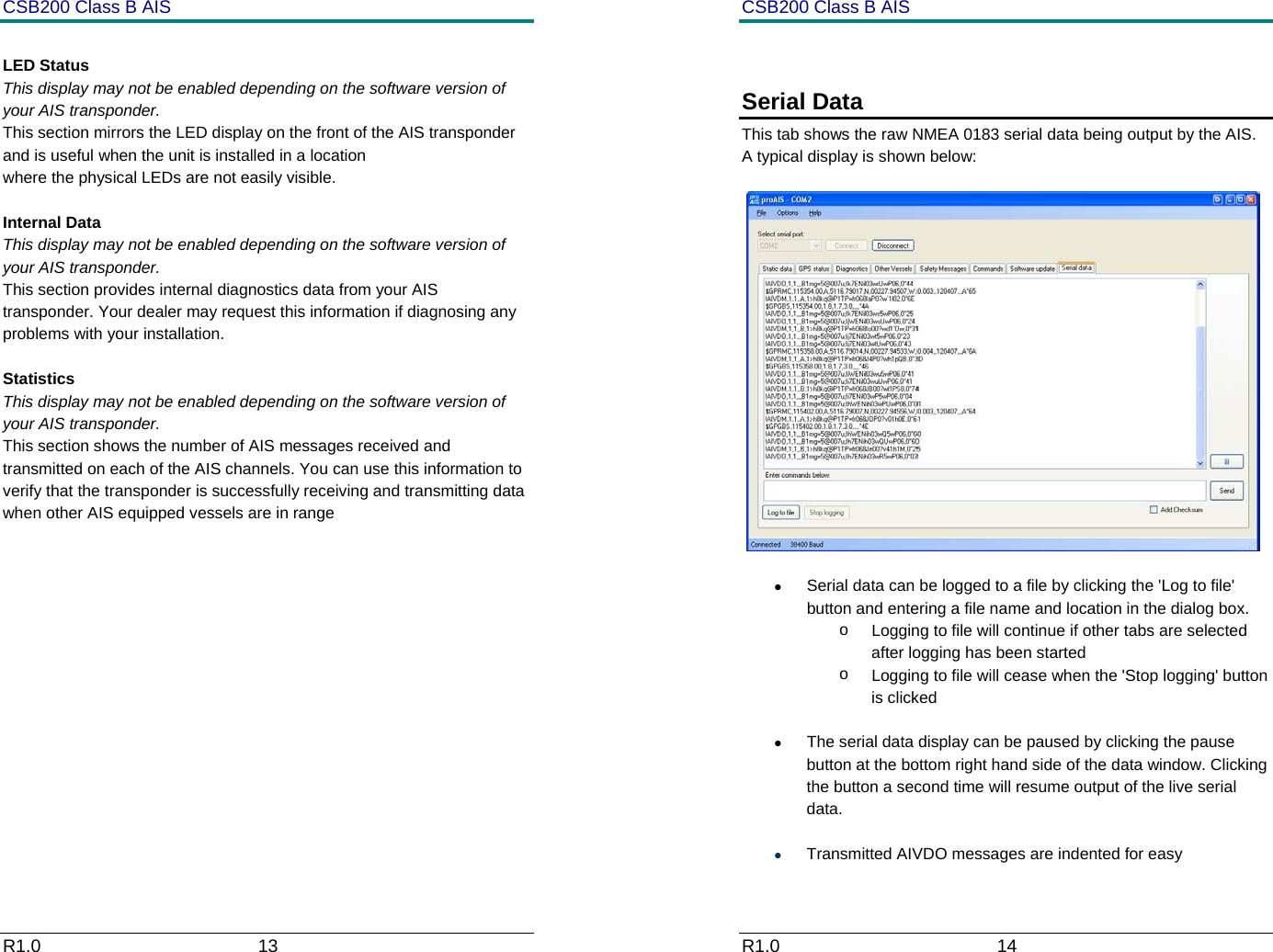
CSB200 Class B AIS R1.0                             13          LED Status This display may not be enabled depending on the software version of your AIS transponder.  This section mirrors the LED display on the front of the AIS transponder and is useful when the unit is installed in a location  where the physical LEDs are not easily visible.  Internal Data This display may not be enabled depending on the software version of your AIS transponder.  This section provides internal diagnostics data from your AIS transponder. Your dealer may request this information if diagnosing any problems with your installation.  Statistics This display may not be enabled depending on the software version of your AIS transponder.  This section shows the number of AIS messages received and transmitted on each of the AIS channels. You can use this information to verify that the transponder is successfully receiving and transmitting data when other AIS equipped vessels are in range         CSB200 Class B AIS R1.0                             14          Serial Data This tab shows the raw NMEA 0183 serial data being output by the AIS. A typical display is shown below:   •  Serial data can be logged to a file by clicking the 'Log to file' button and entering a file name and location in the dialog box.  o  Logging to file will continue if other tabs are selected after logging has been started o  Logging to file will cease when the 'Stop logging' button is clicked •  The serial data display can be paused by clicking the pause button at the bottom right hand side of the data window. Clicking the button a second time will resume output of the live serial data. • Transmitted AIVDO messages are indented for easy
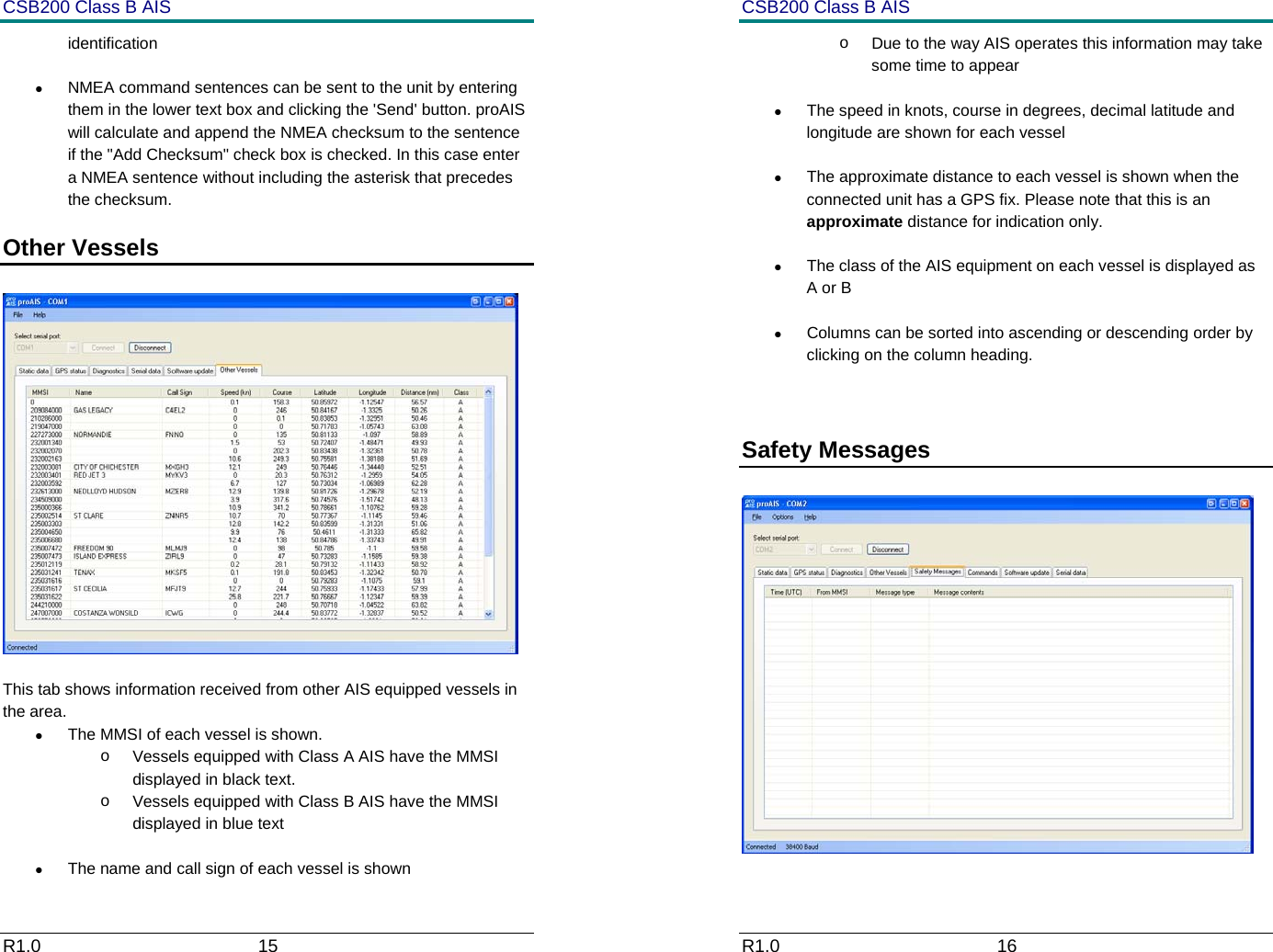
CSB200 Class B AIS R1.0                             15         identification •  NMEA command sentences can be sent to the unit by entering them in the lower text box and clicking the 'Send' button. proAIS will calculate and append the NMEA checksum to the sentence if the "Add Checksum" check box is checked. In this case enter a NMEA sentence without including the asterisk that precedes the checksum. Other Vessels     This tab shows information received from other AIS equipped vessels in the area. •  The MMSI of each vessel is shown.  o  Vessels equipped with Class A AIS have the MMSI displayed in black text.  o  Vessels equipped with Class B AIS have the MMSI displayed in blue text •  The name and call sign of each vessel is shown CSB200 Class B AIS R1.0                             16         o  Due to the way AIS operates this information may take some time to appear •  The speed in knots, course in degrees, decimal latitude and longitude are shown for each vessel •  The approximate distance to each vessel is shown when the connected unit has a GPS fix. Please note that this is an approximate distance for indication only. •  The class of the AIS equipment on each vessel is displayed as A or B •  Columns can be sorted into ascending or descending order by clicking on the column heading.  Safety Messages
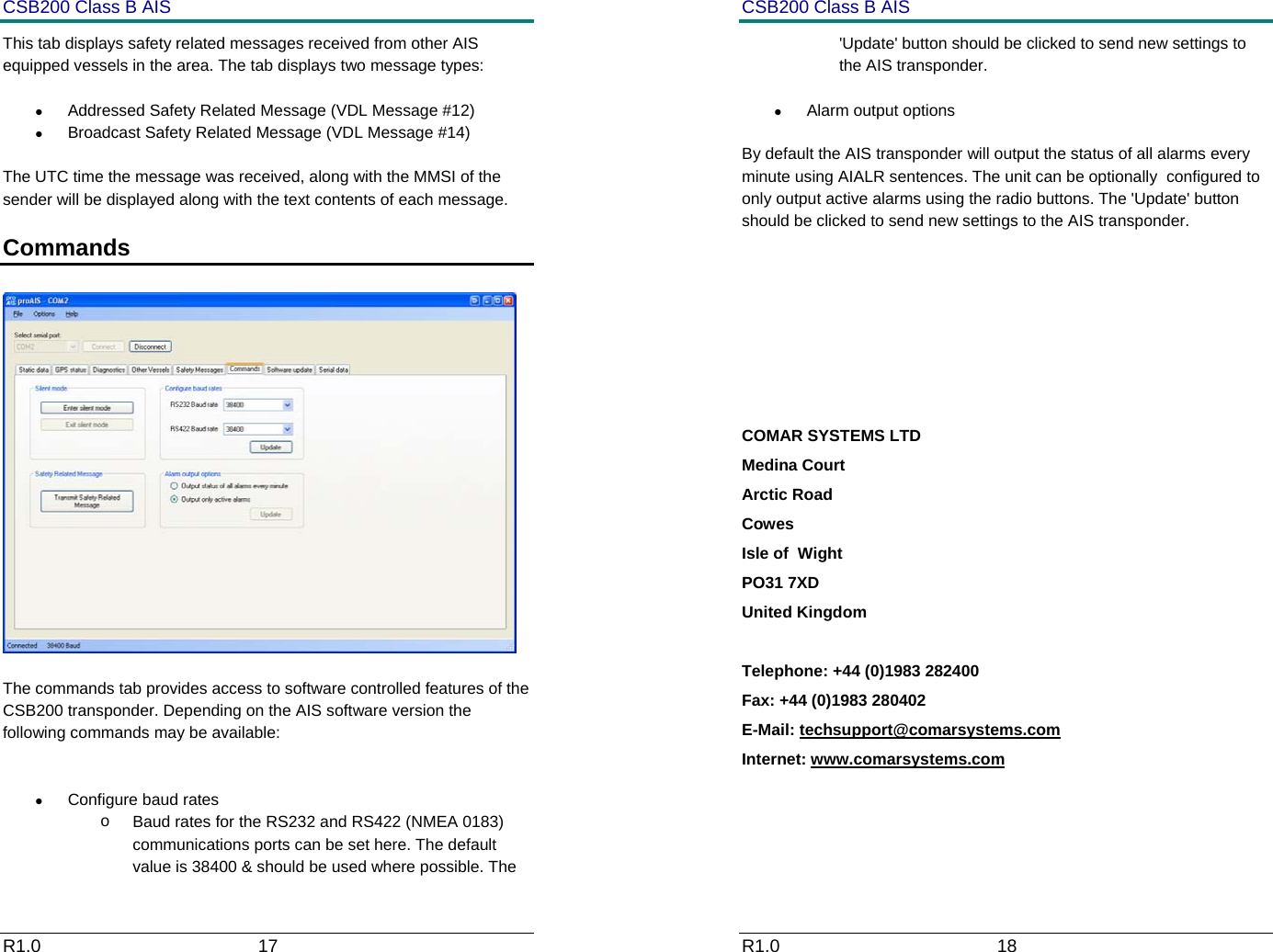
CSB200 Class B AIS R1.0                             17         This tab displays safety related messages received from other AIS equipped vessels in the area. The tab displays two message types: •  Addressed Safety Related Message (VDL Message #12) •  Broadcast Safety Related Message (VDL Message #14) The UTC time the message was received, along with the MMSI of the sender will be displayed along with the text contents of each message. Commands     The commands tab provides access to software controlled features of the CSB200 transponder. Depending on the AIS software version the following commands may be available:  •  Configure baud rates o  Baud rates for the RS232 and RS422 (NMEA 0183) communications ports can be set here. The default value is 38400 & should be used where possible. The  CSB200 Class B AIS R1.0                             18         'Update' button should be clicked to send new settings to the AIS transponder. • Alarm output options By default the AIS transponder will output the status of all alarms every minute using AIALR sentences. The unit can be optionally  configured to only output active alarms using the radio buttons. The 'Update' button should be clicked to send new settings to the AIS transponder.     COMAR SYSTEMS LTD Medina Court Arctic Road Cowes Isle of  Wight PO31 7XD United Kingdom  Telephone: +44 (0)1983 282400 Fax: +44 (0)1983 280402 E-Mail: techsupport@comarsystems.com Internet: www.comarsystems.com
CSB200 Class B AIS R1.0                             19

Navigation menu