Dane Technologies 600-041 Remote Control for Electric Utility Machine User Manual

Dane Technologies, Inc. Remote Control for Electric Utility Machine

User Manual

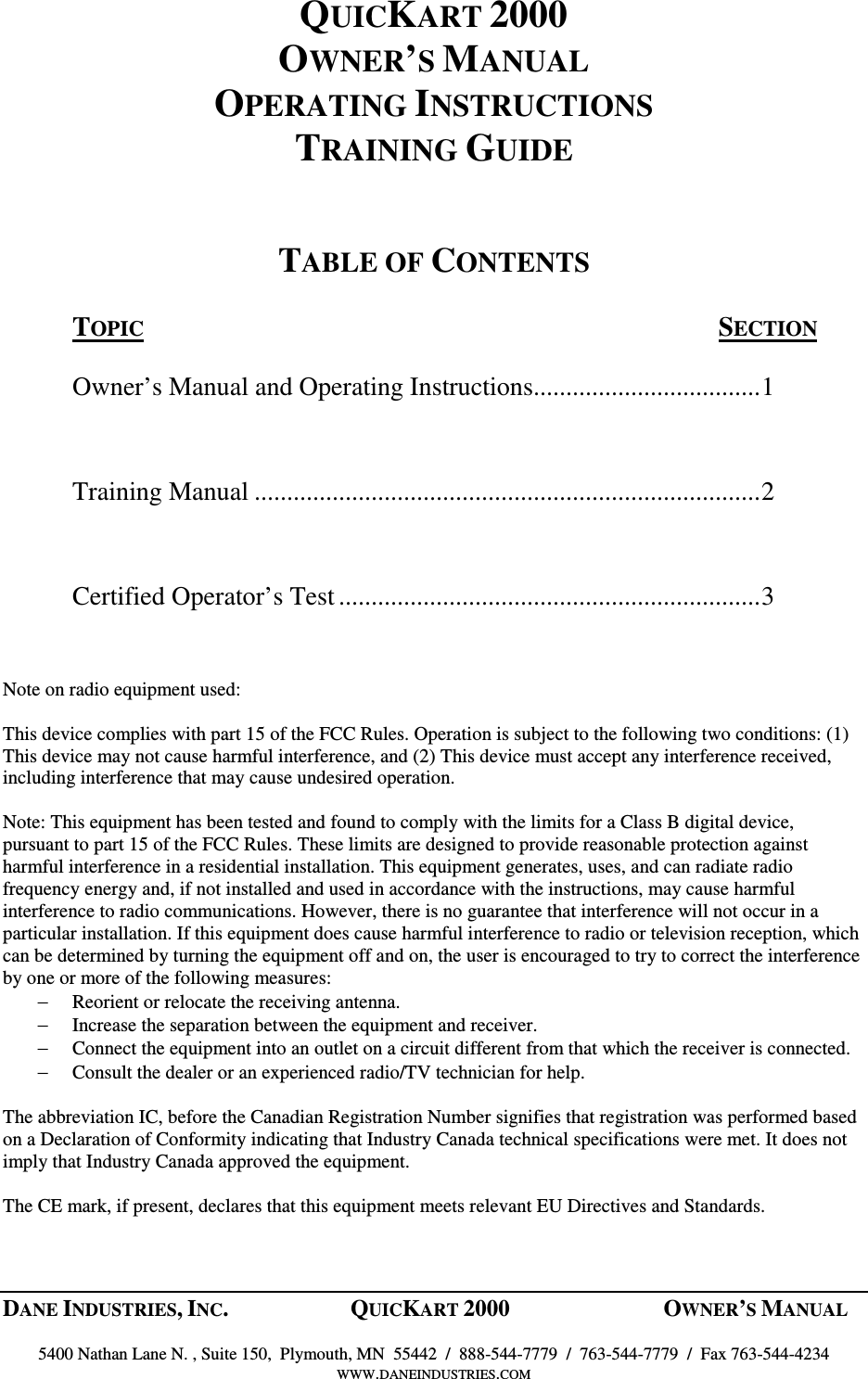
     QUICKART  2000                   OWNER’S MANUAL OPERATING INSTRUCTIONS TRAINING MANUAL     QUICKART ELECTRIC UTILITY MACHINE    MANUFACTURED BY:  DANE INDUSTRIES, INC.  PHONE:   763-544-7779 5400 NATHAN LN. N., SUITE 150  TOLL FREE:  1-888-544-7779 PLYMOUTH, MN  55442  FAX:  763-544-4234  WWW.DANEINDUSTRIES.COM  Part No.  970-005              Rev. Date: 8/21/03
DANE INDUSTRIES, INC.  QUICKART 2000  OWNER’S MANUAL    5400 Nathan Lane N. , Suite 150,  Plymouth, MN  55442  /  888-544-7779  /  763-544-7779  /  Fax 763-544-4234 WWW.DANEINDUSTRIES.COM  QUICKART 2000 OWNER’S MANUAL OPERATING INSTRUCTIONS TRAINING GUIDE   TABLE OF CONTENTS  TOPIC  SECTION  Owner’s Manual and Operating Instructions...................................1  Training Manual ..............................................................................2  Certified Operator’s Test.................................................................3   Note on radio equipment used:  This device complies with part 15 of the FCC Rules. Operation is subject to the following two conditions: (1) This device may not cause harmful interference, and (2) This device must accept any interference received, including interference that may cause undesired operation.  Note: This equipment has been tested and found to comply with the limits for a Class B digital device, pursuant to part 15 of the FCC Rules. These limits are designed to provide reasonable protection against harmful interference in a residential installation. This equipment generates, uses, and can radiate radio frequency energy and, if not installed and used in accordance with the instructions, may cause harmful interference to radio communications. However, there is no guarantee that interference will not occur in a particular installation. If this equipment does cause harmful interference to radio or television reception, which can be determined by turning the equipment off and on, the user is encouraged to try to correct the interference by one or more of the following measures: − Reorient or relocate the receiving antenna. − Increase the separation between the equipment and receiver. − Connect the equipment into an outlet on a circuit different from that which the receiver is connected. − Consult the dealer or an experienced radio/TV technician for help.  The abbreviation IC, before the Canadian Registration Number signifies that registration was performed based on a Declaration of Conformity indicating that Industry Canada technical specifications were met. It does not imply that Industry Canada approved the equipment.  The CE mark, if present, declares that this equipment meets relevant EU Directives and Standards.
 DANE INDUSTRIES, INC.  QUICKART 2000  OWNER’S MANUAL 20  5400 Nathan Lane N. , Suite 150,  Plymouth, MN  55442  /  888-544-7779  /  763-544-7779  /  Fax 763-544-4234 WWW.DANEINDUSTRIES.COM    ORIENTATION TO THE QUICKART 2000     MANUAL MODE:  Manual Mode is defined as operating the QuicKart while walking behind  the  QuicKart  2000.    Direction  is  controlled  by  the  handle  bar.    Speed  is controlled  by  turning  the  twist  grip  throttle.    Direction  is  controlled  by  touching  the touch pad switch located on the control panel.  When the switch is pressed, the direction changes between forward and reverse as indicated by the direction light.  REMOTE MODE:  (See diagram on page 22.)  Remote Mode is defined as operating the QuicKart with the remote control while standing or walking alongside the lead cart of the cart chain coupled to the QuicKart 2000.  Steering is controlled by guiding the lead cart in the desired direction.  Forward speed, brakes and horn are operated with the hand held radio remote control.  While in remote mode, the QuicKart will only move forward.  CONTROL PANEL:  (See diagram on page 22.)  At the top of the Control Panel are 5 lights which show the percent of remaining battery capacity (BATTERY CHARGE LEVEL).  When the batteries are fully charged the light at the "100" mark will be lighted.  As the QuicKart is used throughout the day, the lights will slowly change from 100 to 80, 60, and 40 until the light for 20  is lighted.   The charging level is most accurately shown when the QuicKart is pushing carts.  When the 20% capacity light starts to flash on and off, it means there are approximately 4 minutes of remaining power before the QuicKart automatically shuts down.  If the QuicKart does shut down, turn the key off for a few minutes, then on again. This may allow time to reach the charging station.  Recharge the batteries for at least 8 to 10 hours or until fully recharged.  The control panel also includes a series of 4 lights and panel button switches with the following functions:  The  light  labeled  "MANUAL"  is  for  manual  operation  and  "RADIO"  is  for remote operation.  The push button switch, just below these two lights, will toggle between  manual  and  remote  control.    The  QuicKart  will  automatically  set  to manual operation and forward whenever it is turned on.  It cannot be moved from manual  to  remote  operation  when  the  QuicKart  is  moving,  only  when  it  is stopped.
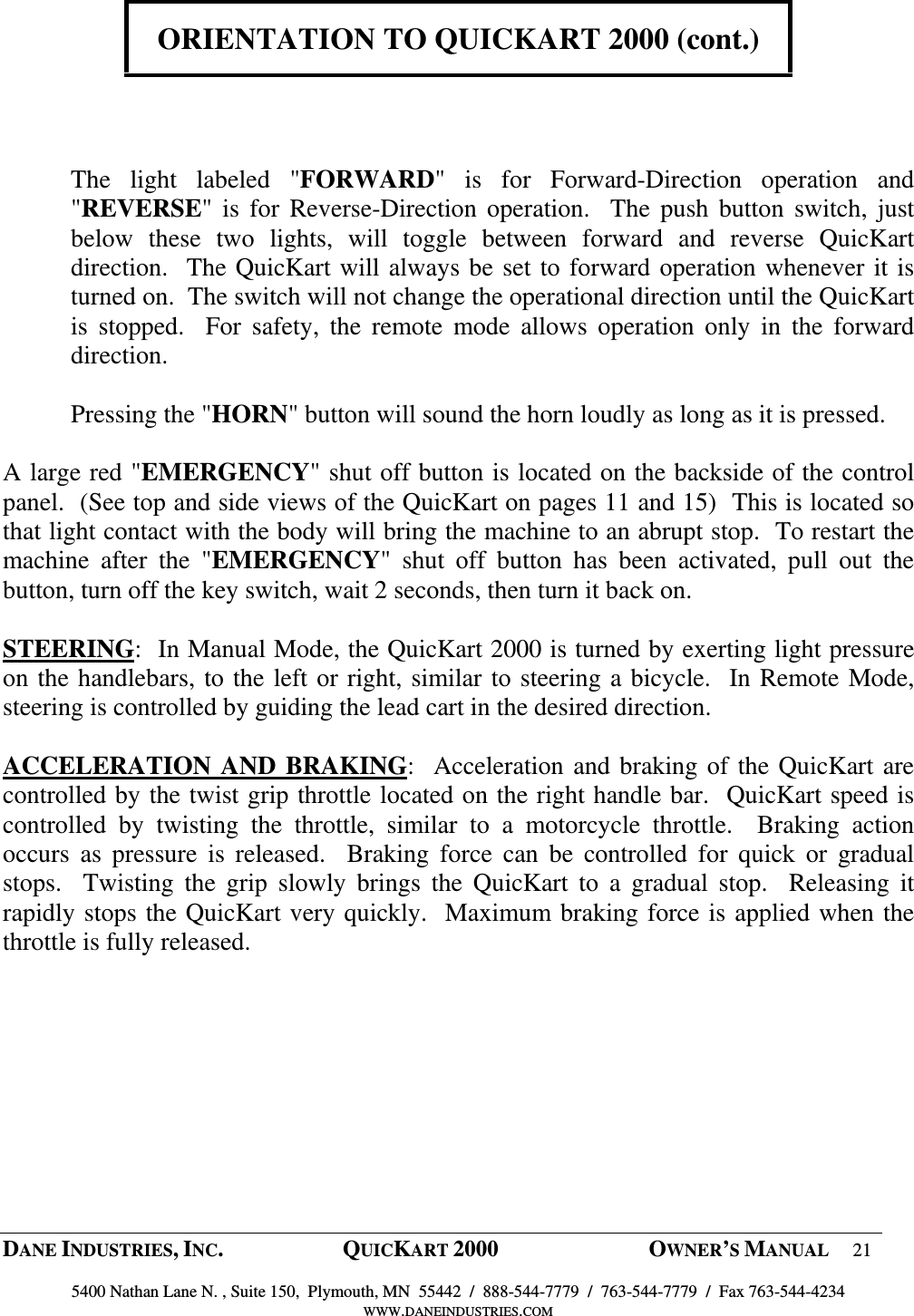
 DANE INDUSTRIES, INC.  QUICKART 2000  OWNER’S MANUAL 21  5400 Nathan Lane N. , Suite 150,  Plymouth, MN  55442  /  888-544-7779  /  763-544-7779  /  Fax 763-544-4234 WWW.DANEINDUSTRIES.COM    ORIENTATION TO QUICKART 2000 (cont.)      The  light  labeled  "FORWARD"  is  for  Forward-Direction  operation  and "REVERSE" is  for  Reverse-Direction operation.    The  push  button  switch, just below  these  two  lights,  will  toggle  between  forward  and  reverse  QuicKart direction.  The QuicKart will always be set to forward operation whenever it is turned on.  The switch will not change the operational direction until the QuicKart is  stopped.    For  safety,  the  remote  mode  allows  operation  only  in  the  forward direction.    Pressing the "HORN" button will sound the horn loudly as long as it is pressed.  A large red "EMERGENCY" shut off button is located on the backside of the control panel.  (See top and side views of the QuicKart on pages 11 and 15)  This is located so that light contact with the body will bring the machine to an abrupt stop.  To restart the machine  after  the  "EMERGENCY"  shut  off  button  has  been  activated,  pull  out  the button, turn off the key switch, wait 2 seconds, then turn it back on.   STEERING:  In Manual Mode, the QuicKart 2000 is turned by exerting light pressure on the handlebars, to the left or right, similar to steering a bicycle.  In Remote Mode, steering is controlled by guiding the lead cart in the desired direction.  ACCELERATION AND  BRAKING:  Acceleration and braking of the QuicKart are controlled by the twist grip throttle located on the right handle bar.  QuicKart speed is controlled  by  twisting  the  throttle,  similar  to  a  motorcycle  throttle.    Braking  action occurs  as  pressure  is  released.    Braking  force  can  be  controlled  for  quick  or  gradual stops.    Twisting  the  grip  slowly  brings  the  QuicKart  to  a  gradual  stop.    Releasing  it rapidly stops the QuicKart very quickly.  Maximum braking force is applied when the throttle is fully released.
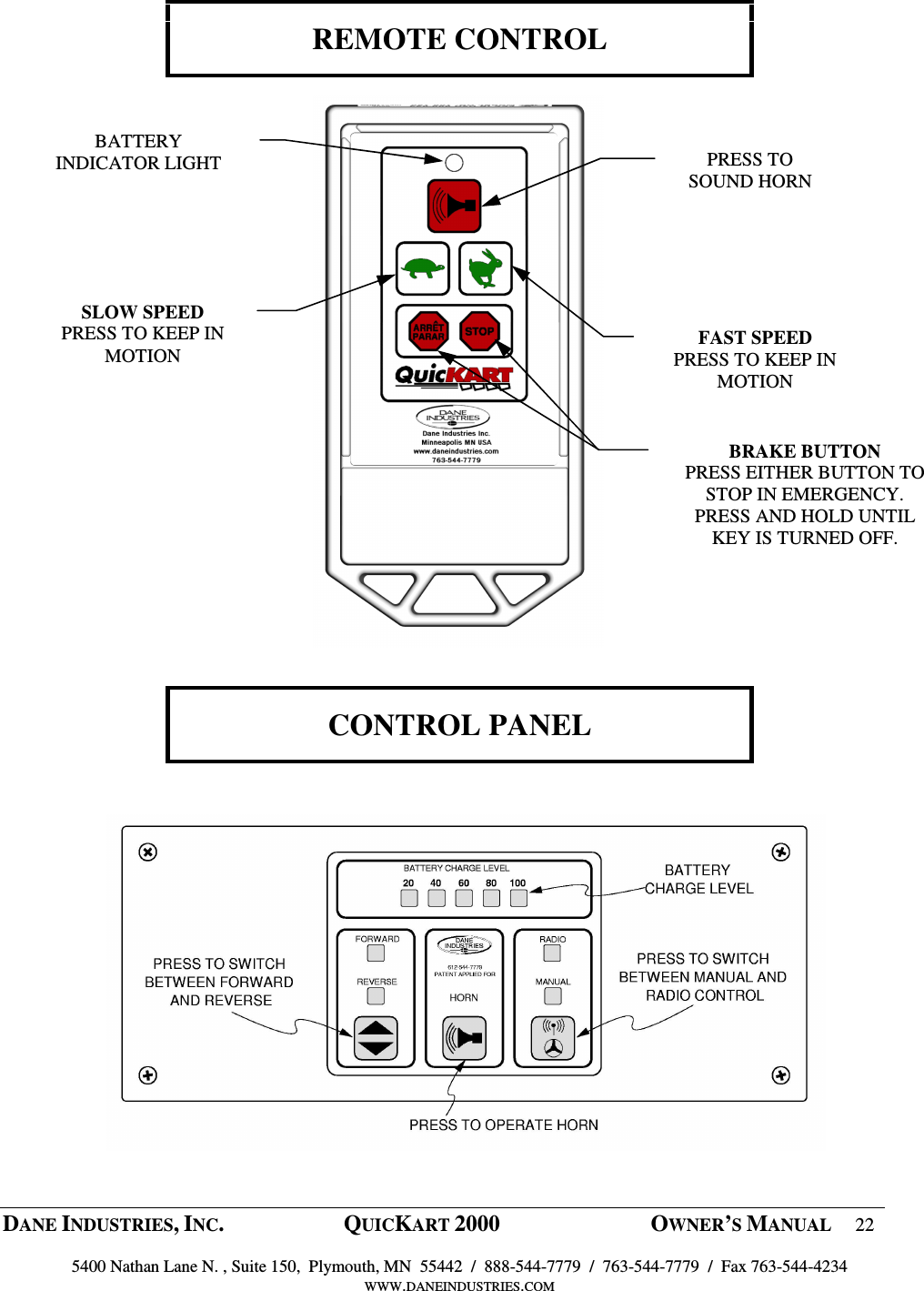
 DANE INDUSTRIES, INC.  QUICKART 2000  OWNER’S MANUAL 22  5400 Nathan Lane N. , Suite 150,  Plymouth, MN  55442  /  888-544-7779  /  763-544-7779  /  Fax 763-544-4234 WWW.DANEINDUSTRIES.COM     REMOTE CONTROL                       CONTROL PANEL     BATTERY INDICATOR LIGHT SLOW SPEED PRESS TO KEEP IN MOTION  FAST SPEED PRESS TO KEEP IN MOTION PRESS TO SOUND HORN BRAKE BUTTON PRESS EITHER BUTTON TO STOP IN EMERGENCY.  PRESS AND HOLD UNTIL KEY IS TURNED OFF.
 DANE INDUSTRIES, INC.  QUICKART 2000  OWNER’S MANUAL 23  5400 Nathan Lane N. , Suite 150,  Plymouth, MN  55442  /  888-544-7779  /  763-544-7779  /  Fax 763-544-4234 WWW.DANEINDUSTRIES.COM   OPERATION OF THE QUICKART 2000     MANUAL MODE:  To operate the QuicKart 2000 in the Manual Mode, perform the following steps:  1) Insert  the  key  into  the  key-switch  located  on  the  control  panel.    Turn  the  key clockwise to turn the QuicKart "on".   2) Lights on the control panel will show the system status (see illustration on page 22).  Confirm that all systems are working properly. 3) In manual operation, while standing behind the machine, both hands on the handles, slowly twist the throttle control and the QuicKart will start to move forward.  Slowly release  the  pressure  on  the  throttle  control  and  the  QuicKart  will  slow  to  a  stop.  When  the  throttle  control  is  fully  released,  the  electronic  brakes  will  be  applied.  When  moving  forward  or  backward,  a  sudden  release  of  the  throttle  control  will cause the automatic brake to bring the QuicKart to a sudden halt. 4) To change the direction of travel, the QuicKart must be stopped.  Press the direction switch on the control panel and the light for the selected direction will be displayed.  5) To turn the power off (emergency only), press the emergency shut off button or turn the  key counter-clockwise.    Note:  Do  not  leave  the  machine  "ON"  and  do  not leave the key in the switch when unattended. 6) The collection of grocery carts begins by walking the QuicKart into the parking lot to a location where customers have left carts.  To attach the first cart, open the locking U-pin  on  the  left  side  of  the  cart  coupler  assembly.    Position  the  rear  of  the  first shopping cart so that its vertical rear frame is aligned with the yoke openings on the coupler assembly.  Lift the cart slightly off the ground and move it sideways until it engages both coupler yokes.  Then, put the locking U-pin back into place to secure the shopping cart.  It is recommended that the first cart be left permanently in place or if removed at night, identified, so the same cart is always attached to the cart.  The coupler yokes can be adjusted up and down and from side to side to accommodate various types and sizes of grocery carts. See illustration on page 18+19. 7) Additional shopping carts can now be collected to form a train of a maximum of 30 carts.
 DANE INDUSTRIES, INC.  QUICKART 2000  OWNER’S MANUAL 24  5400 Nathan Lane N. , Suite 150,  Plymouth, MN  55442  /  888-544-7779  /  763-544-7779  /  Fax 763-544-4234 WWW.DANEINDUSTRIES.COM    OPERATION OF QUICKART (cont.)  REMOTE MODE: The QuicKart can be operated in the remote mode by pressing the "Radio/Manual" switch located on the control panel.   1)  While in remote mode, only one person is needed to collect shopping carts.  This              person gathers the carts and adds them to the train while using the remote control to                           control forward speed, braking and the warning horn.  It is recommended that carts             be formed into a line and then the machine brought up to the line in the “SLOW”                      speed  while operating near entrances and near store guests. Never use the “fast “              remote speed near guests, the entrance or within the store.             2)         “NEVER” press on the remote buttons unless you are at the front of the cart chain              and controlling the lead cart. “NEVER” advance additional carts into the store               unless you are at the front of the cart chain. The “SLOW” speed is .70mph. The              “FAST” speed allows movement at a safe walking pace of 2.8mph as carts are                returned to the store   3)   Only one button of the remote control is usable at a time.  Press the "SLOW" or "FAST" button for the speed desired for the existing conditions.  The QuicKart will briefly coast when the control buttons are released, helping to prevent a separation of carts.  If a sudden stop is required, press the "BRAKE" button.  Sudden stops will require the operator to hold back the lead cart at the front of the train to prevent cart separation.  4)        In an emergency, press and hold the brake button until you walk over and shut off the key. 5)  When the QuicKart 2000 is stopped, the parking brake automatically engages.  This prevents  the  QuicKart  from  rolling  on  slopes  or  being  pushed  manually.    If  it  is necessary  to  push  the  QuicKart  (i.e.  dead  battery  or  machine  not  working),  the parking  brake  can  be  released  by  pulling  the  release  lever  marked  "BRAKE RELEASE" on the lower right corner at the back of the machine.  Once the parking brake  is  released,  the  QuicKart  will  not  operate  until  the  parking  brake  is  pushed back in.  It is recommended that the brake be released only if batteries are dead and manual pushing is required.  6)  The  QuicKart  2000  follows  the  train  of  shopping  carts  as  guided  by  the  cart attendant.  The actual turning radius of the cart chain is a function of the design of the shopping carts being used.  The tighter the carts nest together the longer the turning radius will be.  After some experience the QuicKart operator will become familiar with this and be able to judge what turns will be practical.  In practice the operator places one hand on the cart, at the front of the train, walking along side and guiding the cart in  the desired  direction.   The other  hand  is used to operate the  hand  held remote control transmitter.  When turning the cart chain it is easier to maintain safe footing by leaning against the lead cart rather than pulling.
 DANE INDUSTRIES, INC.  QUICKART 2000  OWNER’S MANUAL 25  5400 Nathan Lane N. , Suite 150,  Plymouth, MN  55442  /  888-544-7779  /  763-544-7779  /  Fax 763-544-4234 WWW.DANEINDUSTRIES.COM     BATTERY CHARGING    The QuicKart 2000 is powered by three, 12-volt, Deep Cycle batteries.  Under normal usage  they  will  power  the  QuicKart  for  10  or  more  hours,  when  the  ambient temperatures are above approximately 40 degrees F.  Colder temperatures will reduce the operating time of the batteries and increase the charging time.  To optimize battery power, store the QuicKart in a room with a temperature of at least 50 degrees F.  To  recharge  the  batteries,  park  the  QuicKart  in  a  well-ventilated  location  near  an electrical outlet.  The QuicKart must be turned off and the key removed.  FIRST, plug the 10-foot extension cord into the connector located at the lower left rear of the QuicKart.  SECOND, connect the charger’s  10-foot  power  extension  cord  into  a wall  receptacle.  The  battery  charger  will  automatically  shut  off  when  the  batteries  are  fully  charged.  This takes between eight to ten hours, depending upon initial state of charge and battery condition.  Make sure the power to the wall receptacle is not turned off during the nightly recharging time.  To put the QuicKart back into service, after the batteries are fully charged, disconnect the  charger’s  power  extension  cord  from  the  wall  receptacle  and  from  the  lower receptacle  at  the  lower  left  rear  of  the  QuicKart.    Store  the  extension  cord  in  an appropriate location.   Lights on the battery charger show the charging rate.  Fully discharged batteries will result in a charging rate of up to 16 amperes.  As the batteries become fully charged this rate will drop to less than 10 amperes.  A solid yellow light indicates maximum charge, a yellow  and  flashing  green  indicate  partial  charge  completion.  A  green  light  indicates completion of charge. The red light indicates AC power is connected and on.   WARNING  Do not use long extension cords.  Use the 10-foot cord supplied with the machine. Find a location for re-charging which is close to an electrical outlet receptacle.  If another cord must be used, it must be 16 gauge or less and 10 feet in length.
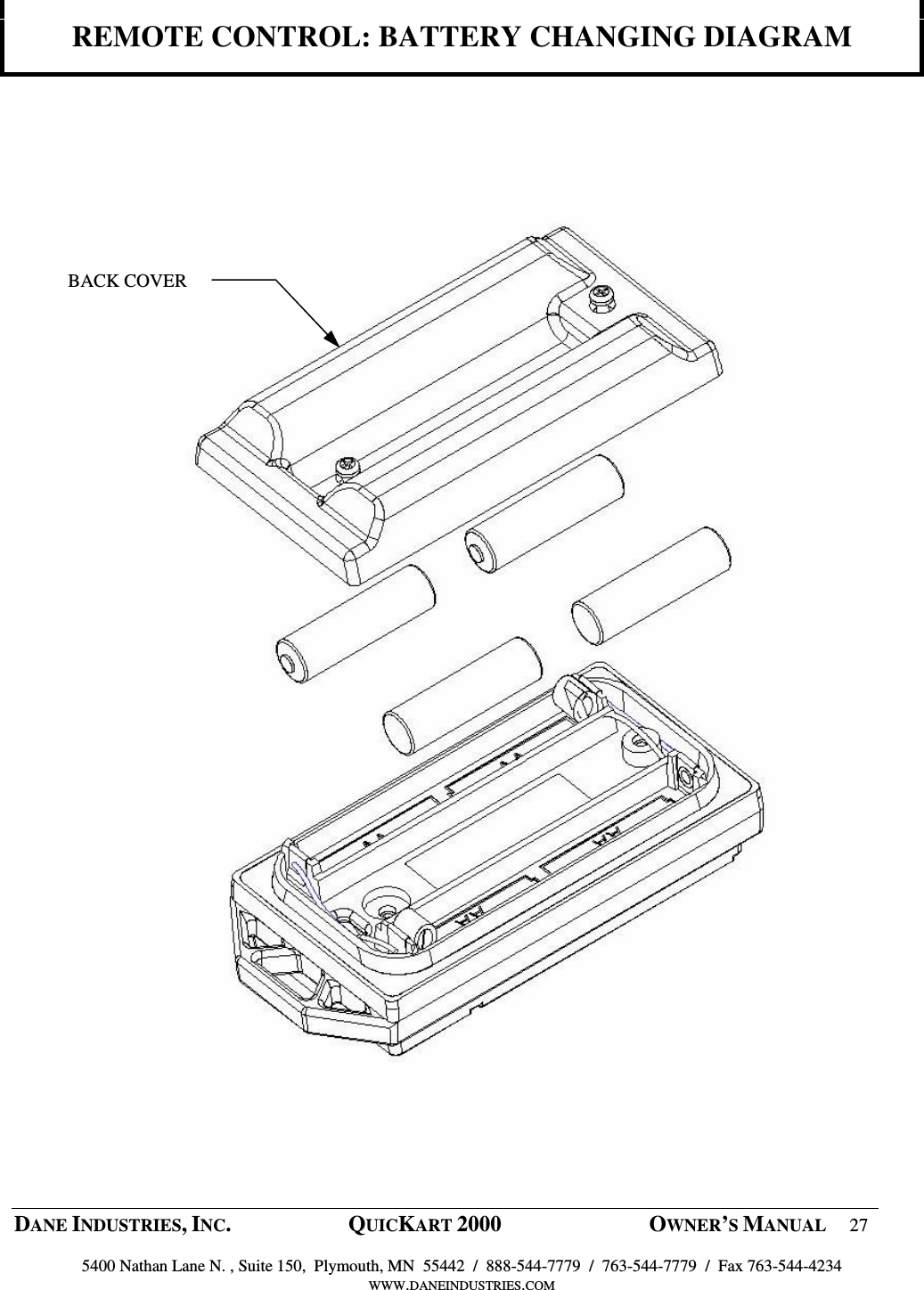
 DANE INDUSTRIES, INC.  QUICKART 2000  OWNER’S MANUAL 26  5400 Nathan Lane N. , Suite 150,  Plymouth, MN  55442  /  888-544-7779  /  763-544-7779  /  Fax 763-544-4234 WWW.DANEINDUSTRIES.COM    REMOTE CONTROL: BATTERY CHANGING     Refer to Diagrams on pages 27. 1. The remote control is to be taken apart only when the battery needs replacing.  There are no adjustments or switches inside the module.  As long as the small light on the remote panel lights-up the battery does not need replacing. 2. Before opening the remote turn off the QuicKart that had been using this remote. If another remote is being used by this QuicKart it is OK to proceed. 3. To open remote control, place the control panel face down on a table top and use a medium size Phillips screw driver to remove the two(2)  screws from the corners of the remote’ s back cover. 4. After the screws are removed, leave the remote face down and and remove the back cover. 5. To replace the batteries, take out the old batteries and replace them with new, ensuring that the new batteries are inserted as diagramed inside the battery compartment.  6. Properly dispose of the old battery in an environmentally correct depository. 7. Examine the inside of the battery compartment for any signs of condensation or water. If signs of moisture are present, allow the compartment to dry fully before replacing the back. 8. Before replacing the back, ensure that the gray rectangular gasket around the edge of the battery compartment is in good condition. If the gasket is damaged, return to Dane Industries for repair. 9. Also, ensure that the red and black wires leading away form the battery terminals and the black wire at the opposite end of the remote are intact. If they are broken, return the remote to Dane for repair. 10.  The  QuicKart  should  be  “ OFF” .  Before  replacing  the  back,  ensure  the  panel  light comes on when any one of the function buttons are pressed. 11. Replace the back with two Phillips screws. 12. Reprogram the remote control as described on page 28.
 DANE INDUSTRIES, INC.  QUICKART 2000  OWNER’S MANUAL 27  5400 Nathan Lane N. , Suite 150,  Plymouth, MN  55442  /  888-544-7779  /  763-544-7779  /  Fax 763-544-4234 WWW.DANEINDUSTRIES.COM    REMOTE CONTROL: BATTERY CHANGING DIAGRAM            BACK COVER
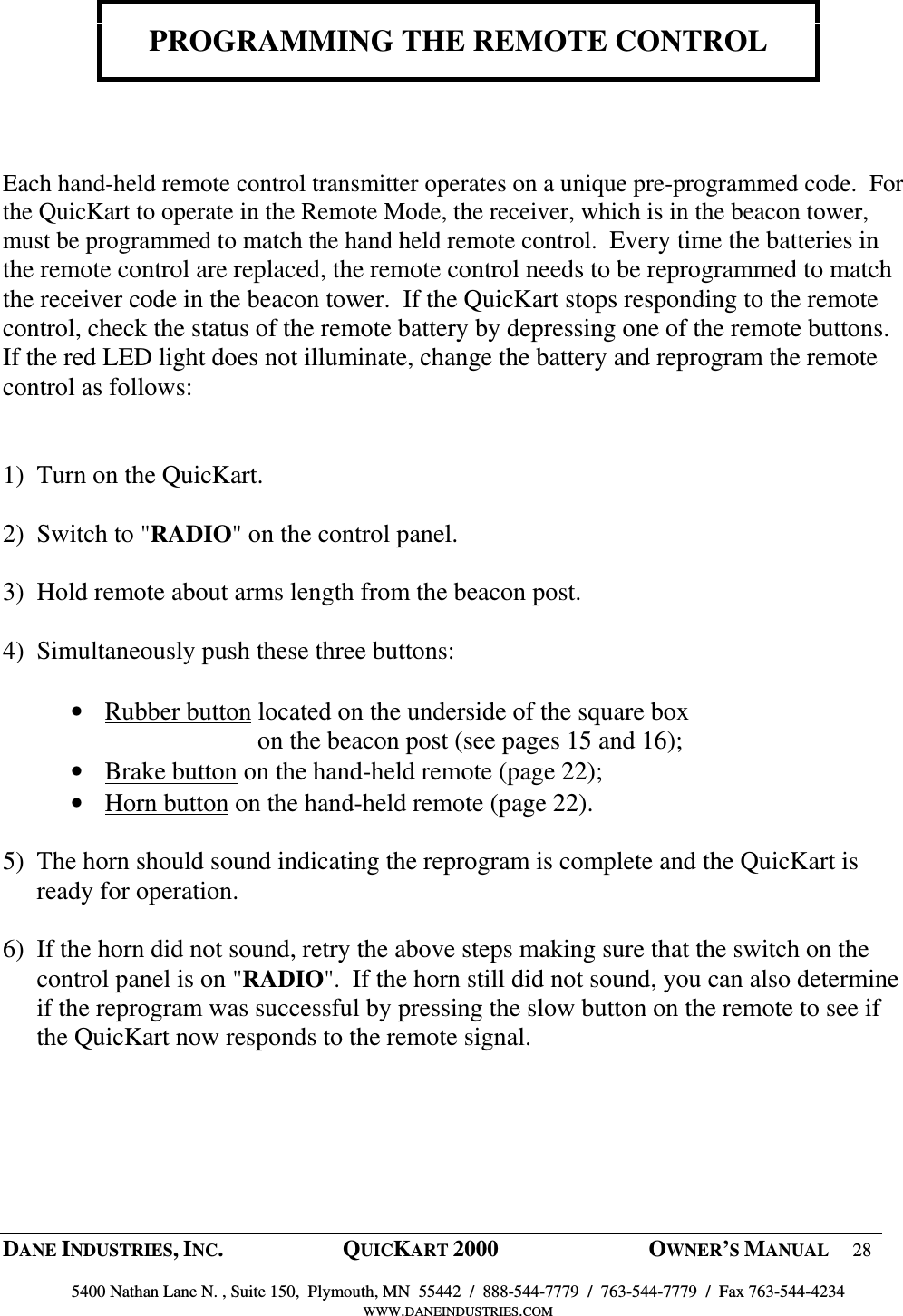
 DANE INDUSTRIES, INC.  QUICKART 2000  OWNER’S MANUAL 28  5400 Nathan Lane N. , Suite 150,  Plymouth, MN  55442  /  888-544-7779  /  763-544-7779  /  Fax 763-544-4234 WWW.DANEINDUSTRIES.COM    PROGRAMMING THE REMOTE CONTROL     Each hand-held remote control transmitter operates on a unique pre-programmed code.  For the QuicKart to operate in the Remote Mode, the receiver, which is in the beacon tower, must be programmed to match the hand held remote control.  Every time the batteries in the remote control are replaced, the remote control needs to be reprogrammed to match the receiver code in the beacon tower.  If the QuicKart stops responding to the remote control, check the status of the remote battery by depressing one of the remote buttons.  If the red LED light does not illuminate, change the battery and reprogram the remote control as follows:   1) Turn on the QuicKart.  2) Switch to "RADIO" on the control panel.  3) Hold remote about arms length from the beacon post.  4) Simultaneously push these three buttons:  • Rubber button located on the underside of the square box          on the beacon post (see pages 15 and 16); • Brake button on the hand-held remote (page 22); • Horn button on the hand-held remote (page 22).  5) The horn should sound indicating the reprogram is complete and the QuicKart is ready for operation.  6) If the horn did not sound, retry the above steps making sure that the switch on the control panel is on "RADIO".  If the horn still did not sound, you can also determine if the reprogram was successful by pressing the slow button on the remote to see if the QuicKart now responds to the remote signal.
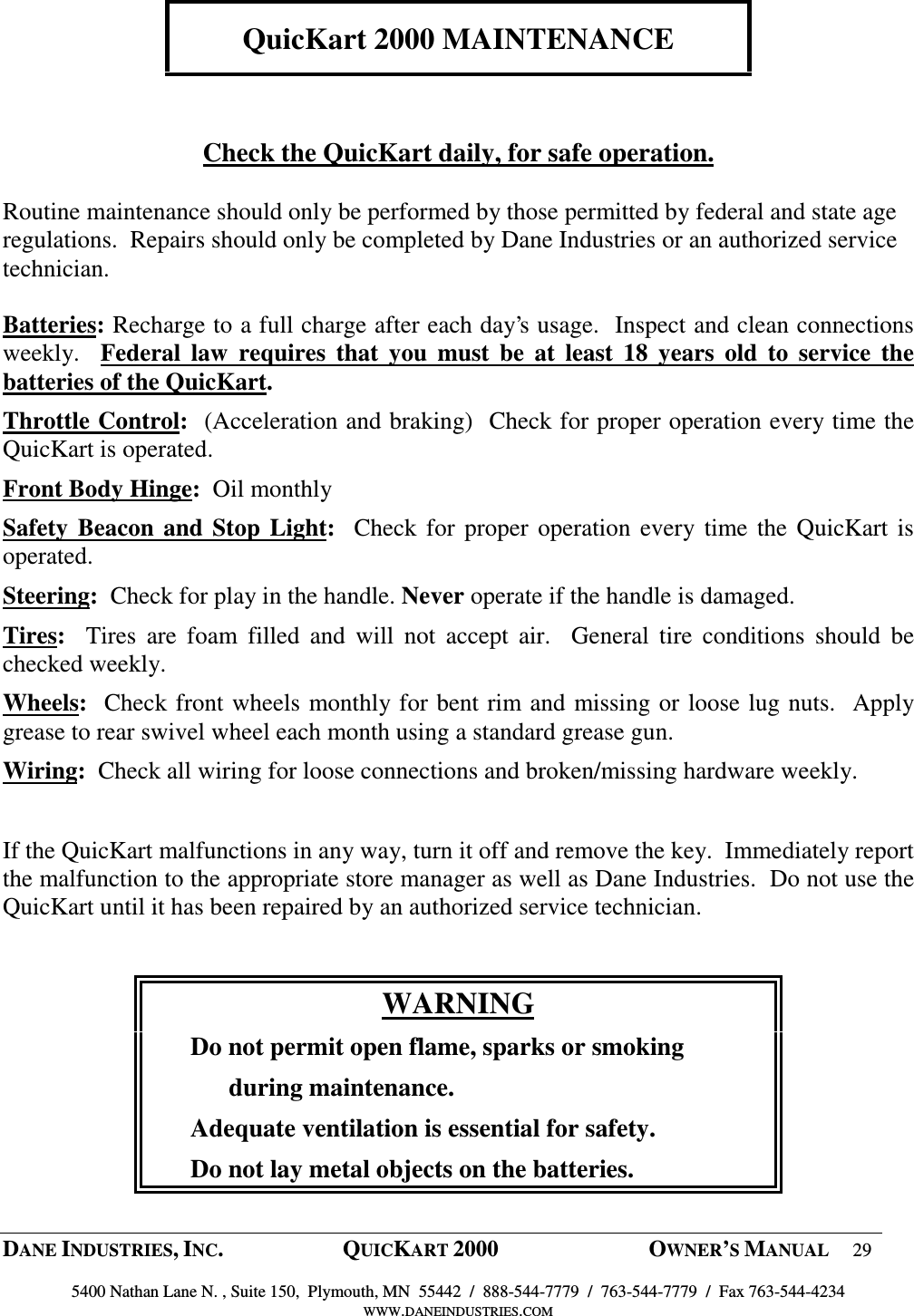
 DANE INDUSTRIES, INC.  QUICKART 2000  OWNER’S MANUAL 29  5400 Nathan Lane N. , Suite 150,  Plymouth, MN  55442  /  888-544-7779  /  763-544-7779  /  Fax 763-544-4234 WWW.DANEINDUSTRIES.COM    QuicKart 2000 MAINTENANCE    Check the QuicKart daily, for safe operation.  Routine maintenance should only be performed by those permitted by federal and state age regulations.  Repairs should only be completed by Dane Industries or an authorized service technician.  Batteries: Recharge to a full charge after each day’s usage.  Inspect and clean connections weekly.    Federal  law  requires  that  you  must  be  at  least  18  years  old  to  service  the batteries of the QuicKart.  Throttle Control:  (Acceleration and braking)  Check for proper operation every time the QuicKart is operated. Front Body Hinge:  Oil monthly Safety  Beacon  and  Stop Light:   Check for proper  operation  every time the QuicKart is operated. Steering:  Check for play in the handle. Never operate if the handle is damaged.  Tires:    Tires  are  foam  filled  and  will  not  accept  air.    General  tire  conditions  should  be checked weekly.   Wheels:  Check front wheels monthly for bent rim and missing or loose lug nuts.  Apply grease to rear swivel wheel each month using a standard grease gun.  Wiring:  Check all wiring for loose connections and broken/missing hardware weekly.  If the QuicKart malfunctions in any way, turn it off and remove the key.  Immediately report the malfunction to the appropriate store manager as well as Dane Industries.  Do not use the QuicKart until it has been repaired by an authorized service technician.  WARNING       Do not permit open flame, sparks or smoking             during maintenance.       Adequate ventilation is essential for safety.       Do not lay metal objects on the batteries.
 DANE INDUSTRIES, INC.  QUICKART 2000  OWNER’S MANUAL 30  5400 Nathan Lane N. , Suite 150,  Plymouth, MN  55442  /  888-544-7779  /  763-544-7779  /  Fax 763-544-4234 WWW.DANEINDUSTRIES.COM    CHANGING FRONT TIRES     FRONT DRIVE TIRES:  Turn QuicKart off and remove key.  QuicKart must be on a flat surface. Make sure the automatic brake is functional and on.  Use protective eye wear at all times.    1) Slightly  loosen  the  four  (4)  lug  nuts,  about  1/2  turn,  from  the  wheel  needing service.  Use a 9/16-inch socket.  IMPORTANT: Do not remove any of the nuts, only slightly loosen them while the wheel is still on the ground.  2) Use a jack to lift the front of the QuicKart off the ground approximately 2 to 3 inches.  Insert a sturdy and stable block under the frame to hold it securely in this elevated position.  3) Unscrew the  four 9/16-inch,  front  wheel  lug nuts  and  place  them  in  a  location where they will not become lost.  Remove the wheel.  The new or repaired wheel is placed back on the front hub with the tire stem facing out.  Replace the 4 lug nuts with the beveled side toward the inside and tighten. 4) Using the jack, lift the  QuicKart off the  supporting block  (see  item #2  above).  Remove the block and use the jack to lower the QuicKart to the ground.  Tighten the 4 lug nuts again ensuring that they are tightened to a minimum of 50 foot-pounds torque.
 DANE INDUSTRIES, INC.  QUICKART 2000  OWNER’S MANUAL 31  5400 Nathan Lane N. , Suite 150,  Plymouth, MN  55442  /  888-544-7779  /  763-544-7779  /  Fax 763-544-4234 WWW.DANEINDUSTRIES.COM    CHANGING REAR TIRE     REAR CASTERED TIRE:  Turn QuicKart off and remove key.   QuicKart must be on a flat surface. Make sure the automatic brake is functional and on.  Use protective eye wear at all times.  1) Lift the back of the QuicKart so the rear castered wheel is approximately 2 inches off the ground.  This is accomplished by using a jack under the rear frame of the QuicKart, in the center.  Once  the QuicKart is lifted, place a sturdy and  stable block in each corner then lower the jack so the weight of the QuicKart is resting on the blocks. Also place blocks on the front wheels to keep the QuicKart from rolling. 2) With two ¾” wrenches, remove the nut on the bolt at the center of the wheel hub.  With  the  nut  removed,  pull  the  bolt  out  and  the  wheel  will  be  free  from  its position in the yoke.  Save the hardware and use it when replacing the wheel. 3) When  replacing  the  wheel,  insert  the  center  sleeve  in  the  center  and  place  the plastic washers on each side.  Slide the wheel into the fork, insert bolt, apply nut and tighten. 4) Using  the  jack,  lift  the  QuicKart  off  the  supporting  blocks  (Item  #1  above), remove the blocks then lower the QuicKart to the ground.    Note:  Variations in the hardware configuration may occur.  Save all hardware and use it as it was removed when replacing wheel.
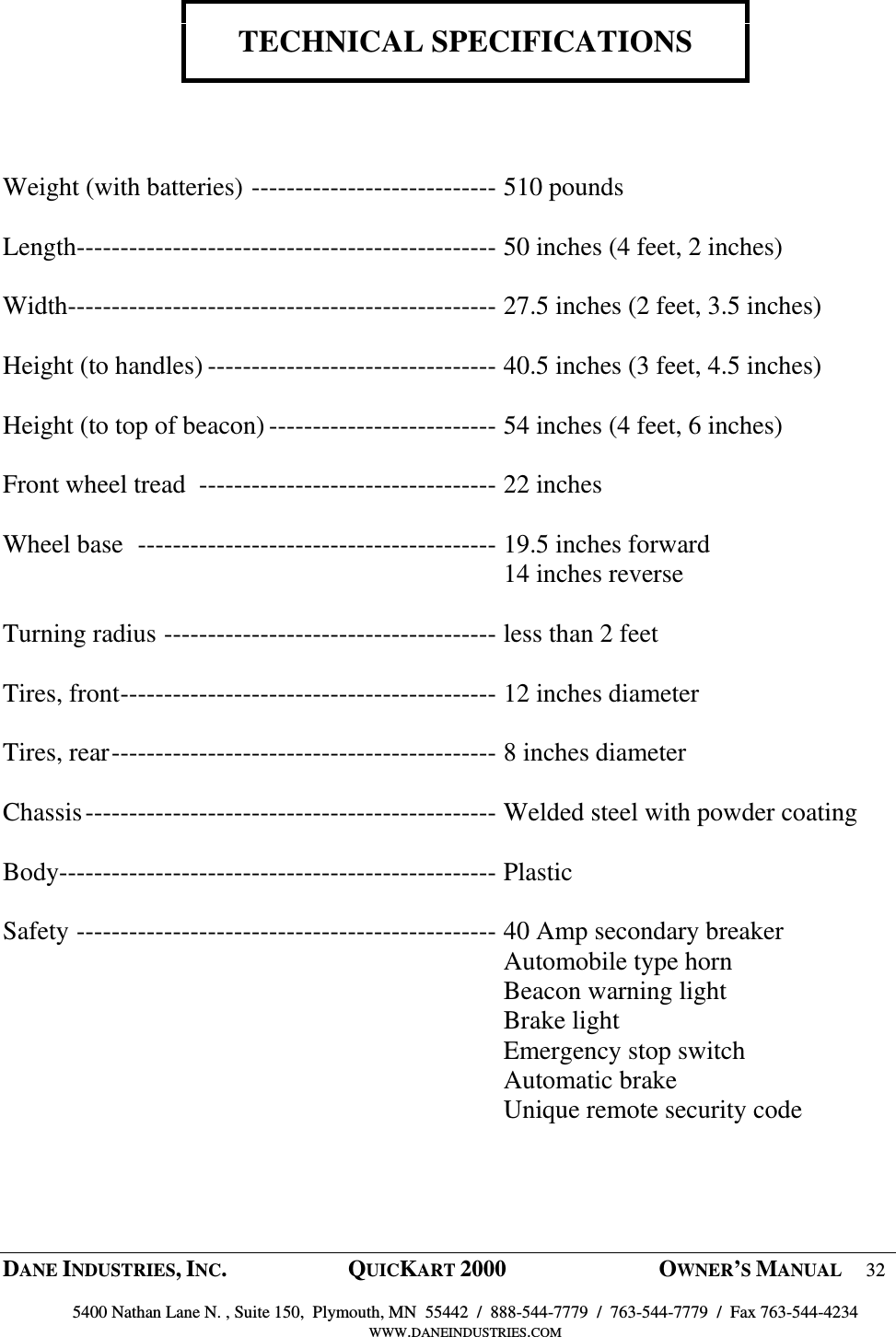
 DANE INDUSTRIES, INC.  QUICKART 2000  OWNER’S MANUAL 32  5400 Nathan Lane N. , Suite 150,  Plymouth, MN  55442  /  888-544-7779  /  763-544-7779  /  Fax 763-544-4234 WWW.DANEINDUSTRIES.COM    TECHNICAL SPECIFICATIONS     Weight (with batteries) ---------------------------- 510 pounds  Length------------------------------------------------ 50 inches (4 feet, 2 inches)  Width------------------------------------------------- 27.5 inches (2 feet, 3.5 inches)  Height (to handles) --------------------------------- 40.5 inches (3 feet, 4.5 inches)  Height (to top of beacon) -------------------------- 54 inches (4 feet, 6 inches)  Front wheel tread  ---------------------------------- 22 inches  Wheel base  ----------------------------------------- 19.5 inches forward   14 inches reverse  Turning radius -------------------------------------- less than 2 feet  Tires, front------------------------------------------- 12 inches diameter  Tires, rear-------------------------------------------- 8 inches diameter  Chassis----------------------------------------------- Welded steel with powder coating  Body-------------------------------------------------- Plastic  Safety ------------------------------------------------ 40 Amp secondary breaker   Automobile type horn   Beacon warning light   Brake light   Emergency stop switch   Automatic brake   Unique remote security code
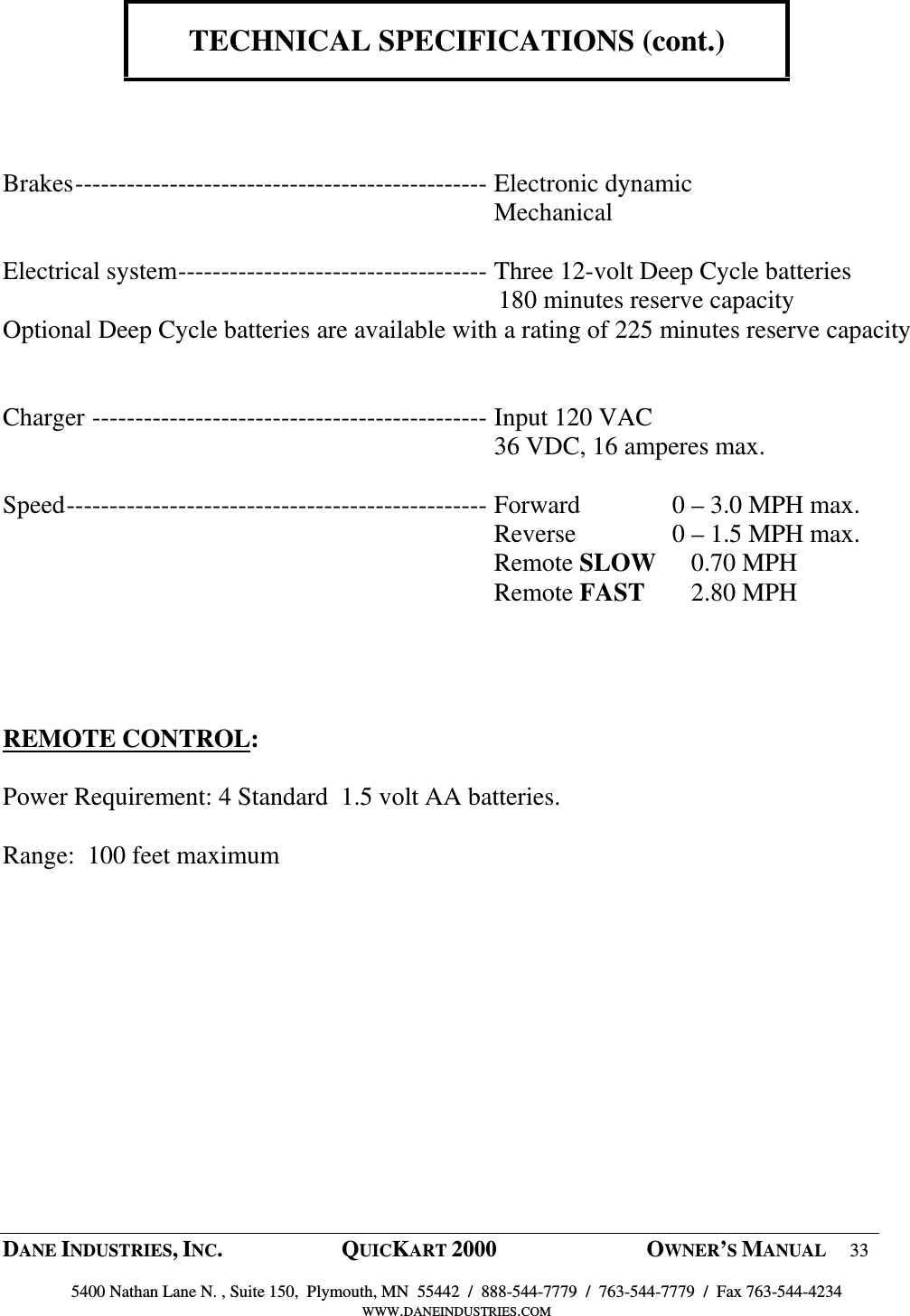
 DANE INDUSTRIES, INC.  QUICKART 2000  OWNER’S MANUAL 33  5400 Nathan Lane N. , Suite 150,  Plymouth, MN  55442  /  888-544-7779  /  763-544-7779  /  Fax 763-544-4234 WWW.DANEINDUSTRIES.COM    TECHNICAL SPECIFICATIONS (cont.)     Brakes------------------------------------------------ Electronic dynamic   Mechanical  Electrical system------------------------------------ Three 12-volt Deep Cycle batteries                                                                               180 minutes reserve capacity Optional Deep Cycle batteries are available with a rating of 225 minutes reserve capacity      Charger ---------------------------------------------- Input 120 VAC   36 VDC, 16 amperes max.  Speed------------------------------------------------- Forward  0 – 3.0 MPH max.   Reverse  0 – 1.5 MPH max.   Remote SLOW     0.70 MPH   Remote FAST     2.80 MPH     REMOTE CONTROL:   Power Requirement: 4 Standard  1.5 volt AA batteries.  Range:  100 feet maximum
 DANE INDUSTRIES, INC.  QUICKART 2000  OWNER’S MANUAL 34  5400 Nathan Lane N. , Suite 150,  Plymouth, MN  55442  /  888-544-7779  /  763-544-7779  /  Fax 763-544-4234 WWW.DANEINDUSTRIES.COM         QUICKART WARRANTY      1) Parts:  One (1) Year Limited Warranty from date of shipment. 2) Labor:  Ninety (90) Day Limited Warranty from date of shipment.   1) PARTS – Limited Warranty  All  parts  except  batteries  (which  are  covered  by  the  battery  manufacturer  warranty),  tires, extension cord and circuit breakers needing resetting are warranted by Dane Industries to be free of defects in material and workmanship for a period of one (1) year from date of shipment.  This warranty  does  not  include  tire  wear  or  wear  and  tear  caused  by  abuse,  negligence,  freight damage or damage caused by improper use or care, or by external sources such as fires, floods or other acts of God.  Should any component fail during the first  year of ownership except those mentioned as not under  warranty,  the  component  in  question  is  to  be  returned  to  Dane  Industries  or  to  an authorized Dane Industries representative for inspection.  If the component has failed due to a defect in material or workmanship, it will be exchanged or repaired at the discretion of Dane Industries at no charge to the QuicKart owner.  Dane  Industries,  Inc.  will  cover  the  costs  of  shipping  parts  covered  under  warranty  to  the customer based on UPS standard ground rates.   2)  LABOR – Limited Warranty    Dane Industries will cover labor charges for work performed in the field for ninety (90) days from the date of shipment as a result of defects in materials or workmanship.  Charges incurred for failure to charge and maintain the batteries in the QuicKart or change the battery in the hand held  remote  are  exempted.    Non-warranty  service  performed  during  the  same  visit  as  for warranty service is not covered by the warranty.

Navigation menu