Danfoss Drives LCP-103 VLT Wireless Communication Panel LCP103 User Manual instructions
Danfoss Drives VLT Wireless Communication Panel LCP103 instructions
UserManual.wiki
>
Danfoss Drives
>
LCP-103 User Manual
>
User manual instructions
Contents
1.
User manual instructions
2.
User manual
3.
User Guide
User manual instructions
Navigation menu
Upload a User Manual
Namespaces
Wiki Guide
HTML
PDF
Info
Views
User Manual
Discussion / Help
Navigation
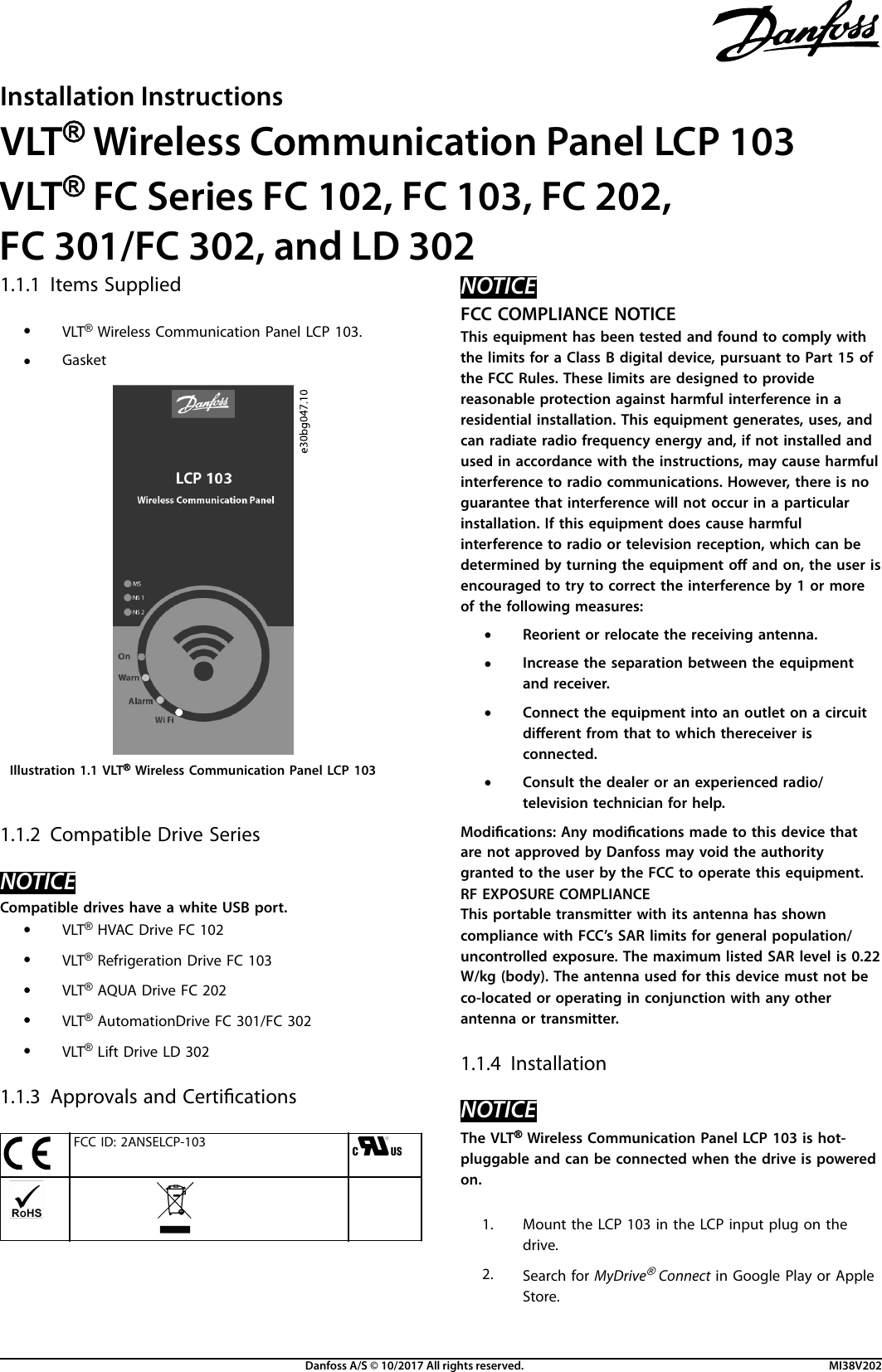
![Illustration 1.2 MyDrive® Connect Launch Icon3. Download and install the MyDrive® Connect App.NOTICEStart pairing within the rst 10 minutes after the instal-lation. Failing to do so closes the broadcast or wirelessidentication due to security limits with default passwords.To reconnect, power cycle the drive, or remove andreconnect the LCP 103.1.1.5 Connection ProcedureNOTICEThe wireless SSID is the Danfoss serial ID of the drive. Forexample, Danfoss_019223G455 is the default wireless SSIDfor a drive with the serial number 019223G455. The serialnumber is on the product nameplate, but is also visible inparameter 15-51 Frequency Converter Serial Number.Wireless SSID Danfoss_019223G455Default password Danfoss19331. Open the app and establish the Wi-Fi connection, seeTable 1.1 for descriptions of the white Wi-Fi LED.2. When prompted, change the default password due tosecurity restrictions. The password must be at least 8and maximum 63 characters.NOTICEIf the password is not changed, it leaves only 10 minutes forconnecting and performing Drive operations. After this, thewireless connection closes.Reset passwordIf the wireless SSID and password are forgotten, accessparameter group 30-9 Wi LCP via MCT 10 Set-up Software orLCP 102.1.1.6 LED PatternLED Pattern DescriptionOn SolidgreenThe drive is powered on (normal operation).LED Pattern DescriptionWi-FiFlashingwhiteConnection pairing successful.SolidwhiteThe smart device is connected and communi-cation is OK.Alarm FlashingredAn alarm has occurred.Warn SolidyellowA warning has occurred.MS,NS1,NS21)FlashingmagentaIdentication of the drive when initiated througha winking command.FlashingorangeIncompatible drive (LED ashes 3 times and thenremains on).Table 1.1 Descriptions, LED Indicators1) MS=module status, NS1=network status 1, NS2=Network status 2.1.1.7 Safe ControlThe safe control parameter allows the drive to decide themotor behavior if the smart device, for example a tablet,communication is lost. If the limits are set to [1] Stop motor,the motor stops. If the limits are set to [0] Do nothing, themotor continues to run. This is only applicable when themotor is in Run state. The communication happens betweenthe MyDrive® Connect App and the VLT® Wireless Communi-cation Panel LCP 103.Parameter Limits/optionsParameter 30-97 Wi Timeout Action [0] Do nothing[1] Stop motor1.1.8 SpecicationsStandards IEEE 802.11 b/gFrequency range 2.4~2.4835 GhzAntenna PCB-mounted chip antennaSecurity WPA2Operating temperature -25 °C to +50 °C (-13 °F to+122 °F)Operating humidity 5–95% RH, non-condensingOperating mode Access pointIngress protection IP20 (IP55 with gasket)Electrical rating 5 V, 250 mAInternal memory size 14 MBDimensions (LxWxD) [mm (in)] 131.2 x 66.6 x 23 (5.1 x 2.6 x 0.9)Weight [g (oz)] 85.3 (2.88)Firmware update MCT 10 Set-up Software version4.10 or higherDanfoss can accept no responsibility for possible errors in catalogues, brochures and other printed material. Danfoss reserves the right to alter its products without notice. This also applies to products already onorder provided that such alterations can be made without subsequential changes being necessary in specifications already agreed. All trademarks in this material are property of the respective companies. Danfossand the Danfoss logotype are trademarks of Danfoss A/S. All rights reserved.Danfoss A/SUlsnaes 1DK-6300 Graastenvlt-drives.danfoss.com *MI38V202*MI38V202130R0814 10/2017](https://usermanual.wiki/Danfoss-Drives/LCP-103.User-manual-instructions/User-Guide-3657011-Page-2.png)