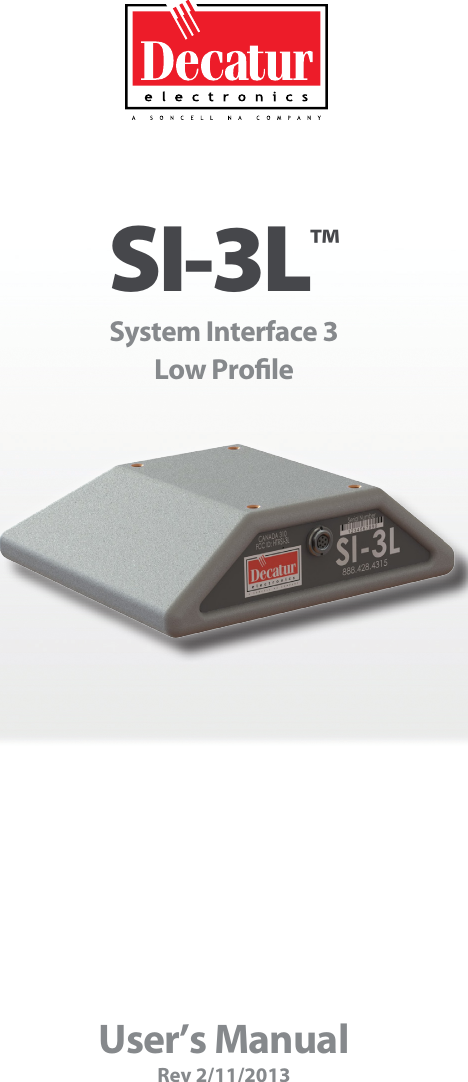
Decatur Electronics SI-3L Low profile directional radar unit User Manual

Decatur Electronics Inc Low profile directional radar unit Users Manual

Users Manual

User’s ManualRev 2/11/2013SI-3L™ System Interface 3Low Prole
SI-3L™System Interface 3Low ProleUser’s Manual
Table of Contents  Welcome .............................................................6About This Manual ....................................................71  Safety Information ....................................................72  Receiving Inspection ..................................................83  Getting Started .......................................................93.1  Introduction......................................................93.2  Connecting The Serial Cable.......................................93.3  Optional Programming Cable  . . . . . . . . . . . . . . . . . . . . . . . . . . . . . . . . . . . . 103.4  Mounting Conguration .........................................104  Conguring the SI-3L™ ...............................................114.1  Equipment Needed ..............................................114.2  Conguration Program Screen  . . . . . . . . . . . . . . . . . . . . . . . . . . . . . . . . . . . 114.3  Conguration Items Screen ......................................144.3.1  Serial Number .................................................144.3.2  Unit ID ........................................................144.3.3  Measurement..................................................154.3.4  Target Report..................................................164.3.5  Target Select ..................................................174.3.6  Cosine Horizontal and Cosine Vertical  . . . . . . . . . . . . . . . . . . . . . . . . . . 174.3.7  Hold Time .....................................................174.3.8  Update Rate...................................................184.3.9  Sensitivity .....................................................184.3.10   Alarm Speed Threshold .......................................194.3.11   Baud Rate ....................................................194.3.12   Serial Protocol . . . . . . . . . . . . . . . . . . . . . . . . . . . . . . . . . . . . . . . . . . . . . . . . 204.4  Select Program FILE to Load from MENU (Optional) . . . . . . . . . . . . . . . 204.5  Press CONFIGURE or PROGRAM CONFIGURE . . . . . . . . . . . . . . . . . . . . . . 204.5.1  Congure .....................................................214.5.2  Program and Congure ........................................214.6  Power Up SI Unit.................................................214.7  Congurtion Notes ..............................................215  Performance Tips  ....................................................225.1  How Radar Works ................................................225.2  Interference Sources .............................................22
5.2.1  Angular Interference (Cosine Eect) . . . . . . . . . . . . . . . . . . . . . . . . . . . . 225.2.2  Fan Interference ...............................................245.2.3  Electromagnetic Interference (EMI) . . . . . . . . . . . . . . . . . . . . . . . . . . . . . 245.2.4  Feedback Interference .........................................245.2.5  Multi-Path Beam Cancellation . . . . . . . . . . . . . . . . . . . . . . . . . . . . . . . . . . 245.2.6  Radio Frequency Interference (RFI) . . . . . . . . . . . . . . . . . . . . . . . . . . . . . 245.2.7  Scanning . . . . . . . . . . . . . . . . . . . . . . . . . . . . . . . . . . . . . . . . . . . . . . . . . . . . . . 255.2.8  Environmental Factors: Wind, Rain, Snow . . . . . . . . . . . . . . . . . . . . . . . 256  Testing The Device ...................................................266.1  Tuning Fork Test .................................................267  Care, Cleaning, and Storage ..........................................278  Specications........................................................278.1  Antenna Parameters .............................................278.2   Environment ....................................................278.3   Speed Range Parameters ........................................278.4    Power Consumption ............................................279  Legal Requirements..................................................289.1   RF Exposure Compliance Statement. . . . . . . . . . . . . . . . . . . . . . . . . . . . . . 289.2   FCC Statement ..................................................289.3  Industry Canada .................................................2810  Frequently Asked Questions (FAQ) . . . . . . . . . . . . . . . . . . . . . . . . . . . . . . . . . . . . 2911  Warranty.............................................................29 12  Service Return Procedure.............................................3013  How To Order Additional Products . . . . . . . . . . . . . . . . . . . . . . . . . . . . . . . . . . . . 3114  User Notes...........................................................32
SI-3™  User’s Manual6Welcome To Decatur Electronics, Inc.!Thank you for choosing this Decatur Electronics product—the System Interface 3 Low Prole(SI-3L)™, a highly advanced, low prole directional radar unit that will reward your department with years of dependable service. The SI-3L™ incorporates high performance and long range with many leading features. We urge you to study this manual before using the SI-3L™ so you can maximize the benets of this sophisticated radar device. We believe you will be pleasantly surprised by the features and advantages.  If you are as pleased with its performance as we think you will be, ask your Decatur sales representative about other Decatur products including the Genesis™ line of radars, the Onsite™ line of speed trailers, dollies, pole signs and the Responder™ line of in-car video systems.Try any one of our products and see if you don't agree that it is the best-in-class!—The Management and Sta at Decatur Electronics
SI-3™  User’s Manual7About This ManualThis manual contains valuable information to help you set up, use and maintain your radar so you can optimize its life and keep it at peak performance. Please take a moment to read through it, and keep it handy for future reference. Note the following symbols in this manual:  Indicates a warning message about safety precautions.  Please read it carefully.   Indicates a helpful tip or precaution to note.1.  Safety InformationAll service needs should be referred back to the manufacturer.WARNINGS •  Do not over voltage the radar - it can damage the unit! •  The SI-3L™ is designed to operate o of conventional +12 VDC (+9 VDC to +24 VDC) from the serial cable. Important Warnings•  Opening the SI-3L™ automatically voids any warranty still in eect.  There are no user serviceable parts inside.•  Do not expose the SI-3L™ to excessive moisture. Never submerge the device. •  Do not drop the SI-3L™ on hard surfaces since damage could occur. Units damaged by dropping or abuse are not covered for warranty repair.    Violation of these guidelines may void the warranty.
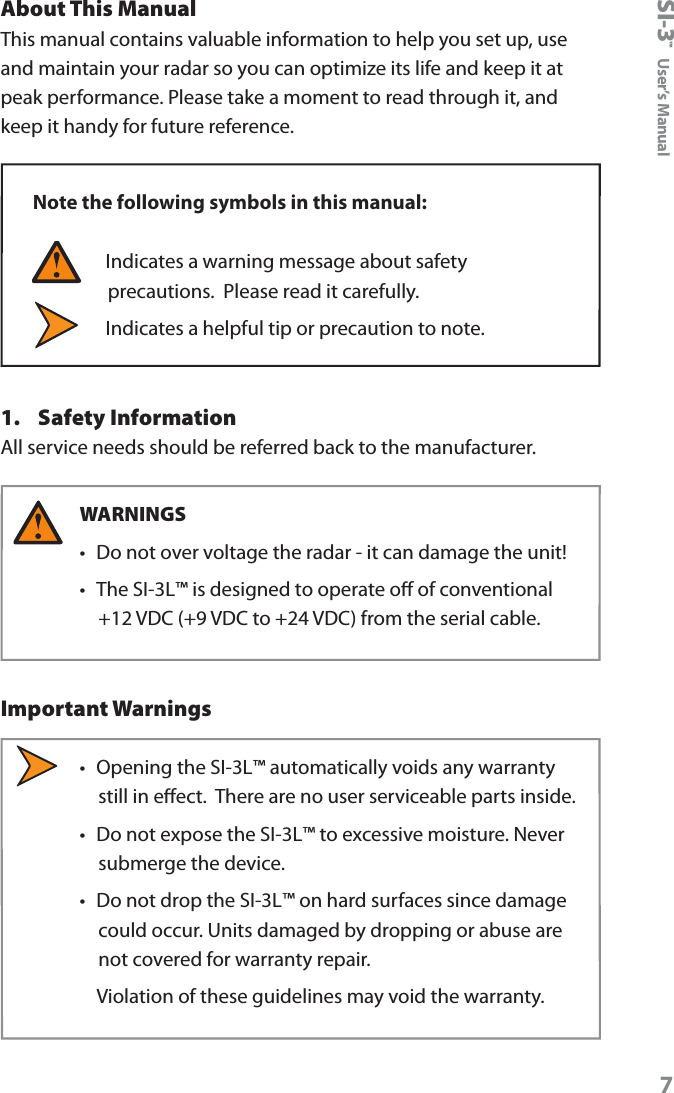
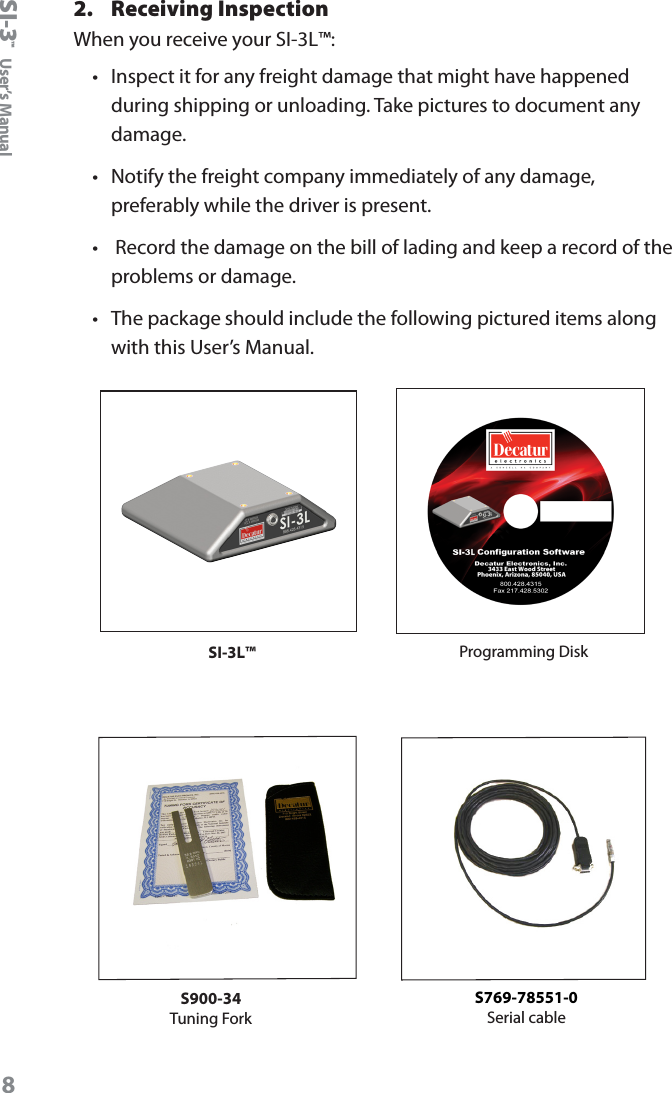
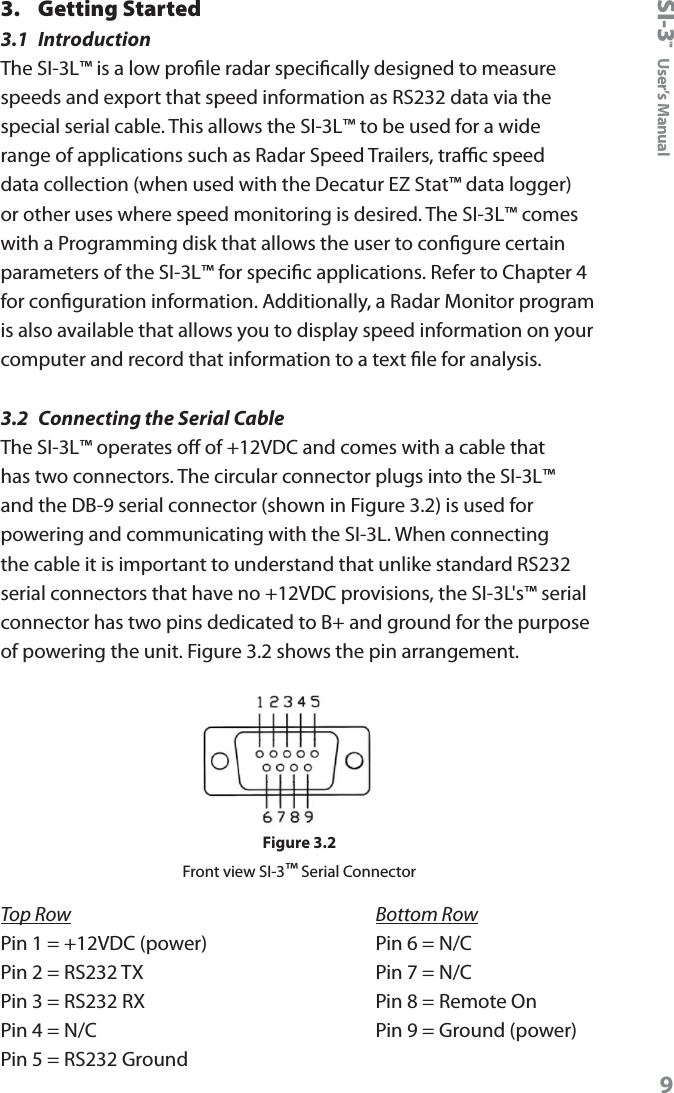
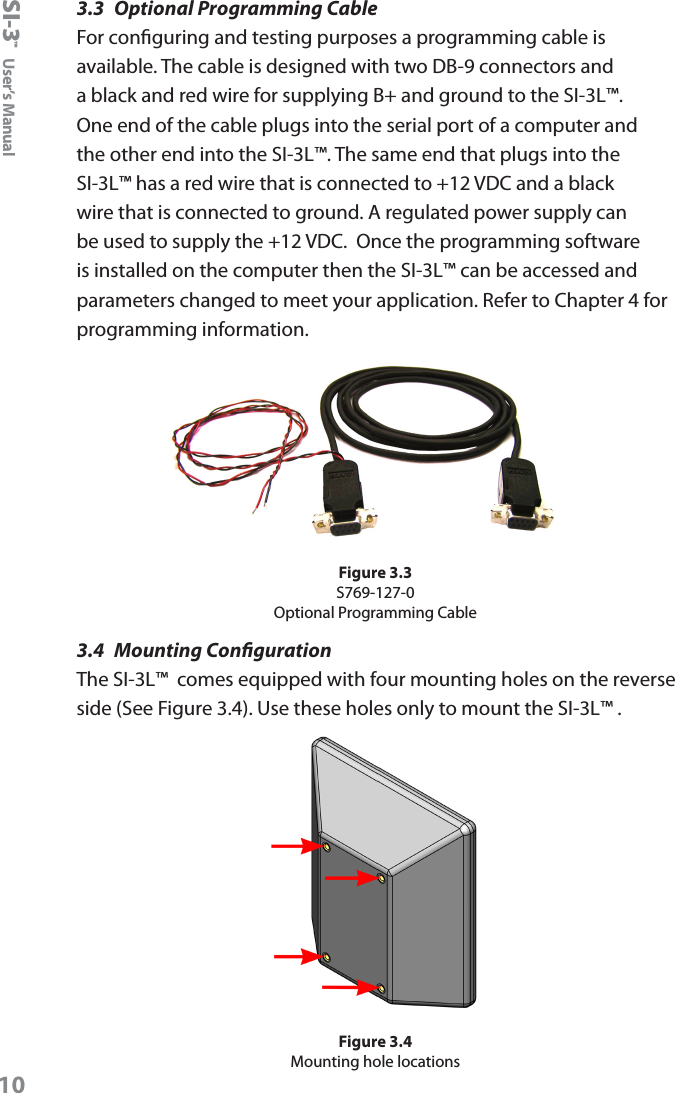
SI-3™  User’s Manual82.  Receiving InspectionWhen you receive your SI-3L™:•  Inspect it for any freight damage that might have happened during shipping or unloading. Take pictures to document any damage.•   Notify the freight company immediately of any damage, preferably while the driver is present.•   Record the damage on the bill of lading and keep a record of the problems or damage. •   The package should include the following pictured items along with this User’s Manual. SI-3L™ Programming DiskS900-34Tuning ForkS769-78551-0Serial cable
SI-3™  User’s Manual93.  Getting Started3.1  IntroductionThe SI-3L™ is a low prole radar specically designed to measure speeds and export that speed information as RS232 data via the special serial cable. This allows the SI-3L™ to be used for a wide range of applications such as Radar Speed Trailers, trac speed data collection (when used with the Decatur EZ Stat™ data logger) or other uses where speed monitoring is desired. The SI-3L™ comes with a Programming disk that allows the user to congure certain parameters of the SI-3L™ for specic applications. Refer to Chapter 4 for conguration information. Additionally, a Radar Monitor program is also available that allows you to display speed information on your computer and record that information to a text le for analysis.3.2  Connecting the Serial CableThe SI-3L™ operates o of +12VDC and comes with a cable that has two connectors. The circular connector plugs into the SI-3L™ and the DB-9 serial connector (shown in Figure 3.2) is used for powering and communicating with the SI-3L. When connecting the cable it is important to understand that unlike standard RS232 serial connectors that have no +12VDC provisions, the SI-3L's™ serial connector has two pins dedicated to B+ and ground for the purpose of powering the unit. Figure 3.2 shows the pin arrangement. Figure 3.2Front view SI-3™ Serial ConnectorTop Row             Bottom RowPin 1 = +12VDC (power)      Pin 6 = N/CPin 2 = RS232 TX             Pin 7 = N/CPin 3 = RS232 RX             Pin 8 = Remote OnPin 4 = N/C                  Pin 9 = Ground (power)Pin 5 = RS232 Ground
SI-3™  User’s Manual103.3  Optional Programming CableFor conguring and testing purposes a programming cable is available. The cable is designed with two DB-9 connectors and a black and red wire for supplying B+ and ground to the SI-3L™. One end of the cable plugs into the serial port of a computer and the other end into the SI-3L™. The same end that plugs into the SI-3L™ has a red wire that is connected to +12 VDC and a black wire that is connected to ground. A regulated power supply can be used to supply the +12 VDC.  Once the programming software is installed on the computer then the SI-3L™ can be accessed and parameters changed to meet your application. Refer to Chapter 4 for programming information.Figure 3.3S769-127-0Optional Programming Cable3.4  Mounting CongurationThe SI-3L™  comes equipped with four mounting holes on the reverse side (See Figure 3.4). Use these holes only to mount the SI-3L™ .Figure 3.4Mounting hole locations
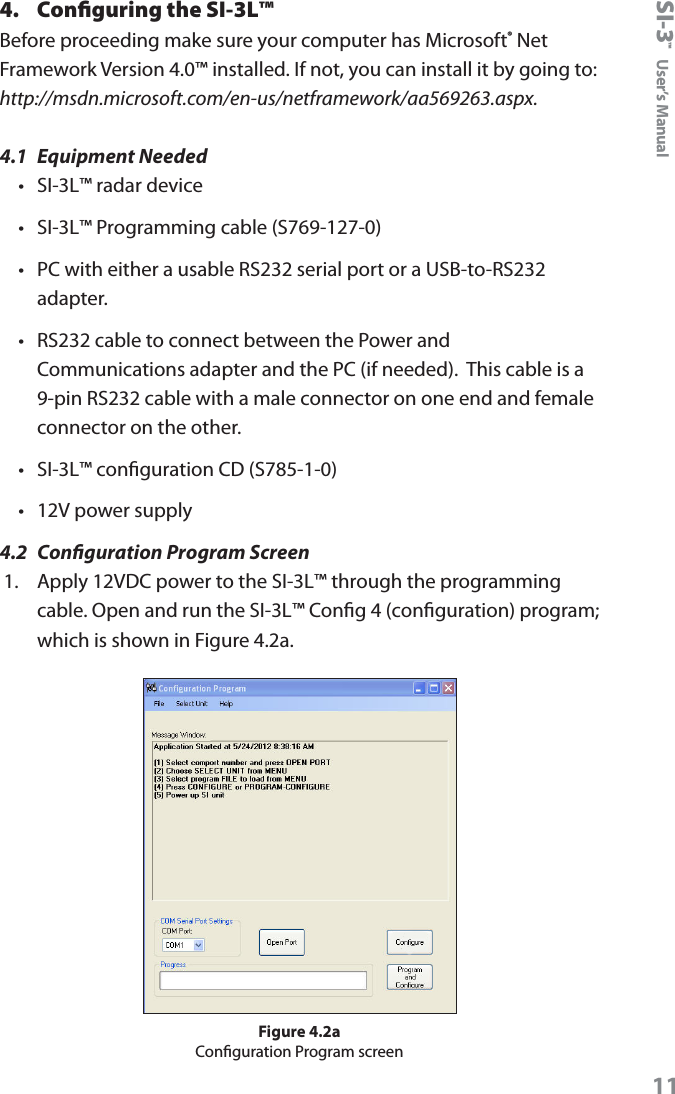
SI-3™  User’s Manual114.  Configuring the SI-3L™Before proceeding make sure your computer has Microsoft® Net Framework Version 4.0™ installed. If not, you can install it by going to: http://msdn.microsoft.com/en-us/netframework/aa569263.aspx.4.1  Equipment Needed•  SI-3L™ radar device•  SI-3L™ Programming cable (S769-127-0)•  PC with either a usable RS232 serial port or a USB-to-RS232 adapter.•  RS232 cable to connect between the Power and Communications adapter and the PC (if needed).  This cable is a 9-pin RS232 cable with a male connector on one end and female connector on the other.•  SI-3L™ conguration CD (S785-1-0)•  12V power supply4.2  Conguration Program Screen1.  Apply 12VDC power to the SI-3L™ through the programming cable. Open and run the SI-3L™ Cong 4 (conguration) program; which is shown in Figure 4.2a.Figure 4.2aConguration Program screen
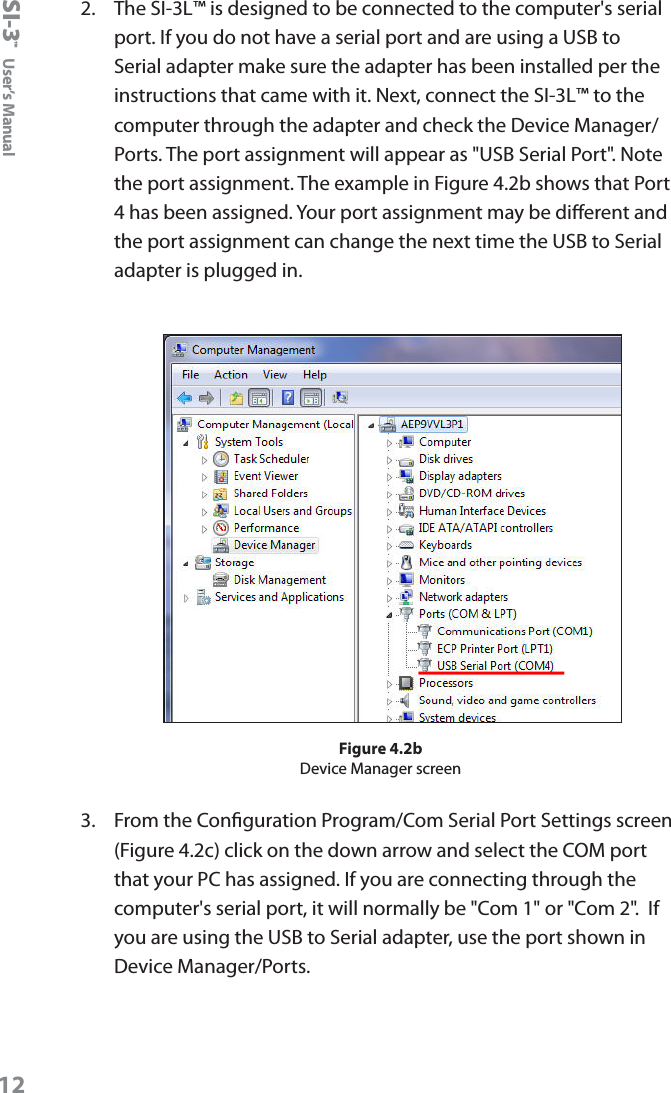
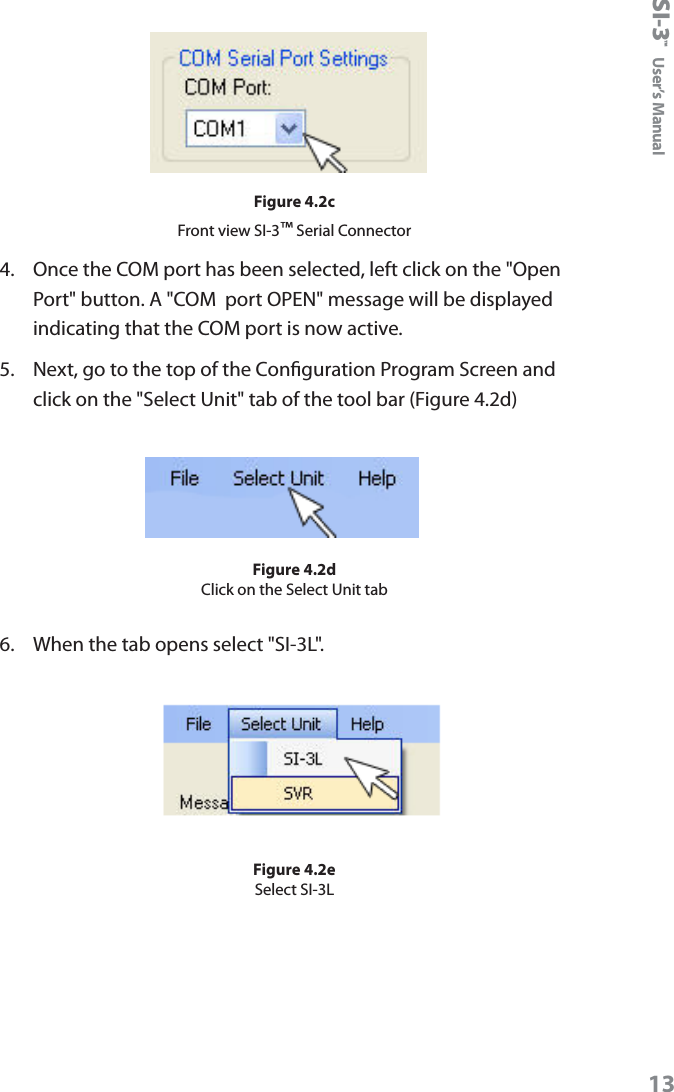
SI-3™  User’s Manual122.   The SI-3L™ is designed to be connected to the computer's serial port. If you do not have a serial port and are using a USB to Serial adapter make sure the adapter has been installed per the instructions that came with it. Next, connect the SI-3L™ to the computer through the adapter and check the Device Manager/ Ports. The port assignment will appear as "USB Serial Port". Note the port assignment. The example in Figure 4.2b shows that Port 4 has been assigned. Your port assignment may be dierent and the port assignment can change the next time the USB to Serial adapter is plugged in.Figure 4.2bDevice Manager screen3.  From the Conguration Program/Com Serial Port Settings screen (Figure 4.2c) click on the down arrow and select the COM port that your PC has assigned. If you are connecting through the computer's serial port, it will normally be "Com 1" or "Com 2".  If you are using the USB to Serial adapter, use the port shown in Device Manager/Ports.
SI-3™  User’s Manual13Figure 4.2cFront view SI-3™ Serial Connector4.  Once the COM port has been selected, left click on the "Open Port" button. A "COM  port OPEN" message will be displayed indicating that the COM port is now active.5.  Next, go to the top of the Conguration Program Screen and click on the "Select Unit" tab of the tool bar (Figure 4.2d)Figure 4.2dClick on the Select Unit tab6.  When the tab opens select "SI-3L". Figure 4.2eSelect SI-3L
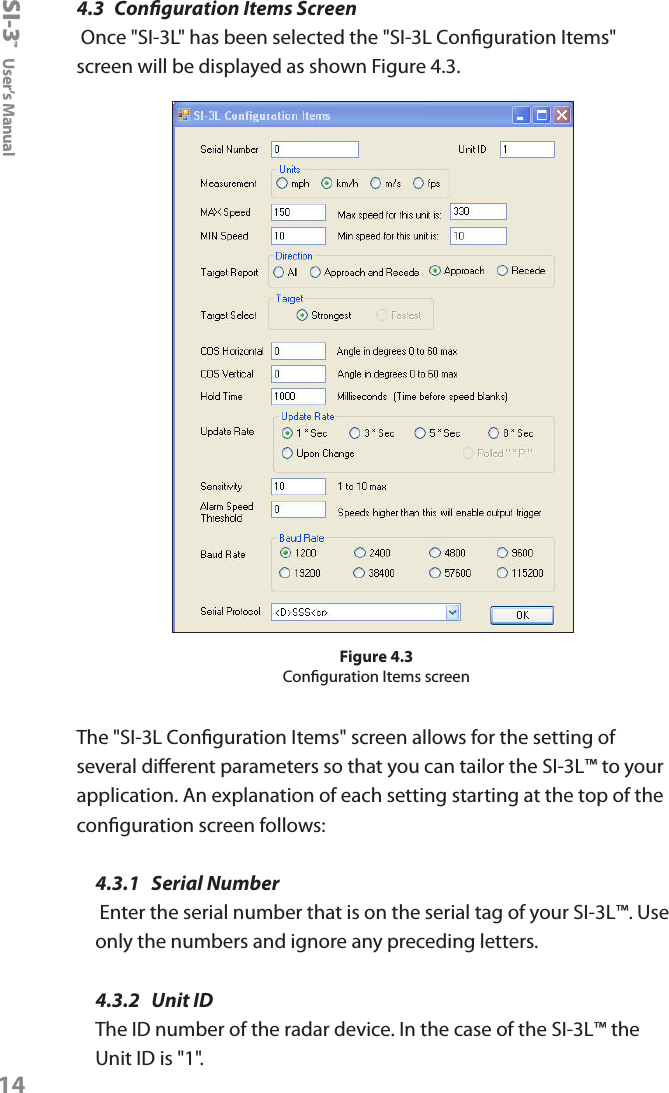
SI-3™  User’s Manual144.3  Conguration Items Screen Once "SI-3L" has been selected the "SI-3L Conguration Items" screen will be displayed as shown Figure 4.3.Figure 4.3Conguration Items screenThe "SI-3L Conguration Items" screen allows for the setting of several dierent parameters so that you can tailor the SI-3L™ to your application. An explanation of each setting starting at the top of the conguration screen follows:4.3.1  Serial Number Enter the serial number that is on the serial tag of your SI-3L™. Use only the numbers and ignore any preceding letters.4.3.2  Unit IDThe ID number of the radar device. In the case of the SI-3L™ the Unit ID is "1".
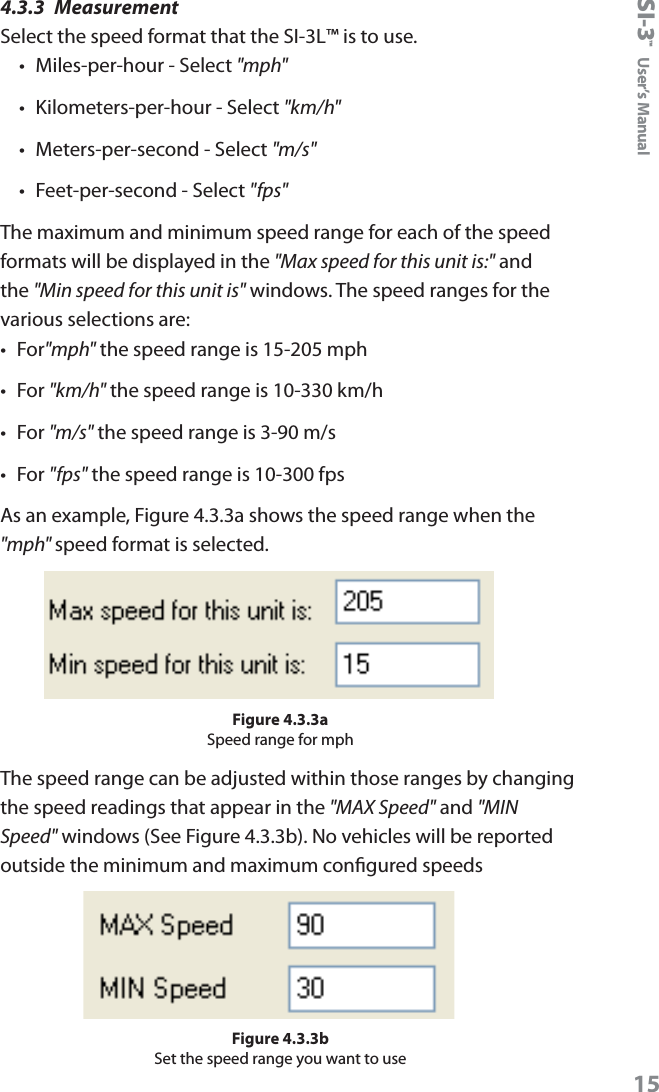
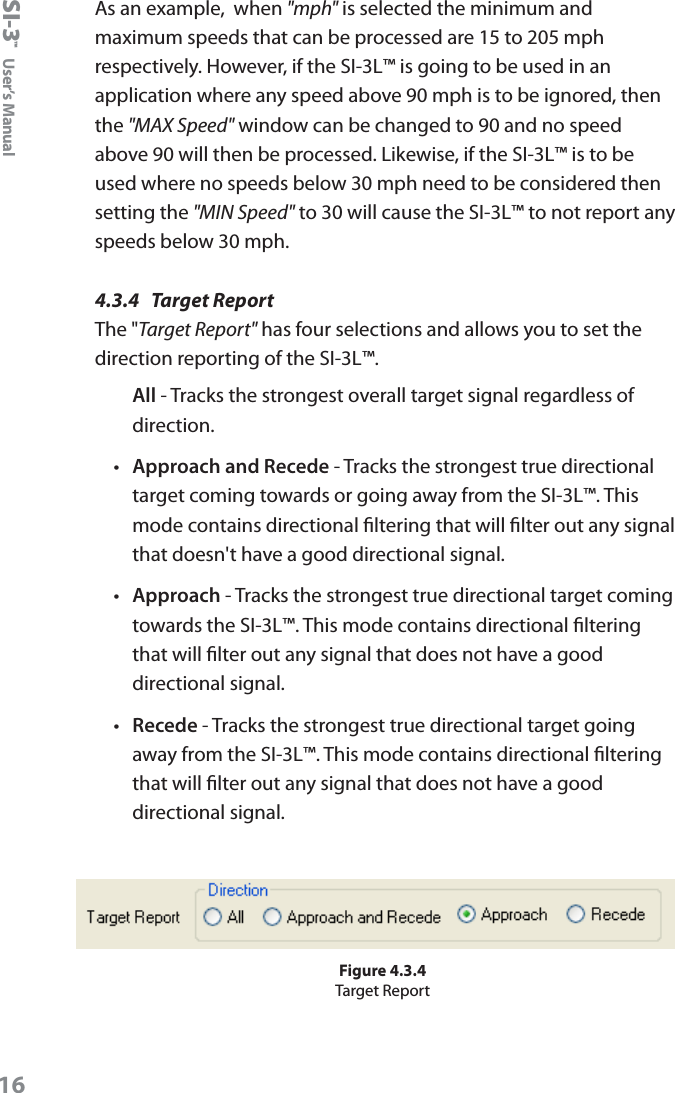
SI-3™  User’s Manual154.3.3  MeasurementSelect the speed format that the SI-3L™ is to use. •  Miles-per-hour - Select "mph"•  Kilometers-per-hour - Select "km/h"•  Meters-per-second - Select "m/s"•  Feet-per-second - Select "fps"The maximum and minimum speed range for each of the speed formats will be displayed in the "Max speed for this unit is:" and the "Min speed for this unit is" windows. The speed ranges for the various selections are:•  For"mph" the speed range is 15-205 mph•  For "km/h" the speed range is 10-330 km/h•  For "m/s" the speed range is 3-90 m/s•  For "fps" the speed range is 10-300 fpsAs an example, Figure 4.3.3a shows the speed range when the "mph" speed format is selected.Figure 4.3.3aSpeed range for mphThe speed range can be adjusted within those ranges by changing the speed readings that appear in the "MAX Speed" and "MIN Speed" windows (See Figure 4.3.3b). No vehicles will be reported outside the minimum and maximum congured speedsFigure 4.3.3bSet the speed range you want to use
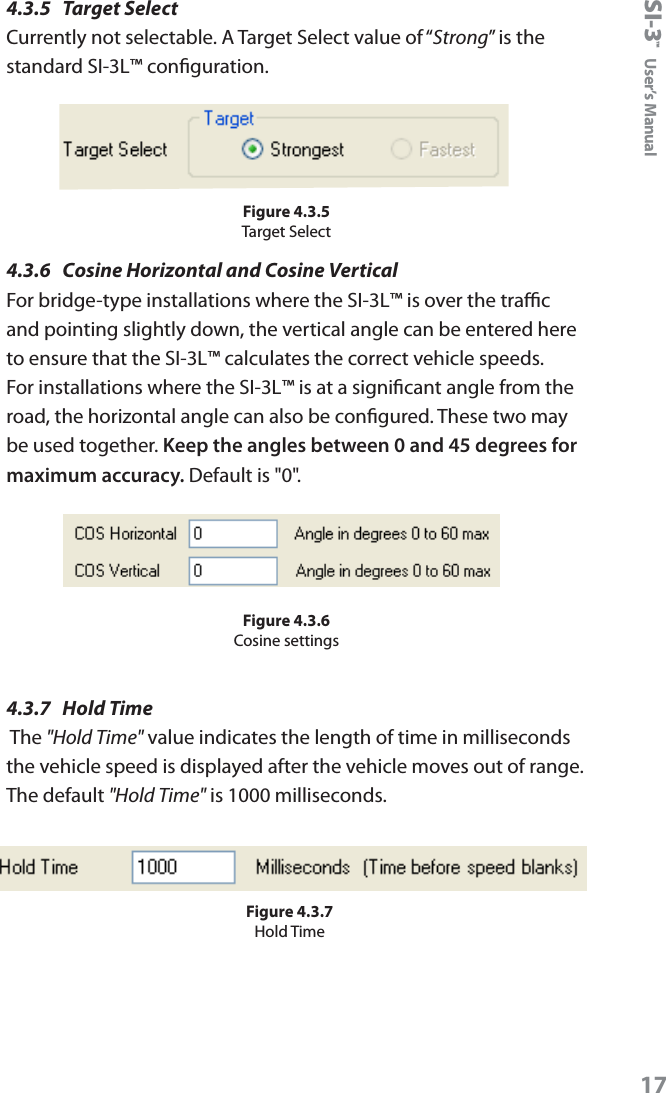
SI-3™  User’s Manual16As an example,  when "mph" is selected the minimum and maximum speeds that can be processed are 15 to 205 mph respectively. However, if the SI-3L™ is going to be used in an application where any speed above 90 mph is to be ignored, then the "MAX Speed" window can be changed to 90 and no speed above 90 will then be processed. Likewise, if the SI-3L™ is to be used where no speeds below 30 mph need to be considered then setting the "MIN Speed" to 30 will cause the SI-3L™ to not report any speeds below 30 mph.4.3.4  Target ReportThe "Target Report" has four selections and allows you to set the direction reporting of the SI-3L™. All - Tracks the strongest overall target signal regardless of direction.•  Approach and Recede - Tracks the strongest true directional target coming towards or going away from the SI-3L™. This mode contains directional ltering that will lter out any signal that doesn't have a good directional signal.•  Approach - Tracks the strongest true directional target coming towards the SI-3L™. This mode contains directional ltering that will lter out any signal that does not have a good directional signal.•  Recede - Tracks the strongest true directional target going away from the SI-3L™. This mode contains directional ltering that will lter out any signal that does not have a good directional signal.Figure 4.3.4Target Report
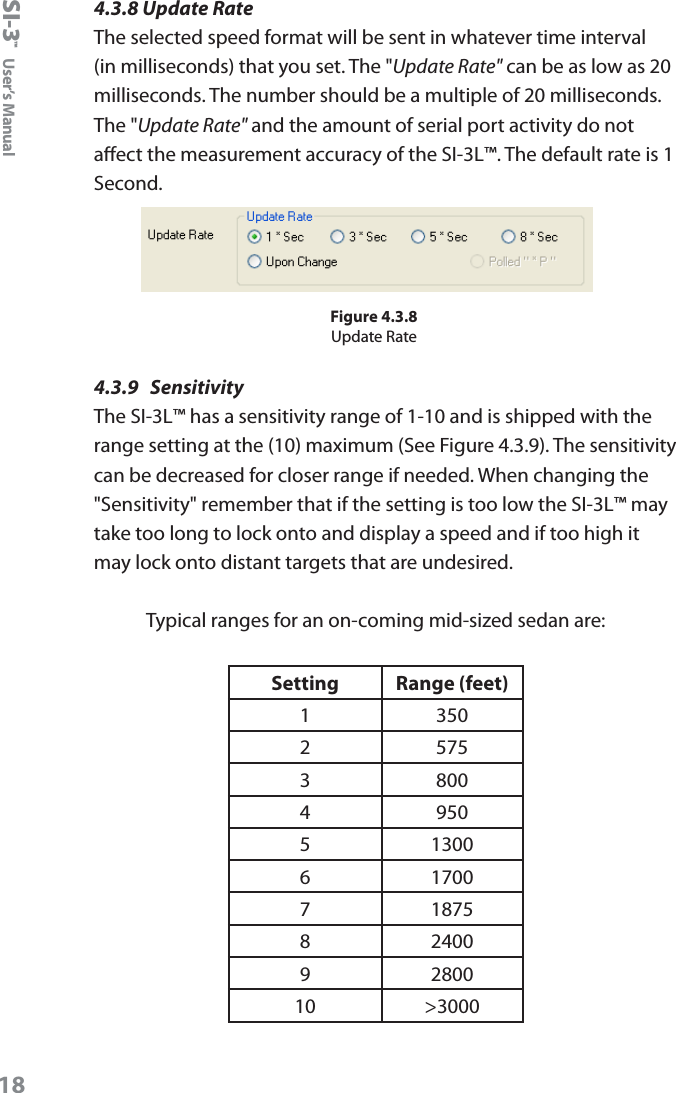
SI-3™  User’s Manual174.3.5  Target SelectCurrently not selectable. A Target Select value of “Strong” is the standard SI-3L™ conguration. Figure 4.3.5Target Select4.3.6  Cosine Horizontal and Cosine VerticalFor bridge-type installations where the SI-3L™ is over the trac and pointing slightly down, the vertical angle can be entered here to ensure that the SI-3L™ calculates the correct vehicle speeds. For installations where the SI-3L™ is at a signicant angle from the road, the horizontal angle can also be congured. These two may be used together. Keep the angles between 0 and 45 degrees for maximum accuracy. Default is "0".Figure 4.3.6Cosine settings4.3.7  Hold Time The "Hold Time" value indicates the length of time in milliseconds the vehicle speed is displayed after the vehicle moves out of range. The default "Hold Time" is 1000 milliseconds.Figure 4.3.7Hold Time
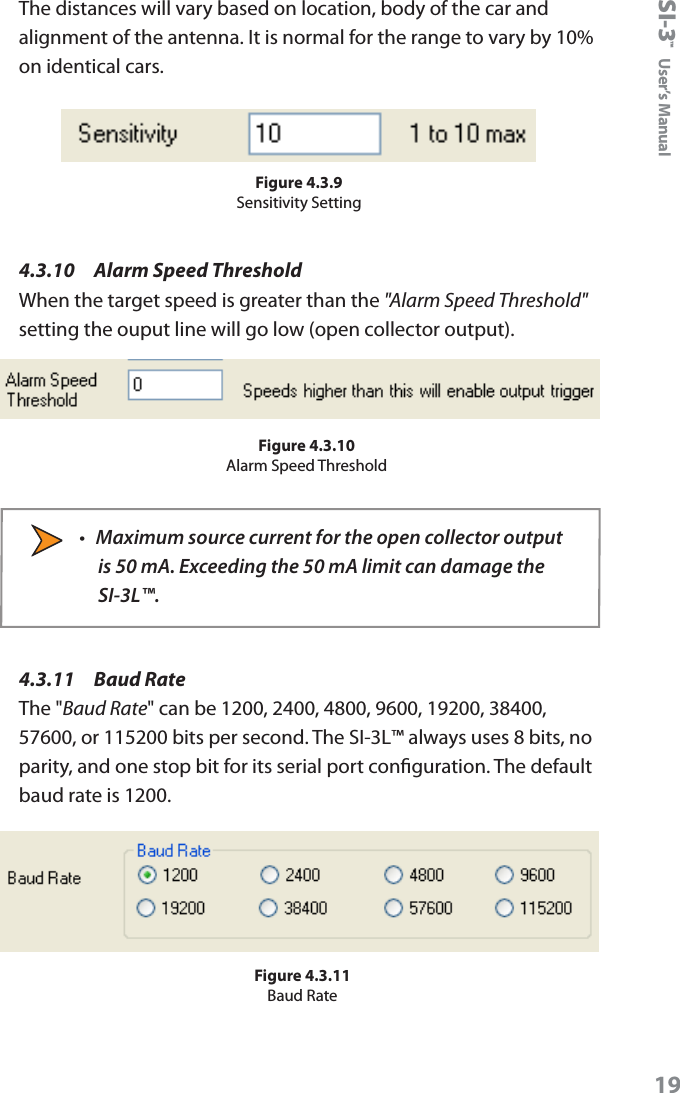
SI-3™  User’s Manual184.3.8 Update RateThe selected speed format will be sent in whatever time interval (in milliseconds) that you set. The "Update Rate" can be as low as 20 milliseconds. The number should be a multiple of 20 milliseconds. The "Update Rate" and the amount of serial port activity do not aect the measurement accuracy of the SI-3L™. The default rate is 1 Second.Figure 4.3.8Update Rate4.3.9  SensitivityThe SI-3L™ has a sensitivity range of 1-10 and is shipped with the range setting at the (10) maximum (See Figure 4.3.9). The sensitivity can be decreased for closer range if needed. When changing the "Sensitivity" remember that if the setting is too low the SI-3L™ may take too long to lock onto and display a speed and if too high it may lock onto distant targets that are undesired.Typical ranges for an on-coming mid-sized sedan are:Setting Range (feet)1 3502 5753 8004 9505 13006 17007 18758 24009 280010 >3000
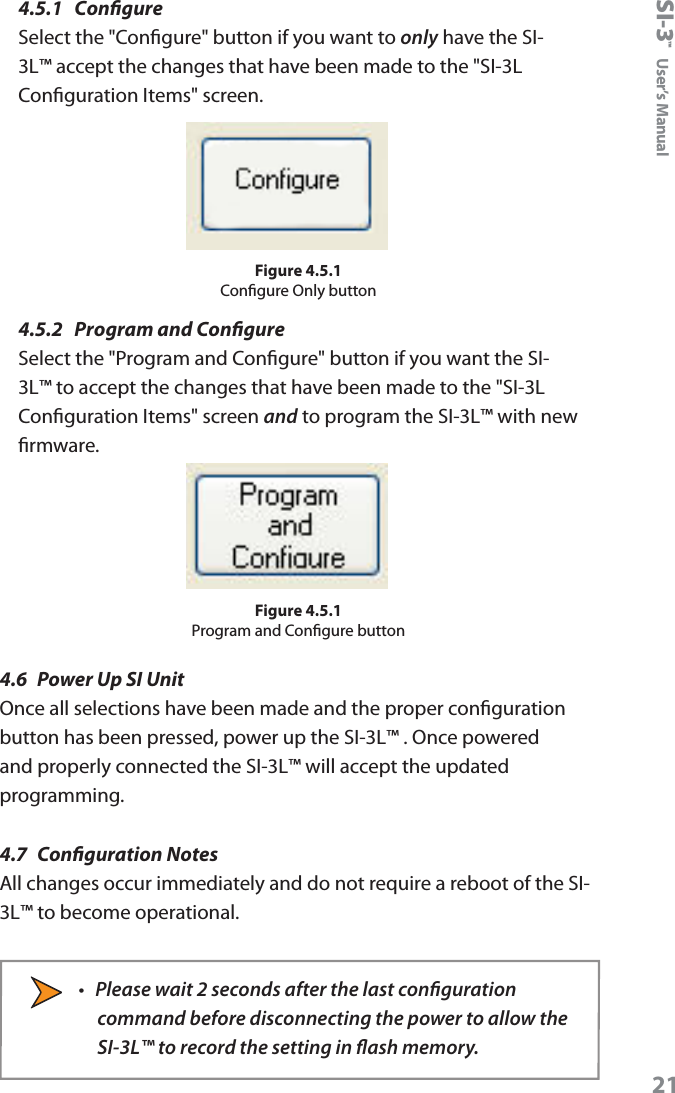
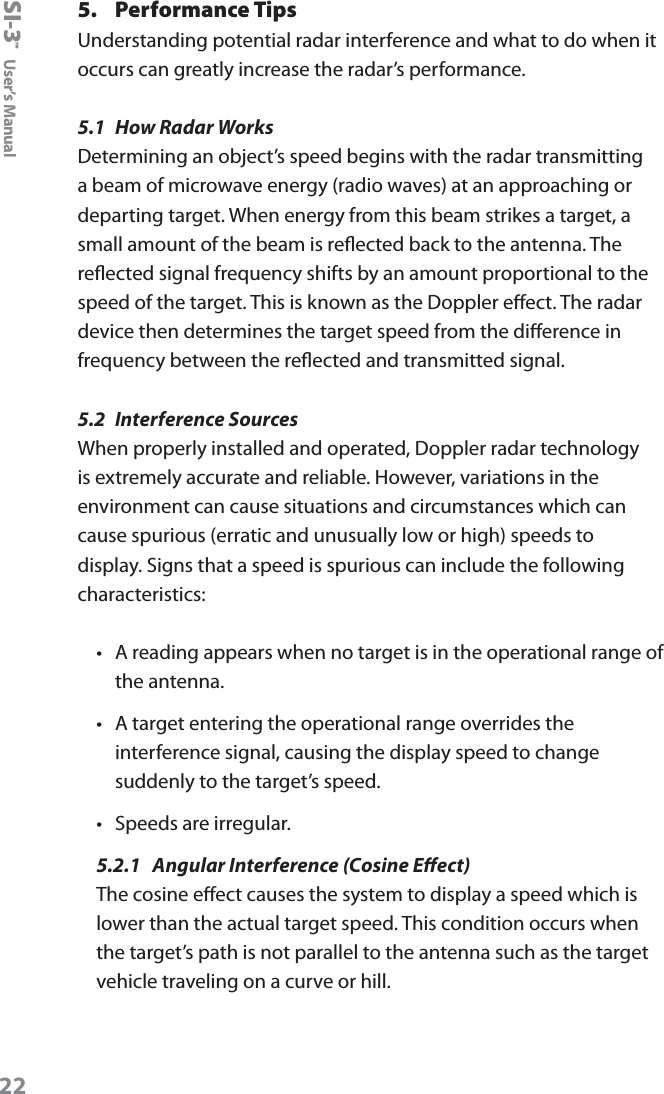
SI-3™  User’s Manual19The distances will vary based on location, body of the car and alignment of the antenna. It is normal for the range to vary by 10% on identical cars.Figure 4.3.9Sensitivity Setting4.3.10    Alarm Speed ThresholdWhen the target speed is greater than the "Alarm Speed Threshold" setting the ouput line will go low (open collector output).Figure 4.3.10Alarm Speed Threshold•  Maximum source current for the open collector output is 50 mA. Exceeding the 50 mA limit can damage the SI-3L™.4.3.11   Baud RateThe "Baud Rate" can be 1200, 2400, 4800, 9600, 19200, 38400, 57600, or 115200 bits per second. The SI-3L™ always uses 8 bits, no parity, and one stop bit for its serial port conguration. The default baud rate is 1200.Figure 4.3.11Baud Rate
SI-3™  User’s Manual204.3.12   Serial ProtocolCurrently there is only one protocol available. <D> is a direction character that is “+” for vehicles coming towards the sign, “-“ for vehicles moving away, and “?” when the direction cannot be determined. [S] represents the displayed speed. If a period is within the square brackets it is the decimal point. Any zeros are sent as described and do not change with a vehicle’s speed. The <cr> signies the end of the outgoing message. Figure 4.3.12Serial Protocol4.4  Select Program FILE to Load from MENU (Optional)From time to time Decatur Electronics will release new rmware for the SI-3L™ . If you have received new rmware then save the rmware to a le on your hard drive remembering the path to where the le is saved. If you have new rmware and need to congure the rmware to the SI-3L™ then click on the "File" tab at the top of the screen.Figure 4.4Click on the "File" tab From "File" go to where you have saved the new rmware and click on the le. Next, proceed to Section 4.5. 4.5  Press CONFIGURE or PROGRAM-CONFIGURETwo options are available. You can either congure the SI-3L™ to only accept the changes you have made to the "SI-3L Conguration Items" screen (Figure 4.3a) or you can congure the SI-3L™ to accept the changes you have made to the "SI-3L Conguration Items screen" and to also accept the new rmware.
SI-3™  User’s Manual214.5.1  CongureSelect the "Congure" button if you want to only have the SI-3L™ accept the changes that have been made to the "SI-3L Conguration Items" screen.Figure 4.5.1Congure Only button4.5.2  Program and CongureSelect the "Program and Congure" button if you want the SI-3L™ to accept the changes that have been made to the "SI-3L Conguration Items" screen and to program the SI-3L™ with new rmware.Figure 4.5.1Program and Congure button4.6  Power Up SI UnitOnce all selections have been made and the proper conguration button has been pressed, power up the SI-3L™ . Once powered and properly connected the SI-3L™ will accept the updated programming.4.7  Conguration NotesAll changes occur immediately and do not require a reboot of the SI-3L™ to become operational. •  Please wait 2 seconds after the last conguration command before disconnecting the power to allow the SI-3L™ to record the setting in ash memory.
SI-3™  User’s Manual225.  Performance TipsUnderstanding potential radar interference and what to do when it occurs can greatly increase the radar’s performance. 5.1  How Radar Works Determining an object’s speed begins with the radar transmitting a beam of microwave energy (radio waves) at an approaching or departing target. When energy from this beam strikes a target, a small amount of the beam is reected back to the antenna. The reected signal frequency shifts by an amount proportional to the speed of the target. This is known as the Doppler eect. The radar device then determines the target speed from the dierence in frequency between the reected and transmitted signal.5.2  Interference SourcesWhen properly installed and operated, Doppler radar technology is extremely accurate and reliable. However, variations in the environment can cause situations and circumstances which can cause spurious (erratic and unusually low or high) speeds to display. Signs that a speed is spurious can include the following characteristics:•  A reading appears when no target is in the operational range of the antenna. •  A target entering the operational range overrides the interference signal, causing the display speed to change suddenly to the target’s speed. •  Speeds are irregular.5.2.1  Angular Interference (Cosine Eect)The cosine eect causes the system to display a speed which is lower than the actual target speed. This condition occurs when the target’s path is not parallel to the antenna such as the target vehicle traveling on a curve or hill.
SI-3™  User’s Manual23As the angle between the beam of the antenna and the target increases, the displayed speed decreases. Ideally, an angle of zero (0) degrees is preferable, because the displayed speed is the actual target speed. However, in all uses of police radar, the radar device is always at a slight angle to the target vehicle to avoid collisions.VelocityVectorAngleRadarFigure 5.2.1 An angle between the antenna and the  target causes the cosine eectThe following table shows the eect that an increasing angle has on a displayed speed.Horizontal Angle DegreesActual Speed0° 1° 3° 5° 10° 15° 20° 30° 45° 60° 90°Displayed speed:30 mph 30 29 29 29 29 28 28 26 21 15 040 mph 40 39 39 39 39 38 37 34 28 20 050 mph 50 49 49 49 49 48 46 43 35 25 060 mph 60 59 59 59 59 57 56 51 31 30 070 mph 70 69 69 69 68 67 65 60 49 35 080 mph 80 79 79 79 78 77 75 69 57 40 0Table 5.2.1Actual and displayed speeds at antenna-to-target angles
SI-3™  User’s Manual24Small angles (less than 10°) have little eect on accuracy. As the angle increases, the displayed speed decreases. At 90°, the target speed is 0—grossly incorrect.5.2.2  Fan InterferenceFan interference is one of the most common forms of interference that you are likely to experience. It is caused when the radar measures the speed of a blower fan that is within the beam path of the radar. If the SI-3L™ is used inside of a building keep in mind that furnace and air conditioner fans can cause interference. To correct this, relocate the radar so it does not display spurious speeds or turn o the fan motor.5.2.3  Electromagnetic Interference (EMI) Operating electric motors can produce EMI. EMI from power seats or windshield wipers can also produce spurious target speeds. To correct the interference, simply turn o its source.5.2.4  Feedback InterferenceWhen the radar beam is directed at computer screens, streetlights, and other electronic devices it can display spurious speeds. Relocate the SI-3L™ to avoid the interference. 5.2.5  Multi-Path Beam CancellationIf multi-path beam cancellation occurs, the target vehicle speed sporadically blinks and reappears at semi-random intervals. This type of interference occurs when the radar loses track of a target because the target is reecting two or more signals which are interfering with each other. The SI-3L™ is immune from multi-path cancellation.5.2.6  Radio Frequency Interference (RFI)The system can inadvertently process radio energy as Doppler speeds including that from 2-way radios, airport radar, microwave transmission towers, CB radio transmitters, and AM/FM transmission towers. For this type of interference to occur, the SI-3L™ must be operating very close to the radio transmitter.
SI-3™  User’s Manual255.2.7  Scanning The SI-3L™ is designed to be used while attached to a solid mount position. Moving or “scanning” the antenna past stationary objects can cause the system to detect motion. Obtaining a speed reading from scanning will not happen as long as the antenna is held in one position and is not moved.5.2.8  Environmental Factors: Rain & Snow Environmental factors such as rain or snow can reduce the distance at which a target can be detected; however, these factors will not aect accuracy.
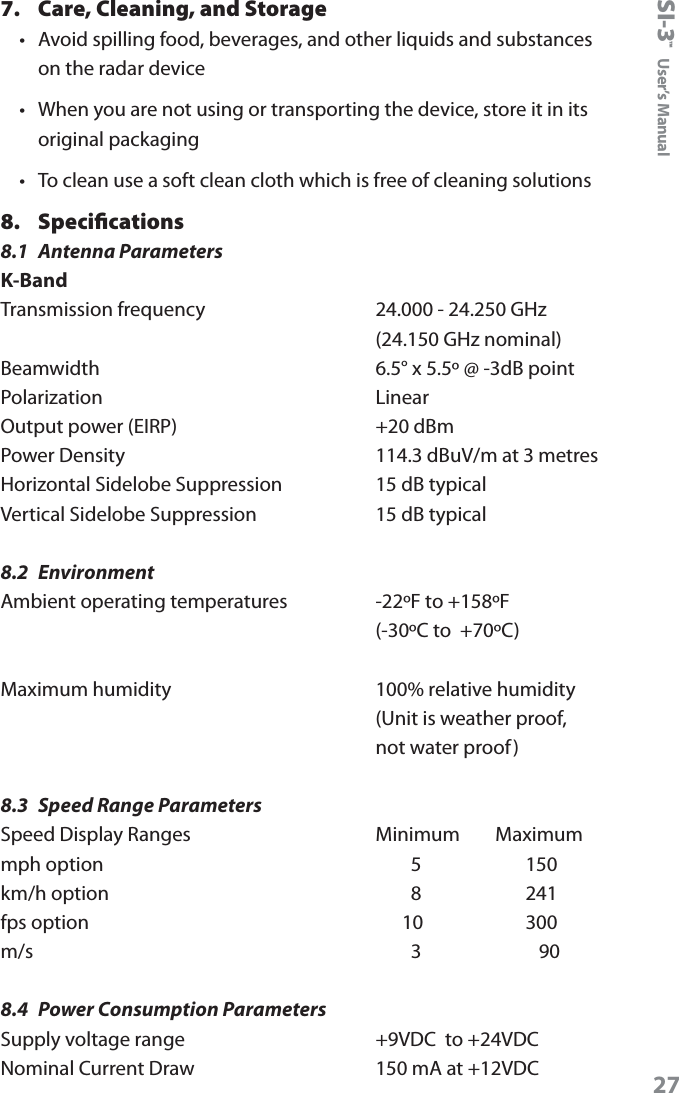
SI-3™  User’s Manual266.  Testing the Device6.1  Tuning Fork TestYou can verify signal processing accuracy by using a tuning fork, which comes with the radar. There is a one minute time window from when the SI-3L™ is rst powered on in which you can test the unit using a tuning fork. After one minute the SI-3L™ switches to directional mode and the fork will no longer be read.To begin the test, tap the tines of the fork on a rm, non-metallic surface. The tuning fork will ring audibly. Place the tuning fork that you tapped with the narrow side facing about 3 inches directly in front of the antenna. Compare the speed in the display window to the speed stamped on the fork. If the dierence is within ±1 display unit, the SI-3L™ is working properly. Figure 6.1Place the vibrating tuning fork about 3 inches in front of the antennaIf the device does not display the expected speed, contact Decatur Electronics Customer Service at 888.428.4315 to arrange for service.•  Only tap the tuning fork against hard plastic, wood, and materials that are softer than metal. Repeatedly tapping the tines on hard surfaces, such as metal and concrete, can damage the tines and invalidate the fork for future tests.
SI-3™  User’s Manual277.  Care, Cleaning, and Storage •  Avoid spilling food, beverages, and other liquids and substances on the radar device •  When you are not using or transporting the device, store it in its original packaging •  To clean use a soft clean cloth which is free of cleaning solutions8.  Specifications 8.1  Antenna ParametersK-BandTransmission frequency    24.000 - 24.250 GHz     (24.150 GHz nominal) Beamwidth    6.5° x 5.5º @ -3dB point Polarization    Linear  Output power (EIRP)    +20 dBm Power Density    114.3 dBuV/m at 3 metres Horizontal Sidelobe Suppression    15 dB typical Vertical Sidelobe Suppression    15 dB typical8.2  EnvironmentAmbient operating temperatures    -22ºF to +158ºF     (-30ºC to  +70ºC)Maximum humidity       100% relative humidity     (Unit is weather proof,      not water proof)8.3  Speed Range ParametersSpeed Display Ranges    Minimum        Maximum mph option            5           150 km/h option            8           241 fps option          10         300 m/s            3       908.4  Power Consumption ParametersSupply voltage range    +9VDC  to +24VDC Nominal Current Draw    150 mA at +12VDC
SI-3™  User’s Manual289.  Legal Requirements9.1  RF Exposure ComplianceThe antenna used for this transmitter must be installed to provide a separation distance of at least 20 cm from all persons and must not be co-located or operating in conjunction with any other antenna or transmitter. Users and installers must be provided with antenna installation instructions and transmitter operating conditions for satisfying RF exposure compliance.9.2  FCC StatementThis device complies with FCC part 15 standard. Operation is subject to the following two conditions:1.  This device may not cause interference, and2.  This device must accept any interference, including interference that may cause undesired operation of the device.Changes or modications not expressly approved by the party responsible for compliance could void the user's authority to operate the equipment.9.3  Industry CanadaEnglish StatementThis Category II radiocommunication device complies with Industry Canada Standard RSS-310French StatementCe dispositif de radiocommunication de catégorie II respecte la norme CNR-310 d'Industrie Canada.
SI-3™  User’s Manual2910. Frequently Asked Questions (FAQ)Q.  My SI-3L™ has poor range. How can I remedy this?A.  Verify that the antenna has no obstructions in front of it. If the unit still has poor range, increase the sensitivity level. If you still have this problem, contact Decatur Electronics.Q.  What if I drop my SI-3L™?A.  The unit is extremely durable. Simply power up and perform tuning fork test. If the unit doesn’t appear to work properly, contact Decatur Electronics.11. WarrantyONE-YEAR RADAR WARRANTYDecatur Electronics, Inc. guarantees the SI-3L™ to be free from defects in workmanship and material and to operate within specications for a period of one year. During this period, Decatur Electronics will repair or replace, at its option, any component found to be defective, without cost to the owner, providing you return the part to the factory or to a Decatur authorized warranty service center. The full warranty on parts and workmanship does not include normal wear and tear, crushing, dropping, re, impact, immersion, misuse, vandalism, or damage from attempted repair or modications by unauthorized service agents or improper voltage.For repairs, simply return the SI-3L™ directly to the factory or to a Decatur authorized service center.Refer to the instructions in the Service Return Procedure.
SI-3™  User’s Manual3012. Service Return ProcedureIf you have questions, want a quick problem diagnosis, or need to return your unit to the factory:•  Call Decatur Electronics and ask to speak with a Customer Service Representative.Phone: 888.428.4315•  Ask for a Return Authorization Number.•  Based on the information that you provide, the Customer Service Representative will issue you a return authorization (RA) number. Write the RA number on your note and shipping label. •  If so directed, include a note describing the problem and/or the incident that resulted in the problem. Failure to do so can delay the return of your system.•  Return the system to: Decatur Electronics, Inc. 3433 East Wood Street Phoenix, AZ, 85040, USA RA # XXXXXXDecatur Electronics does not accept items shipped COD. The customer is responsible for all shipping charges to the Decatur service location. On warranty items Decatur Electronics will pay the freight (up to $10 US) for shipping the system from the repair facility to the customer. We will charge the customer for any shipping charges above the initial $10. If you want to ship your package express or next day air we will send you an invoice for these freight charges.After your product has been received, our technicians will investigate the problem. If your SI-3L™ is out of warranty , you will be sent an estimate of cost, prior to any repair work being performed. After receiving the estimate, you can choose from the following options:
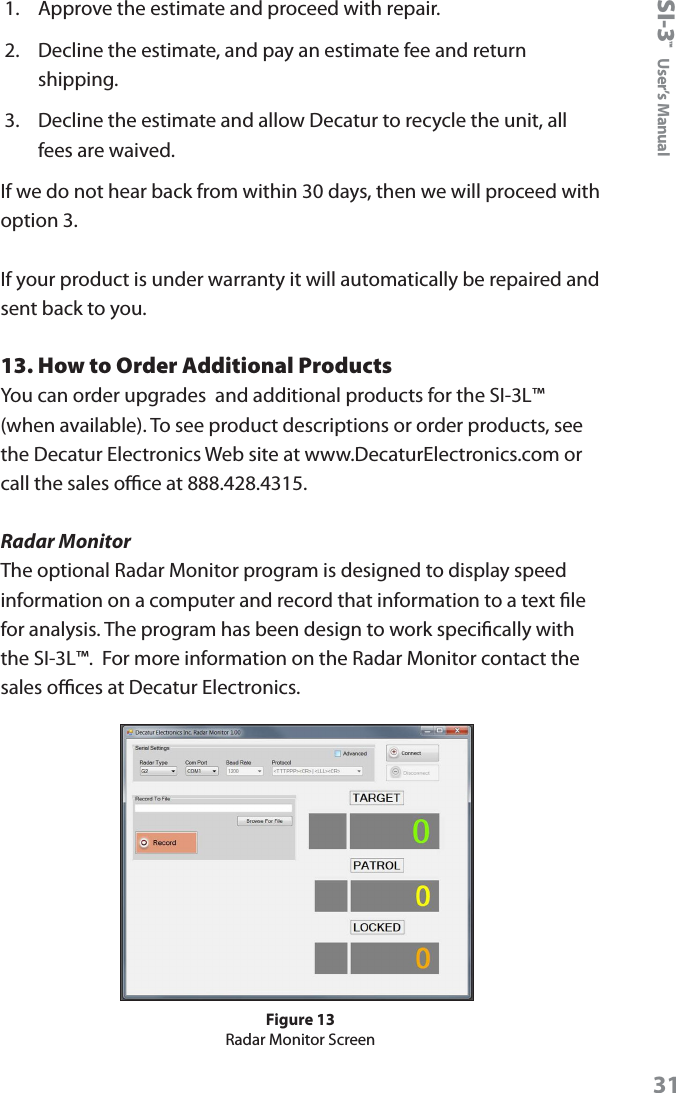
SI-3™  User’s Manual311.  Approve the estimate and proceed with repair.2.  Decline the estimate, and pay an estimate fee and return shipping.3.  Decline the estimate and allow Decatur to recycle the unit, all fees are waived.If we do not hear back from within 30 days, then we will proceed with option 3.If your product is under warranty it will automatically be repaired and sent back to you.13. How to Order Additional ProductsYou can order upgrades  and additional products for the SI-3L™ (when available). To see product descriptions or order products, see the Decatur Electronics Web site at www.DecaturElectronics.com or call the sales oce at 888.428.4315.Radar MonitorThe optional Radar Monitor program is designed to display speed information on a computer and record that information to a text le for analysis. The program has been design to work specically with the SI-3L™.  For more information on the Radar Monitor contact the sales oces at Decatur Electronics.Figure 13Radar Monitor Screen
SI-3™  User’s Manual3214. User Notes
www.DecaturElectronics.com3433 East Wood Street, Phoenix, Arizona 85040, USA800.428.4315  |  217.428.4315  |  Fax 217.428.5302

Navigation menu