Dongguan Pinmi Electronic Technology A899 On-board Music Charger User Manual

Dongguan Pinmi Electronic Technology Co., Ltd. On-board Music Charger Users Manual

Users Manual

   Car Bluetooth FM Transmitter User guide  Product Introduction  This device is a Bluetooth MP3 player developed for car-used, which equipped with professional high-performance Bluetooth module and MP3 decoder chip. It can play and transmit the music from TF card to car stereo via FM radio signal. It can transmit your mobile phone’s music to car stereo via Bluetooth. It can also be used as a hands-free car kit during driving. This device transmits signal by wireless method, no need to modify anything in car. It can be used both as the music player in entertainment purpose or hands-free car kit in safety purpose during driving.          Product Introduction 1.Please plug this device into car cigarette lighter, then it will be on automatically; when it is on work, the screen will display  the  voltage  of  car  battery,  and  monitor  the  car battery in any time. 2.Noise and wind suppressed by CVC technology to create full duplex sound quality. 3.Support  mobile’s  A2DP  function.  Music  will  be  played directly while the mobile phone is connected. 4.Mobile phone can be connected automatically when the device turns on. 5.Support  an  external  TF  card,  can  play  music  files  in MP3/WMA format. 6.Integrated  car  charger  of  output  5V  –  2100mA,  is available for charging handheld devices in car.  Operation Instructions: 1. Device Power-on (1). Device turns on automatically when plug its integrated car charger to car cigarette lighter power. (2). Select any of a frequency. (3). Turn on car FM stereo and select the frequency same as that of the device.  2. Frequency and Volume Adjustment (1).  This  device  support  frequency  of  87.5-108.0MHz which can be adjusted CH+ and CH- . (2). Adjust the volume by rotating  3. Playing Music from TF card  (1). Insert the TF card into the device, it will automatically detect  and  play  the  MP3/WMA/WAV  format  music  in  the TF card. (2).  Music  selection:  press  button  of              and              to select your favorite songs.  4. Connection to Bluetooth Devices: (1). This device equipped with build-in Bluetooth chip, can connect to other handheld Bluetooth devices. (2).  The  pairing  function  will  be  activated  automatically when the device is power on. With the LED indicator ’s 1 time/second blinking, search this device with the name of “T10”, and then connect it. (3). This device has memory function. It will automatically connect  to  its  memorized  paired  Bluetooth  devices  when power on. (4). If you want to remove the memorized devices, please press and hold the Frequency button to remove.  5. Playing Music from Mobile Phone: (1).  After  successfully  connecting  mobile  phone  to  the device  via  Bluetooth,  play  music  from  mobile  phone,  the device will wirelessly transmit the signal to car stereo. (2). You can operate music playing of Volume/Play/Pause/Previous/Next on mobile phone, or on the device.  6. Switching Music File Sources (1). It can play the music from TF card and the device with bluetooth function, you can switch the file source between TF card and device with bluetooth by press            longer       7. make a call   (1)  can  make  a  call  and  answer  the  phone  through  this device after connecting by bluetooth. (2)Double tap            can redial the last phone number. (3)Reject a call: long tap            last for 5 seconds to reject a call while a calling coming.      8. AUX import/output: (1). AUX import:This device supports import from outside , accepting music source by AUX connector eg.MP4.CD.etc Then  music  source  will  be  transtered  ino  FM signal,accepted by radio. (2).  AUX  output:  This  device  support  music  soccrce’s output from inside, it can be accepted by combined sound, car sound and protable heedphone.
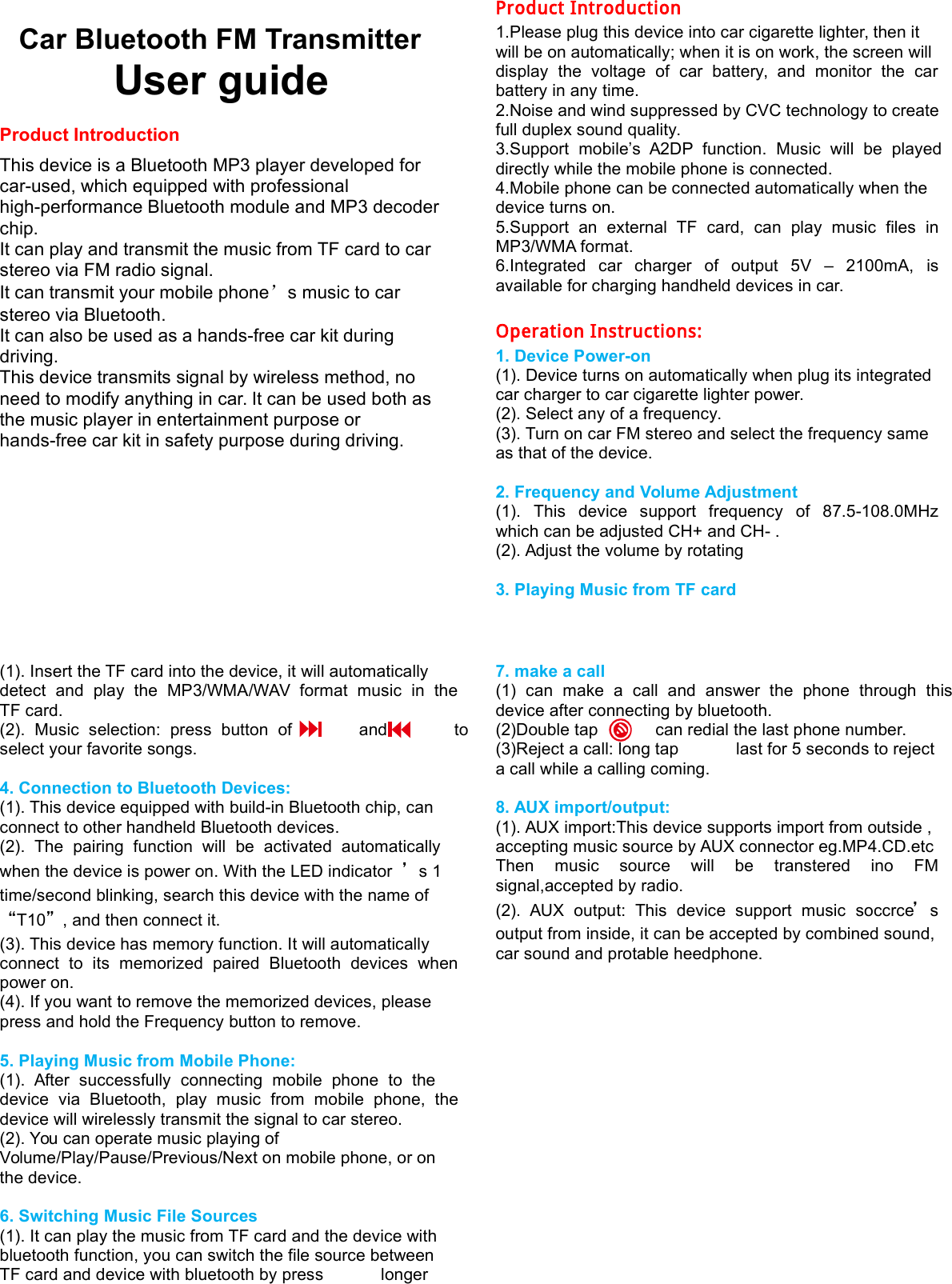
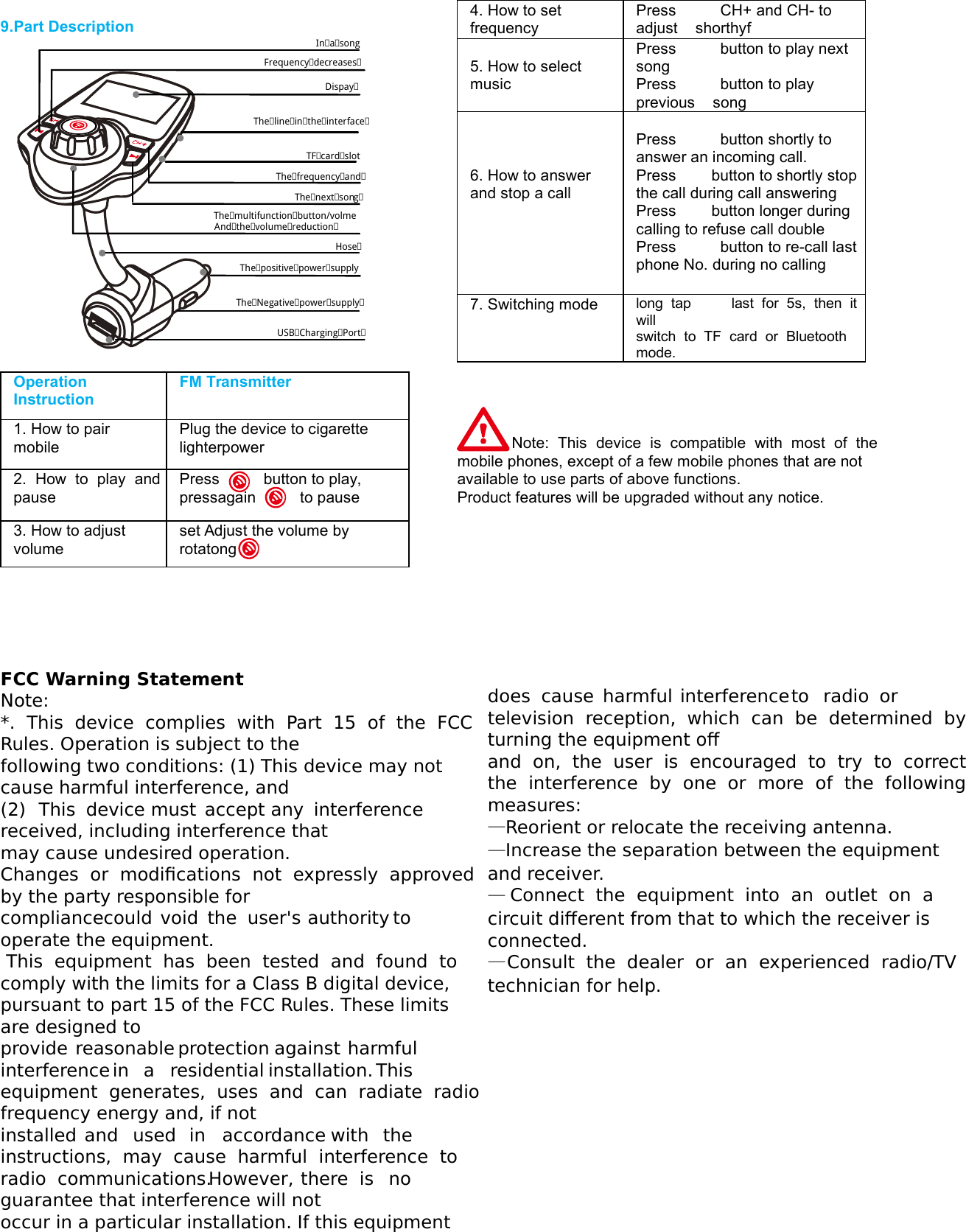
  9.Part Description     Operation Instruction FM Transmitter 1. How to pair mobile Plug the device to cigarette lighterpower 2.  How  to  play  and pause Press          button to play, pressagain          to pause 3. How to adjust volume set Adjust the volume by rotatong In a song Frequency decreases DispayThe line in the interface    TF card slot The frequency and  The multifunction button/volme HoseThe positive power supply  The Negative power supply   USB Charging Port  And the volume reduction   The next son  g 4. How to set frequency Press          CH+ and CH- to adjust    shorthyf  5. How to select music Press          button to play next song Press          button to play previous    song    6. How to answer and stop a call  Press          button shortly to answer an incoming call. Press        button to shortly stop the call during call answering Press        button longer during calling to refuse call double Press          button to re-call last phone No. during no calling 7. Switching mode  long  tap          last  for  5s,  then  it will   switch  to  TF  card  or  Bluetooth mode.     Note:  This  device  is  compatible  with  most  of  the mobile phones, except of a few mobile phones that are not available to use parts of above functions. Product features will be upgraded without any notice.      FCC Warning Statement  !"#$%&#'$   % &"%"()% %%    *%++ %,"&" "  +"&+%"%&     &% -&  ".+     &  %"+/&"% %"—"—. +—+/—)01

Navigation menu