EU3C SCND522A1231 FS-I-5M-ND User Manual 2

EU3C COMPANY LIMITED FS-I-5M-ND Users Manual 2

Contents

Users Manual-2

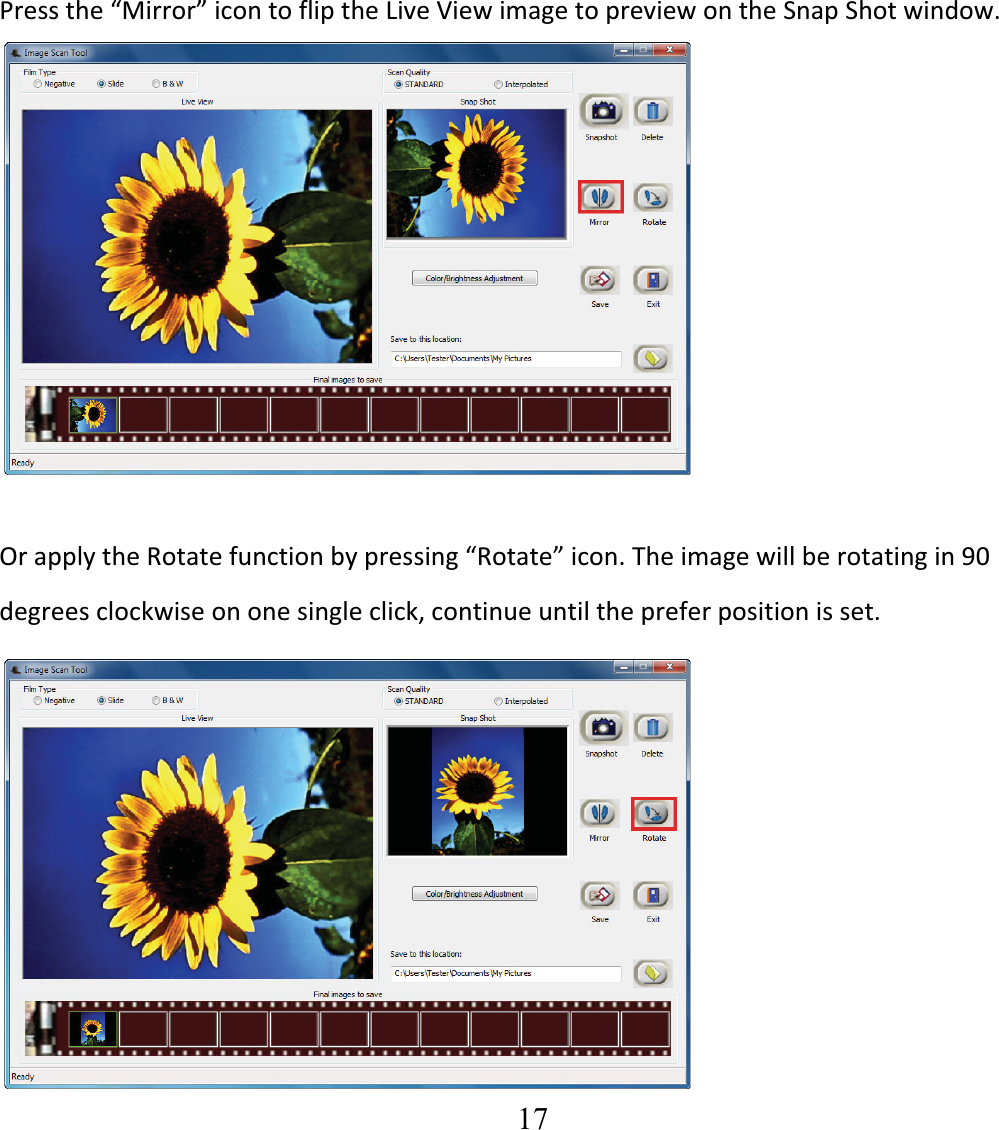
  17  Pressthe“Mirror”icontofliptheLiveViewimagetopreviewontheSnapShotwindow.               OrapplytheRotatefunctionbypressing“Rotate”icon.Theimagewillberotatingin90degreesclockwiseononesingleclick,continueuntilthepreferpositionisset. 
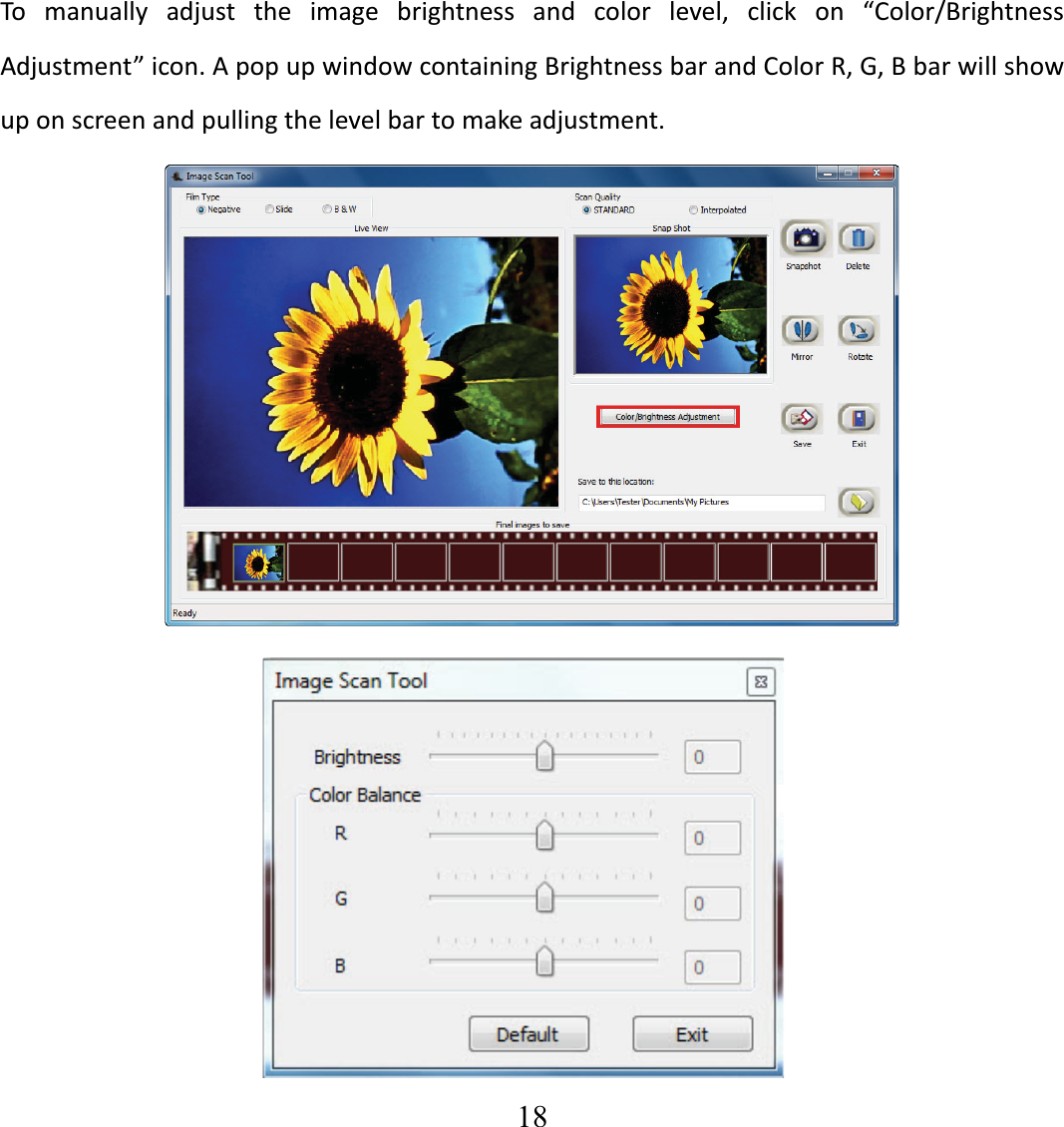
  18  To manually adjust the image brightness and color level, click on “Color/BrightnessAdjustment”icon.ApopupwindowcontainingBrightnessbarandColorR,G,Bbarwillshowuponscreenandpullingthelevelbartomakeadjustment.
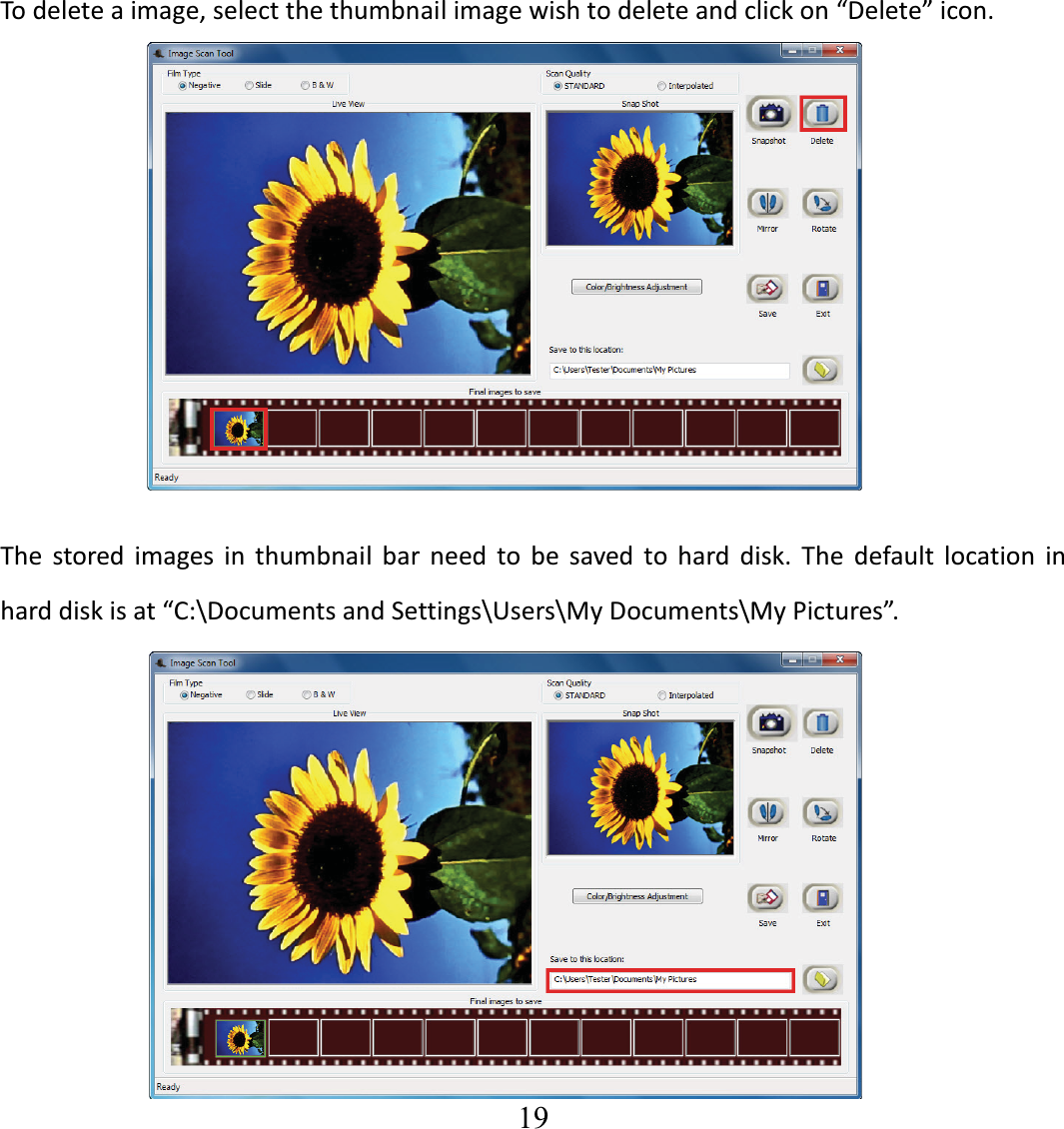
  19  Todeleteaimage,selectthethumbnailimagewishtodeleteandclickon“Delete”icon. The stored images in thumbnail bar need to be saved to hard disk. The default location inharddiskisat“C:\DocumentsandSettings\Users\MyDocuments\MyPictures”.
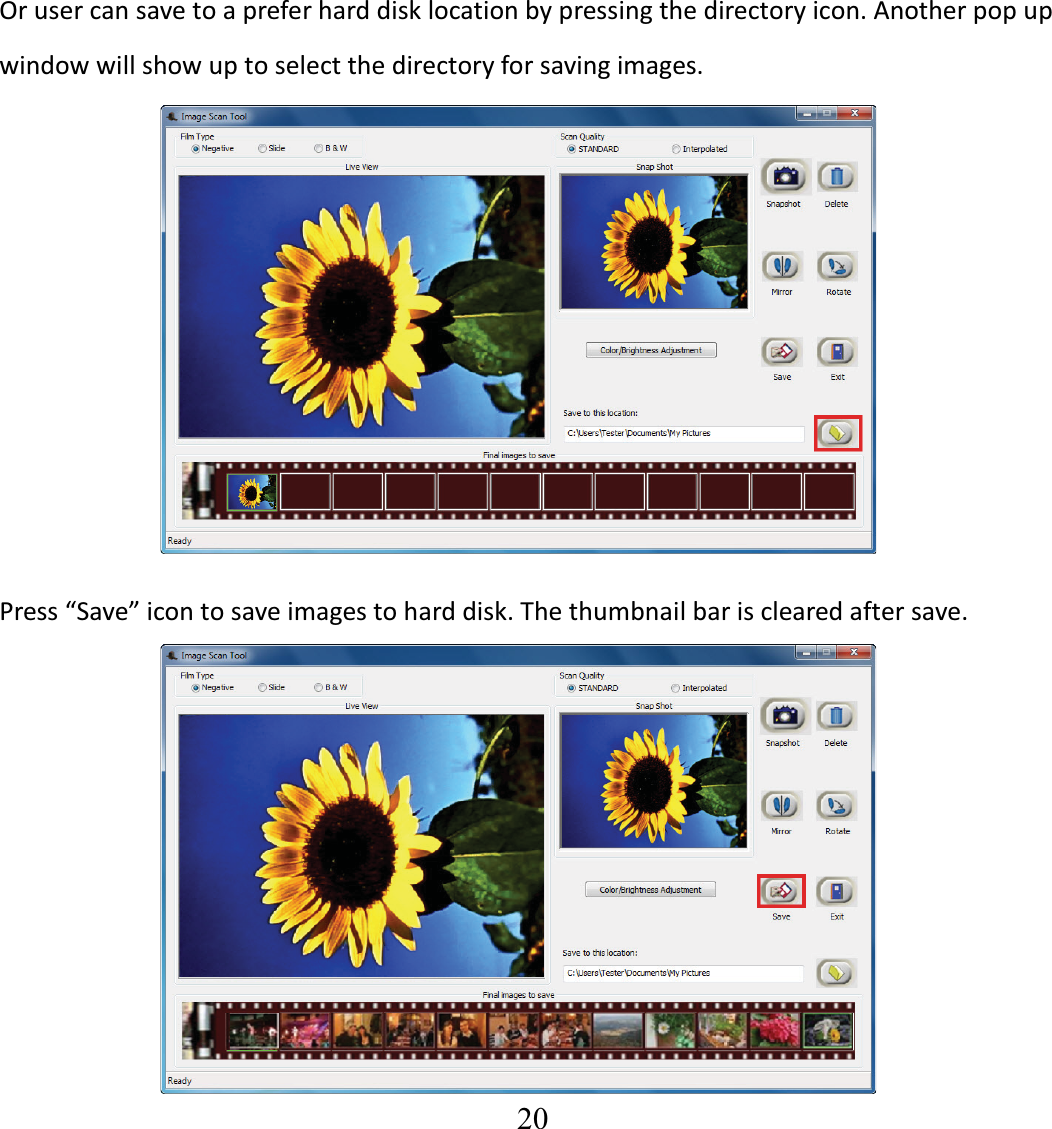
  20  Orusercansavetoapreferharddisklocationbypressingthedirectoryicon.Anotherpopupwindowwillshowuptoselectthedirectoryforsavingimages. Press“Save”icontosaveimagestoharddisk.Thethumbnailbarisclearedaftersave.
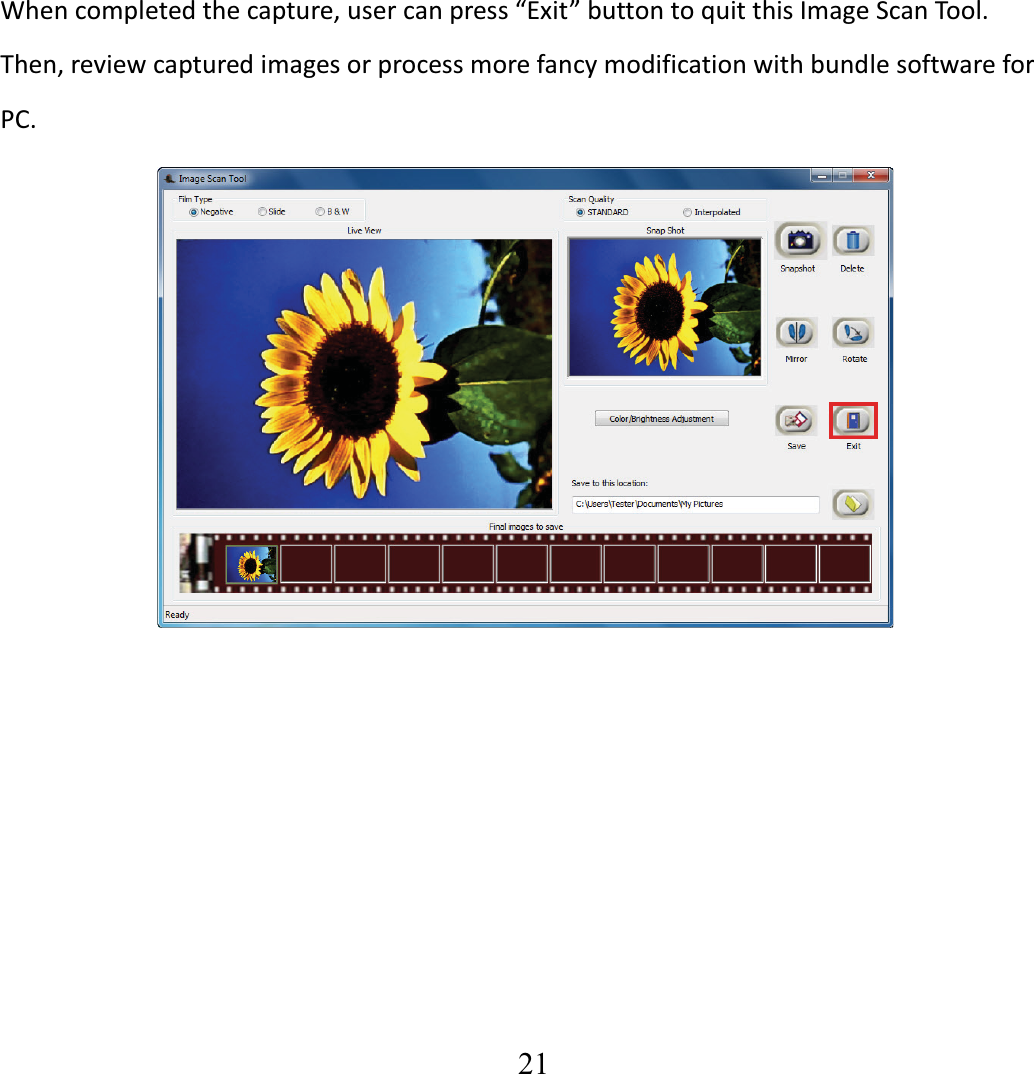
  21   Whencompletedthecapture,usercanpress“Exit”buttontoquitthisImageScanTool.  Then,reviewcapturedimagesorprocessmorefancymodificationwithbundlesoftwareforPC.
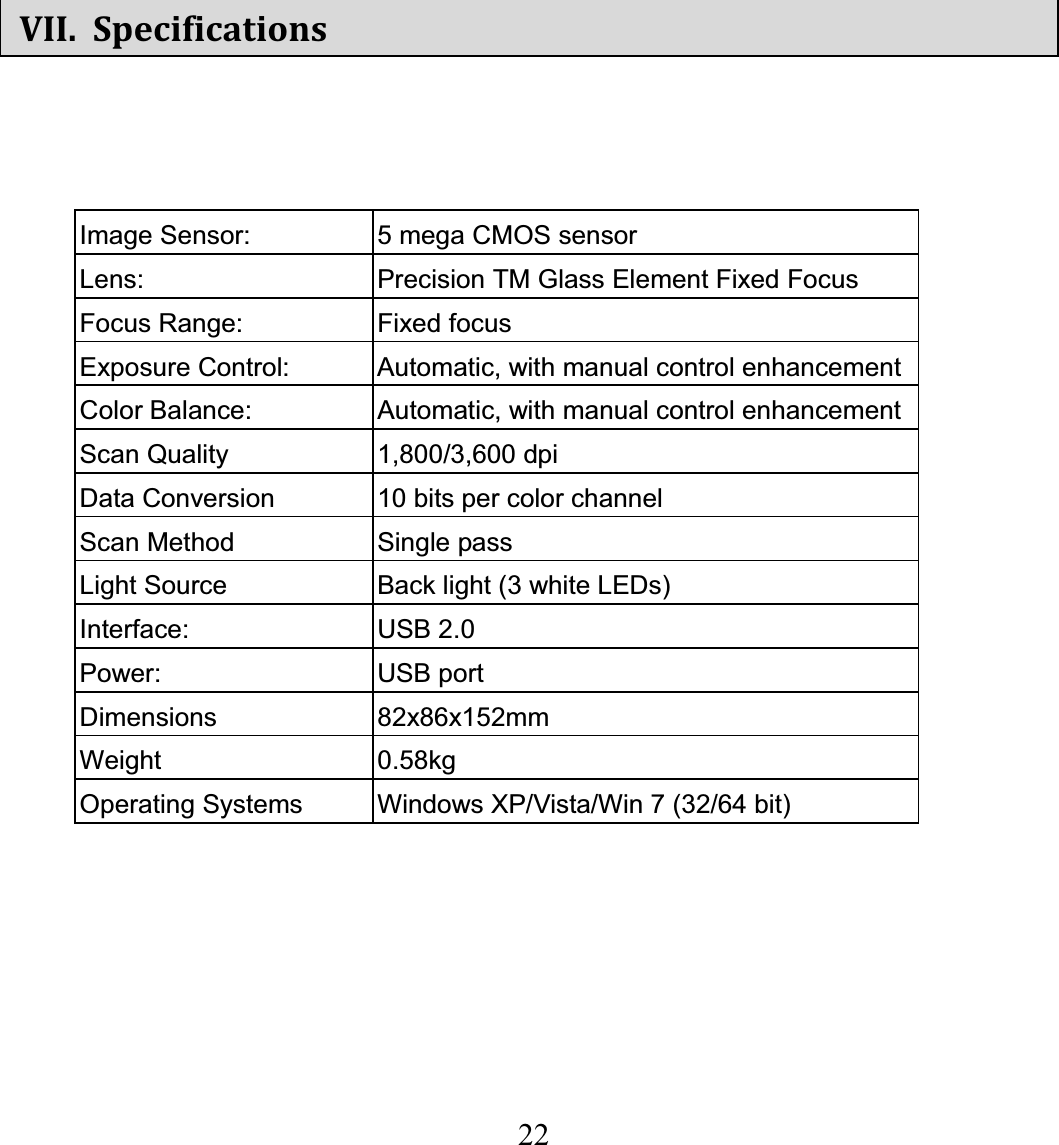
  22  VII. SpecificationsImage Sensor:  5 mega CMOS sensor Lens:  Precision TM Glass Element Fixed Focus Focus Range:  Fixed focus Exposure Control:  Automatic, with manual control enhancementColor Balance:  Automatic, with manual control enhancementScan Quality  1,800/3,600 dpi   Data Conversion  10 bits per color channel Scan Method  Single pass Light Source  Back light (3 white LEDs) Interface: USB 2.0 Power: USB port Dimensions   82x86x152mm Weight 0.58kg Operating Systems  Windows XP/Vista/Win 7 (32/64 bit) 
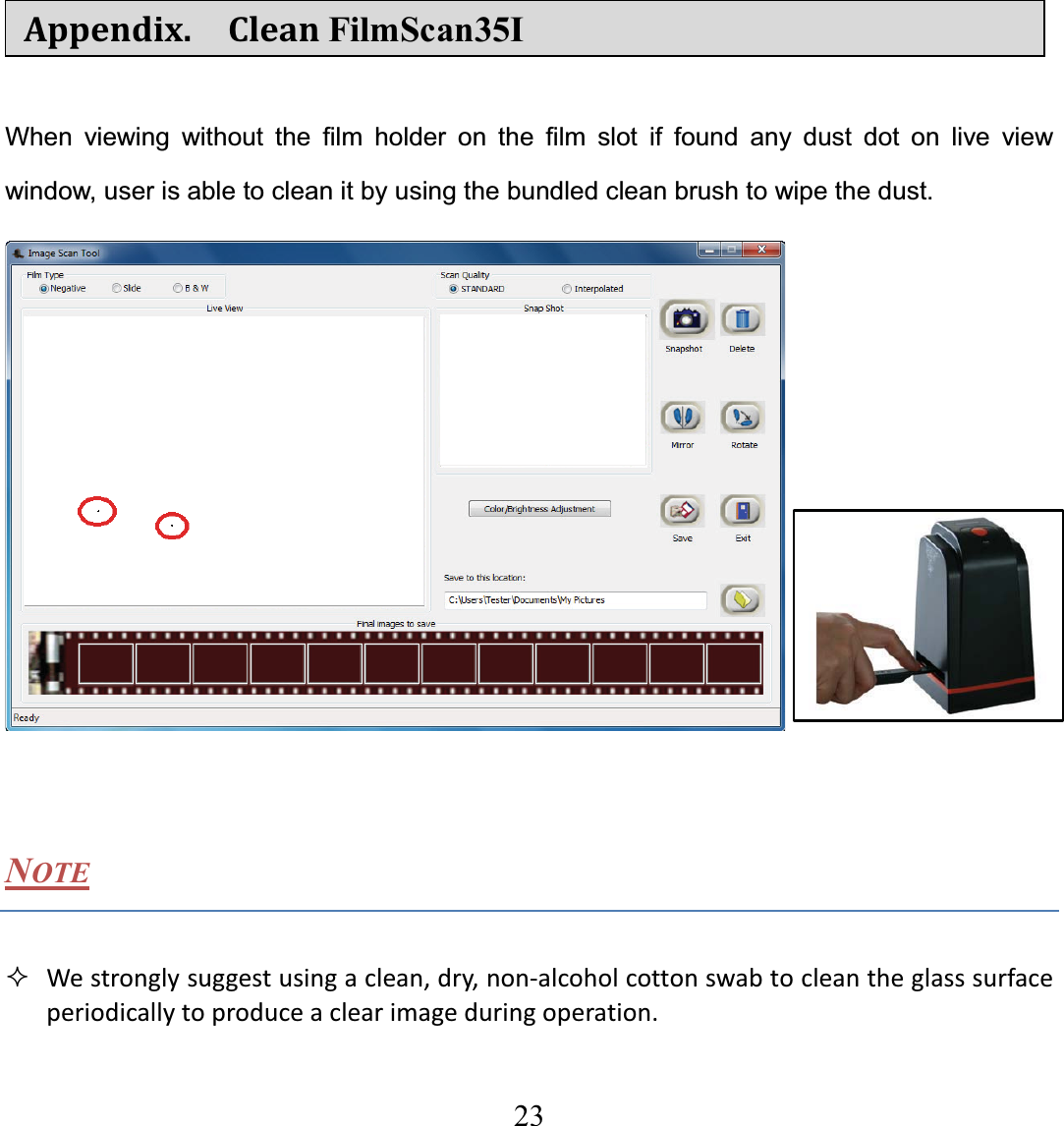
  23  Appendix.  CleanFilmScan35I When viewing without the film holder on the film slot if found any dust dot on live view window, user is able to clean it by using the bundled clean brush to wipe the dust.   NOTE  Westronglysuggestusingaclean,dry,nonͲalcoholcottonswabtocleantheglasssurfaceperiodicallytoproduceaclearimageduringoperation.
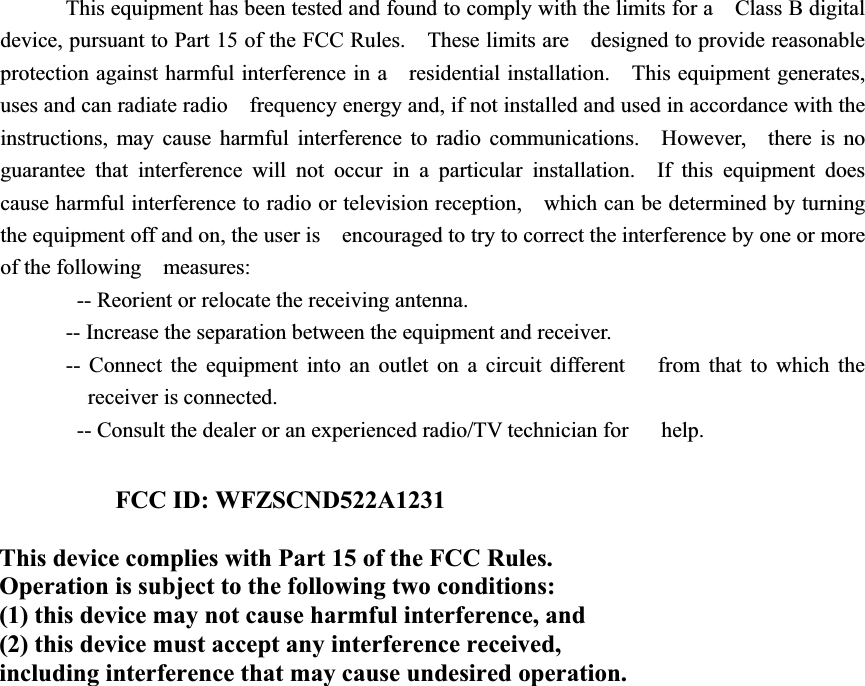
This equipment has been tested and found to comply with the limits for a    Class B digital device, pursuant to Part 15 of the FCC Rules.    These limits are    designed to provide reasonable protection against harmful interference in a    residential installation.    This equipment generates, uses and can radiate radio    frequency energy and, if not installed and used in accordance with the   instructions, may cause harmful interference to radio communications.  However,    there is no guarantee that interference will not occur in a particular installation.  If this equipment does cause harmful interference to radio or television reception,    which can be determined by turning the equipment off and on, the user is    encouraged to try to correct the interference by one or more of the following  measures:     -- Reorient or relocate the receiving antenna.     -- Increase the separation between the equipment and receiver.     -- Connect the equipment into an outlet on a circuit different     from that to which the receiver is connected.     -- Consult the dealer or an experienced radio/TV technician for      help. FCC ID: WFZSCND522A1231 This device complies with Part 15 of the FCC Rules. Operation is subject to the following two conditions: (1) this device may not cause harmful interference, and (2) this device must accept any interference received, including interference that may cause undesired operation.

Navigation menu