Efergy Technologies WTP100 ELITE TRUE POWER METER User Manual USERS MANUAL

Efergy Technologies Limited ELITE TRUE POWER METER USERS MANUAL

USERS MANUAL

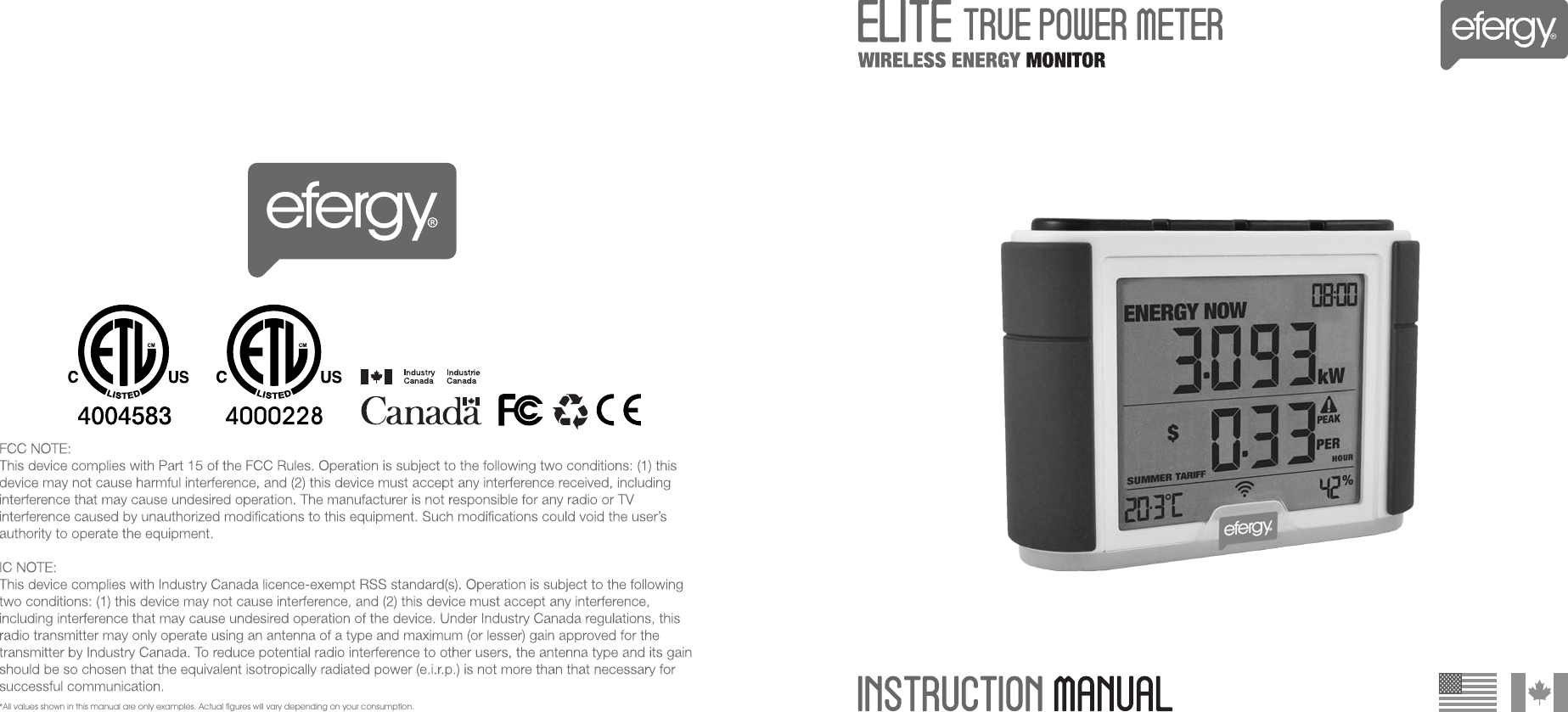
*All values shown in this manual are only examples. Actual figures will vary depending on your consumption.
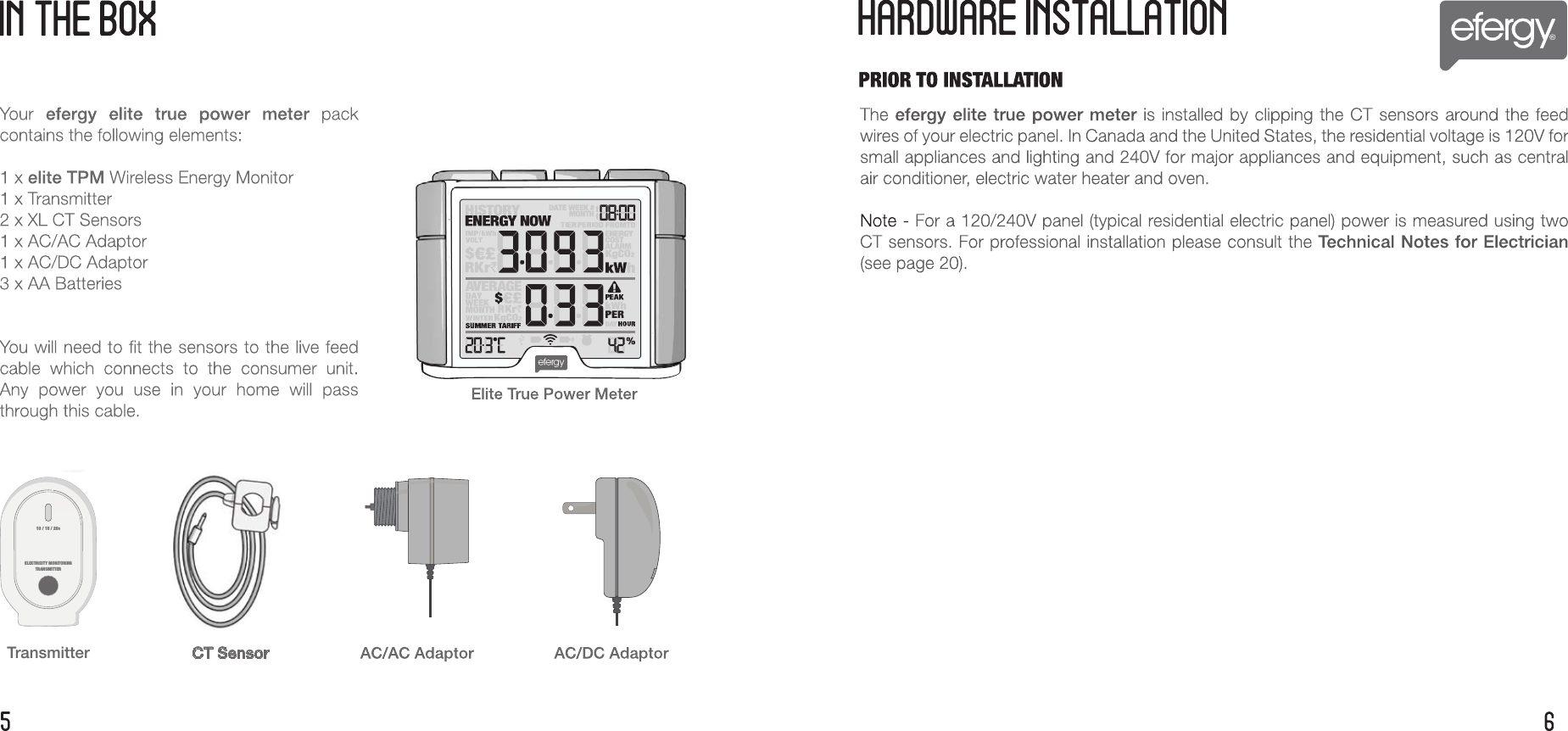
CT SensorTransmitter10 / 15 / 20sELECTRICITY MONITORINGTRANSMITTER
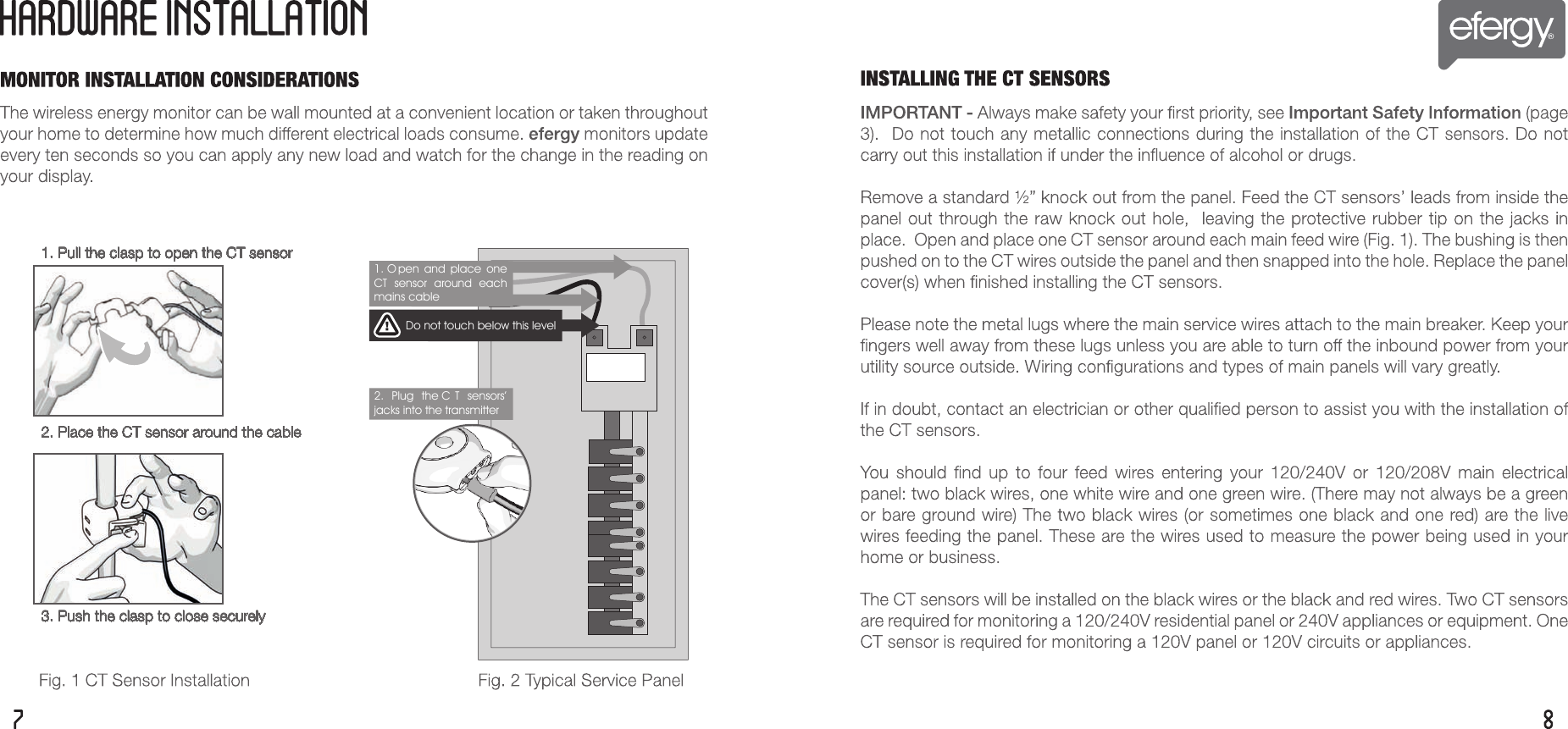
2.  Plug  the C T  sensors’ jacks into the transmitter 1. O pen  and  place  one CT  sensor  around  each mains cable Do not touch below this level1. Pull the clasp to open the CT sensor2. Place the CT sensor around the cable3. Push the clasp to close securely
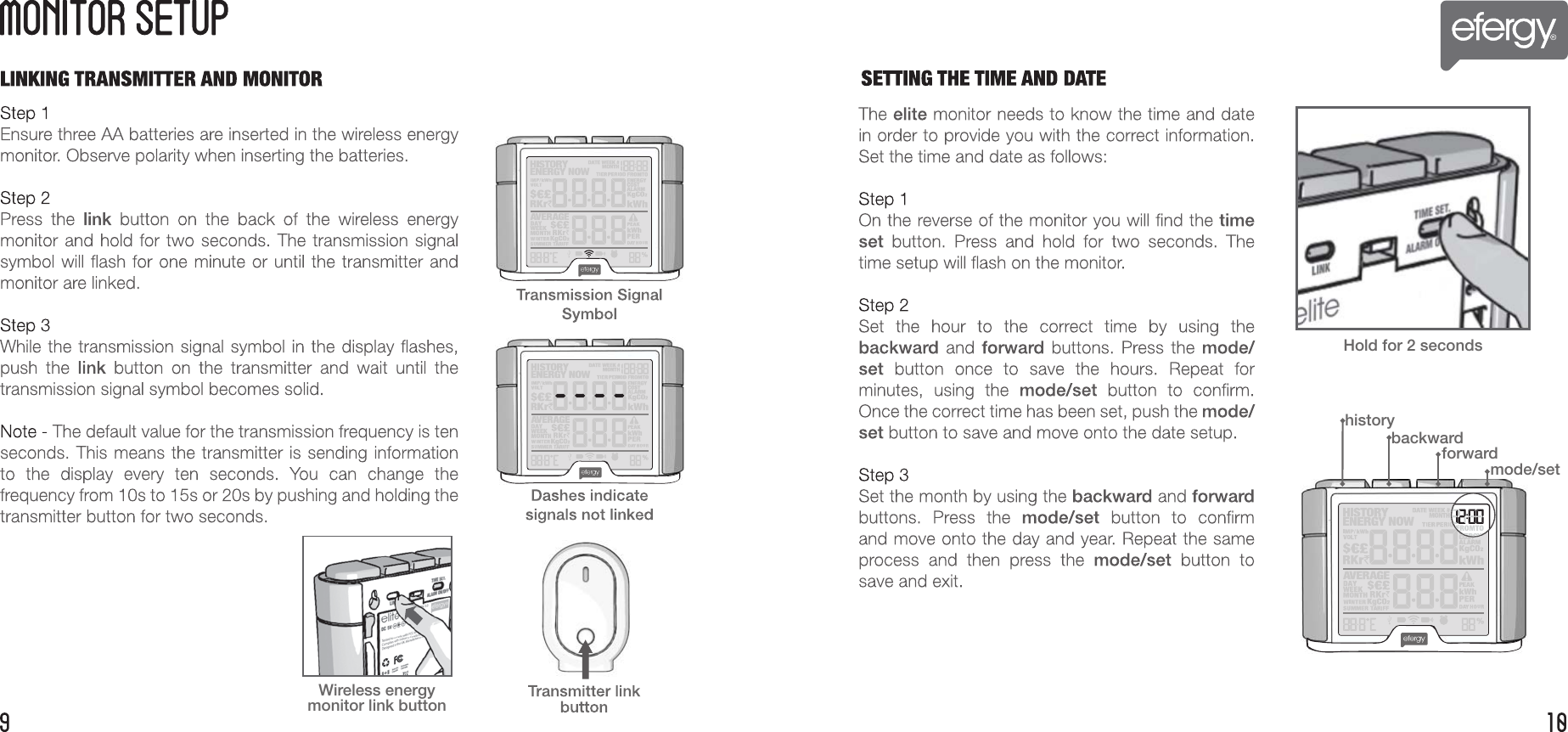
Wireless energy monitor link buttonHold for 2 secondshistorybackwardforwardmode/set
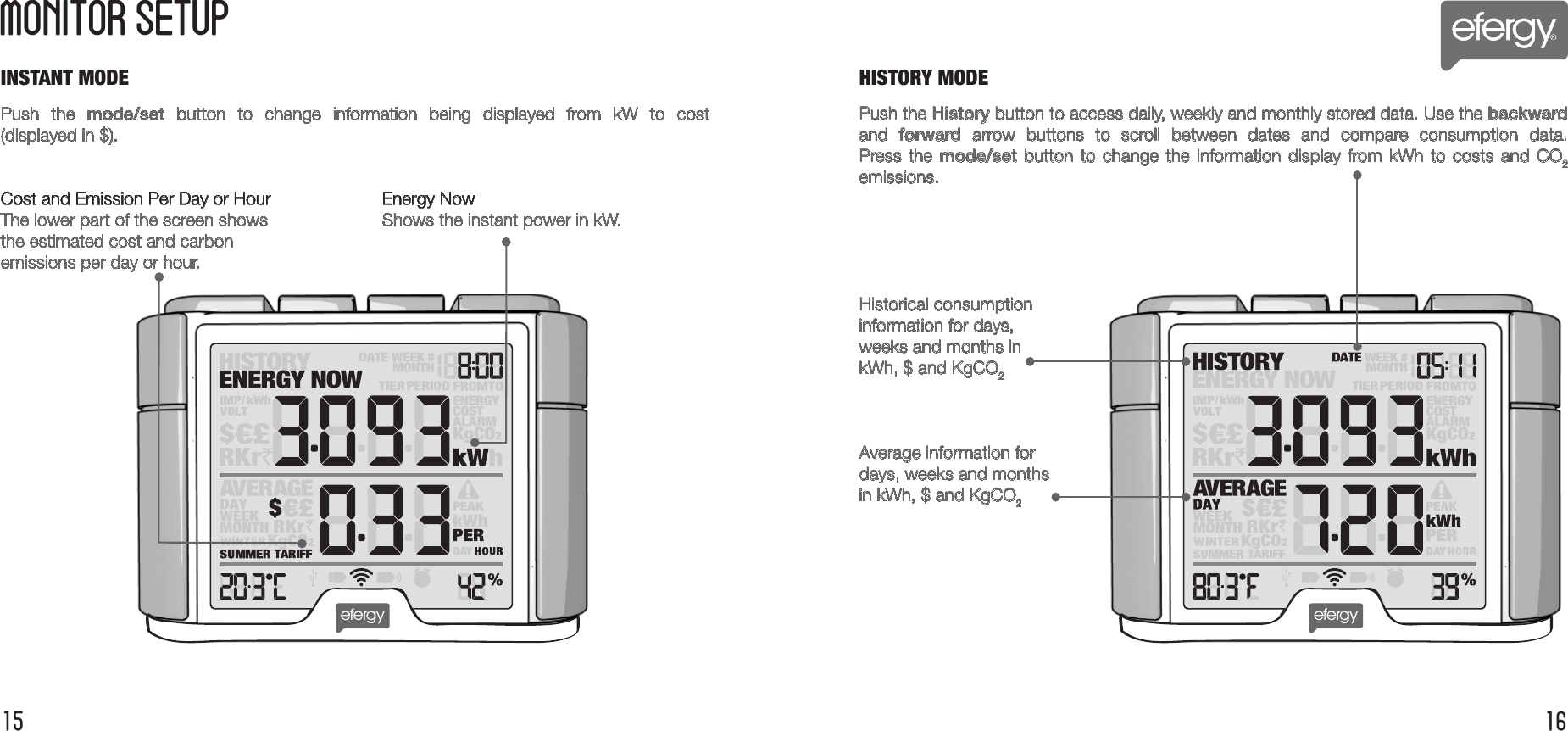
INSTANT MODEMONITOR SETUP15 16Push  the  mode/set  button  to  change  information  being  displayed  from  kW  to  cost(displayed in $).Cost and Emission Per Day or Hour    Energy NowThe lower part of the screen shows     Shows the instant power in kW.the estimated cost and carbon emissions per day or hour.Push the History button to access daily, weekly and monthly stored data. Use the backward and  forward  arrow  buttons  to  scroll  between  dates  and  compare  consumption  data. Press the mode/set  button to  change the  information display  from kWh to  costs and  CO2emissions.Historical consumption information for days, weeks and months inkWh, $ and KgCO2Average information fordays, weeks and monthsin kWh, $ and KgCO2HISTORY MODE
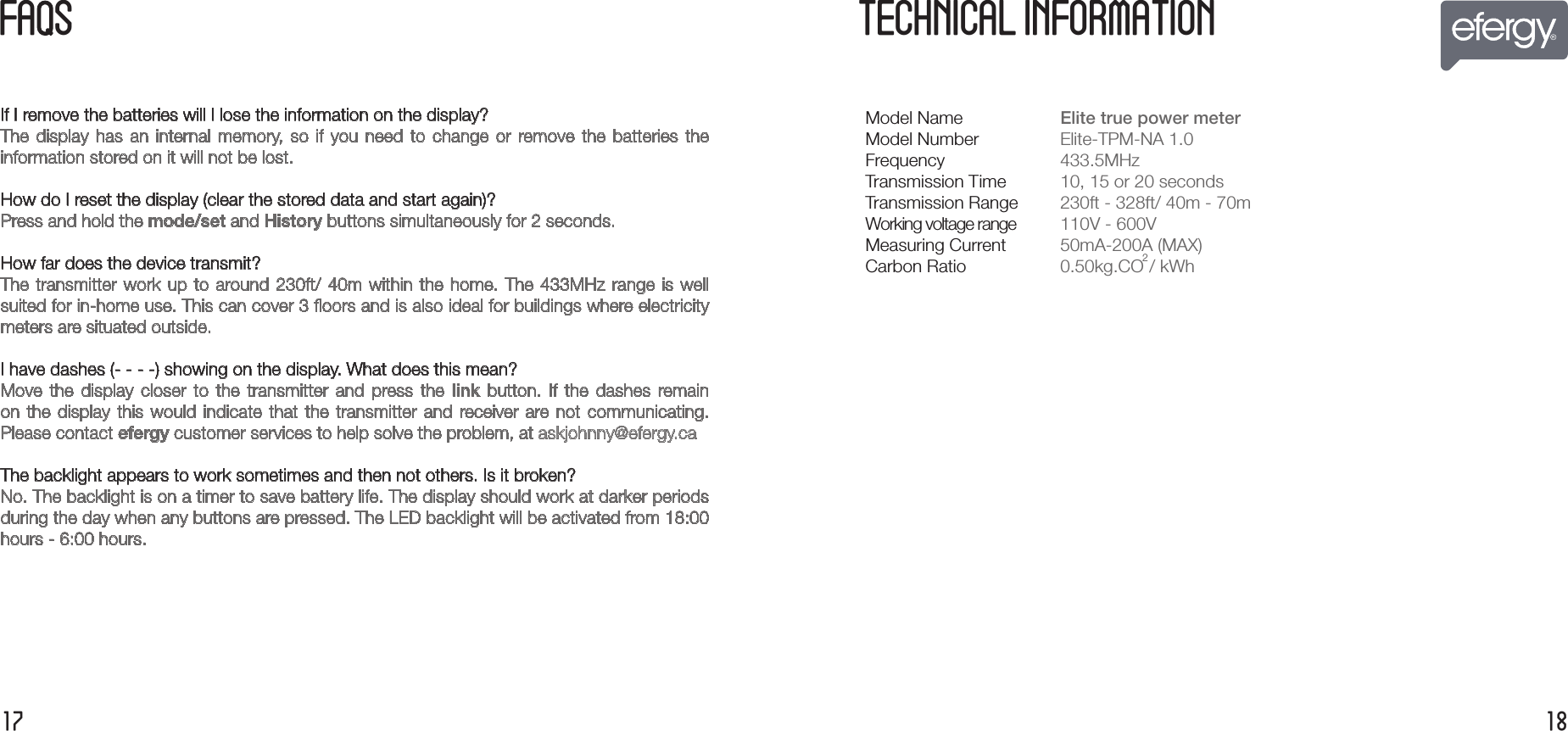
FA  S1817If I remove the batteries will I lose the information on the display?The  display  has  an  internal  memory,  so  if  you  need  to  change  or  remove the  batteries  theinformation stored on it will not be lost.How do I reset the display (clear the stored data and start again)?Press and hold the mode/set and History buttons simultaneously for 2 seconds.How far does the device transmit?The transmitter work up to around 230ft/ 40m within the home. The 433MHz range is well suited for in-home use. This can cover 3 floors and is also ideal for buildings where electricitymeters are situated outside.I have dashes (- - - -) showing on the display. What does this mean?Move  the  display  closer  to  the  transmitter  and  press the  link  button.  If  the  dashes  remain on the  display  this would indicate  that  the transmitter  and  receiver are  not  communicating.Please contact efergy customer services to help solve the problem, at askjohnny@efergy.ca The backlight appears to work sometimes and then not others. Is it broken?No. The backlight is on a timer to save battery life. The display should work at darker periods during the day when any buttons are pressed. The LED backlight will be activated from 18:00hours - 6:00 hours. TECHNICAL INFORMATIONModel NameModel NumberFrequencyTransmission TimeTransmission RangeWorking voltage rangeMeasuring CurrentCarbon RatioElite true power meter  Elite-TPM-NA 1.0 433.5MHz10, 15 or 20 seconds230ft - 328ft/ 40m - 70m110V - 600V50mA-200A (MAX)0.50kg.CO2/ kWh
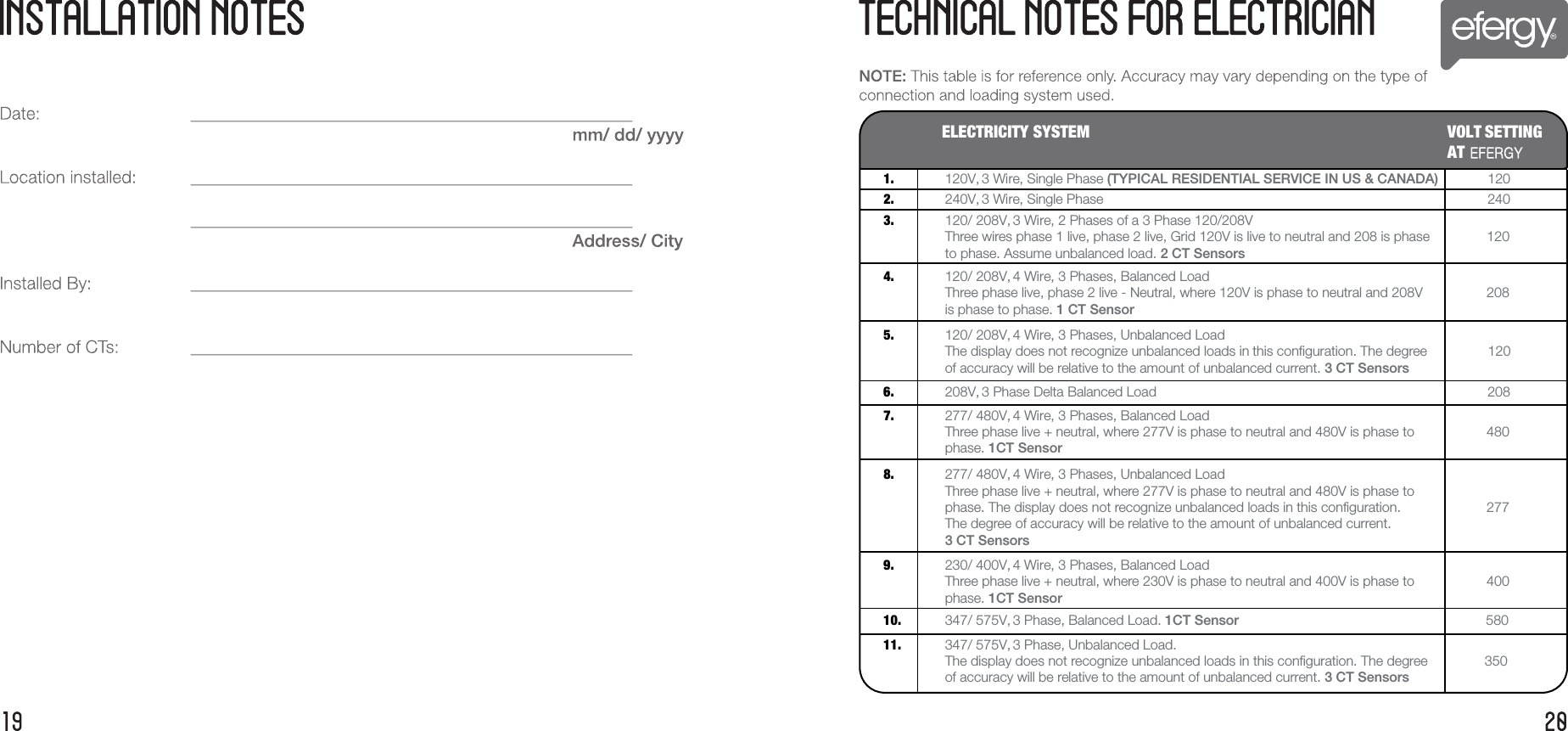
ELECTRICITY SYSTEM VOLT SETTING AT1. 120V, 3 Wire, Single Phase (TYPICAL RESIDENTIAL SERVICE IN US & CANADA)             1202. 240V, 3 Wire, Single Phase                                                                               2403. 120/ 208V, 3 Wire, 2 Phases of a 3 Phase 120/208V               Three wires phase 1 live, phase 2 live, Grid 120V is live to neutral and 208 is phase               120to phase. Assume unbalanced load. 2 CT Sensors 4. 120/ 208V, 4 Wire, 3 Phases, Balanced Load               Three phase live, phase 2 live - Neutral, where 120V is phase to neutral and 208V               208is phase to phase. 1 CT Sensor 5. 120/ 208V, 4 Wire, 3 Phases, Unbalanced Load               The display does not recognize unbalanced loads in this configuration. The degree                120of accuracy will be relative to the amount of unbalanced current. 3 CT Sensors                 6. 208V, 3 Phase Delta Balanced Load                                                                               2087. 277/ 480V, 4 Wire, 3 Phases, Balanced Load               Three phase live + neutral, where 277V is phase to neutral and 480V is phase to               480phase. 1CT Sensor                 8. 277/ 480V, 4 Wire, 3 Phases, Unbalanced Load               Three phase live + neutral, where 277V is phase to neutral and 480V is phase to               phase. The display does not recognize unbalanced loads in this configuration.               277The degree of accuracy will be relative to the amount of unbalanced current. 3 CT Sensors                  9. 230/ 400V, 4 Wire, 3 Phases, Balanced Load               Three phase live + neutral, where 230V is phase to neutral and 400V is phase to               400phase. 1CT Sensor                 10. 347/ 575V, 3 Phase, Balanced Load. 1CT Sensor                                                                 58011. 347/ 575V, 3 Phase, Unbalanced Load.                The display does not recognize unbalanced loads in this configuration. The degree               350of accuracy will be relative to the amount of unbalanced current. 3 CT Sensors

Navigation menu