EnergyICT NV RF-RTUV6 RF Modem RTU+V6 User Manual EMNL000020 01 EN RTU V6

EnergyICT NV RF Modem RTU+V6 EMNL000020 01 EN RTU V6

Users manual

        RTU+® V6    RF-Modem Installation Guide             Serial Number                      Document Code EMNL000020_01_EN_RTU® V6    EnergyICT   n.v. Th. Sevenslaan 104A - B-8500 Kortrijk - Tel: +32 56 245 690 (support) - Fax: +32 56 245 699 www.EnergyICT.com - support@EnergyICT.com
                                                  Copyright  EnergyICT n.v. Copyright 2007 by EnergyICT n.v. All rights reserved. The information in this document is subject to change without notice and does not represent a commitment on the part of EnergyICT. The software described in this document is furnished under a license agreement, and may be used or copied only in accordance with the terms of that agreement. No part of this document may be reproduced, transmitted, transcribed, stored in any retrieval system, or translated into any language by any means, electronic or mechanical, including photocopying and recording, for any purpose other than the licensee's personal use without the express written permission of EnergyICT. In no event will EnergyICT be responsible for any damages, including any lost profits, lost savings or other incidental or consequential damages arising out of the use of this product.   Disclaimer  The information contained in this message (including any attachments) is confidential and intended solely for the attention and use of the named addressee(s). It must not be disclosed to any person without our authority. If you are not the intended recipient, please delete it from your system immediately - any disclosure, copying or distribution thereof or any action taken or omitted to be taken in reliance thereon is prohibited and may be unlawful.
 1/6 Table of Contents  Notice on Interference.......................................................................2 RF Description ...................................................................................3 Technical Specifications..................................................................... 4 RF Modem Location ...........................................................................5 Installing the RF modem ...................................................................6
 2/6 Notice on Interference  Class B digital device  This equipment has been tested and found to comply with the limits for a Class B digital device, pursuant to part 15 of the FCC rules. These limits are designed to provide reasonable protection against harmful interference in a residential installation.  Use of radio frequency energy  This device generates, uses and can radiate radio frequency energy and, if not installed and used in accordance with the instructions, may cause harmful interference to radio communications. However, there is no guarantee that interference will not occur in a particular installation.  Preventing interference  If this equipment does cause harmful interference to radio or television reception, which can be determined by turning the equipment off and on, the user is encouraged to try to correct the interference by one or more of the following measures: • Reorient or relocate the receiving antenna •     Increase the distance between the equipment and the receiver •     Connect the equipment into an outlet on a circuit different from   that to which the receiver is connected. •     Consult the dealer or an experienced radio/TV technician for help.
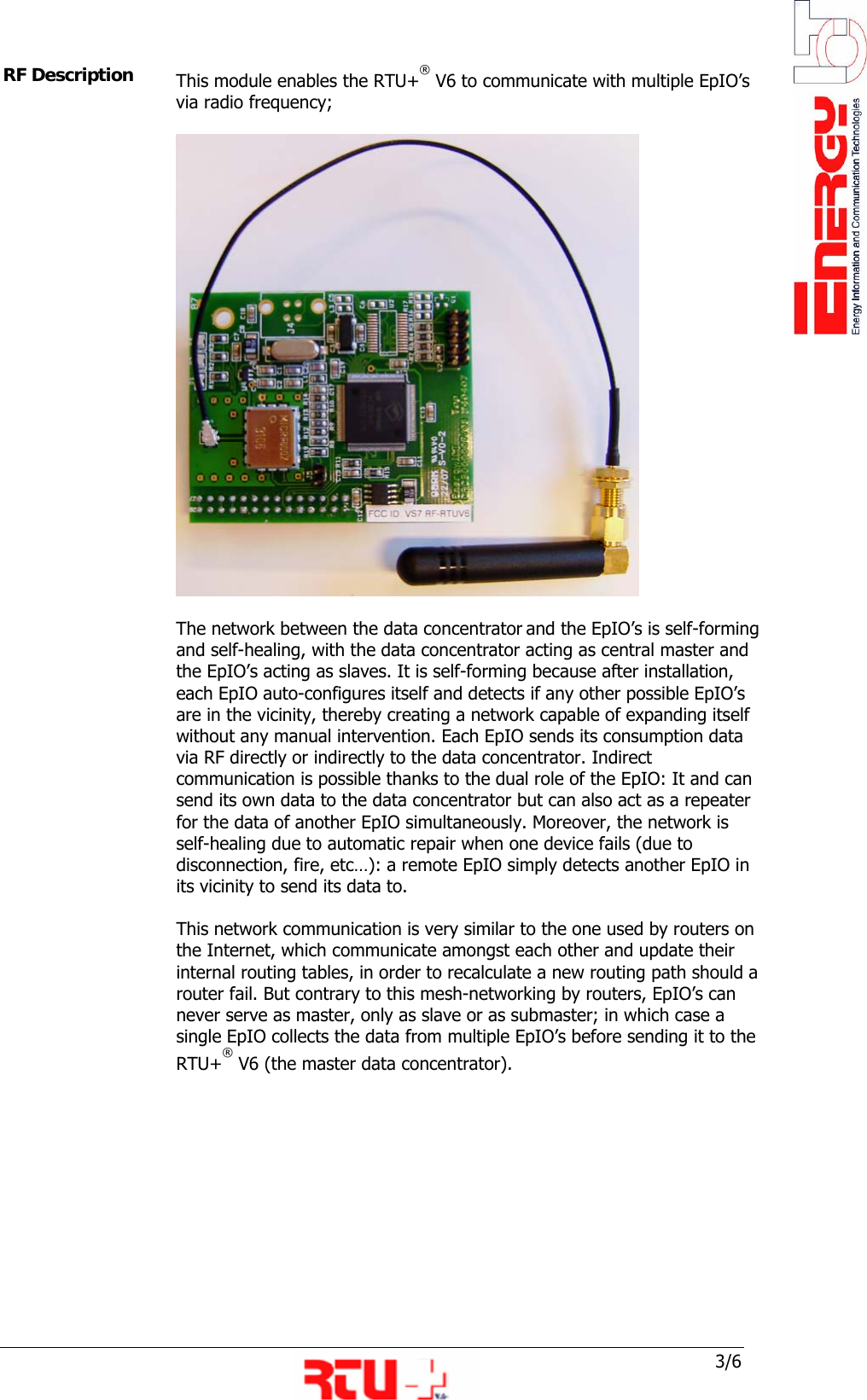
 3/6 RF Description  This module enables the RTU+® V6 to communicate with multiple EpIO’s via radio frequency;   The network between the data concentrator and the EpIO’s is self-forming and self-healing, with the data concentrator acting as central master and the EpIO’s acting as slaves. It is self-forming because after installation, each EpIO auto-configures itself and detects if any other possible EpIO’s are in the vicinity, thereby creating a network capable of expanding itself without any manual intervention. Each EpIO sends its consumption data via RF directly or indirectly to the data concentrator. Indirect communication is possible thanks to the dual role of the EpIO: It and can send its own data to the data concentrator but can also act as a repeater for the data of another EpIO simultaneously. Moreover, the network is self-healing due to automatic repair when one device fails (due to disconnection, fire, etc…): a remote EpIO simply detects another EpIO in its vicinity to send its data to.  This network communication is very similar to the one used by routers on the Internet, which communicate amongst each other and update their internal routing tables, in order to recalculate a new routing path should a router fail. But contrary to this mesh-networking by routers, EpIO’s can never serve as master, only as slave or as submaster; in which case a single EpIO collects the data from multiple EpIO’s before sending it to the RTU+® V6 (the master data concentrator).
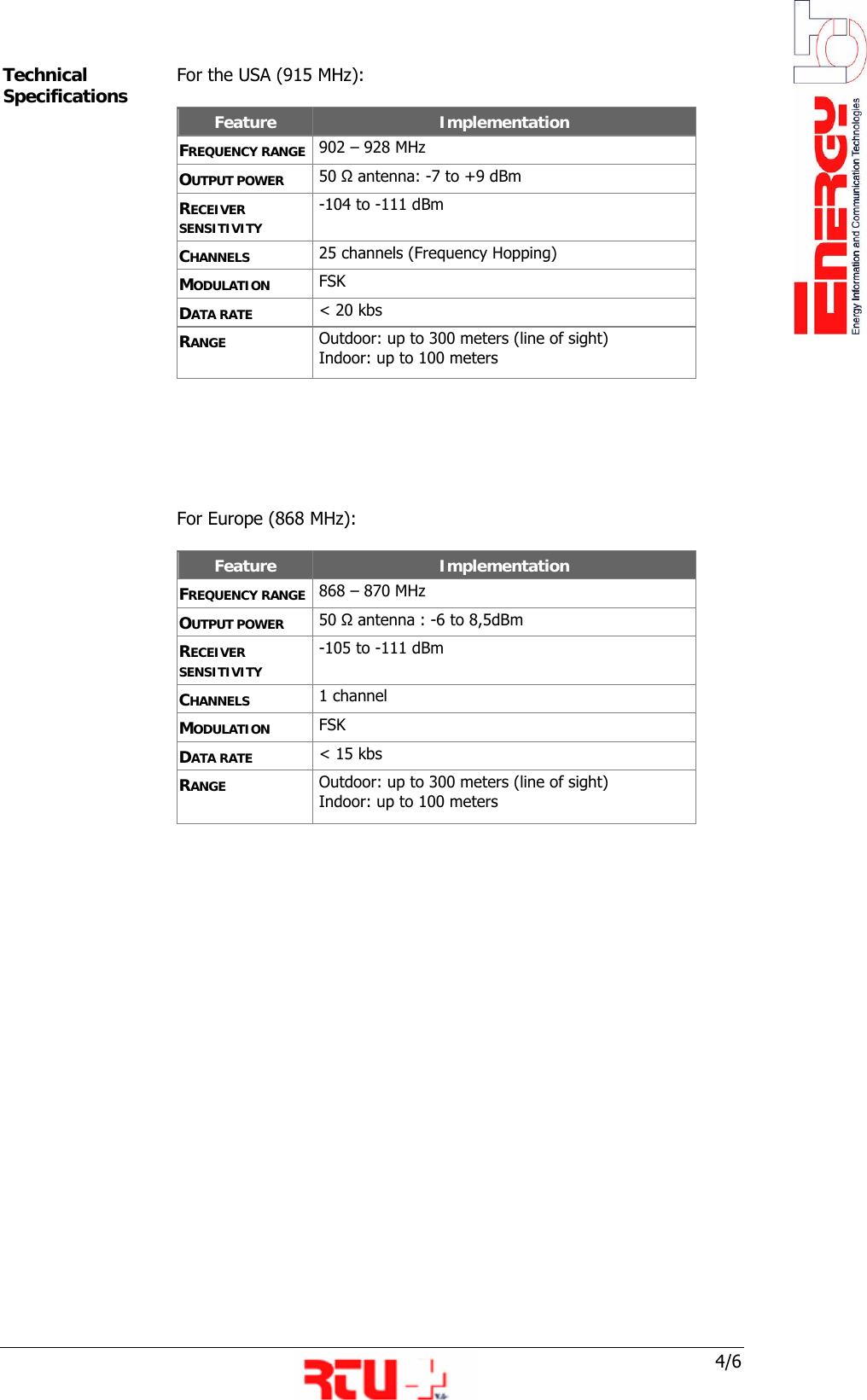
 4/6 Technical Specifications  For the USA (915 MHz):  Feature  Implementation FREQUENCY RANGE  902 – 928 MHz OUTPUT POWER  50 Ω antenna: -7 to +9 dBm RECEIVER SENSITIVITY  -104 to -111 dBm CHANNELS  25 channels (Frequency Hopping) MODULATION  FSK DATA RATE  < 20 kbs RANGE  Outdoor: up to 300 meters (line of sight)   Indoor: up to 100 meters       For Europe (868 MHz):  Feature  Implementation FREQUENCY RANGE  868 – 870 MHz OUTPUT POWER  50 Ω antenna : -6 to 8,5dBm RECEIVER SENSITIVITY  -105 to -111 dBm CHANNELS  1 channel MODULATION  FSK DATA RATE  < 15 kbs RANGE  Outdoor: up to 300 meters (line of sight)   Indoor: up to 100 meters
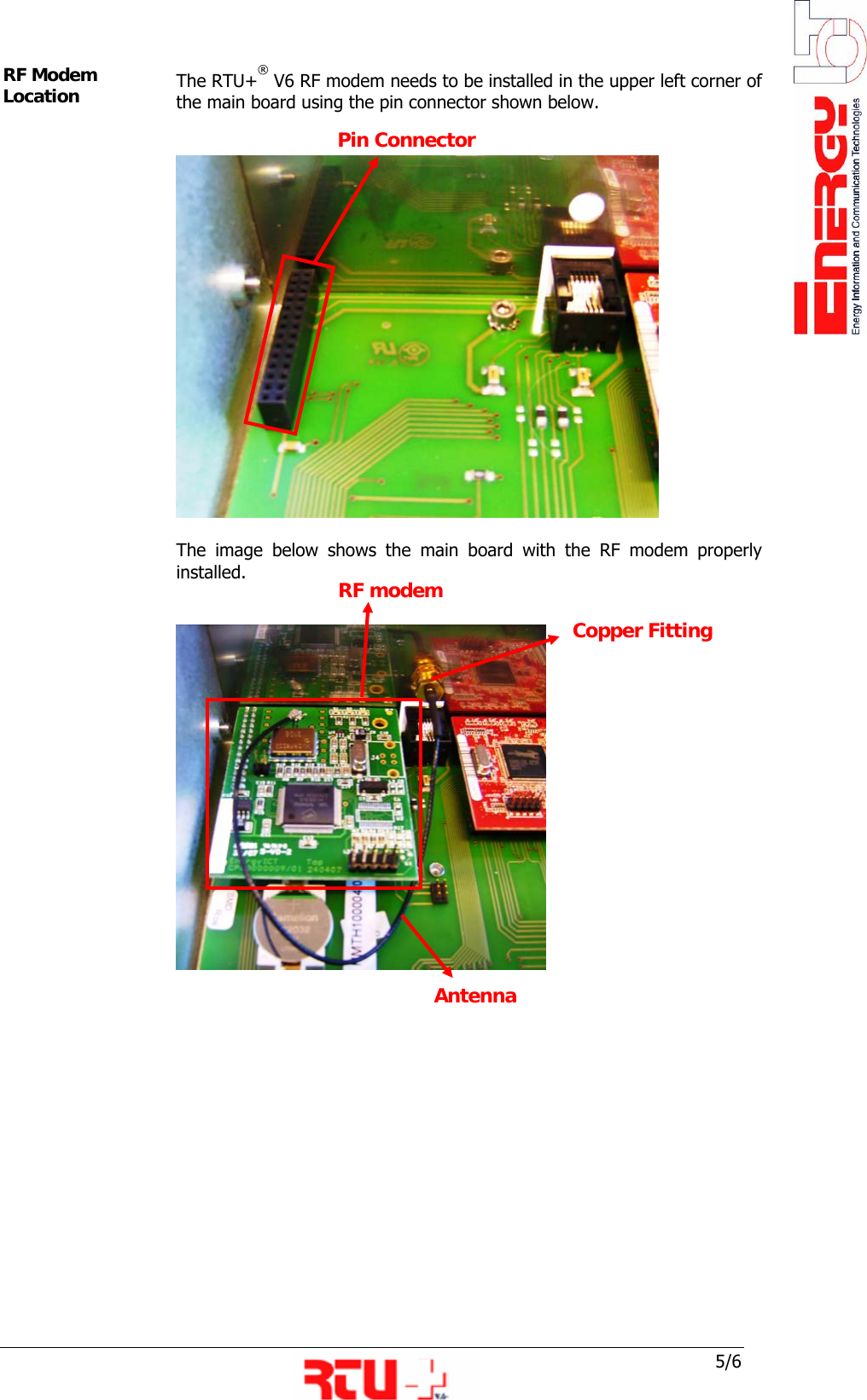
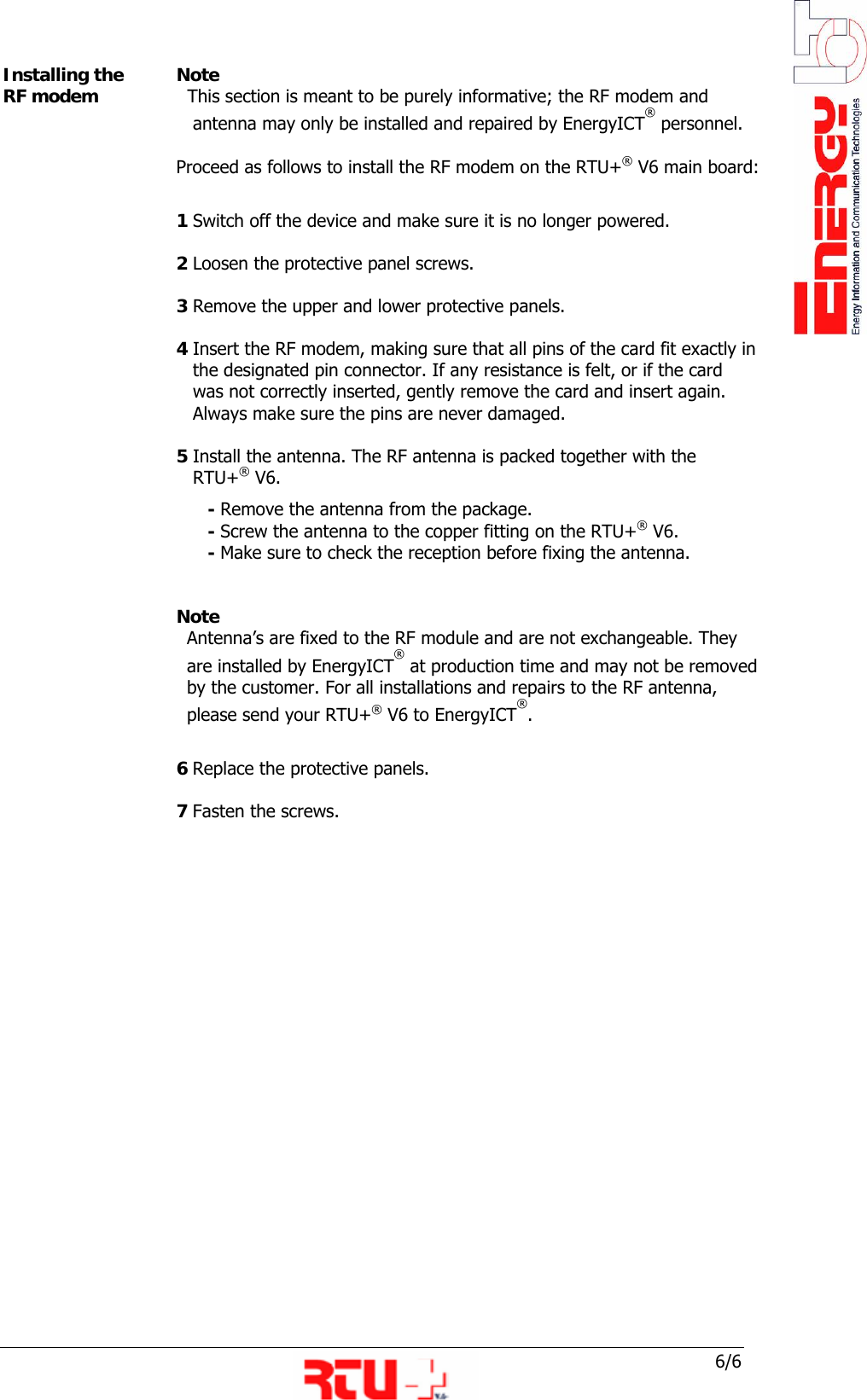
 5/6 Antenna RF modem Antenna  Copper Fitting RF Modem Location   The RTU+® V6 RF modem needs to be installed in the upper left corner of the main board using the pin connector shown below.       The image below shows the main board with the RF modem properly installed.         Pin Connector
 6/6 Installing the RF modem  Note    This section is meant to be purely informative; the RF modem and       antenna may only be installed and repaired by EnergyICT® personnel.  Proceed as follows to install the RF modem on the RTU+® V6 main board:  1 Switch off the device and make sure it is no longer powered.  2 Loosen the protective panel screws.  3 Remove the upper and lower protective panels.  4 Insert the RF modem, making sure that all pins of the card fit exactly in     the designated pin connector. If any resistance is felt, or if the card       was not correctly inserted, gently remove the card and insert again.     Always make sure the pins are never damaged.   5 Install the antenna. The RF antenna is packed together with the     RTU+® V6.        - Remove the antenna from the package.        - Screw the antenna to the copper fitting on the RTU+® V6.        - Make sure to check the reception before fixing the antenna.    Note Antenna’s are fixed to the RF module and are not exchangeable. They    are installed by EnergyICT® at production time and may not be removed by the customer. For all installations and repairs to the RF antenna,  please send your RTU+® V6 to EnergyICT®.     6 Replace the protective panels.  7 Fasten the screws.

Navigation menu