Frederique Constant 0005 Horological Smart Watch User Manual

Frederique Constant Horological Smart Watch Users Manual

Users Manual

USER GUIDEREACH YOUR SUMIT
USER GUIDETHANK YOUFOR PURCHASINGYOUR ALPINERXAND BECOMINGA MEMBER OF THEALPINA COMMUNITY!PLEASE FOLLOWTHE SIMPLE STEPSDETAILED IN THISUSER GUIDETO START USINGYOUR WATCH.
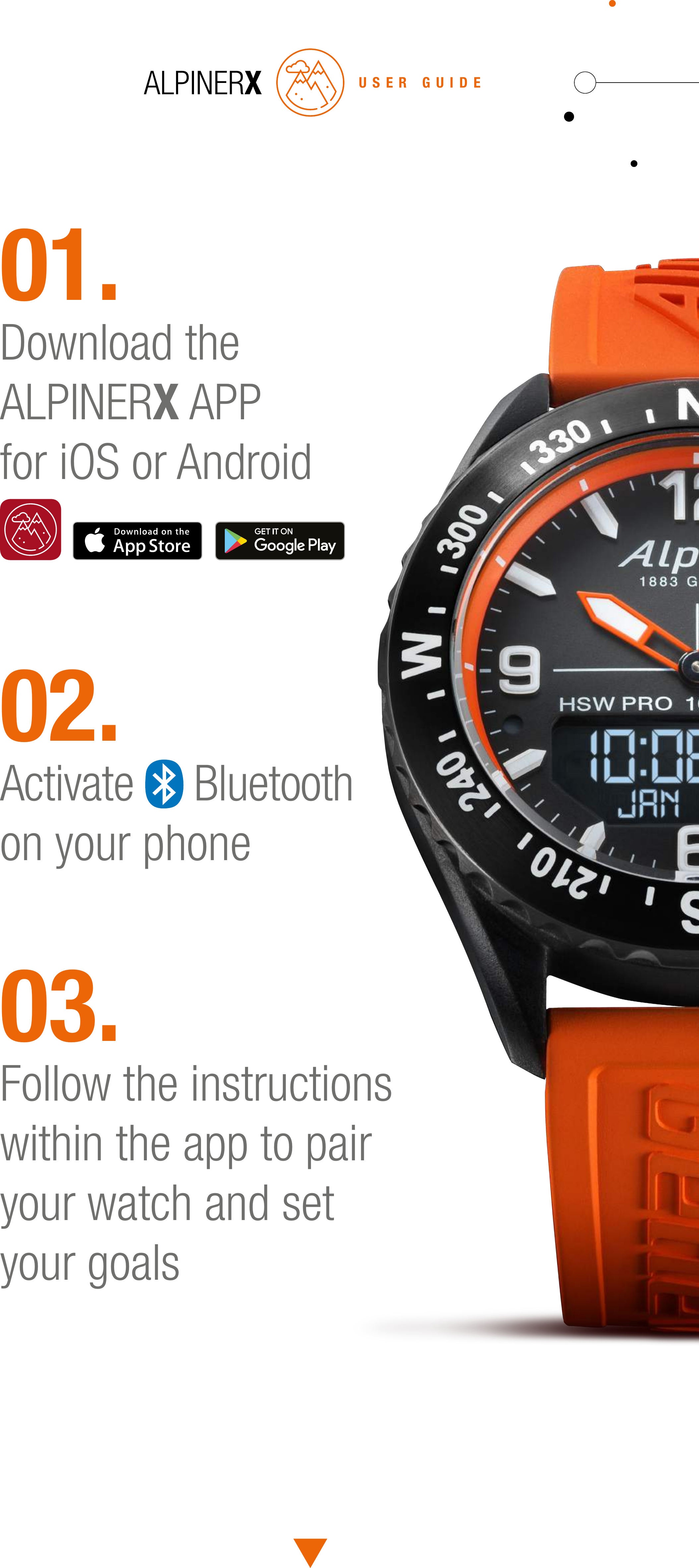
01.Download the ALPINERX APPfor iOS or Android02.Activate   Bluetoothon your phone03.Follow the instructions within the app to pair your watch and set your goalsUSER GUIDE
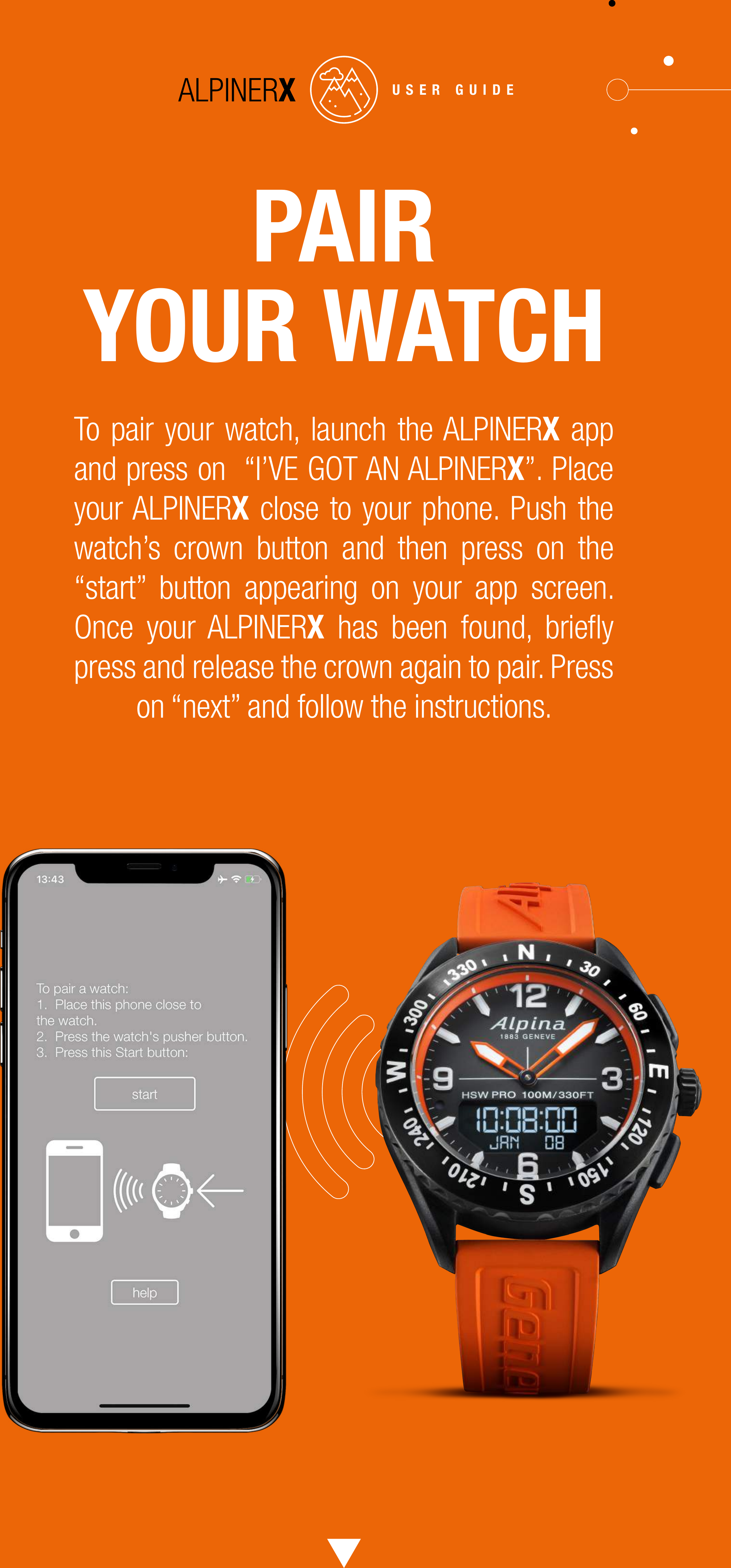
PAIRYOUR WATCHTo pair your watch, launch the ALPINERX app and press on  “I’VE GOT AN ALPINERX”. Place your ALPINERX close to your phone. Push the watch’s crown button and then press on the “start” button appearing on your app screen. Once your ALPINERX has been found, briefly press and release the crown again to pair. Press on “next” and follow the instructions.USER GUIDE
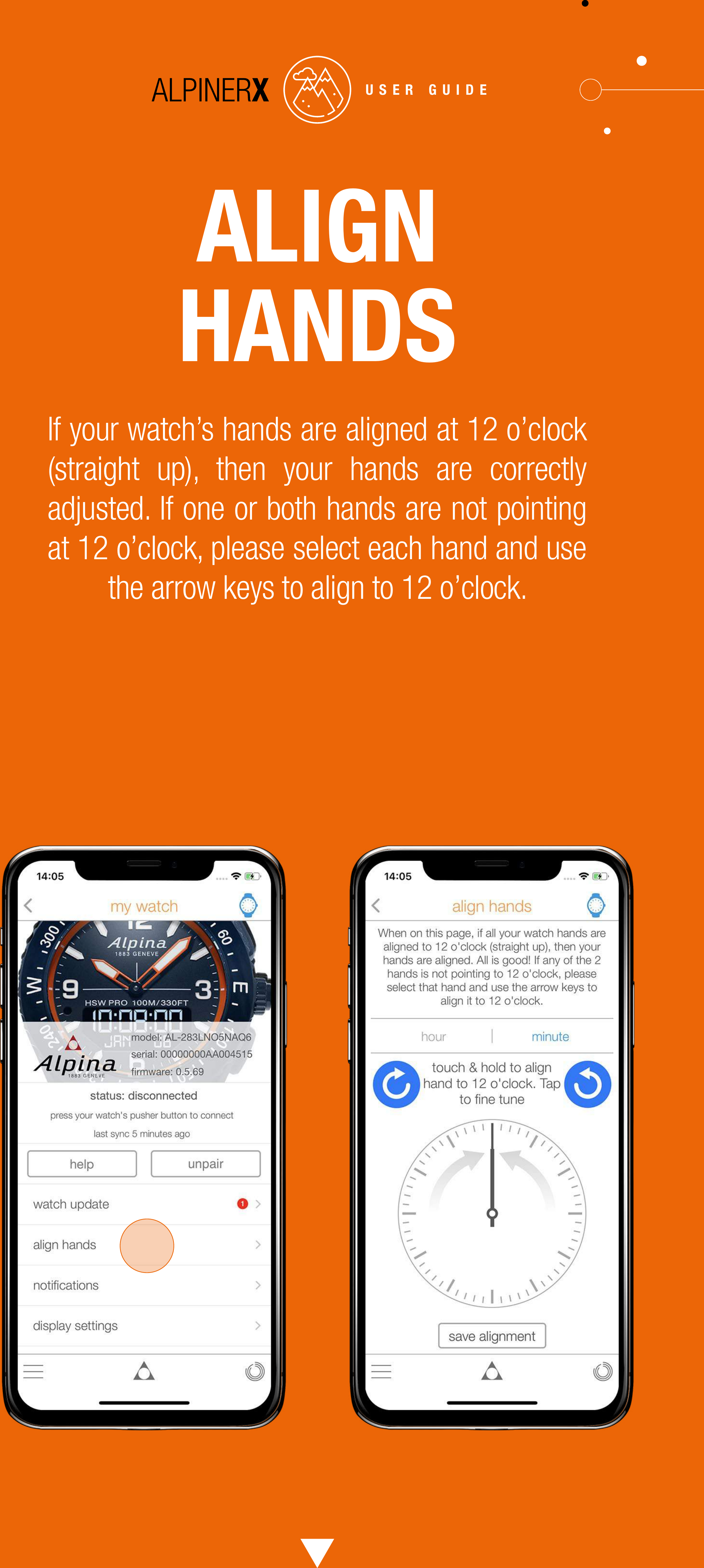
ALIGN HANDSIf your watch’s hands are aligned at 12 o’clock (straight up), then your hands are correctly adjusted. If one or both hands are not pointing at 12 o’clock, please select each hand and use the arrow keys to align to 12 o’clock.USER GUIDE
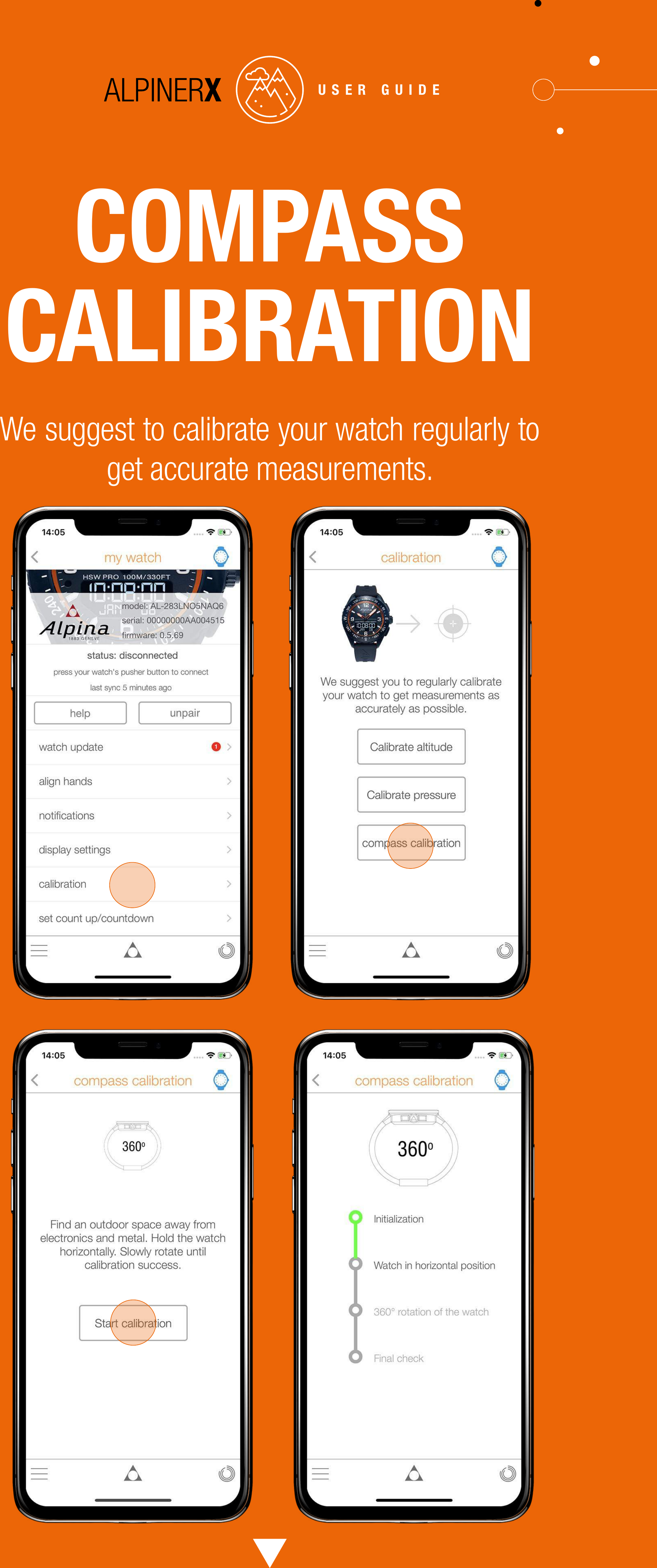
COMPASS CALIBRATIONWe suggest to calibrate your watch regularly to get accurate measurements.USER GUIDE
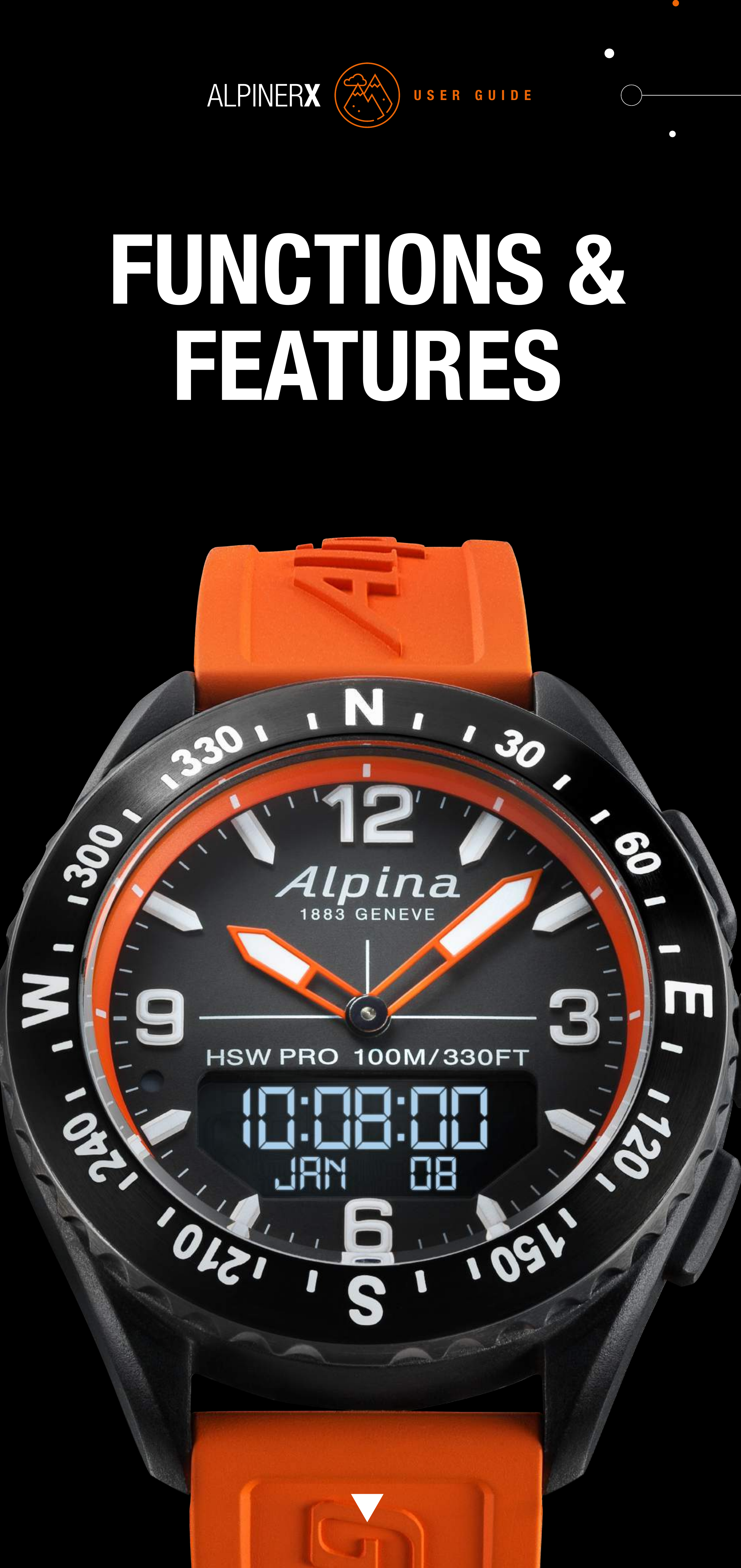
FUNCTIONS & FEATURESUSER GUIDE
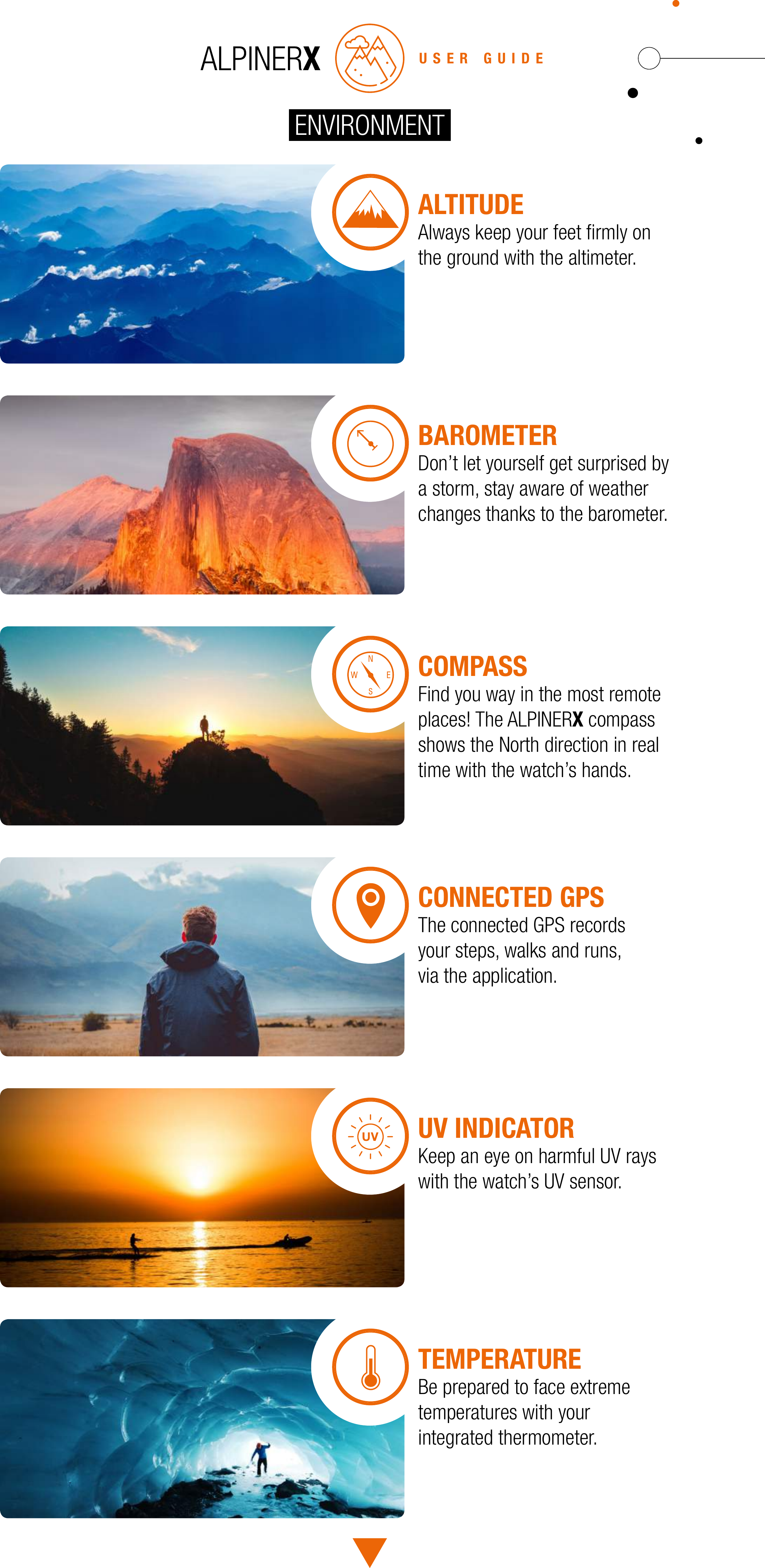
USER GUIDEALTITUDEAlways keep your feet firmly on the ground with the altimeter.BAROMETERDon’t let yourself get surprised by a storm, stay aware of weather changes thanks to the barometer.COMPASSFind you way in the most remoteplaces! The ALPINERX compass shows the North direction in real time with the watch’s hands.CONNECTED GPSThe connected GPS records your steps, walks and runs, via the application.UV INDICATORKeep an eye on harmful UV rays with the watch’s UV sensor.TEMPERATUREBe prepared to face extreme temperatures with your integrated thermometer.ENVIRONMENT
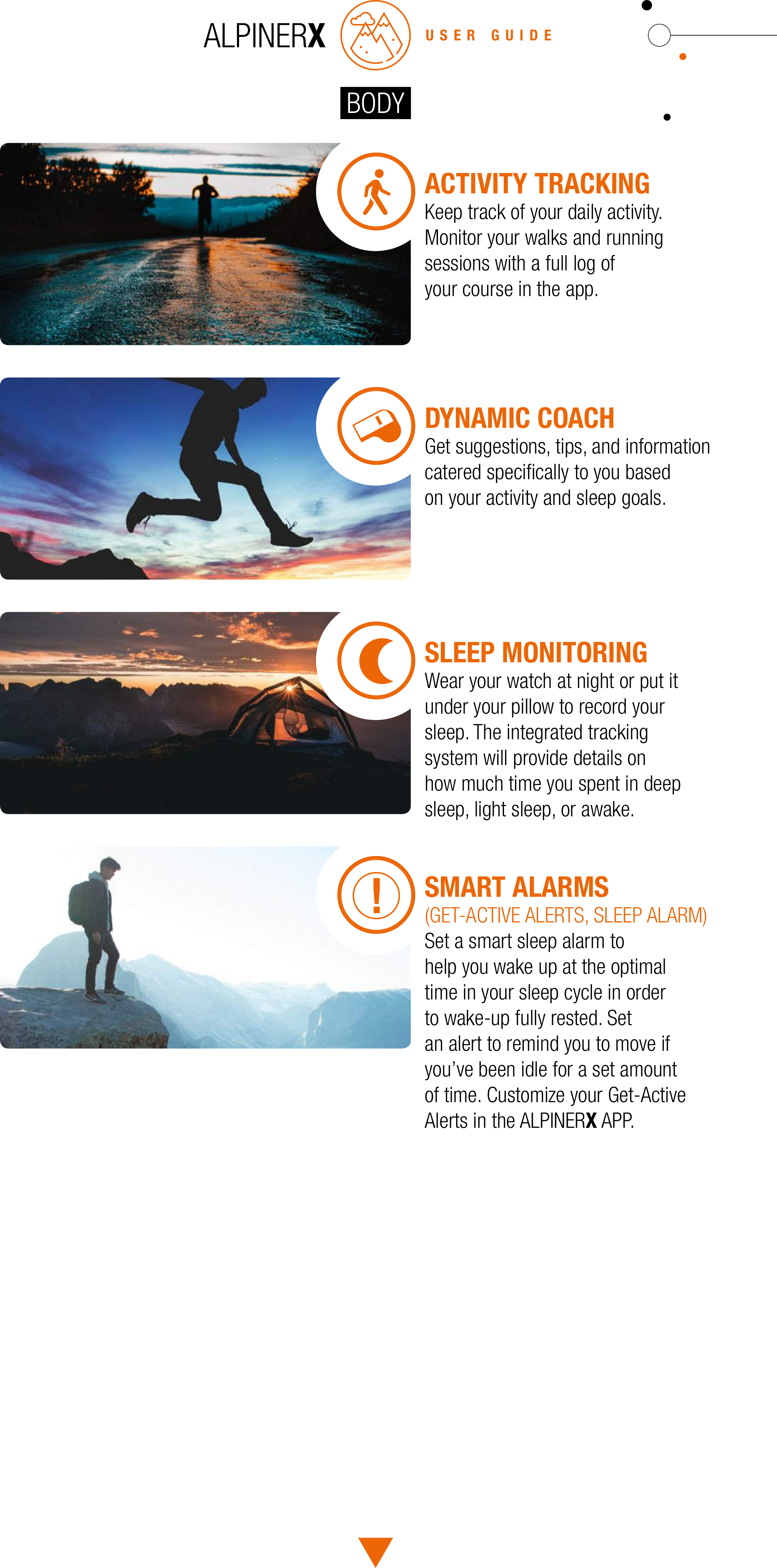
ACTIVITY TRACKINGKeep track of your daily activity.Monitor your walks and runningsessions with a full log ofyour course in the app.DYNAMIC COACHGet suggestions, tips, and information catered specifically to you based on your activity and sleep goals.SLEEP MONITORINGWear your watch at night or put it under your pillow to record your sleep. The integrated tracking system will provide details on how much time you spent in deep sleep, light sleep, or awake.SMART ALARMS(GET-ACTIVE ALERTS, SLEEP ALARM)Set a smart sleep alarm tohelp you wake up at the optimaltime in your sleep cycle in order to wake-up fully rested. Setan alert to remind you to move ifyou’ve been idle for a set amountof time. Customize your Get-ActiveAlerts in the ALPINERX APP.USER GUIDEBODY
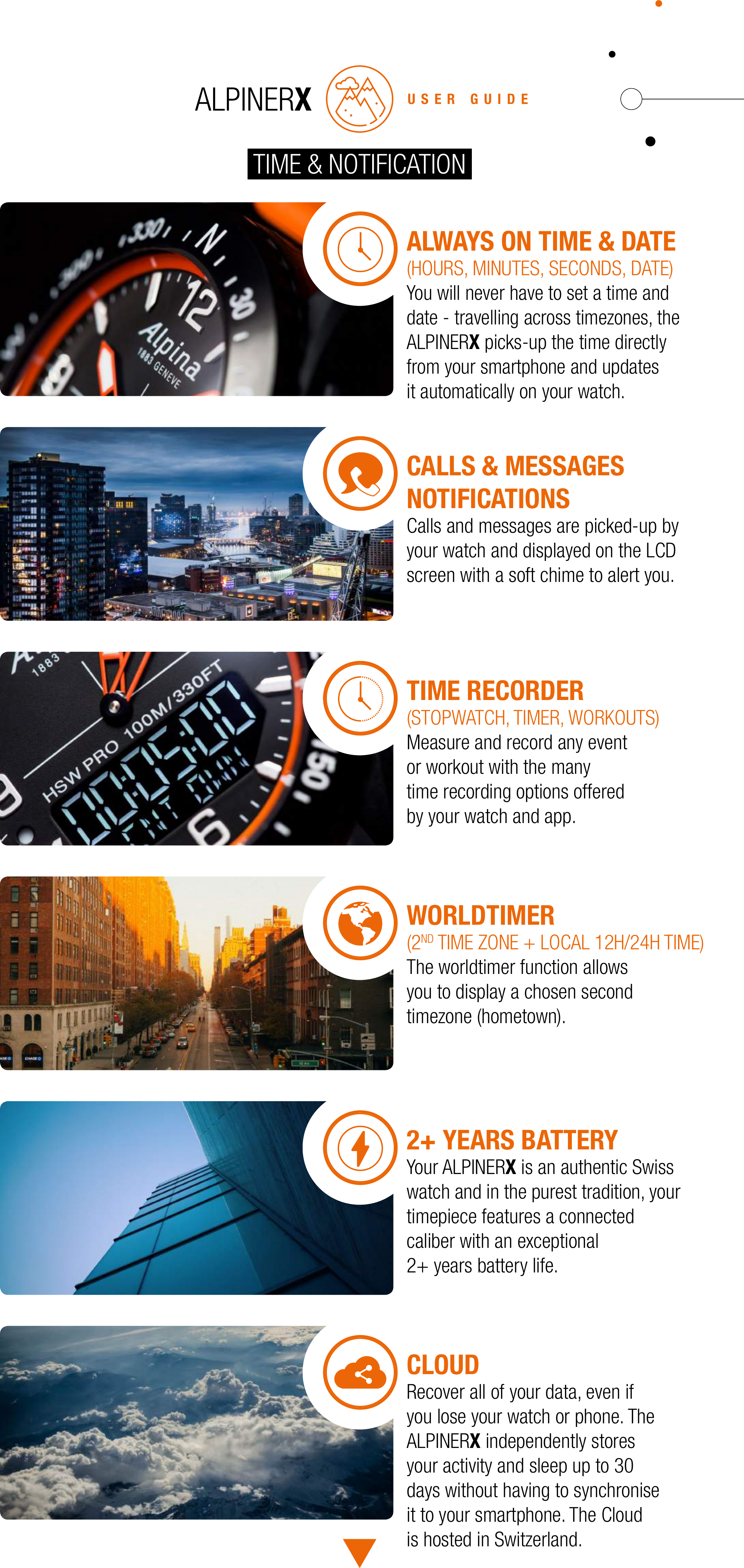
USER GUIDETIME & NOTIFICATIONALWAYS ON TIME & DATE(HOURS, MINUTES, SECONDS, DATE)You will never have to set a time and date - travelling across timezones, the ALPINERX picks-up the time directly from your smartphone and updates it automatically on your watch.CALLS & MESSAGES NOTIFICATIONSCalls and messages are picked-up by your watch and displayed on the LCD screen with a soft chime to alert you.TIME RECORDER(STOPWATCH, TIMER, WORKOUTS)Measure and record any event or workout with the many time recording options offered by your watch and app.WORLDTIMER(2ND TIME ZONE + LOCAL 12H/24H TIME)The worldtimer function allows you to display a chosen second timezone (hometown).2+ YEARS BATTERYYour ALPINERX is an authentic Swisswatch and in the purest tradition, yourtimepiece features a connected caliber with an exceptional 2+ years battery life.CLOUDRecover all of your data, even if you lose your watch or phone. The ALPINERX independently stores your activity and sleep up to 30 days without having to synchronise it to your smartphone. The Cloud is hosted in Switzerland.
USE THEALPINERXSMARTOUTDOORSUSER GUIDE
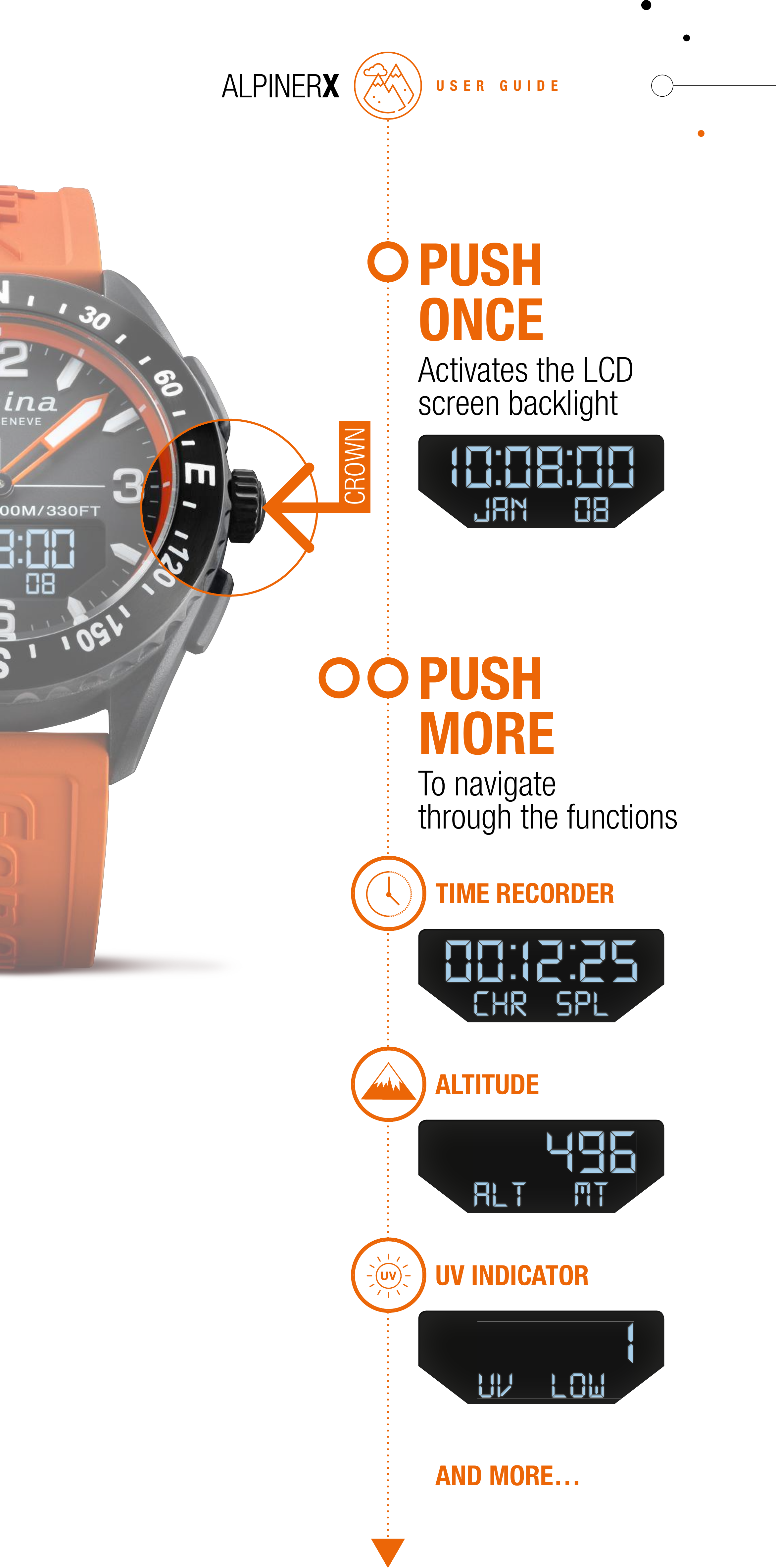
PUSH ONCEActivates the LCDscreen backlightPUSH MORETo navigatethrough the functionsUSER GUIDETIME RECORDERALTITUDEUV INDICATORAND MORE…CROWN
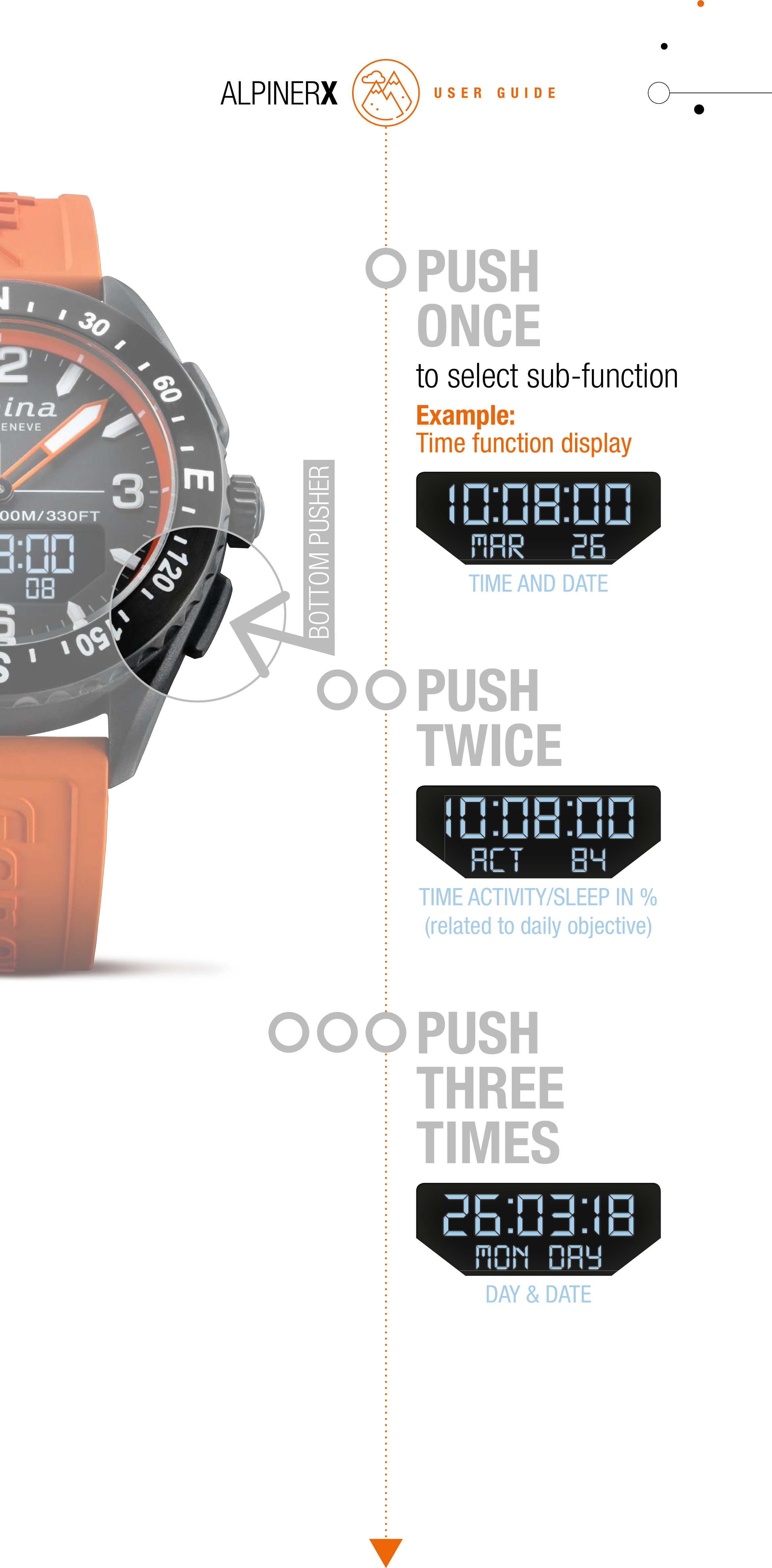
USER GUIDEPUSH THREETIMESDAY & DATEPUSH TWICETIME ACTIVITY/SLEEP IN %(related to daily objective)PUSH ONCEto select sub-functionExample:Time function displayTIME AND DATEBOTTOM PUSHER
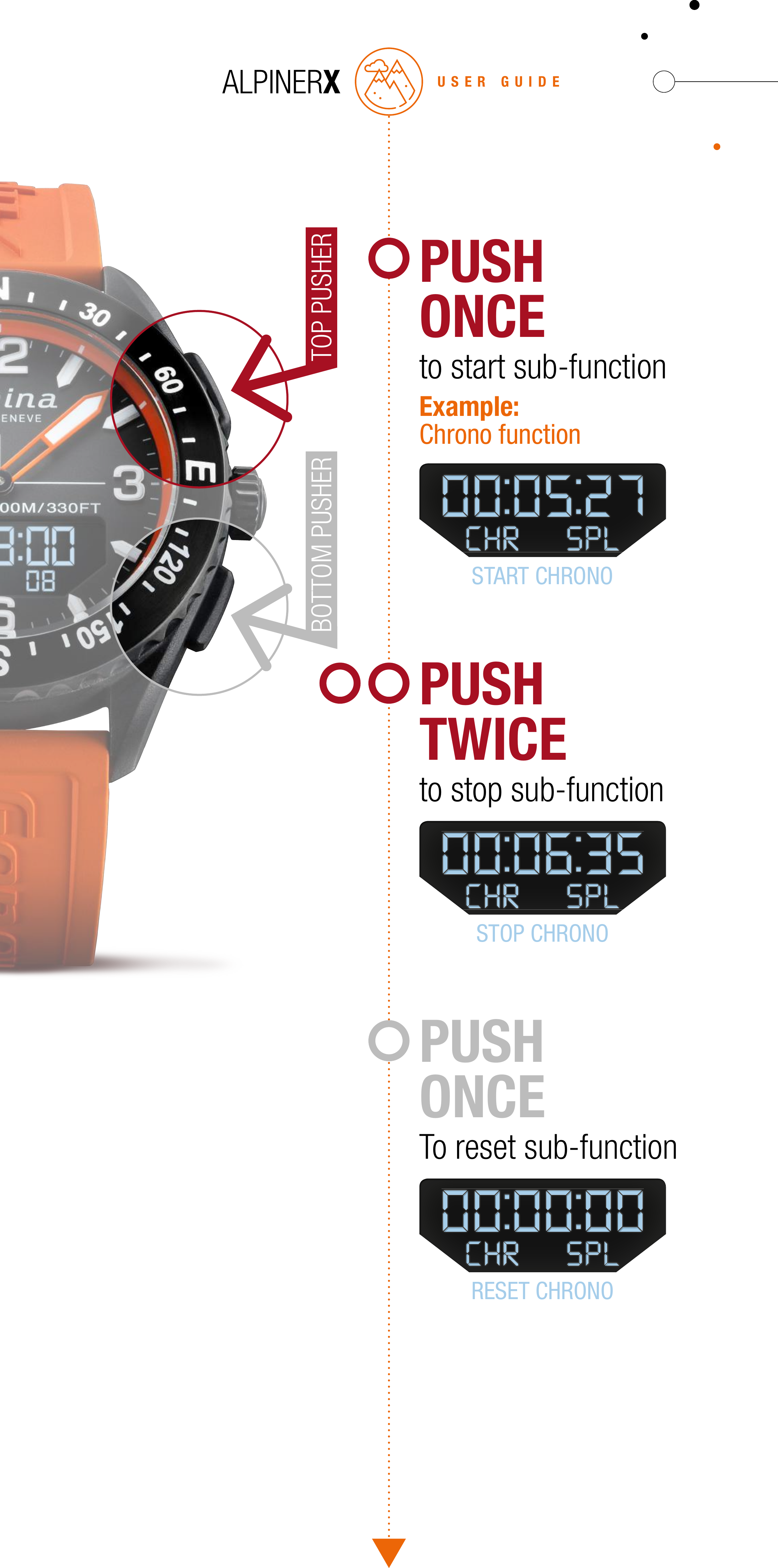
USER GUIDEPUSH ONCETo reset sub-functionRESET CHRONOPUSH TWICEto stop sub-functionSTOP CHRONOPUSH ONCEto start sub-functionExample:Chrono functionSTART CHRONOTOP PUSHERBOTTOM PUSHER
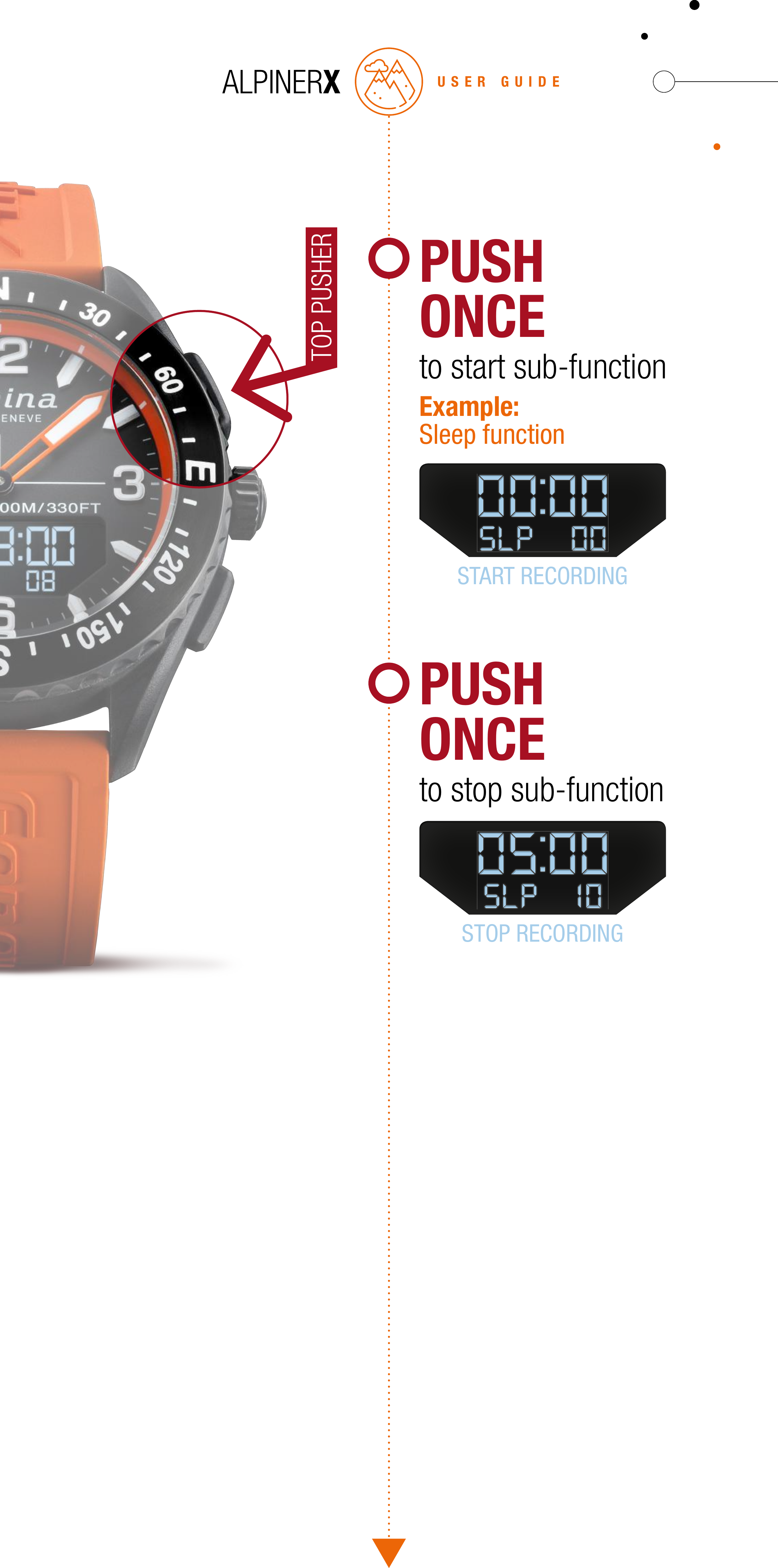
USER GUIDEPUSH ONCEto stop sub-functionSTOP RECORDINGPUSH ONCEto start sub-functionExample:Sleep functionSTART RECORDINGTOP PUSHER
USER GUIDEFUNCTIONS DISPLAYED ON SCREEN
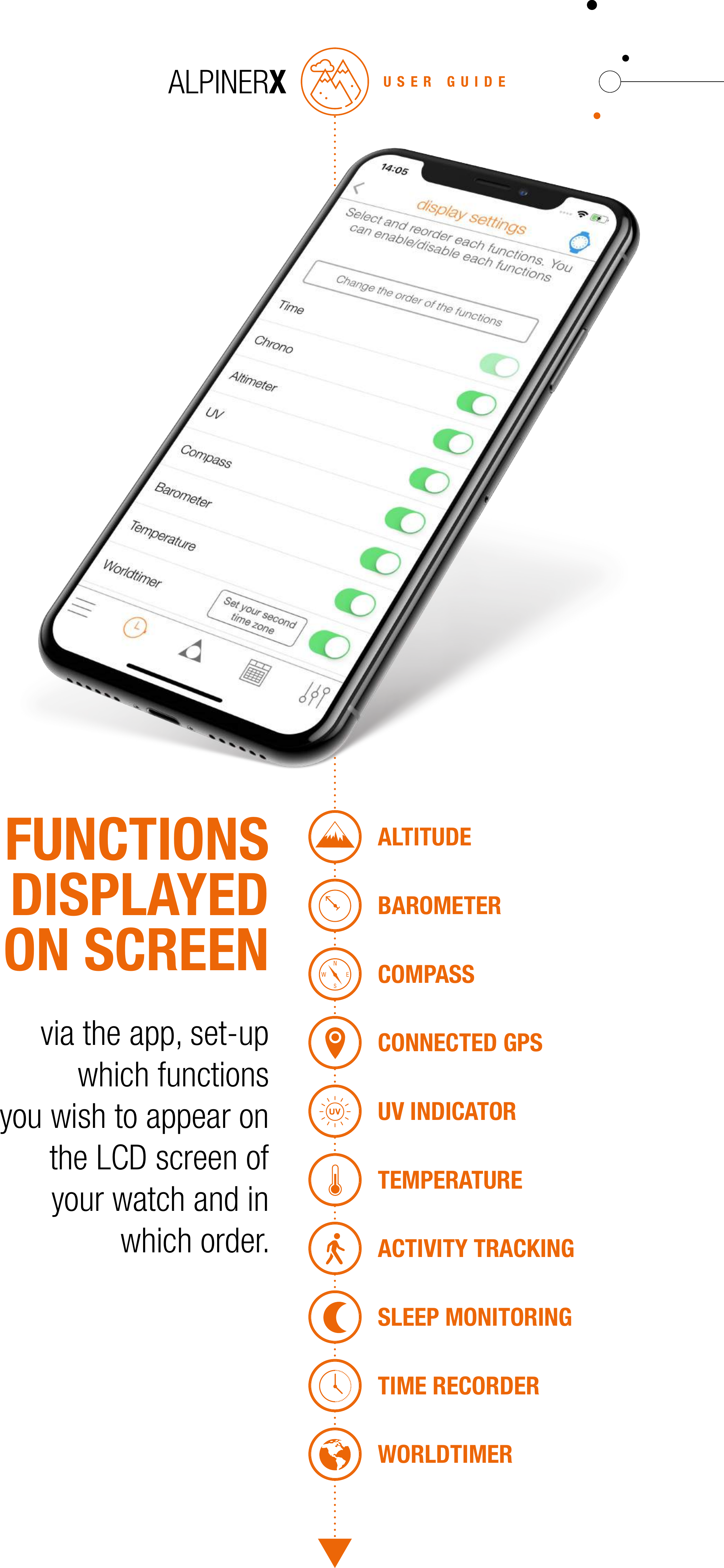
USER GUIDEFUNCTIONS DISPLAYED ON SCREENvia the app, set-up which functionsyou wish to appear on the LCD screen ofyour watch and in which order.ALTITUDEBAROMETERCOMPASSCONNECTED GPSUV INDICATORTEMPERATUREACTIVITY TRACKINGSLEEP MONITORINGTIME RECORDERWORLDTIMER
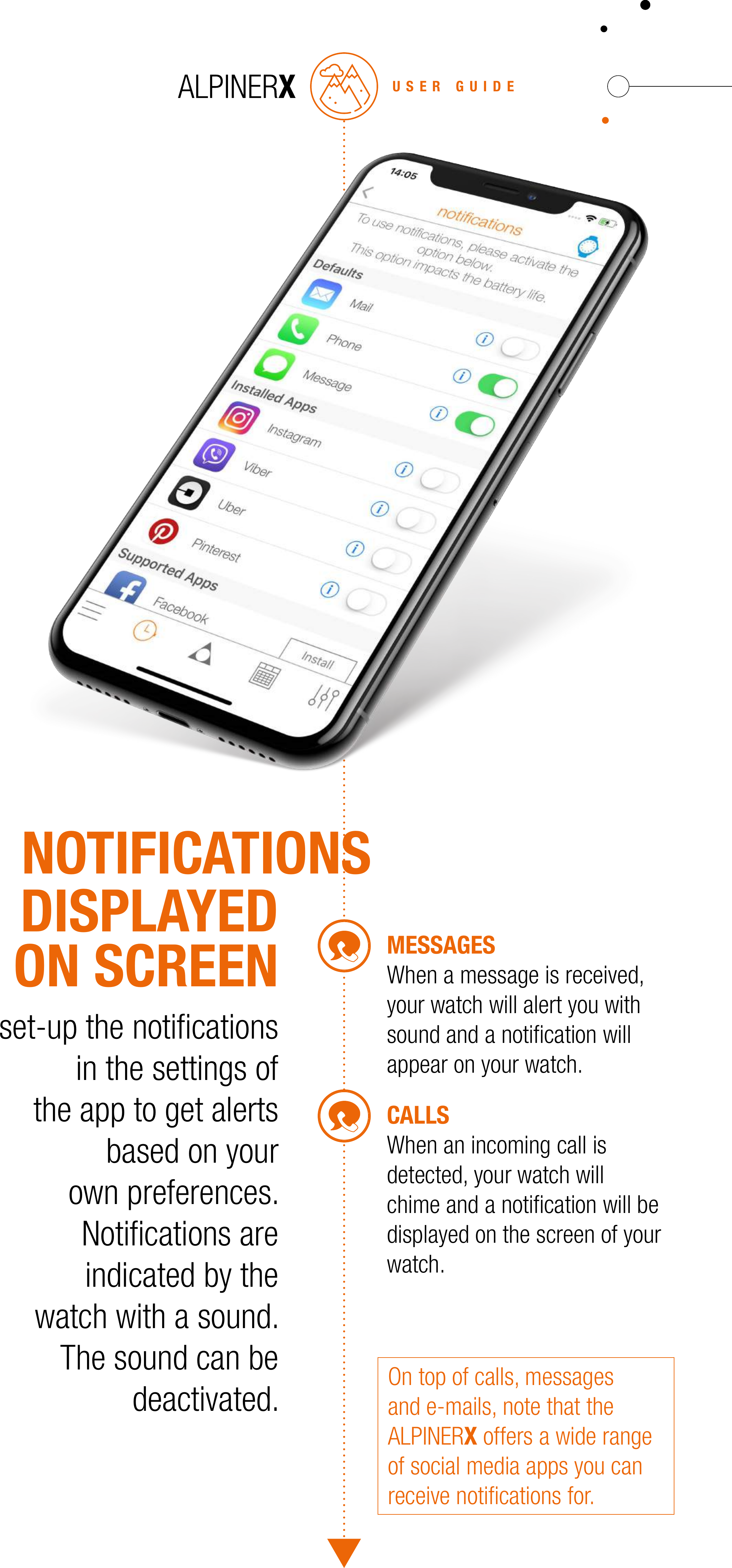
USER GUIDECALLSWhen an incoming call is detected, your watch will chime and a notification will be displayed on the screen of your watch.MESSAGESWhen a message is received, your watch will alert you with sound and a notification will appear on your watch.set-up the notifications in the settings of the app to get alerts based on your own preferences. Notifications are indicated by the watch with a sound. The sound can be deactivated.DISPLAYEDON SCREENOn top of calls, messages and e-mails, note that the ALPINERX offers a wide range of social media apps you can receive notifications for.NOTIFICATIONS
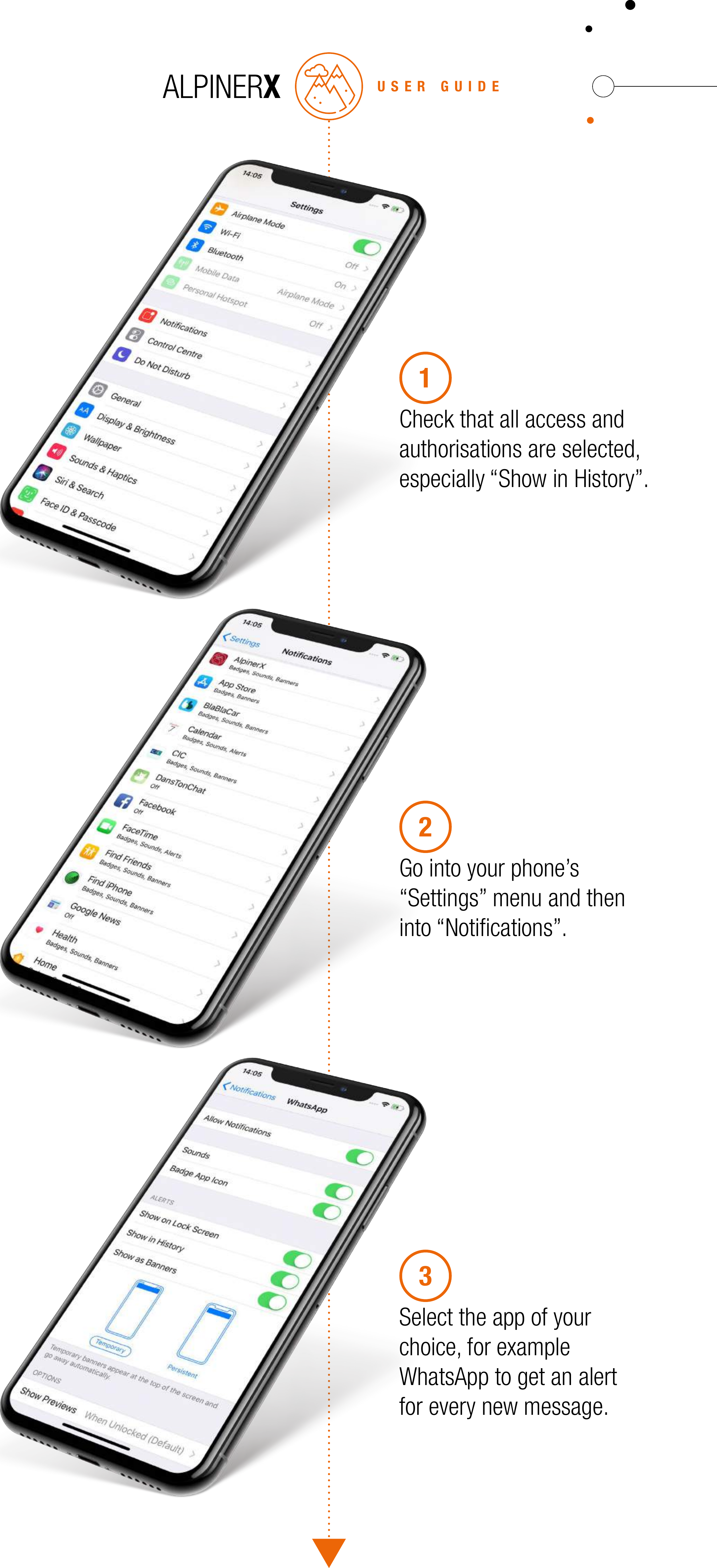
USER GUIDECheck that all access and authorisations are selected, especially “Show in History”.1Go into your phone’s “Settings” menu and then into “Notifications”.2Select the app of your choice, for example WhatsApp to get an alert for every new message.3
USER GUIDELEGALNOTICESALPINERXUSACANADAEUROPE
USACANADAThis equipment has been tested and found to comply with the limits for a Class B digital device, pursuant to Part 15 of the FCC Rules. These limits are designed to provide reasonable protection against harmful interference in a residential installation. This equipment generates, uses and can radiate radio frequency energy and, if not installed and used in accordance with the instructions, may cause harmful interference to radio communications. However, there is no guarantee that interference will not occur in a particular installation. If this equipment does cause harmful interference to radio or television reception, which can be determined by turning the equipment off and on, the user is encouraged to try to correct the interference by one or more of the following measures:• Reorient or relocate the receiving antenna.• Increase the separation between the equipment and receiver.•  Connect the equipment into an outlet on a circuit different from that to which the receiver is connected.• Consult the dealer or an experienced technician for help. This device complies with Part 15 of the FCC Rules and with Industry Canada license-exempt RSS standard(s). Operation is subject to the following two conditions:1. this device may not cause harmful interference, and 2.  this device must accept any interference received, including interference that may cause undesired operation.Changes or modifications made to this equipment not expressly approved by Alpina Watches International and Manufacture Modules Technologies Sarl may void the FCC authorization to operate this equipment.Le présent appareil est conforme aux CNR d’Industrie Canada applicables aux appareils radio exempts de licence. L’exploitation est autorisée aux deux conditions suivantes:1. l’appareil ne doit pas produire de brouillage, et2.  l’utilisateur de l’appareil doit accepter tout brouillage radioélectrique subi, même si le brouillage est susceptible d’en compromettre le fonctionnement.Toute modification apportée à cet équipement non approuvée  explicitement par Alpina Watches International et Manufacture Modules Technologies Sarl peut annuler l’autorisation de la FCC.ALPINA SAChemin du Champ-des-Filles, 321228 Plan-les-OuatesSwitzerlandUSER GUIDE
USER GUIDEEUROPE  Declaration of ConformityALPINA SAChemin du Champ-des-Filles, 321228 Plan-les-OuatesSwitzerlandDECLARES THAT THE PRODUCT: Horological Smartwatch AL283X5AQ6complies with the essential requirements of Article 3 of the R&TTE 1999/5/EC Directive, if used for its intended use and that the following standards has been applied.(ARTICLE 3.1.A OF THE R&TTE DIRECTIVE)APPLIED STANDARD(S)EN 62311:2008(ARTICLE 3.1.A OF THE R&TTE DIRECTIVE)APPLIED STANDARD(S)EN 60950-1:2006 + A11:2009 + AC:2011 + A12:2001 + A1:2010(ARTICLE 3.1.B OF THE R&TTE DIRECTIVE)APPLIED STANDARD(S)EN 301 489-1 V1.9.2EN 301 489-17 V2.2.1(ARTICLE 3.2 OF THE R&TTE DIRECTIVE)APPLIED STANDARD(S)EN 300 328 V1.8.1Geneva, May 1st 2018 Place and date of the declaration of conformityPeter C. Stas Name and signature
MORE INFORMATIONalpinawatches.com

Navigation menu