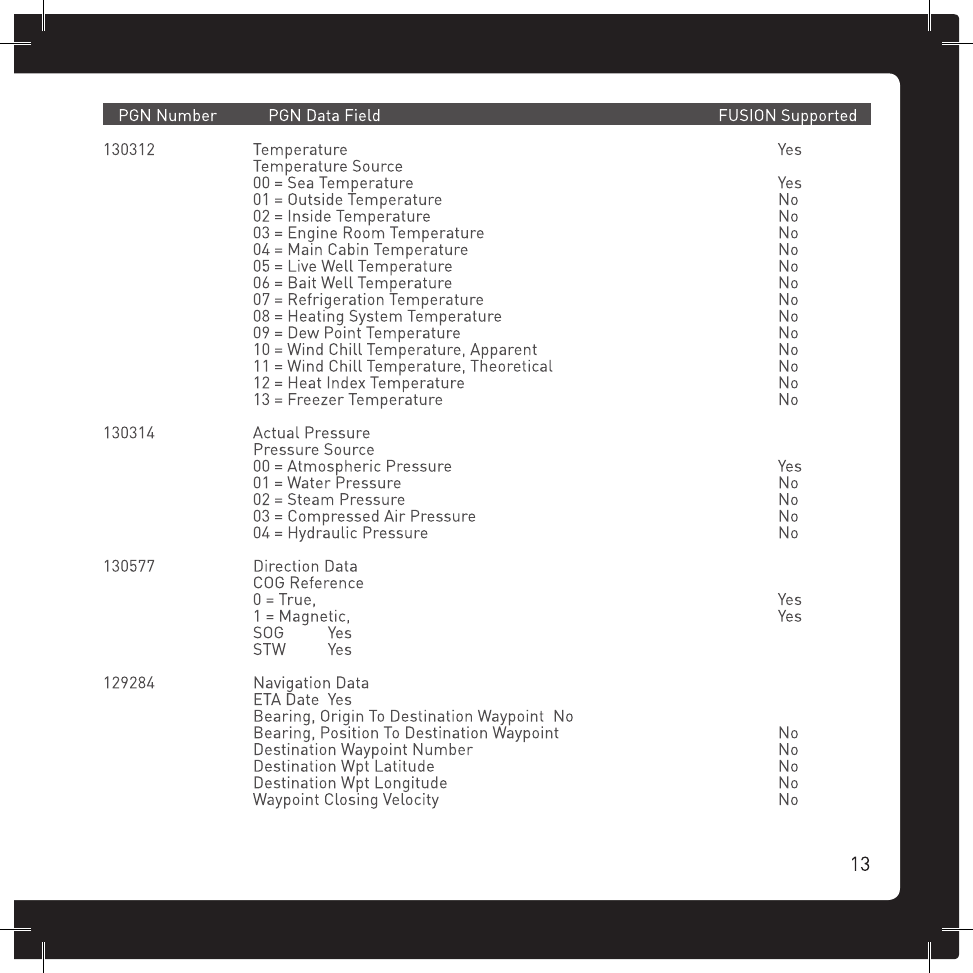
Fusion Electronics MS-AL300 AUDIO RECEIVER/PROCESSOR/AMPLIFIER WITH BLUETOOTH AND SEPARATE WIRED REMOTE CONTROL WITH USB PORT User Manual 2

Fusion Electronics Ltd AUDIO RECEIVER/PROCESSOR/AMPLIFIER WITH BLUETOOTH AND SEPARATE WIRED REMOTE CONTROL WITH USB PORT 2

Contents

User Manual 2

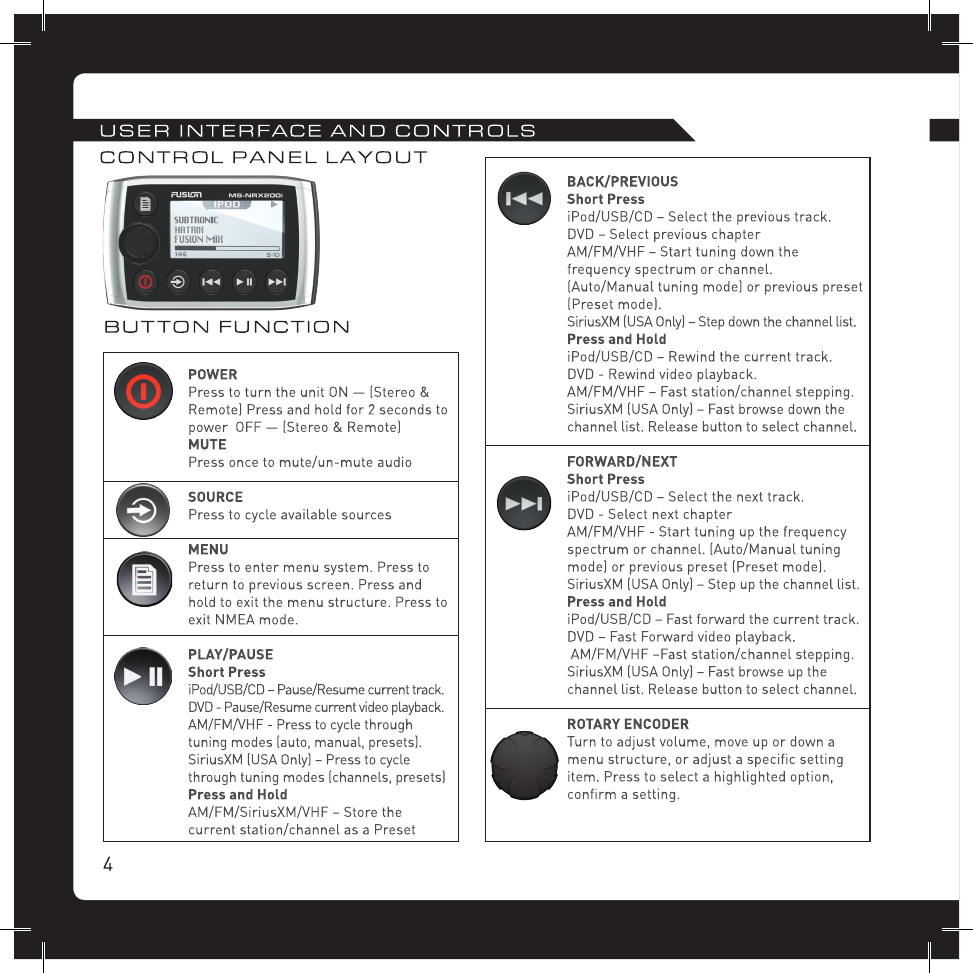
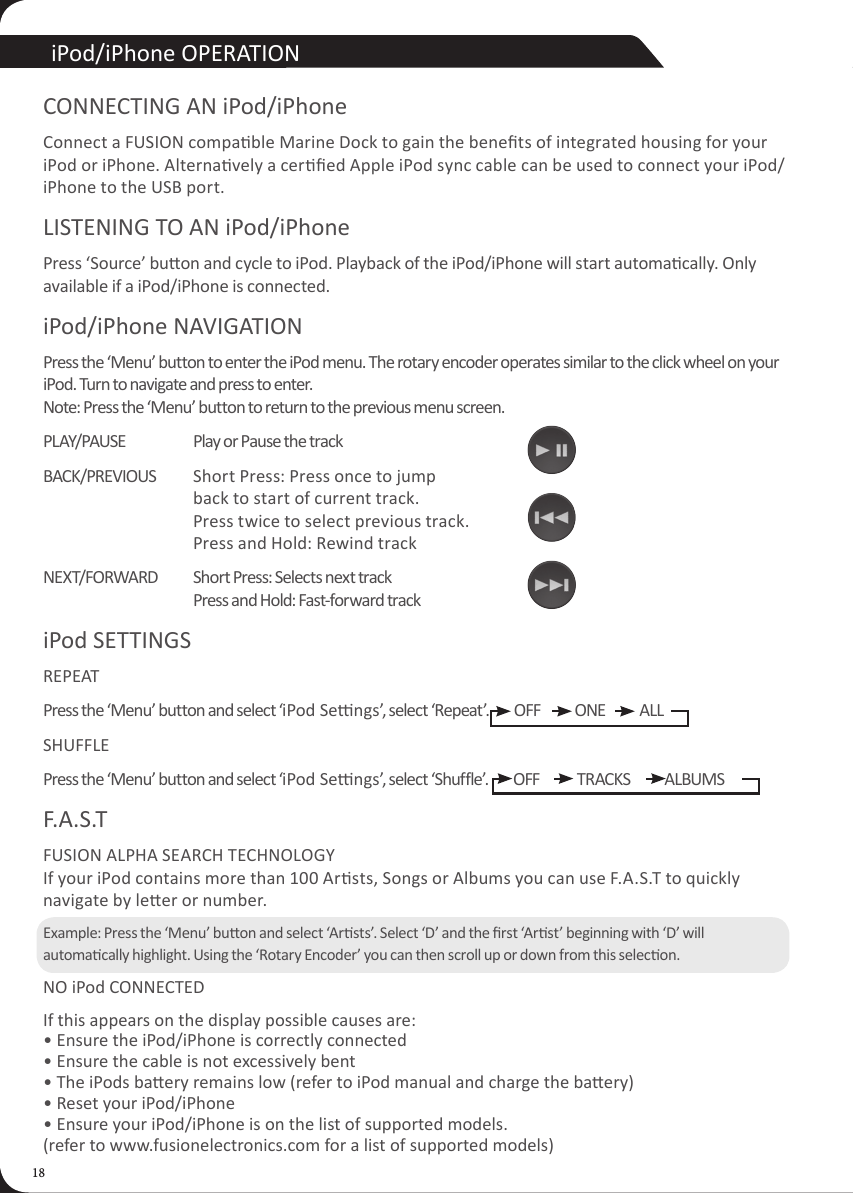
18iPod/iPhone OPERATIONCONNECTING AN iPod/iPhoneConnect a FUSION compable Marine Dock to gain the benets of integrated housing for your iPod or iPhone. Alternavely a cered Apple iPod sync cable can be used to connect your iPod/iPhone to the USB port.LISTENING TO AN iPod/iPhonePress ‘Source’ buon and cycle to iPod. Playback of the iPod/iPhone will start automacally. Only available if a iPod/iPhone is connected.iPod/iPhone NAVIGATIONPress the ‘Menu’ button to enter the iPod menu. The rotary encoder operates similar to the click wheel on your iPod. Turn to navigate and press to enter. Note: Press the ‘Menu’ button to return to the previous menu screen.PLAY/PAUSE  Play or Pause the trackBACK/PREVIOUS   Short Press: Press once to jump      back to start of current track.     Press twice to select previous track.     Press and Hold: Rewind trackNEXT/FORWARD  Short Press: Selects next track     Press and Hold: Fast-forward trackiPod SETTINGS REPEATPress the ‘Menu’ button and select ‘iPod Sengs’, select ‘Repeat’.        OFF           ONE           ALLSHUFFLEPress the ‘Menu’ button and select ‘iPod Sengs’, select ‘Shuffle’.        OFF            TRACKS           ALBUMSF.A.S.T FUSION ALPHA SEARCH TECHNOLOGY If your iPod contains more than 100 Arsts, Songs or Albums you can use F.A.S.T to quickly navigate by leer or number.Example: Press the ‘Menu’ buon and select ‘Arsts’. Select ‘D’ and the rst ‘Arst’ beginning with ‘D’ will automacally highlight. Using the ‘Rotary Encoder’ you can then scroll up or down from this selecon.NO iPod CONNECTEDIf this appears on the display possible causes are: • Ensure the iPod/iPhone is correctly connected • Ensure the cable is not excessively bent • The iPods baery remains low (refer to iPod manual and charge the baery) • Reset your iPod/iPhone • Ensure your iPod/iPhone is on the list of supported models.  (refer to www.fusionelectronics.com for a list of supported models)
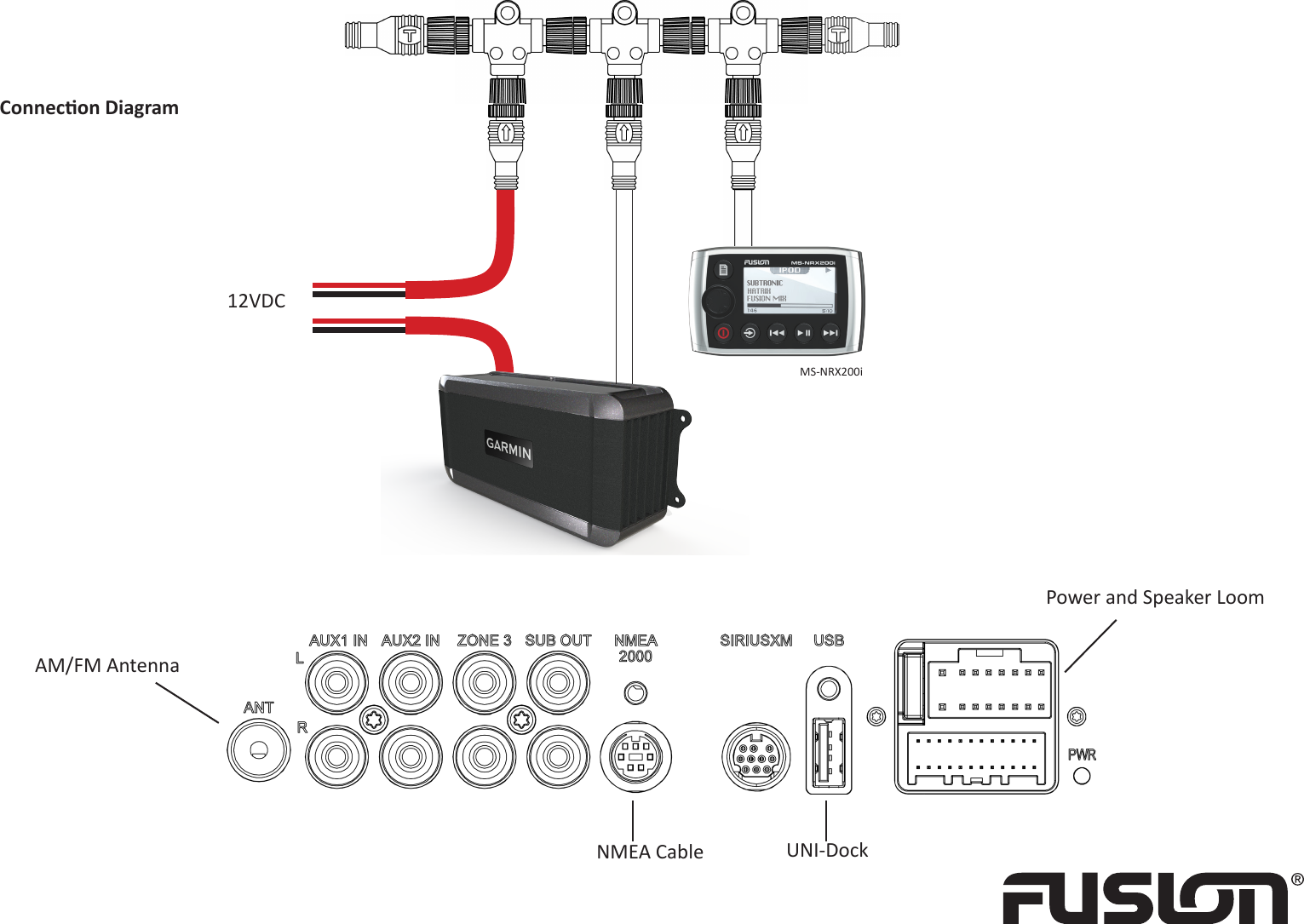
  MS-NRX200i 12VDCPower and Speaker LoomUNI-DockNMEA CableAM/FM AntennaConnecon Diagram

Navigation menu