G KINDLY ELECTRONIC KDL-C26 WIRELESS SPEAKER User Manual C26

SHENZHEN G-KINDLY ELECTRONIC CO., LTD WIRELESS SPEAKER C26

User Manual

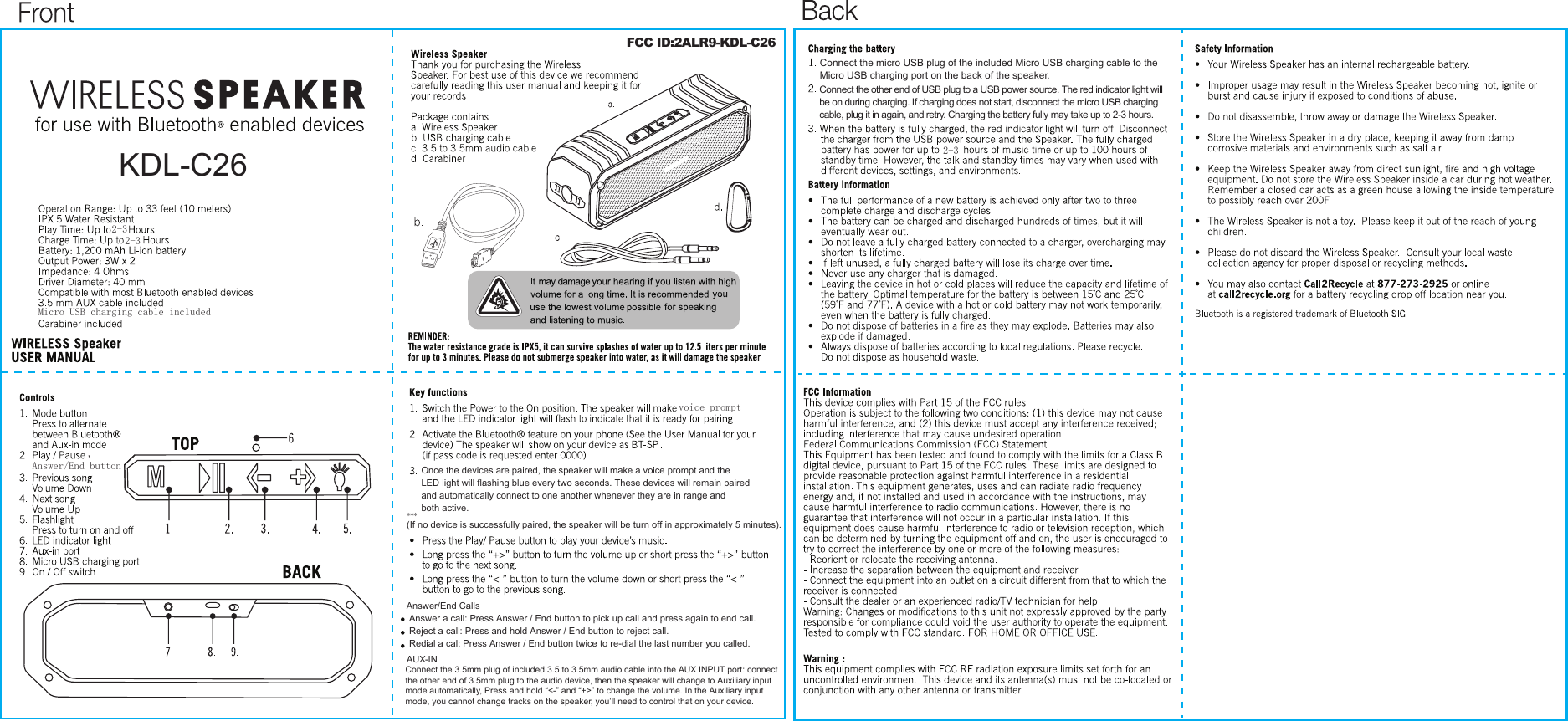
Connect the micro USB plug of the included Micro USB charging cable to the Micro USB charging port on the back of the speaker.Connect the other end of USB plug to a USB power source. The red indicator light will be on during charging. If charging does not start, disconnect the micro USB charging cable, plug it in again, and retry. Charging the battery fully may take up to 2-3 hours.2-3voice promptOnce the devices are paired, the speaker will make a voice prompt and theLED light will flashing blue every two seconds. These devices will remain paired and automatically connect to one another whenever they are in range and both active.***(If no device is successfully paired, the speaker will be turn off in approximately 5 minutes).Answer/End button,KDL-C262-32-3Micro USB charging cable includedAnswer/End CallsAnswer a call: Press Answer / End button to pick up call and press again to end call.Reject a call: Press and hold Answer / End button to reject call.Redial a cal: Press Answer / End button twice to re-dial the last number you called.AUX-INConnect the 3.5mm plug of included 3.5 to 3.5mm audio cable into the AUX INPUT port: connect the other end of 3.5mm plug to the audio device, then the speaker will change to Auxiliary input mode automatically, Press and hold “<-” and “+>” to change the volume. In the Auxiliary input mode, you cannot change tracks on the speaker, you’ll need to control that on your device.FCC ID:2ALR9-KDL-C26

Navigation menu