GPI KOREA EXPKS2400R 2.4 GHz RF Microphone User Manual TPT 101 102 103

GPI KOREA, Inc 2.4 GHz RF Microphone TPT 101 102 103

Users Manual

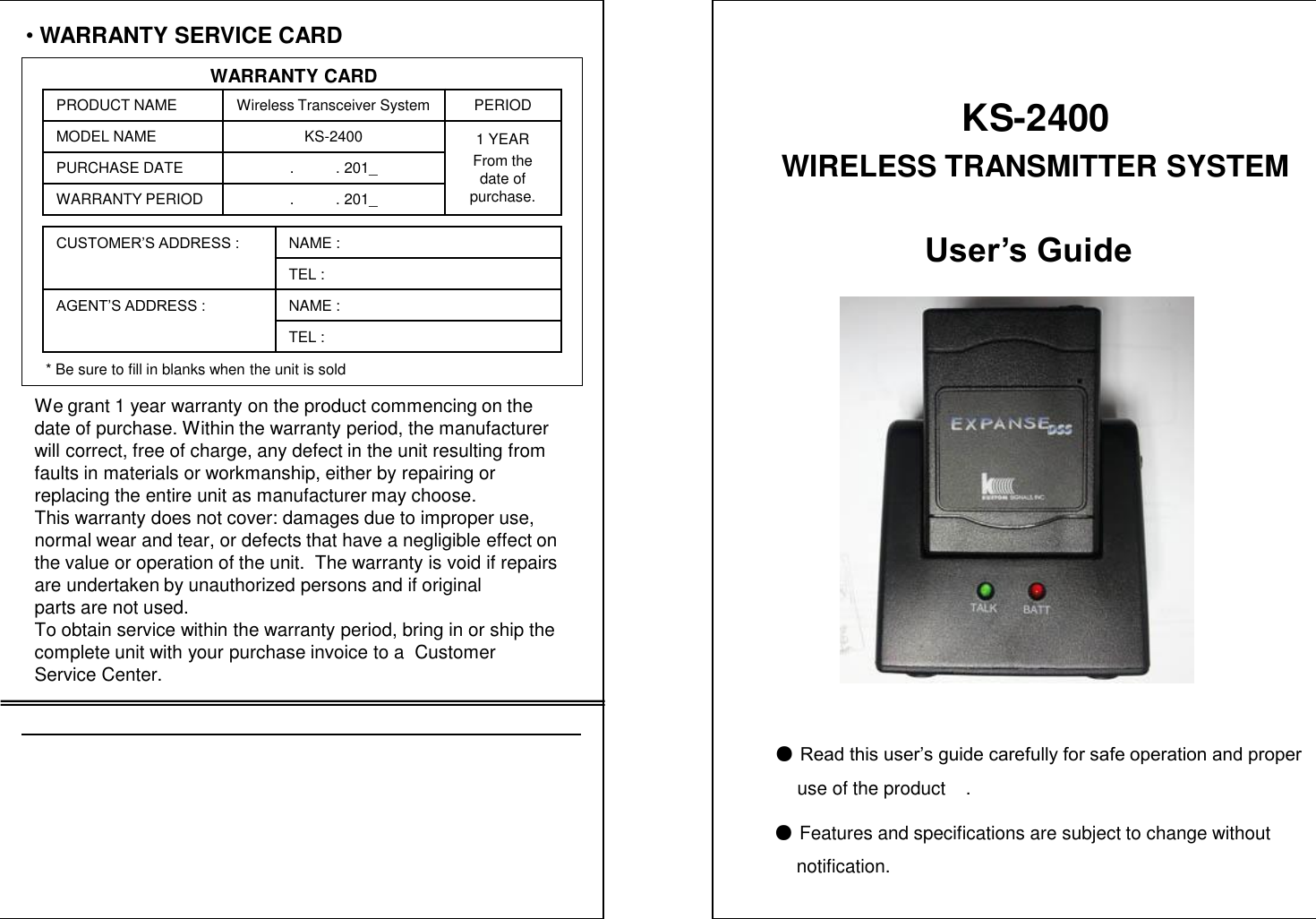
•WARRANTY SERVICE CARDWARRANTY CARDPRODUCT NAME Wireless Transceiver System PERIODMODEL NAME KS-2400 1 YEARFrom the date of purchase.PURCHASE DATE .          . 201_WARRANTY PERIOD .          . 201_CUSTOMER’S ADDRESS : NAME : TEL : AGENT’S ADDRESS : NAME : TEL : * Be sure to fill in blanks when the unit is soldWe grant 1 year warranty on the product commencing on thedate of purchase. Within the warranty period, the manufacturer  will correct, free of charge, any defect in the unit resulting from faults in materials or workmanship, either by repairing or replacing the entire unit as manufacturer may choose.This warranty does not cover: damages due to improper use, normal wear and tear, or defects that have a negligible effect on  the value or operation of the unit.  The warranty is void if repairs are undertaken by unauthorized persons and if original parts are not used.To obtain service within the warranty period, bring in or ship the complete unit with your purchase invoice to a  Customer Service Center.User’s Guide●Read this user’s guide carefully for safe operation and properuse of the product    .●Features and specifications are subject to change without   notification.KS-2400WIRELESS TRANSMITTER SYSTEM
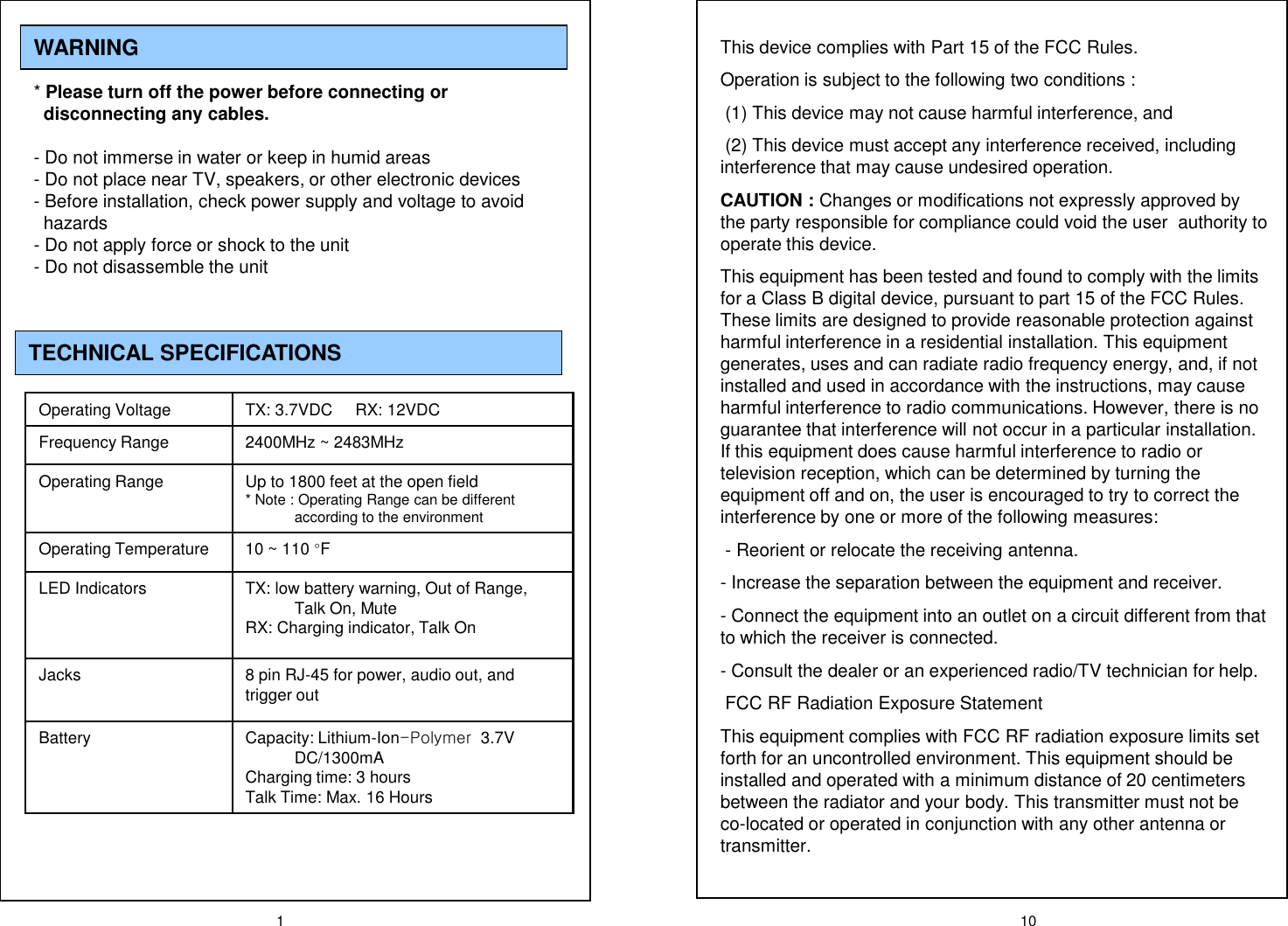
1WARNING* Please turn off the power before connecting or  disconnecting any cables. - Do not immerse in water or keep in humid areas- Do not place near TV, speakers, or other electronic devices- Before installation, check power supply and voltage to avoid        hazards- Do not apply force or shock to the unit- Do not disassemble the unit TECHNICAL SPECIFICATIONSOperating Voltage TX: 3.7VDC     RX: 12VDCFrequency Range 2400MHz ~ 2483MHzOperating Range Up to 1800 feet at the open field  * Note : Operating Range can be different according to the environmentOperating Temperature 10 ~ 110 °FLED Indicators TX: low battery warning, Out of Range, Talk On, MuteRX: Charging indicator, Talk OnJacks 8 pin RJ-45 for power, audio out, and trigger outBattery Capacity: Lithium-Ion-Polymer  3.7V DC/1300mACharging time: 3 hours Talk Time: Max. 16 Hours  10This device complies with Part 15 of the FCC Rules.Operation is subject to the following two conditions :(1) This device may not cause harmful interference, and(2) This device must accept any interference received, including interference that may cause undesired operation.CAUTION : Changes or modifications not expressly approved by the party responsible for compliance could void the user  authority to operate this device.This equipment has been tested and found to comply with the limits for a Class B digital device, pursuant to part 15 of the FCC Rules. These limits are designed to provide reasonable protection against harmful interference in a residential installation. This equipment generates, uses and can radiate radio frequency energy, and, if not installed and used in accordance with the instructions, may cause harmful interference to radio communications. However, there is no guarantee that interference will not occur in a particular installation. If this equipment does cause harmful interference to radio or television reception, which can be determined by turning the equipment off and on, the user is encouraged to try to correct the interference by one or more of the following measures:- Reorient or relocate the receiving antenna.- Increase the separation between the equipment and receiver.- Connect the equipment into an outlet on a circuit different from that to which the receiver is connected.- Consult the dealer or an experienced radio/TV technician for help.FCC RF Radiation Exposure StatementThis equipment complies with FCC RF radiation exposure limits set forth for an uncontrolled environment. This equipment should be installed and operated with a minimum distance of 20 centimeters between the radiator and your body. This transmitter must not be co-located or operated in conjunction with any other antenna or transmitter.
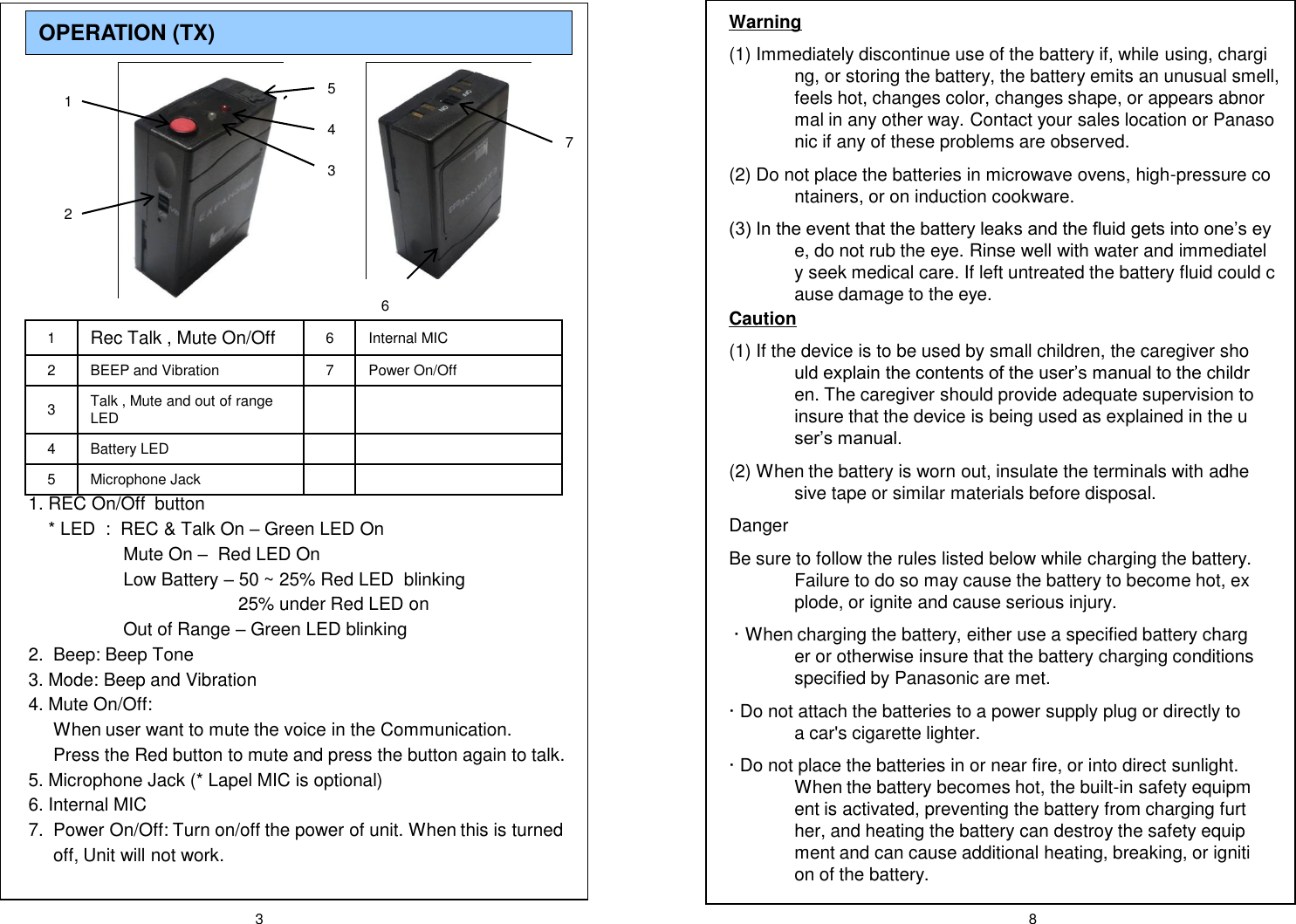
3 8OPERATION (TX) 1Rec Talk , Mute On/Off 6 Internal MIC2 BEEP and Vibration 7 Power On/Off3Talk , Mute and out of range LED4 Battery LED5 Microphone Jack1. REC On/Off  button* LED  :  REC & Talk On –Green LED OnMute On –Red LED OnLow Battery –50 ~ 25% Red LED  blinking25% under Red LED onOut of Range –Green LED blinking2.  Beep: Beep Tone 3. Mode: Beep and Vibration4. Mute On/Off: When user want to mute the voice in the Communication. Press the Red button to mute and press the button again to talk.5. Microphone Jack (* Lapel MIC is optional)6. Internal MIC7.  Power On/Off: Turn on/off the power of unit. When this is turned off, Unit will not work.1253746Warning(1) Immediately discontinue use of the battery if, while using, charging, or storing the battery, the battery emits an unusual smell, feels hot, changes color, changes shape, or appears abnormal in any other way. Contact your sales location or Panasonic if any of these problems are observed.(2) Do not place the batteries in microwave ovens, high-pressure containers, or on induction cookware.(3) In the event that the battery leaks and the fluid gets into one’s eye, do not rub the eye. Rinse well with water and immediately seek medical care. If left untreated the battery fluid could cause damage to the eye.Caution(1) If the device is to be used by small children, the caregiver should explain the contents of the user’s manual to the children. The caregiver should provide adequate supervision to insure that the device is being used as explained in the user’s manual.(2) When the battery is worn out, insulate the terminals with adhesive tape or similar materials before disposal.DangerBe sure to follow the rules listed below while charging the battery. Failure to do so may cause the battery to become hot, explode, or ignite and cause serious injury.· When charging the battery, either use a specified battery charger or otherwise insure that the battery charging conditions specified by Panasonic are met.· Do not attach the batteries to a power supply plug or directly to a car's cigarette lighter.· Do not place the batteries in or near fire, or into direct sunlight. When the battery becomes hot, the built-in safety equipment is activated, preventing the battery from charging further, and heating the battery can destroy the safety equipment and can cause additional heating, breaking, or ignition of the battery.
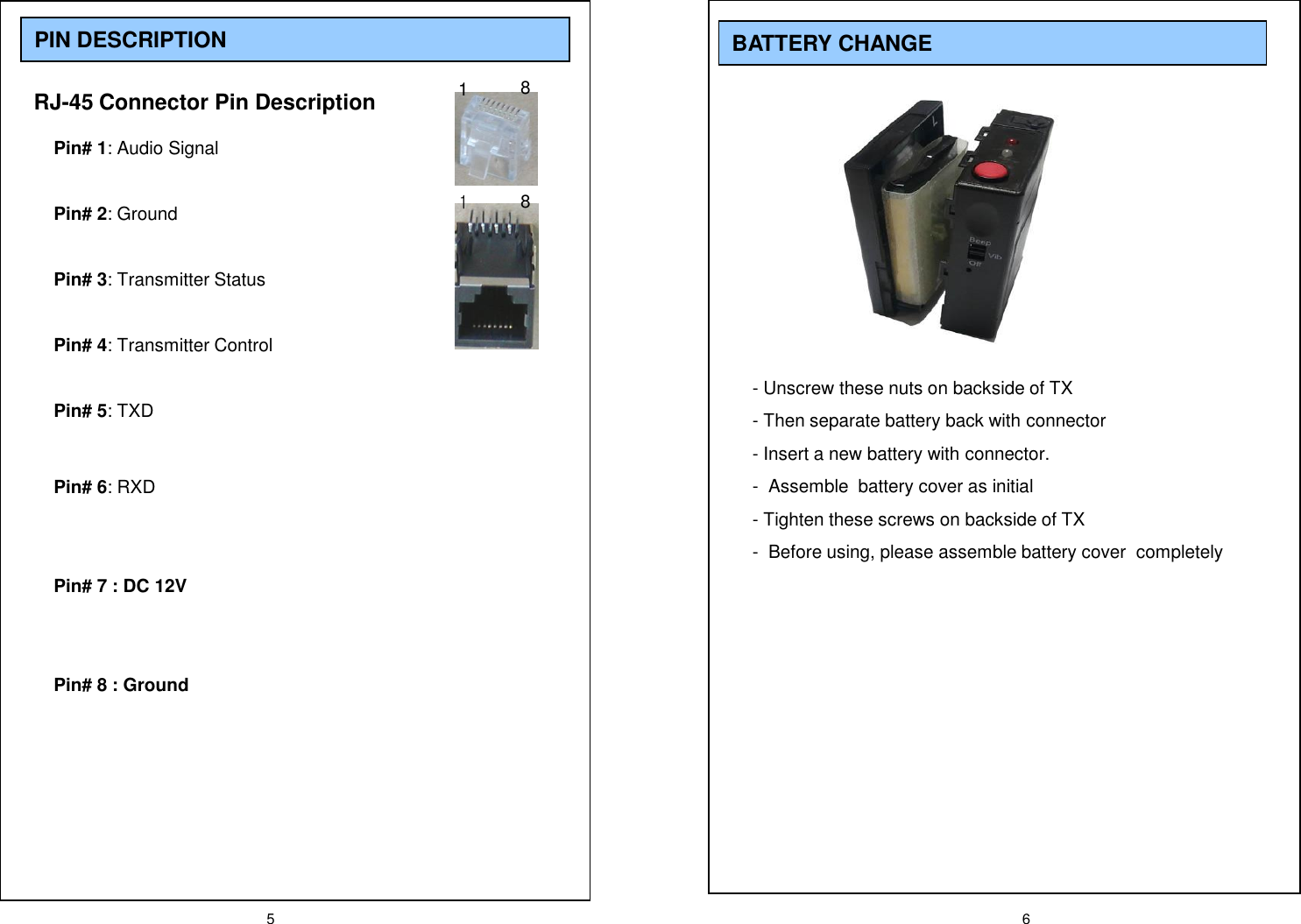
5 6PIN DESCRIPTIONRJ-45 Connector Pin DescriptionPin# 1: Audio SignalPin# 2: GroundPin# 3: Transmitter StatusPin# 4: Transmitter ControlPin# 5: TXDPin# 6: RXDPin# 7 : DC 12VPin# 8 : Ground1881BATTERY CHANGE- Unscrew these nuts on backside of TX- Then separate battery back with connector - Insert a new battery with connector.- Assemble  battery cover as initial- Tighten these screws on backside of TX- Before using, please assemble battery cover  completely
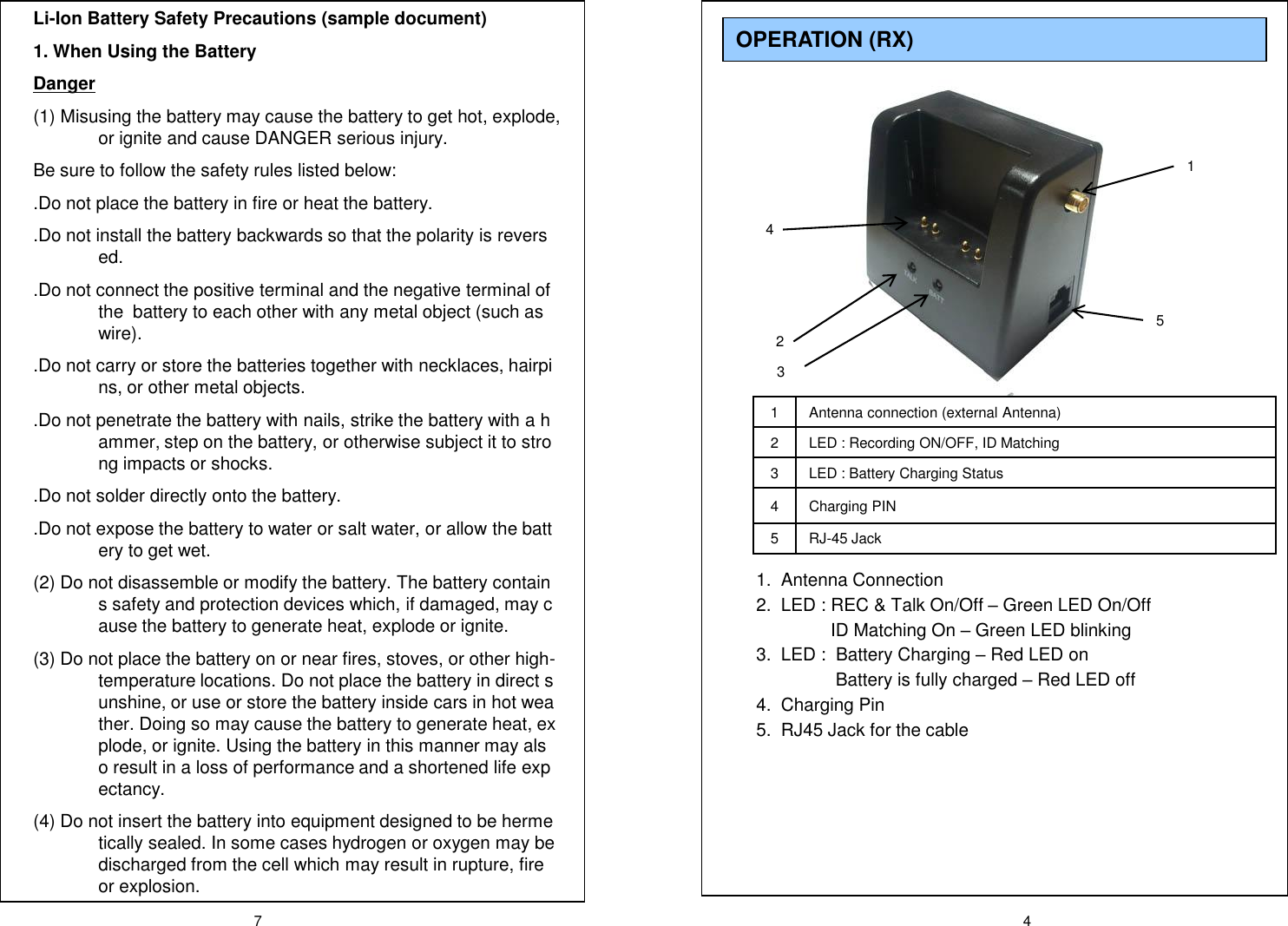
7 41 Antenna connection (external Antenna)2 LED : Recording ON/OFF, ID Matching 3 LED : Battery Charging Status4 Charging PIN5RJ-45 Jack1.  Antenna Connection2.  LED : REC & Talk On/Off –Green LED On/OffID Matching On –Green LED blinking 3.  LED :  Battery Charging –Red LED onBattery is fully charged –Red LED off4.  Charging Pin5.  RJ45 Jack for the cableOPERATION (RX) 14325Li-Ion Battery Safety Precautions (sample document)1. When Using the BatteryDanger(1) Misusing the battery may cause the battery to get hot, explode, or ignite and cause DANGER serious injury. Be sure to follow the safety rules listed below:.Do not place the battery in fire or heat the battery..Do not install the battery backwards so that the polarity is reversed..Do not connect the positive terminal and the negative terminal of the  battery to each other with any metal object (such as wire)..Do not carry or store the batteries together with necklaces, hairpins, or other metal objects..Do not penetrate the battery with nails, strike the battery with a hammer, step on the battery, or otherwise subject it to strong impacts or shocks..Do not solder directly onto the battery..Do not expose the battery to water or salt water, or allow the battery to get wet.(2) Do not disassemble or modify the battery. The battery contains safety and protection devices which, if damaged, may cause the battery to generate heat, explode or ignite.(3) Do not place the battery on or near fires, stoves, or other high-temperature locations. Do not place the battery in direct sunshine, or use or store the battery inside cars in hot weather. Doing so may cause the battery to generate heat, explode, or ignite. Using the battery in this manner may also result in a loss of performance and a shortened life expectancy.(4) Do not insert the battery into equipment designed to be hermetically sealed. In some cases hydrogen or oxygen may be discharged from the cell which may result in rupture, fire or explosion.
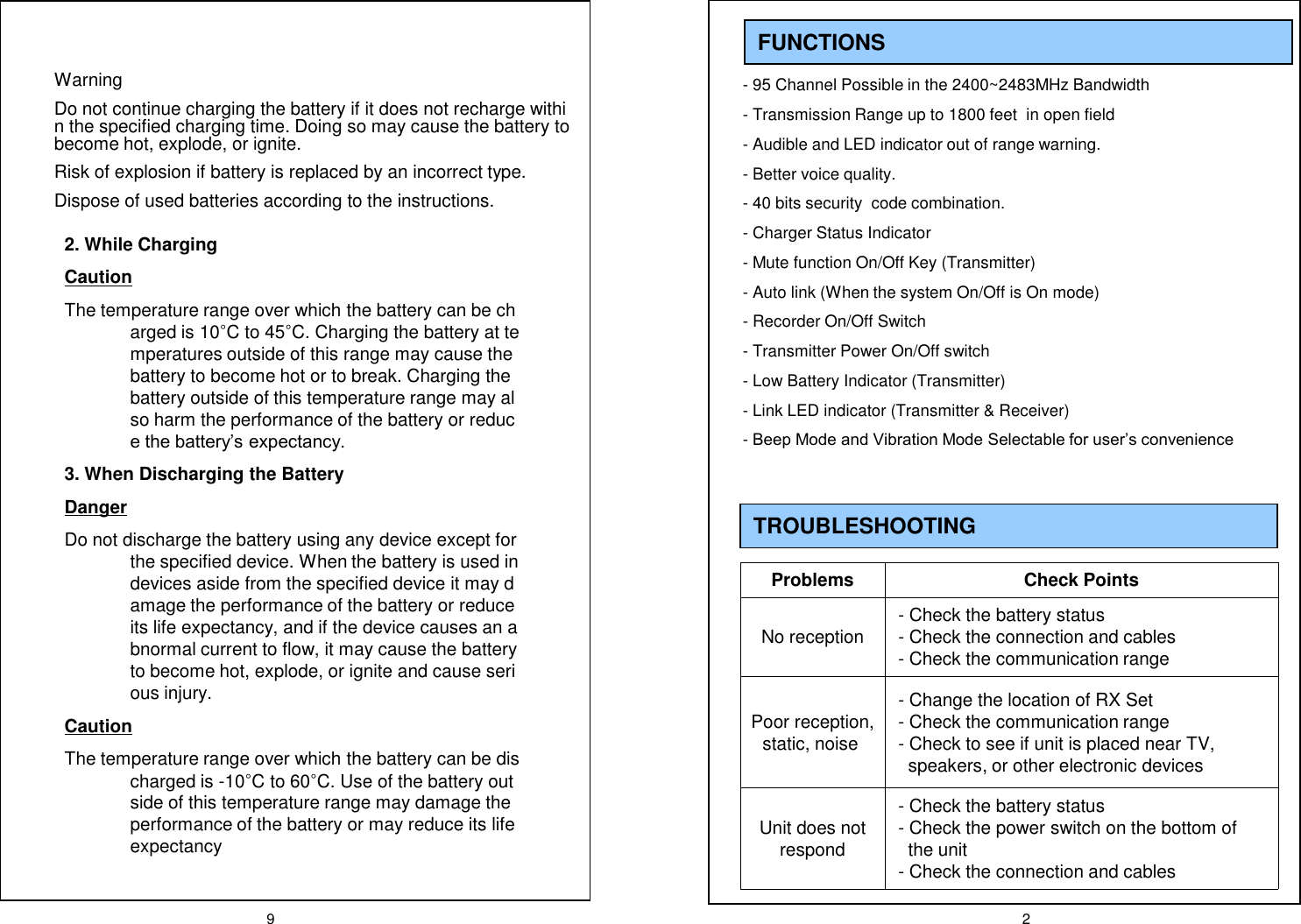
9 2FUNCTIONS- 95 Channel Possible in the 2400~2483MHz Bandwidth- Transmission Range up to 1800 feet  in open field- Audible and LED indicator out of range warning. - Better voice quality.- 40 bits security  code combination.- Charger Status Indicator- Mute function On/Off Key (Transmitter)- Auto link (When the system On/Off is On mode)- Recorder On/Off Switch- Transmitter Power On/Off switch- Low Battery Indicator (Transmitter)- Link LED indicator (Transmitter & Receiver)-Beep Mode and Vibration Mode Selectable for user’s convenienceTROUBLESHOOTING Problems Check PointsNo reception - Check the battery status- Check the connection and cables- Check the communication rangePoor reception, static, noise- Change the location of RX Set- Check the communication range- Check to see if unit is placed near TV, speakers, or other electronic devices Unit does not respond- Check the battery status- Check the power switch on the bottom of the unit- Check the connection and cablesWarningDo not continue charging the battery if it does not recharge within the specified charging time. Doing so may cause the battery to become hot, explode, or ignite.Risk of explosion if battery is replaced by an incorrect type.Dispose of used batteries according to the instructions.2. While ChargingCautionThe temperature range over which the battery can be charged is 10°C to 45°C. Charging the battery at temperatures outside of this range may cause the battery to become hot or to break. Charging the battery outside of this temperature range may also harm the performance of the battery or reduce the battery’s expectancy.3. When Discharging the BatteryDangerDo not discharge the battery using any device except for the specified device. When the battery is used in devices aside from the specified device it may damage the performance of the battery or reduce its life expectancy, and if the device causes an abnormal current to flow, it may cause the battery to become hot, explode, or ignite and cause serious injury.CautionThe temperature range over which the battery can be discharged is -10°C to 60°C. Use of the battery outside of this temperature range may damage the performance of the battery or may reduce its life expectancy
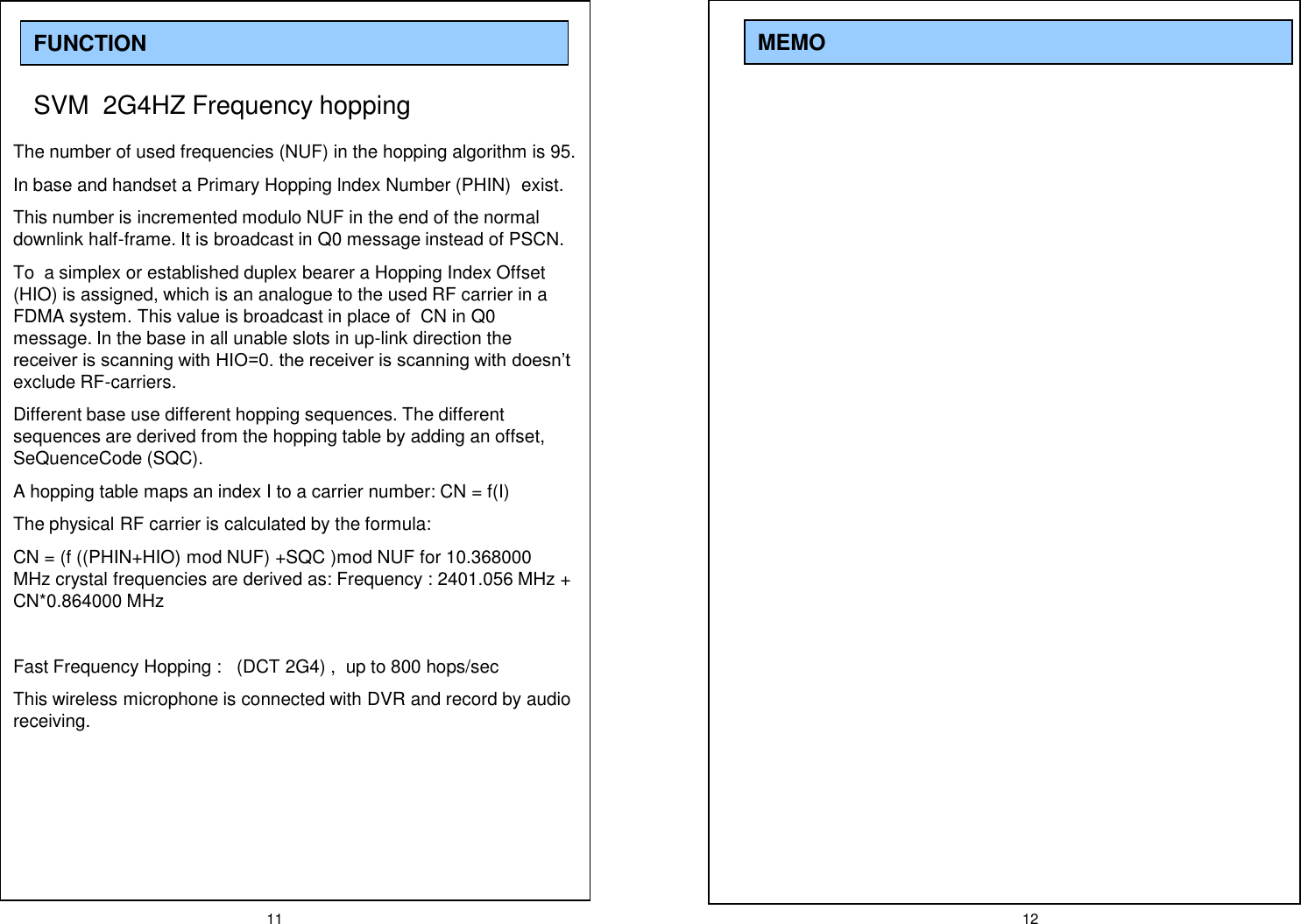
11 12MEMOFUNCTIONSVM  2G4HZ Frequency hopping The number of used frequencies (NUF) in the hopping algorithm is 95.In base and handset a Primary Hopping lndex Number (PHIN)  exist.This number is incremented modulo NUF in the end of the normal downlink half-frame. It is broadcast in Q0 message instead of PSCN.To  a simplex or established duplex bearer a Hopping Index Offset (HIO) is assigned, which is an analogue to the used RF carrier in a FDMA system. This value is broadcast in place of  CN in Q0  message. In the base in all unable slots in up-link direction the receiver is scanning with HIO=0. the receiver is scanning with doesn’t exclude RF-carriers.Different base use different hopping sequences. The different sequences are derived from the hopping table by adding an offset, SeQuenceCode (SQC).A hopping table maps an index I to a carrier number: CN = f(I)The physical RF carrier is calculated by the formula: CN = (f ((PHIN+HIO) mod NUF) +SQC )mod NUF for 10.368000 MHz crystal frequencies are derived as: Frequency : 2401.056 MHz + CN*0.864000 MHzFast Frequency Hopping :   (DCT 2G4) ,  up to 800 hops/secThis wireless microphone is connected with DVR and record by audio receiving.

Navigation menu