GUANGZHOU ADS AUDIO SCIENCE and TECHNOLOGY TROLLEY-0003 TROLLEY SPEAKER User Manual

GUANGZHOU ADS AUDIO SCIENCE & TECHNOLOGY CO., LTD. TROLLEY SPEAKER

User Manual

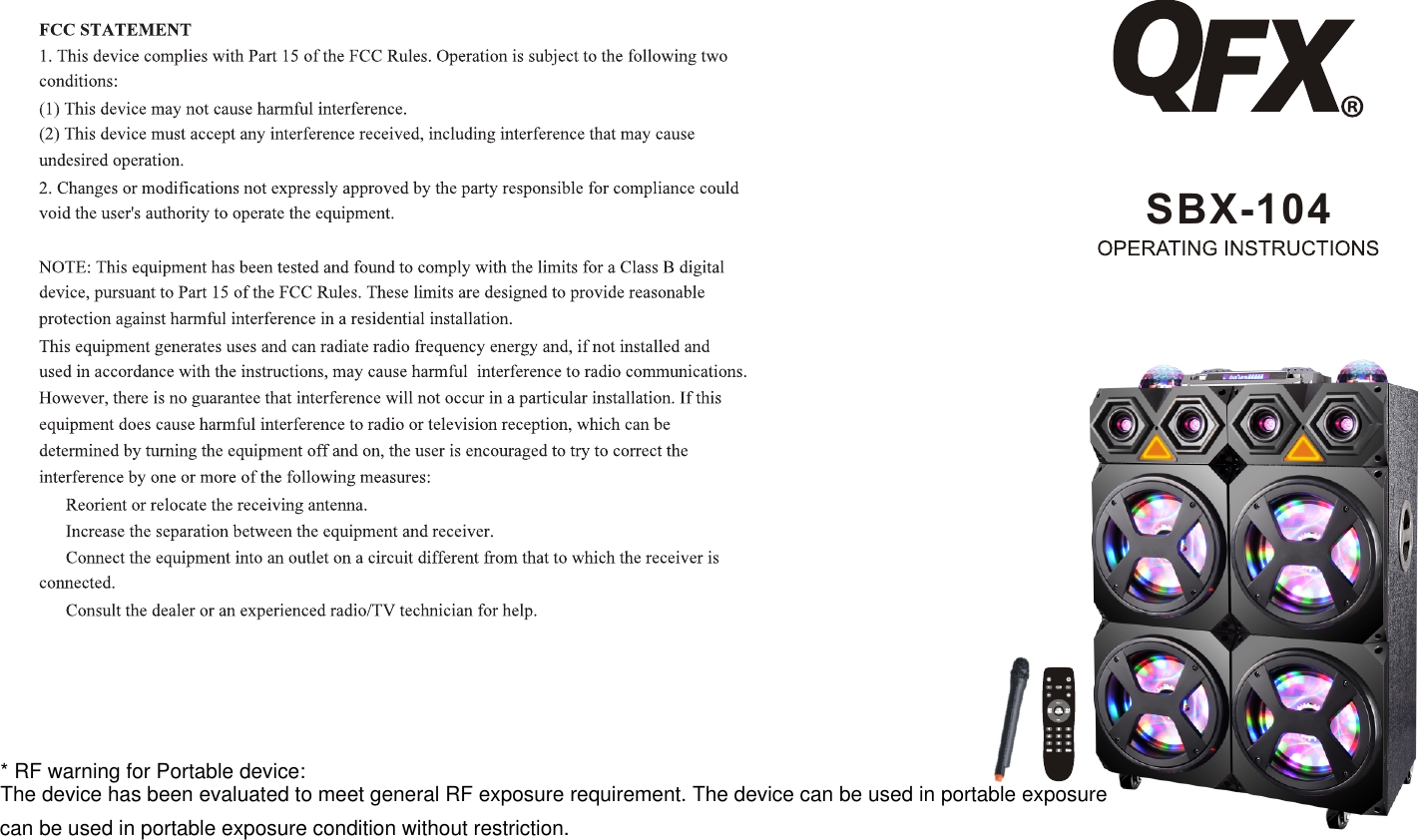
SBX-104* RF warning for Portable device:The device has been evaluated to meet general RF exposure requirement. The device can be used in portable exposurecan be used in portable exposure condition without restriction.
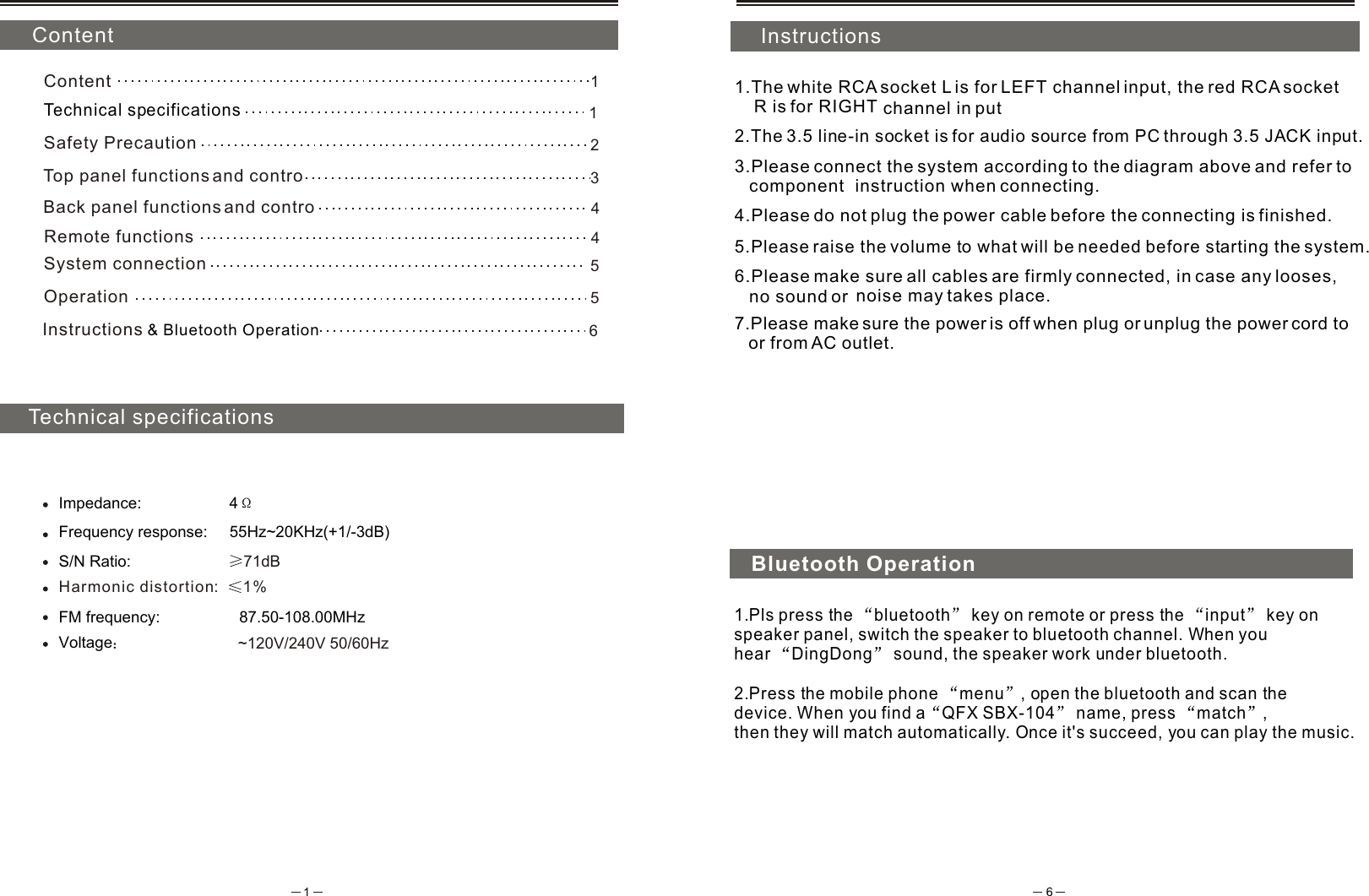
 ContentTechnical specificationsInstructions1.The white RCA socket L is for LEFT channel input, the red RCA socket     R is for RIGHT  channel in put2.The 3.5 line-in socket is for audio source from PC through 3.5 JACK input.3.Please connect the system according to the diagram above and refer to    component  instruction when connecting.4.Please do not plug the power cable before the connecting is finished.5.Please raise the volume to what will be needed before starting the system.6.Please make sure all cables are firmly connected, in case any looses,    no sound or  noise may takes place.7.Please make sure the power is off when plug or unplug the power cord to    or from AC outlet.Impedance:                    4Frequency response:     55Hz~20KHz(+1/-3dB)S/N Ratio:                       71dBHarmonic distortion %:   1Voltage                     ~120V/240V 50/60Hz1Content1Technical specificationsSafety Precaution 25System connection5Operation6Instructions  & Bluetooth Operation4Top panel functions and contro    3Remote functions   Back panel functions and contro    4Bluetooth Operation1.Pls press the  bluetooth  key on remote or press the  input  key on speaker panel, switch the speaker to bluetooth channel. When you hear  DingDong  sound, the speaker work under bluetooth. 2.Press the mobile phone  menu , open the bluetooth and scan the device. When you find a QFX SBX-104  name, press  match , then they will match automatically. Once it's succeed, you can play the music.FM frequency:                  87.50-108.00MHz
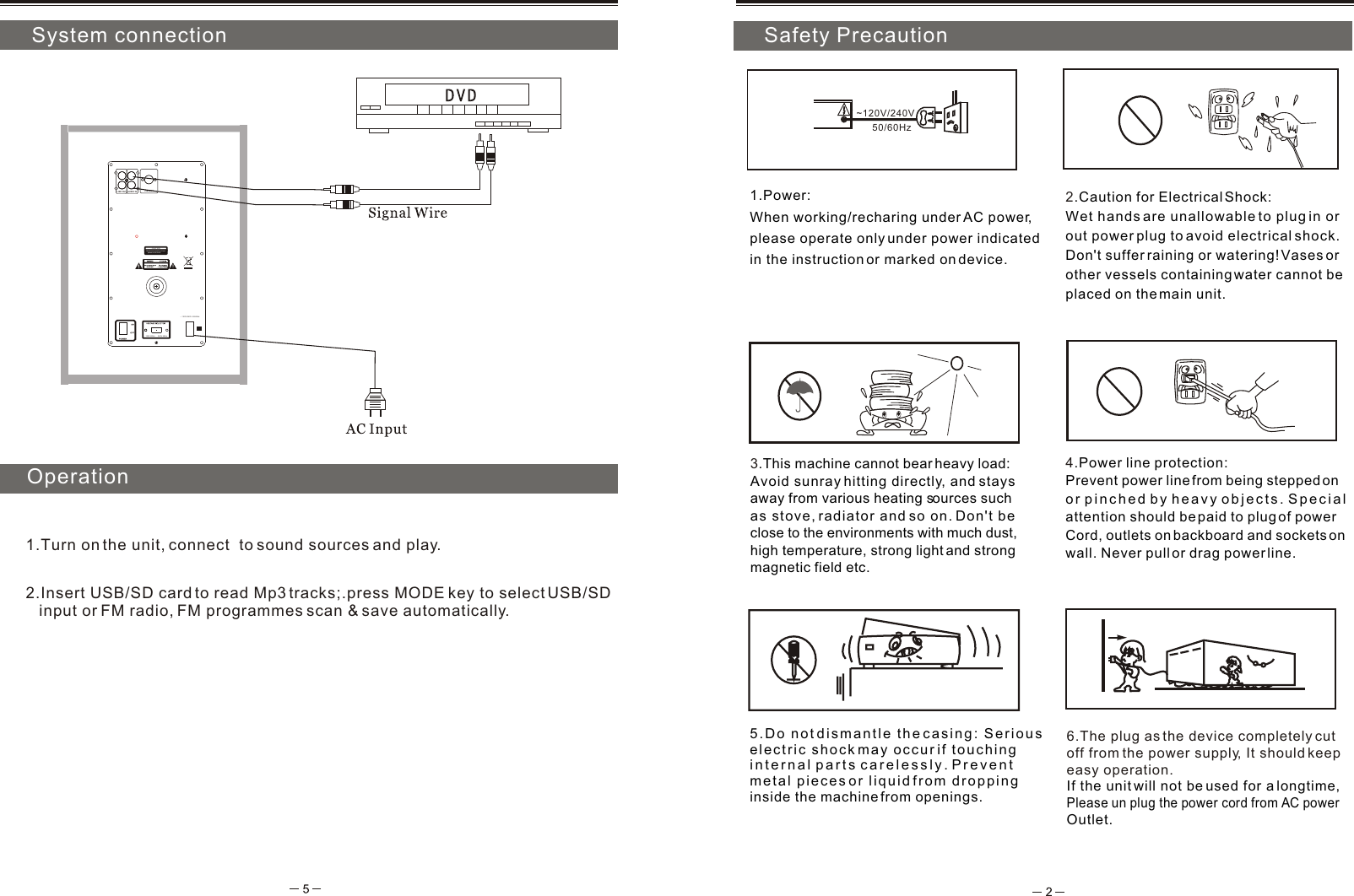
5.Do not dismantle the casing: Serious electric shock may occur if touching internal parts carelessly. Prevent metal pieces or liquid from droppinginside the machine from openings.4.Power line protection:Prevent power line from being stepped on or pinched by heavy objects. Special attention should be paid to plug of power Cord, outlets on backboard and sockets on wall. Never pull or drag power line. 3.This machine cannot bear heavy load:Avoid sunray hitting directly, and stays away from various heating sources such as stove, radiator and so on. Don't be close to the environments with much dust, high temperature, strong light and strong magnetic field etc. 2.Caution for Electrical Shock: Wet hands are unallowable to plug in or out power plug to avoid electrical shock.Don't suffer raining or watering! Vases or other vessels containing water cannot be placed on the main unit.1.Power: When working/recharing under AC power, please operate only under power indicated in the instruction or marked on device.~120V/240V6.The plug as the device completely cut off from the power supply, It should keepeasy operation.If the unit will not be used for a longtime, Please un plug the power cord from AC power Outlet. System connectionInstallation and play50/60HzOperation1.Turn on the unit, connect  to sound sources and play.       Safety Precaution2.Insert USB/SD card to read Mp3 tracks;.press MODE key to select USB/SD    input or FM radio, FM programmes scan & save automatically. CAUTIONBackboard egressing of heat    please do not touchFM ANT 120V 60Hz  240V 50Hz~ 120V/240V  50/60HzAUDIO INLINE OUTLRLR
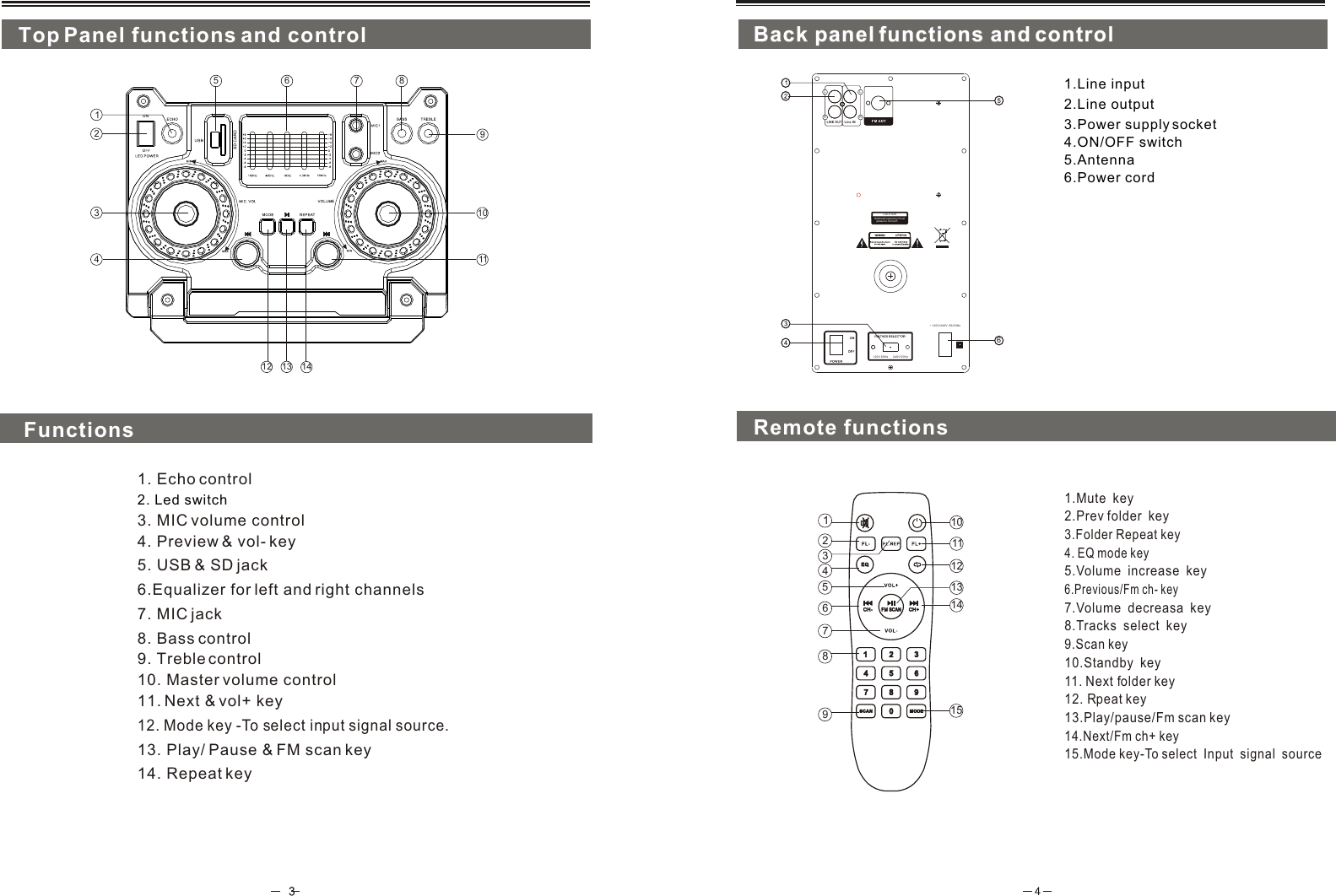
12111314FM SCANFM SCANCH- CH-  CH+CH+21354679810151.Mute  key8.Tracks  select  key2.Prev folder  key4. EQ mode key10.Standby  key11. Next folder key3.Folder Repeat key13.Play/pause/Fm scan key5.Volume  increase  key7.Volume  decreasa  key6.Previous/Fm ch- key14.Next/Fm ch+ key15.Mode key-To select  Input  signal  source9.Scan key12. Rpeat keyCAUTIONBackboard egressing of heat    please do not touchFM ANT 120V 60Hz  240V 50Hz~ 120V/240V  50/60Hz1.Line input4.ON/OFF switch6.Power cord5.Antenna3.Power supply socket21356798412111310Back panel functions and controlBack panel functions and controlTop Panel functions and control14. Repeat key11. Next & vol+ key13. Play/ Pause & FM scan key4. Preview & vol- key 12. Mode key -To select input signal source.5. USB & SD jackRemote functions 3. MIC volume control1. Echo control7. MIC jack6.Equalizer for left and right channels Functions2. Led switch148. Bass control9. Treble control10. Master volume controlLine INLINE OUTLRLR62.Line output

Navigation menu