Gallo Technologies GTS20210 GTSTARTER2 User Manual GTS2 Operation manual final

Gallo Technologies GTSTARTER2 GTS2 Operation manual final

Users Manual

© CopyrightGallo Technologies. All Right Reserved-1-10810Operation & Installation Manual for:KeylessModel # GTS-2Keyless RFIDPush Button Start &SecuritySystemDISCLAIMER:This installation manual is designed for theprofessionalinstaller with agood understandingof automotive electricalsystems,and if the vehicle is so equipped,the ability todisable the steering column locking mechanism.To easeinproperinstallation, werecommendthatthe installerREAD THIS MANUALthoroughlybefore beginningtheinstallation. This manual is provided as a GENERAL GUIDELINE and the information contained herein may differfrom your vehicle. Gallo Technologies and its’ vendors shall not be liable for any accident resulting from themisuseof this product. Thisproductis designed to be professionally installed into a vehicle in which all systems andassociated components are in perfect working condition.DAMAGE to theGTStarter-2unitresulting from incorrectinstallation or failure to follow guidelines stated in this manual,will not be covered under warranty and will be subjectto repair or replacement charges.Links to nation-wideAlarm installers can be found on our web site atwww.GalloTech.com.Table of Contents1.1 Introduction1.2 Remote Key FOB Operation1.3 “PUSH START STOP” BUTTON OPERATION1.4GTStarter-2Function Options1.5Programming Function Set Up Options1.6Installation Instructions1.7Final Installation1.8TroubleshootingFCC ComplianceThis device complies with Part 15 of the FCC Rules. Operation is subject to the following two conditions: (1) thisdevice may not cause harmful interference, and (2) this device must accept any interferencereceived, includinginterference that may cause undesired operation.www.GalloTech.com
© CopyrightGallo Technologies. All Right Reserved-2-10810IMPORTANT:READ ALL INSTRUCTIONS BEFORE INSTALLATIONGTStarter-2has been designed toeliminate the need for an ignition key to unlock, start and stop thevehicle, and provide a high level of security. GTStarter-2 makes use of a sophisticated electronic technologycalled Passive RFID (Radio Frequency Identification). This technology allowsall the same functionsto bedoneas an ignition key but completely hands free. Example: just walk up to the vehicle with the RFID keyFOB in your pocket or purse and the doors will unlock automatically. After sitting in the vehicle the drivercan press the“PUSH START STOP” button one timemomentarilyand the accessories will turn ON, ORPress and hold the “PUSH START STOP” button and theIgnitionwill turn ONor willstartif the brake/clutchis pressed. Put it in gear and drive away. To turn the vehicle off simple push the “PUSH START STOP”button andthe engine will stop. After opening the door and walking away from the vehicle, the doors willautomatically lock and the accessories will turn OFF. Other functions such as trunk release, car locating,shock sensor, and other security functions are standard with GTStarter-2.GTStarter-2 can be installed in any vehicle(carbureted, fuel injected, diesel, automatic or manualtransmission, and locking or non-locking steering column.)If your vehicle is equipped with a lockingsteering column, the installationrequires that the steering column lock be permanently disabled. Many latemodel vehicles (2002–present) have electrically locking steering columns. For electrically locking columnsGTStarter-2 includes a “-“disarmoutput that can be used to activate the necessary vehicle specificsecurityby-passmodulethat will release the column lock when the system is in the disarm mode.If your vehicle hasa factory installed security system witha key activatedimmobilizer, thenGTStarter-2must beinstalled withthe use of an aftermarket securitykeybypass moduledesigned for that particular vehicle.These vehiclespecific bypass modules should be supplied by the installer, or can be purchased through numerousaftermarketcar alarmsuppliers.To ease and reduceinstallation time, we suggest you consider the following points before starting:1.Check all vehicle manufacturer cautions and warnings regarding electrical service (AIR BAGS, ABS BRAKES,ENGINE / BODY COMPUTER AND BATTERY).Use extreme care and do not probeany wires of the SRSsystem.2.Additional vehicle specific wiring diagrams and other helpful installation information can be found on our web siteatwww.gallotech.com/support.php3.Determine the most suitable locations for all components to be placed. These components include: The controlmodule,“PUSH START STOP”button, siren or possible extra relays.4.GTStarter-2 can be installed with or without the ignition switch.If the ignition switch is left functional then thevehicle can be started with either the key or the“Push Start Stop”button.SeeFigure 1 Option 1.5.Use aDigital Multi-Meter or 12-volt Test Probe (High-Impedance)to test and locate all connections.ConventionalTest Lights can damage a vehicle’s computer systems.6.Record all color codes of vehicle wiring to be used for reference. This will save time by not having to re-test thesame wires over again. Mark all vehicle wires with masking tape.7.After locating and marking the appropriate wires DISCONNECT the (+) POS terminal at the battery.8.Determine the type ofdoorlocking system the vehicle has before connecting any wires. Incorrect connection canresult in damage to theGTStarter-2and/or vehicle locking system. There are several types of door lock systemsin vehicles today. Below is listed the many types of common locking systems:Negative Trigger (-): Many Imports; Late model Ford & General MotorsNegative trigger door lock systems send a Negative (Ground) pulse to existing factory relays to lock andunlock the vehicle doors.Positive Trigger (+): Many General Motors; Chrysler / Dodge / PlymouthPositive trigger door lock systems send a Positive (+12V) pulse to existing factory relays to lock and unlockthe vehicle doors.Reverse Polarity: Many Ford/Lincoln/Mercury/Dodge/Chrysler/Plymouth and early 90’s GM TrucksThe door lock/unlock motors are controlled directly from the lock and unlock switches in the door. The lockand unlock wires rest at Negative Ground when not in use. When the lock or unlock button is pressed, one ofthe circuits is “Lifted” and replaced with +12V causing a lock or unlock to occur.Electric vacuum pump:Pre-‘95 Mercedes-Benz and AudiSingle Wire (Dual Voltage): Late model Chrysler/Dodge/Plymouth Vehicles,some year 2000 and newerGM vehiclesDual Voltage systems have lock/unlock switches that send varying levels of Positive voltage OR Negativeground current to the SAME wire for both lock and unlock. When the vehicle’s Body Computer Module (BCM)or door lock module senses different voltages on this wire, the system will either lock or unlock. Single wire1.1INTRODUCTION
© CopyrightGallo Technologies. All Right Reserved-3-10810door lock systems require relays and resistors. This type system requires that you have a good workingknowledge of their operation before attempting installation ofGTStarter-2’s alarm functions. “Engine Start”only function can be easily installed.Data bus Systems 2003 and newer GM Trucks/SUV’s, ‘96-04 Jeep Grand CherokeeData bus systems send low current “Data messages” to the door lock controllers on anetwork in order to lockand unlock the vehicle. To install aftermarket systems in these vehicles, an interface module is required thatconverts the regular lock/unlock pulses into “Data messages” to allow locking & unlocking. This type systemrequires that you have a good working knowledge of their operation before attempting installationofGTStarter-2door locking/unlocking functions.When approaching the vehicle with the RFID FOB in the pocket or purse, the presence of the RFID FOB will berecognized by the control module. The doors will then unlock and the vehicle will be ready to start using only the“PUSH START STOP”button.The green LED on the“PUSH START STOP”button will flash rapidly. An ignitionkey is not required. After turning the engine OFF using the“PUSH START STOP”button and the driver leaves thevehicle with the RFID FOB in his/her pocket/purse, the accessories will turn OFF (equivalentto turning the key off)the doors will lock and the ARMED mode will be activated.TheblueLEDon the“PUSH START STOP”button willflashcontinuously while in the armed mode.NOTE: Onlyoneof thetwo key FOBs can be in the vehicle at the sametime.ThesmallLEDon the key FOB will flash green when the FOB is within detection range of the vehicle.Whenthe small LED flashes red, the keyFOB battery should be replaced.The four buttons on the RFID FOB can be usedto activate/deactivate other functions:(Lock Button): Arm/Remote-Lock/Panic/Siren-Stopa.)Armsthe system and locks the doors with one pressSiren will chirp once and parking lights flash once, doors will lock.The blue LED on the“PUSHSTART STOP”button will flash slowly.Shock Sensor will become active after 15 sec.The alarm will chirp and parking lights will flash 3 times if all the doors are not closed during arming.If the alarm siren has been triggered, pressing this button one time will silence the siren and keep thesystem in thearmedmode.b.)Panic:Holding this button for over 2 secondswill cause the siren to sound for 30 seconds and the systemwill remain in thearmedmode.c.)Lock only (when vehicle occupied)When the ignition isON, and the system isdisarmed, pressing this button will lock the doors. Thesystem will stay in thedisarmedmode.NOTE: Siren chirp and light flashingisuser programmable. See Table 1..(Unlock Button): Disarm/Remote-Unlock/Trunk release.a.)Disarm the system and unlock the doors with one pressSiren will chirp twice and the parking lights will flash twice. The doors will unlock and the system willbe in thedisarmedmode.Within 30 seconds after pressing the button, if a door is not opened or the ignition is notON, thesystem will automatically rearm and relock the doors.If the system has been triggered while in thearmedmode, the siren will chirp and the parking lightswill flash four times, when the unlock button is pressed.b.)Unlock only (when vehicle occupied)When the ignition isON, and the system isdisarmed, pressingthis button will unlock the doors. Thesystem will stay in thedisarmedmode.c.)Trunk Release:Press and hold this button for 2 sec. the lamps will flash 4 times the doors will unlock and the trunkwill open.NOTE: Siren chirp and light flashingisuser programmable. See Table 1.1.2RFIDKEYFOB OPERATION:
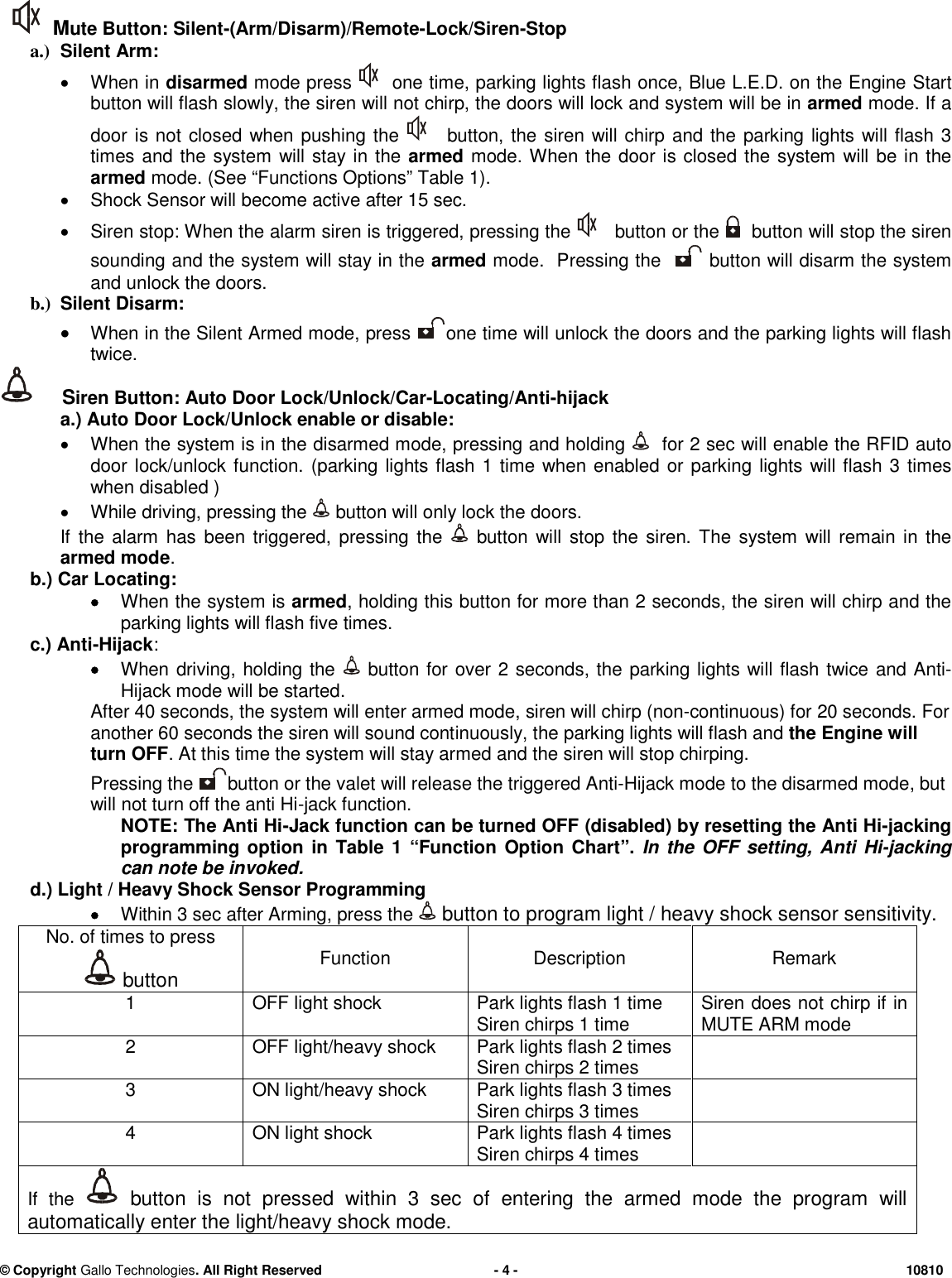
© CopyrightGallo Technologies. All Right Reserved-4-10810Mute Button:Silent-(Arm/Disarm)/Remote-Lock/Siren-Stopa.)SilentArm:When indisarmedmode pressone time, parking lights flash once, Blue L.E.D. on the EngineStartbutton will flash slowly, the siren will not chirp, the doors will lock and system will be inarmedmode. If adoor is not closed when pushing thebutton, the siren will chirp and the parking lights will flash 3times and the system will stay in thearmedmode. When the door is closed the system will be in thearmedmode.(See “Functions Options” Table 1).Shock Sensor will become active after 15 sec.Siren stop: When the alarm siren is triggered, pressing thebutton or thebutton will stop the sirensounding and the system will stay in thearmedmode. Pressing thebutton will disarm the systemand unlock the doors.b.)SilentDisarm:When in theSilent Armedmode, pressone timewill unlock the doors and the parking lights will flashtwice.Siren Button:Auto Door Lock/Unlock/Car-Locating/Anti-hijacka.) Auto Door Lock/Unlock enable or disable:When thesystem is in the disarmed mode, pressing and holdingfor 2 sec will enable the RFID autodoor lock/unlock function. (parking lights flash 1 time when enabled or parkinglights will flash 3 timeswhen disabled )While driving, pressing thebutton will only lock the doors.If the alarm has been triggered, pressing thebutton will stop the siren. The system will remain in thearmed mode.b.)Car Locating:When the system isarmed, holding this button for more than 2 seconds, the siren will chirp and theparking lights will flash five times.c.)Anti-Hijack:Whendriving,holdingthebutton for over 2 seconds, the parking lights will flash twiceand Anti-Hijack mode will bestarted.After 40 seconds,the system will enter armed mode,siren will chirp (non-continuous)for20 seconds.Foranother 60 seconds the siren will sound continuously, the parking lights will flash andtheEngine willturn OFF. At thistime the system will stay armedandthe siren will stopchirping.Pressing thebutton or the valet will release the triggered Anti-Hijack modeto the disarmed mode,butwill not turn off the anti Hi-jack function.NOTE:The Anti Hi-Jack function can be turned OFF(disabled) by resetting theAnti Hi-jackingprogramming option in Table 1“FunctionOption Chart”.In the OFF setting, Anti Hi-jackingcan note be invoked.d.)Light / Heavy Shock Sensor ProgrammingWithin 3 sec after Arming, press thebutton to program light / heavy shock sensor sensitivity.No. of times to pressbuttonFunctionDescriptionRemark1OFF light shockPark lights flash 1 timeSiren chirps 1 timeSiren does not chirp if inMUTE ARM mode2OFF light/heavy shockPark lights flash 2 timesSiren chirps 2 times3ON light/heavy shockPark lights flash 3 timesSiren chirps 3 times4ON light shockPark lights flash 4 timesSiren chirps 4 timesIf thebutton is not pressed within 3 sec of entering the armed mode the program willautomatically enter the light/heavy shock mode.
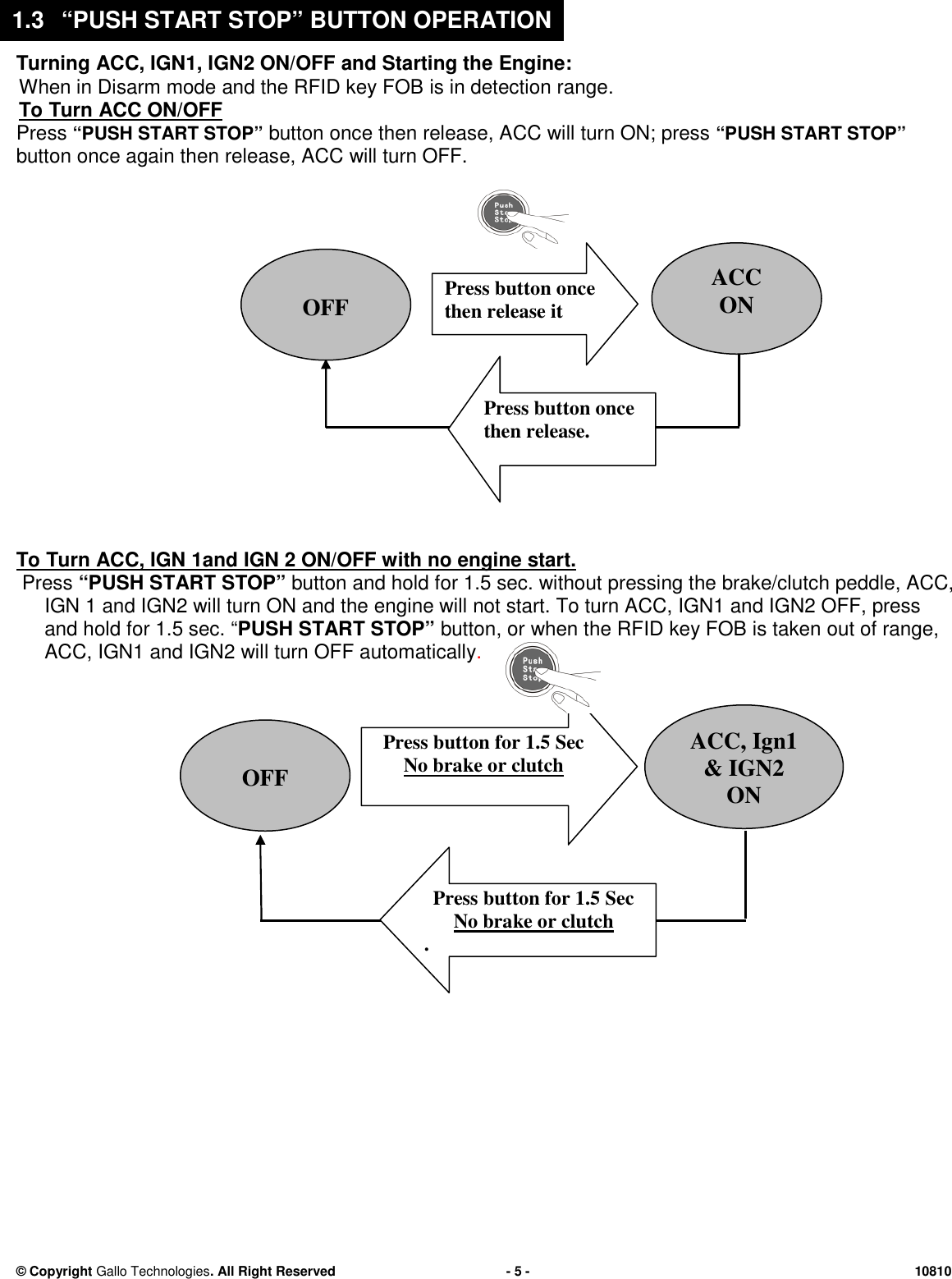
© CopyrightGallo Technologies. All Right Reserved-5-10810Turning ACC, IGN1, IGN2 ON/OFF and Starting theEngine:When in Disarmmodeandthe RFID key FOBisin detection range.ToTurn ACC ON/OFFPress“PUSH START STOP”button once then release, ACC will turn ON; press“PUSH START STOP”button once again then release, ACC will turn OFF.ToTurn ACC, IGN1andIGN2 ON/OFF with no engine start.Press“PUSH START STOP”button and hold for 1.5 sec. without pressing the brake/clutch peddle, ACC,IGN 1 and IGN2 will turn ON and the engine will not start. To turn ACC, IGN1 and IGN2 OFF, pressand hold for 1.5 sec.“PUSH START STOP”button,orwhen the RFID key FOB is taken out of range,ACC,IGN1 and IGN2 will turn OFF automatically.OFFACC, Ign1& IGN2ONPress buttonfor 1.5 SecNo brake or clutchPress buttonfor 1.5 SecNo brake or clutch.OFFACCONPress button oncethen release itPress button oncethen release.1.3“PUSH START STOP” BUTTON OPERATION
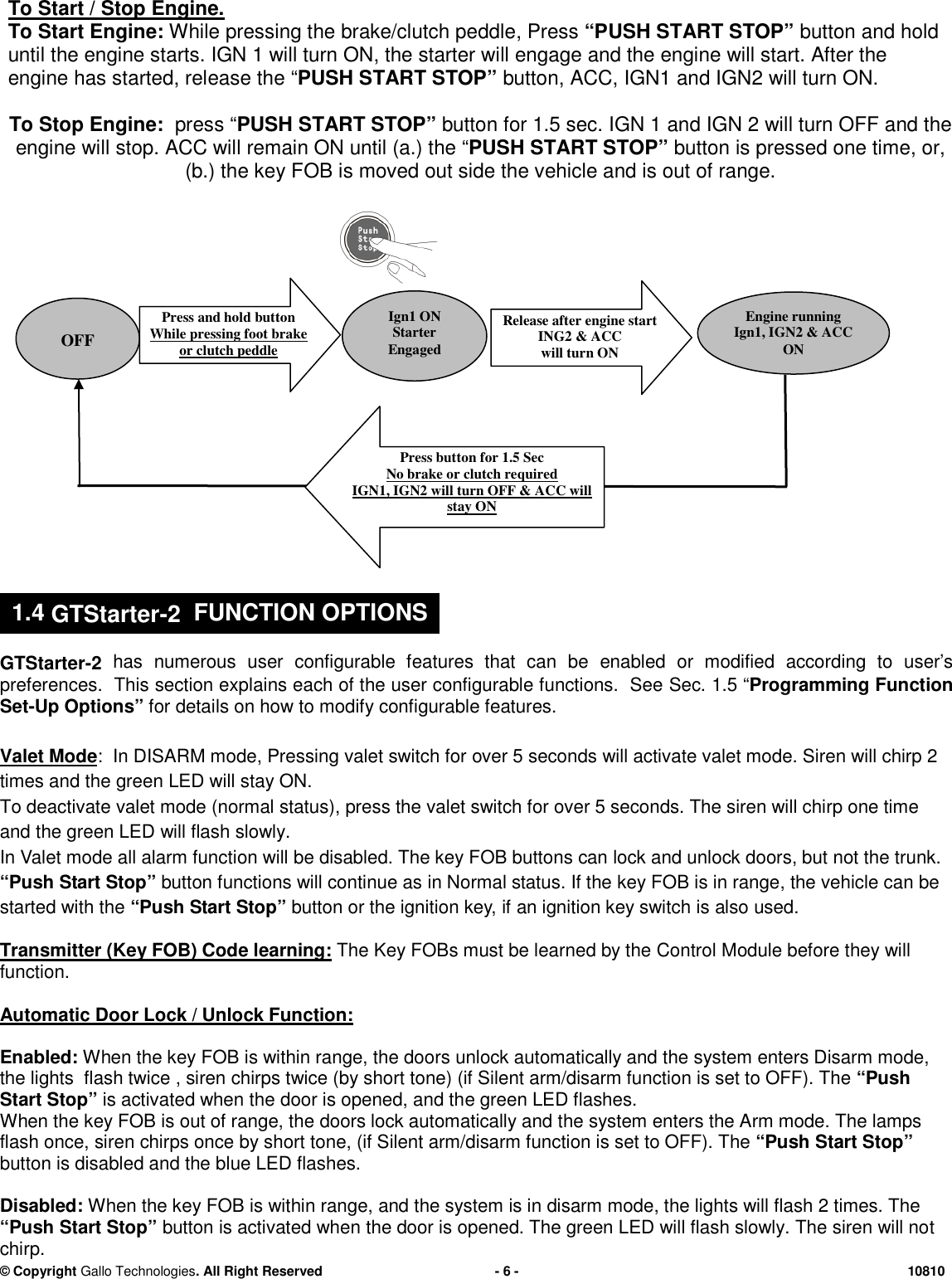
© CopyrightGallo Technologies. All Right Reserved-6-10810To Start / Stop Engine.To Start Engine:Whilepressing the brake/clutch peddle,Press“PUSH START STOP”button and holduntil the engine starts.IGN 1 will turn ON,the starter will engageand the engine will start.After theengine has started, release the“PUSH START STOP”button,ACC, IGN1 and IGN2will turn ON.To Stop Engine:press “PUSH START STOP”buttonfor 1.5 sec. IGN 1 and IGN 2 will turn OFF and theengine will stop.ACC will remain ON until (a.) the“PUSH START STOP”buttonis pressed one time, or,(b.) the key FOB is moved out side the vehicle and is out of range.GTStarter-2has numerous user configurable features that can beenabled or modified according to user’spreferences. This section explains each of the user configurable functions. SeeSec.1.5 “Programming FunctionSet-Up Options”for details on how to modify configurable features.Valet Mode: InDISARM mode,Pressingvalet switchforover 5 secondswill activate valet mode. Siren will chirp 2times and the green LED will stay ON.To deactivate valet mode (normal status),press the valet switch for over 5 seconds. The siren will chirp one timeand the green LEDwill flash slowly.In Valet mode all alarm function will be disabled.The key FOB buttons canlock and unlock doors, but not the trunk.“Push Start Stop”button functions will continue as in Normal status. If thekey FOB is in range,the vehicle can bestarted with the“Push Start Stop”button or the ignition key,ifan ignition key switch isalsoused.Transmitter (Key FOB) Code learning:The Key FOBs must be learned by theControl Module before they willfunction.Automatic Door Lock / Unlock Function:Enabled:When the key FOB is within range, the doors unlock automatically and the system enters Disarm mode,the lights flash twice ,sirenchirps twice (by short tone) (if Silent arm/disarm function is set to OFF). The“PushStart Stop”is activated when the door is opened, and the green LED flashes.When the key FOB is out of range, the doors lock automatically and the system enters the Arm mode. The lampsflash once,sirenchirps once by short tone, (if Silent arm/disarm function is set to OFF). The“PushStart Stop”button is disabled and the blue LED flashes.Disabled:When the key FOB is within range,and the system is in disarmmode, the lights will flash 2 times. The“PushStart Stop”buttonis activated when the door is opened. The green LED will flash slowly. The siren will notchirp.OFFIgn1 ONStarterEngagedPressand holdbuttonWhile pressing foot brakeor clutch peddlePress button for 1.5 SecNo brake or clutchrequiredIGN1, IGN2 will turn OFF & ACC willstay ON.Release after engine startING2 & ACCwill turn ONEngine runningIgn1, IGN2 & ACCON1.4GTStarter-2FUNCTION OPTIONS
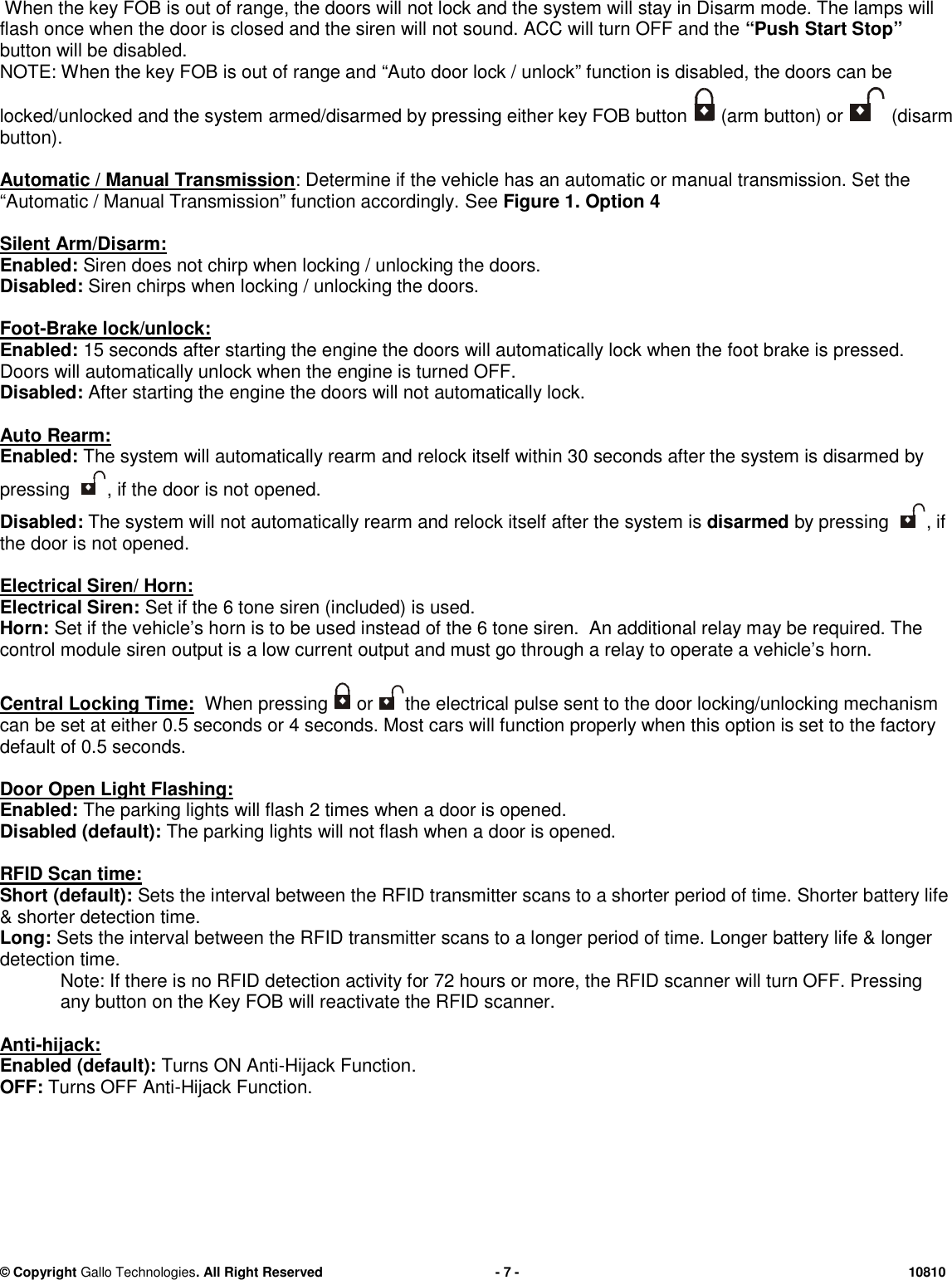
© CopyrightGallo Technologies. All Right Reserved-7-10810When the key FOB is out of range, the doors willnot lockand the system will stay in Disarm mode. The lamps willflash once when the door is closed and the siren will not sound. ACC will turn OFF and the“PushStart Stop”button will be disabled.NOTE: When the key FOB is out of range and“Auto door lock / unlock” function is disabled,the doors can belocked/unlocked and the system armed/disarmed by pressing either key FOB button(arm button) or(disarmbutton).Automatic / Manual Transmission: Determine if the vehiclehasan automatic or manual transmission. Set the“Automatic / Manual Transmission” function accordingly.SeeFigure 1.Option 4SilentArm/Disarm:Enabled:Siren does not chirp when locking / unlocking the doors.Disabled:Siren chirps when locking / unlocking the doors.Foot-Brake lock/unlock:Enabled:15 seconds after starting the engine the doors will automatically lock when thefoot brake is pressed.Doors will automatically unlock when the engine is turned OFF.Disabled:After starting the engine the doors will not automatically lock.AutoRearm:Enabled:The system will automatically rearm and relock itself within 30 seconds after the system isdisarmedbypressing, if the door is not opened.Disabled:The system will not automatically rearm andrelock itselfafter the system isdisarmedby pressing, ifthe door is not opened.Electrical Siren/ Horn:Electrical Siren:Set if the 6 tone siren (included) is used.Horn:Set if the vehicle’s horn is to be used instead of the 6 tone siren. An additional relay may be required. Thecontrol module siren output is a low current output and must go through a relay to operate a vehicle’s horn.CentralLocking Time:When pressingorthe electrical pulse sent to the door locking/unlocking mechanismcan be set at either 0.5seconds or 4 seconds. Most cars will function properly when this option is set to the factorydefault of 0.5seconds.Door Open Light Flashing:Enabled:The parking lights will flash 2 times when a door is opened.Disabled (default):The parking lights will not flash when a door is opened.RFID Scan time:Short(default):Sets the interval between the RFID transmitter scans to a shorter period of time.Shorter battery life& shorterdetectiontime.Long:Sets the interval between the RFID transmitter scans to a longer period of time.Longerbattery life &longerdetectiontime.Note: If there is no RFID detection activity for 72 hours or more, the RFID scanner will turn OFF. Pressingany button on the Key FOB will reactivate the RFID scanner.Anti-hijack:Enabled (default):Turns ONAnti-HijackFunction.OFF:Turns OFFAnti-HijackFunction.
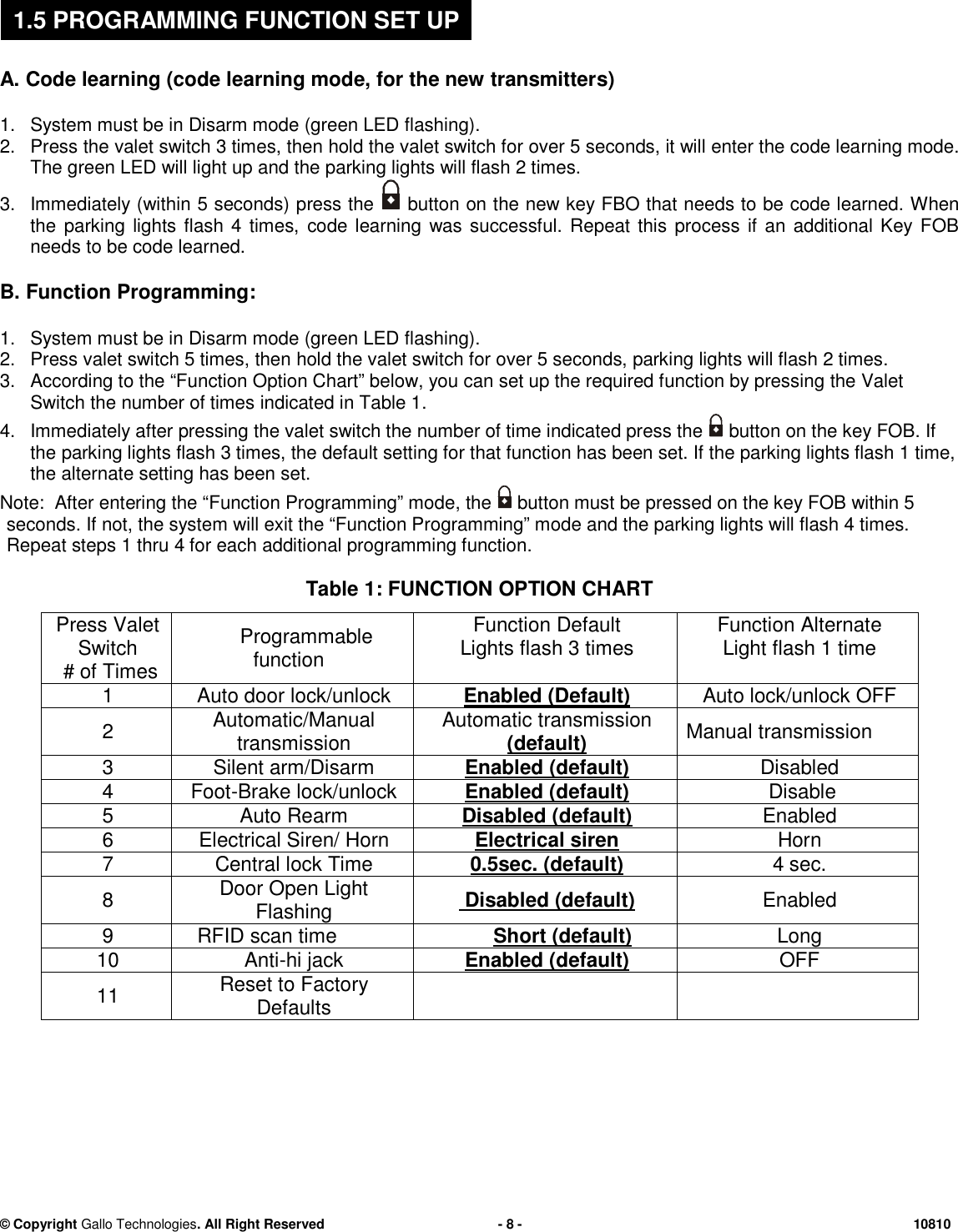
© CopyrightGallo Technologies. All Right Reserved-8-10810A.Code learning (code learning mode, for the new transmitters)1.System must be inDisarm mode(green LED flashing).2.Pressthevalet switch 3 times,thenhold the valet switch for over 5 seconds, it will enter the code learning mode.The green LED will light up andthe parking lightswillflash2 times.3.Immediately (within 5 seconds) pressthebuttonon the new key FBO that needs to be code learned.Whenthe parking lights flash 4 times,code learningwas successful. Repeat this process if an additional Key FOBneeds to be code learned.B.Function Programming:1.System must be inDisarm mode(green LED flashing).2.Press valet switch 5 times,thenhold the valet switch for over 5 seconds,parkinglights will flash 2 times.3.According to the“Function Option Chart” below, you can set up the required function by pressingtheValetSwitchthenumber of timesindicated in Table 1.4.Immediately after pressing the valet switch the number of time indicated press thebutton on the key FOB.Iftheparking lightsflash 3 times,the default setting for that function has been set. If the parking lights flash 1 time,the alternate setting has been set.Note:After enteringthe “Function Programming” mode,thebutton must be pressed on the key FOB within 5seconds. If not, the system will exit the “Function Programming” mode and the parking lights will flash 4 times.Repeat steps 1 thru4 for each additional programming function.Table 1: FUNCTION OPTION CHARTPress ValetSwitch# of TimesProgrammablefunctionFunctionDefaultLights flash 3 timesFunctionAlternateLight flash 1 time1Auto door lock/unlockEnabled (Default)Auto lock/unlock OFF2Automatic/ManualtransmissionAutomatic transmission(default)Manual transmission3Silent arm/DisarmEnabled(default)Disabled4Foot-Brake lock/unlockEnabled (default)Disable5AutoRearmDisabled(default)Enabled6Electrical Siren/ HornElectrical sirenHorn7Central lockTime0.5sec. (default)4 sec.8Door Open LightFlashingDisabled(default)Enabled9RFIDscan timeShort(default)Long10Anti-hi jackEnabled (default)OFF11Reset toFactoryDefaults1.5PROGRAMMING FUNCTION SET UP
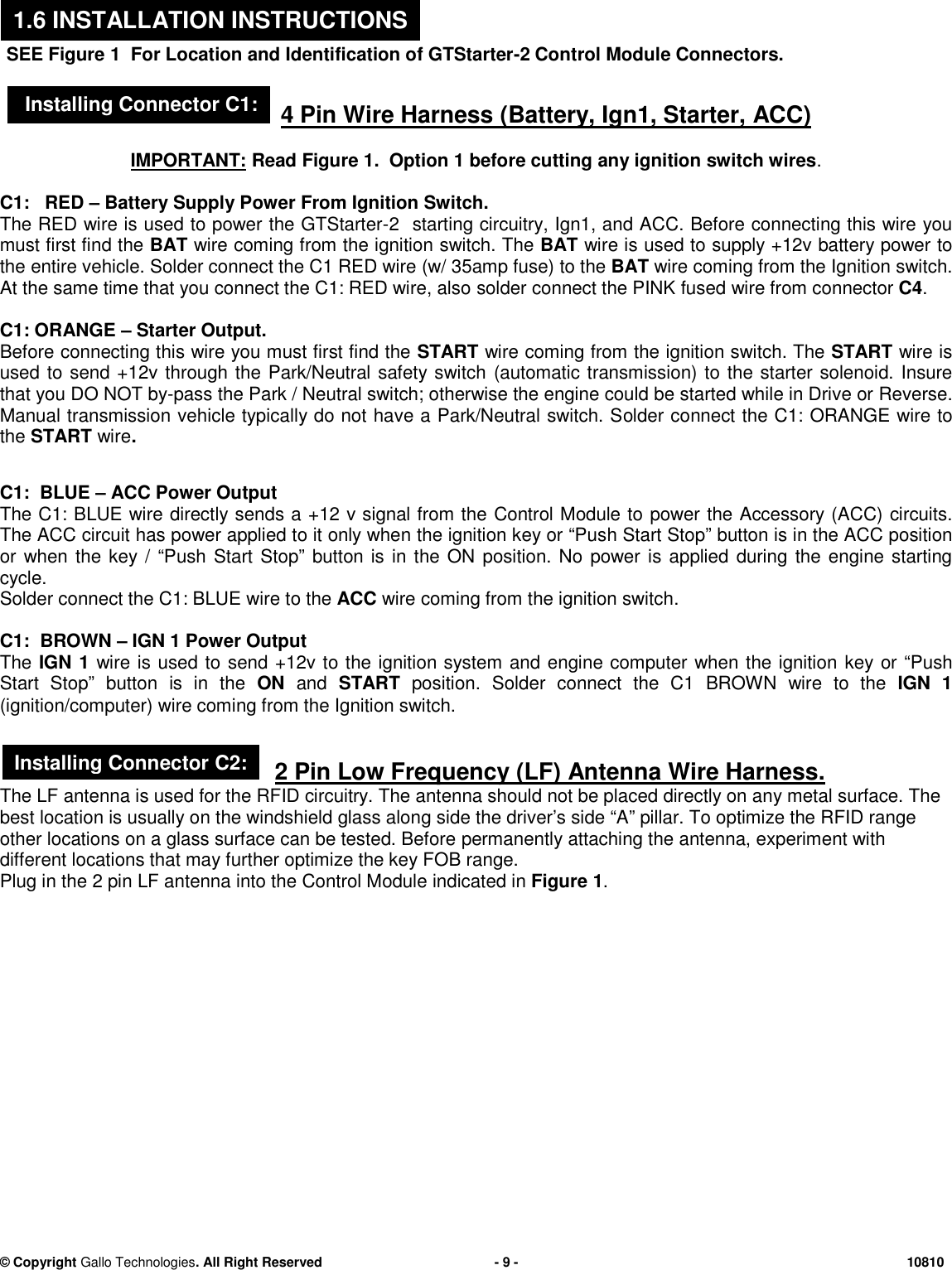
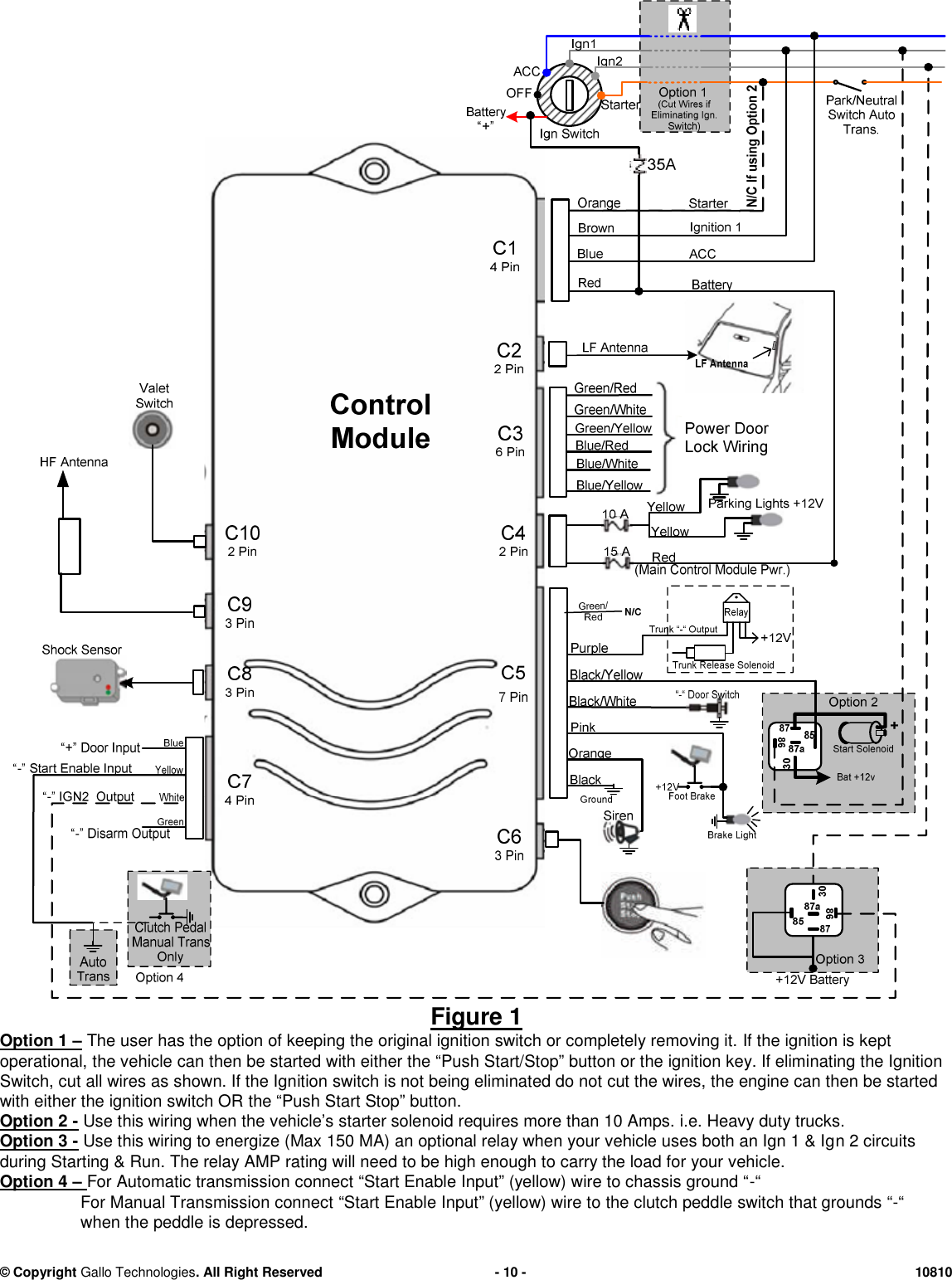
© CopyrightGallo Technologies. All Right Reserved-9-10810SEE Figure1For Location and Identification of GTStarter-2 Control Module Connectors.4 Pin Wire Harness (Battery, Ign1, Starter, ACC)IMPORTANT:ReadFigure 1.Option 1before cuttingany ignition switch wires.C1: RED–BatterySupply PowerFrom Ignition Switch.The RED wire is used to powerthe GTStarter-2starting circuitry, Ign1, and ACC.Before connecting this wire youmust first find theBATwire coming from the ignition switch. TheBATwire is used tosupply+12vbattery powertotheentire vehicle.Solder connect the C1 RED wire(w/ 35amp fuse)to theBATwire coming from the Ignition switch.At the same time that you connect the C1: RED wire, alsosolder connect the PINKfusedwire from connectorC4.C1: ORANGE–StarterOutput.Before connecting this wire you must first find theSTARTwire coming from the ignition switch. TheSTARTwire isused to send +12v through the Park/Neutral safety switch(automatic transmission) to the starter solenoid. Insurethat you DO NOT by-pass the Park / Neutral switch; otherwise the engine could be started while in Drive orReverse.Manual transmission vehicle typically do not have a Park/Neutral switch. Solder connect the C1:ORANGE wire totheSTARTwire.C1: BLUE–ACC Power OutputThe C1: BLUE wire directly sends a +12 v signal from theControl Module topowertheAccessory (ACC)circuits.The ACC circuit has power applied to it only when the ignition key or “Push Start Stop” button is in the ACC positionor when the key / “Push Start Stop” button is in the ON position. No power is applied during the engine startingcycle.Solder connect the C1: BLUE wire to theACCwirecoming from the ignition switch.C1:BROWN–IGN 1 Power OutputTheIGN 1wire is used to send +12v to the ignition system and engine computer when the ignitionkeyor “PushStart Stop” buttonis in theONandSTARTposition. Solder connect the C1BROWNwire to theIGN 1(ignition/computer) wire coming from the Ignition switch.2PinLow Frequency (LF) AntennaWire Harness.The LF antenna is used for the RFID circuitry. The antenna should not be placed directly on any metal surface. Thebest location is usually on the windshield glass along side the driver’s side“A”pillar. To optimize the RFID rangeother locations on a glass surface can be tested. Beforepermanentlyattaching the antenna, experiment withdifferent locations thatmay further optimize the key FOB range.Plug in the 2 pin LF antenna into theControl Moduleindicated inFigure 1.Installing Connector C1:1.6INSTALLATION INSTRUCTIONSInstalling Connector C2:
© CopyrightGallo Technologies. All Right Reserved-10-10810Figure 1Option 1–The user has the option of keeping the original ignition switch or completely removing it.If the ignition is keptoperational, the vehicle can then be started with either the “Push Start/Stop” button or the ignition key. If eliminating the IgnitionSwitch, cut all wires as shown. If the Ignitionswitch is not being eliminated do not cut the wires, the engine can then be startedwith either the ignition switch ORthe “Push Start Stop” button.Option 2-Use this wiring when the vehicle’s starter solenoid requires more than 10 Amps. i.e. Heavy duty trucks.Option 3-Use this wiring to energize (Max 150 MA) an optional relay when your vehicle uses both an Ign 1 & Ign 2 circuitsduring Starting & Run. The relay AMP rating will need to be high enough to carry the load for your vehicle.Option 4–For Automatic transmission connect “Start Enable Input” (yellow) wire to chassis ground “-“For Manual Transmission connect“Start Enable Input” (yellow) wire tothe clutch peddle switch that grounds “-“when the peddle is depressed.
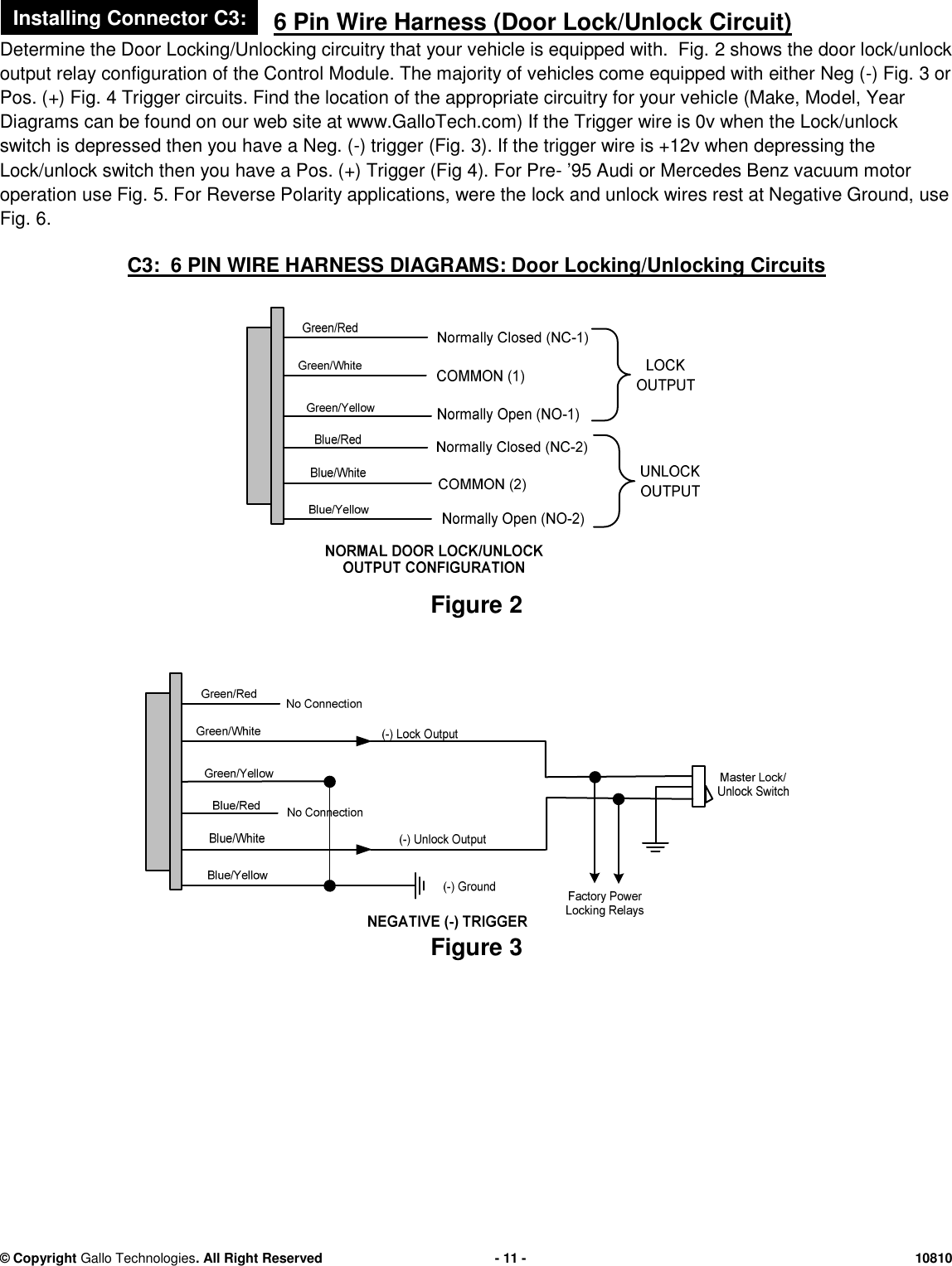
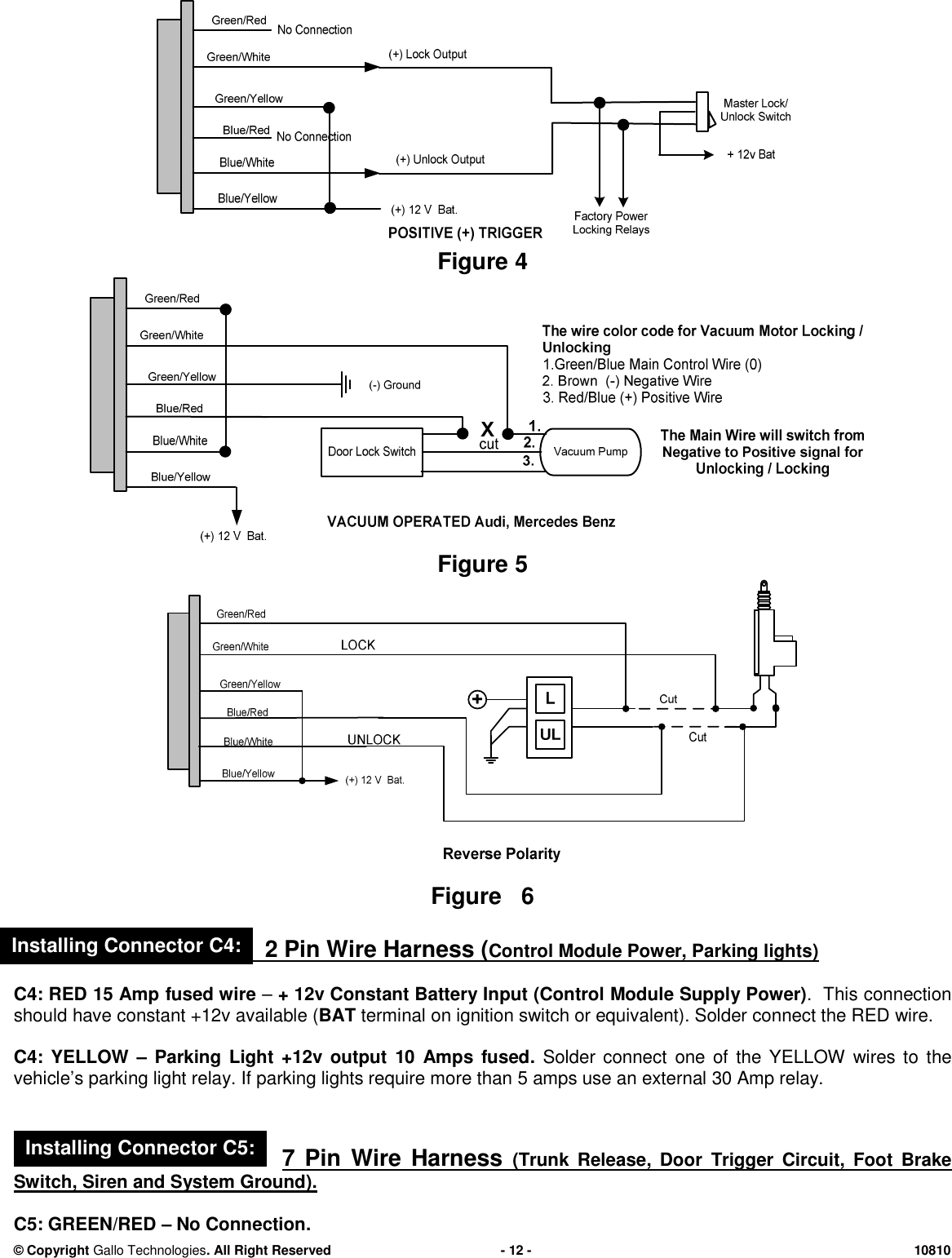
© CopyrightGallo Technologies. All Right Reserved-11-108106 Pin Wire Harness (Door Lock/Unlock Circuit)Determine the Door Locking/Unlocking circuitry that your vehicle is equipped with. Fig.2shows the door lock/unlockoutput relay configuration ofthe Control Module.The majority of vehicles come equipped witheitherNeg (-)Fig.3orPos. (+) Fig.4Trigger circuits. Find the location of the appropriate circuitry for your vehicle (Make, Model, YearDiagrams can be found on our web site at www.GalloTech.com) If the Trigger wire is 0v when the Lock/unlockswitch is depressed then you have a Neg. (-) trigger(Fig.3). If the trigger wire is +12v when depressing theLock/unlock switch then youhave a Pos. (+) Trigger (Fig4). For Pre-’95 Audi or Mercedes Benz vacuum motoroperation use Fig.5. For Reverse Polarity applications, were thelock and unlock wires rest at Negative Ground,useFig.6.C3: 6 PIN WIRE HARNESS DIAGRAMS: Door Locking/Unlocking CircuitsFigure2Figure3Installing Connector C3:
© CopyrightGallo Technologies. All Right Reserved-12-10810Figure4Figure5Figure62 Pin WireHarness (Control Module Power, Parking lights)C4: RED15 Ampfused wire–+ 12v Constant Battery Input (ControlModule Supply Power). This connectionshouldhave constant+12v available (BATterminal on ignition switch or equivalent). Solder connect the RED wire.C4: YELLOW–Parking Light +12voutput10Ampsfused.Solder connectone of the YELLOW wires to thevehicle’s parking light relay. If parking lights require more than5amps use an external30Amp relay.7 Pin Wire Harness(Trunk Release, DoorTrigger Circuit,Foot BrakeSwitch, Siren and System Ground).C5:GREEN/RED–No Connection.Installing Connector C4:Installing Connector C5:
© CopyrightGallo Technologies. All Right Reserved-13-10810C5: PURPLE–Trunk Release Output Neg. (-).Connect the PURPLE wire to the trunk release Neg. (-) trigger wireon the vehicle’s trunk release relay. In the event that a trunk release is to be added to the vehicle,anadditional relayand trunk release solenoid will be required.C5:BLACK/YELLOW–Optional high current starter solenoid relay. SeeFigure 1.“Option 2”above forconnection.C5: BLACK/WHITE–Neg. (-) Door Trigger switch Input.Connect theBLACK/WHITE wireto the Neg. (-) DoorTrigger switch. Ifthevehicle has “+” Pos Door Trigger input usethe BLUE wire from connectorC7.C5: PINK-(+12v)Foot Brake Switch Input Used for door lockand Starter enableinput.Connect to Foot brakeswitch terminal that has +12v only when foot brake is depressed.C5:ORANGE:-Siren +12v Output.Connect to the REDSiren wire. Connect the second siren input (BLACK wire)to a good chassis ground.C5: BLACK–Neg. (-) Ground Connection.Connect the BLACK wire to a good chassis ground in a convenientlocation.3 PIN Wire Harness(“Push Start Stop”Button)The“PUSH START STOP”button can be surface mounted in aconvenient location on the dash or can be mountedusing the supplied adjustable bracket for mounting under the dash or on the console. The high strength double stickadhesive disk is to be used on the back side of the switch with both mounting methods. Make certain that the backof the button and the mounting surface is thoroughly cleaned withisopropyl alcoholto remove any dirt, grease orvinyl dressing materials.DO NOT use acetone, MEK, lacquer thinner or any other harsh chemicals as they willdestroy paint, vinyl and plastic. The adhesive will not come loose or degrade as long as the surface has beencleaned thoroughly. Attach the adhesive disk to the back of the button first.If you choose to mount the button on the dash with the wire hidden behind thebutton then drill a 3/8” dia. hole in alocation where the small wire and connector can be fed through the dash. Rout the“PUSH START STOP”buttonwire to the module. Connect the White 3 terminal connector to the module. The connector is indexed so that it canonly be installed in one direction.4 Pin Wire Harness ( Start enable & Disarm Output)C7: BLUE–Pos. (+) Door Switch Input.Connect theBLUEwireto thePos.(+) Door Trigger switch. Ifthevehiclehas “-”Neg.Door Trigger input usetheBLACK/WHITEwire from connectorC5.C7: YELLOW–Start Enable Input.ForAutomaticTransmission:Connect the YELLOW wire to a good chassis ground (-).For Manual Transmission:Connect the YELLOW wire to a clutch peddle switch that has a neg. (-) output when theclutch peddle is depressed.C7: GREEN–Neg (-) Disarm Output to enable security bypass devices.Connect the GREEN wire to the Neg (-)input of a security bypass device. These devices are used in the event that the vehicle has an OEM security systemthat prevents starting the vehicle without the security key. The proper security by-pass module for the specificvehicle can be found atwww.gallotech.com/support.php.Follow the instruction that came with theby-passmodule.-3 Pin Shock Sensor Wire HarnessC8: Shock Sensor–The shock sensor should be mounted on a rigid member of the vehicle. Typically it is bestattached to the steering column. The shock sensor should never be mounted on the outside ofthe vehicle where it isnot protected from exposure to moisture.Connect the 3 Pin connector to both the shock sensor and the ControlModule as shown inFigure 1.Installing Connector C6:Installing Connector C7:Installing Connector C8:
© CopyrightGallo Technologies. All Right Reserved-14-10810-3 Pin HF Antennawire harnessC9:-HF Antenna–The HF antenna is used for the high frequency receiver that operates the remote accessfunctions such as remote door locking, car locating, and anti hi-jack. The location is not all that critical because ofthe type of antenna that we use, therefore the antenna can be placed anywhere under the dash and out of sight.Caution should be taken as the antenna wip is metal and the installer should insure that the wip will not interfere /short out any under-dash wiring. Connect the 3 Pin connector to theControl Moduleas shown inFigure 1.-2 Pin Valet Switch wire harnessC10: Valet Switch–The Valet Switch should be mounted under the dash or in the glove box so that it can beaccessedfrom time to time to change or modify the programmable functions of GTStarter 2. Connect the 2 pinconnector to the Control Module as shown inFigure 1.1.Recheck all electrical connections to be certain they are connected in the proper locations andcheck thatall connections are wrapped with a good quality electrical tape or shrink tubing.2.Connect all10module connectors to theControl Module. TheControl Moduleshould be secured underthe dash using cable ties or equivalent.3.If the vehicle is equipped with a locking steering column, it must bepermanentlydisabled beforeattempting to drive the vehicle.4.Reconnect the battery and thoroughly test all starting functions.Code learn the key FOBs first.None of the Control Module functionswilloperateuntil the keyFOBs have been taught to theControl Module.See Sec. 1.5 for code learning instructions.Make certain that the vehicle can not be started while it is in any gear except Neutral and/orPark (automatic transmission).Test the starting function:Automatic transmission:Press and hold the “Push Start Stop” buttonwithout pressing the brake peddle,making certain that the vehicle will not start. The engine should only start when the brake is pressed andthe vehicle is in Park or Neutral.If the engine starts without the brake peddle being depressed, then thewiring connections to the Control Module and the connections to the Park Neutral switch must berechecked per Figure 1.Manual Transmission:Press and hold the “Push Start Stop” button without pressing the clutch peddle,making certain that the vehicle will not start. The engine should only start when the clutch peddle ispressed. If the engine starts without the clutch peddle being depressed, then the wiring connections to theControl Module must be rechecked per Figure 1.5.Program the module to the functions that you desire following Sec. 1.5“Program Function Set Up”andTable 1“Function Option Chart”.ENGINE CRANKS BUT WILL NOT START:1.Check Ignition switch wiring.See Sec. 1.6“Installing Connector C1.Some vehicles require 2 separateignition wiresIgn 1andIgn 2for the vehicle’s ignition system to function properly.If the vehicle requires bothIgn 1 & Ign 2 then follow the instructions inFigure 1. Option 3.2.If the vehicle has a security key, check that the security by-pass module is installed properly.See connectorC7: GREEN wire installation instructions on page13.1.6 FINAL INSTALLATION1.7 TROUBLESHOOTINGInstalling Connector C9:Installing Connector C10:
© CopyrightGallo Technologies. All Right Reserved-15-10810ENGINE STARTS IN DRIVE OR REVERSEGEAR (AUTOMATIC TRANSMISSION).Check the location ofC1:ORANGE (Starteroutput)wire.ItMUST be connected to the vehicles starterwire close tothe ignition switch, making certain that the Park/Neutral lockout is not bypassed.Also checkTable 1for correcttransmission selection.ENGINE STARTSWHEN THE CLUTCH IS NOT PRESSED (MANUALTRANSMISSION).Check theconnectionofC7: “Start EnableInput” (Yellow) wire. It must be connected to a clutch switch that groundsNeg. (-) when the clutch is pressed. If the clutch peddle switch is Pos. (+) when the clutch is pressed then a relay isrequired to reverse the input to Neg. (-).Also checkTable 1for correcttransmission selection.AN ACCESSORY (RADIO, HEATER FAN, ETC.) DOES NOT TURN OFF DURING ENGINE CRANKING AND/ORTURN BACK ON AFTER CRANKING:a.)Check the connections of C1: wire harness for the correct connection points. SeeFigure 1.There areusually only two positions on the ignition switch which disconnect power to the accessories during enginecranking.ACC and/or IGN 2. In some vehicles IGN 2 is used for either accessories like the heater fan, or issome times used as an additional ignition system wire.Check the specific wiring diagrams for your Make,Model, and Year vehicle.These can be found atwww.gallotech.com/support.php.b.)Checkall fuses connected to the ControlModule wire harnesses.Ifany areblown then there must be a shortin the system. Check all wiring thoroughly.DOORS LOCK/UNLOCK WHEN THEY SHOULD UNLOCK/LOCK:Connector C3: 6 Pin Wire Harness wires have been incorrectly connected to the vehicles Master Lock switch.ReversingtheLock and unlock wiresat the C3 connector of the Control Modulewill correct the problem.INSTALLATION NOTES

Navigation menu