Green Edge Technologies SMART-1 Outlet & Switch Device for Home Automation User Manual

Green Edge Technologies, Inc Outlet & Switch Device for Home Automation

User manual

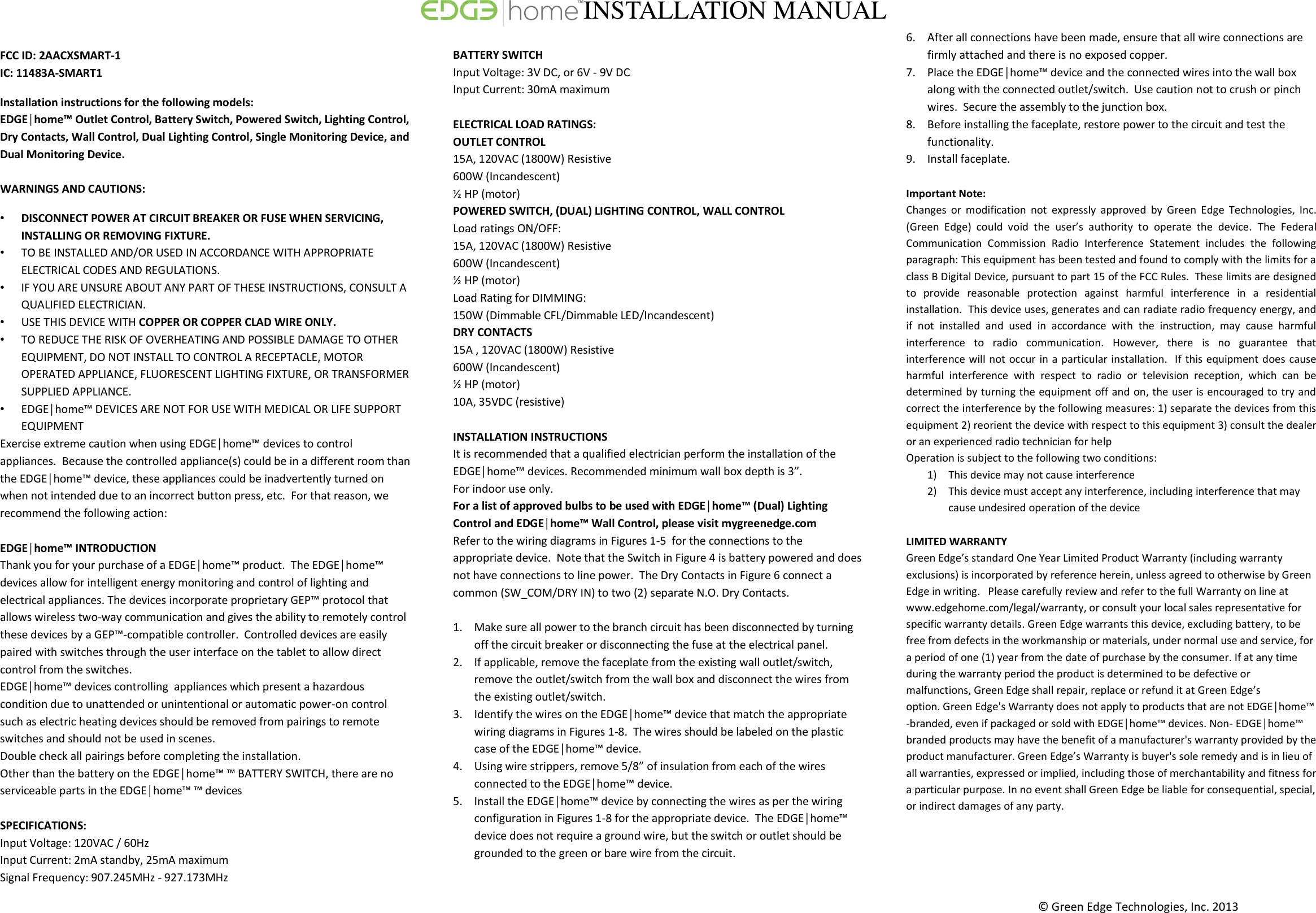
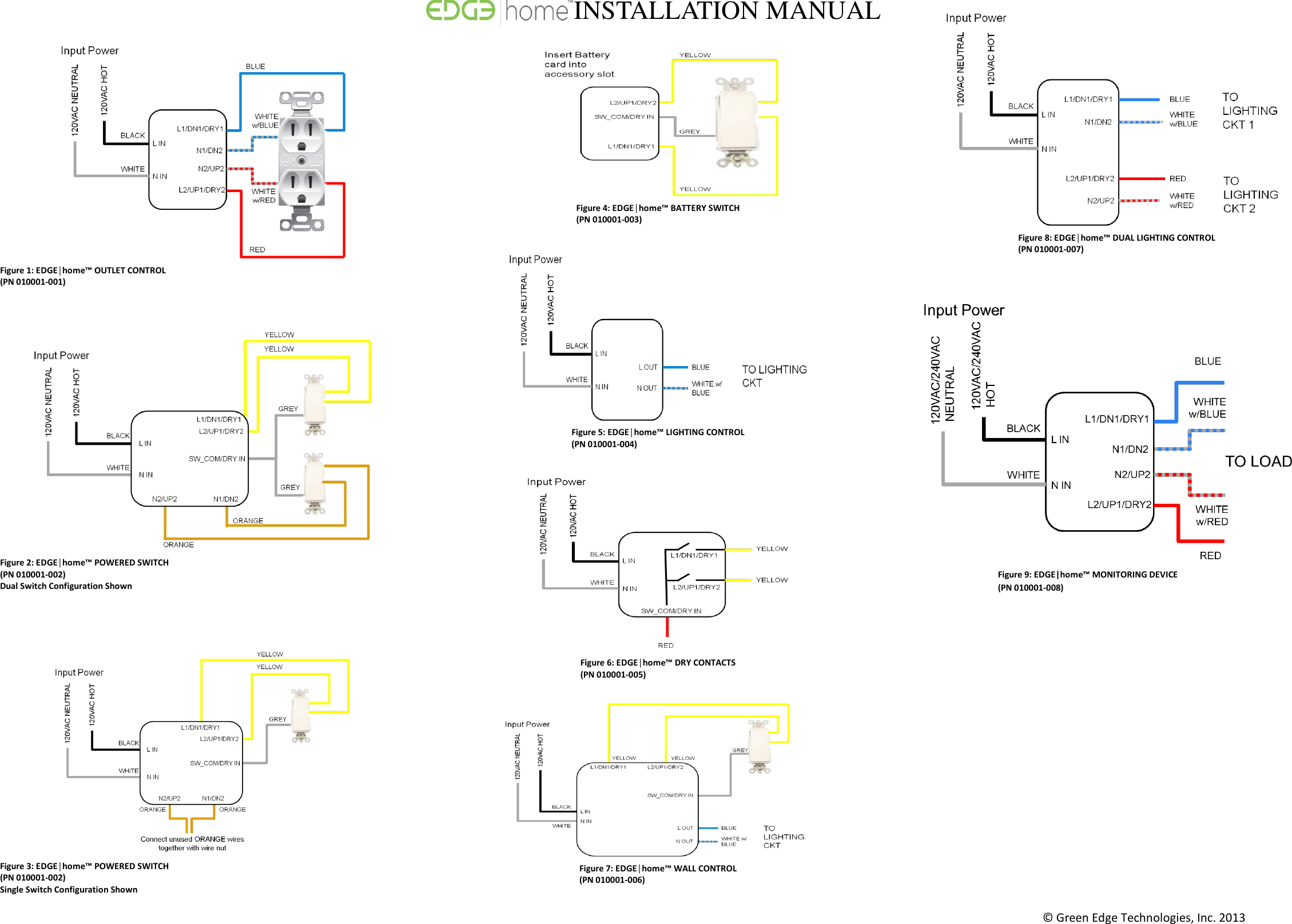
© Green Edge Technologies, Inc. 2013    FCC ID: 2AACXSMART-1 IC: 11483A-SMART1 Installation instructions for the following models:  EDGE│home™ Outlet Control, Battery Switch, Powered Switch, Lighting Control, Dry Contacts, Wall Control, Dual Lighting Control, Single Monitoring Device, and Dual Monitoring Device.  WARNINGS AND CAUTIONS:  • DISCONNECT POWER AT CIRCUIT BREAKER OR FUSE WHEN SERVICING, INSTALLING OR REMOVING FIXTURE. • TO BE INSTALLED AND/OR USED IN ACCORDANCE WITH APPROPRIATE ELECTRICAL CODES AND REGULATIONS. • IF YOU ARE UNSURE ABOUT ANY PART OF THESE INSTRUCTIONS, CONSULT A QUALIFIED ELECTRICIAN. • USE THIS DEVICE WITH COPPER OR COPPER CLAD WIRE ONLY.  • TO REDUCE THE RISK OF OVERHEATING AND POSSIBLE DAMAGE TO OTHER EQUIPMENT, DO NOT INSTALL TO CONTROL A RECEPTACLE, MOTOR OPERATED APPLIANCE, FLUORESCENT LIGHTING FIXTURE, OR TRANSFORMER SUPPLIED APPLIANCE.  • EDGE│home™ DEVICES ARE NOT FOR USE WITH MEDICAL OR LIFE SUPPORT EQUIPMENT Exercise extreme caution when using EDGE│home™ devices to control appliances.  Because the controlled appliance(s) could be in a different room than the EDGE│home™ device, these appliances could be inadvertently turned on when not intended due to an incorrect button press, etc.  For that reason, we recommend the following action:   EDGE│home™ INTRODUCTION  Thank you for your purchase of a EDGE│home™ product.  The EDGE│home™ devices allow for intelligent energy monitoring and control of lighting and electrical appliances. The devices incorporate proprietary GEP™ protocol that allows wireless two-way communication and gives the ability to remotely control these devices by a GEP™-compatible controller.  Controlled devices are easily paired with switches through the user interface on the tablet to allow direct control from the switches. EDGE│home™ devices controlling  appliances which present a hazardous condition due to unattended or unintentional or automatic power-on control such as electric heating devices should be removed from pairings to remote switches and should not be used in scenes. Double check all pairings before completing the installation. Other than the battery on the EDGE│home™ ™ BATTERY SWITCH, there are no serviceable parts in the EDGE│home™ ™ devices   SPECIFICATIONS: Input Voltage: 120VAC / 60Hz Input Current: 2mA standby, 25mA maximum Signal Frequency: 907.245MHz - 927.173MHz  BATTERY SWITCH  Input Voltage: 3V DC, or 6V - 9V DC Input Current: 30mA maximum  ELECTRICAL LOAD RATINGS:  OUTLET CONTROL  15A, 120VAC (1800W) Resistive 600W (Incandescent) ½ HP (motor) POWERED SWITCH, (DUAL) LIGHTING CONTROL, WALL CONTROL  Load ratings ON/OFF: 15A, 120VAC (1800W) Resistive 600W (Incandescent) ½ HP (motor) Load Rating for DIMMING: 150W (Dimmable CFL/Dimmable LED/Incandescent) DRY CONTACTS  15A , 120VAC (1800W) Resistive 600W (Incandescent) ½ HP (motor) 10A, 35VDC (resistive)  INSTALLATION INSTRUCTIONS  It is recommended that a qualified electrician perform the installation of the EDGE│home™ devices. Recommended minimum wall box depth is 3”.  For indoor use only.  For a list of approved bulbs to be used with EDGE│home™ (Dual) Lighting Control and EDGE│home™ Wall Control, please visit mygreenedge.com  Refer to the wiring diagrams in Figures 1-5  for the connections to the appropriate device.  Note that the Switch in Figure 4 is battery powered and does not have connections to line power.  The Dry Contacts in Figure 6 connect a common (SW_COM/DRY IN) to two (2) separate N.O. Dry Contacts.    1. Make sure all power to the branch circuit has been disconnected by turning off the circuit breaker or disconnecting the fuse at the electrical panel. 2. If applicable, remove the faceplate from the existing wall outlet/switch, remove the outlet/switch from the wall box and disconnect the wires from the existing outlet/switch.  3. Identify the wires on the EDGE│home™ device that match the appropriate wiring diagrams in Figures 1-8.  The wires should be labeled on the plastic case of the EDGE│home™ device.  4. Using wire strippers, remove 5/8” of insulation from each of the wires connected to the EDGE│home™ device. 5. Install the EDGE│home™ device by connecting the wires as per the wiring configuration in Figures 1-8 for the appropriate device.  The EDGE│home™ device does not require a ground wire, but the switch or outlet should be grounded to the green or bare wire from the circuit.   6. After all connections have been made, ensure that all wire connections are firmly attached and there is no exposed copper. 7. Place the EDGE│home™ device and the connected wires into the wall box along with the connected outlet/switch.  Use caution not to crush or pinch wires.  Secure the assembly to the junction box.  8. Before installing the faceplate, restore power to the circuit and test the functionality. 9. Install faceplate.    Important Note: Changes  or  modification  not  expressly  approved  by  Green  Edge  Technologies,  Inc. (Green  Edge)  could  void  the  user’s  authority  to  operate  the  device.  The  Federal Communication  Commission  Radio  Interference  Statement  includes  the  following paragraph: This equipment has been tested and found to comply with the limits for a class B Digital Device, pursuant to part 15 of the FCC Rules.  These limits are designed to  provide  reasonable  protection  against  harmful  interference  in  a  residential installation.  This device uses, generates and can radiate radio frequency energy, and if  not  installed  and  used  in  accordance  with  the  instruction,  may  cause  harmful interference  to  radio  communication.  However,  there  is  no  guarantee  that interference will not occur in a particular installation.  If this equipment does cause harmful  interference  with  respect  to  radio  or  television  reception,  which  can  be determined by turning the equipment off and on, the user is encouraged to try and correct the interference by the following measures: 1) separate the devices from this equipment 2) reorient the device with respect to this equipment 3) consult the dealer or an experienced radio technician for help Operation is subject to the following two conditions: 1) This device may not cause interference 2) This device must accept any interference, including interference that may cause undesired operation of the device  LIMITED WARRANTY Green Edge’s standard One Year Limited Product Warranty (including warranty exclusions) is incorporated by reference herein, unless agreed to otherwise by Green Edge in writing.   Please carefully review and refer to the full Warranty on line at www.edgehome.com/legal/warranty, or consult your local sales representative for specific warranty details. Green Edge warrants this device, excluding battery, to be free from defects in the workmanship or materials, under normal use and service, for a period of one (1) year from the date of purchase by the consumer. If at any time during the warranty period the product is determined to be defective or malfunctions, Green Edge shall repair, replace or refund it at Green Edge’s option. Green Edge's Warranty does not apply to products that are not EDGE│home™ -branded, even if packaged or sold with EDGE│home™ devices. Non- EDGE│home™ branded products may have the benefit of a manufacturer's warranty provided by the product manufacturer. Green Edge’s Warranty is buyer's sole remedy and is in lieu of all warranties, expressed or implied, including those of merchantability and fitness for a particular purpose. In no event shall Green Edge be liable for consequential, special, or indirect damages of any party.     INSTALLATION MANUAL
© Green Edge Technologies, Inc. 2013                                     Figure 1: EDGE│home™ OUTLET CONTROL (PN 010001-001) Figure 2: EDGE│home™ POWERED SWITCH (PN 010001-002) Dual Switch Configuration Shown Figure 3: EDGE│home™ POWERED SWITCH (PN 010001-002) Single Switch Configuration Shown Figure 4: EDGE│home™ BATTERY SWITCH (PN 010001-003) Figure 5: EDGE│home™ LIGHTING CONTROL (PN 010001-004) Figure 6: EDGE│home™ DRY CONTACTS (PN 010001-005) Figure 7: EDGE│home™ WALL CONTROL (PN 010001-006) Figure 8: EDGE│home™ DUAL LIGHTING CONTROL (PN 010001-007) INSTALLATION MANUAL Figure 9: EDGE|home™ MONITORING DEVICE (PN 010001-008)

Navigation menu