HOSEOTELNET EFC Telemetry Equipment User Manual

Hoseo Telnet Co., Ltd. Telemetry Equipment

User Manual

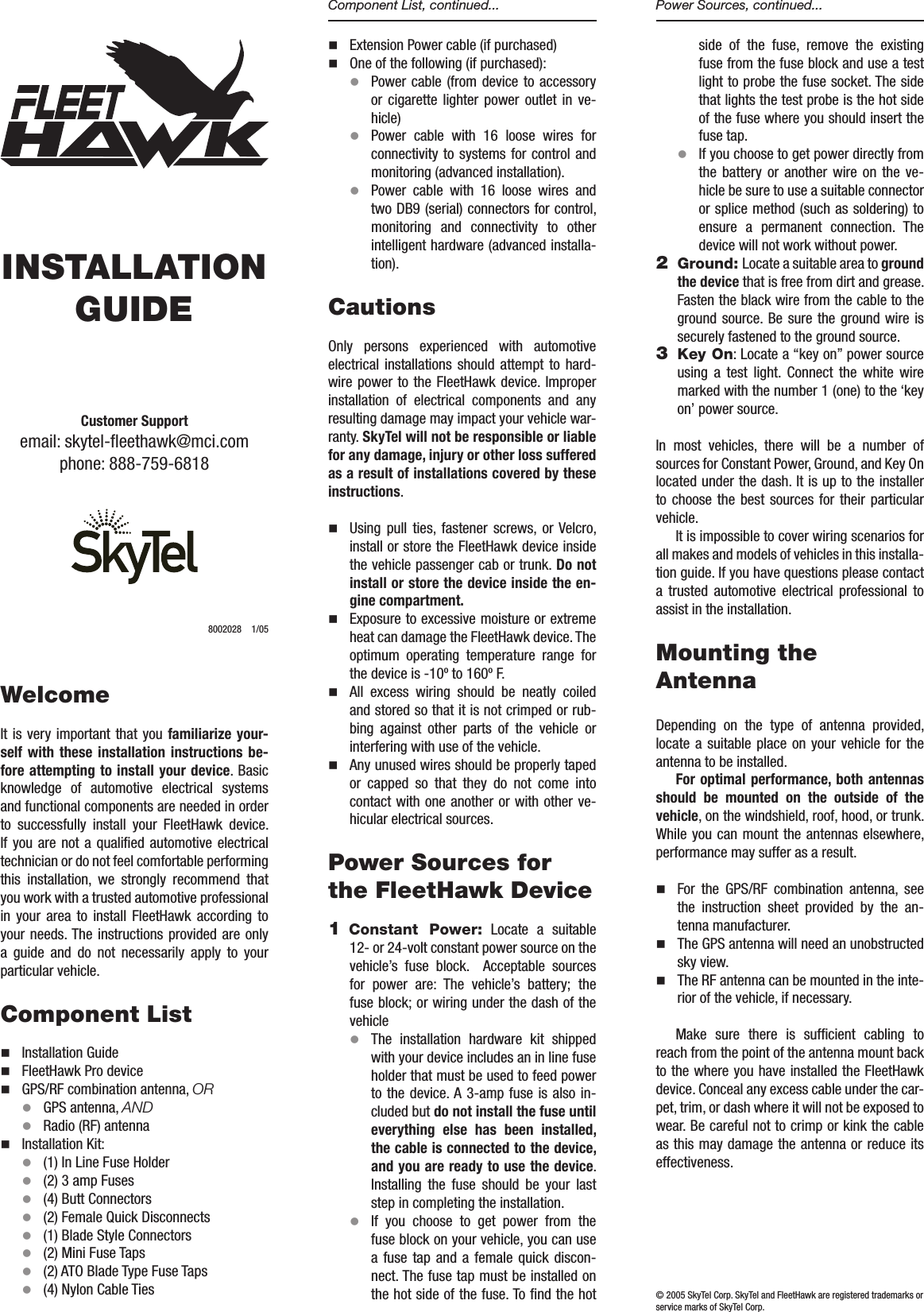
INSTALLATION GUIDEWelcomeIt is very  important  that you familiarize your-self with  these  installation  instructions be-fore attempting to install your device. Basic knowledge  of  automotive  electrical  systems and functional components are needed in order to  successfully  install  your  FleetHawk  device. If you  are  not  a qualied  automotive  electrical technician or do not feel comfortable performing this  installation,  we  strongly  recommend  that you work with a trusted automotive professional in  your  area  to  install  FleetHawk  according  to your needs. The instructions provided are only a  guide  and  do  not  necessarily  apply  to  your particular vehicle.   Component Listn  Installation Guiden  FleetHawk Pro devicen  GPS/RF combination antenna, ORl  GPS antenna, ANDl  Radio (RF) antenna n  Installation Kit:l   (1) In Line Fuse Holderl   (2) 3 amp Fusesl   (4) Butt Connectors l  (2) Female Quick Disconnectsl   (1) Blade Style Connectorsl   (2) Mini Fuse Tapsl   (2) ATO Blade Type Fuse Tapsl   (4) Nylon Cable Ties   n  Extension Power cable (if purchased)n  One of the following (if purchased):l   Power cable  (from device to accessory or  cigarette  lighter  power  outlet  in  ve-hicle)l   Power  cable  with  16  loose  wires  for connectivity to systems for control and monitoring (advanced installation).l   Power  cable  with  16  loose  wires  and two DB9 (serial) connectors for control, monitoring  and  connectivity  to  other intelligent hardware (advanced installa-tion). CautionsOnly  persons  experienced  with  automotive electrical  installations  should  attempt  to  hard-wire power to the FleetHawk device. Improper installation  of  electrical  components  and  any resulting damage may impact your vehicle war-ranty. SkyTel will not be responsible or liable for any damage, injury or other loss suffered as a result of installations covered by these instructions.n  Using  pull  ties,  fastener  screws,  or  Velcro, install or store the FleetHawk device inside the vehicle passenger cab or trunk. Do not install or store the device inside the en-gine compartment. n  Exposure to excessive moisture or extreme heat can damage the FleetHawk device. The optimum  operating  temperature  range  for the device is -10º to 160º F. n  All  excess  wiring  should  be  neatly  coiled and stored so that it is not crimped or rub-bing  against  other  parts  of  the  vehicle  or interfering with use of the vehicle. n  Any unused wires should be properly taped or  capped  so  that  they  do  not  come  into contact with one another or with other ve-hicular electrical sources.Power Sources for the FleetHawk Device1 Constant  Power:  Locate  a  suitable 12- or 24-volt constant power source on the vehicle’s  fuse  block.    Acceptable  sources for  power  are:  The  vehicle’s  battery;  the fuse block; or wiring under the dash of the vehicle l The  installation  hardware  kit  shipped with your device includes an in line fuse holder that must be used to feed power to the  device. A 3-amp fuse is also  in-cluded but do not install the fuse until everything  else  has  been  installed, the cable is connected to the device, and you are ready to use the device. Installing  the  fuse  should  be  your  last step in completing the installation. l If  you  choose  to  get  power  from  the fuse block on your vehicle, you can use a  fuse  tap  and  a  female  quick  discon-nect. The fuse tap must be installed on the hot side of the fuse. To nd the hot side  of  the  fuse,  remove  the  existing fuse from the fuse block and use a test light to probe the fuse socket. The side that lights the test probe is the hot side of the fuse where you should insert the fuse tap.l If you choose to get power directly from the  battery  or  another  wire  on  the  ve-hicle be sure to use a suitable connector or splice method (such as soldering) to ensure  a  permanent  connection.  The device will not work without power. 2 Ground: Locate a suitable area to ground the device that is free from dirt and grease. Fasten the black wire from the cable to the ground source. Be sure the ground wire  is securely fastened to the ground source.3  Key On: Locate a “key on” power source using  a  test  light.  Connect  the  white  wire marked with the number 1 (one) to the ‘key on’ power source. In  most  vehicles,  there  will  be  a  number  of sources for Constant Power, Ground, and Key On located under the dash. It is up to the installer to  choose  the  best  sources  for their  particular vehicle. It is impossible to cover wiring scenarios for all makes and models of vehicles in this installa-tion guide. If you have questions please contact a  trusted  automotive  electrical  professional  to assist in the installation.   Mounting the AntennaDepending  on  the  type  of  antenna  provided, locate  a  suitable place  on  your  vehicle for  the antenna to be installed. For optimal performance, both antennas should  be  mounted  on  the  outside  of  the vehicle, on the windshield, roof, hood, or trunk. While you  can  mount  the antennas elsewhere, performance may suffer as a result.n  For  the  GPS/RF  combination  antenna,  see the  instruction  sheet  provided  by  the  an-tenna manufacturer.n  The GPS antenna will need an unobstructed sky view. n  The RF antenna can be mounted in the inte-rior of the vehicle, if necessary.Make  sure  there  is  sufcient  cabling  to reach from the point of the antenna mount back to the where you have installed the FleetHawk device. Conceal any excess cable under the car-pet, trim, or dash where it will not be exposed to wear. Be careful not to crimp or kink the cable as this may damage the antenna or reduce its effectiveness. Component List, continued... Power Sources, continued...Customer Supportemail: skytel-eethawk@mci.com phone: 888-759-6818 8002028  1/05© 2005 SkyTel Corp. SkyTel and FleetHawk are registered trademarks or service marks of SkyTel Corp.
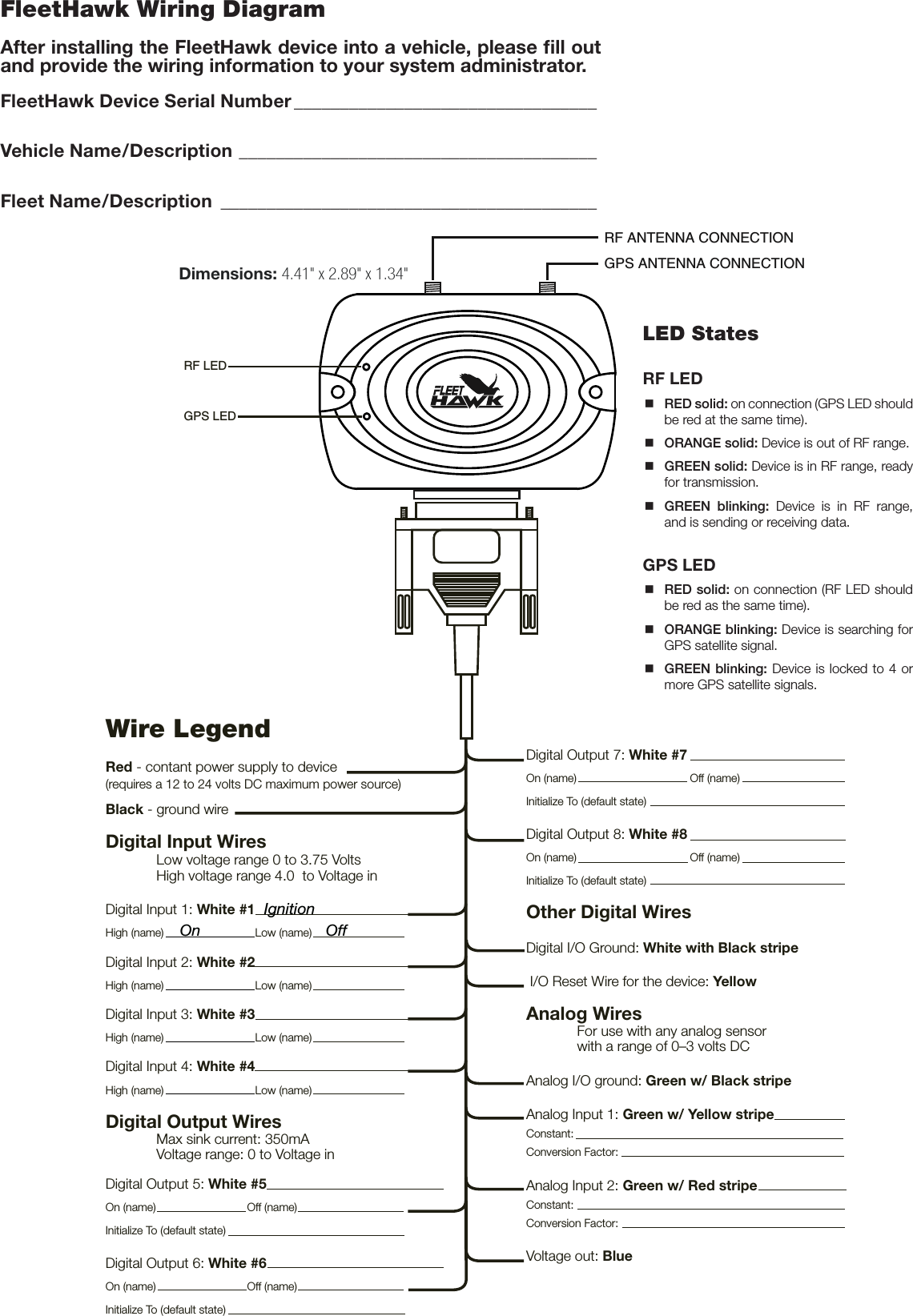
                                                                                                                                                                      FleetHawk Wiring DiagramAfter installing the FleetHawk device into a vehicle, please ll out and provide the wiring information to your system administrator.FleetHawk Device Serial Number _________________________________Vehicle Name/Description _______________________________________Fleet Name/Description _________________________________________LED StatesRF LEDn RED solid: on connection (GPS LED should be red at the same time).n ORANGE solid: Device is out of RF range.n GREEN solid: Device is in RF range, ready for transmission.n GREEN  blinking:  Device  is  in  RF  range, and is sending or receiving data.GPS LEDn RED solid: on connection (RF LED should be red as the same time).n ORANGE blinking: Device is searching for GPS satellite signal.n GREEN blinking: Device  is locked to  4 or more GPS satellite signals.Dimensions: 4.41" x 2.89" x 1.34"
  NOTE: THE MANUFACTURER IS NOT RESPONSIBLE FOR ANY RADIO OR TV INTERFERENCE CAUSED BY UNAUTHORIZED MODIFICATIONS TO THIS EQUIPMENT. SUCH MODIFICATIONS COULD VOID THE USER’S AUTHORITY TO OPERATE THE EQUIPMENT.  “CAUTION: Exposure to Radio Frequency Radiation. Antenna shall be mounted in such a manner to minimize the potential for human contact during normal operation. The antenna should not be contacted during operation to avoid the possibility of exceeding the FCC radio frequency exposure limit. The minimum separation distance of 20cm from the antenna to the body of user required.”

Navigation menu