Hangzhou Wistar Mechanical and Electric Technology WISTAR-EMITTER PART 15 REMOTE CONTROL TRANSMITTER User Manual

Hangzhou Wistar Mechanical & Electric Technology Co.,Ltd. PART 15 REMOTE CONTROL TRANSMITTER

Users Manual

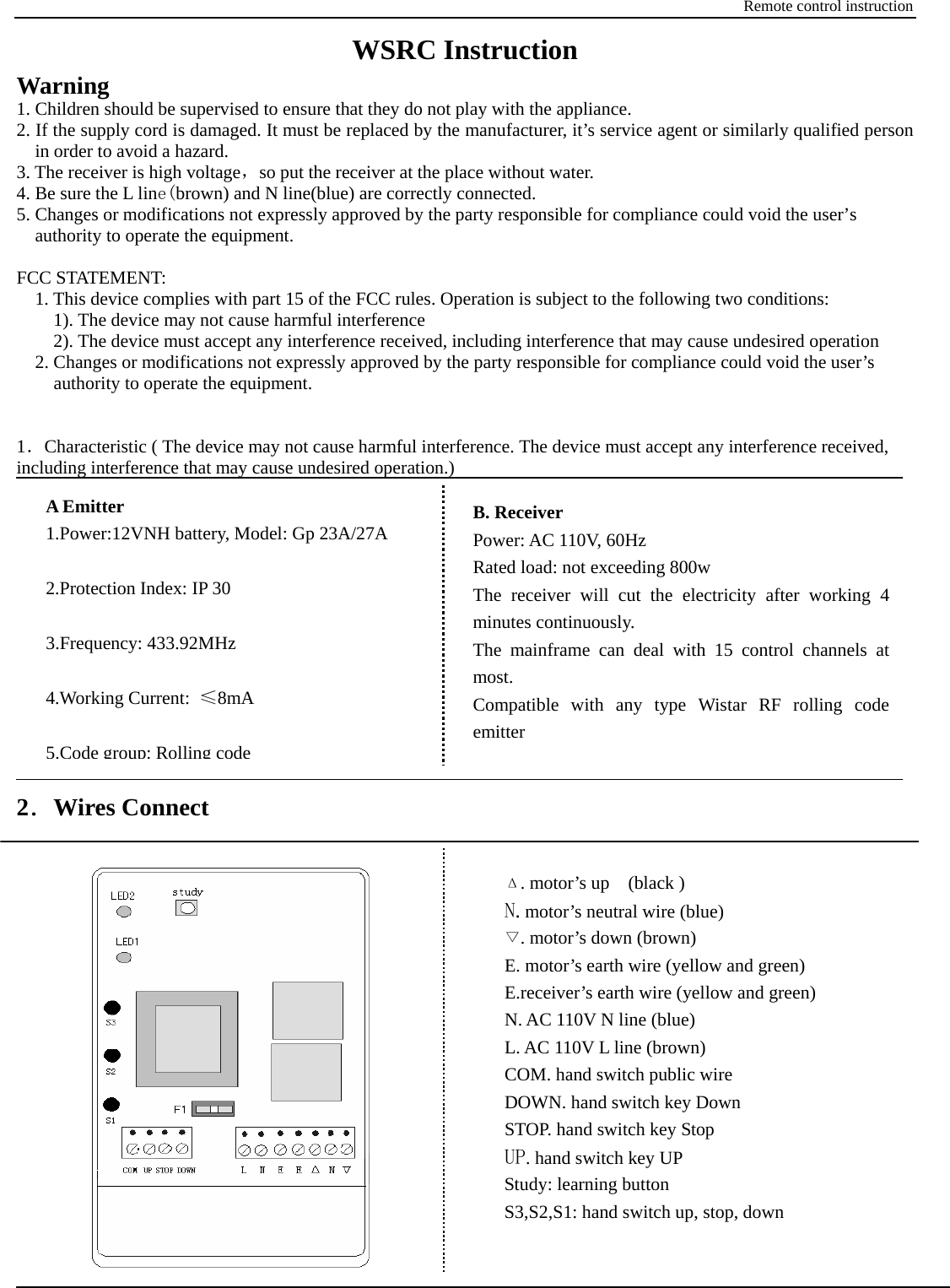
Remote control instruction WSRC Instruction Warning 1. Children should be supervised to ensure that they do not play with the appliance. 2. If the supply cord is damaged. It must be replaced by the manufacturer, it’s service agent or similarly qualified person in order to avoid a hazard. 3. The receiver is high voltage,so put the receiver at the place without water.   4. Be sure the L line(brown) and N line(blue) are correctly connected. 5. Changes or modifications not expressly approved by the party responsible for compliance could void the user’s authority to operate the equipment.  FCC STATEMENT:       1. This device complies with part 15 of the FCC rules. Operation is subject to the following two conditions:           1). The device may not cause harmful interference         2). The device must accept any interference received, including interference that may cause undesired operation     2. Changes or modifications not expressly approved by the party responsible for compliance could void the user’s   authority to operate the equipment.   1.Characteristic ( The device may not cause harmful interference. The device must accept any interference received, including interference that may cause undesired operation.)           2.Wires Connect     A Emitter 1.Power:12VNH battery, Model: Gp 23A/27A  2.Protection Index: IP 30  3.Frequency: 433.92MHz  4.Working Current:  ≤8mA  5.Code group: Rolling codeB. Receiver   Power: AC 110V, 60Hz Rated load: not exceeding 800w The receiver will cut the electricity after working 4 minutes continuously. The mainframe can deal with 15 control channels at most. Compatible with any type Wistar RF rolling code emitter Δ. motor’s up  (black ) N. motor’s neutral wire (blue) ▽. motor’s down (brown) E. motor’s earth wire (yellow and green) E.receiver’s earth wire (yellow and green) N. AC 110V N line (blue) L. AC 110V L line (brown) COM. hand switch public wire DOWN. hand switch key Down STOP. hand switch key Stop UP. hand switch key UP Study: learning button S3,S2,S1: hand switch up, stop, down
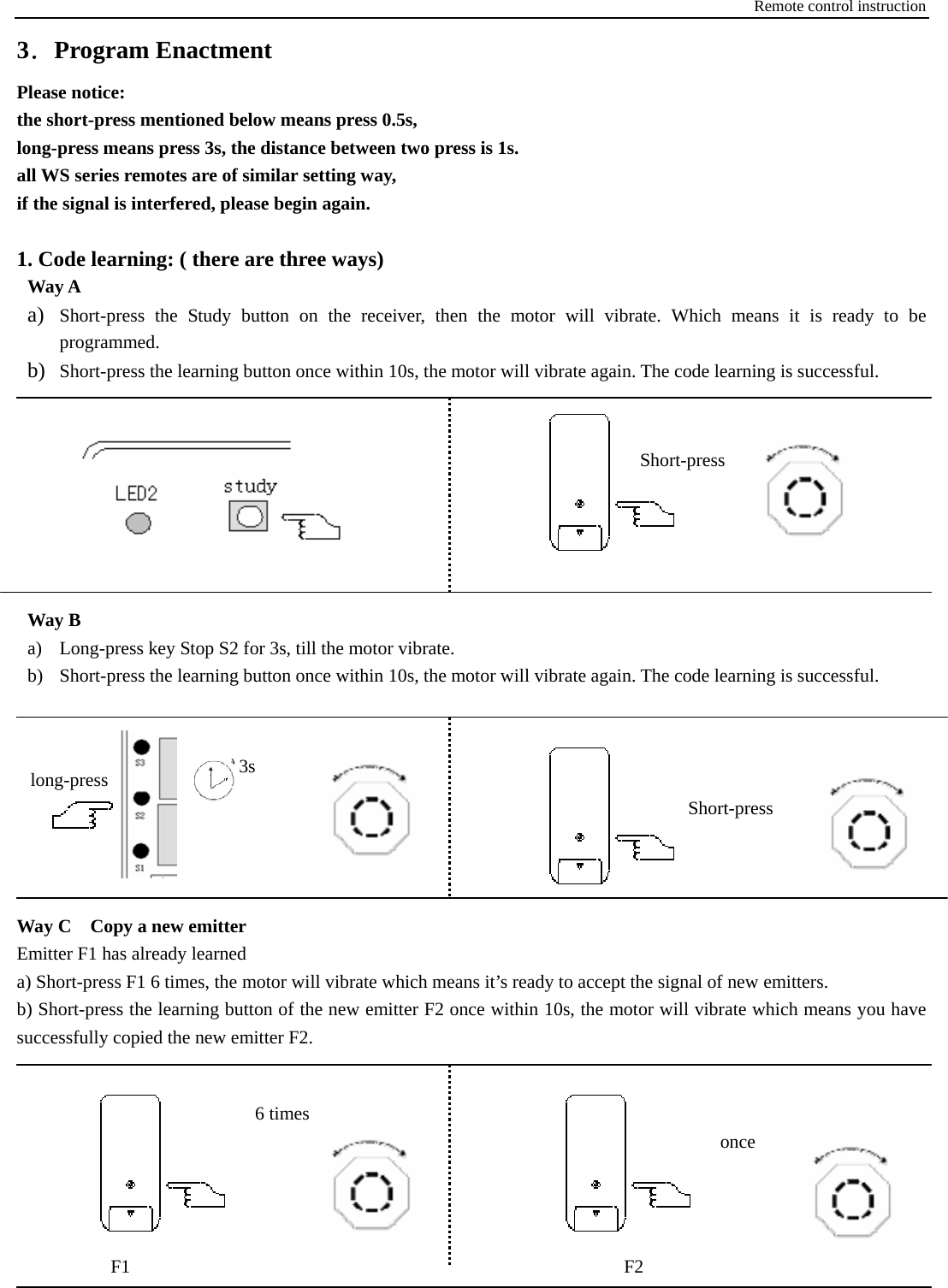
Remote control instruction 3.Program Enactment Please notice: the short-press mentioned below means press 0.5s,   long-press means press 3s, the distance between two press is 1s.   all WS series remotes are of similar setting way, if the signal is interfered, please begin again.  1. Code learning: ( there are three ways) Way A a) Short-press the Study button on the receiver, then the motor will vibrate. Which means it is ready to be programmed.  b) Short-press the learning button once within 10s, the motor will vibrate again. The code learning is successful.                                                                                                Way B a) Long-press key Stop S2 for 3s, till the motor vibrate. b) Short-press the learning button once within 10s, the motor will vibrate again. The code learning is successful.          Way C    Copy a new emitter Emitter F1 has already learned a) Short-press F1 6 times, the motor will vibrate which means it’s ready to accept the signal of new emitters. b) Short-press the learning button of the new emitter F2 once within 10s, the motor will vibrate which means you have successfully copied the new emitter F2.                              F2F1 6times once 3s Short-press  long-press Short-press
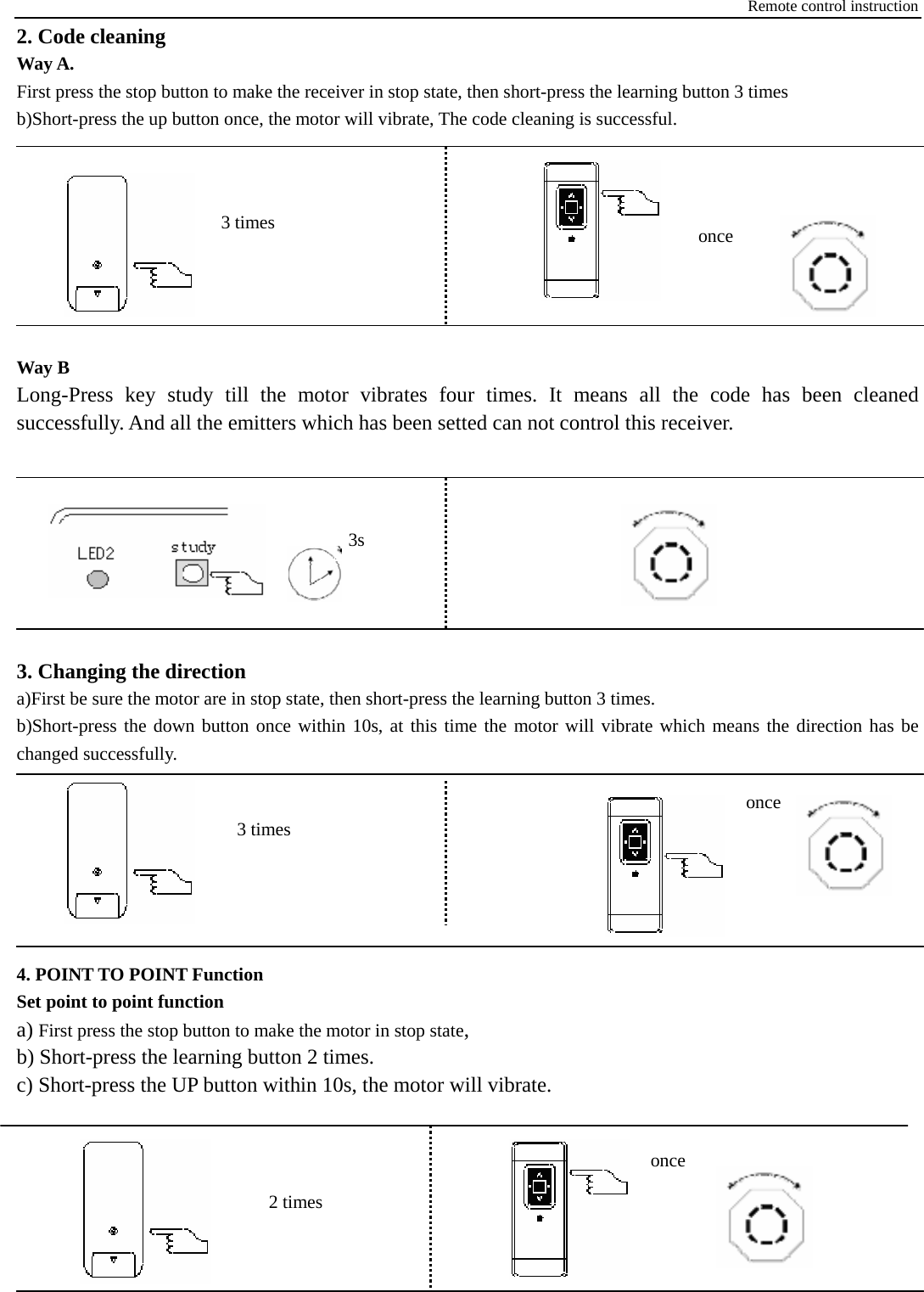
Remote control instruction 2. Code cleaning Way A.   First press the stop button to make the receiver in stop state, then short-press the learning button 3 times b)Short-press the up button once, the motor will vibrate, The code cleaning is successful.                                             Way B     Long-Press key study till the motor vibrates four times. It means all the code has been cleaned successfully. And all the emitters which has been setted can not control this receiver.         3. Changing the direction a)First be sure the motor are in stop state, then short-press the learning button 3 times. b)Short-press the down button once within 10s, at this time the motor will vibrate which means the direction has be changed successfully.         4. POINT TO POINT Function Set point to point function a) First press the stop button to make the motor in stop state, b) Short-press the learning button 2 times. c) Short-press the UP button within 10s, the motor will vibrate.                                                once 3 times once 3 times 3s 2 times once
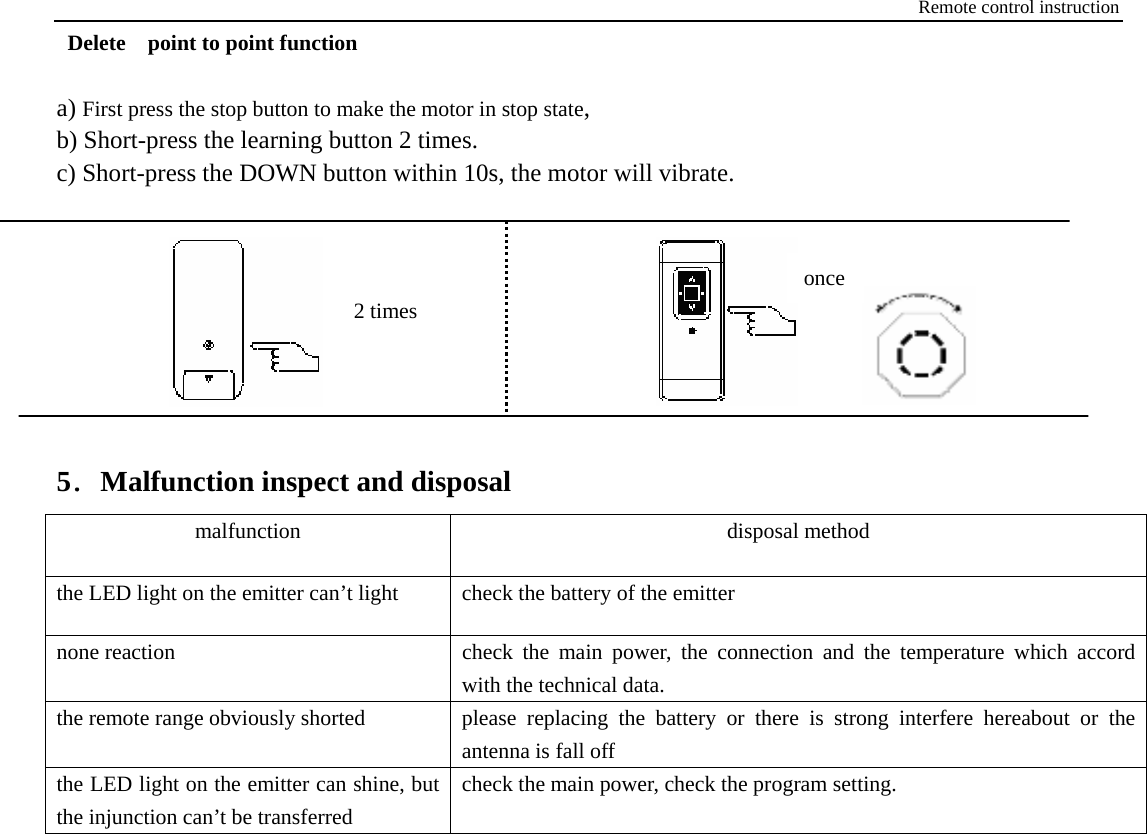
Remote control instruction  Delete  point to point function  a) First press the stop button to make the motor in stop state, b) Short-press the learning button 2 times. c) Short-press the DOWN button within 10s, the motor will vibrate.         5.Malfunction inspect and disposal malfunction disposal method the LED light on the emitter can’t light  check the battery of the emitter none reaction  check the main power, the connection and the temperature which accord with the technical data. the remote range obviously shorted  please replacing the battery or there is strong interfere hereabout or the antenna is fall off the LED light on the emitter can shine, but the injunction can’t be transferred check the main power, check the program setting.  2 times once

Navigation menu