Heui Xint Technology M3 BLUETOOTH SPEAKER User Manual M3 English Manual May 15x

Shenzhen Heui Xint Technology Co., Ltd BLUETOOTH SPEAKER M3 English Manual May 15x

User Manual

M3ManualNotice:1.ifatthefirsttimeusingtheproductcannotturnon,it’sperhapsnotenoughpowerforthebatterypleasetrytochargethebatterythenturnonagain2.pleaseclosethemachinewhenthebatterycharging,it’sgoodforthelifeofbattery,alsopleaseusethededicatedequipmentforbatterycharginginthepackageattached.3.pleasechargeatleast4hoursinthefirsttimeusing,nexttimecouldbe2‐3hours.4.longtimenousingproductpleaseremembertochargethebatteryfirstly5.pleasedon’tputproductunderhotsunshine,nearthetemperature45’candnorcanfire,incasethedamagehappened.6.pleasedon’ttearopenthemachineifyouarenotprofessionalforthismachinepleasedon’tputtheproductonwetandrainingsidewhenuse.function1.handfree2.Bluetooth3.AUXin4.soundnotice
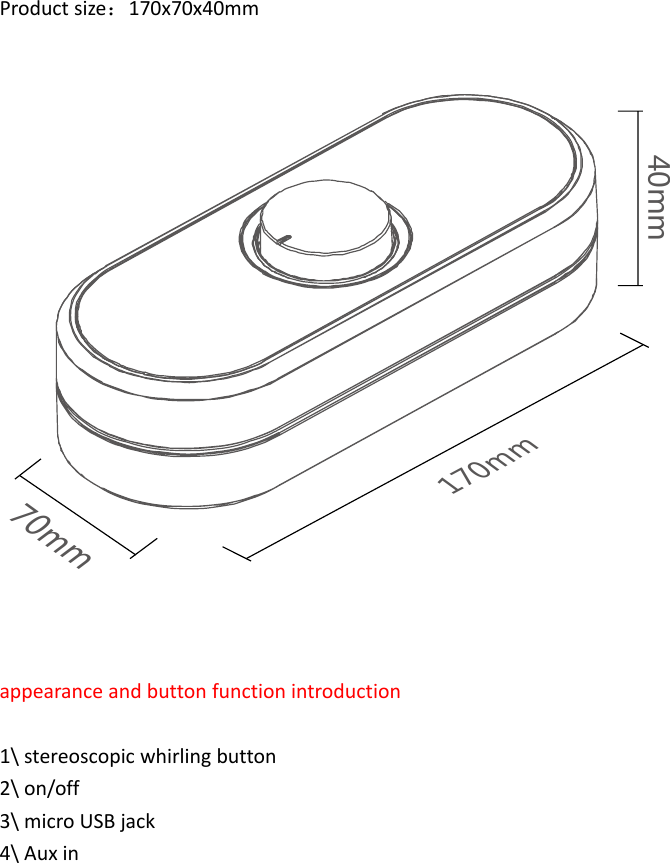
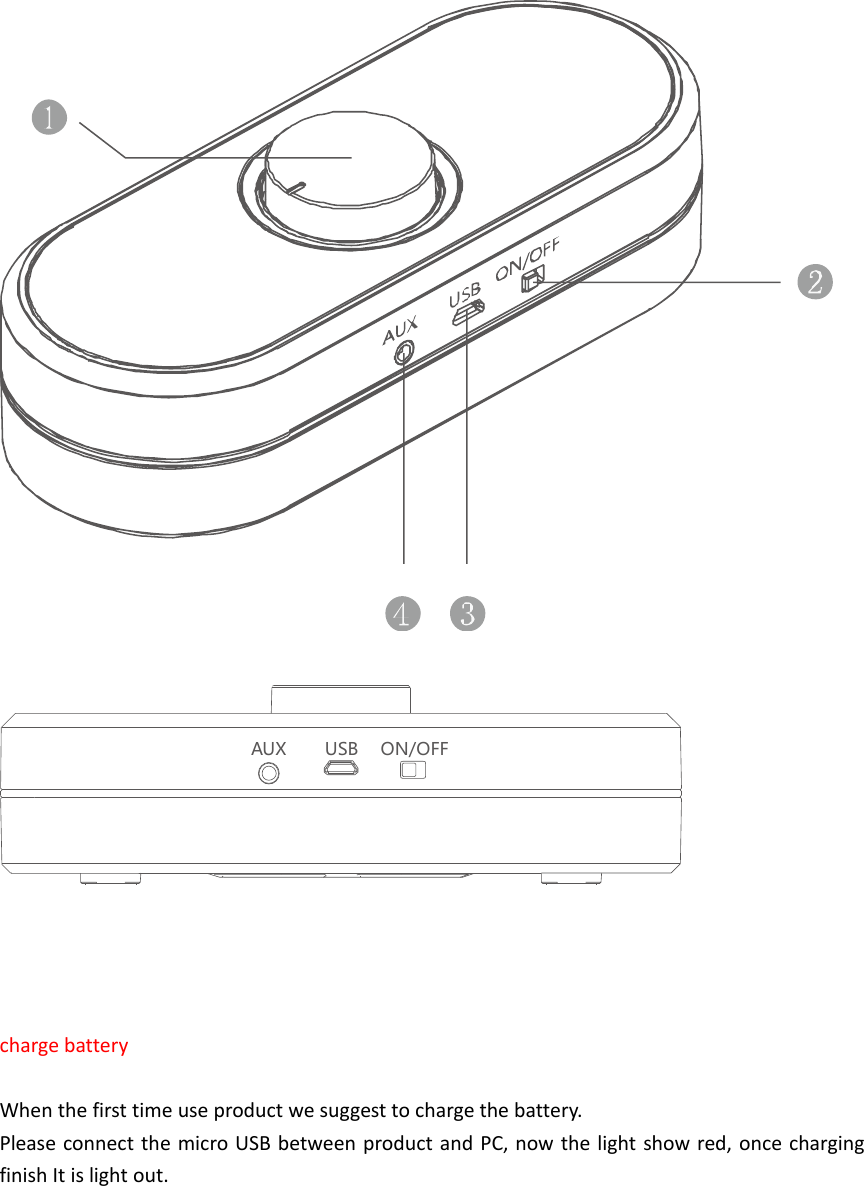
Productsize:170x70x40mm40mm170mm70mmappearanceandbuttonfunctionintroduction1\stereoscopicwhirlingbutton2\on/off3\microUSBjack4\Auxin
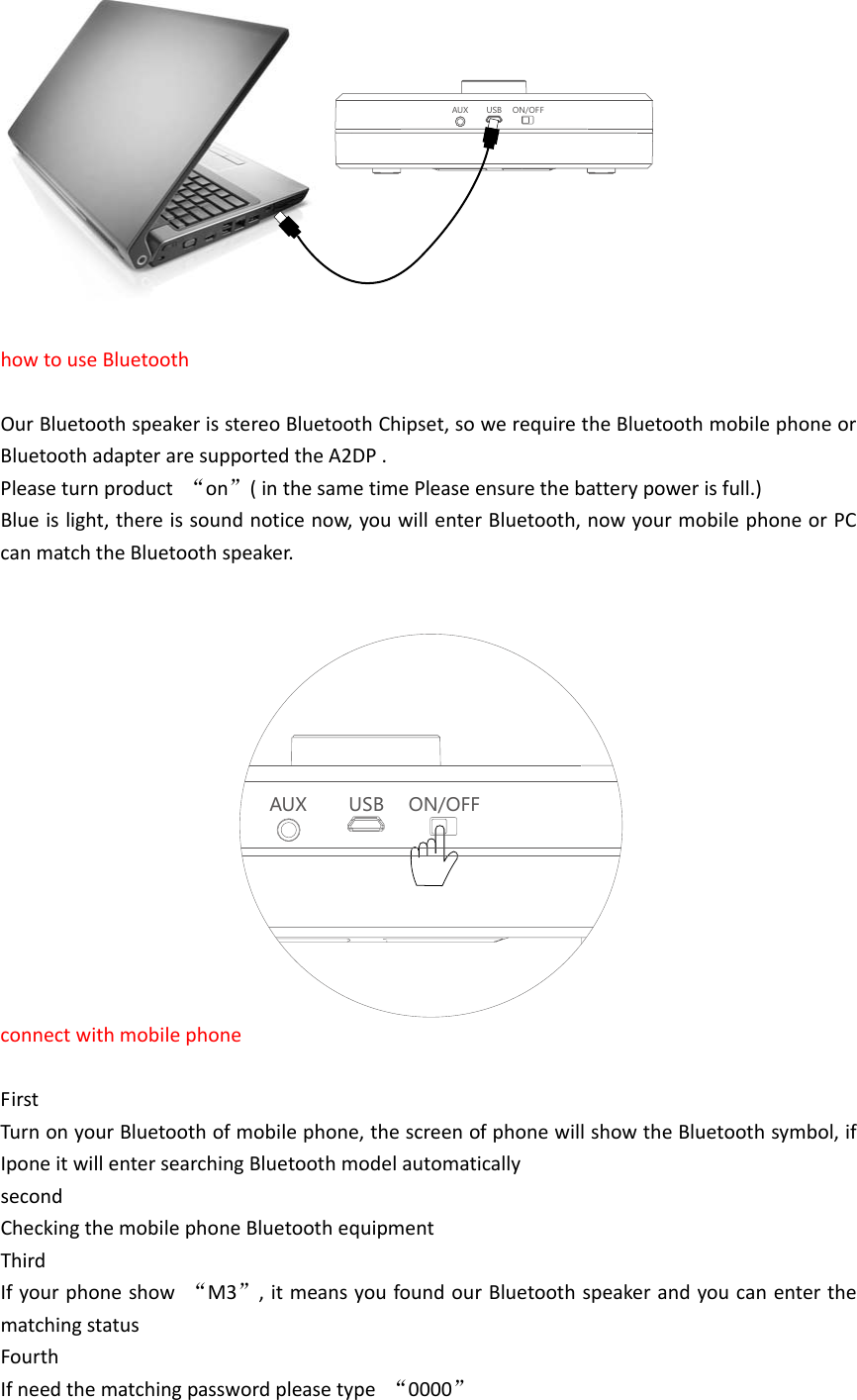
AUX USB ON/OFFchargebatteryWhenthefirsttimeuseproductwesuggesttochargethebattery.PleaseconnectthemicroUSBbetweenproductandPC,nowthelightshowred,oncechargingfinishItislightout.
AUX USB ON/OF FhowtouseBluetoothOurBluetoothspeakerisstereoBluetoothChipset,sowerequiretheBluetoothmobilephoneorBluetoothadapteraresupportedtheA2DP.Pleaseturnproduct“on”(inthesametimePleaseensurethebatterypowerisfull.)Blueislight,thereissoundnoticenow,youwillenterBluetooth,nowyourmobilephoneorPCcanmatchtheBluetoothspeaker.AUX USB ON/OFFconnectwithmobilephoneFirstTurnonyourBluetoothofmobilephone,thescreenofphonewillshowtheBluetoothsymbol,ifIponeitwillentersearchingBluetoothmodelautomaticallysecondCheckingthemobilephoneBluetoothequipmentThirdIfyourphoneshow“M3”,itmeansyoufoundourBluetoothspeakerandyoucanenterthematchingstatusFourthIfneedthematchingpasswordpleasetype“0000”
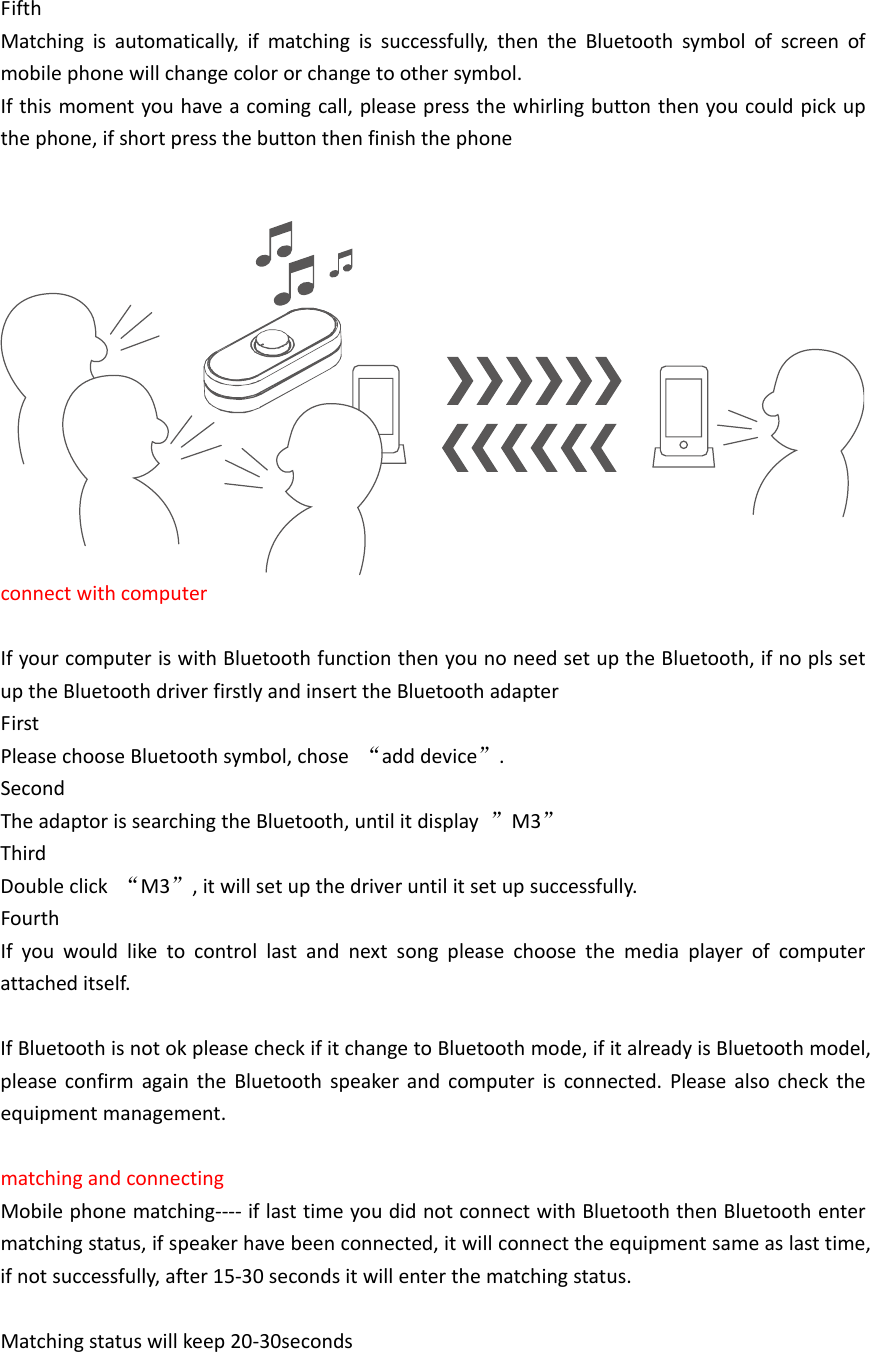
FifthMatchingisautomatically,ifmatchingissuccessfully,thentheBluetoothsymbolofscreenofmobilephonewillchangecolororchangetoothersymbol.Ifthismomentyouhaveacomingcall,pleasepressthewhirlingbuttonthenyoucouldpickupthephone,ifshortpressthebuttonthenfinishthephoneconnectwithcomputerIfyourcomputeriswithBluetoothfunctionthenyounoneedsetuptheBluetooth,ifnoplssetuptheBluetoothdriverfirstlyandinserttheBluetoothadapterFirstPleasechooseBluetoothsymbol,chose“adddevice”.SecondTheadaptorissearchingtheBluetooth,untilitdisplay”M3”ThirdDoubleclick“M3”,itwillsetupthedriveruntilitsetupsuccessfully.FourthIfyouwouldliketocontrollastandnextsongpleasechoosethemediaplayerofcomputerattacheditself.IfBluetoothisnotokpleasecheckifitchangetoBluetoothmode,ifitalreadyisBluetoothmodel,pleaseconfirmagaintheBluetoothspeakerandcomputerisconnected.Pleasealsochecktheequipmentmanagement.matchingandconnectingMobilephonematching‐‐‐‐iflasttimeyoudidnotconnectwithBluetooththenBluetoothentermatchingstatus,ifspeakerhavebeenconnected,itwillconnecttheequipmentsameaslasttime,ifnotsuccessfully,after15‐30secondsitwillenterthematchingstatus.Matchingstatuswillkeep20‐30seconds
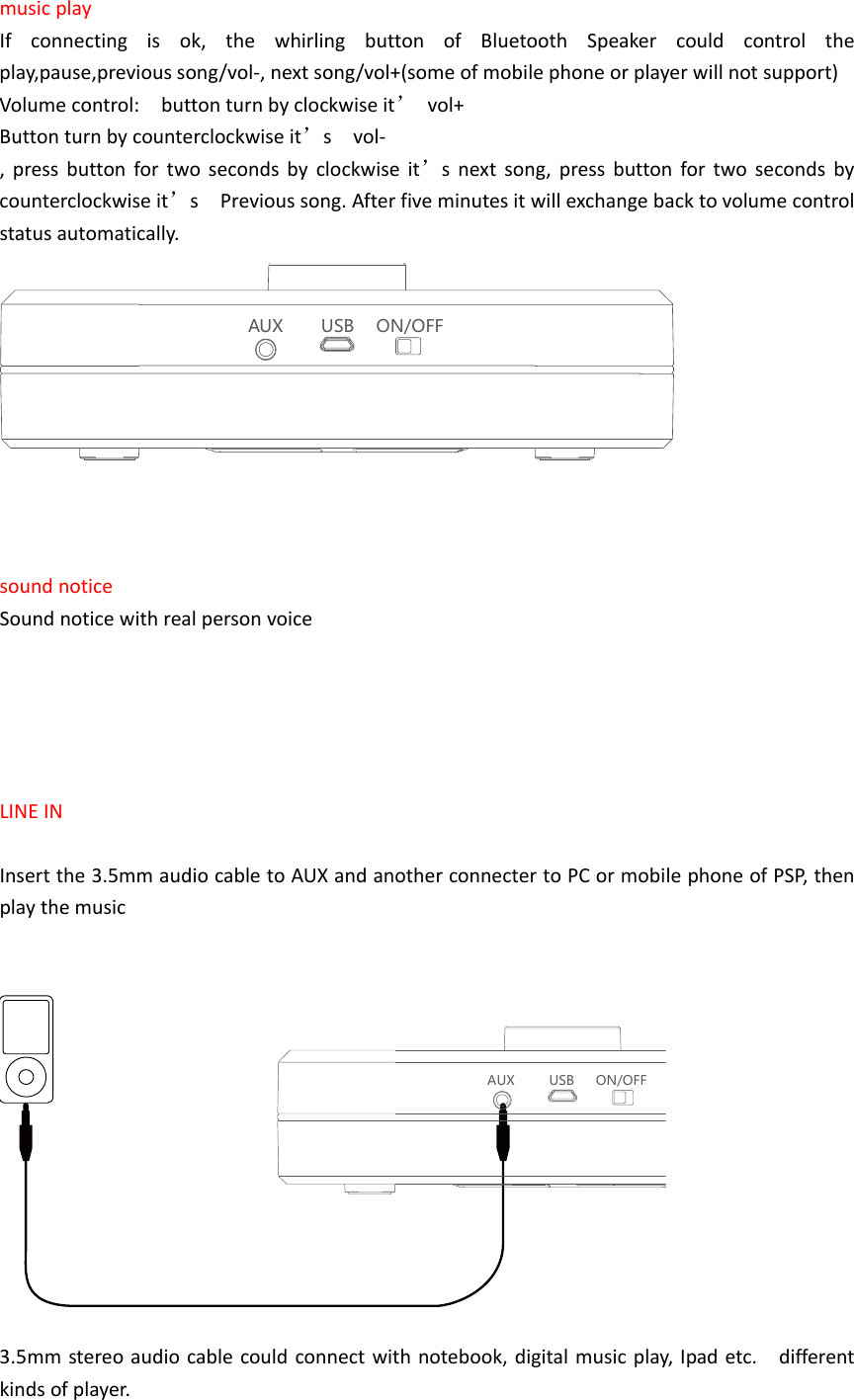
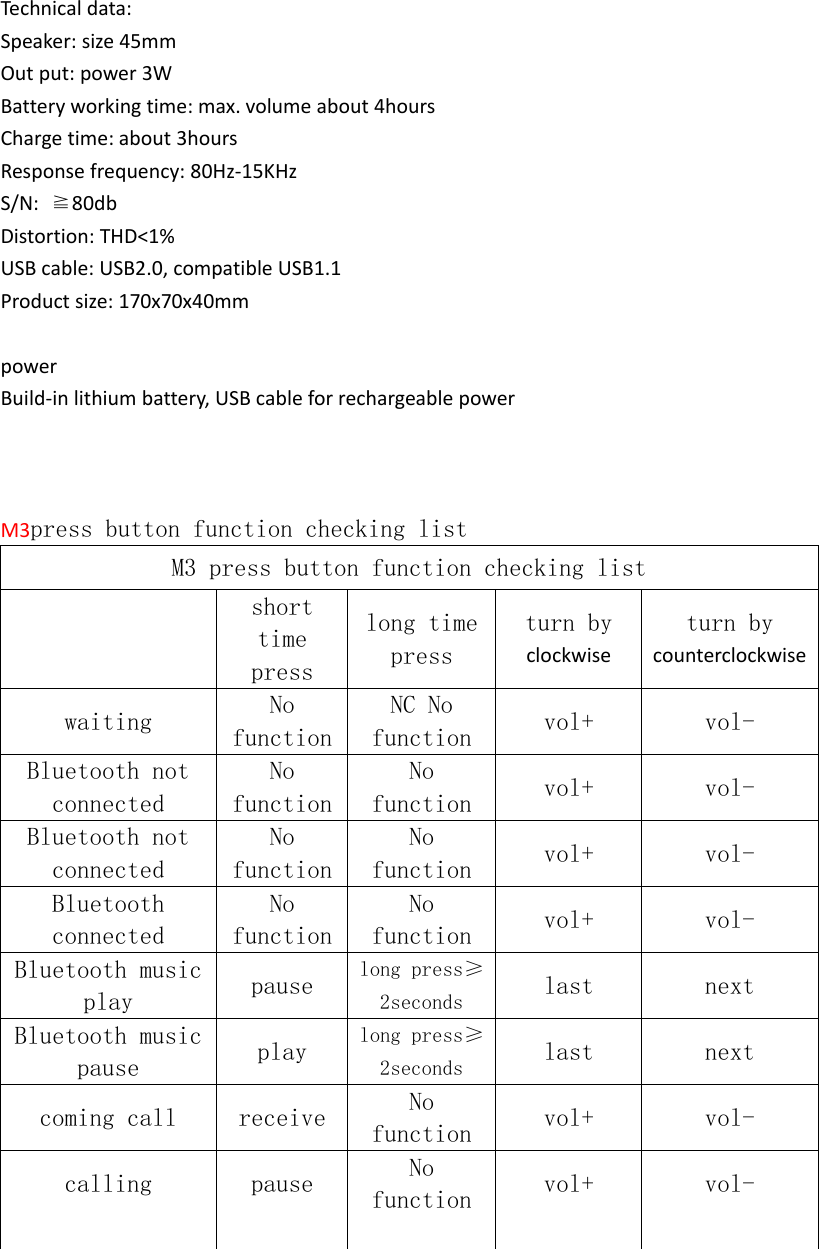
musicplayIfconnectingisok,thewhirlingbuttonofBluetoothSpeakercouldcontroltheplay,pause,previoussong/vol‐,nextsong/vol+(someofmobilephoneorplayerwillnotsupport)Volumecontrol:buttonturnbyclockwiseit’vol+Buttonturnbycounterclockwiseit’svol‐,pressbuttonfortwosecondsbyclockwiseit’snextsong,pressbuttonfortwosecondsbycounterclockwiseit’sPrevioussong.Afterfiveminutesitwillexchangebacktovolumecontrolstatusautomatically.AUX USB ON/OFFsoundnoticeSoundnoticewithrealpersonvoiceLINEINInsertthe3.5mmaudiocabletoAUXandanotherconnectertoPCormobilephoneofPSP,thenplaythemusicAUX USB ON/OFF3.5mmstereoaudiocablecouldconnectwithnotebook,digitalmusicplay,Ipadetc.differentkindsofplayer.
Technicaldata:Speaker:size45mmOutput:power3WBatteryworkingtime:max.volumeabout4hoursChargetime:about3hoursResponsefrequency:80Hz‐15KHzS/N:≧80dbDistortion:THD<1%USBcable:USB2.0,compatibleUSB1.1Productsize:170x70x40mmpowerBuild‐inlithiumbattery,USBcableforrechargeablepowerM3press button function checking listM3 press button function checking list     short time press long time press turn by clockwise turn bycounterclockwise  waiting  No functionNC No function  vol+  vol-   Bluetooth not connected No functionNo function  vol+  vol-   Bluetooth not connected No functionNo function  vol+  vol-   Bluetooth connected No functionNo function  vol+  vol-   Bluetooth music play  pause  long press≥2seconds  last  next   Bluetooth music pause  play  long press≥2seconds  last  next   coming call  receive  No function  vol+  vol-   calling  pause  No function  vol+  vol-         
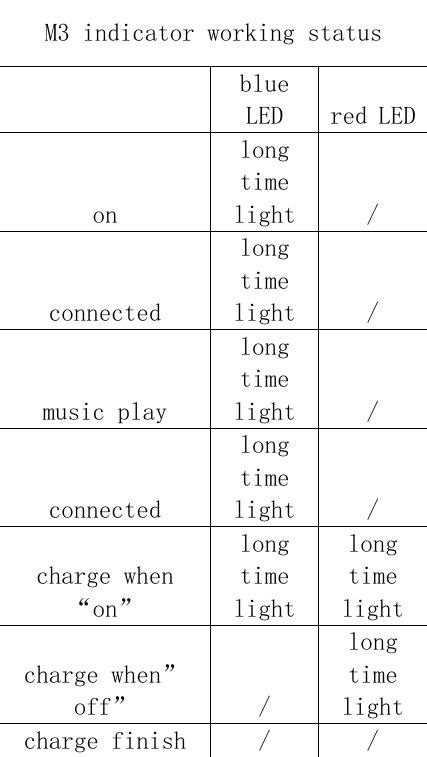
M3 indicator working status   blue LED  red LEDon long time light  / connected long time light  / music play long time light  / connected long time light  / charge when “on” long time light long time light charge when”off”   / long time light charge finish  /  / 
InformationtoUsersAccordingtotheFCCPart15.19and15.21rules,forthisEUT,theinstructionsoroperationmanualfurnishedtheusershallincludethefollowingorsimilarstatement,placedinaprominentlocationinthetextofthemanual:FCCWarningThisdevicecomplieswithPart15oftheFCCRules.Operationissubjecttothefollowingtwoconditions:(1)Thisdevicemaynotcauseharmfulinterference,and(2)thisdevicemustacceptanyinterferencereceived,includinginterferencethatmaycauseundesiredoperation.NOTE1:Anychangesormodificationstothisunitnotexpresslyapprovedbythepartyresponsibleforcompliancecouldvoidtheuser'sauthoritytooperatetheequipment.

Navigation menu