Heyday Technology SSYKB801 WIRELESS BLUETOOTH KEYBOARD User Manual 801AUS 1

Shenzhen Heyday Technology Co., Ltd. WIRELESS BLUETOOTH KEYBOARD 801AUS 1

Users Manual

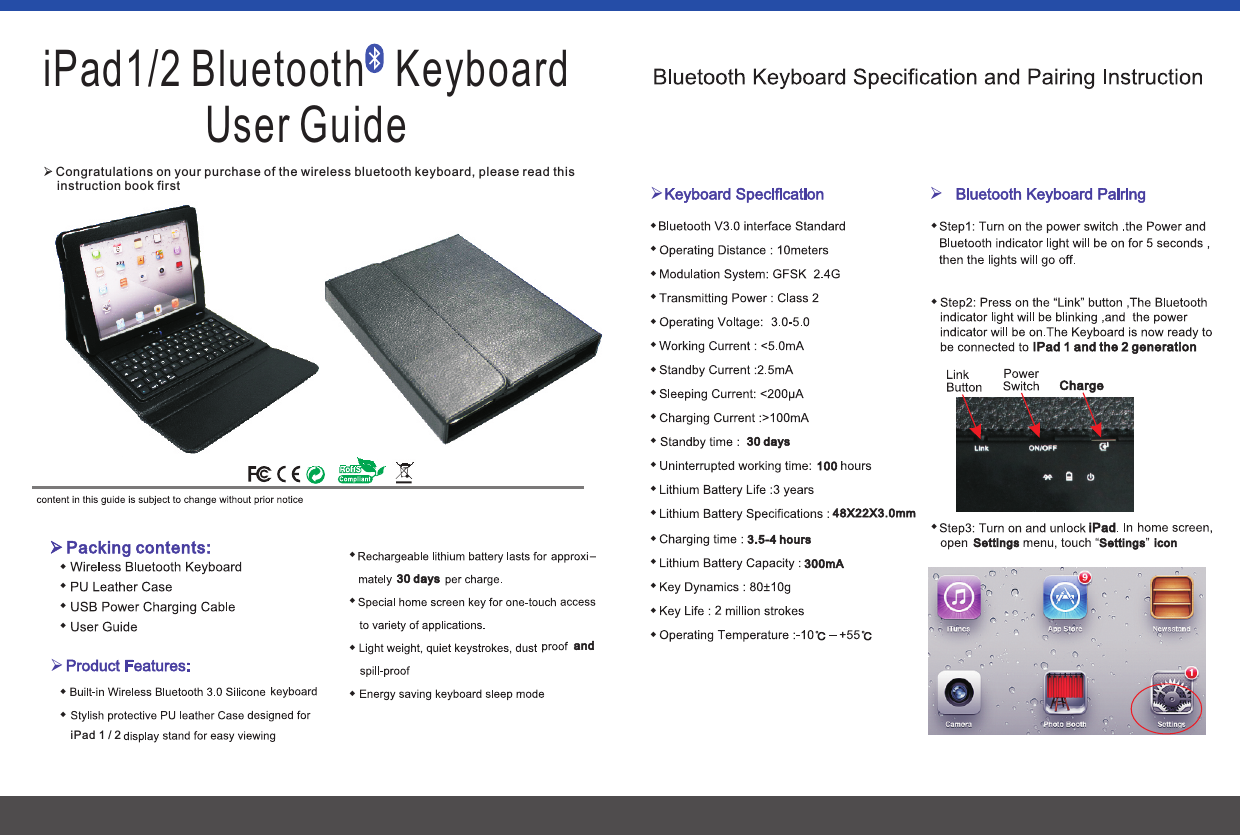
Charge30 days300mA30 days10048X22X3.0mm3.5-4 hoursiPad1/2 Bluetooth   KeyboardUser GuideØCongratulations on your purchase of the wireless bluetooth keyboard, please read this     instruction book firstØPacking contents:wwwwwØwiPad 1 / 2wwwandwØwwwwwwwwwwwwwwwwwwØwwIPad 1 and the 2 generationiPadwSettings iconSettings
88wwwØØwwwwØwwwwØØwwwwwwwStep 4: In the General tab, select Buletooth. If theBluetooth off by default, slide open switch. iPad then began to search for Bluetooth devices within the established framework. Bluetooth Wireless Device; later appears below Keyboard.Step 5: The implementation of Tap Bluetooth WirelessKeyboard connection. Arabic on-screen prompts for the code, click on the Enter key to connection.Here the Arabic numerals (eg:6657), is to connect a Bluetooth keyboard to enter the password. Enter the connection and click the Enter key to success!iPad 1 / 26Øand series, Nokia HTC smartphone etc..iPad 1 / 2iPad 1 / 2HomeKeyboard ChangeSearchCommandControlAlterMuteVolume DownVolume UpPREVNEXTPLAYiPad 1 / 2Use the “command” + “space” to switch between various languages.Ø

Navigation menu