Home Automation 115A00 HAI Omni-Bus RF Transceiver User Manual Model 115A00 1 HAI Omni Bus RF Transceiver

Home Automation Inc HAI Omni-Bus RF Transceiver Model 115A00 1 HAI Omni Bus RF Transceiver

User Manual

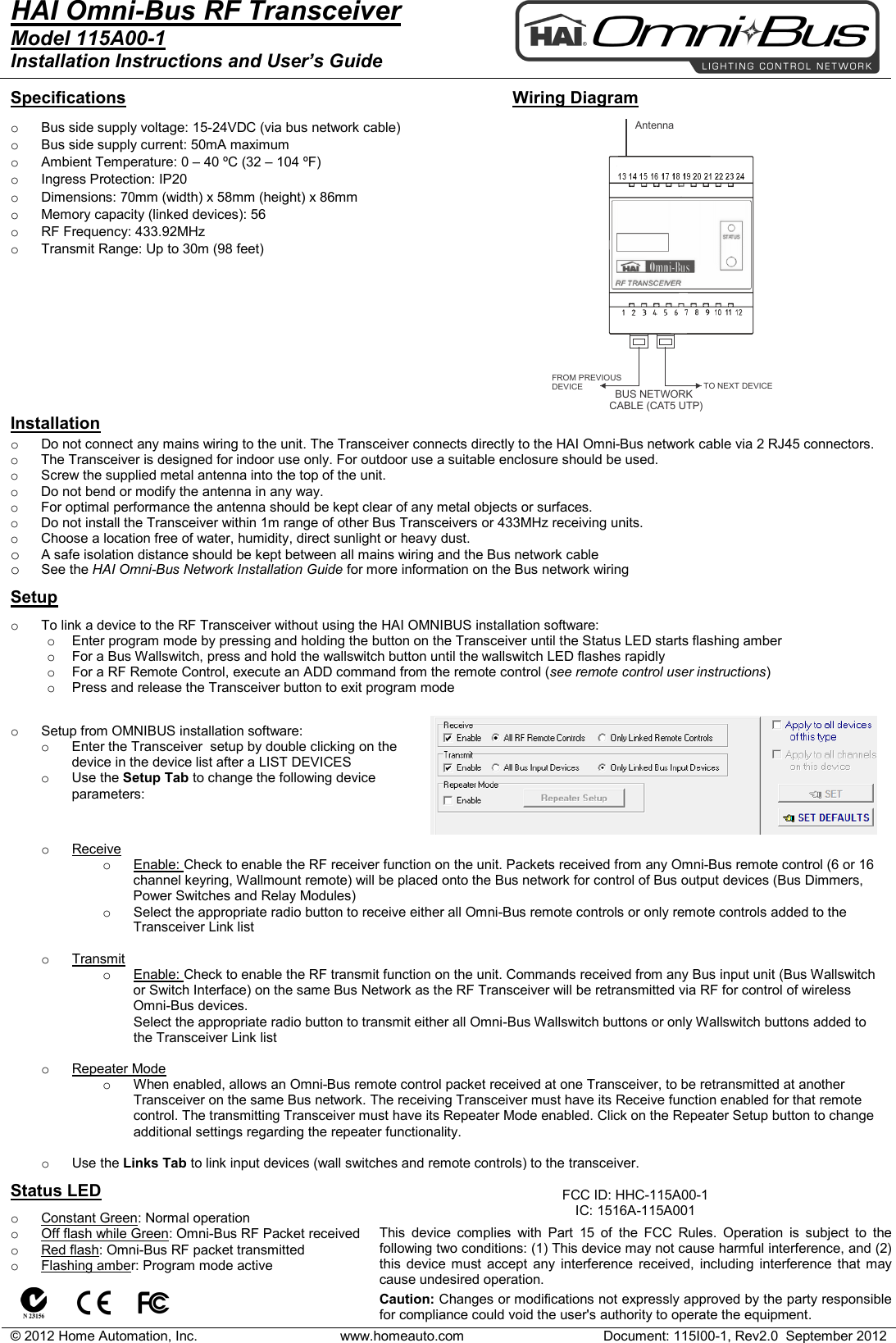
© 2012 Home Automation, Inc. www.homeauto.com Document: 115I00-1, Rev2.0  September 2012    BUS NETWORKCABLE (CAT5 UTP)  TO NEXT DEVICEFROM PREVIOUSDEVICEAntennaHAI Omni-Bus RF Transceiver    Model 115A00-1 Installation Instructions and User’s Guide    Specifications  o Bus side supply voltage: 15-24VDC (via bus network cable) o Bus side supply current: 50mA maximum o Ambient Temperature: 0 – 40 ºC (32 – 104 ºF)  o Ingress Protection: IP20 o Dimensions: 70mm (width) x 58mm (height) x 86mm o Memory capacity (linked devices): 56 o RF Frequency: 433.92MHz o Transmit Range: Up to 30m (98 feet)  Wiring Diagram    Installation o Do not connect any mains wiring to the unit. The Transceiver connects directly to the HAI Omni-Bus network cable via 2 RJ45 connectors. o The Transceiver is designed for indoor use only. For outdoor use a suitable enclosure should be used. o Screw the supplied metal antenna into the top of the unit. o Do not bend or modify the antenna in any way. o For optimal performance the antenna should be kept clear of any metal objects or surfaces. o Do not install the Transceiver within 1m range of other Bus Transceivers or 433MHz receiving units. o Choose a location free of water, humidity, direct sunlight or heavy dust. o A safe isolation distance should be kept between all mains wiring and the Bus network cable o See the HAI Omni-Bus Network Installation Guide for more information on the Bus network wiring   Setup   o To link a device to the RF Transceiver without using the HAI OMNIBUS installation software: o Enter program mode by pressing and holding the button on the Transceiver until the Status LED starts flashing amber o For a Bus Wallswitch, press and hold the wallswitch button until the wallswitch LED flashes rapidly o For a RF Remote Control, execute an ADD command from the remote control (see remote control user instructions) o Press and release the Transceiver button to exit program mode     o Setup from OMNIBUS installation software: o Enter the Transceiver  setup by double clicking on the device in the device list after a LIST DEVICES o Use the Setup Tab to change the following device parameters:       o Receive o Enable: Check to enable the RF receiver function on the unit. Packets received from any Omni-Bus remote control (6 or 16 channel keyring, Wallmount remote) will be placed onto the Bus network for control of Bus output devices (Bus Dimmers, Power Switches and Relay Modules) o Select the appropriate radio button to receive either all Omni-Bus remote controls or only remote controls added to the Transceiver Link list  o Transmit o Enable: Check to enable the RF transmit function on the unit. Commands received from any Bus input unit (Bus Wallswitch or Switch Interface) on the same Bus Network as the RF Transceiver will be retransmitted via RF for control of wireless Omni-Bus devices. Select the appropriate radio button to transmit either all Omni-Bus Wallswitch buttons or only Wallswitch buttons added to the Transceiver Link list  o Repeater Mode o  When enabled, allows an Omni-Bus remote control packet received at one Transceiver, to be retransmitted at another Transceiver on the same Bus network. The receiving Transceiver must have its Receive function enabled for that remote control. The transmitting Transceiver must have its Repeater Mode enabled. Click on the Repeater Setup button to change additional settings regarding the repeater functionality.  o Use the Links Tab to link input devices (wall switches and remote controls) to the transceiver.  Status LED  o Constant Green: Normal operation o Off flash while Green: Omni-Bus RF Packet received o Red flash: Omni-Bus RF packet transmitted o Flashing amber: Program mode active           FCC ID: HHC-115A00-1 IC: 1516A-115A001  This device complies with Part 15 of the FCC Rules. Operation is subject to the following two conditions: (1) This device may not cause harmful interference, and (2) this device must accept any interference received, including interference that may cause undesired operation.   Caution: Changes or modifications not expressly approved by the party responsible for compliance could void the user's authority to operate the equipment.

Navigation menu