I AM PLUS IAM5110 BT headset User Manual User s Guid by IAM

i.am.plus electronics inc. BT headset User s Guid by IAM

User Manual

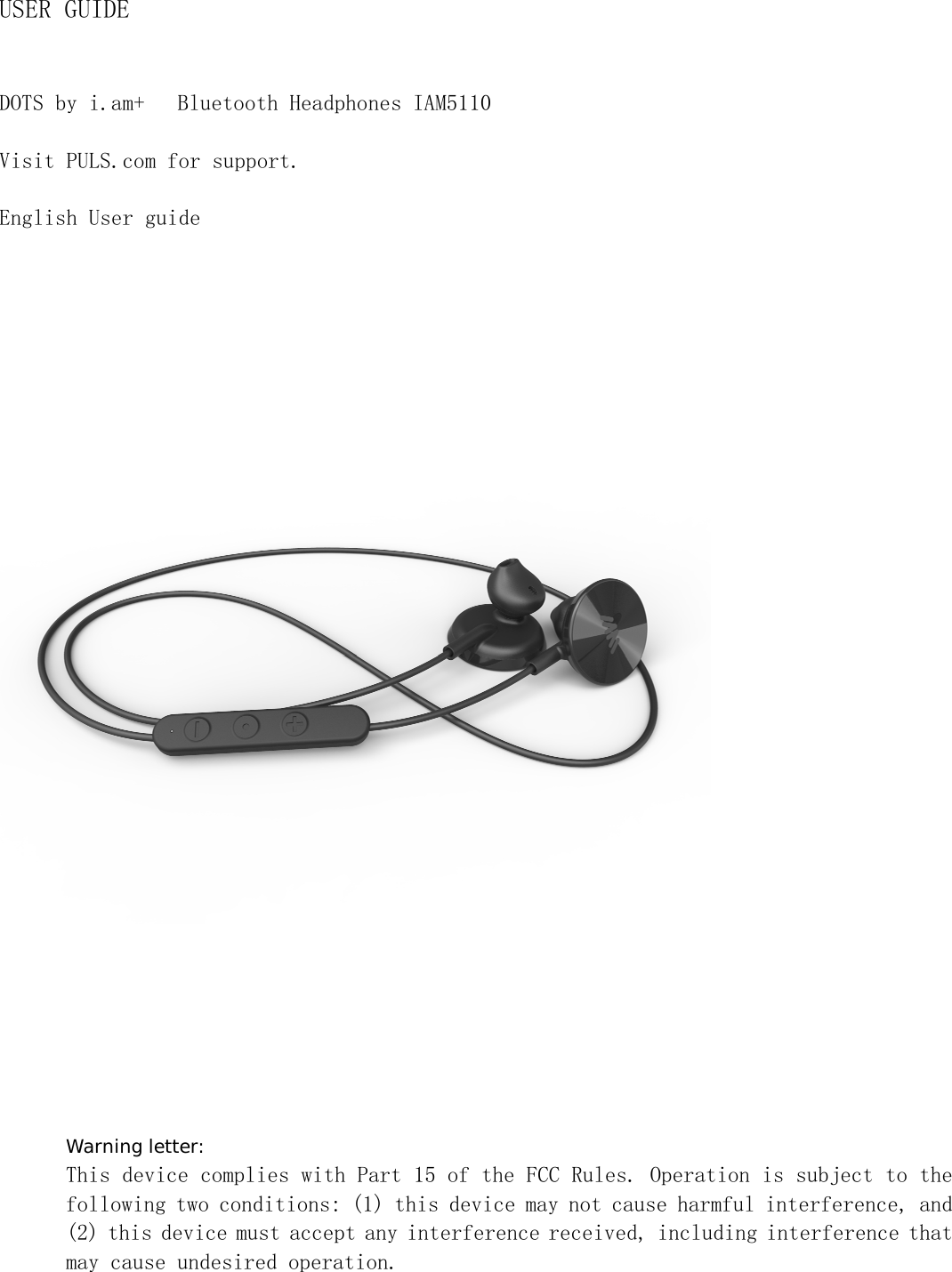
USER GUIDE DOTS by i.am+  Bluetooth Headphones IAM5110 Visit PULS.com for support. English User guide  Warning letter: This device complies with Part 15 of the FCC Rules. Operation is subject to the following two conditions: (1) this device may not cause harmful interference, and (2) this device must accept any interference received, including interference that may cause undesired operation.
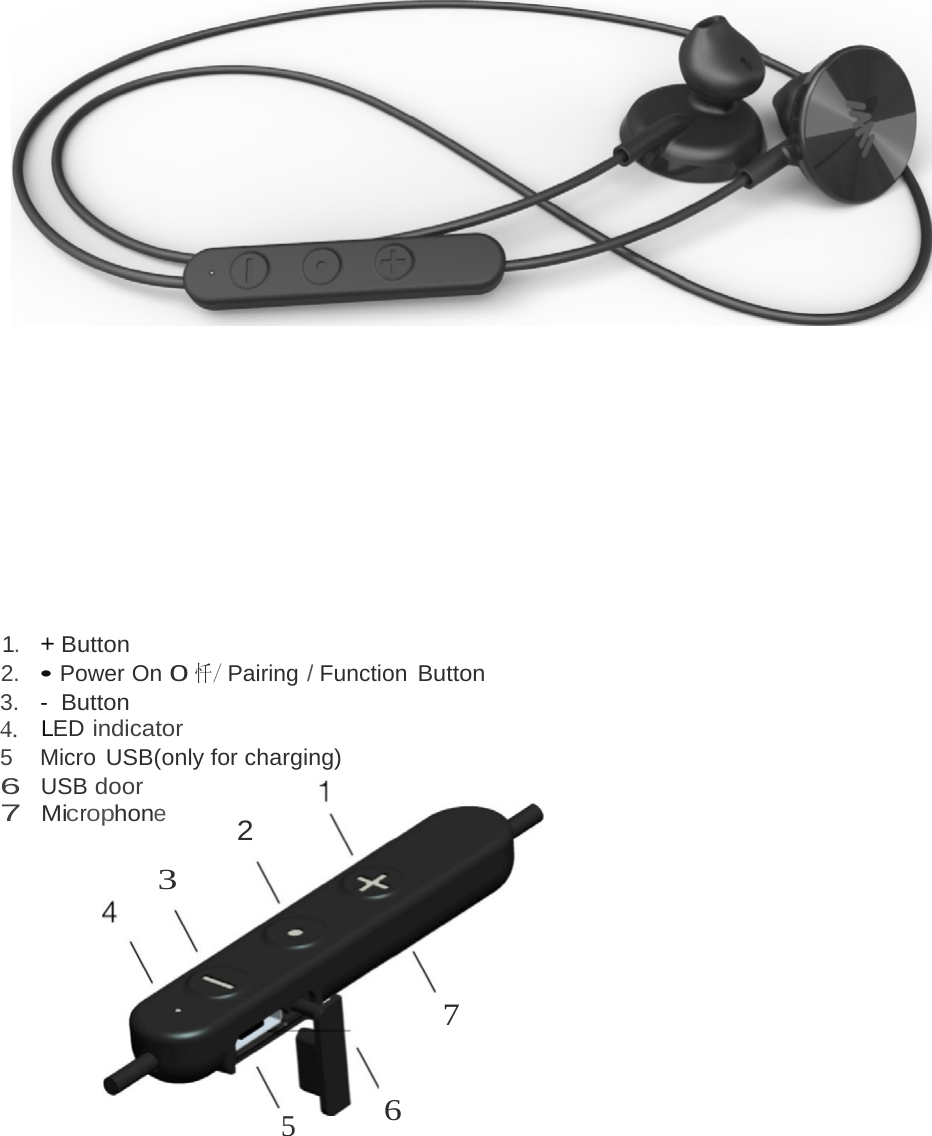
 1.   + Button 2. • Power On 0忏/ Pairing / Function Button 3.   -  Button 4.    LED indicator 5   Micro USB(only for charging) 6 USB door 7 Microphone 2 3 7 5  6
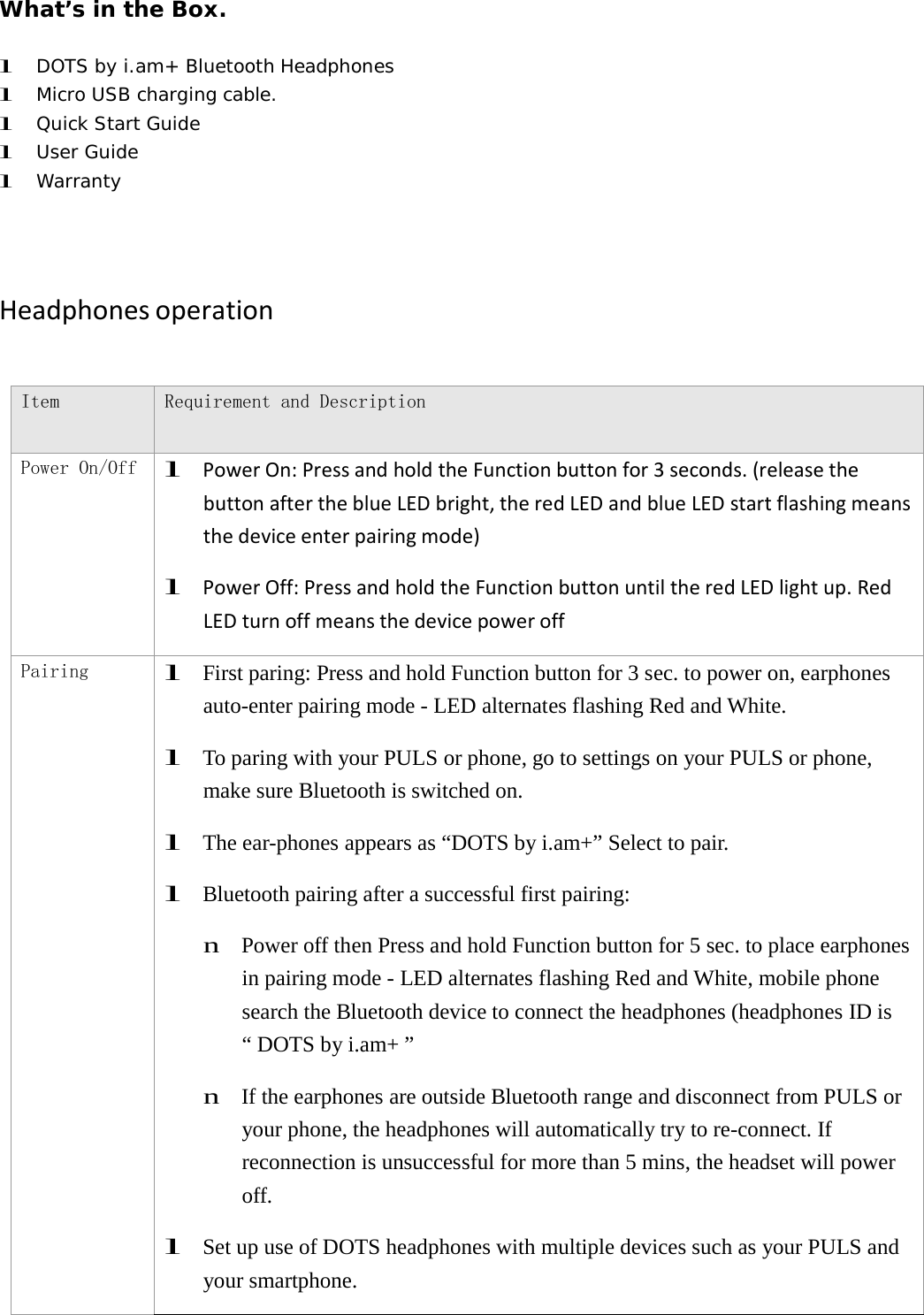
What’s in the Box. l DOTS by i.am+ Bluetooth Headphones l Micro USB charging cable. l Quick Start Guide l User Guide l Warranty HeadphonesoperationItem Requirement and Description Power On/Off l PowerOn:PressandholdtheFunctionbuttonfor3seconds.(releasethebuttonaftertheblueLEDbright,theredLEDandblueLEDstartflashingmeansthedeviceenterpairingmode)l PowerOff:PressandholdtheFunctionbuttonuntiltheredLEDlightup.RedLEDturnoffmeansthedevicepoweroffPairing l  First paring: Press and hold Function button for 3 sec. to power on, earphones auto-enter pairing mode - LED alternates flashing Red and White. l  To paring with your PULS or phone, go to settings on your PULS or phone, make sure Bluetooth is switched on. l  The ear-phones appears as “DOTS by i.am+” Select to pair. l  Bluetooth pairing after a successful first pairing: n  Power off then Press and hold Function button for 5 sec. to place earphones in pairing mode - LED alternates flashing Red and White, mobile phone search the Bluetooth device to connect the headphones (headphones ID is “ DOTS by i.am+ ” n  If the earphones are outside Bluetooth range and disconnect from PULS or your phone, the headphones will automatically try to re-connect. If reconnection is unsuccessful for more than 5 mins, the headset will power off. l  Set up use of DOTS headphones with multiple devices such as your PULS and your smartphone.
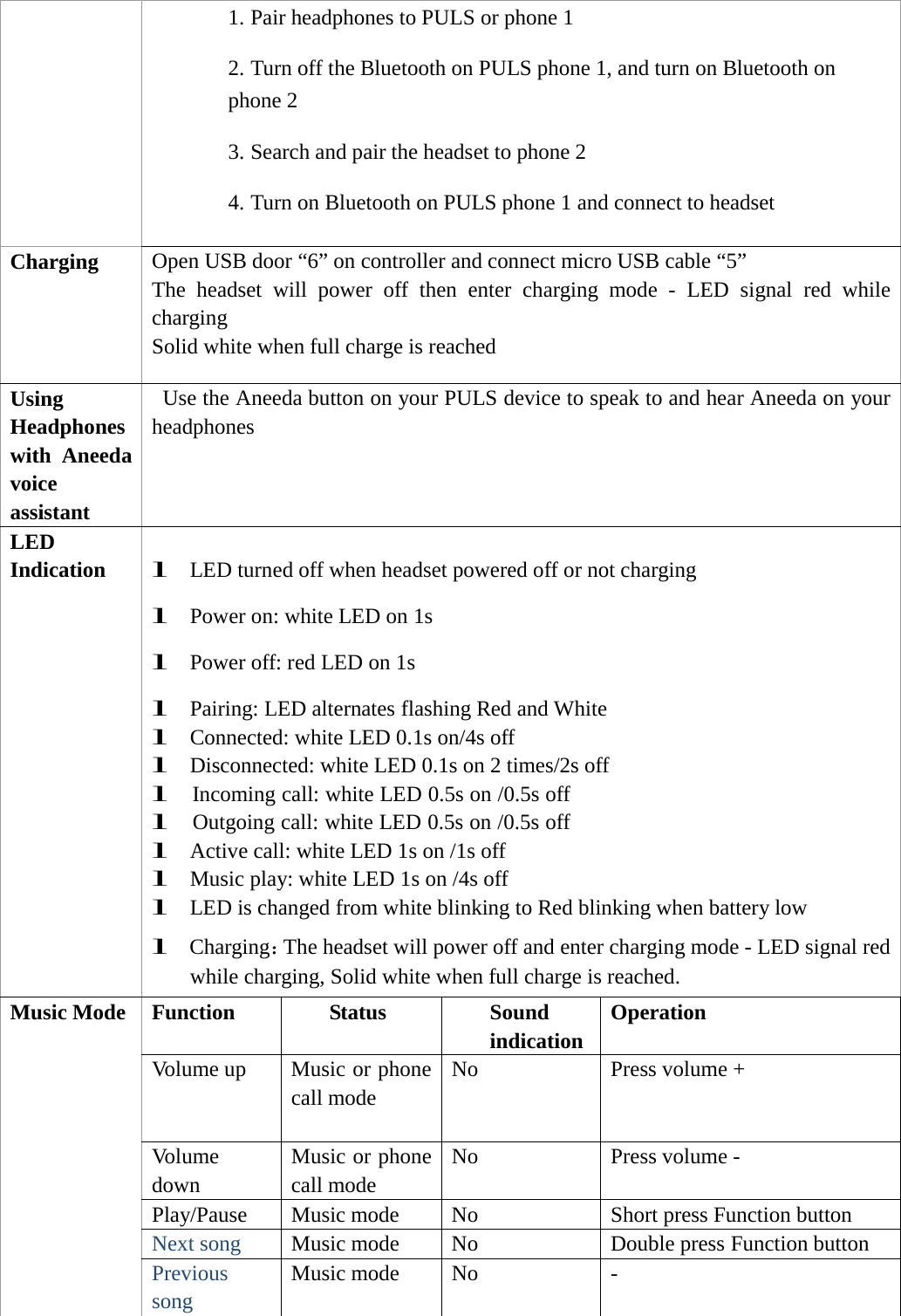
1. Pair headphones to PULS or phone 1 2. Turn off the Bluetooth on PULS phone 1, and turn on Bluetooth on phone 2 3. Search and pair the headset to phone 2 4. Turn on Bluetooth on PULS phone 1 and connect to headset Charging Open USB door “6” on controller and connect micro USB cable “5” The  headset  will  power  off  then  enter  charging  mode  -  LED  signal  red  while charging Solid white when full charge is reached Using Headphones with Aneeda voice assistant Use the Aneeda button on your PULS device to speak to and hear Aneeda on your headphones LED Indication l LED turned off when headset powered off or not charging l Power on: white LED on 1s l Power off: red LED on 1s l Pairing: LED alternates flashing Red and White l Connected: white LED 0.1s on/4s off l Disconnected: white LED 0.1s on 2 times/2s off l Incoming call: white LED 0.5s on /0.5s off l Outgoing call: white LED 0.5s on /0.5s off l Active call: white LED 1s on /1s off l Music play: white LED 1s on /4s off l LED is changed from white blinking to Red blinking when battery low l Charging:The headset will power off and enter charging mode - LED signal red while charging, Solid white when full charge is reached. Music Mode Function Status Sound indication Operation Volume up  Music or phone call mode No Press volume + Volume down Music or phone call mode No Press volume - Play/Pause Music mode  No  Short press Function button Next song  Music mode  No  Double press Function button Previous song Music mode  No  -
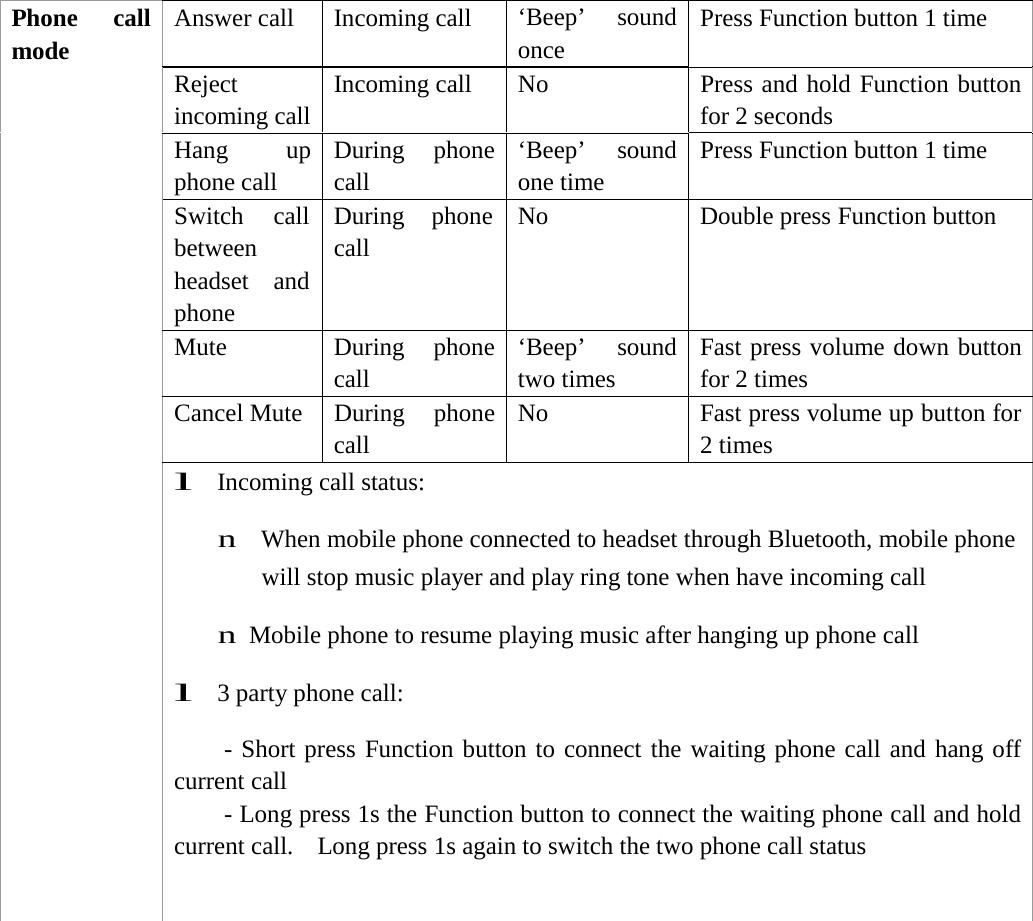
Phone call mode Answer call  Incoming call  ‘Beep’ sound once Press Function button 1 time Reject incoming call Incoming call  No  Press and hold Function button for 2 seconds Hang up phone call During phone call ‘Beep’ sound one time Press Function button 1 time Switch call between headset and phone During phone call No  Double press Function button Mute During phone call ‘Beep’ sound two times Fast press volume down button for 2 times Cancel Mute  During  phone call No  Fast press volume up button for2 times l  Incoming call status: n  When mobile phone connected to headset through Bluetooth, mobile phone will stop music player and play ring tone when have incoming call n Mobile phone to resume playing music after hanging up phone call l 3 party phone call: - Short press Function button to connect the waiting phone call and hang off current call - Long press 1s the Function button to connect the waiting phone call and hold current call.  Long press 1s again to switch the two phone call status
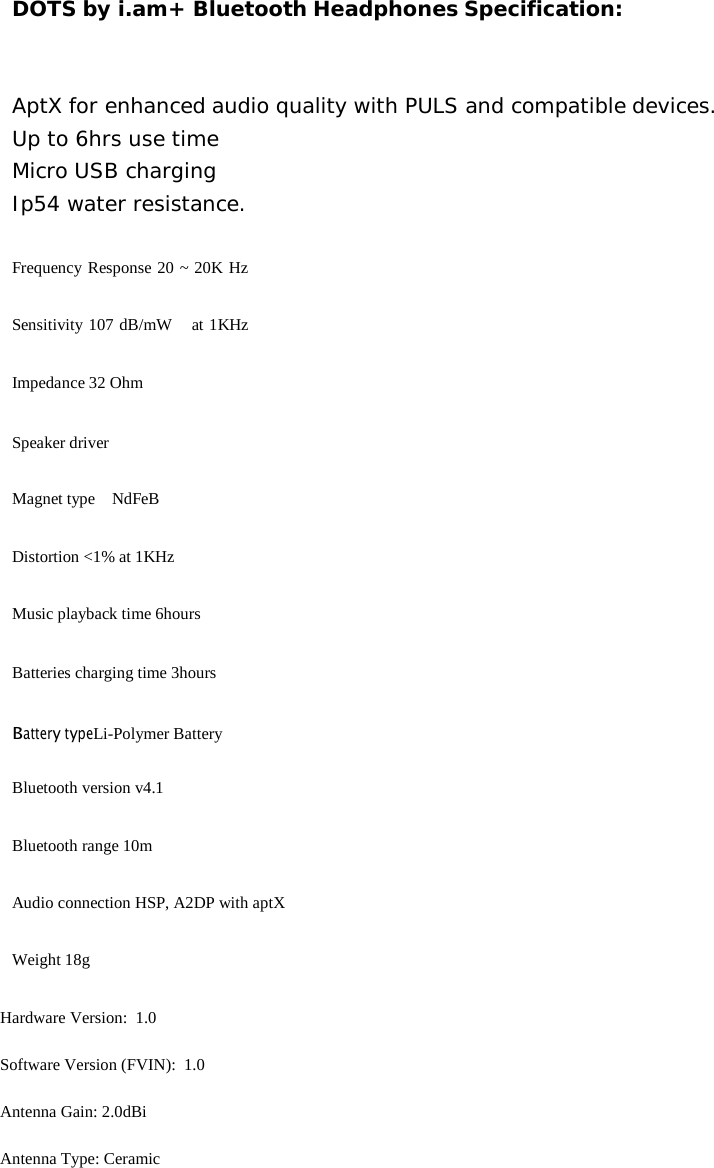
DOTS by i.am+ Bluetooth Headphones Specification: AptX for enhanced audio quality with PULS and compatible devices. Up to 6hrs use time Micro USB charging Ip54 water resistance. Frequency Response 20 ~ 20K Hz Sensitivity 107 dB/mW   at 1KHz Impedance 32 Ohm Speaker driver Magnet type    NdFeB Distortion <1% at 1KHz Music playback time 6hours Batteries charging time 3hours Battery typeLi-Polymer Battery Bluetooth version v4.1 Bluetooth range 10m Audio connection HSP, A2DP with aptX Weight 18g Hardware Version:  1.0 Software Version (FVIN):  1.0 Antenna Gain: 2.0dBi Antenna Type: Ceramic
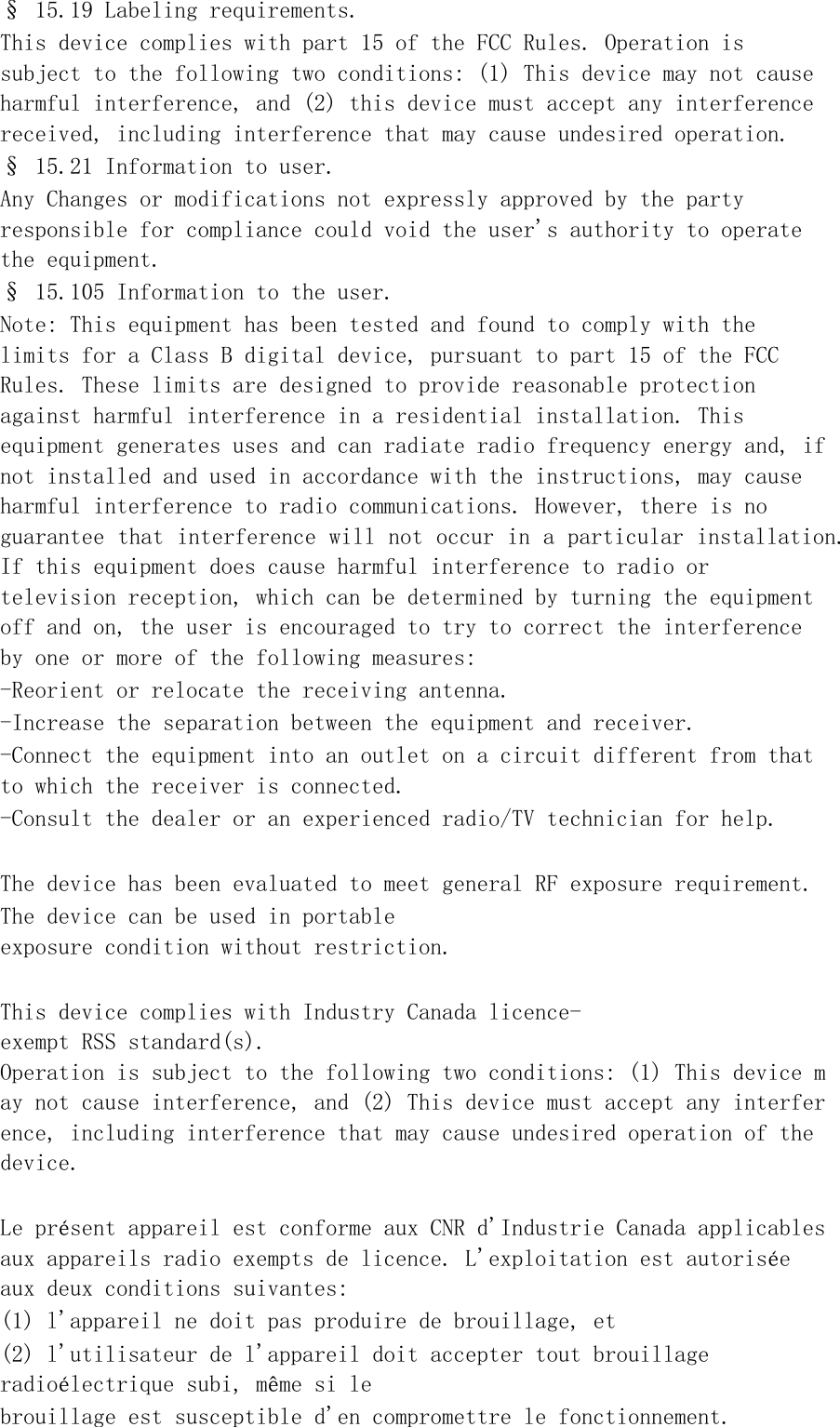
§ 15.19 Labeling requirements. This device complies with part 15 of the FCC Rules. Operation is subject to the following two conditions: (1) This device may not cause harmful interference, and (2) this device must accept any interference received, including interference that may cause undesired operation. § 15.21 Information to user. Any Changes or modifications not expressly approved by the party responsible for compliance could void the user's authority to operate the equipment. § 15.105 Information to the user. Note: This equipment has been tested and found to comply with the limits for a Class B digital device, pursuant to part 15 of the FCC Rules. These limits are designed to provide reasonable protection against harmful interference in a residential installation. This equipment generates uses and can radiate radio frequency energy and, if not installed and used in accordance with the instructions, may cause harmful interference to radio communications. However, there is no guarantee that interference will not occur in a particular installation. If this equipment does cause harmful interference to radio or television reception, which can be determined by turning the equipment off and on, the user is encouraged to try to correct the interference by one or more of the following measures: -Reorient or relocate the receiving antenna. -Increase the separation between the equipment and receiver. -Connect the equipment into an outlet on a circuit different from that to which the receiver is connected. -Consult the dealer or an experienced radio/TV technician for help.  The device has been evaluated to meet general RF exposure requirement.  The device can be used in portable exposure condition without restriction.   This device complies with Industry Canada licence-exempt RSS standard(s).  Operation is subject to the following two conditions: (1) This device may not cause interference, and (2) This device must accept any interference, including interference that may cause undesired operation of the device.   Le présent appareil est conforme aux CNR d'Industrie Canada applicables aux appareils radio exempts de licence. L'exploitation est autorisée aux deux conditions suivantes:  (1) l'appareil ne doit pas produire de brouillage, et  (2) l'utilisateur de l'appareil doit accepter tout brouillage radioélectrique subi, même si le  brouillage est susceptible d'en compromettre le fonctionnement.

Navigation menu