Iris ID ICAM7100 Iris Recognition Device (Model: iCAM7100) User Manual

Iris ID, Inc. Iris Recognition Device (Model: iCAM7100) Users Manual

Users Manual

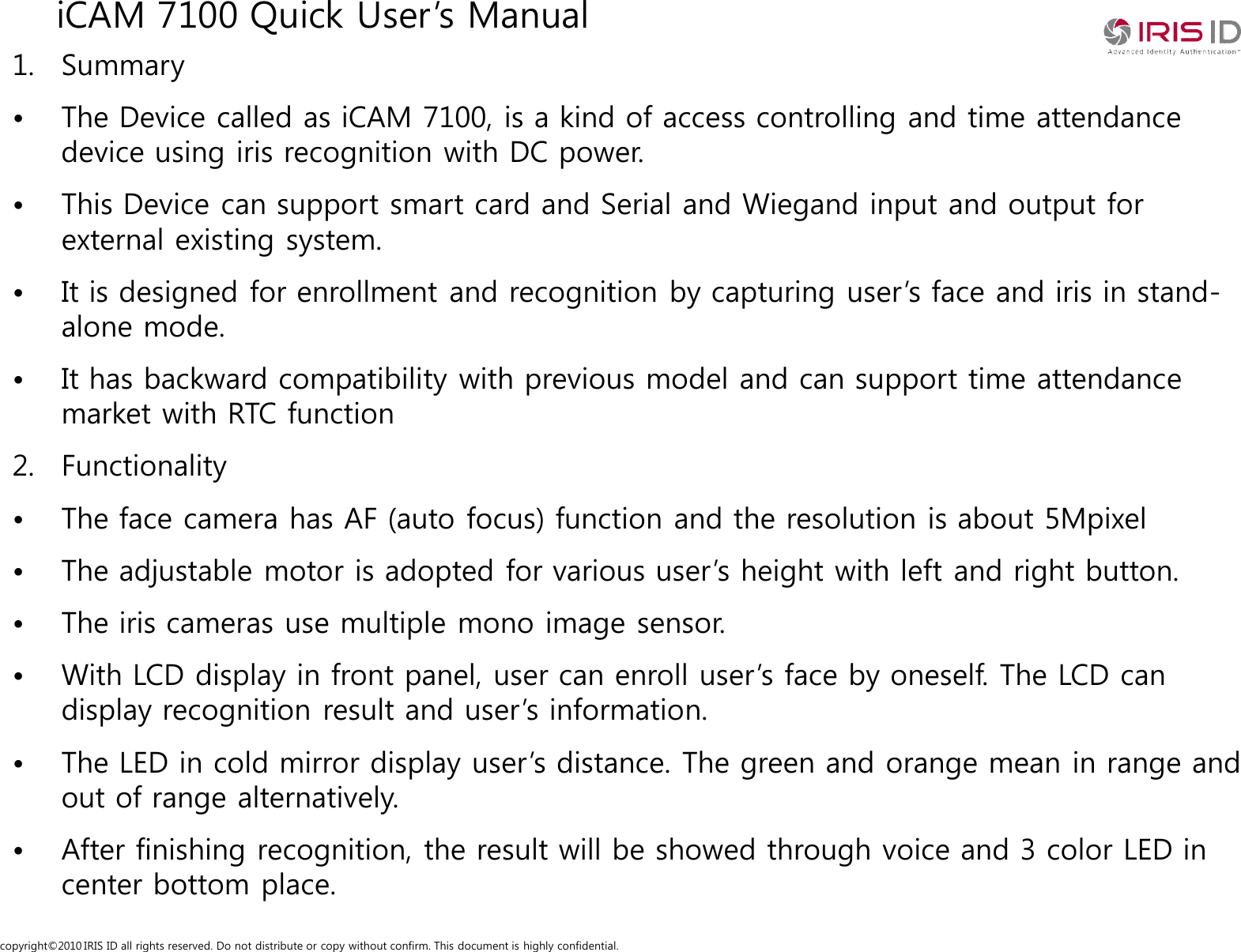
copyright©2010 IRIS ID all rights reserved. Do not distribute or copy without confirm. This document is highly confidential.iCAM 7100 Quick User’s Manual1. Summary• The Device called as iCAM 7100, is a kind of access controlling and time attendance device using iris recognition with DC power.• This Device can support smart card and Serial and Wiegand input and output for external existing system. • It is designed for enrollment and recognition by capturing user’s face and iris in stand-alone mode.• It has backward compatibility with previous model and can support time attendance market with RTC function2. Functionality• The face camera has AF (auto focus) function and the resolution is about 5Mpixel• The adjustable motor is adopted for various user’s height with left and right button.• The iris cameras use multiple mono image sensor.• With LCD display in front panel, user can enroll user’s face by oneself. The LCD can display recognition result and user’s information.• The LED in cold mirror display user’s distance. The green and orange mean in range and out of range alternatively.• After finishing recognition, the result will be showed through voice and 3 color LED in center bottom place.
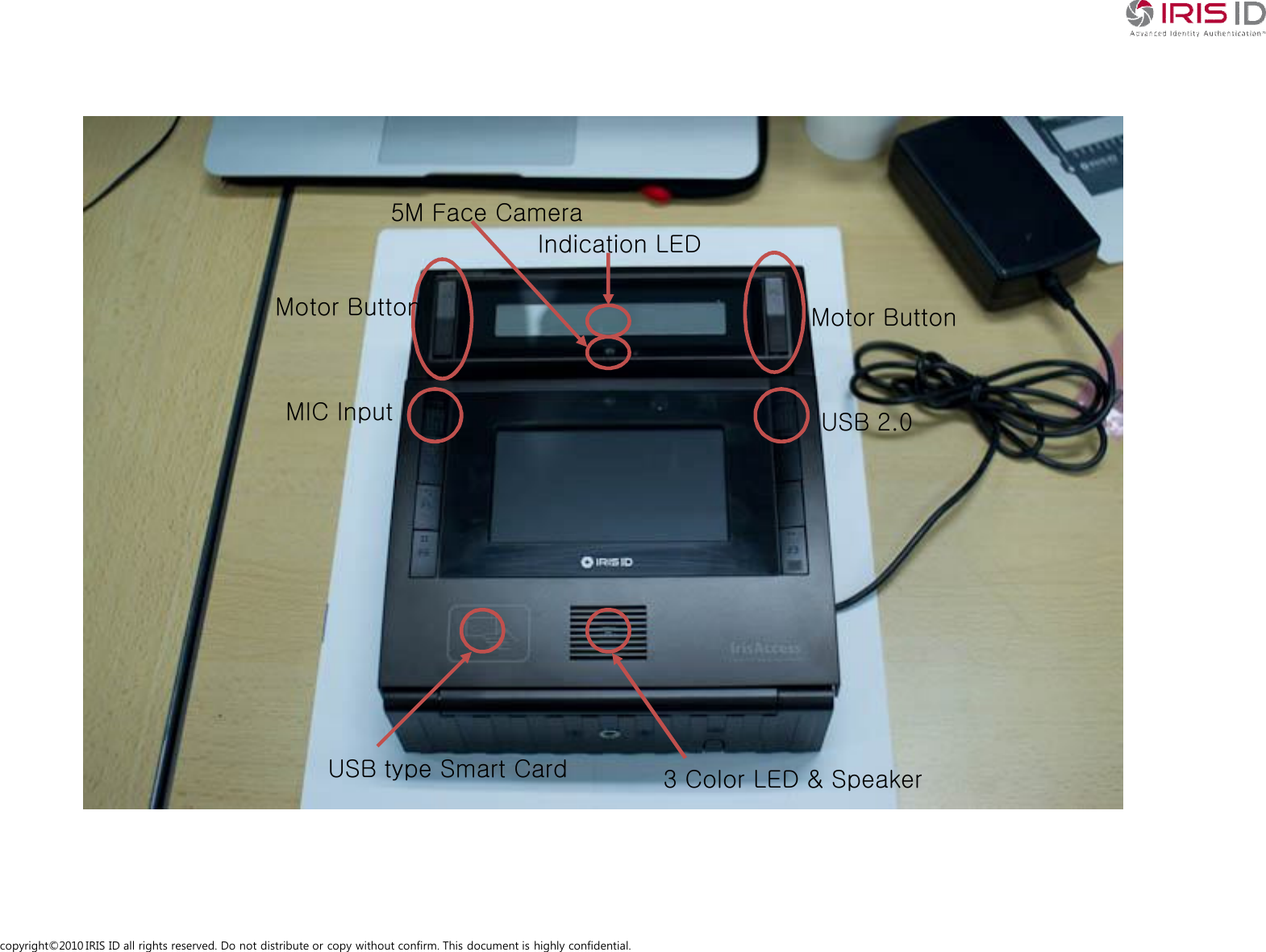
copyright©2010 IRIS ID all rights reserved. Do not distribute or copy without confirm. This document is highly confidential.Motor Button Motor ButtonIndication LED5M Face CameraMIC Input USB 2.03 Color LED & SpeakerUSB type Smart Card
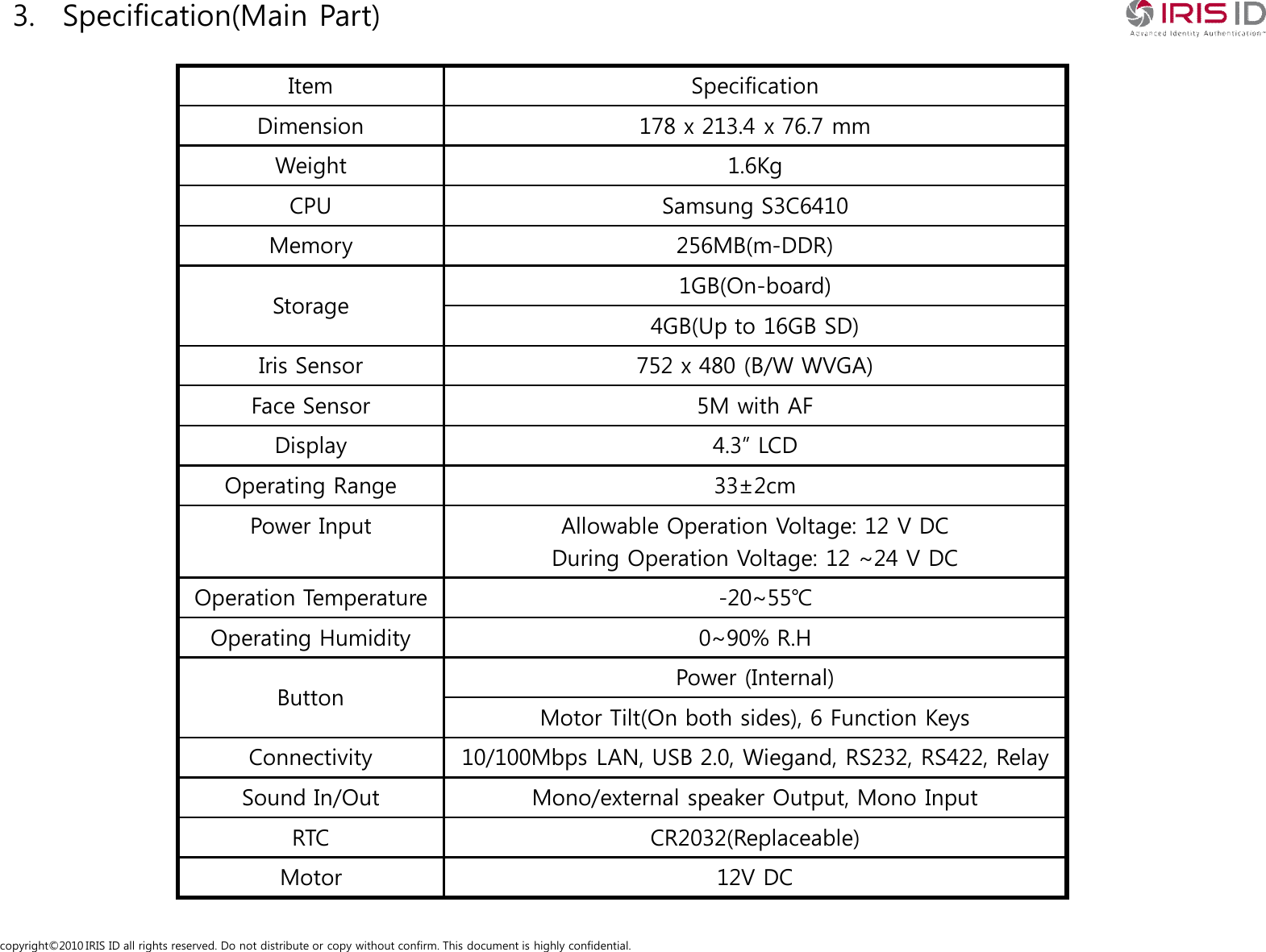
copyright©2010 IRIS ID all rights reserved. Do not distribute or copy without confirm. This document is highly confidential.3. Specification(Main Part)Item SpecificationDimension 178 x 213.4 x 76.7 mmWeight 1.6KgCPU Samsung S3C6410Memory 256MB(m-DDR)Storage 1GB(On-board)4GB(Up to 16GB SD)Iris Sensor 752 x 480 (B/W WVGA)Face Sensor 5M with AFDisplay 4.3” LCDOperating Range 33±2cmPower Input Allowable Operation Voltage: 12 V DCDuring Operation Voltage: 12 ~24 V DCOperation Temperature -20~55℃Operating Humidity 0~90% R.HButton Power (Internal)Motor Tilt(On both sides), 6 Function KeysConnectivity 10/100Mbps LAN, USB 2.0, Wiegand, RS232, RS422, RelaySound In/Out Mono/external speaker Output, Mono InputRTC CR2032(Replaceable)Motor 12V DC
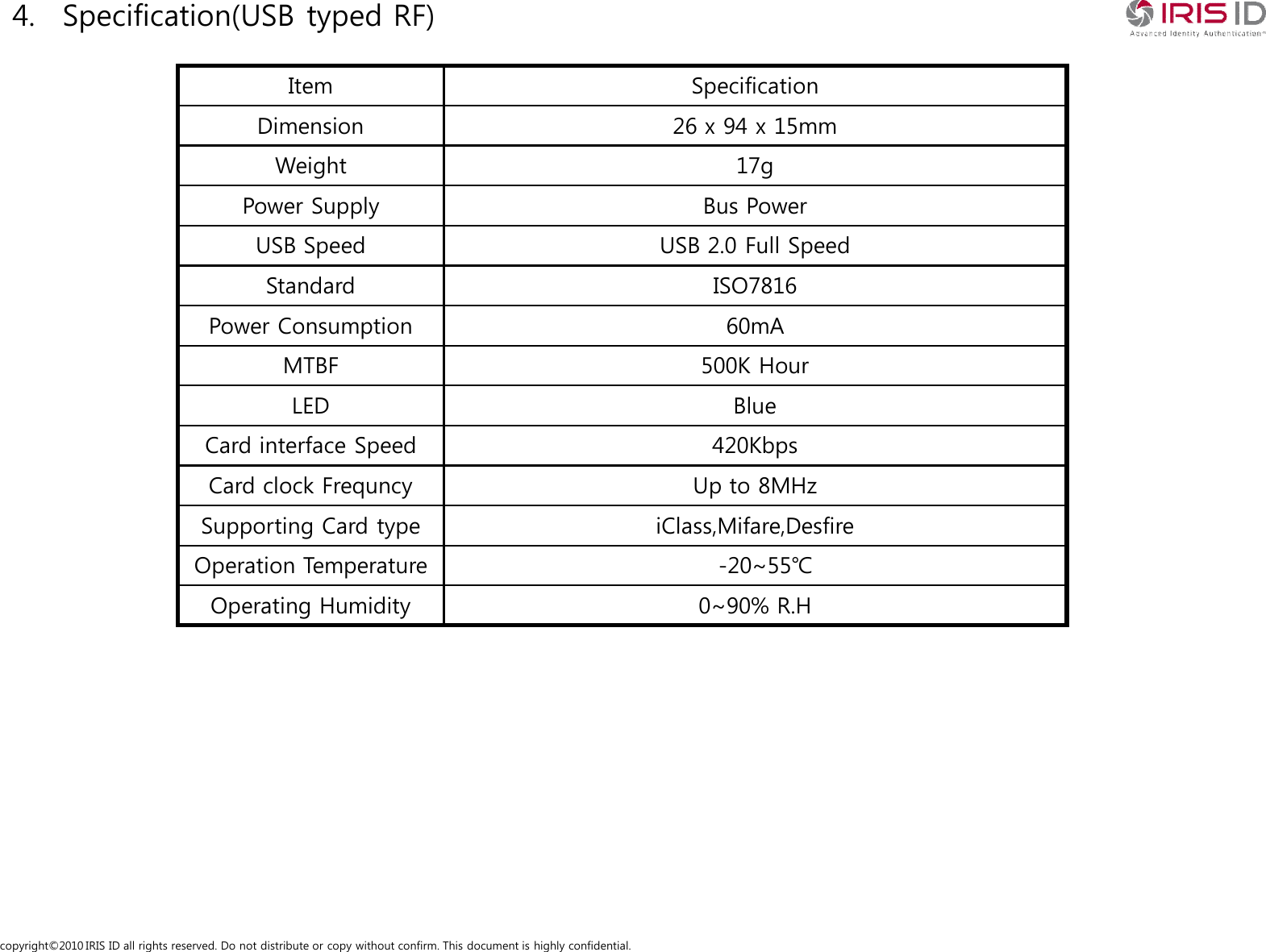
copyright©2010 IRIS ID all rights reserved. Do not distribute or copy without confirm. This document is highly confidential.4. Specification(USB typed RF)Item  SpecificationDimension 26 x 94 x 15mmWeight 17gPower Supply Bus PowerUSB Speed USB 2.0 Full SpeedStandard ISO7816Power Consumption 60mAMTBF 500K HourLED BlueCard interface Speed 420KbpsCard clock Frequncy Up to 8MHzSupporting Card type iClass,Mifare,DesfireOperation Temperature -20~55℃Operating Humidity 0~90% R.H
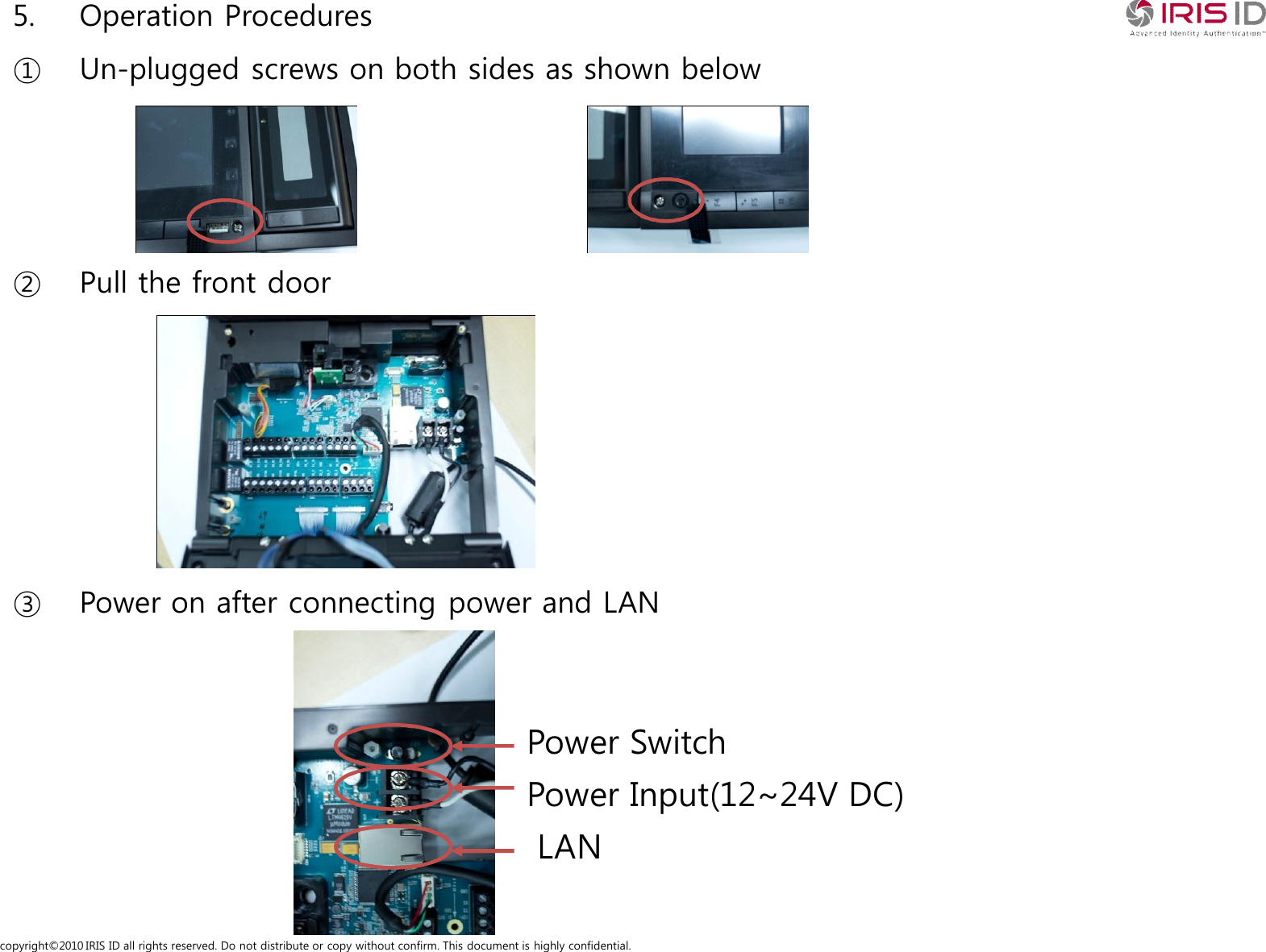
copyright©2010 IRIS ID all rights reserved. Do not distribute or copy without confirm. This document is highly confidential.5. Operation Procedures① Un-plugged screws on both sides as shown below② Pull the front door③ Power on after connecting power and LANLANPower Input(12~24V DC)Power Switch
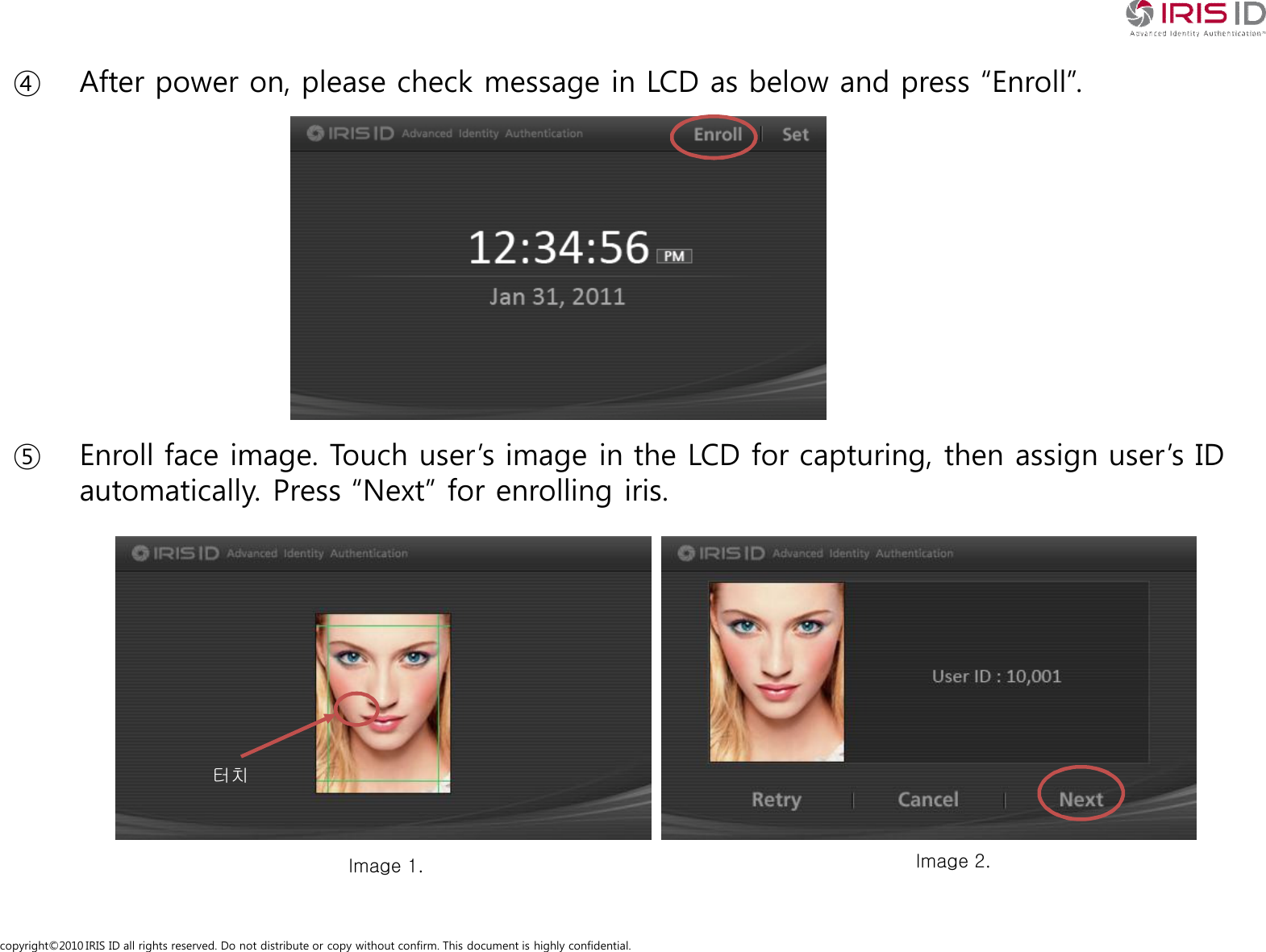
copyright©2010 IRIS ID all rights reserved. Do not distribute or copy without confirm. This document is highly confidential.④ After power on, please check message in LCD as below and press “Enroll”.⑤ Enroll face image. Touch user’s image in the LCD for capturing, then assign user’s ID automatically. Press “Next” for enrolling iris.Image 1. Image 2.터치
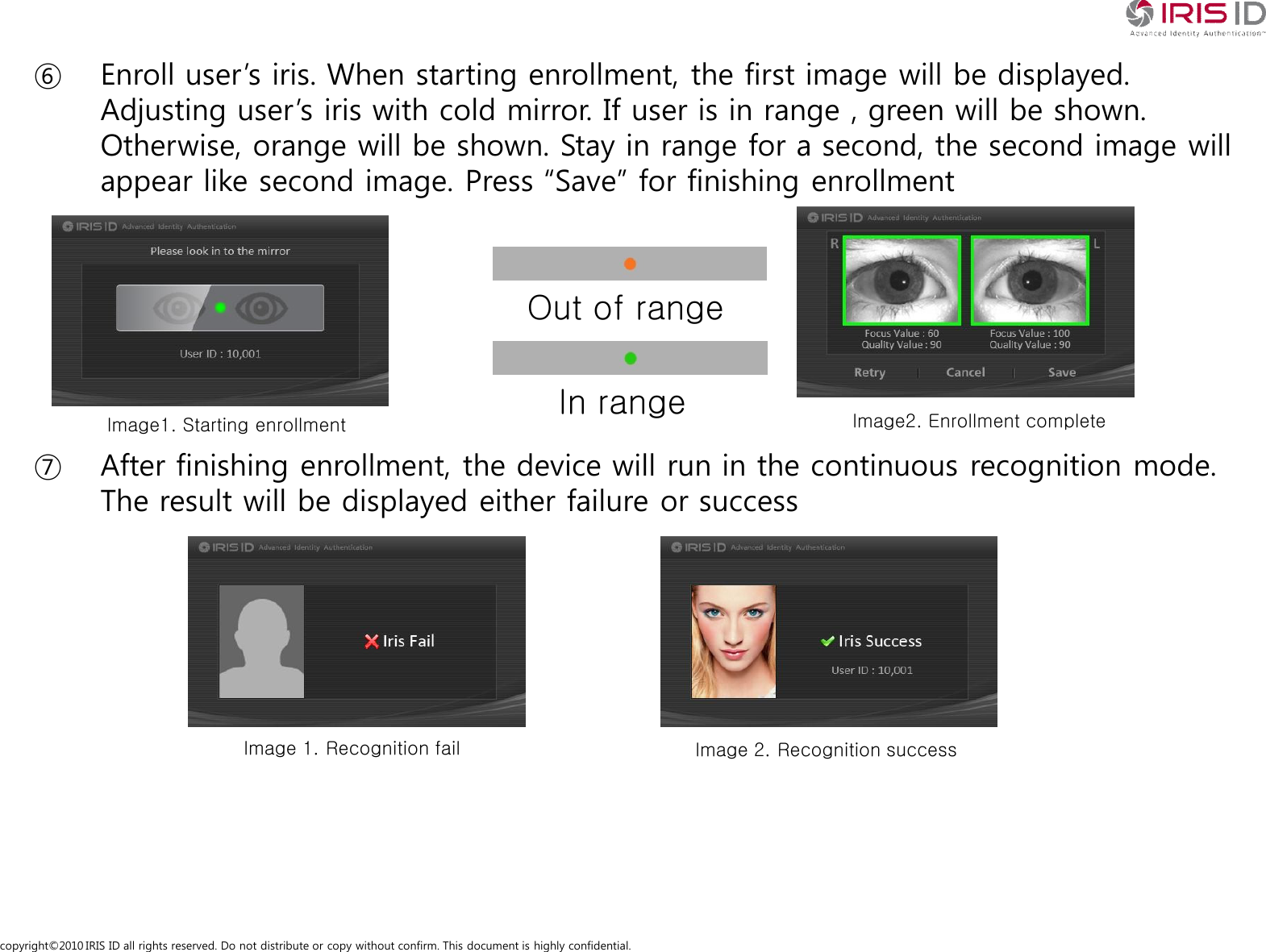
copyright©2010 IRIS ID all rights reserved. Do not distribute or copy without confirm. This document is highly confidential.⑥ Enroll user’s iris. When starting enrollment, the first image will be displayed. Adjusting user’s iris with cold mirror. If user is in range , green will be shown. Otherwise, orange will be shown. Stay in range for a second, the second image will appear like second image. Press “Save” for finishing enrollment⑦ After finishing enrollment, the device will run in the continuous recognition mode. The result will be displayed either failure or successOut of rangeIn rangeImage1. Starting enrollment Image2. Enrollment completeImage 1. Recognition fail Image 2. Recognition success
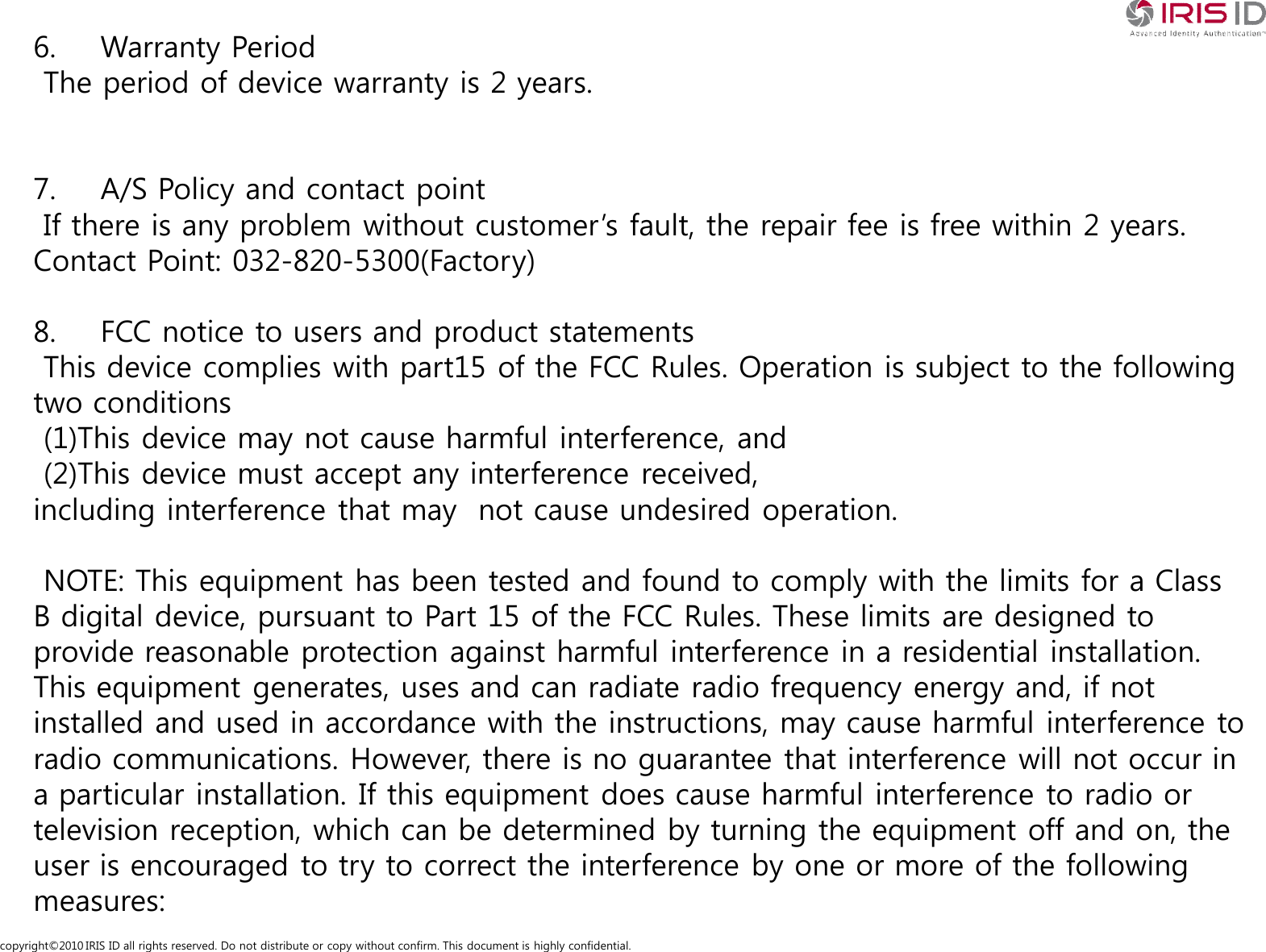
copyright©2010 IRIS ID all rights reserved. Do not distribute or copy without confirm. This document is highly confidential.6. Warranty PeriodThe period of device warranty is 2 years.7. A/S Policy and contact pointIf there is any problem without customer’s fault, the repair fee is free within 2 years.Contact Point: 032-820-5300(Factory)8. FCC notice to users and product statementsThis device complies with part15 of the FCC Rules. Operation is subject to the following two conditions(1)This device may not cause harmful interference, and(2)This device must accept any interference received,including interference that may  not cause undesired operation.NOTE: This equipment has been tested and found to comply with the limits for a Class B digital device, pursuant to Part 15 of the FCC Rules. These limits are designed to provide reasonable protection against harmful interference in a residential installation. This equipment generates, uses and can radiate radio frequency energy and, if not installed and used in accordance with the instructions, may cause harmful interference to radio communications. However, there is no guarantee that interference will not occur in a particular installation. If this equipment does cause harmful interference to radio or television reception, which can be determined by turning the equipment off and on, the user is encouraged to try to correct the interference by one or more of the following measures:
copyright©2010 IRIS ID all rights reserved. Do not distribute or copy without confirm. This document is highly confidential.- Reorient or relocate the receiving antenna.- Increase the separation between the equipment and receiver.- Connect the equipment into an outlet on a circuit different from that to which the receiver is connected.- Consult the dealer or an experienced radio/TV technician for help.Change or modifications not expressly approved by the party responsible for compliance could void the user’s authority to operate the equipment.9. Other notices.Installation location is indoors, cable lengths exceeding 10 meters are available.

Navigation menu