Ixia EE11ABG 802.11 a/b/g Emulation Engine User Manual EmulationEngine 11a b g User s Guide

Ixia 802.11 a/b/g Emulation Engine EmulationEngine 11a b g User s Guide

Contents

User Manual 3 of 3

EmulationEngine 11a/b/g User's Guide Rev #/Date: 2.0.0 Beta/07.17.03  7-1        CHAPTER 7: Event Logging Overview During normal operation, the EmulationEngine processes and can log various types of events. When an event is logged, a record of the event is stored for future analysis. The event record includes a timestamp, an indicator of the type of event that occurred, and a limited amount of data to describe the event. Event logging is controlled on three levels:  1) master enable (controlled by set evlog enable/disable) 2) verbosity level (controlled by set evlog level <level>) 3) module enable (controlled by set evlog module <module name> enable/disable) 1) The master enable controls whether event logging occurs at all. The master control is independent of other filters.  If "set evlog disable" is used, enabling event logging for a particular module has no effect. 2) The verbosity level sets an “importance” threshold for events: at lower verbosity, only more “important” events are logged; at higher verbosity, less important events may also be logged.   3) Each event is processed by a given module or process within the EmulationEngine.  The various processes of the system can be individually enabled for event logging. The event logging function stores event records into a buffer area in memory.  The log buffer is a circular buffer that can hold 512 event records.  The "get evlog buffer" command can be used to display the contents of the buffer at any time. Event data can also be written to a log file in Flash. When writing to a file is enabled by the "set evlog file enable" command, the log buffer is flushed to a file every 30 seconds or every time it wraps at the 512-record limit (which ever comes first). There are two log files, A and B. The EmulationEngine will alternate between the two files so that at least one full file is available at any given time.  Each log file can store up to 4,000 event records. You can display the records stored in either file using the "get evlog file A" and "get evlog file B" CLI commands. Event Record Format Event records are printed in the following format: [header]: [message] [optional parameters] Example: 12/27/2002,9:59:57,2296.320226,11396: RX: ok pDesc 0x9326c0 hwStatus 01cd803c:0be20203 numRxDesc 9643712
Communication Machinery Corporation (CMC) 7-2   Rev #/Date: 2.0.0 Beta/07.17.03 where: [header] is a standard header consisting of a timestamp, microsecond clock reference and sequence number (e.g.: 12/27/2002,9:59:57,2296.320226,11396) timestamp = 12/27/2002,9:59:57 (time the event occurred, taken from the system clock) microsecond clock reference = 2296.320226 (in seconds, resolution to 1 microsecond, not sync’ed to timestamp) sequence number = a sequential number assigned to each record (e.g., 11396; next event would be 11397, 11398, etc.) [message] is very brief text string (typically < 15-20 characters) indicating the type of event that occurred (e.g.: RX: ok indicates a valid 802.11 frame received without error). [optional parameters] describe the specific circumstances of this particular occurrence of the event. It can be up to four 32-bit parameters. Example: pDesc 0x9326c0 hwStatus 01cd803c:0be20203 numRxDesc 9643712. CLI Commands The following CLI commands control event logging: set evlog enable/disable: This is the master control to enable or disable event logging (i.e., to the event log buffer in RAM). The default is enabled. set evlog level <level>: This command sets the verbosity level (0/critical, 1/low, 2/medium, or 3/high) for event logging. The default is critical. set evlog module <module> enable/disable: This command enables or disables logging events from the specified module or process: EmulationEngine control events, virtual station control events, WLAN transmit and receive events, and User Interface events. By default, the following processes are enabled for event logging: EmulationEngine control events and virtual station control events. The following processes are disabled for event logging: WLAN transmit and receive events and User Interface events. set evlog console enable/disable: This command enables or disables logging directly to the console. The default is disabled. set evlog file enable/disable: This command enables or disables recording logged events to file. The default is disabled. get evlog settings: This command shows the current event log control settings.
EmulationEngine 11a/b/g User's Guide Rev #/Date: 2.0.0 Beta/07.17.03  7-3 get evlog buffer [n] – This command prints the last n events logged to the log buffer in memory. If [n] is omitted or zero, all events currently in the log buffer will be displayed. get evlog file A/B <startRec#> <count>: This command prints event records in log file A or B.  If no starting record number <startRec#> is given, records are displayed starting with the first record in the file. If no count of records is given, all records are displayed. You can also use "?" to display the number of records in the file. clear evlog file A/B: This command clears all event records from log file A or B clear evlog buffer: This command clears all event records from the log buffer. save evlog: This command flushes all records from the log buffer to the log file, even if log to file is not enabled. NOTE: Event log control settings are not permanent.  They are not saved with other configuration controls. They must be entered following startup as desired to change event log operation from the default settings indicated above. The Web-Based User Interface You can configure and display the event log by selecting the Logging tab in the web-based user interface side bar. See the "Event Log Side Bar" in Chapter 5 for details.
Communication Machinery Corporation (CMC) 7-4   Rev #/Date: 2.0.0 Beta/07.17.03
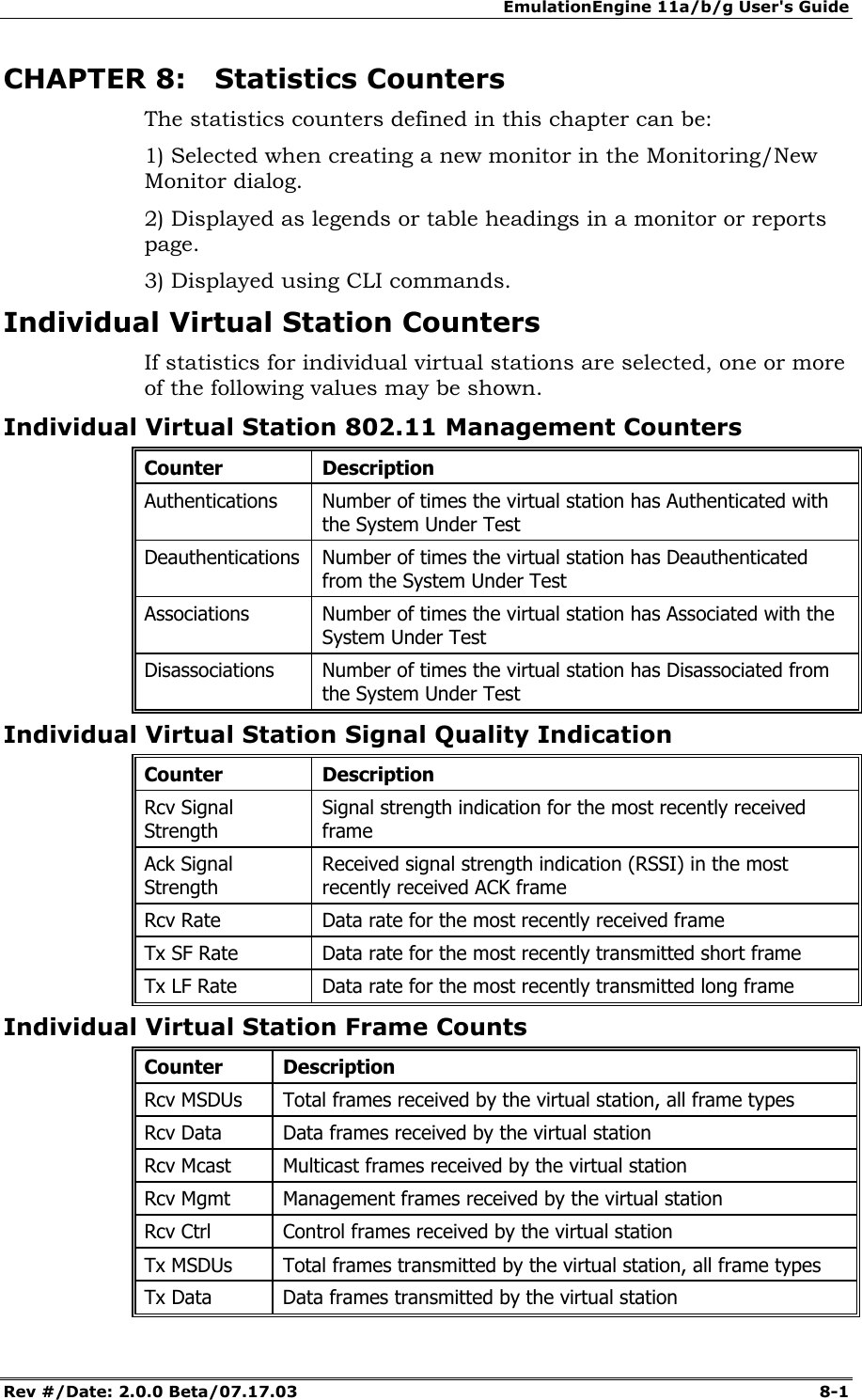
EmulationEngine 11a/b/g User's Guide Rev #/Date: 2.0.0 Beta/07.17.03  8-1        CHAPTER 8: Statistics Counters The statistics counters defined in this chapter can be: 1) Selected when creating a new monitor in the Monitoring/New Monitor dialog.  2) Displayed as legends or table headings in a monitor or reports page.  3) Displayed using CLI commands. Individual Virtual Station Counters If statistics for individual virtual stations are selected, one or more of the following values may be shown. Individual Virtual Station 802.11 Management Counters Counter Description Authentications  Number of times the virtual station has Authenticated with the System Under Test Deauthentications  Number of times the virtual station has Deauthenticated from the System Under Test Associations  Number of times the virtual station has Associated with the System Under Test Disassociations  Number of times the virtual station has Disassociated from the System Under Test Individual Virtual Station Signal Quality Indication Counter Description Rcv Signal Strength Signal strength indication for the most recently received frame Ack Signal Strength Received signal strength indication (RSSI) in the most recently received ACK frame Rcv Rate  Data rate for the most recently received frame Tx SF Rate  Data rate for the most recently transmitted short frame Tx LF Rate  Data rate for the most recently transmitted long frame Individual Virtual Station Frame Counts Counter Description Rcv MSDUs  Total frames received by the virtual station, all frame types Rcv Data  Data frames received by the virtual station Rcv Mcast  Multicast frames received by the virtual station Rcv Mgmt  Management frames received by the virtual station Rcv Ctrl  Control frames received by the virtual station Tx MSDUs  Total frames transmitted by the virtual station, all frame types Tx Data  Data frames transmitted by the virtual station
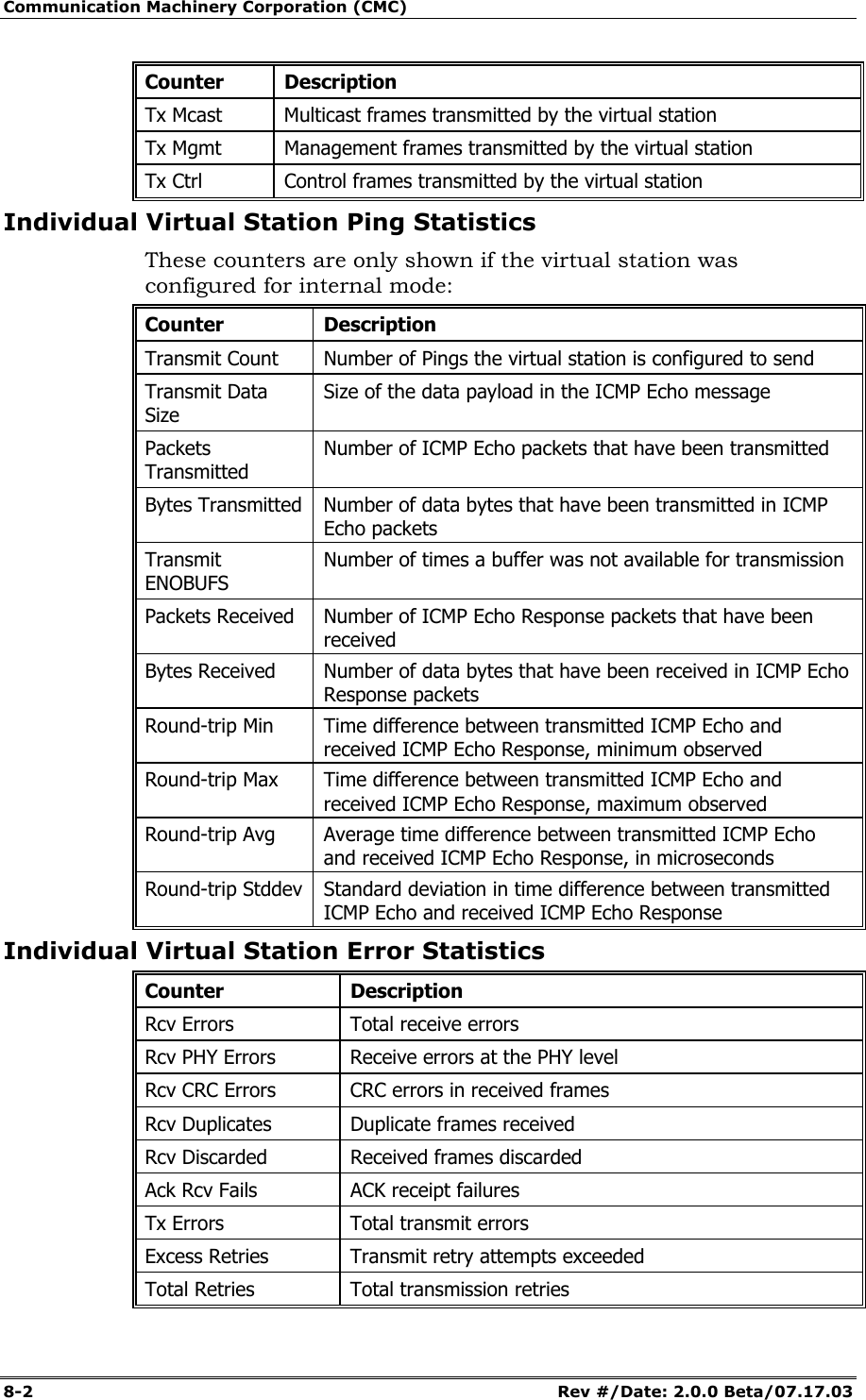
Communication Machinery Corporation (CMC) 8-2   Rev #/Date: 2.0.0 Beta/07.17.03 Counter Description Tx Mcast  Multicast frames transmitted by the virtual station Tx Mgmt  Management frames transmitted by the virtual station Tx Ctrl  Control frames transmitted by the virtual station Individual Virtual Station Ping Statistics These counters are only shown if the virtual station was configured for internal mode: Counter Description Transmit Count  Number of Pings the virtual station is configured to send Transmit Data Size Size of the data payload in the ICMP Echo message  Packets Transmitted Number of ICMP Echo packets that have been transmitted Bytes Transmitted  Number of data bytes that have been transmitted in ICMP Echo packets Transmit ENOBUFS Number of times a buffer was not available for transmission Packets Received  Number of ICMP Echo Response packets that have been received Bytes Received  Number of data bytes that have been received in ICMP Echo Response packets Round-trip Min  Time difference between transmitted ICMP Echo and received ICMP Echo Response, minimum observed Round-trip Max  Time difference between transmitted ICMP Echo and received ICMP Echo Response, maximum observed Round-trip Avg  Average time difference between transmitted ICMP Echo and received ICMP Echo Response, in microseconds Round-trip Stddev  Standard deviation in time difference between transmitted ICMP Echo and received ICMP Echo Response Individual Virtual Station Error Statistics Counter Description Rcv Errors  Total receive errors Rcv PHY Errors  Receive errors at the PHY level Rcv CRC Errors  CRC errors in received frames Rcv Duplicates  Duplicate frames received Rcv Discarded  Received frames discarded Ack Rcv Fails  ACK receipt failures Tx Errors  Total transmit errors Excess Retries  Transmit retry attempts exceeded Total Retries  Total transmission retries
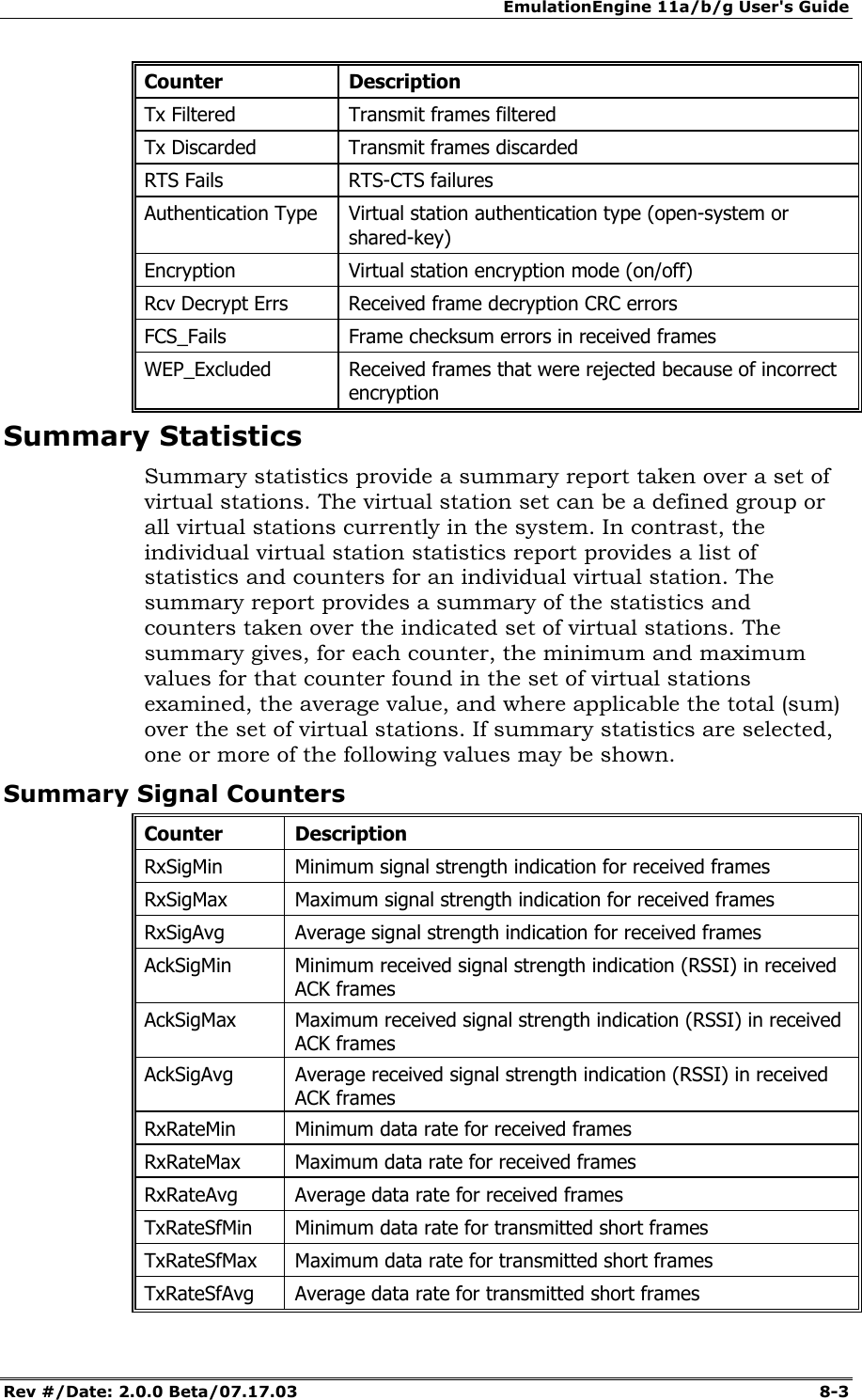
EmulationEngine 11a/b/g User's Guide Rev #/Date: 2.0.0 Beta/07.17.03  8-3 Counter Description Tx Filtered  Transmit frames filtered Tx Discarded  Transmit frames discarded RTS Fails  RTS-CTS failures Authentication Type  Virtual station authentication type (open-system or shared-key) Encryption  Virtual station encryption mode (on/off) Rcv Decrypt Errs  Received frame decryption CRC errors FCS_Fails  Frame checksum errors in received frames WEP_Excluded  Received frames that were rejected because of incorrect encryption Summary Statistics Summary statistics provide a summary report taken over a set of virtual stations. The virtual station set can be a defined group or all virtual stations currently in the system. In contrast, the individual virtual station statistics report provides a list of statistics and counters for an individual virtual station. The summary report provides a summary of the statistics and counters taken over the indicated set of virtual stations. The summary gives, for each counter, the minimum and maximum values for that counter found in the set of virtual stations examined, the average value, and where applicable the total (sum) over the set of virtual stations. If summary statistics are selected, one or more of the following values may be shown. Summary Signal Counters Counter Description RxSigMin  Minimum signal strength indication for received frames RxSigMax  Maximum signal strength indication for received frames RxSigAvg  Average signal strength indication for received frames AckSigMin  Minimum received signal strength indication (RSSI) in received ACK frames AckSigMax  Maximum received signal strength indication (RSSI) in received ACK frames AckSigAvg  Average received signal strength indication (RSSI) in received ACK frames RxRateMin  Minimum data rate for received frames RxRateMax  Maximum data rate for received frames RxRateAvg  Average data rate for received frames TxRateSfMin  Minimum data rate for transmitted short frames TxRateSfMax  Maximum data rate for transmitted short frames TxRateSfAvg  Average data rate for transmitted short frames
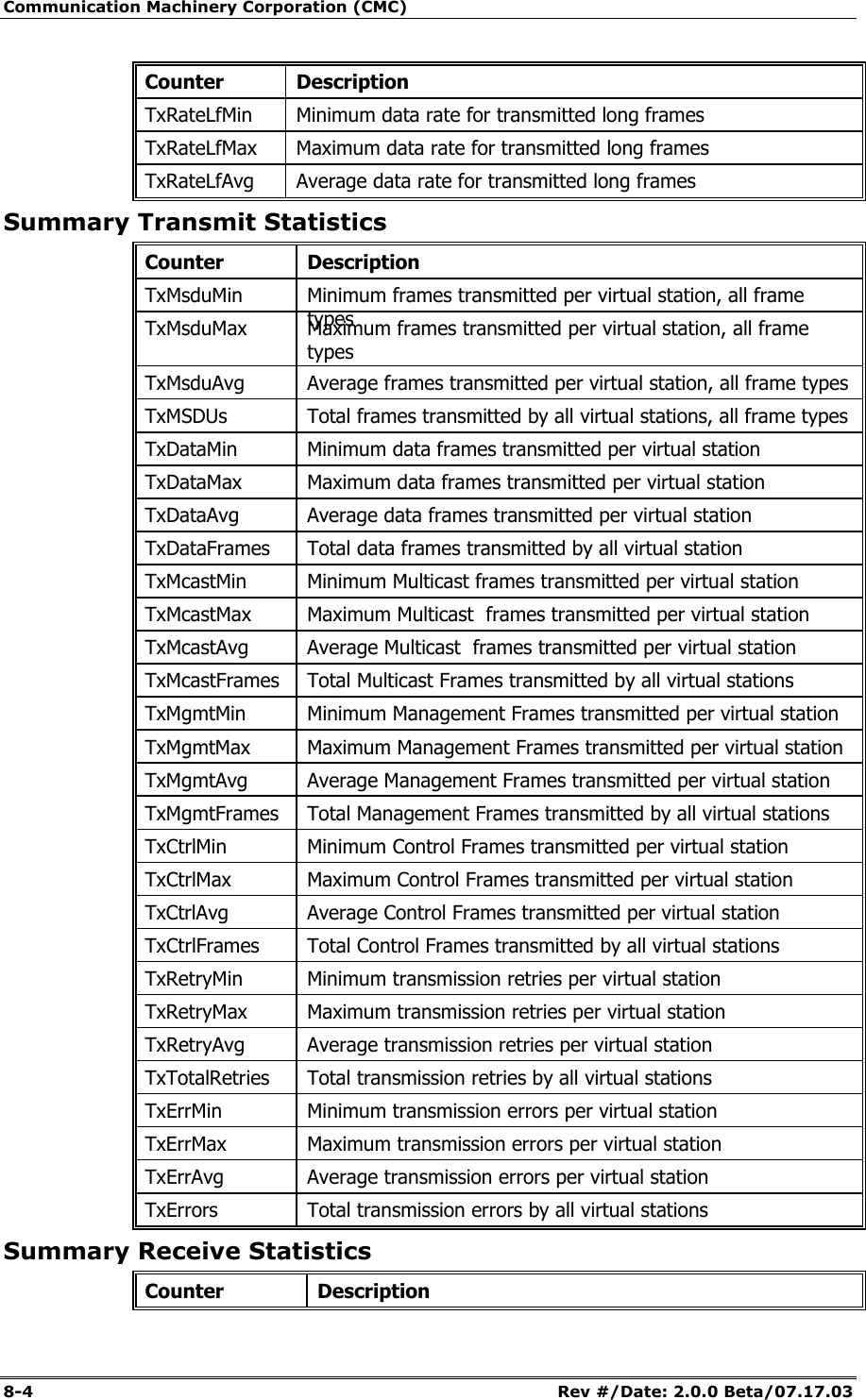
Communication Machinery Corporation (CMC) 8-4   Rev #/Date: 2.0.0 Beta/07.17.03 Counter Description TxRateLfMin  Minimum data rate for transmitted long frames TxRateLfMax  Maximum data rate for transmitted long frames TxRateLfAvg  Average data rate for transmitted long frames Summary Transmit Statistics Counter Description TxMsduMin  Minimum frames transmitted per virtual station, all frame types TxMsduMax  Maximum frames transmitted per virtual station, all frame types TxMsduAvg  Average frames transmitted per virtual station, all frame types TxMSDUs  Total frames transmitted by all virtual stations, all frame types TxDataMin  Minimum data frames transmitted per virtual station TxDataMax  Maximum data frames transmitted per virtual station TxDataAvg  Average data frames transmitted per virtual station TxDataFrames  Total data frames transmitted by all virtual station TxMcastMin  Minimum Multicast frames transmitted per virtual station TxMcastMax  Maximum Multicast  frames transmitted per virtual station TxMcastAvg  Average Multicast  frames transmitted per virtual station TxMcastFrames  Total Multicast Frames transmitted by all virtual stations TxMgmtMin  Minimum Management Frames transmitted per virtual station TxMgmtMax  Maximum Management Frames transmitted per virtual station TxMgmtAvg  Average Management Frames transmitted per virtual station TxMgmtFrames  Total Management Frames transmitted by all virtual stations TxCtrlMin  Minimum Control Frames transmitted per virtual station TxCtrlMax  Maximum Control Frames transmitted per virtual station TxCtrlAvg  Average Control Frames transmitted per virtual station TxCtrlFrames  Total Control Frames transmitted by all virtual stations TxRetryMin  Minimum transmission retries per virtual station TxRetryMax  Maximum transmission retries per virtual station TxRetryAvg Average transmission retries per virtual station TxTotalRetries  Total transmission retries by all virtual stations TxErrMin  Minimum transmission errors per virtual station TxErrMax Maximum transmission errors per virtual station TxErrAvg  Average transmission errors per virtual station TxErrors  Total transmission errors by all virtual stations Summary Receive Statistics Counter Description
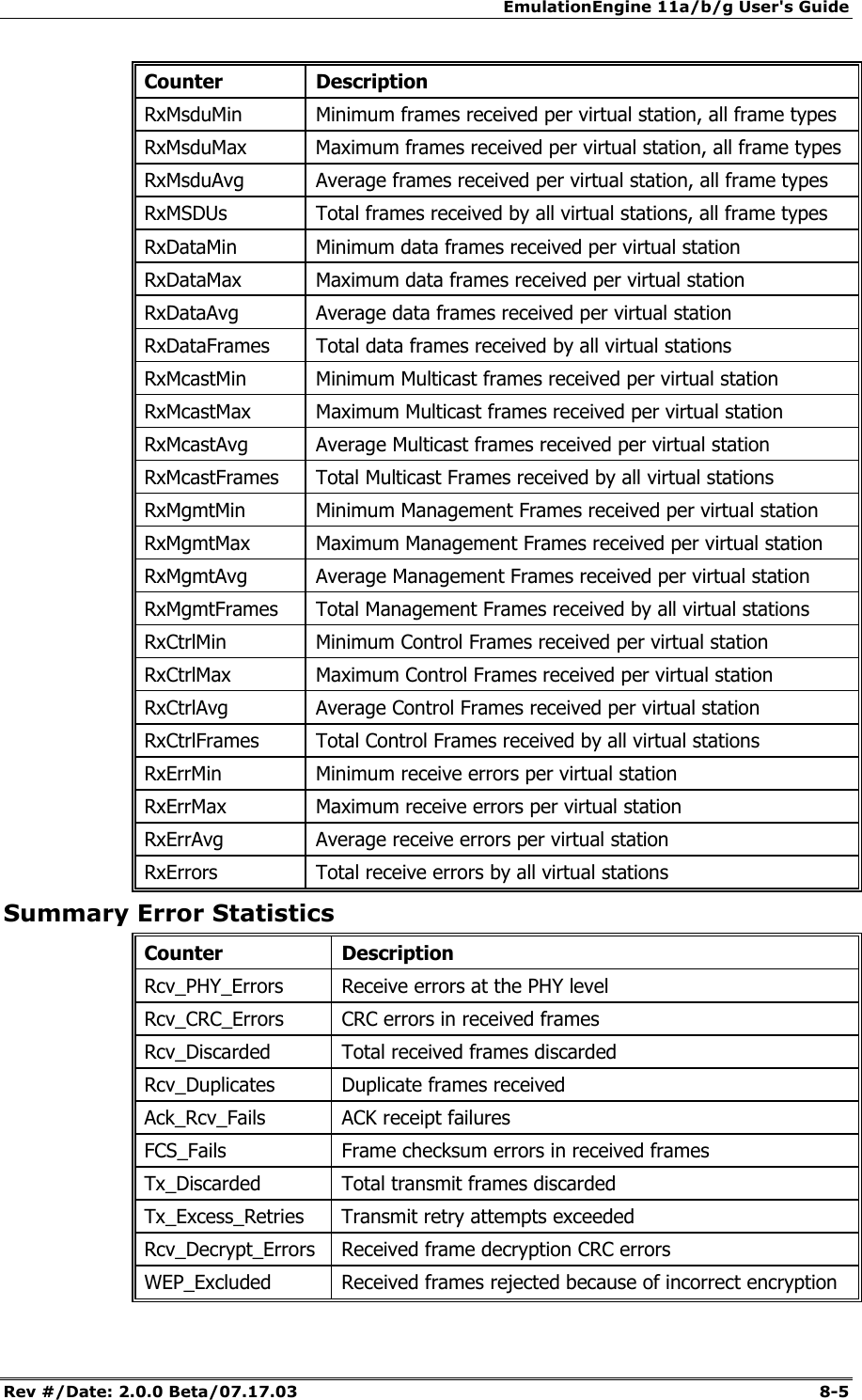
EmulationEngine 11a/b/g User's Guide Rev #/Date: 2.0.0 Beta/07.17.03  8-5 Counter Description RxMsduMin  Minimum frames received per virtual station, all frame types RxMsduMax  Maximum frames received per virtual station, all frame types RxMsduAvg  Average frames received per virtual station, all frame types  RxMSDUs  Total frames received by all virtual stations, all frame types RxDataMin  Minimum data frames received per virtual station RxDataMax  Maximum data frames received per virtual station RxDataAvg  Average data frames received per virtual station RxDataFrames  Total data frames received by all virtual stations RxMcastMin  Minimum Multicast frames received per virtual station RxMcastMax  Maximum Multicast frames received per virtual station RxMcastAvg  Average Multicast frames received per virtual station RxMcastFrames  Total Multicast Frames received by all virtual stations RxMgmtMin  Minimum Management Frames received per virtual station RxMgmtMax  Maximum Management Frames received per virtual station RxMgmtAvg  Average Management Frames received per virtual station RxMgmtFrames  Total Management Frames received by all virtual stations RxCtrlMin  Minimum Control Frames received per virtual station RxCtrlMax  Maximum Control Frames received per virtual station RxCtrlAvg  Average Control Frames received per virtual station RxCtrlFrames Total Control Frames received by all virtual stations RxErrMin  Minimum receive errors per virtual station RxErrMax  Maximum receive errors per virtual station RxErrAvg  Average receive errors per virtual station RxErrors  Total receive errors by all virtual stations Summary Error Statistics Counter Description Rcv_PHY_Errors  Receive errors at the PHY level Rcv_CRC_Errors  CRC errors in received frames Rcv_Discarded  Total received frames discarded Rcv_Duplicates  Duplicate frames received Ack_Rcv_Fails  ACK receipt failures FCS_Fails  Frame checksum errors in received frames Tx_Discarded  Total transmit frames discarded Tx_Excess_Retries  Transmit retry attempts exceeded Rcv_Decrypt_Errors  Received frame decryption CRC errors WEP_Excluded  Received frames rejected because of incorrect encryption
Communication Machinery Corporation (CMC) 8-6   Rev #/Date: 2.0.0 Beta/07.17.03
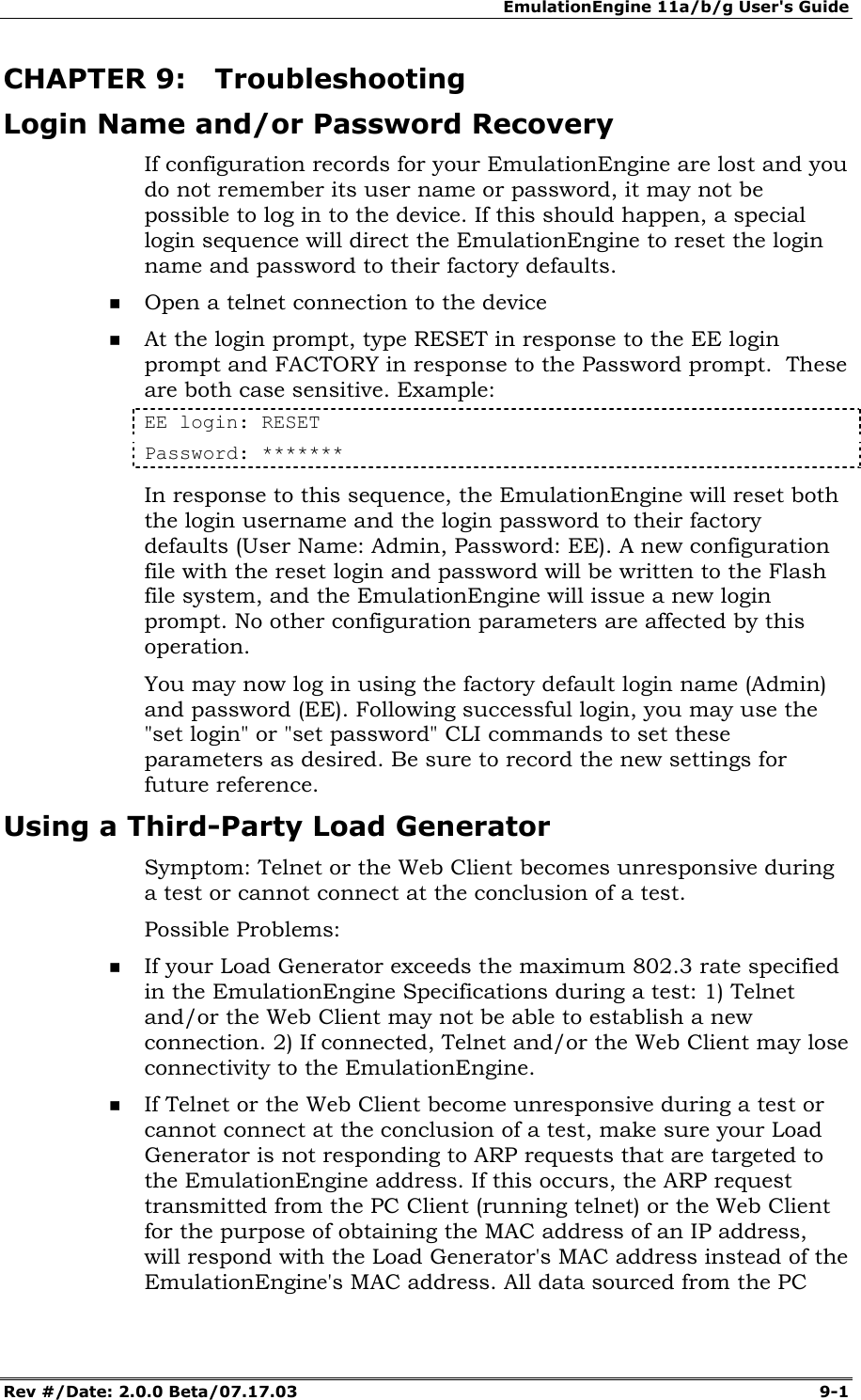
EmulationEngine 11a/b/g User's Guide Rev #/Date: 2.0.0 Beta/07.17.03  9-1        CHAPTER 9: Troubleshooting Login Name and/or Password Recovery If configuration records for your EmulationEngine are lost and you do not remember its user name or password, it may not be possible to log in to the device. If this should happen, a special login sequence will direct the EmulationEngine to reset the login name and password to their factory defaults.    Open a telnet connection to the device  At the login prompt, type RESET in response to the EE login prompt and FACTORY in response to the Password prompt.  These are both case sensitive. Example: EE login: RESET Password: ******* In response to this sequence, the EmulationEngine will reset both the login username and the login password to their factory defaults (User Name: Admin, Password: EE). A new configuration file with the reset login and password will be written to the Flash file system, and the EmulationEngine will issue a new login prompt. No other configuration parameters are affected by this operation. You may now log in using the factory default login name (Admin) and password (EE). Following successful login, you may use the "set login" or "set password" CLI commands to set these parameters as desired. Be sure to record the new settings for future reference. Using a Third-Party Load Generator Symptom: Telnet or the Web Client becomes unresponsive during a test or cannot connect at the conclusion of a test. Possible Problems:   If your Load Generator exceeds the maximum 802.3 rate specified in the EmulationEngine Specifications during a test: 1) Telnet and/or the Web Client may not be able to establish a new connection. 2) If connected, Telnet and/or the Web Client may lose connectivity to the EmulationEngine.   If Telnet or the Web Client become unresponsive during a test or cannot connect at the conclusion of a test, make sure your Load Generator is not responding to ARP requests that are targeted to the EmulationEngine address. If this occurs, the ARP request transmitted from the PC Client (running telnet) or the Web Client for the purpose of obtaining the MAC address of an IP address, will respond with the Load Generator's MAC address instead of the EmulationEngine's MAC address. All data sourced from the PC
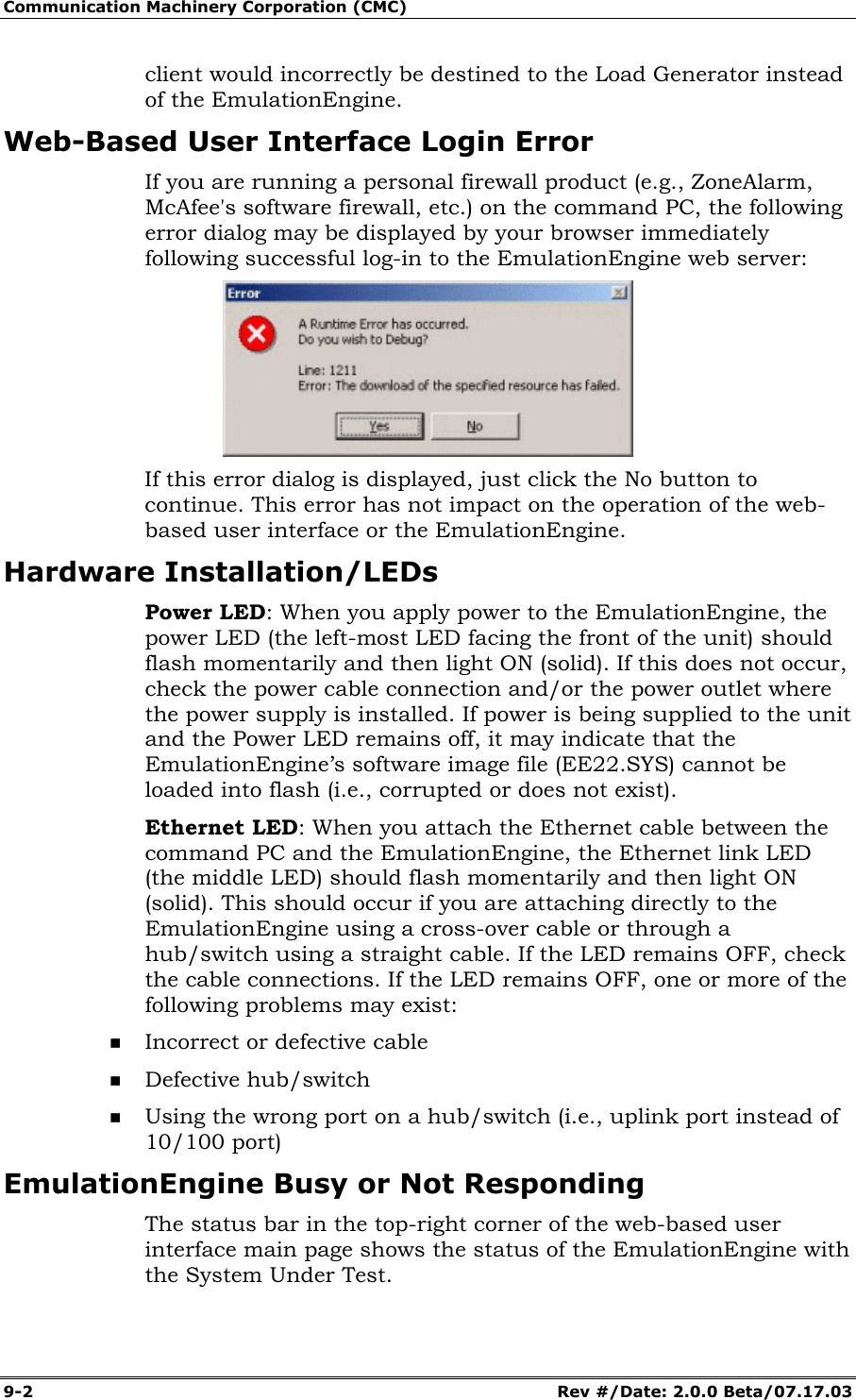
Communication Machinery Corporation (CMC) 9-2   Rev #/Date: 2.0.0 Beta/07.17.03 client would incorrectly be destined to the Load Generator instead of the EmulationEngine. Web-Based User Interface Login Error If you are running a personal firewall product (e.g., ZoneAlarm, McAfee's software firewall, etc.) on the command PC, the following error dialog may be displayed by your browser immediately following successful log-in to the EmulationEngine web server:  If this error dialog is displayed, just click the No button to continue. This error has not impact on the operation of the web-based user interface or the EmulationEngine. Hardware Installation/LEDs Power LED: When you apply power to the EmulationEngine, the power LED (the left-most LED facing the front of the unit) should flash momentarily and then light ON (solid). If this does not occur, check the power cable connection and/or the power outlet where the power supply is installed. If power is being supplied to the unit and the Power LED remains off, it may indicate that the EmulationEngine’s software image file (EE22.SYS) cannot be loaded into flash (i.e., corrupted or does not exist). Ethernet LED: When you attach the Ethernet cable between the command PC and the EmulationEngine, the Ethernet link LED (the middle LED) should flash momentarily and then light ON (solid). This should occur if you are attaching directly to the EmulationEngine using a cross-over cable or through a hub/switch using a straight cable. If the LED remains OFF, check the cable connections. If the LED remains OFF, one or more of the following problems may exist:  Incorrect or defective cable  Defective hub/switch  Using the wrong port on a hub/switch (i.e., uplink port instead of 10/100 port) EmulationEngine Busy or Not Responding The status bar in the top-right corner of the web-based user interface main page shows the status of the EmulationEngine with the System Under Test.
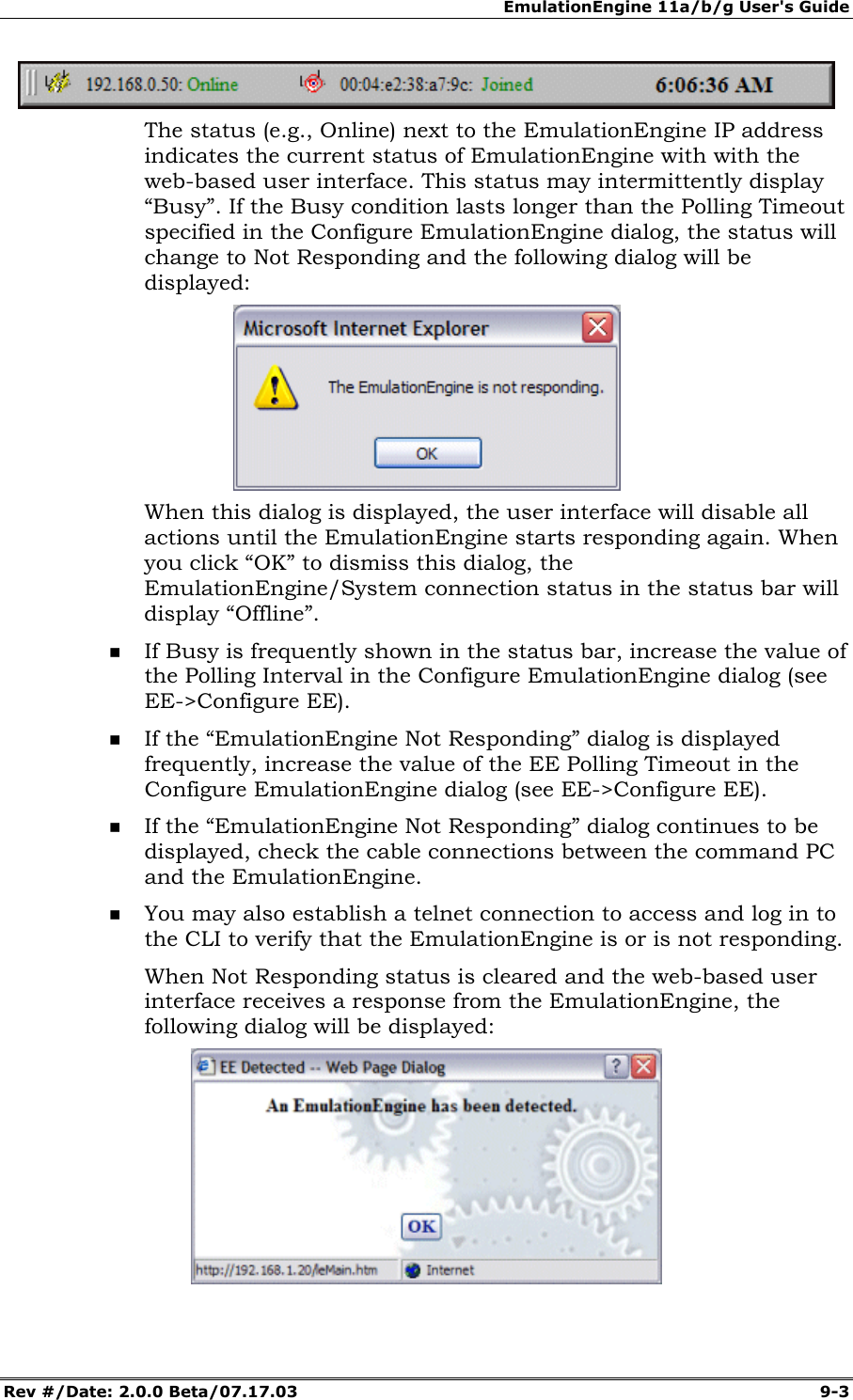
EmulationEngine 11a/b/g User's Guide Rev #/Date: 2.0.0 Beta/07.17.03  9-3  The status (e.g., Online) next to the EmulationEngine IP address indicates the current status of EmulationEngine with with the web-based user interface. This status may intermittently display “Busy”. If the Busy condition lasts longer than the Polling Timeout specified in the Configure EmulationEngine dialog, the status will change to Not Responding and the following dialog will be displayed:   When this dialog is displayed, the user interface will disable all actions until the EmulationEngine starts responding again. When you click “OK” to dismiss this dialog, the EmulationEngine/System connection status in the status bar will display “Offline”.  If Busy is frequently shown in the status bar, increase the value of the Polling Interval in the Configure EmulationEngine dialog (see EE->Configure EE).  If the “EmulationEngine Not Responding” dialog is displayed frequently, increase the value of the EE Polling Timeout in the Configure EmulationEngine dialog (see EE->Configure EE).   If the “EmulationEngine Not Responding” dialog continues to be displayed, check the cable connections between the command PC and the EmulationEngine.  You may also establish a telnet connection to access and log in to the CLI to verify that the EmulationEngine is or is not responding. When Not Responding status is cleared and the web-based user interface receives a response from the EmulationEngine, the following dialog will be displayed:
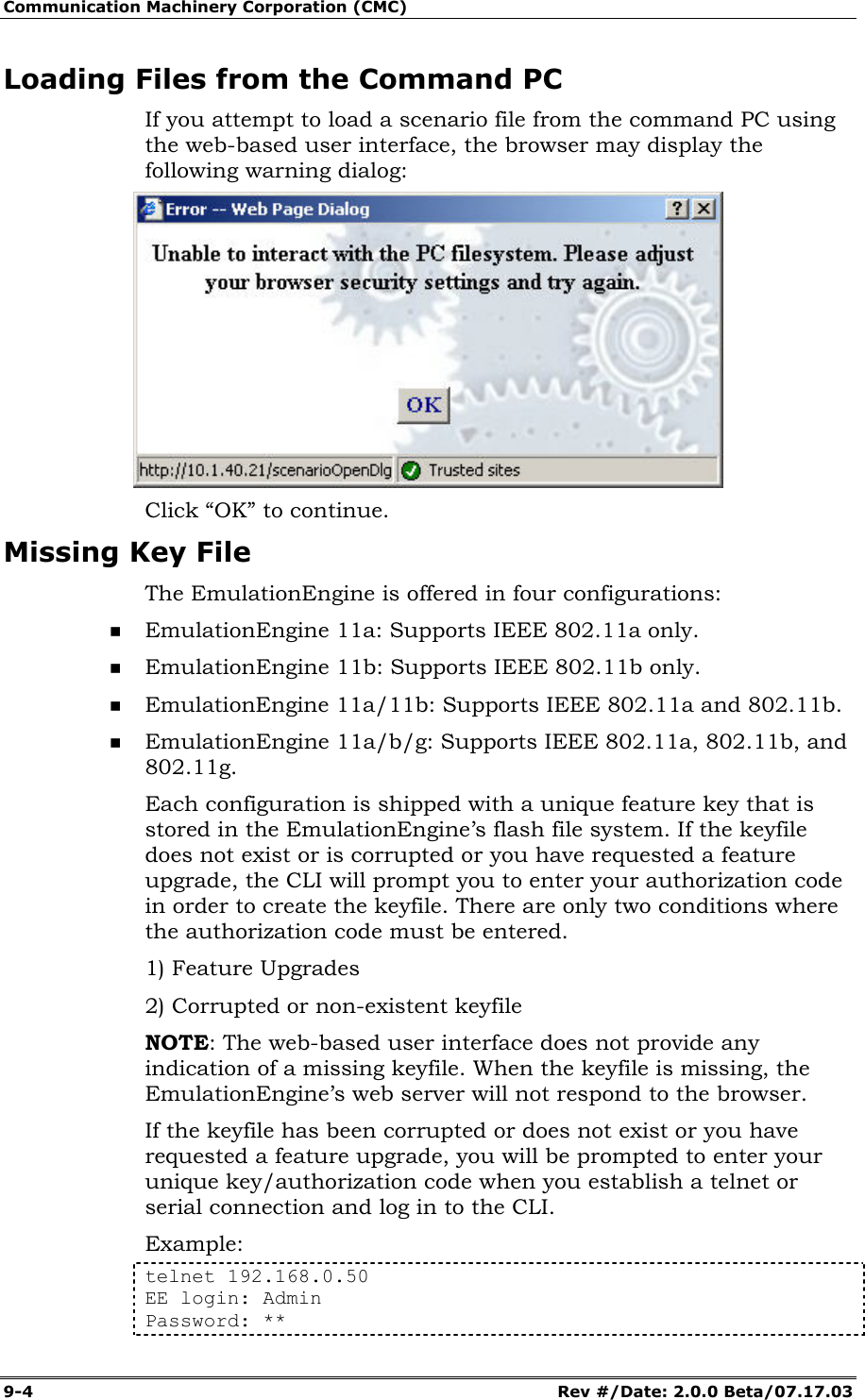
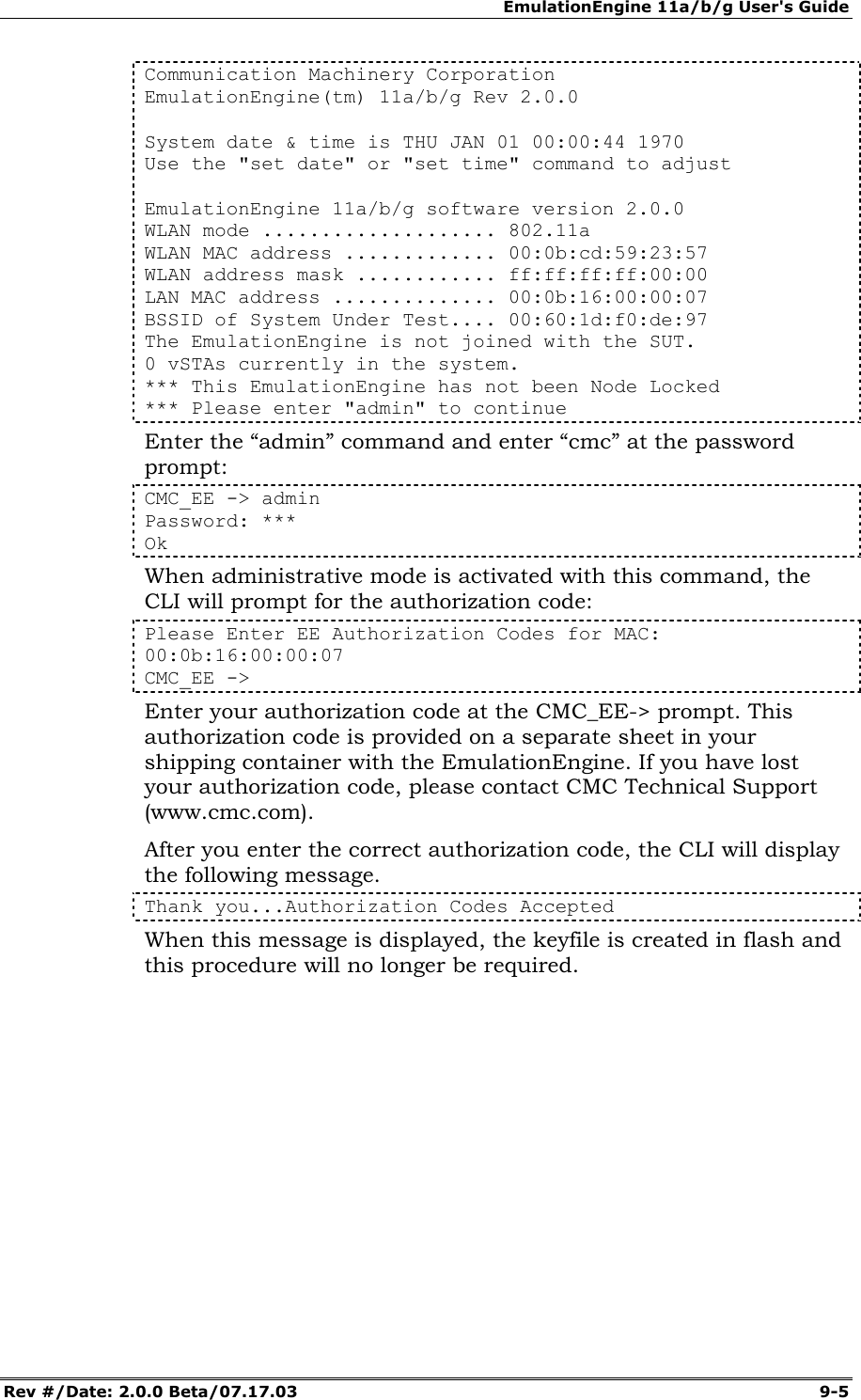
Communication Machinery Corporation (CMC) 9-4   Rev #/Date: 2.0.0 Beta/07.17.03 Loading Files from the Command PC If you attempt to load a scenario file from the command PC using the web-based user interface, the browser may display the following warning dialog:  Click “OK” to continue.  Missing Key File The EmulationEngine is offered in four configurations:  EmulationEngine 11a: Supports IEEE 802.11a only.  EmulationEngine 11b: Supports IEEE 802.11b only.  EmulationEngine 11a/11b: Supports IEEE 802.11a and 802.11b.  EmulationEngine 11a/b/g: Supports IEEE 802.11a, 802.11b, and 802.11g. Each configuration is shipped with a unique feature key that is stored in the EmulationEngine’s flash file system. If the keyfile does not exist or is corrupted or you have requested a feature upgrade, the CLI will prompt you to enter your authorization code in order to create the keyfile. There are only two conditions where the authorization code must be entered. 1) Feature Upgrades  2) Corrupted or non-existent keyfile NOTE: The web-based user interface does not provide any indication of a missing keyfile. When the keyfile is missing, the EmulationEngine’s web server will not respond to the browser. If the keyfile has been corrupted or does not exist or you have requested a feature upgrade, you will be prompted to enter your unique key/authorization code when you establish a telnet or serial connection and log in to the CLI. Example:  telnet 192.168.0.50 EE login: Admin Password: **
EmulationEngine 11a/b/g User's Guide Rev #/Date: 2.0.0 Beta/07.17.03  9-5 Communication Machinery Corporation EmulationEngine(tm) 11a/b/g Rev 2.0.0   System date & time is THU JAN 01 00:00:44 1970 Use the "set date" or "set time" command to adjust   EmulationEngine 11a/b/g software version 2.0.0 WLAN mode .................... 802.11a WLAN MAC address ............. 00:0b:cd:59:23:57 WLAN address mask ............ ff:ff:ff:ff:00:00 LAN MAC address .............. 00:0b:16:00:00:07 BSSID of System Under Test.... 00:60:1d:f0:de:97 The EmulationEngine is not joined with the SUT. 0 vSTAs currently in the system. *** This EmulationEngine has not been Node Locked *** Please enter "admin" to continue Enter the “admin” command and enter “cmc” at the password prompt: CMC_EE -> admin Password: *** Ok When administrative mode is activated with this command, the CLI will prompt for the authorization code: Please Enter EE Authorization Codes for MAC: 00:0b:16:00:00:07 CMC_EE -> Enter your authorization code at the CMC_EE-> prompt. This authorization code is provided on a separate sheet in your shipping container with the EmulationEngine. If you have lost your authorization code, please contact CMC Technical Support (www.cmc.com). After you enter the correct authorization code, the CLI will display the following message. Thank you...Authorization Codes Accepted When this message is displayed, the keyfile is created in flash and this procedure will no longer be required.
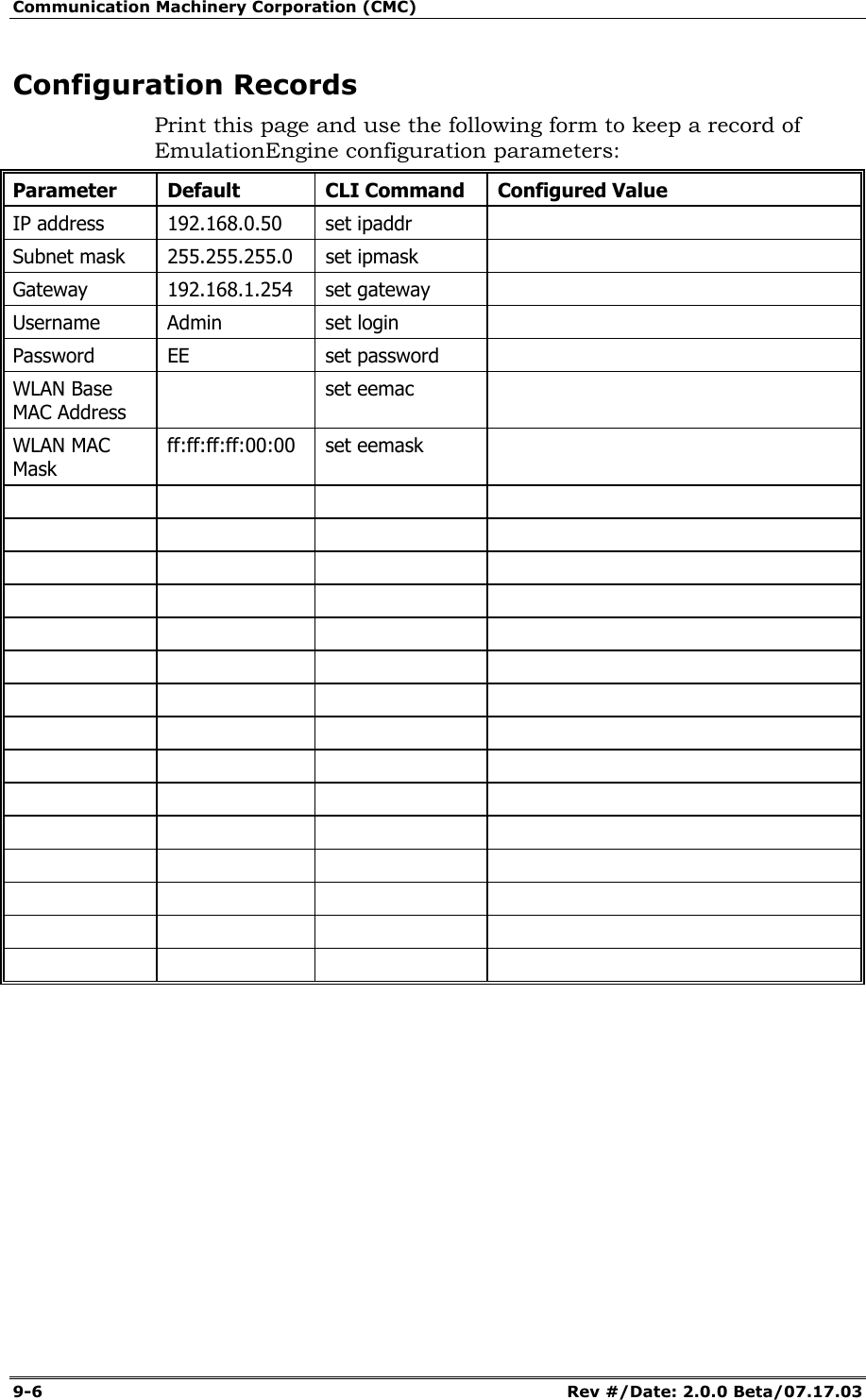
Communication Machinery Corporation (CMC) 9-6   Rev #/Date: 2.0.0 Beta/07.17.03 Configuration Records Print this page and use the following form to keep a record of EmulationEngine configuration parameters: Parameter Default  CLI Command Configured Value IP address  192.168.0.50  set ipaddr   Subnet mask  255.255.255.0  set ipmask   Gateway 192.168.1.254 set gateway  Username Admin  set login   Password EE  set password  WLAN Base MAC Address  set eemac  WLAN MAC Mask ff:ff:ff:ff:00:00 set eemask
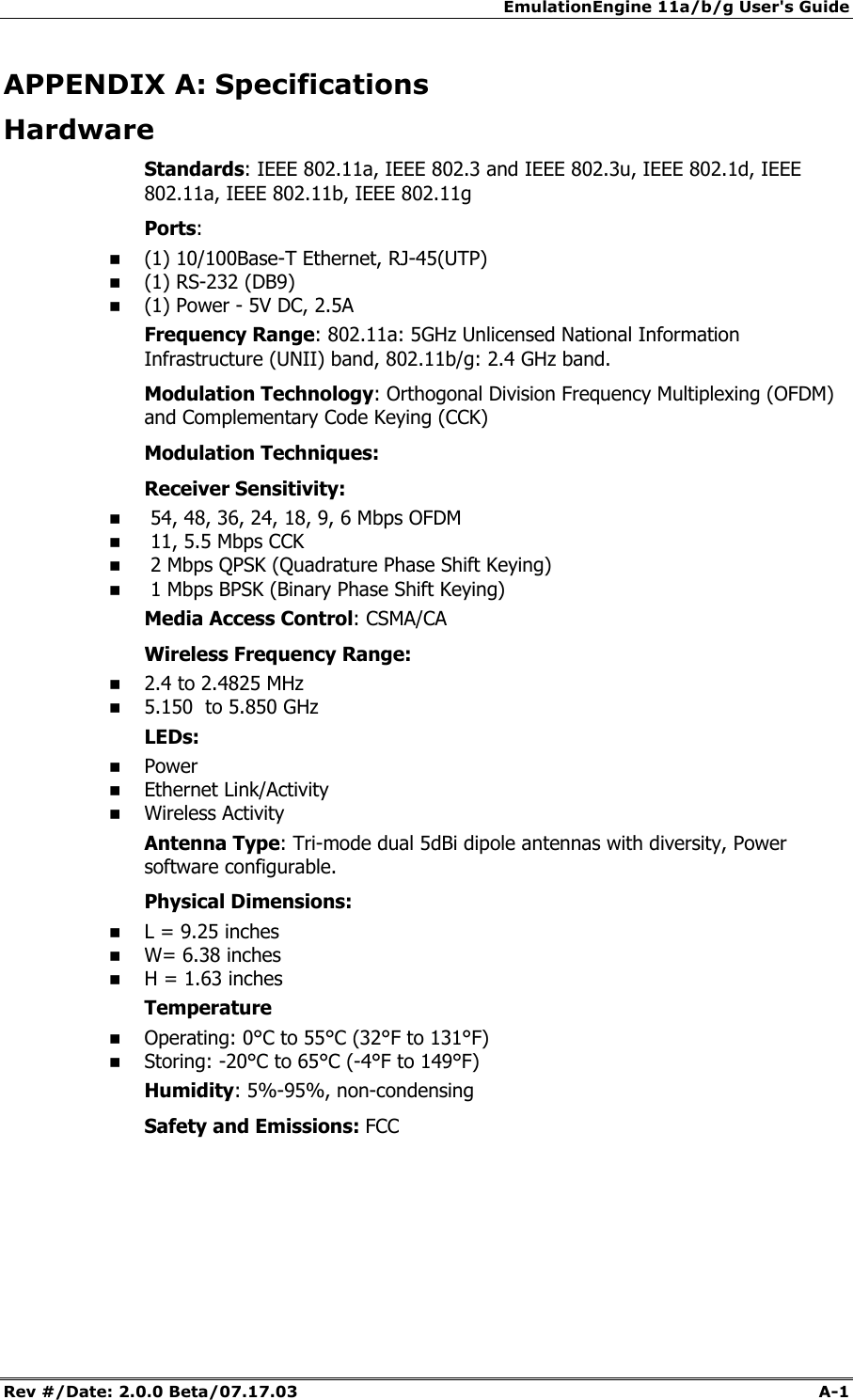
EmulationEngine 11a/b/g User's Guide Rev #/Date: 2.0.0 Beta/07.17.03  A-1        APPENDIX A: Specifications Hardware Standards: IEEE 802.11a, IEEE 802.3 and IEEE 802.3u, IEEE 802.1d, IEEE 802.11a, IEEE 802.11b, IEEE 802.11g Ports:   (1) 10/100Base-T Ethernet, RJ-45(UTP)  (1) RS-232 (DB9)  (1) Power - 5V DC, 2.5A Frequency Range: 802.11a: 5GHz Unlicensed National Information Infrastructure (UNII) band, 802.11b/g: 2.4 GHz band. Modulation Technology: Orthogonal Division Frequency Multiplexing (OFDM) and Complementary Code Keying (CCK)  Modulation Techniques: Receiver Sensitivity:   54, 48, 36, 24, 18, 9, 6 Mbps OFDM   11, 5.5 Mbps CCK   2 Mbps QPSK (Quadrature Phase Shift Keying)   1 Mbps BPSK (Binary Phase Shift Keying) Media Access Control: CSMA/CA Wireless Frequency Range:  2.4 to 2.4825 MHz  5.150  to 5.850 GHz LEDs:  Power  Ethernet Link/Activity  Wireless Activity Antenna Type: Tri-mode dual 5dBi dipole antennas with diversity, Power software configurable. Physical Dimensions:  L = 9.25 inches  W= 6.38 inches  H = 1.63 inches Temperature  Operating: 0°C to 55°C (32°F to 131°F)  Storing: -20°C to 65°C (-4°F to 149°F) Humidity: 5%-95%, non-condensing Safety and Emissions: FCC
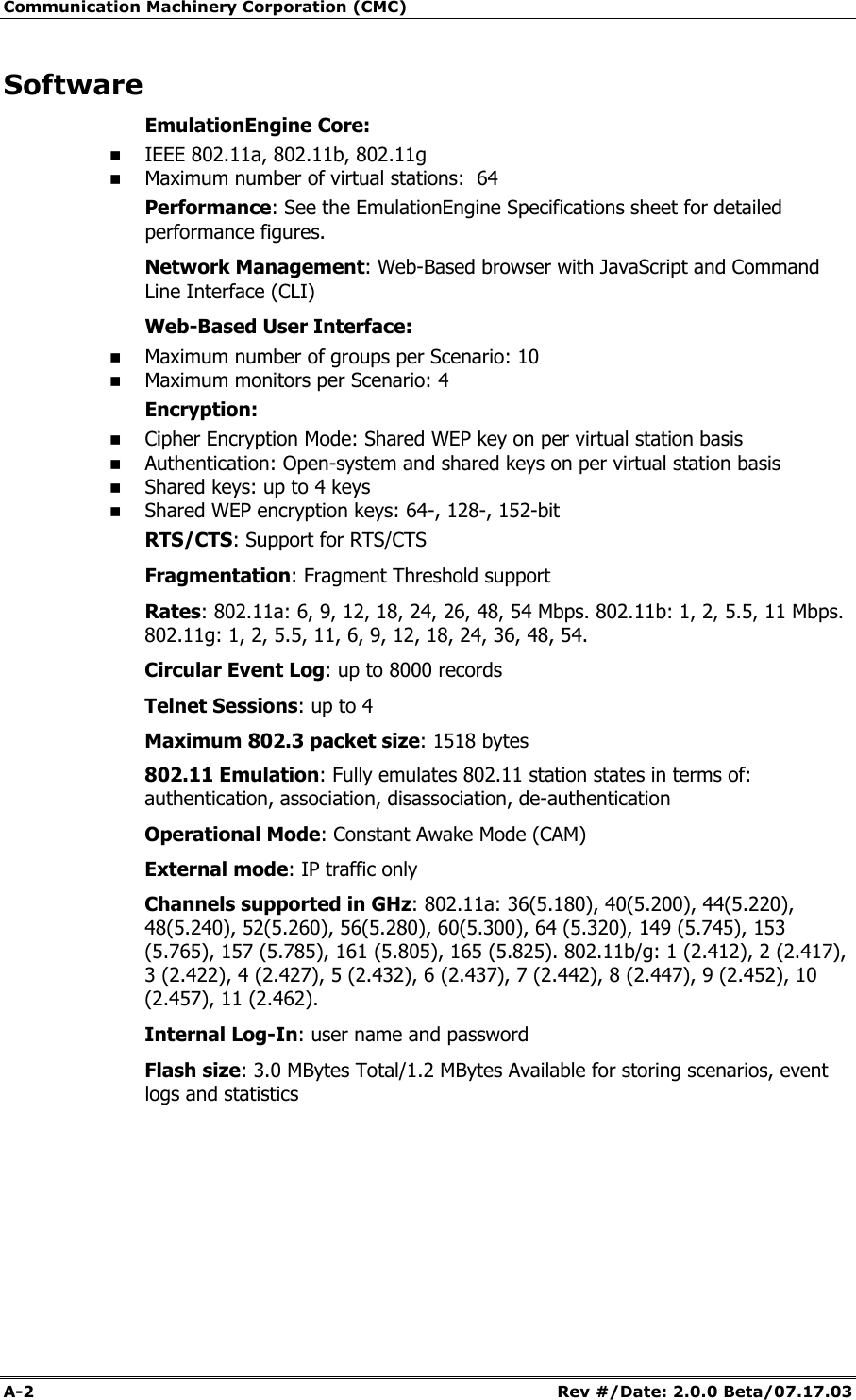
Communication Machinery Corporation (CMC) A-2   Rev #/Date: 2.0.0 Beta/07.17.03 Software EmulationEngine Core:  IEEE 802.11a, 802.11b, 802.11g  Maximum number of virtual stations:  64 Performance: See the EmulationEngine Specifications sheet for detailed performance figures. Network Management: Web-Based browser with JavaScript and Command Line Interface (CLI) Web-Based User Interface:  Maximum number of groups per Scenario: 10  Maximum monitors per Scenario: 4 Encryption:  Cipher Encryption Mode: Shared WEP key on per virtual station basis  Authentication: Open-system and shared keys on per virtual station basis  Shared keys: up to 4 keys  Shared WEP encryption keys: 64-, 128-, 152-bit RTS/CTS: Support for RTS/CTS Fragmentation: Fragment Threshold support Rates: 802.11a: 6, 9, 12, 18, 24, 26, 48, 54 Mbps. 802.11b: 1, 2, 5.5, 11 Mbps. 802.11g: 1, 2, 5.5, 11, 6, 9, 12, 18, 24, 36, 48, 54.  Circular Event Log: up to 8000 records Telnet Sessions: up to 4 Maximum 802.3 packet size: 1518 bytes 802.11 Emulation: Fully emulates 802.11 station states in terms of: authentication, association, disassociation, de-authentication Operational Mode: Constant Awake Mode (CAM) External mode: IP traffic only Channels supported in GHz: 802.11a: 36(5.180), 40(5.200), 44(5.220), 48(5.240), 52(5.260), 56(5.280), 60(5.300), 64 (5.320), 149 (5.745), 153 (5.765), 157 (5.785), 161 (5.805), 165 (5.825). 802.11b/g: 1 (2.412), 2 (2.417), 3 (2.422), 4 (2.427), 5 (2.432), 6 (2.437), 7 (2.442), 8 (2.447), 9 (2.452), 10 (2.457), 11 (2.462).  Internal Log-In: user name and password Flash size: 3.0 MBytes Total/1.2 MBytes Available for storing scenarios, event logs and statistics
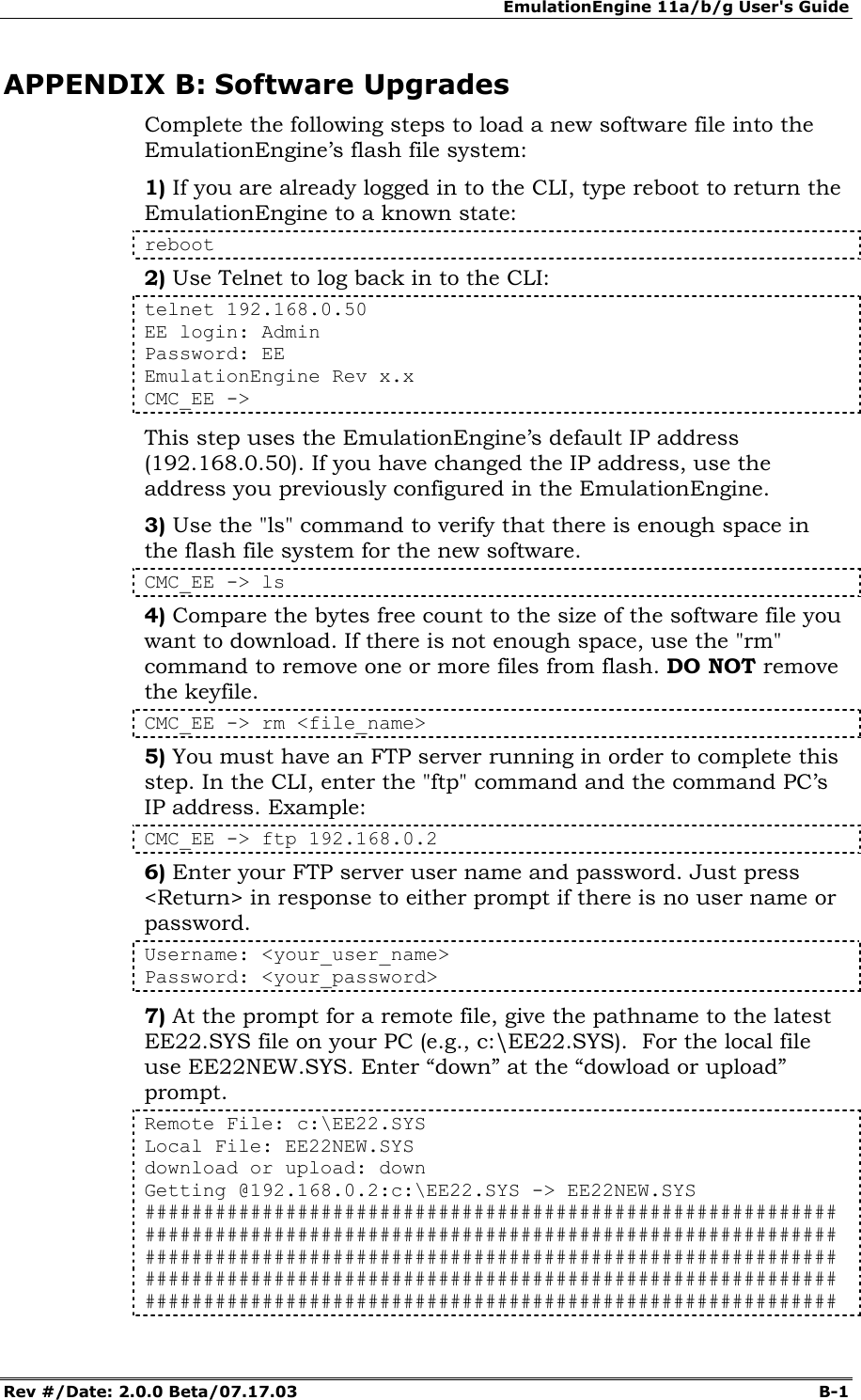
EmulationEngine 11a/b/g User's Guide Rev #/Date: 2.0.0 Beta/07.17.03  B-1        APPENDIX B: Software Upgrades Complete the following steps to load a new software file into the EmulationEngine’s flash file system: 1) If you are already logged in to the CLI, type reboot to return the EmulationEngine to a known state: reboot 2) Use Telnet to log back in to the CLI: telnet 192.168.0.50 EE login: Admin Password: EE EmulationEngine Rev x.x  CMC_EE ->  This step uses the EmulationEngine’s default IP address (192.168.0.50). If you have changed the IP address, use the address you previously configured in the EmulationEngine. 3) Use the "ls" command to verify that there is enough space in the flash file system for the new software.   CMC_EE -> ls 4) Compare the bytes free count to the size of the software file you want to download. If there is not enough space, use the "rm" command to remove one or more files from flash. DO NOT remove the keyfile. CMC_EE -> rm <file_name> 5) You must have an FTP server running in order to complete this step. In the CLI, enter the "ftp" command and the command PC’s IP address. Example: CMC_EE -> ftp 192.168.0.2 6) Enter your FTP server user name and password. Just press <Return> in response to either prompt if there is no user name or password. Username: <your_user_name> Password: <your_password> 7) At the prompt for a remote file, give the pathname to the latest EE22.SYS file on your PC (e.g., c:\EE22.SYS).  For the local file use EE22NEW.SYS. Enter “down” at the “dowload or upload” prompt. Remote File: c:\EE22.SYS Local File: EE22NEW.SYS download or upload: down Getting @192.168.0.2:c:\EE22.SYS -> EE22NEW.SYS ########################################################### ########################################################### ########################################################### ########################################################### ###########################################################
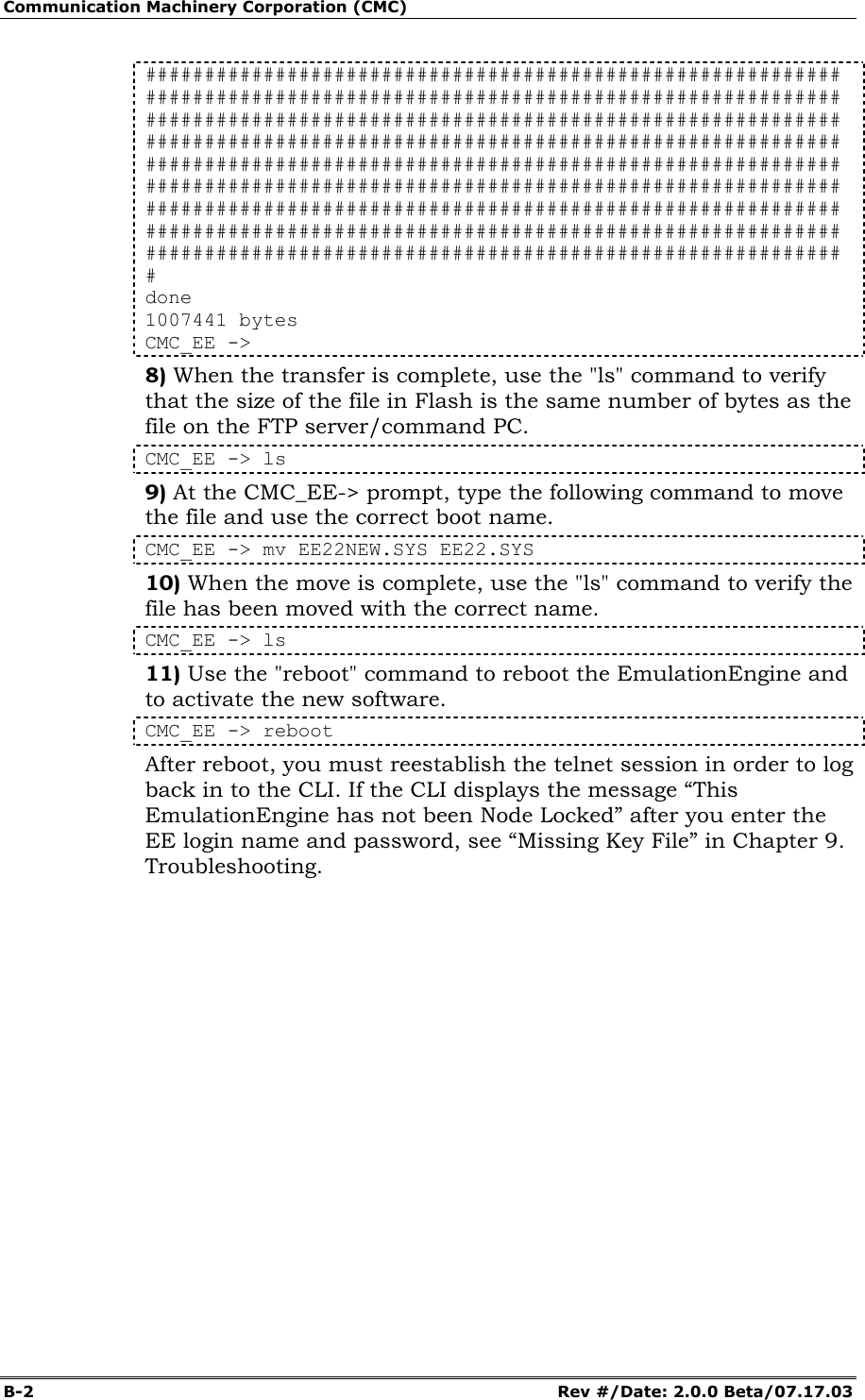
Communication Machinery Corporation (CMC) B-2   Rev #/Date: 2.0.0 Beta/07.17.03 ########################################################### ########################################################### ########################################################### ########################################################### ########################################################### ########################################################### ########################################################### ########################################################### ########################################################### # done 1007441 bytes CMC_EE -> 8) When the transfer is complete, use the "ls" command to verify that the size of the file in Flash is the same number of bytes as the file on the FTP server/command PC. CMC_EE -> ls 9) At the CMC_EE-> prompt, type the following command to move the file and use the correct boot name. CMC_EE -> mv EE22NEW.SYS EE22.SYS 10) When the move is complete, use the "ls" command to verify the file has been moved with the correct name. CMC_EE -> ls 11) Use the "reboot" command to reboot the EmulationEngine and to activate the new software. CMC_EE -> reboot After reboot, you must reestablish the telnet session in order to log back in to the CLI. If the CLI displays the message “This EmulationEngine has not been Node Locked” after you enter the EE login name and password, see “Missing Key File” in Chapter 9. Troubleshooting.
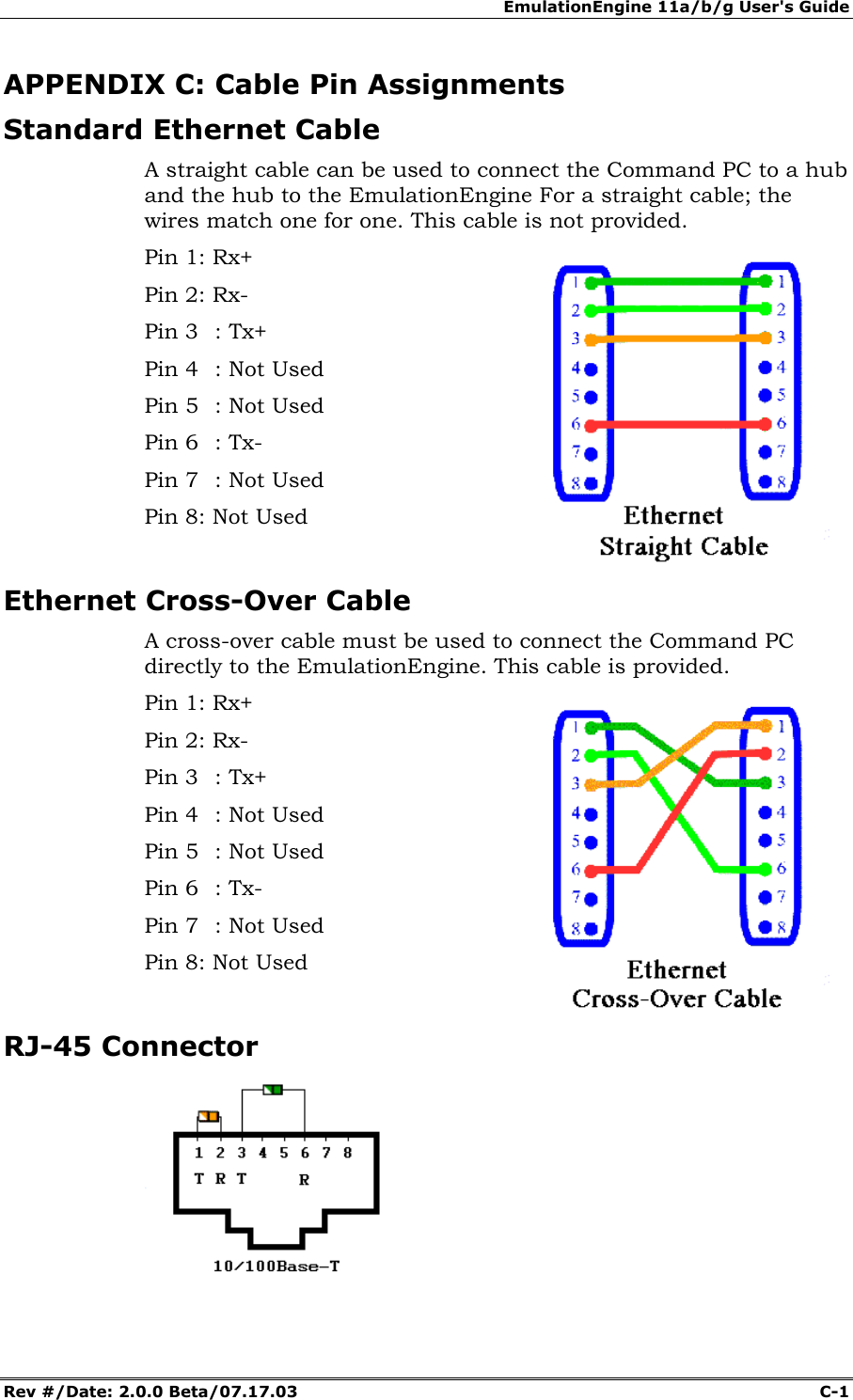
EmulationEngine 11a/b/g User's Guide Rev #/Date: 2.0.0 Beta/07.17.03  C-1        APPENDIX C: Cable Pin Assignments Standard Ethernet Cable A straight cable can be used to connect the Command PC to a hub and the hub to the EmulationEngine For a straight cable; the wires match one for one. This cable is not provided. Pin 1: Rx+ Pin 2: Rx- Pin 3  : Tx+ Pin 4  : Not Used Pin 5  : Not Used Pin 6  : Tx- Pin 7  : Not Used Pin 8: Not Used  Ethernet Cross-Over Cable A cross-over cable must be used to connect the Command PC directly to the EmulationEngine. This cable is provided. Pin 1: Rx+ Pin 2: Rx- Pin 3  : Tx+ Pin 4  : Not Used Pin 5  : Not Used Pin 6  : Tx- Pin 7  : Not Used Pin 8: Not Used   RJ-45 Connector
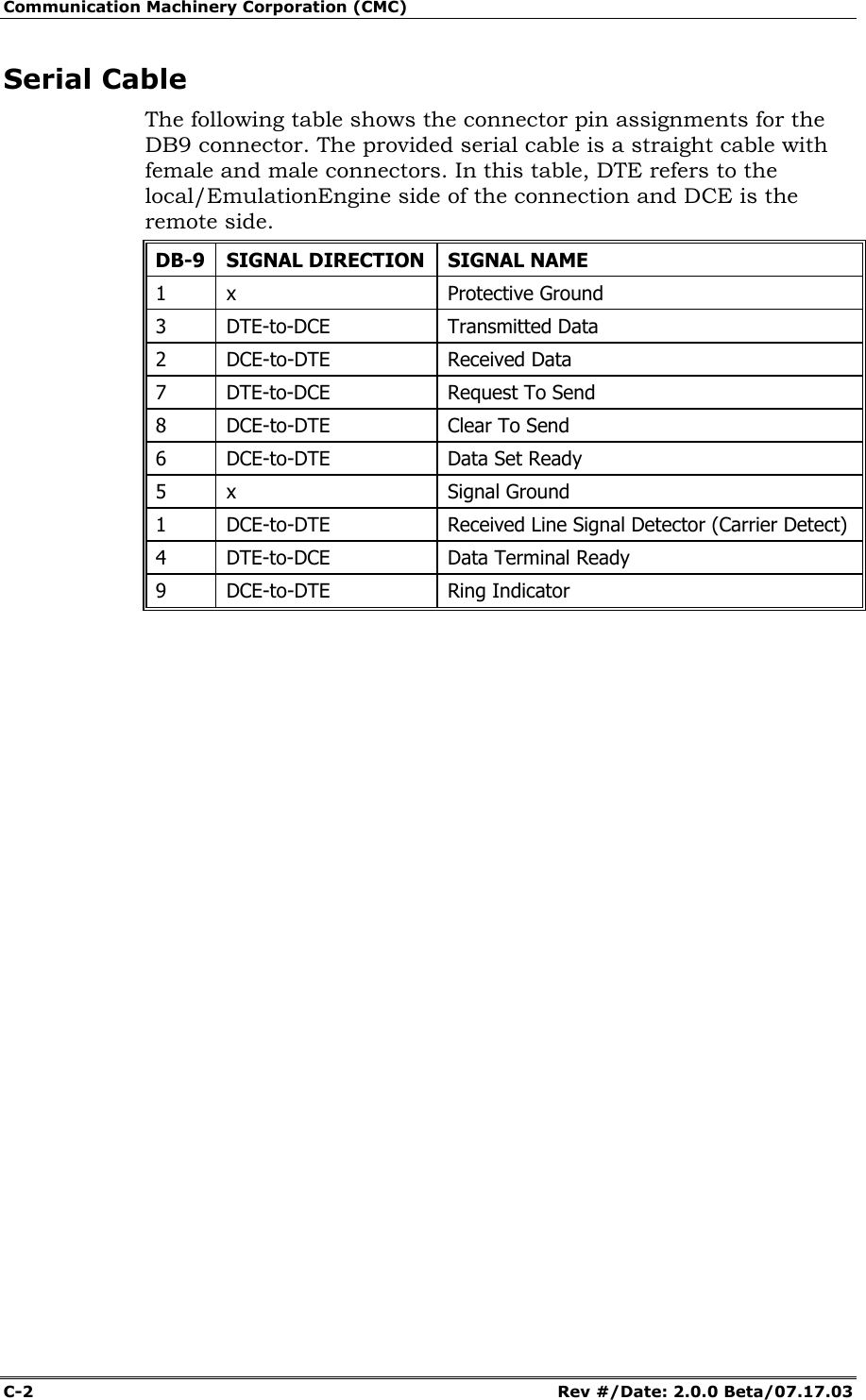
Communication Machinery Corporation (CMC) C-2   Rev #/Date: 2.0.0 Beta/07.17.03 Serial Cable The following table shows the connector pin assignments for the DB9 connector. The provided serial cable is a straight cable with female and male connectors. In this table, DTE refers to the local/EmulationEngine side of the connection and DCE is the remote side.  DB-9 SIGNAL DIRECTION SIGNAL NAME 1 x  Protective Ground 3 DTE-to-DCE  Transmitted Data 2 DCE-to-DTE  Received Data 7 DTE-to-DCE  Request To Send 8  DCE-to-DTE  Clear To Send 6  DCE-to-DTE  Data Set Ready 5 x  Signal Ground 1  DCE-to-DTE  Received Line Signal Detector (Carrier Detect) 4 DTE-to-DCE  Data Terminal Ready 9 DCE-to-DTE  Ring Indicator
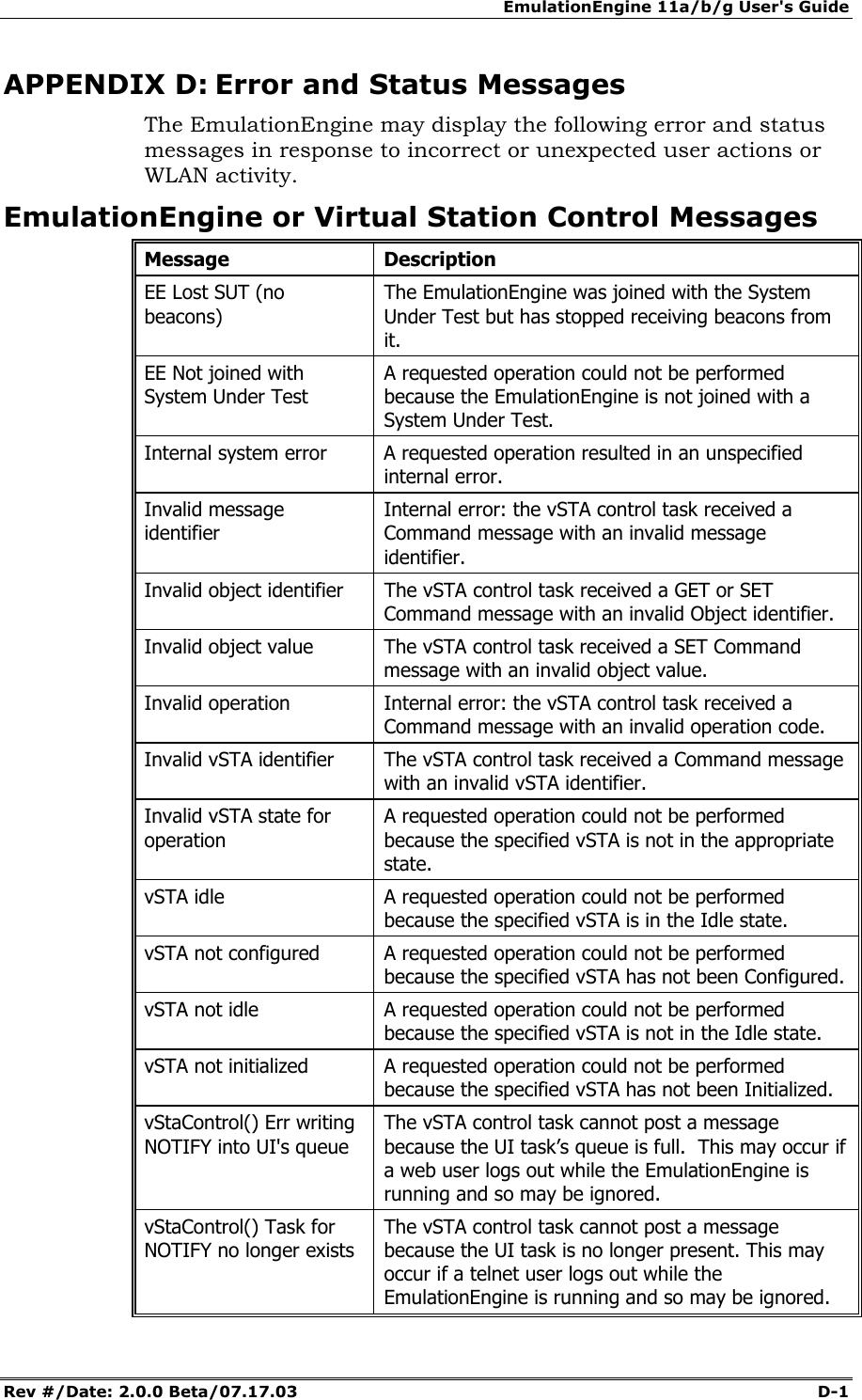
EmulationEngine 11a/b/g User's Guide Rev #/Date: 2.0.0 Beta/07.17.03  D-1        APPENDIX D: Error and Status Messages The EmulationEngine may display the following error and status messages in response to incorrect or unexpected user actions or WLAN activity. EmulationEngine or Virtual Station Control Messages Message Description EE Lost SUT (no beacons) The EmulationEngine was joined with the System Under Test but has stopped receiving beacons from it. EE Not joined with System Under Test A requested operation could not be performed because the EmulationEngine is not joined with a System Under Test. Internal system error  A requested operation resulted in an unspecified internal error. Invalid message identifier Internal error: the vSTA control task received a Command message with an invalid message identifier. Invalid object identifier  The vSTA control task received a GET or SET Command message with an invalid Object identifier. Invalid object value  The vSTA control task received a SET Command message with an invalid object value. Invalid operation  Internal error: the vSTA control task received a Command message with an invalid operation code. Invalid vSTA identifier  The vSTA control task received a Command message with an invalid vSTA identifier. Invalid vSTA state for operation A requested operation could not be performed because the specified vSTA is not in the appropriate state. vSTA idle  A requested operation could not be performed because the specified vSTA is in the Idle state. vSTA not configured  A requested operation could not be performed because the specified vSTA has not been Configured. vSTA not idle  A requested operation could not be performed because the specified vSTA is not in the Idle state. vSTA not initialized  A requested operation could not be performed because the specified vSTA has not been Initialized. vStaControl() Err writing NOTIFY into UI's queue The vSTA control task cannot post a message because the UI task’s queue is full.  This may occur if a web user logs out while the EmulationEngine is running and so may be ignored. vStaControl() Task for NOTIFY no longer exists The vSTA control task cannot post a message because the UI task is no longer present. This may occur if a telnet user logs out while the EmulationEngine is running and so may be ignored.
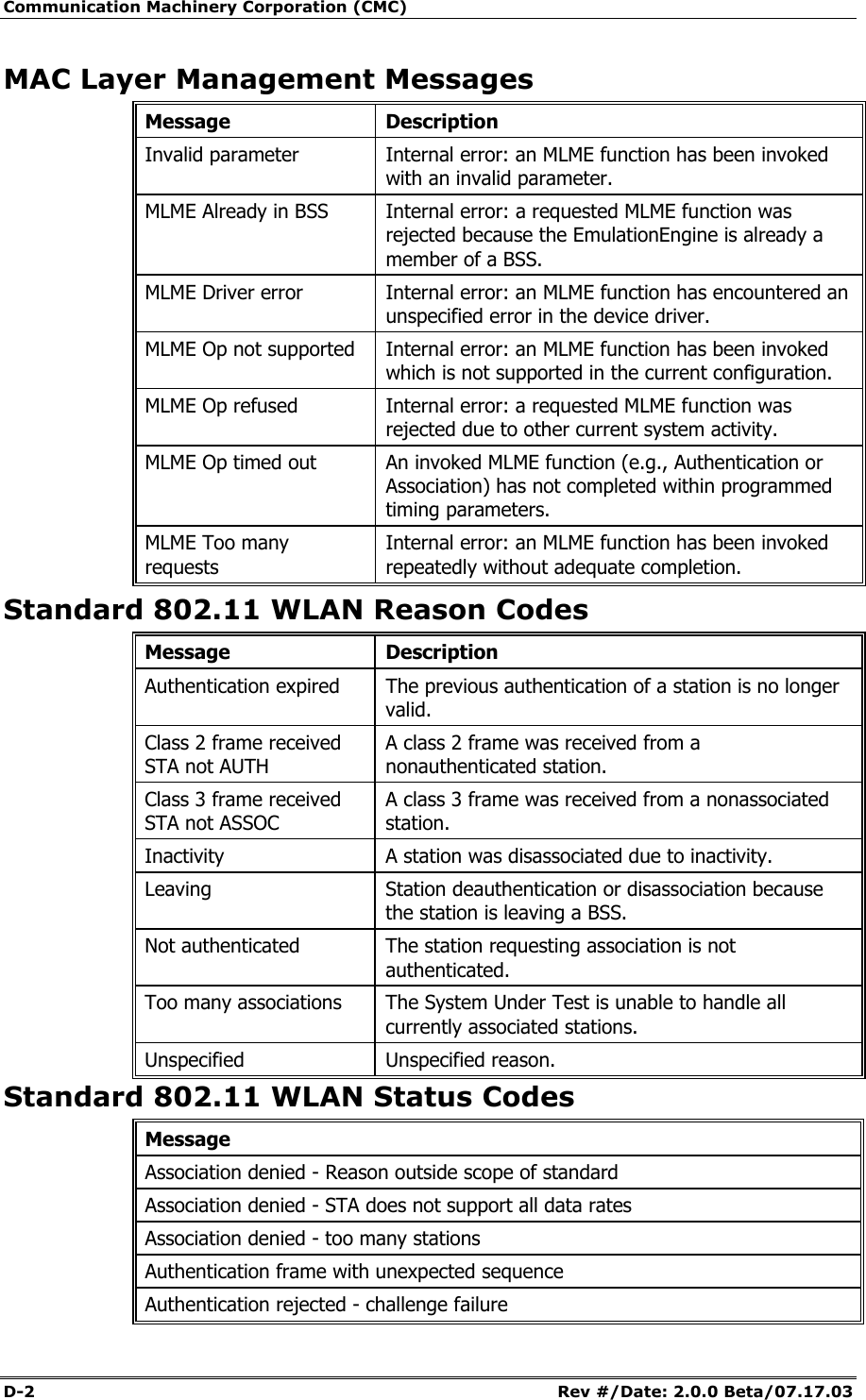
Communication Machinery Corporation (CMC) D-2   Rev #/Date: 2.0.0 Beta/07.17.03 MAC Layer Management Messages Message Description Invalid parameter  Internal error: an MLME function has been invoked with an invalid parameter. MLME Already in BSS  Internal error: a requested MLME function was rejected because the EmulationEngine is already a member of a BSS. MLME Driver error  Internal error: an MLME function has encountered an unspecified error in the device driver. MLME Op not supported  Internal error: an MLME function has been invoked which is not supported in the current configuration. MLME Op refused  Internal error: a requested MLME function was rejected due to other current system activity. MLME Op timed out  An invoked MLME function (e.g., Authentication or Association) has not completed within programmed timing parameters. MLME Too many requests Internal error: an MLME function has been invoked repeatedly without adequate completion. Standard 802.11 WLAN Reason Codes  Standard 802.11 WLAN Status Codes Message Association denied - Reason outside scope of standard Association denied - STA does not support all data rates Association denied - too many stations Authentication frame with unexpected sequence Authentication rejected - challenge failure Message Description Authentication expired  The previous authentication of a station is no longer valid. Class 2 frame received STA not AUTH A class 2 frame was received from a nonauthenticated station. Class 3 frame received STA not ASSOC A class 3 frame was received from a nonassociated station. Inactivity  A station was disassociated due to inactivity. Leaving  Station deauthentication or disassociation because the station is leaving a BSS. Not authenticated  The station requesting association is not authenticated. Too many associations  The System Under Test is unable to handle all currently associated stations. Unspecified Unspecified reason.
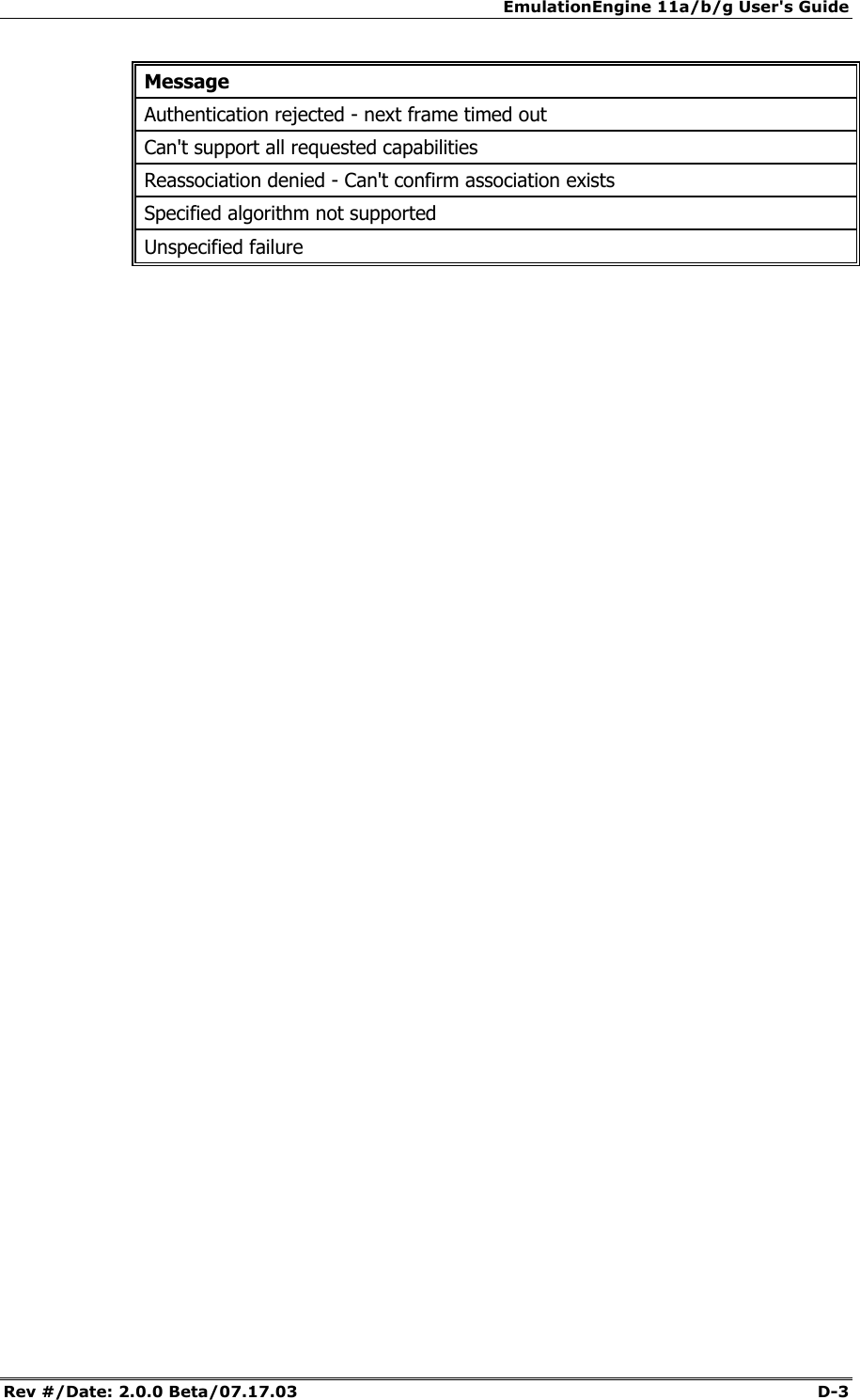
EmulationEngine 11a/b/g User's Guide Rev #/Date: 2.0.0 Beta/07.17.03  D-3 Message Authentication rejected - next frame timed out Can't support all requested capabilities Reassociation denied - Can't confirm association exists Specified algorithm not supported Unspecified failure
Communication Machinery Corporation (CMC) D-4   Rev #/Date: 2.0.0 Beta/07.17.03
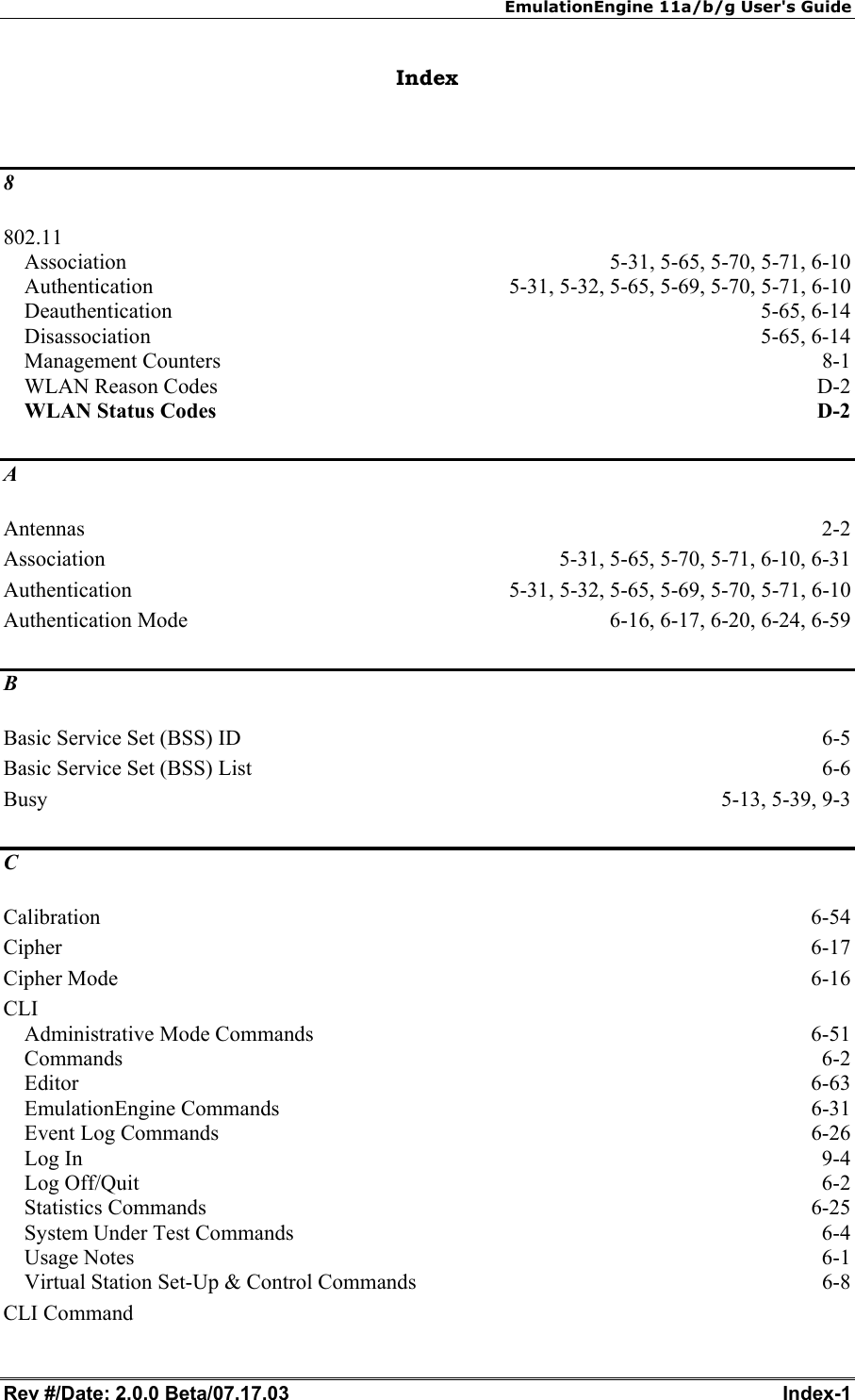
EmulationEngine 11a/b/g User's Guide Rev #/Date: 2.0.0 Beta/07.17.03  Index-1        Index  8 802.11 Association  5-31, 5-65, 5-70, 5-71, 6-10 Authentication  5-31, 5-32, 5-65, 5-69, 5-70, 5-71, 6-10 Deauthentication 5-65, 6-14 Disassociation 5-65, 6-14 Management Counters  8-1 WLAN Reason Codes  D-2 WLAN Status Codes D-2 A Antennas  2-2 Association  5-31, 5-65, 5-70, 5-71, 6-10, 6-31 Authentication  5-31, 5-32, 5-65, 5-69, 5-70, 5-71, 6-10 Authentication Mode  6-16, 6-17, 6-20, 6-24, 6-59 B Basic Service Set (BSS) ID  6-5 Basic Service Set (BSS) List  6-6 Busy 5-13, 5-39, 9-3 C Calibration  6-54 Cipher  6-17 Cipher Mode  6-16 CLI Administrative Mode Commands  6-51 Commands  6-2 Editor  6-63 EmulationEngine Commands  6-31 Event Log Commands  6-26 Log In  9-4 Log Off/Quit  6-2 Statistics Commands  6-25 System Under Test Commands  6-4 Usage Notes  6-1 Virtual Station Set-Up & Control Commands  6-8 CLI Command
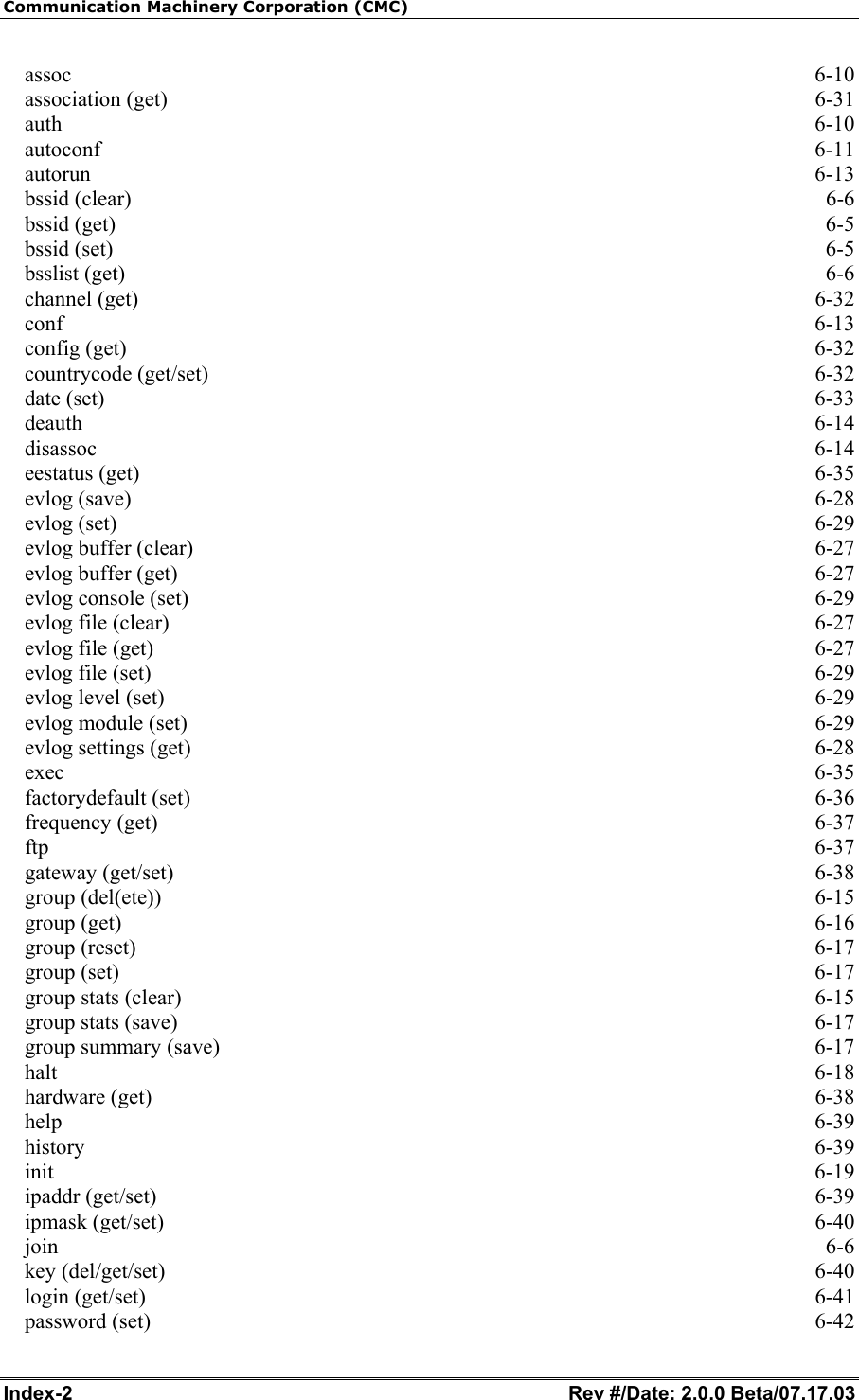
Communication Machinery Corporation (CMC) Index-2   Rev #/Date: 2.0.0 Beta/07.17.03 assoc  6-10 association (get)  6-31 auth  6-10 autoconf  6-11 autorun  6-13 bssid (clear)  6-6 bssid (get)  6-5 bssid (set)  6-5 bsslist (get)  6-6 channel (get)  6-32 conf  6-13 config (get)  6-32 countrycode (get/set)  6-32 date (set)  6-33 deauth  6-14 disassoc  6-14 eestatus (get)  6-35 evlog (save)  6-28 evlog (set)  6-29 evlog buffer (clear)  6-27 evlog buffer (get)  6-27 evlog console (set)  6-29 evlog file (clear)  6-27 evlog file (get)  6-27 evlog file (set)  6-29 evlog level (set)  6-29 evlog module (set)  6-29 evlog settings (get)  6-28 exec  6-35 factorydefault (set)  6-36 frequency (get)  6-37 ftp  6-37 gateway (get/set)  6-38 group (del(ete))  6-15 group (get)  6-16 group (reset)  6-17 group (set)  6-17 group stats (clear)  6-15 group stats (save)  6-17 group summary (save)  6-17 halt  6-18 hardware (get)  6-38 help  6-39 history  6-39 init  6-19 ipaddr (get/set)  6-39 ipmask (get/set)  6-40 join  6-6 key (del/get/set)  6-40 login (get/set)  6-41 password (set)  6-42
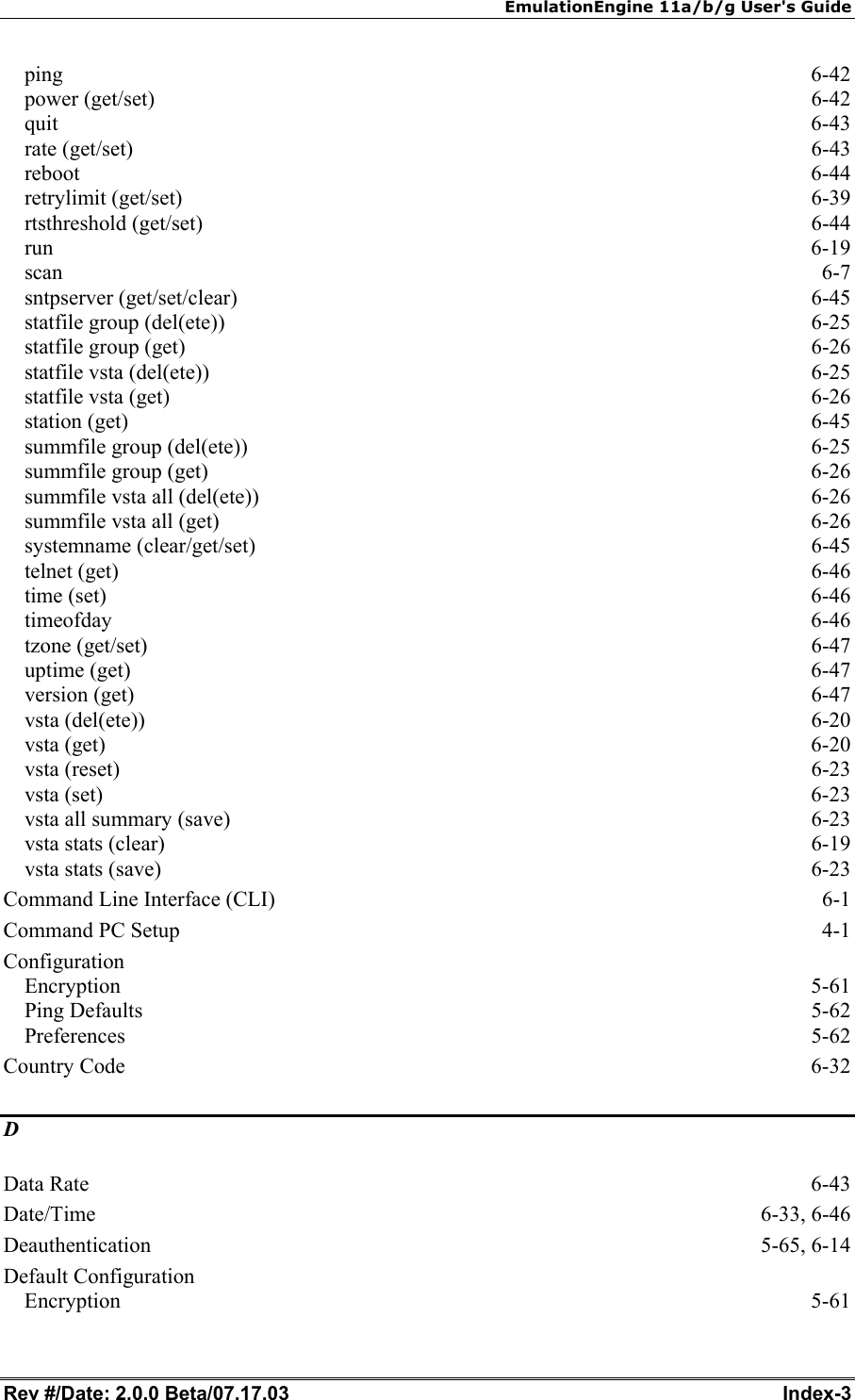
EmulationEngine 11a/b/g User's Guide Rev #/Date: 2.0.0 Beta/07.17.03  Index-3 ping  6-42 power (get/set)  6-42 quit  6-43 rate (get/set)  6-43 reboot  6-44 retrylimit (get/set)  6-39 rtsthreshold (get/set)  6-44 run  6-19 scan  6-7 sntpserver (get/set/clear)  6-45 statfile group (del(ete))  6-25 statfile group (get)  6-26 statfile vsta (del(ete))  6-25 statfile vsta (get)  6-26 station (get)  6-45 summfile group (del(ete))  6-25 summfile group (get)  6-26 summfile vsta all (del(ete))  6-26 summfile vsta all (get)  6-26 systemname (clear/get/set)  6-45 telnet (get)  6-46 time (set)  6-46 timeofday  6-46 tzone (get/set)  6-47 uptime (get)  6-47 version (get)  6-47 vsta (del(ete))  6-20 vsta (get)  6-20 vsta (reset)  6-23 vsta (set)  6-23 vsta all summary (save)  6-23 vsta stats (clear)  6-19 vsta stats (save)  6-23 Command Line Interface (CLI)  6-1 Command PC Setup  4-1 Configuration Encryption 5-61 Ping Defaults  5-62 Preferences 5-62 Country Code  6-32 D Data Rate  6-43 Date/Time 6-33, 6-46 Deauthentication 5-65, 6-14 Default Configuration Encryption 5-61
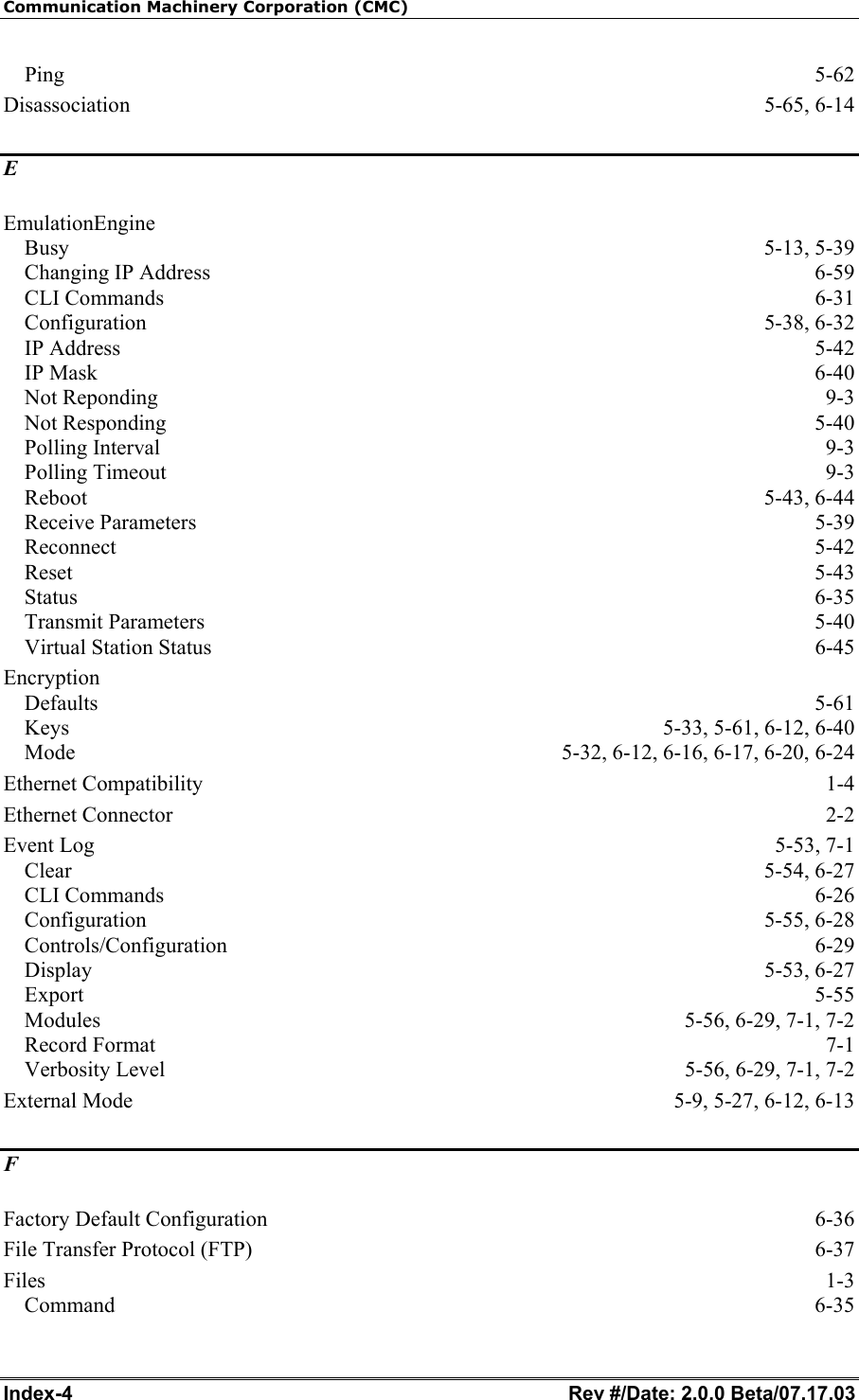
Communication Machinery Corporation (CMC) Index-4   Rev #/Date: 2.0.0 Beta/07.17.03 Ping  5-62 Disassociation 5-65, 6-14 E EmulationEngine Busy 5-13, 5-39 Changing IP Address  6-59 CLI Commands  6-31 Configuration 5-38, 6-32 IP Address  5-42 IP Mask  6-40 Not Reponding  9-3 Not Responding  5-40 Polling Interval  9-3 Polling Timeout  9-3 Reboot 5-43, 6-44 Receive Parameters  5-39 Reconnect 5-42 Reset  5-43 Status  6-35 Transmit Parameters  5-40 Virtual Station Status  6-45 Encryption Defaults  5-61 Keys  5-33, 5-61, 6-12, 6-40 Mode  5-32, 6-12, 6-16, 6-17, 6-20, 6-24 Ethernet Compatibility  1-4 Ethernet Connector  2-2 Event Log  5-53, 7-1 Clear 5-54, 6-27 CLI Commands  6-26 Configuration 5-55, 6-28 Controls/Configuration 6-29 Display 5-53, 6-27 Export  5-55 Modules  5-56, 6-29, 7-1, 7-2 Record Format  7-1 Verbosity Level  5-56, 6-29, 7-1, 7-2 External Mode  5-9, 5-27, 6-12, 6-13 F Factory Default Configuration  6-36 File Transfer Protocol (FTP)  6-37 Files  1-3 Command  6-35
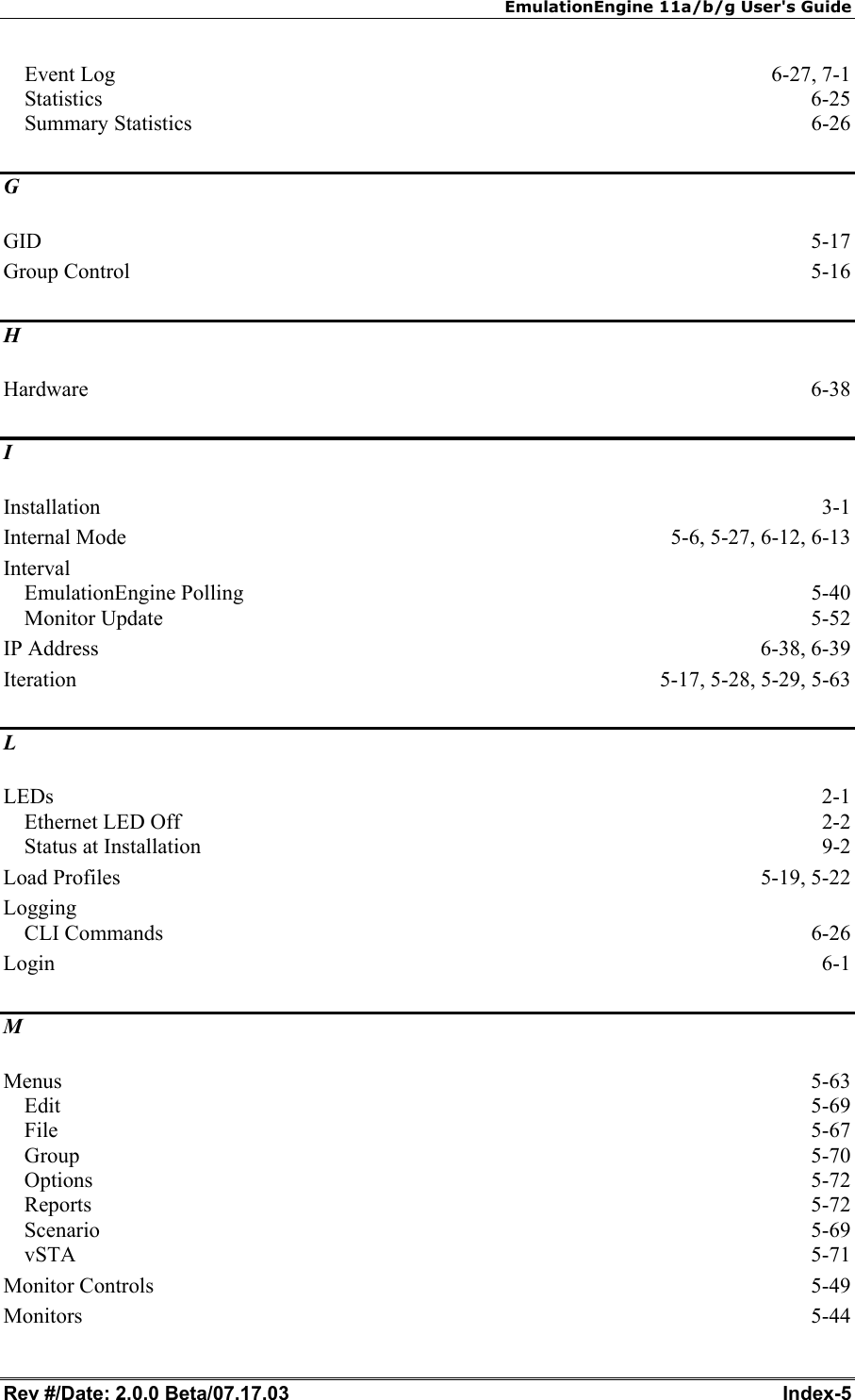
EmulationEngine 11a/b/g User's Guide Rev #/Date: 2.0.0 Beta/07.17.03  Index-5 Event Log  6-27, 7-1 Statistics  6-25 Summary Statistics  6-26 G GID  5-17 Group Control  5-16 H Hardware  6-38 I Installation  3-1 Internal Mode  5-6, 5-27, 6-12, 6-13 Interval EmulationEngine Polling  5-40 Monitor Update  5-52 IP Address  6-38, 6-39 Iteration  5-17, 5-28, 5-29, 5-63 L LEDs  2-1 Ethernet LED Off  2-2 Status at Installation  9-2 Load Profiles  5-19, 5-22 Logging CLI Commands  6-26 Login  6-1 M Menus  5-63 Edit  5-69 File  5-67 Group  5-70 Options  5-72 Reports  5-72 Scenario  5-69 vSTA  5-71 Monitor Controls  5-49 Monitors  5-44
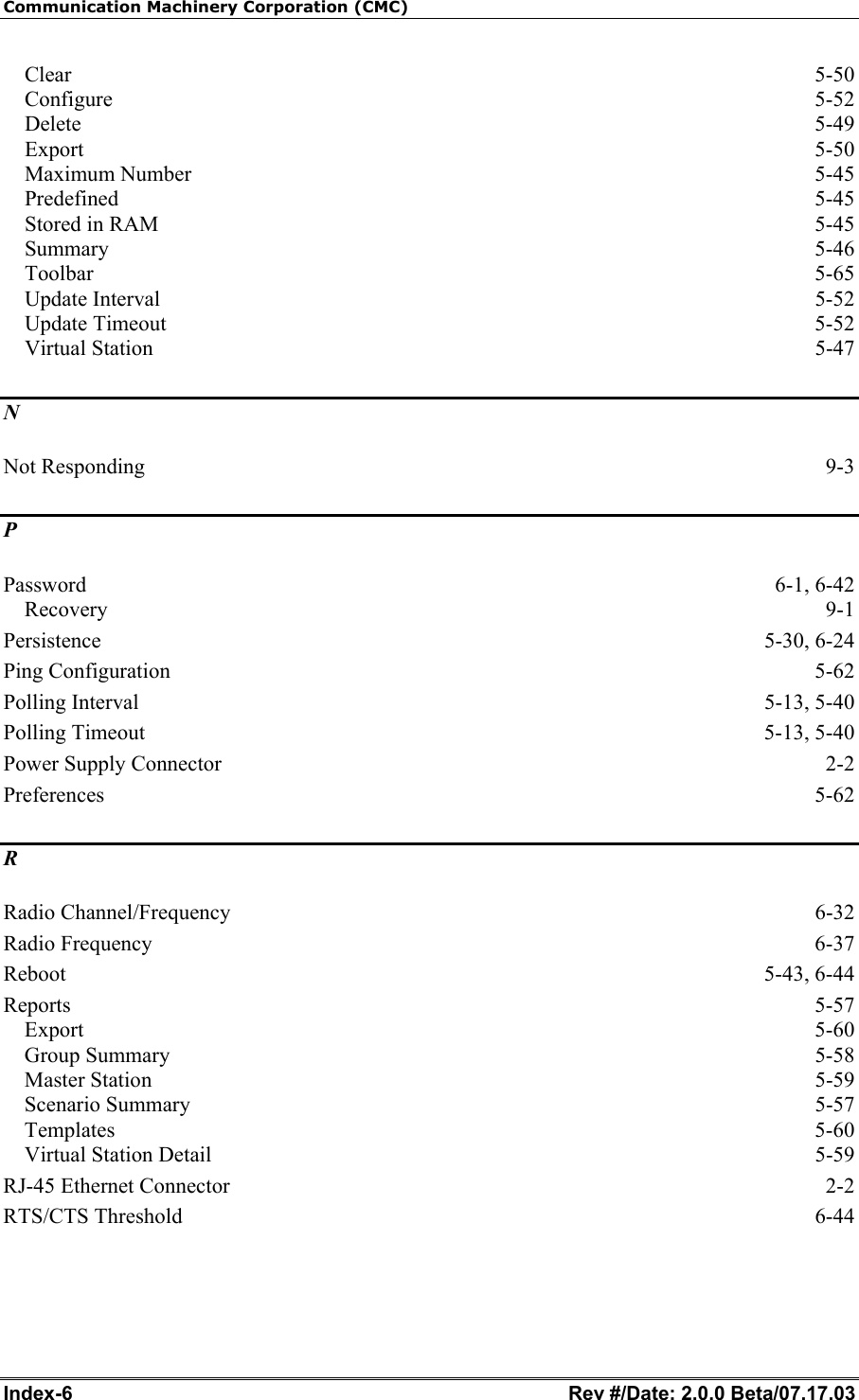
Communication Machinery Corporation (CMC) Index-6   Rev #/Date: 2.0.0 Beta/07.17.03 Clear  5-50 Configure  5-52 Delete  5-49 Export  5-50 Maximum Number  5-45 Predefined 5-45 Stored in RAM  5-45 Summary  5-46 Toolbar  5-65 Update Interval  5-52 Update Timeout  5-52 Virtual Station  5-47 N Not Responding  9-3 P Password 6-1, 6-42 Recovery  9-1 Persistence 5-30, 6-24 Ping Configuration  5-62 Polling Interval  5-13, 5-40 Polling Timeout  5-13, 5-40 Power Supply Connector  2-2 Preferences  5-62 R Radio Channel/Frequency  6-32 Radio Frequency  6-37 Reboot 5-43, 6-44 Reports  5-57 Export  5-60 Group Summary  5-58 Master Station  5-59 Scenario Summary  5-57 Templates  5-60 Virtual Station Detail  5-59 RJ-45 Ethernet Connector  2-2 RTS/CTS Threshold  6-44
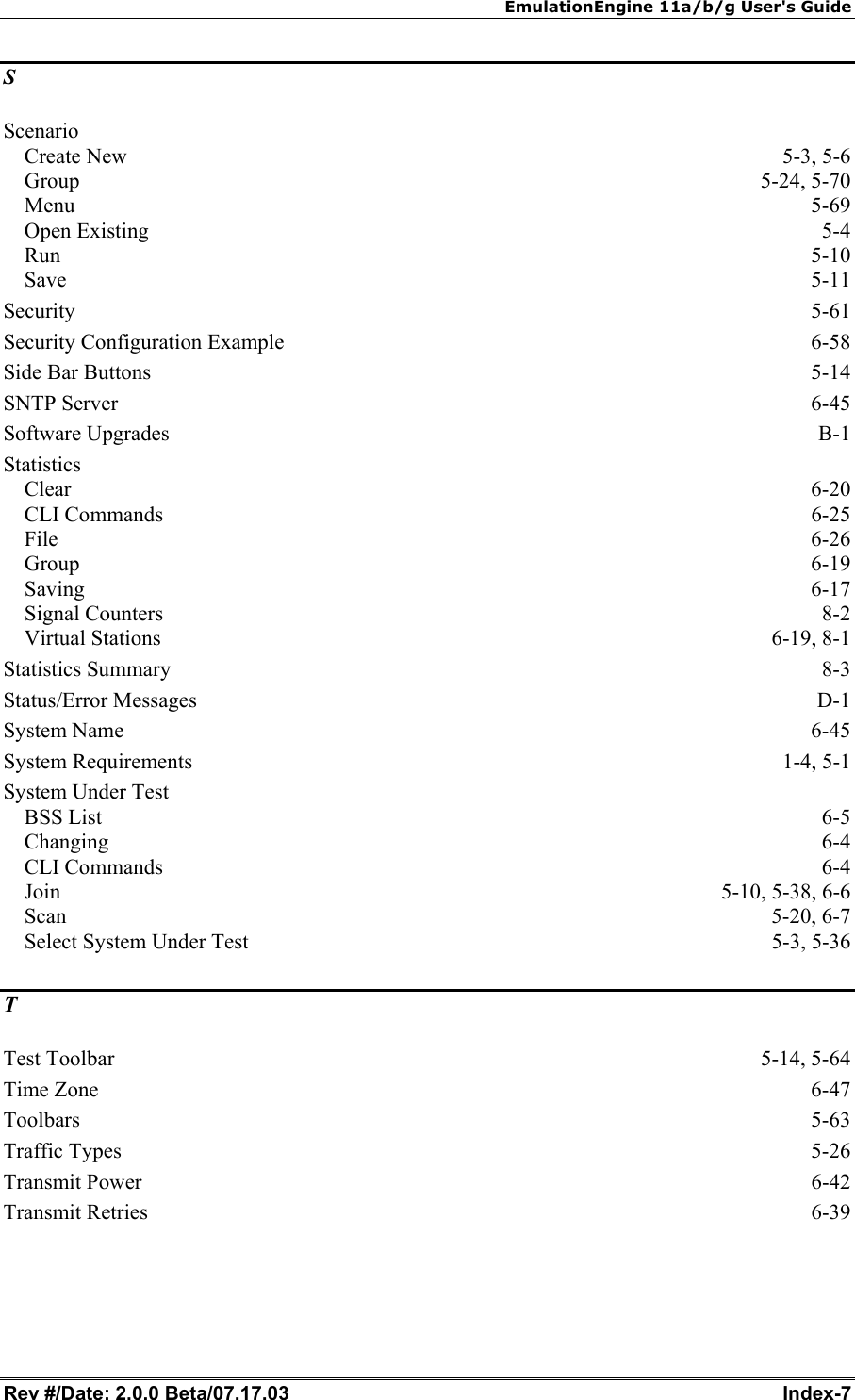
EmulationEngine 11a/b/g User's Guide Rev #/Date: 2.0.0 Beta/07.17.03  Index-7 S Scenario Create New  5-3, 5-6 Group 5-24, 5-70 Menu  5-69 Open Existing  5-4 Run  5-10 Save  5-11 Security  5-61 Security Configuration Example  6-58 Side Bar Buttons  5-14 SNTP Server  6-45 Software Upgrades  B-1 Statistics Clear  6-20 CLI Commands  6-25 File  6-26 Group  6-19 Saving  6-17 Signal Counters  8-2 Virtual Stations  6-19, 8-1 Statistics Summary  8-3 Status/Error Messages  D-1 System Name  6-45 System Requirements  1-4, 5-1 System Under Test BSS List  6-5 Changing  6-4 CLI Commands  6-4 Join 5-10, 5-38, 6-6 Scan  5-20, 6-7 Select System Under Test  5-3, 5-36 T Test Toolbar  5-14, 5-64 Time Zone  6-47 Toolbars  5-63 Traffic Types  5-26 Transmit Power  6-42 Transmit Retries  6-39
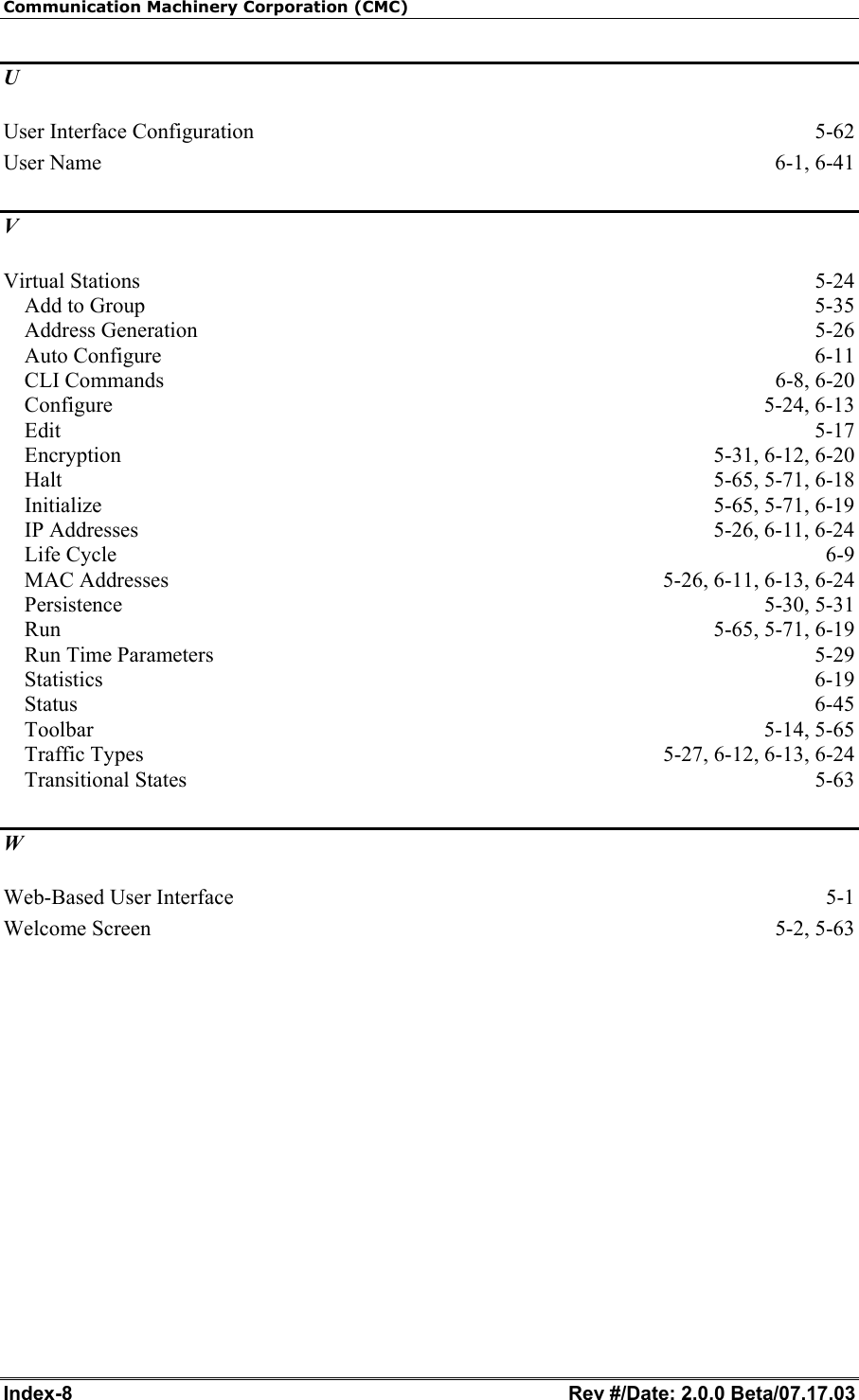
Communication Machinery Corporation (CMC) Index-8   Rev #/Date: 2.0.0 Beta/07.17.03 U User Interface Configuration  5-62 User Name  6-1, 6-41 V Virtual Stations  5-24 Add to Group  5-35 Address Generation  5-26 Auto Configure  6-11 CLI Commands  6-8, 6-20 Configure 5-24, 6-13 Edit  5-17 Encryption 5-31, 6-12, 6-20 Halt 5-65, 5-71, 6-18 Initialize 5-65, 5-71, 6-19 IP Addresses  5-26, 6-11, 6-24 Life Cycle  6-9 MAC Addresses  5-26, 6-11, 6-13, 6-24 Persistence 5-30, 5-31 Run 5-65, 5-71, 6-19 Run Time Parameters  5-29 Statistics  6-19 Status  6-45 Toolbar 5-14, 5-65 Traffic Types  5-27, 6-12, 6-13, 6-24 Transitional States  5-63 W Web-Based User Interface  5-1 Welcome Screen  5-2, 5-63

Navigation menu