KTV Global 29GG 29 Inches Flat Type TV Broadcast Receiver User Manual 29GG400 10 15

KTV Global Corporation 29 Inches Flat Type TV Broadcast Receiver 29GG400 10 15

Contents

User Manual 2 of 3

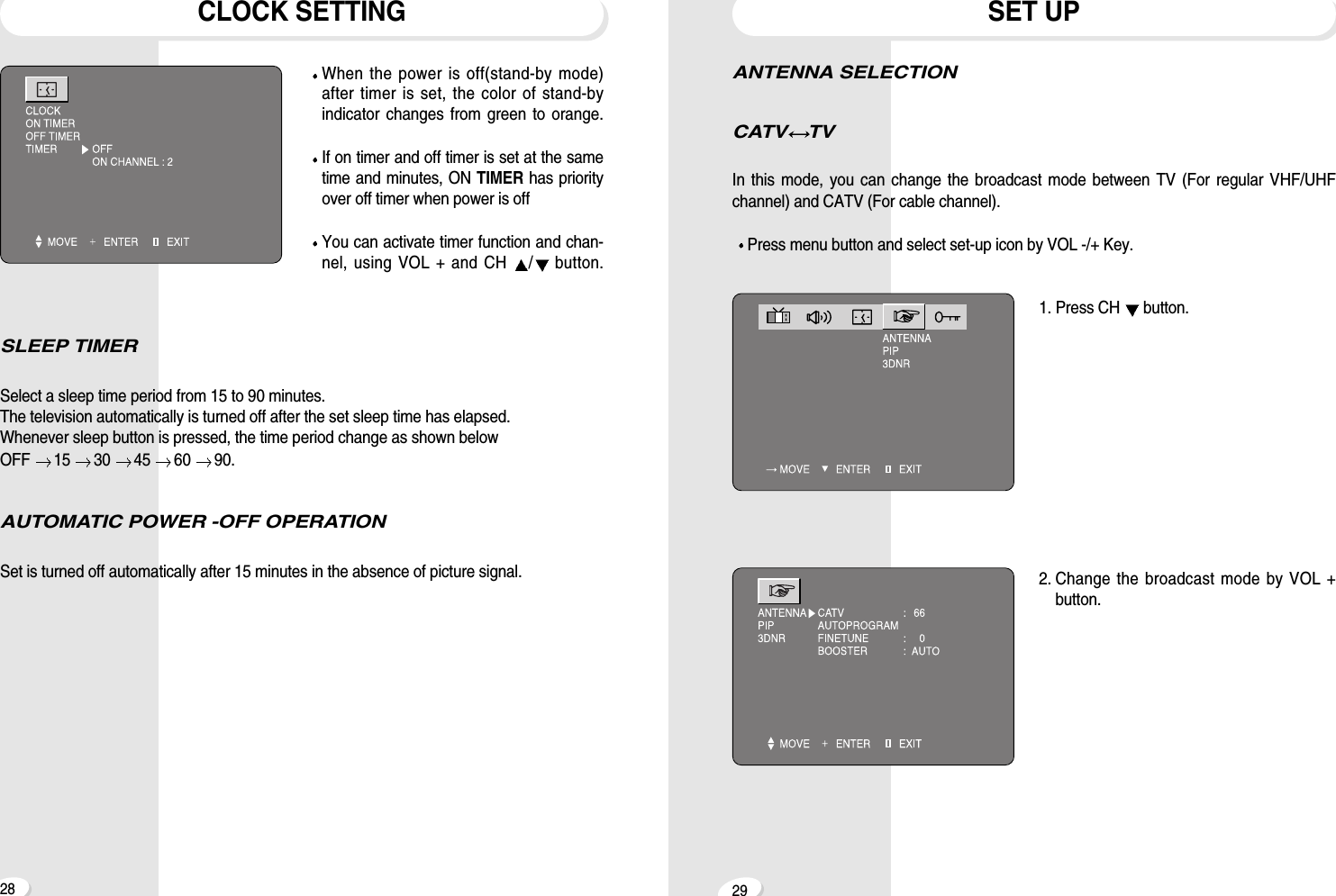
2928ANTENNA SELECTIONCATV TVIn this mode, you can change the broadcast mode between TV (For regular VHF/UHFchannel) and CATV (For cable channel).Press menu button and select set-up icon by VOL -/+ Key.1. Press CH  button.2. Change the broadcast mode by VOL +button.SET UPCLOCK SETTINGWhen the power is off(stand-by mode)after timer is set, the color of stand-byindicator changes from green to orange.If on timer and off timer is set at the sametime and minutes, ON TIMER has priorityover off timer when power is offYou can activate timer function and chan-nel, using VOL + and CH  /button.SLEEP TIMERSelect a sleep time period from 15 to 90 minutes.The television automatically is turned off after the set sleep time has elapsed.Whenever sleep button is pressed, the time period change as shown below OFF  15  30  45  60  90.AUTOMATIC POWER -OFF OPERATIONSet is turned off automatically after 15 minutes in the absence of picture signal.
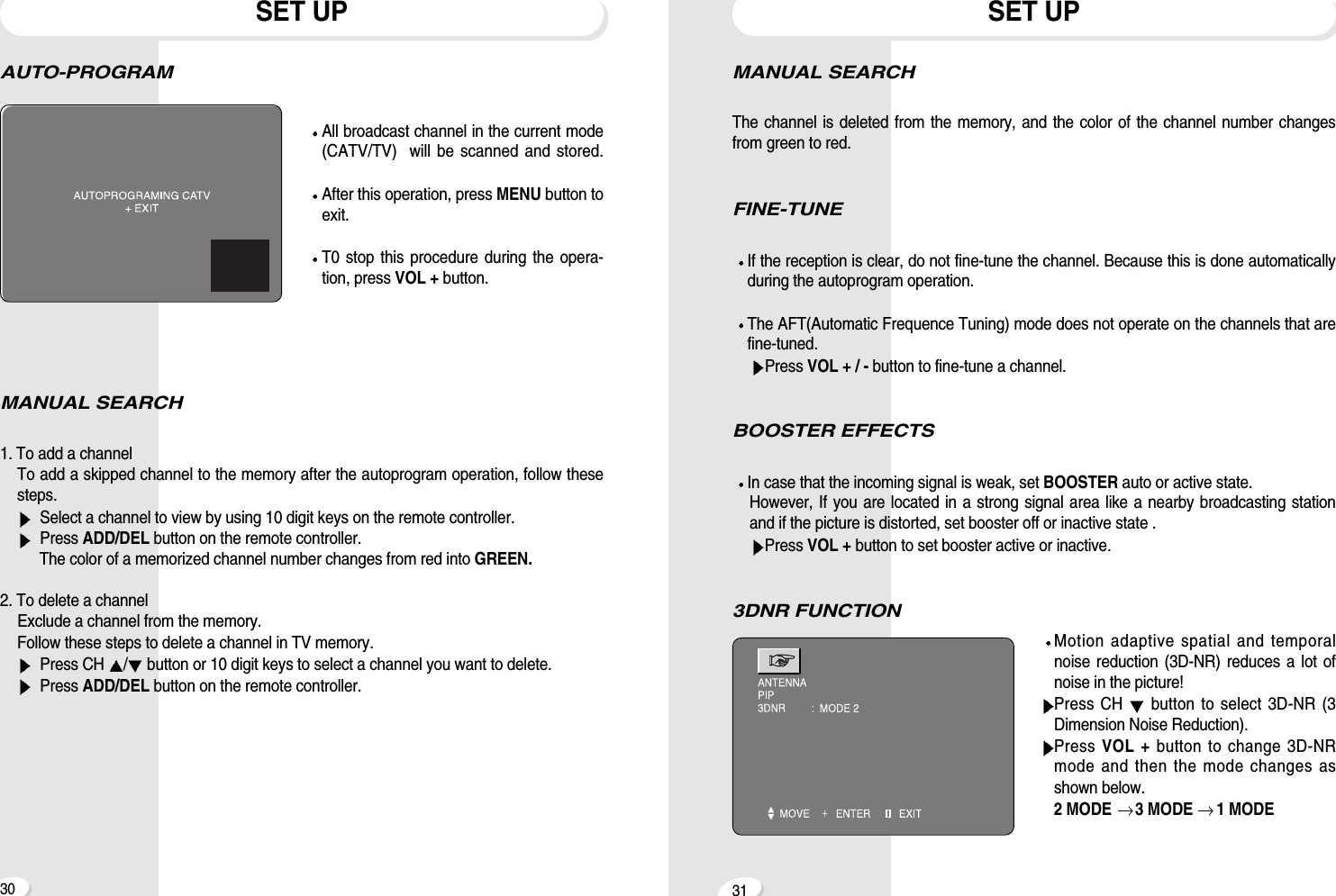
3130MANUAL SEARCHThe channel is deleted from the memory, and the color of the channel number changesfrom green to red.FINE-TUNEIf the reception is clear, do not fine-tune the channel. Because this is done automaticallyduring the autoprogram operation.The AFT(Automatic Frequence Tuning) mode does not operate on the channels that arefine-tuned.Press VOL + / - button to fine-tune a channel.BOOSTER EFFECTSIn case that the incoming signal is weak, set BOOSTER auto or active state.However, If you are located in a strong signal area like a nearby broadcasting stationand if the picture is distorted, set booster off or inactive state .Press VOL + button to set booster active or inactive.3DNR FUNCTIONMotion adaptive spatial and temporalnoise reduction (3D-NR) reduces a lot ofnoise in the picture!Press CH  button to select 3D-NR (3Dimension Noise Reduction).Press VOL + button to change 3D-NRmode and then the mode changes asshown below. 2 MODE  3 MODE  1 MODESET UPAUTO-PROGRAMAll broadcast channel in the current mode(CATV/TV)  will be scanned and stored.After this operation, press MENU button toexit.T0 stop this procedure during the opera-tion, press VOL + button.MANUAL SEARCH1. To add a channel  To add a skipped channel to the memory after the autoprogram operation, follow thesesteps.Select a channel to view by using 10 digit keys on the remote controller.Press ADD/DEL button on the remote controller.The color of a memorized channel number changes from red into GREEN.2. To delete a channelExclude a channel from the memory.Follow these steps to delete a channel in TV memory.Press CH  /button or 10 digit keys to select a channel you want to delete.Press ADD/DEL button on the remote controller.SET UP
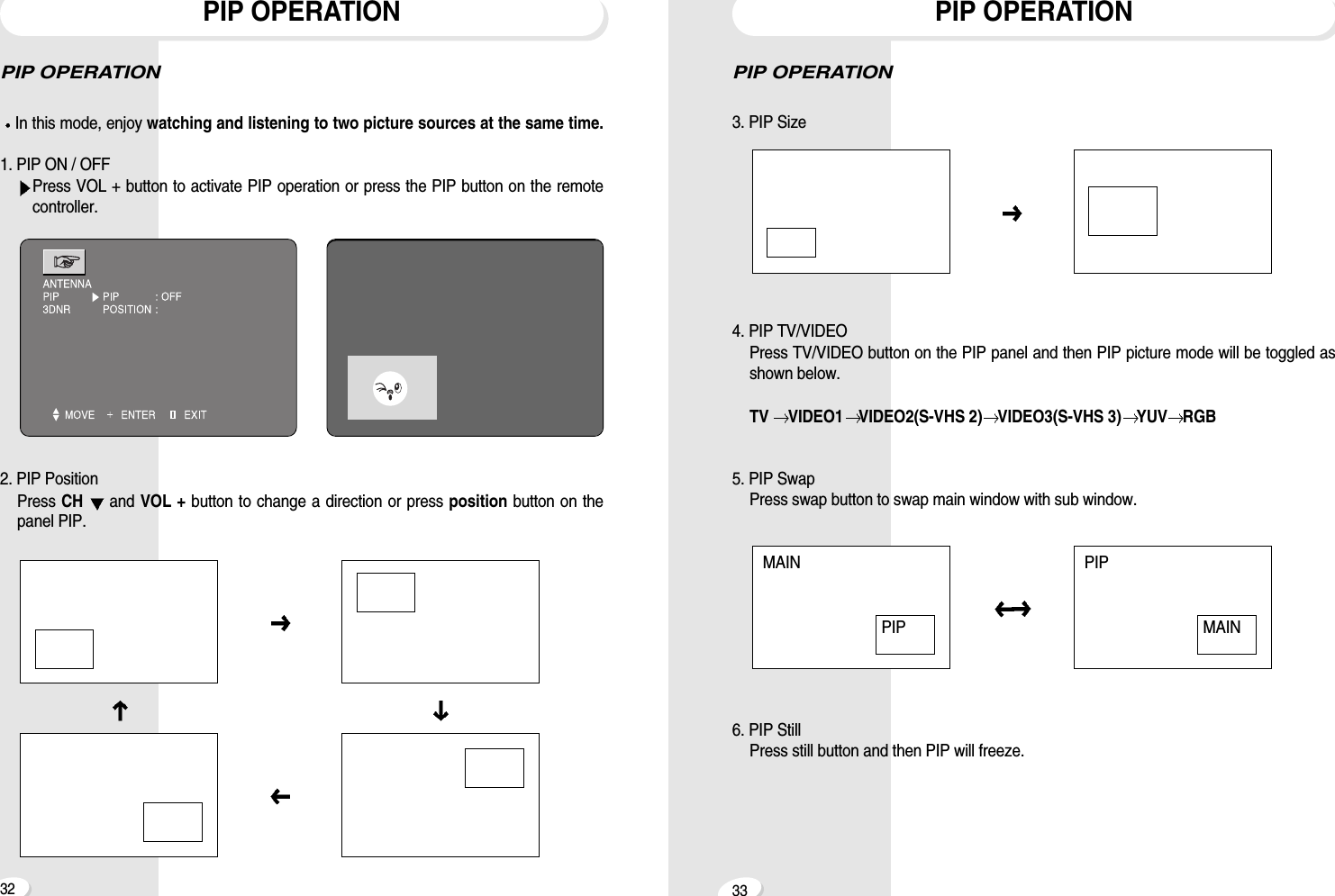
3332PIP OPERATION3. PIP Size4. PIP TV/VIDEOPress TV/VIDEO button on the PIP panel and then PIP picture mode will be toggled asshown below.TV  VIDEO1 VIDEO2(S-VHS 2) VIDEO3(S-VHS 3) YUV RGB5. PIP SwapPress swap button to swap main window with sub window.6. PIP StillPress still button and then PIP will freeze.PIP OPERATIONMAIN PIPPIP MAINPIP OPERATIONIn this mode, enjoy watching and listening to two picture sources at the same time.1. PIP ON / OFFPress VOL + button to activate PIP operation or press the PIP button on the remotecontroller.2. PIP PositionPress CH  and VOL + button to change a direction or press position button on thepanel PIP.PIP OPERATION
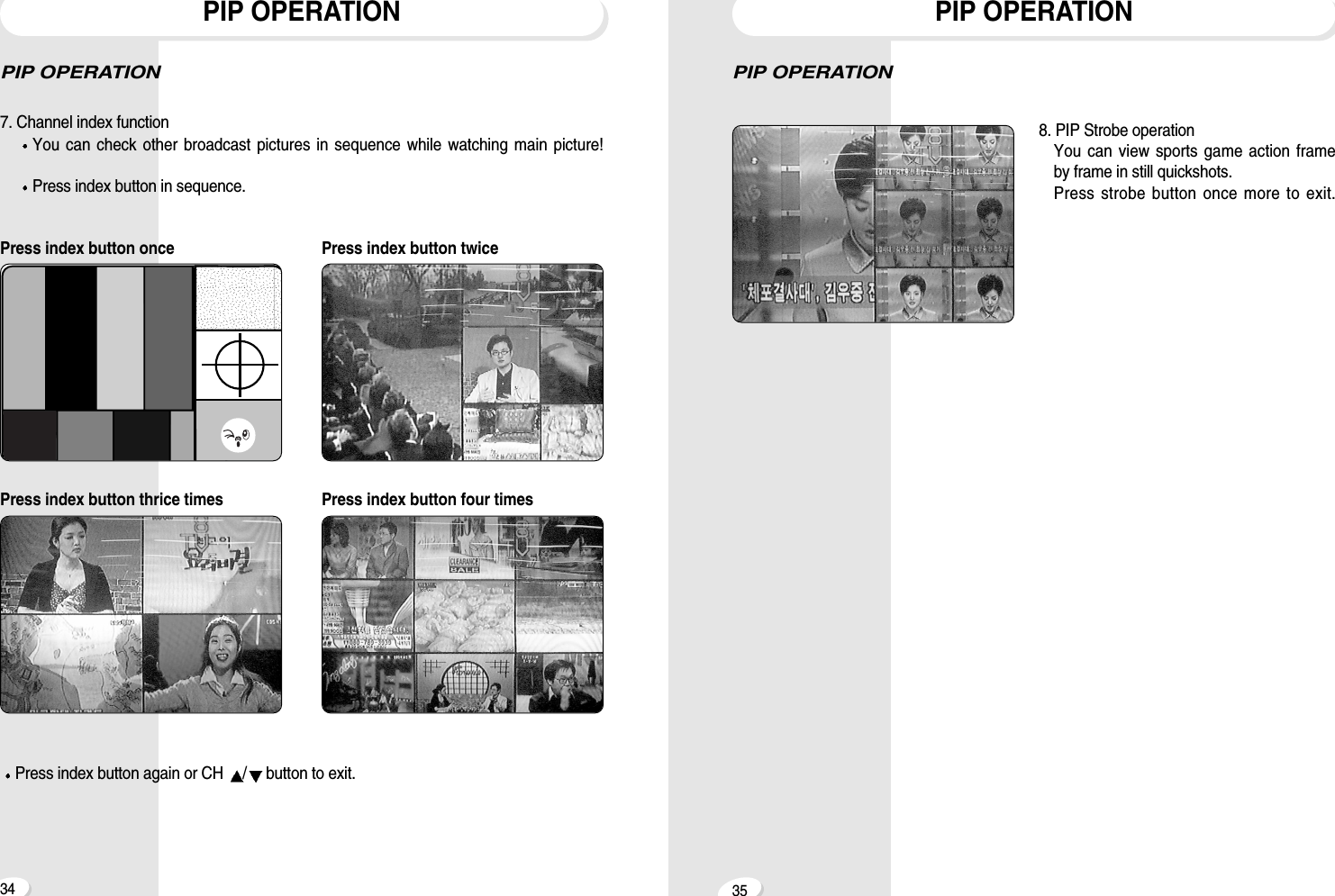
3534PIP OPERATION8. PIP Strobe operationYou can view sports game action frameby frame in still quickshots.Press strobe button once more to exit.PIP OPERATIONPIP OPERATION7. Channel index functionYou can check other broadcast pictures in sequence while watching main picture!Press index button in sequence.Press index button once Press index button twicePress index button thrice times Press index button four timesPress index button again or CH  /button to exit.PIP OPERATION
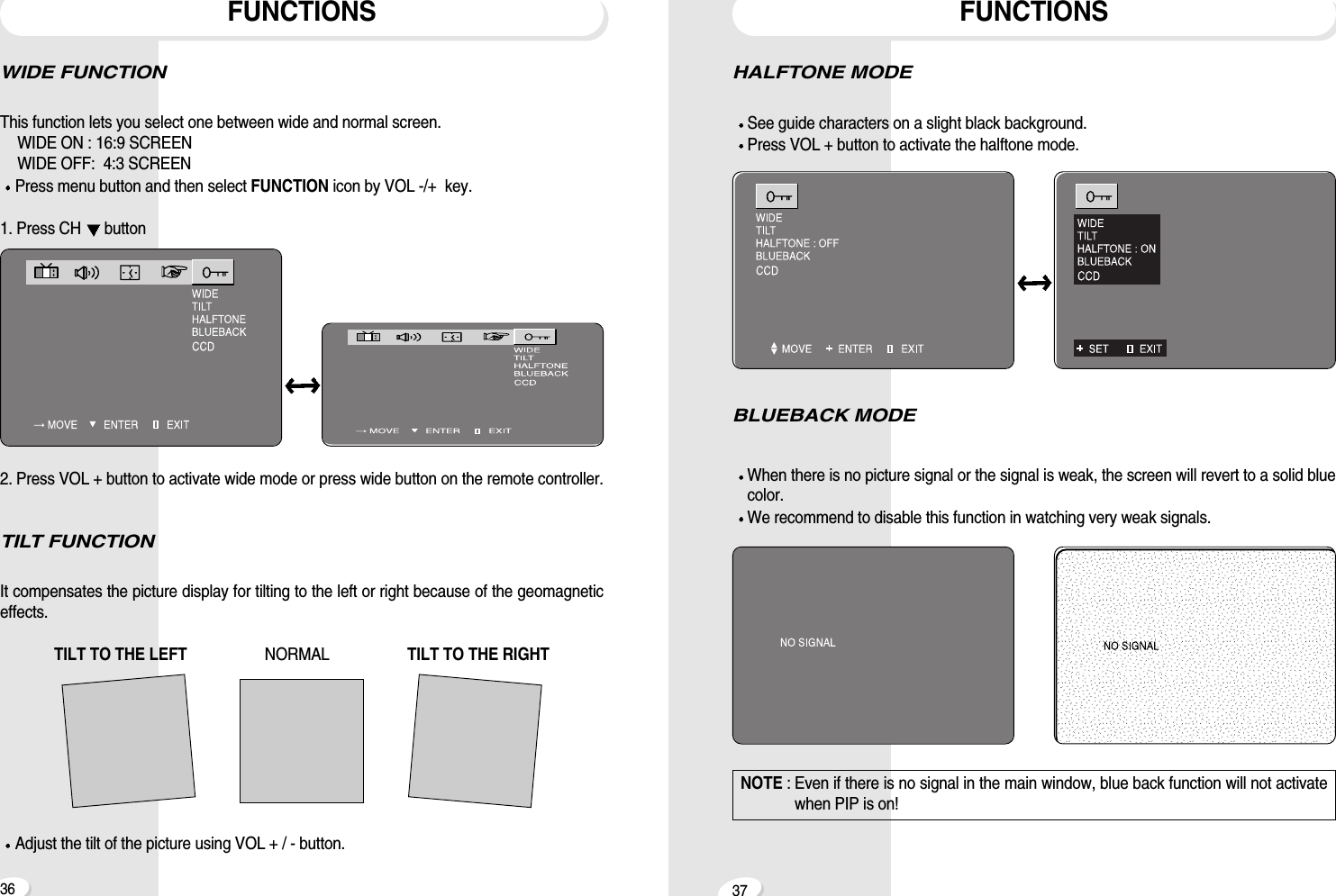
3736HALFTONE MODESee guide characters on a slight black background.Press VOL + button to activate the halftone mode.BLUEBACK MODEWhen there is no picture signal or the signal is weak, the screen will revert to a solid bluecolor.We recommend to disable this function in watching very weak signals.FUNCTIONSWIDE FUNCTIONThis function lets you select one between wide and normal screen.WIDE ON : 16:9 SCREENWIDE OFF:  4:3 SCREENPress menu button and then select FUNCTION icon by VOL -/+  key.1. Press CH  button2. Press VOL + button to activate wide mode or press wide button on the remote controller.TILT FUNCTIONIt compensates the picture display for tilting to the left or right because of the geomagneticeffects.TILT TO THE LEFT  NORMAL                   TILT TO THE RIGHTAdjust the tilt of the picture using VOL + / - button.FUNCTIONSNOTE : Even if there is no signal in the main window, blue back function will not activatewhen PIP is on!
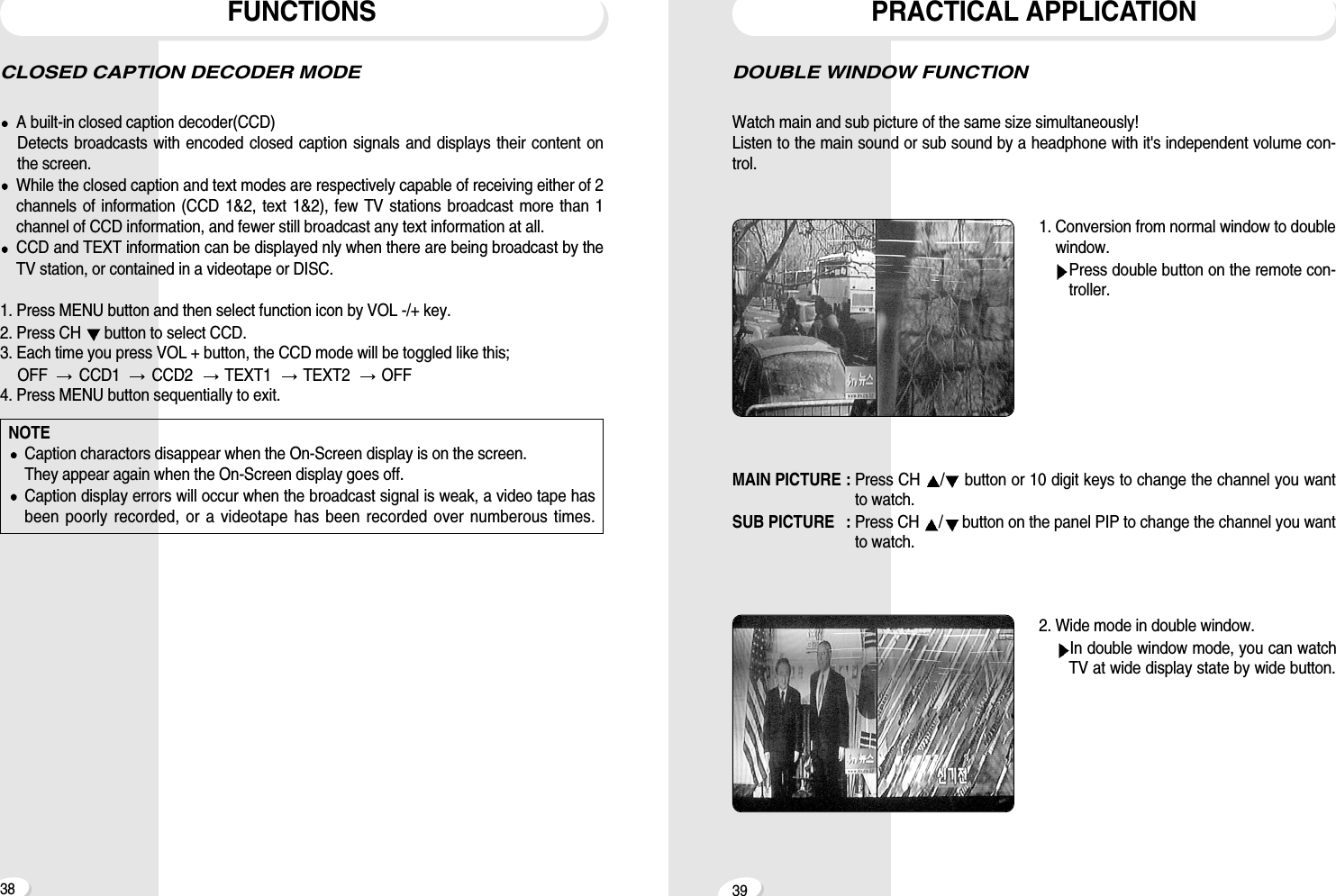
39DOUBLE WINDOW FUNCTIONWatch main and sub picture of the same size simultaneously! Listen to the main sound or sub sound by a headphone with it's independent volume con-trol.1. Conversion from normal window to doublewindow.Press double button on the remote con-troller.MAIN PICTURE : Press CH  /button or 10 digit keys to change the channel you wantto watch.SUB PICTURE  : Press CH  /button on the panel PIP to change the channel you wantto watch.2. Wide mode in double window.In double window mode, you can watchTV at wide display state by wide button.PRACTICAL APPLICATIONCLOSED CAPTION DECODER MODE A built-in closed caption decoder(CCD)Detects broadcasts with encoded closed caption signals and displays their content onthe screen.While the closed caption and text modes are respectively capable of receiving either of 2channels of information (CCD 1&2, text 1&2), few TV stations broadcast more than 1channel of CCD information, and fewer still broadcast any text information at all.CCD and TEXT information can be displayed nly when there are being broadcast by theTV station, or contained in a videotape or DISC.1. Press MENU button and then select function icon by VOL -/+ key.2. Press CH  button to select CCD.3. Each time you press VOL + button, the CCD mode will be toggled like this; OFF   CCD1   CCD2   TEXT1   TEXT2   OFF4. Press MENU button sequentially to exit. FUNCTIONS38NOTECaption charactors disappear when the On-Screen display is on the screen.They appear again when the On-Screen display goes off. Caption display errors will occur when the broadcast signal is weak, a video tape hasbeen poorly recorded, or a videotape has been recorded over numberous times.
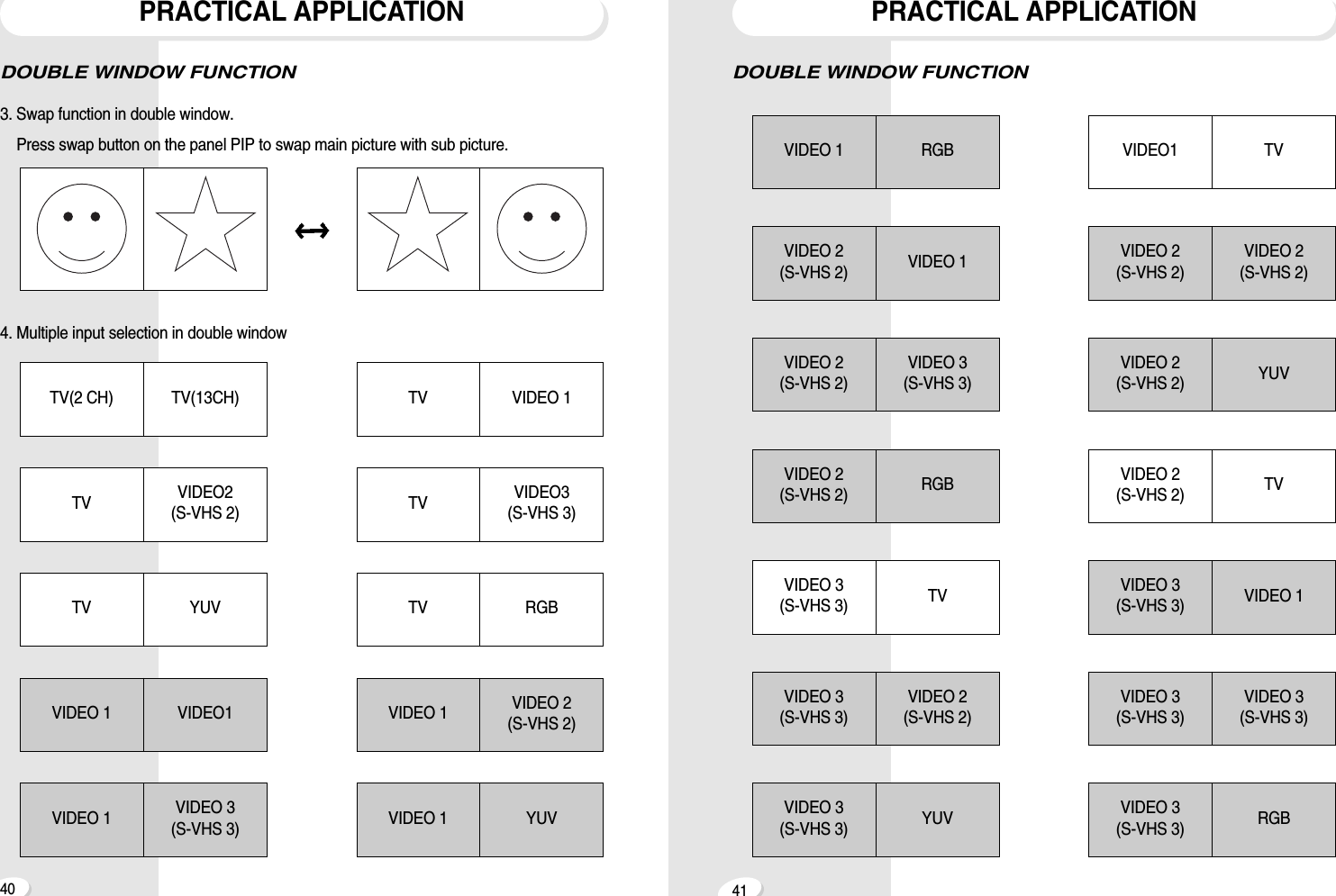
4140DOUBLE WINDOW FUNCTIONPRACTICAL APPLICATIONVIDEO 1 RGBVIDEO 2(S-VHS 2) VIDEO 1VIDEO 2(S-VHS 2)VIDEO 3(S-VHS 3)VIDEO 2(S-VHS 2)VIDEO 2(S-VHS 2)VIDEO 2(S-VHS 2) YUVVIDEO 3(S-VHS 3)VIDEO 3(S-VHS 3)VIDEO 3(S-VHS 3) VIDEO 1VIDEO 3(S-VHS 3) RGBVIDEO 2(S-VHS 2) RGBVIDEO 3(S-VHS 3)VIDEO 2(S-VHS 2)VIDEO 3(S-VHS 3) YUVVIDEO1 TVVIDEO 2(S-VHS 2) TVVIDEO 3(S-VHS 3) TVPRACTICAL APPLICATIONDOUBLE WINDOW FUNCTION3. Swap function in double window. Press swap button on the panel PIP to swap main picture with sub picture.4. Multiple input selection in double windowTV(2 CH) TV(13CH) TV VIDEO 1TV VIDEO2(S-VHS 2) TV VIDEO3(S-VHS 3)TV YUV TV RGBVIDEO 1 VIDEO1 VIDEO 1 VIDEO 2(S-VHS 2)VIDEO 1 VIDEO 3(S-VHS 3) VIDEO 1 YUV

Navigation menu