KTV Global 29GG 29 Inches Flat Type TV Broadcast Receiver User Manual 29GG400 10 15

KTV Global Corporation 29 Inches Flat Type TV Broadcast Receiver 29GG400 10 15

Contents

User Manual 3 of 3

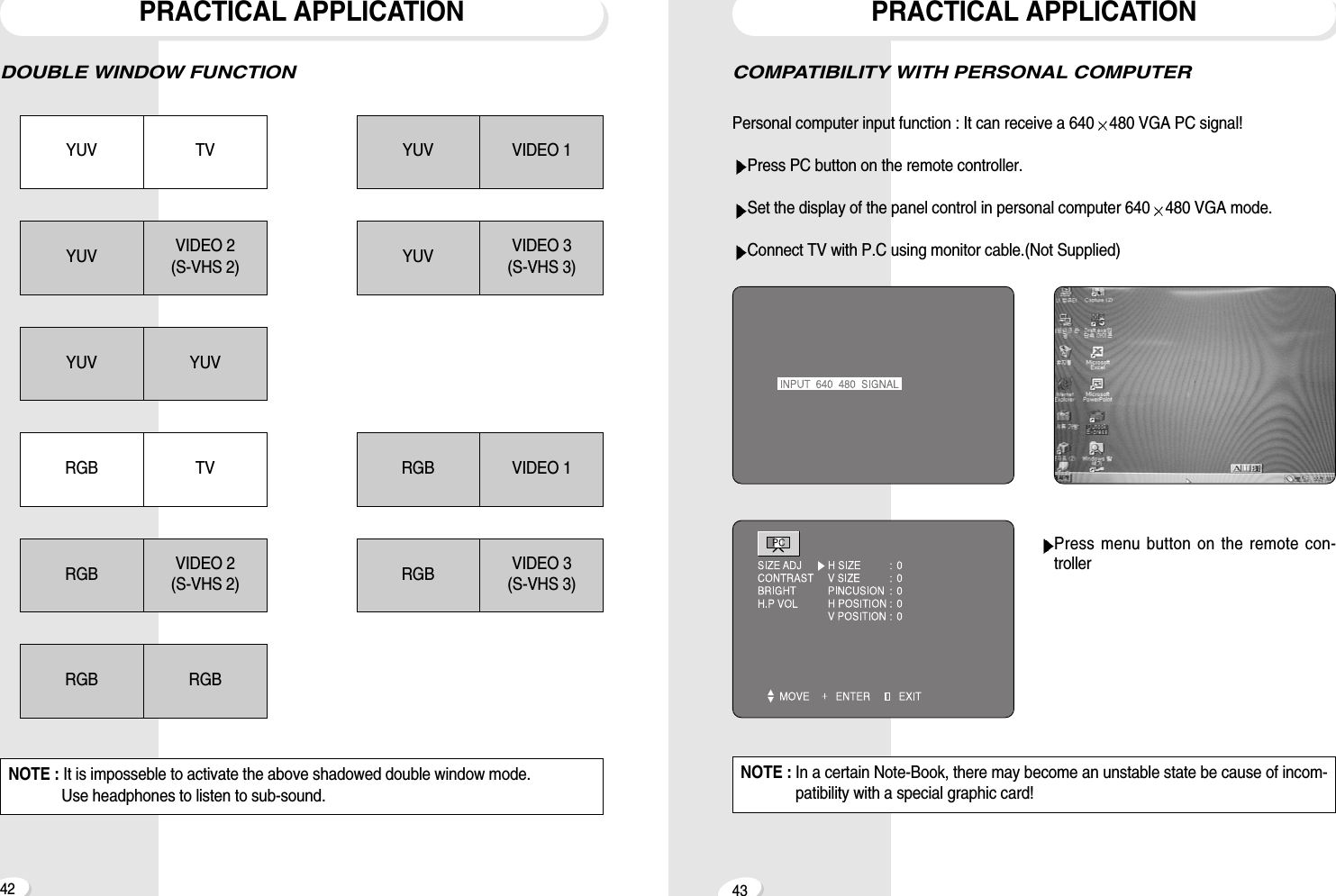
4342COMPATIBILITY WITH PERSONAL COMPUTERPersonal computer input function : It can receive a 640 480 VGA PC signal!Press PC button on the remote controller.Set the display of the panel control in personal computer 640 480 VGA mode.Connect TV with P.C using monitor cable.(Not Supplied)Press menu button on the remote con-trollerPRACTICAL APPLICATIONDOUBLE WINDOW FUNCTIONPRACTICAL APPLICATIONYUV TVYUV VIDEO 2(S-VHS 2)YUV YUVYUV VIDEO 1YUV VIDEO 3(S-VHS 3)RGB VIDEO 1RGB VIDEO 3(S-VHS 3)RGB TVRGB VIDEO 2(S-VHS 2)RGB RGBNOTE : It is imposseble to activate the above shadowed double window mode.Use headphones to listen to sub-sound.NOTE : In a certain Note-Book, there may become an unstable state be cause of incom-patibility with a special graphic card!
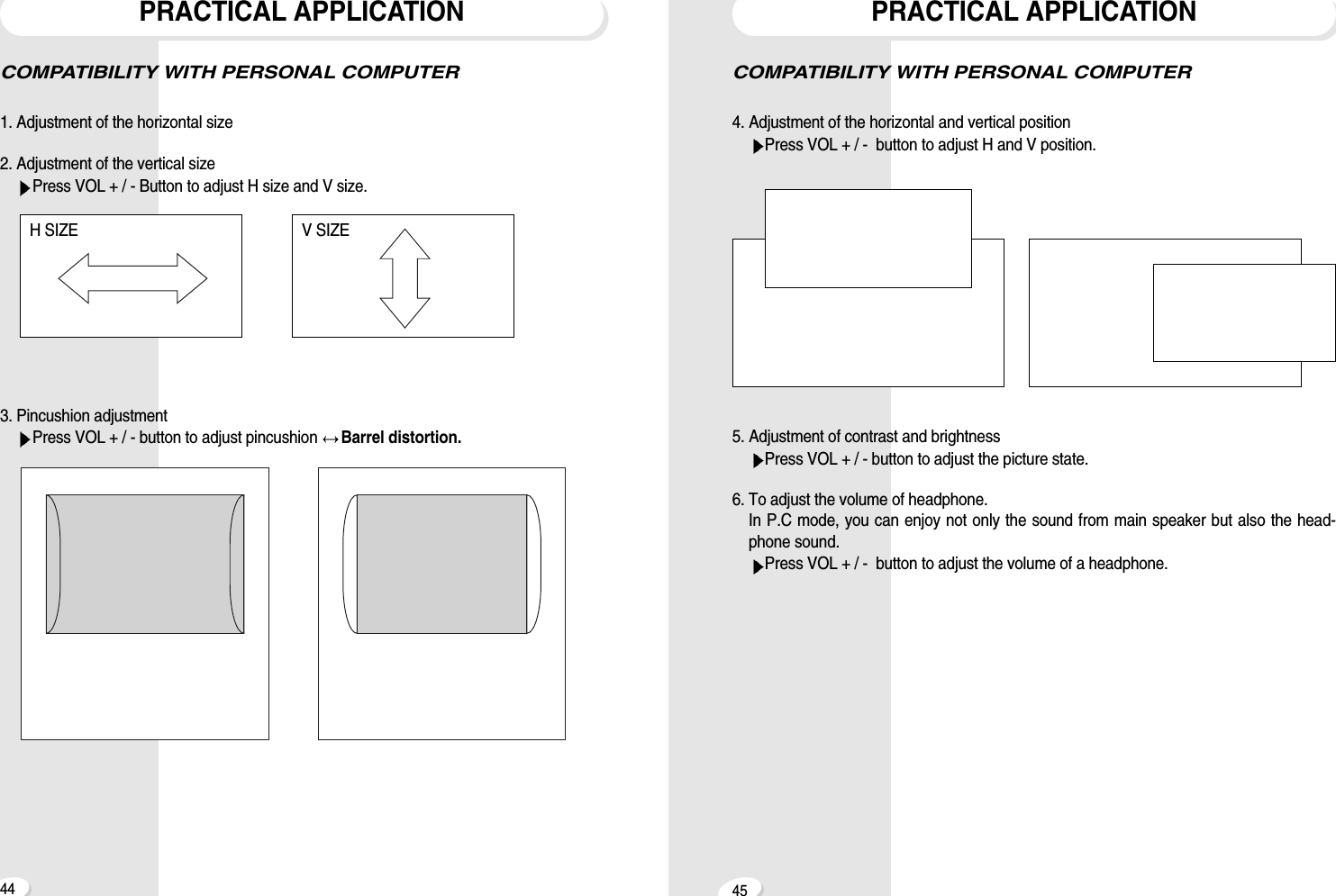
4544PRACTICAL APPLICATIONCOMPATIBILITY WITH PERSONAL COMPUTER4. Adjustment of the horizontal and vertical positionPress VOL + / -  button to adjust H and V position.5. Adjustment of contrast and brightnessPress VOL + / - button to adjust the picture state.6. To adjust the volume of headphone.In P.C mode, you can enjoy not only the sound from main speaker but also the head-phone sound.Press VOL + / -  button to adjust the volume of a headphone.COMPATIBILITY WITH PERSONAL COMPUTER1. Adjustment of the horizontal size2. Adjustment of the vertical sizePress VOL + / - Button to adjust H size and V size.3. Pincushion adjustmentPress VOL + / - button to adjust pincushion  Barrel distortion.PRACTICAL APPLICATIONH SIZE V SIZE
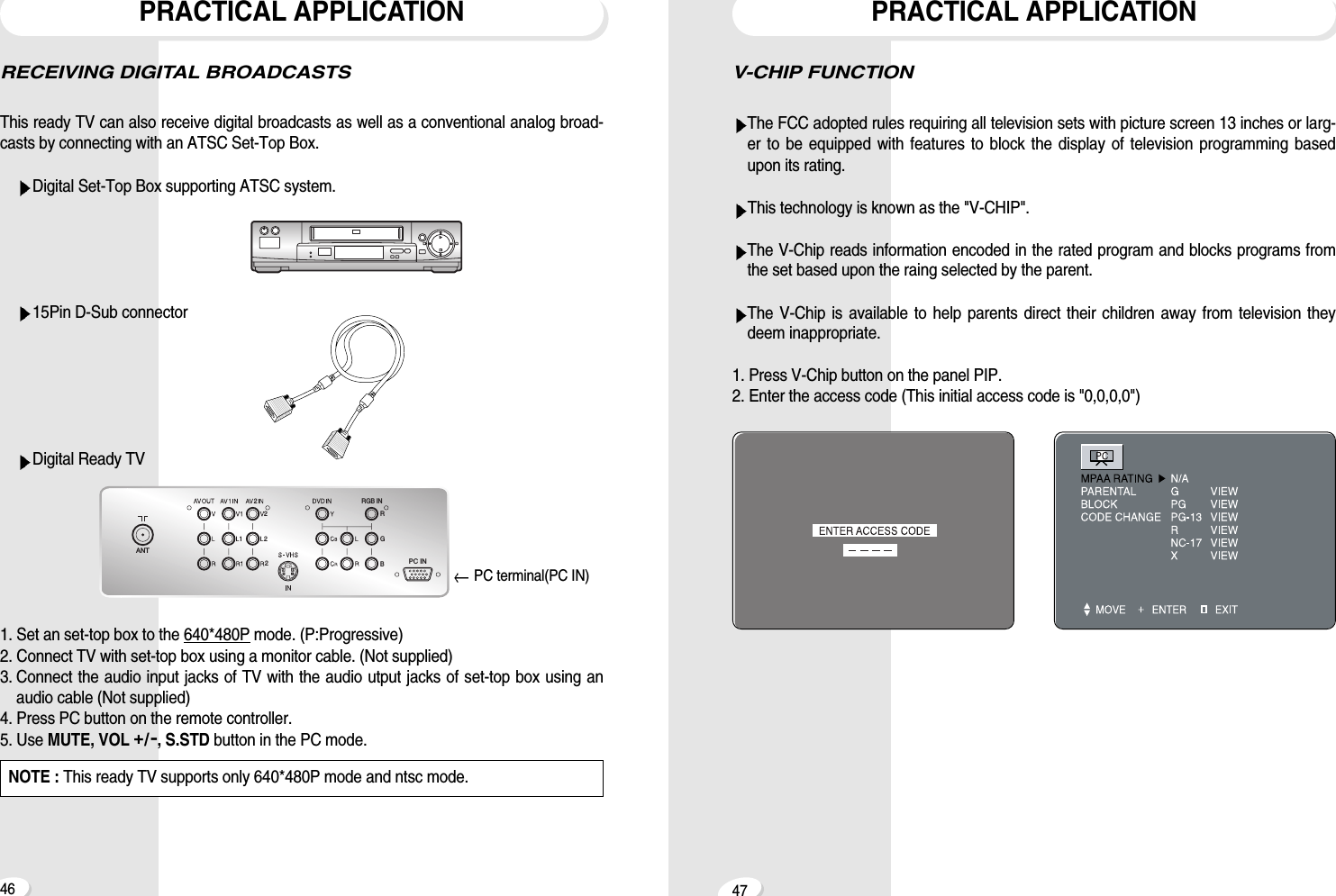
V-CHIP FUNCTIONThe FCC adopted rules requiring all television sets with picture screen 13 inches or larg-er to be equipped with features to block the display of television programming basedupon its rating.This technology is known as the "V-CHIP".The V-Chip reads information encoded in the rated program and blocks programs fromthe set based upon the raing selected by the parent.The V-Chip is available to help parents direct their children away from television theydeem inappropriate.1. Press V-Chip button on the panel PIP.2. Enter the access code (This initial access code is "0,0,0,0")PRACTICAL APPLICATION47RECEIVING DIGITAL BROADCASTSThis ready TV can also receive digital broadcasts as well as a conventional analog broad-casts by connecting with an ATSC Set-Top Box.Digital Set-Top Box supporting ATSC system.15Pin D-Sub connectorDigital Ready TV1. Set an set-top box to the 640*480P mode. (P:Progressive)2. Connect TV with set-top box using a monitor cable. (Not supplied)3. Connect the audio input jacks of TV with the audio utput jacks of set-top box using anaudio cable (Not supplied)4. Press PC button on the remote controller.5. Use MUTE, VOL +/-, S.STD button in the PC mode.PRACTICAL APPLICATION46NOTE : This ready TV supports only 640*480P mode and ntsc mode.2RGB2 RGB IN2ANTPC IN2PC terminal(PC IN)
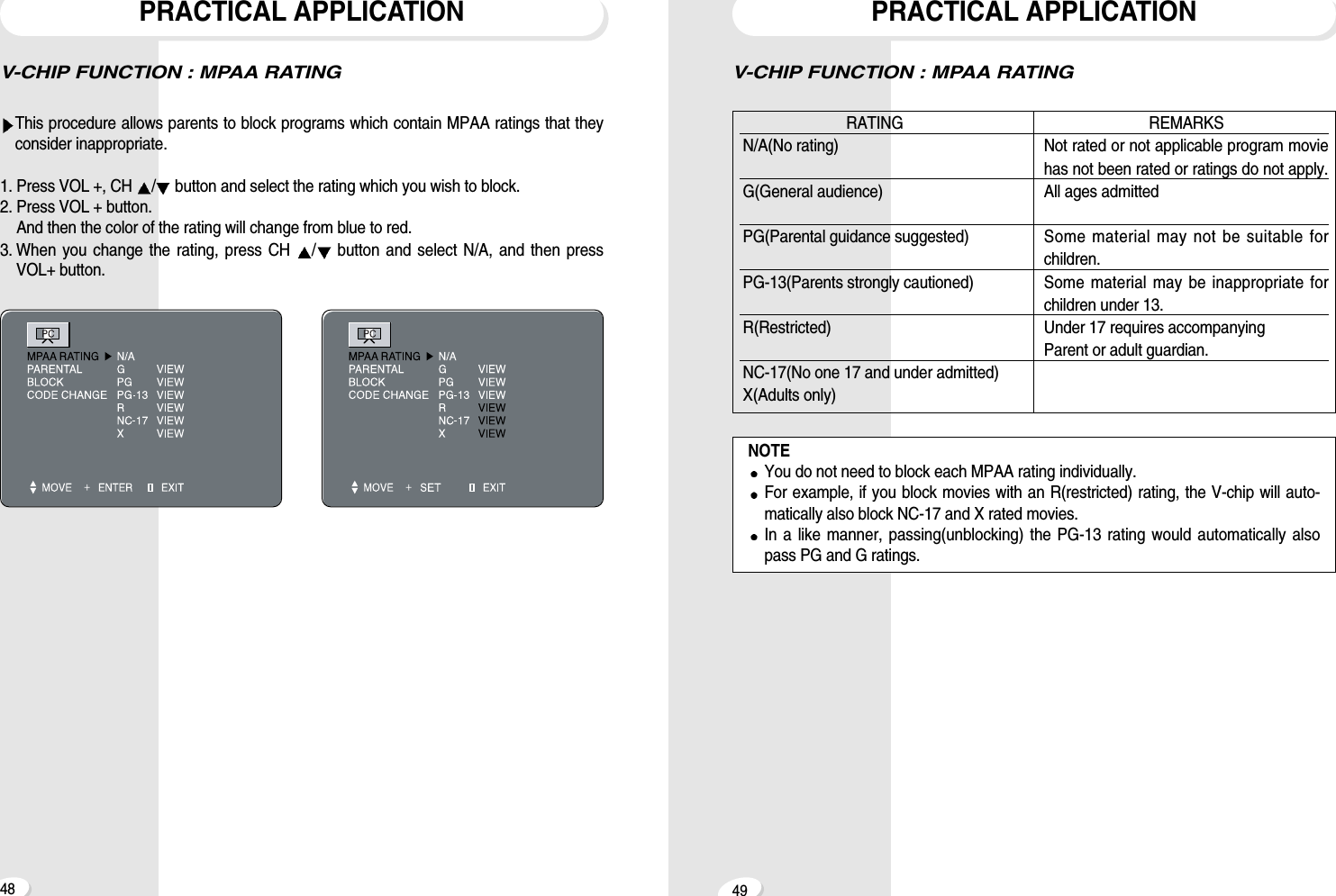
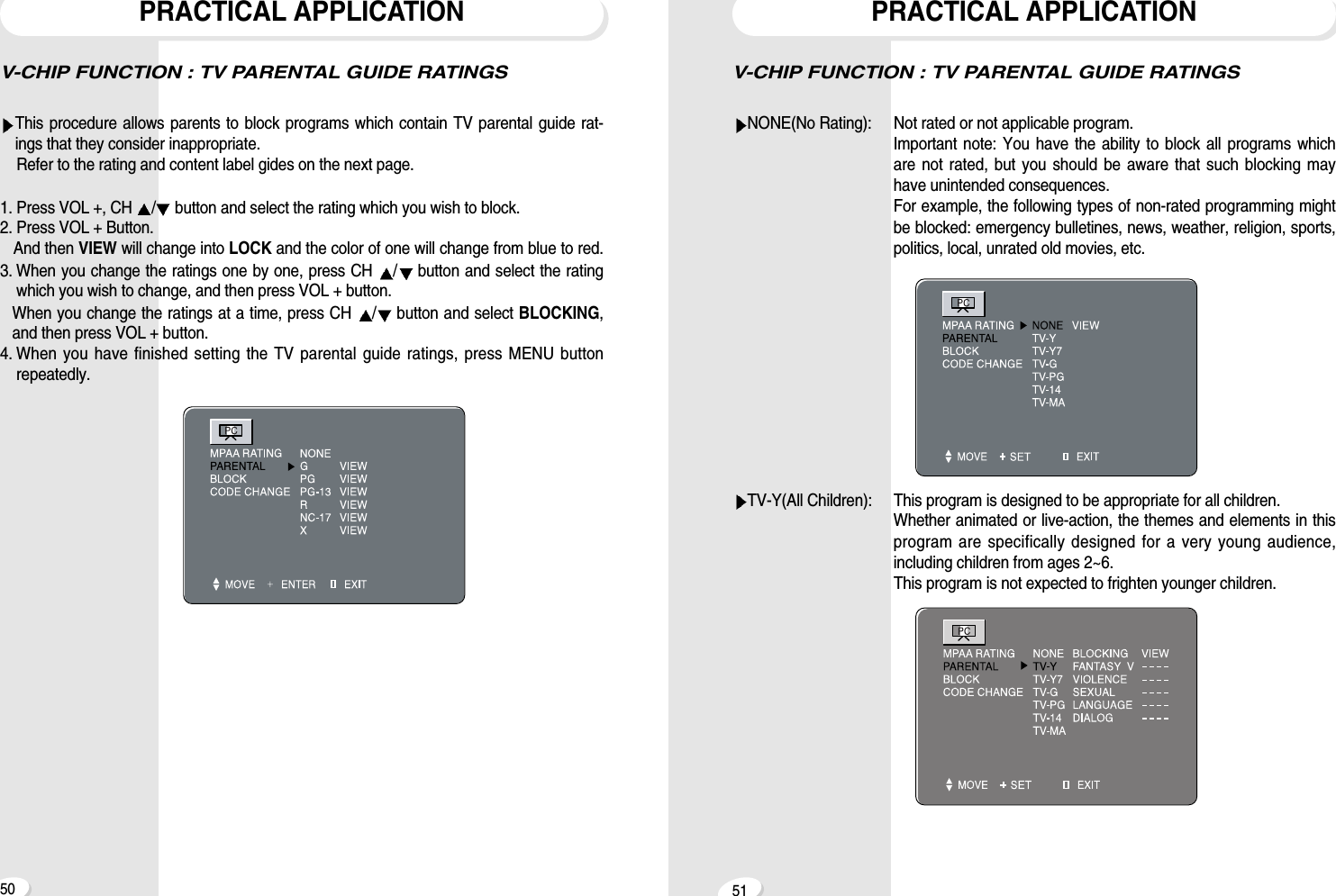
V-CHIP FUNCTION : MPAA RATINGPRACTICAL APPLICATION49V-CHIP FUNCTION : MPAA RATINGThis procedure allows parents to block programs which contain MPAA ratings that theyconsider inappropriate.1. Press VOL +, CH  /button and select the rating which you wish to block. 2. Press VOL + button.And then the color of the rating will change from blue to red. 3. When you change the rating, press CH  /button and select N/A, and then pressVOL+ button. PRACTICAL APPLICATION48RATING                                                            REMARKSN/A(No rating) Not rated or not applicable program moviehas not been rated or ratings do not apply.G(General audience) All ages admittedPG(Parental guidance suggested) Some material may not be suitable for children.PG-13(Parents strongly cautioned) Some material may be inappropriate forchildren under 13.R(Restricted) Under 17 requires accompanyingParent or adult guardian.NC-17(No one 17 and under admitted)X(Adults only)NOTEYou do not need to block each MPAA rating individually.For example, if you block movies with an R(restricted) rating, the V-chip will auto-matically also block NC-17 and X rated movies.In a like manner, passing(unblocking) the PG-13 rating would automatically alsopass PG and G ratings.
V-CHIP FUNCTION : TV PARENTAL GUIDE RATINGSNONE(No Rating):  Not rated or not applicable program.Important note: You have the ability to block all programs whichare not rated, but you should be aware that such blocking mayhave unintended consequences.For example, the following types of non-rated programming mightbe blocked: emergency bulletines, news, weather, religion, sports,politics, local, unrated old movies, etc.TV-Y(All Children): This program is designed to be appropriate for all children.Whether animated or live-action, the themes and elements in thisprogram are specifically designed for a very young audience,including children from ages 2~6. This program is not expected to frighten younger children.PRACTICAL APPLICATION51V-CHIP FUNCTION : TV PARENTAL GUIDE RATINGSThis procedure allows parents to block programs which contain TV parental guide rat-ings that they consider inappropriate.Refer to the rating and content label gides on the next page.1. Press VOL +, CH  /button and select the rating which you wish to block.2. Press VOL + Button.And then VIEW will change into LOCK and the color of one will change from blue to red.3. When you change the ratings one by one, press CH  /button and select the ratingwhich you wish to change, and then press VOL + button.When you change the ratings at a time, press CH  /button and select BLOCKING,and then press VOL + button.4. When you have finished setting the TV parental guide ratings, press MENU buttonrepeatedly.PRACTICAL APPLICATION50
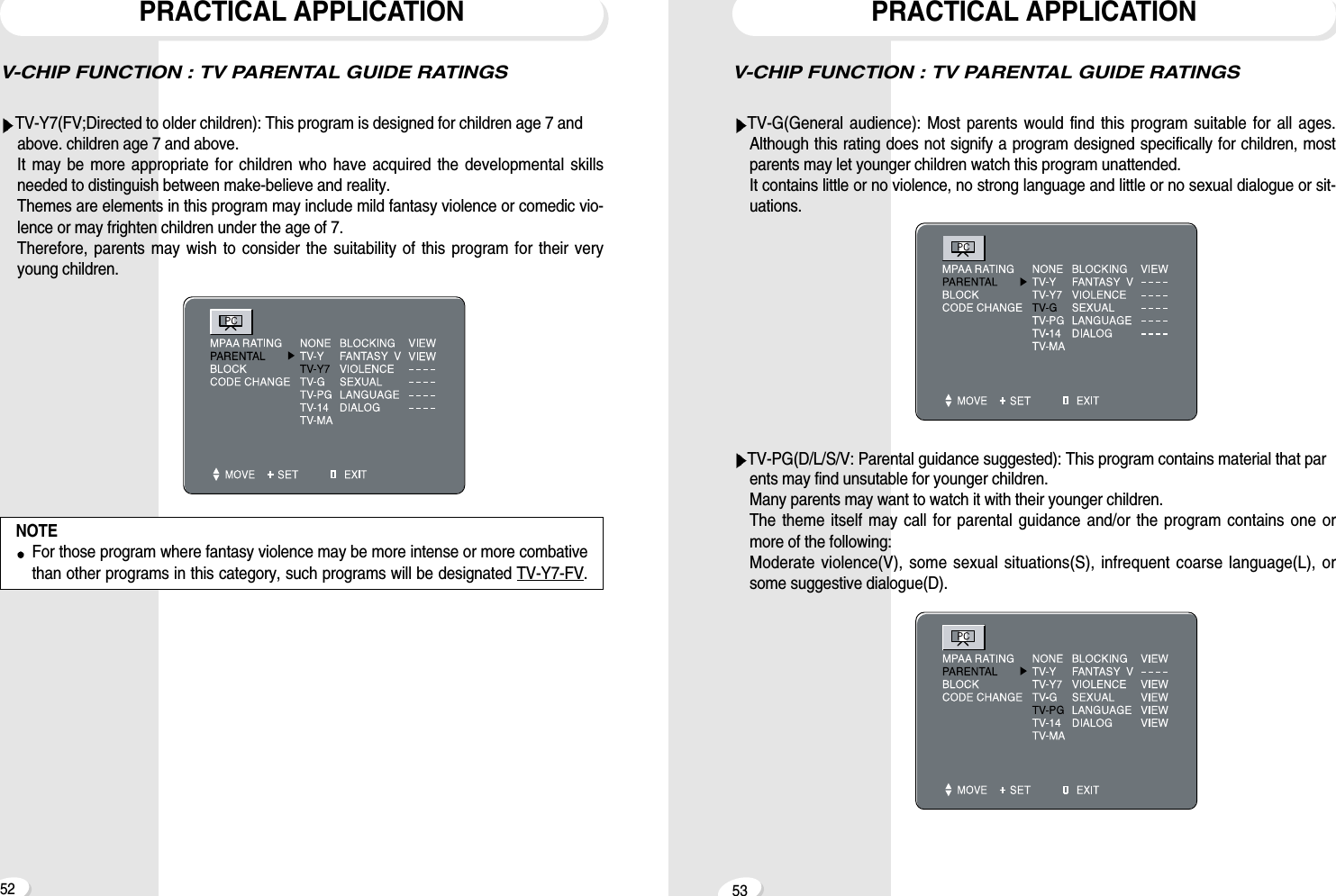
V-CHIP FUNCTION : TV PARENTAL GUIDE RATINGSTV-G(General audience): Most parents would find this program suitable for all ages.Although this rating does not signify a program designed specifically for children, mostparents may let younger children watch this program unattended. It contains little or no violence, no strong language and little or no sexual dialogue or sit-uations.TV-PG(D/L/S/V: Parental guidance suggested): This program contains material that parents may find unsutable for younger children.Many parents may want to watch it with their younger children.The theme itself may call for parental guidance and/or the program contains one ormore of the following:Moderate violence(V), some sexual situations(S), infrequent coarse language(L), orsome suggestive dialogue(D).PRACTICAL APPLICATION53V-CHIP FUNCTION : TV PARENTAL GUIDE RATINGSTV-Y7(FV;Directed to older children): This program is designed for children age 7 and above. children age 7 and above.It may be more appropriate for children who have acquired the developmental skillsneeded to distinguish between make-believe and reality.Themes are elements in this program may include mild fantasy violence or comedic vio-lence or may frighten children under the age of 7.Therefore, parents may wish to consider the suitability of this program for their veryyoung children.PRACTICAL APPLICATION52NOTEFor those program where fantasy violence may be more intense or more combativethan other programs in this category, such programs will be designated TV-Y7-FV.
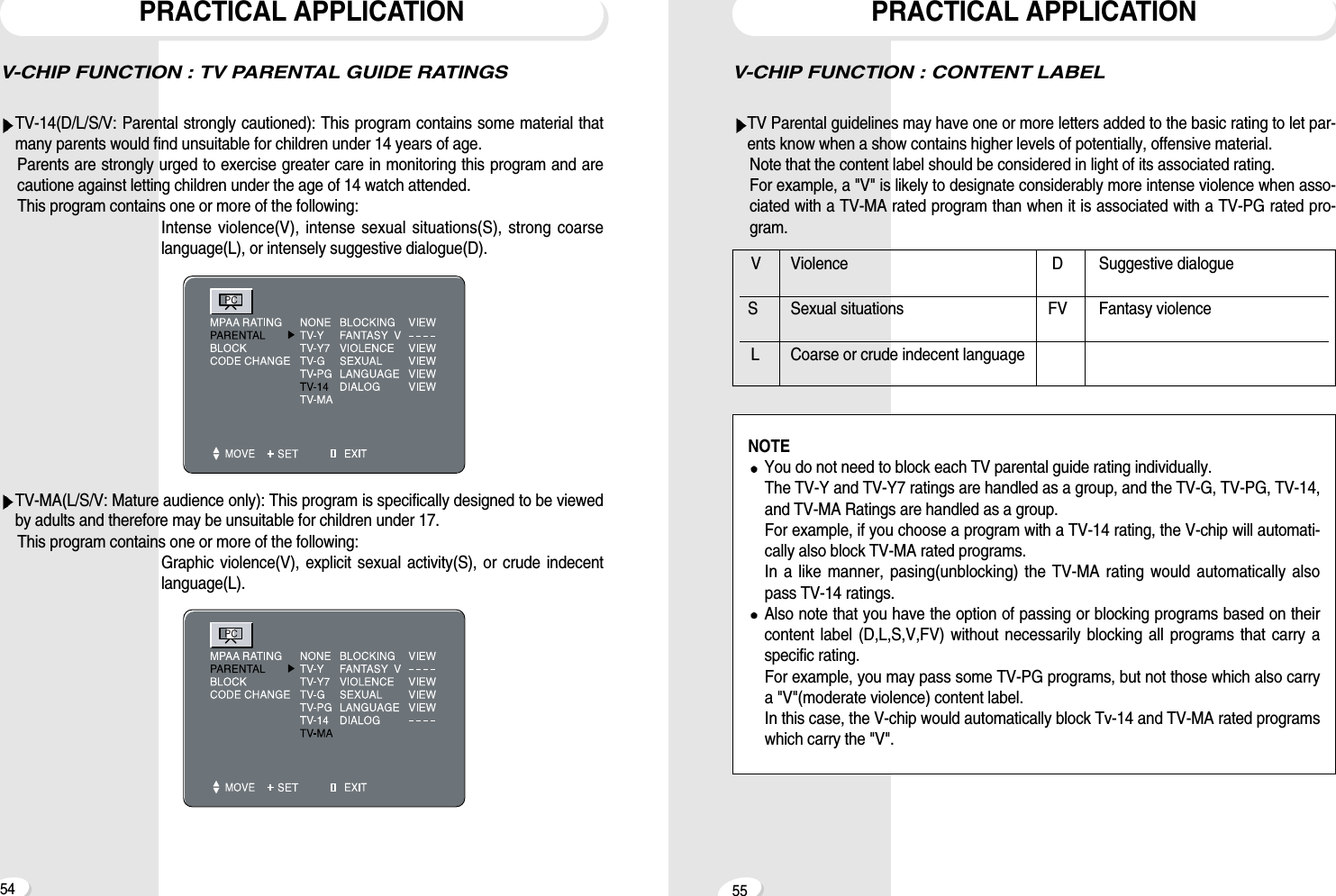
V-CHIP FUNCTION : CONTENT LABELTV Parental guidelines may have one or more letters added to the basic rating to let par-ents know when a show contains higher levels of potentially, offensive material. Note that the content label should be considered in light of its associated rating. For example, a "V" is likely to designate considerably more intense violence when asso-ciated with a TV-MA rated program than when it is associated with a TV-PG rated pro-gram.PRACTICAL APPLICATION55V-CHIP FUNCTION : TV PARENTAL GUIDE RATINGSTV-14(D/L/S/V: Parental strongly cautioned): This program contains some material thatmany parents would find unsuitable for children under 14 years of age.Parents are strongly urged to exercise greater care in monitoring this program and arecautione against letting children under the age of 14 watch attended.This program contains one or more of the following:Intense violence(V), intense sexual situations(S), strong coarselanguage(L), or intensely suggestive dialogue(D).TV-MA(L/S/V: Mature audience only): This program is specifically designed to be viewedby adults and therefore may be unsuitable for children under 17.This program contains one or more of the following:Graphic violence(V), explicit sexual activity(S), or crude indecentlanguage(L).PRACTICAL APPLICATION54V Violence D Suggestive dialogueS Sexual situations FV Fantasy violenceL Coarse or crude indecent languageNOTEYou do not need to block each TV parental guide rating individually. The TV-Y and TV-Y7 ratings are handled as a group, and the TV-G, TV-PG, TV-14,and TV-MA Ratings are handled as a group. For example, if you choose a program with a TV-14 rating, the V-chip will automati-cally also block TV-MA rated programs.In a like manner, pasing(unblocking) the TV-MA rating would automatically alsopass TV-14 ratings.Also note that you have the option of passing or blocking programs based on theircontent label (D,L,S,V,FV) without necessarily blocking all programs that carry aspecific rating.For example, you may pass some TV-PG programs, but not those which also carrya "V"(moderate violence) content label. In this case, the V-chip would automatically block Tv-14 and TV-MA rated programswhich carry the "V".
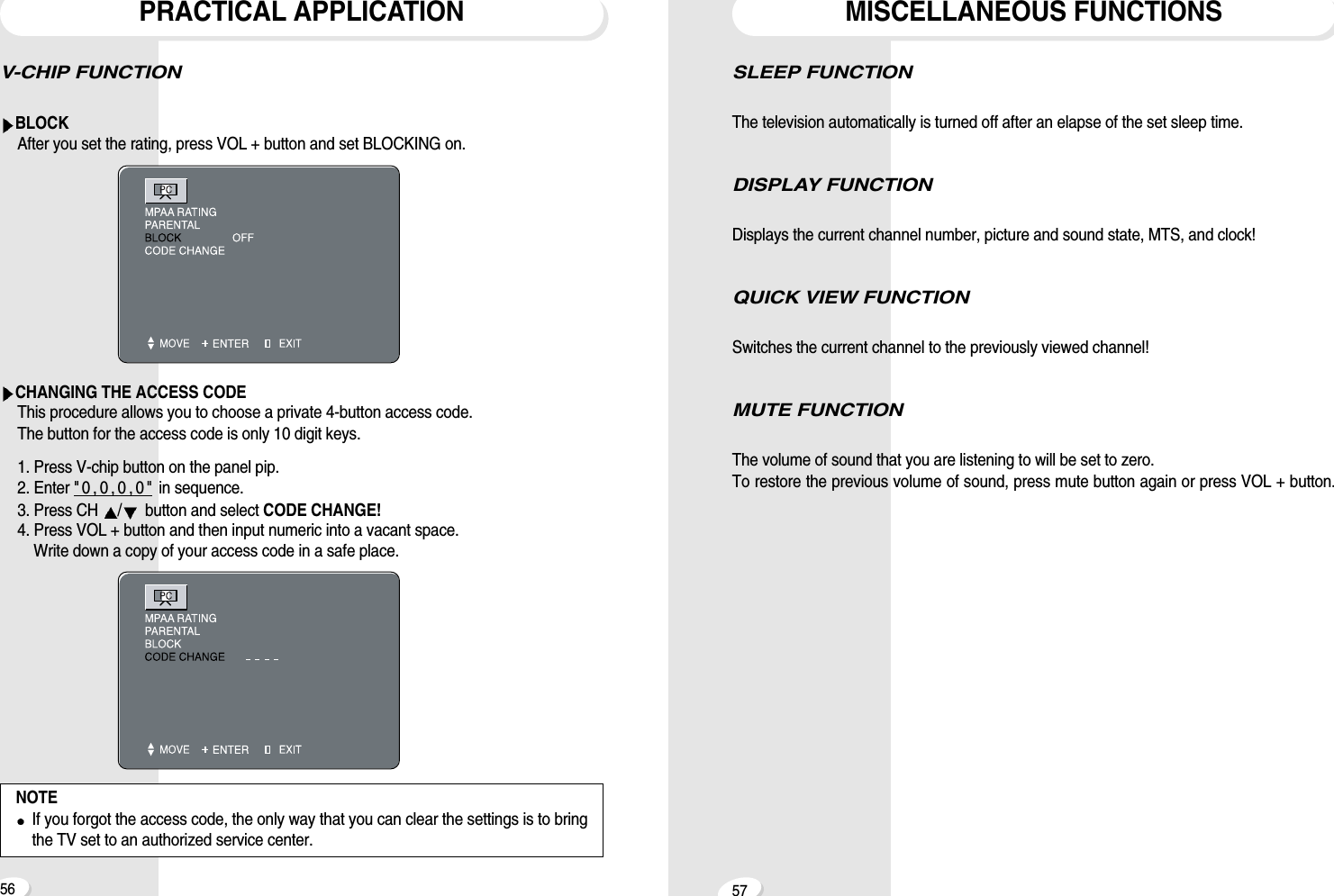
V-CHIP FUNCTION  BLOCKAfter you set the rating, press VOL + button and set BLOCKING on.CHANGING THE ACCESS CODEThis procedure allows you to choose a private 4-button access code.The button for the access code is only 10 digit keys.1. Press V-chip button on the panel pip.2. Enter " 0 , 0 , 0 , 0 " in sequence.3. Press CH  /button and select CODE CHANGE!4. Press VOL + button and then input numeric into a vacant space.Write down a copy of your access code in a safe place.PRACTICAL APPLICATION56 57SLEEP FUNCTION The television automatically is turned off after an elapse of the set sleep time. DISPLAY FUNCTION Displays the current channel number, picture and sound state, MTS, and clock!QUICK VIEW FUNCTION Switches the current channel to the previously viewed channel!MUTE FUNCTIONThe volume of sound that you are listening to will be set to zero.To restore the previous volume of sound, press mute button again or press VOL + button.MISCELLANEOUS FUNCTIONSNOTEIf you forgot the access code, the only way that you can clear the settings is to bringthe TV set to an authorized service center.
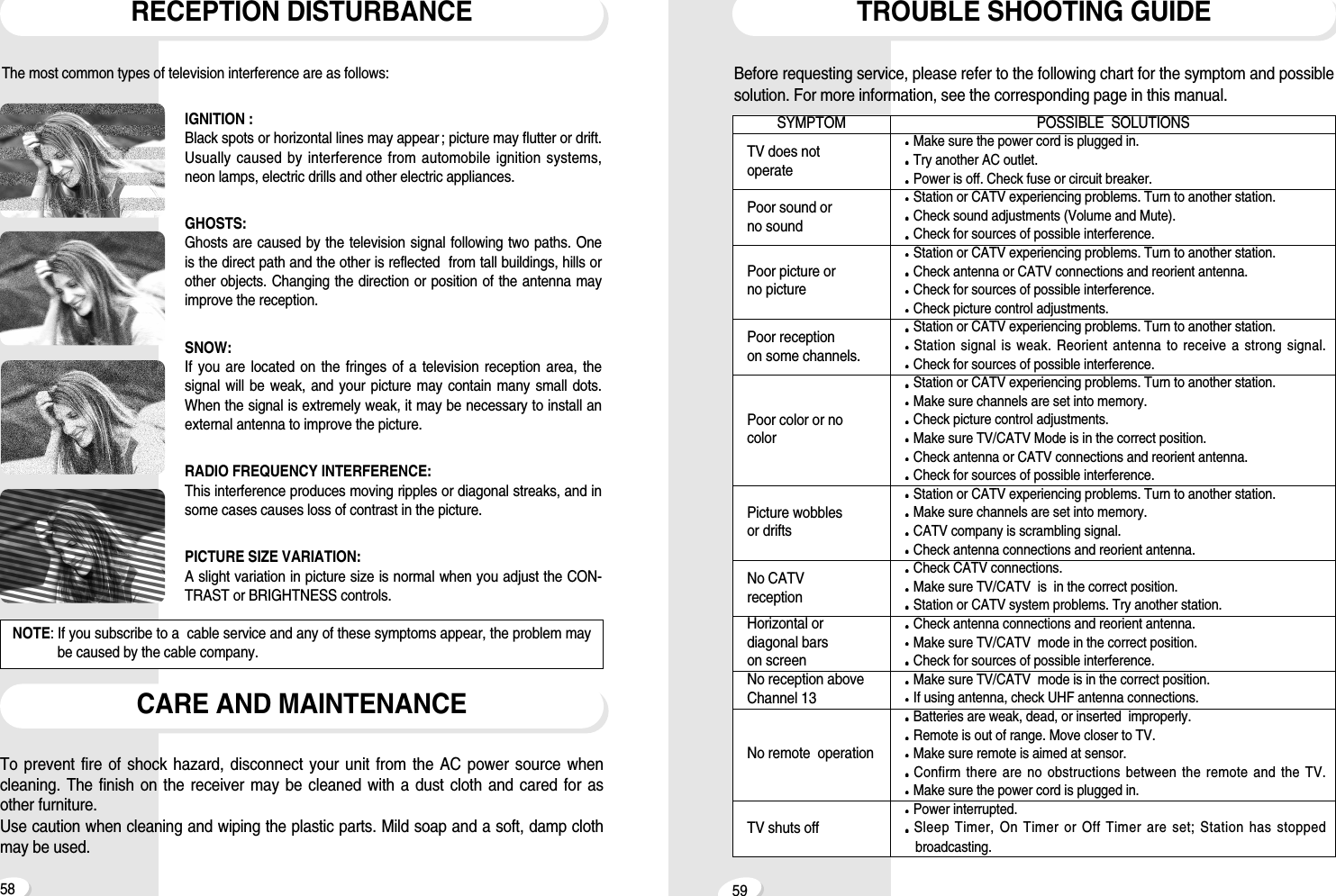
5958TROUBLE SHOOTING GUIDEBefore requesting service, please refer to the following chart for the symptom and possiblesolution. For more information, see the corresponding page in this manual. POSSIBLE  SOLUTIONSMake sure the power cord is plugged in.Try another AC outlet.Power is off. Check fuse or circuit breaker.Station or CATV experiencing problems. Turn to another station.Check sound adjustments (Volume and Mute).Check for sources of possible interference.Station or CATV experiencing problems. Turn to another station.Check antenna or CATV connections and reorient antenna.Check for sources of possible interference.Check picture control adjustments.Station or CATV experiencing problems. Turn to another station.Station signal is weak. Reorient antenna to receive a strong signal.Check for sources of possible interference.Station or CATV experiencing problems. Turn to another station.Make sure channels are set into memory.Check picture control adjustments.Make sure TV/CATV Mode is in the correct position.Check antenna or CATV connections and reorient antenna.Check for sources of possible interference.Station or CATV experiencing problems. Turn to another station.Make sure channels are set into memory.CATV company is scrambling signal.Check antenna connections and reorient antenna.Check CATV connections.Make sure TV/CATV  is  in the correct position.Station or CATV system problems. Try another station.Check antenna connections and reorient antenna.Make sure TV/CATV  mode in the correct position.Check for sources of possible interference.Make sure TV/CATV  mode is in the correct position.If using antenna, check UHF antenna connections.Batteries are weak, dead, or inserted  improperly.Remote is out of range. Move closer to TV.Make sure remote is aimed at sensor.Confirm there are no obstructions between the remote and the TV.Make sure the power cord is plugged in.Power interrupted.Sleep Timer, On Timer or Off Timer are set; Station has stoppedbroadcasting.SYMPTOMTV does notoperatePoor sound or no soundPoor picture or no picturePoor reception on some channels.Poor color or nocolorPicture wobblesor driftsNo CATVreceptionHorizontal ordiagonal barson screenNo reception aboveChannel 13No remote  operationTV shuts offRECEPTION DISTURBANCECARE AND MAINTENANCEThe most common types of television interference are as follows:IGNITION : Black spots or horizontal lines may appear ; picture may flutter or drift.Usually caused by interference from automobile ignition systems,neon lamps, electric drills and other electric appliances.GHOSTS: Ghosts are caused by the television signal following two paths. One is the direct path and the other is reflected  from tall buildings, hills orother objects. Changing the direction or position of the antenna mayimprove the reception.SNOW: If you are located on the fringes of a television reception area, thesignal will be weak, and your picture may contain many small dots.When the signal is extremely weak, it may be necessary to install anexternal antenna to improve the picture.RADIO FREQUENCY INTERFERENCE: This interference produces moving ripples or diagonal streaks, and insome cases causes loss of contrast in the picture.PICTURE SIZE VARIATION: A slight variation in picture size is normal when you adjust the CON-TRAST or BRIGHTNESS controls.NOTE: If you subscribe to a  cable service and any of these symptoms appear, the problem maybe caused by the cable company. To prevent fire of shock hazard, disconnect your unit from the AC power source whencleaning. The finish on the receiver may be cleaned with a dust cloth and cared for asother furniture. Use caution when cleaning and wiping the plastic parts. Mild soap and a soft, damp clothmay be used.
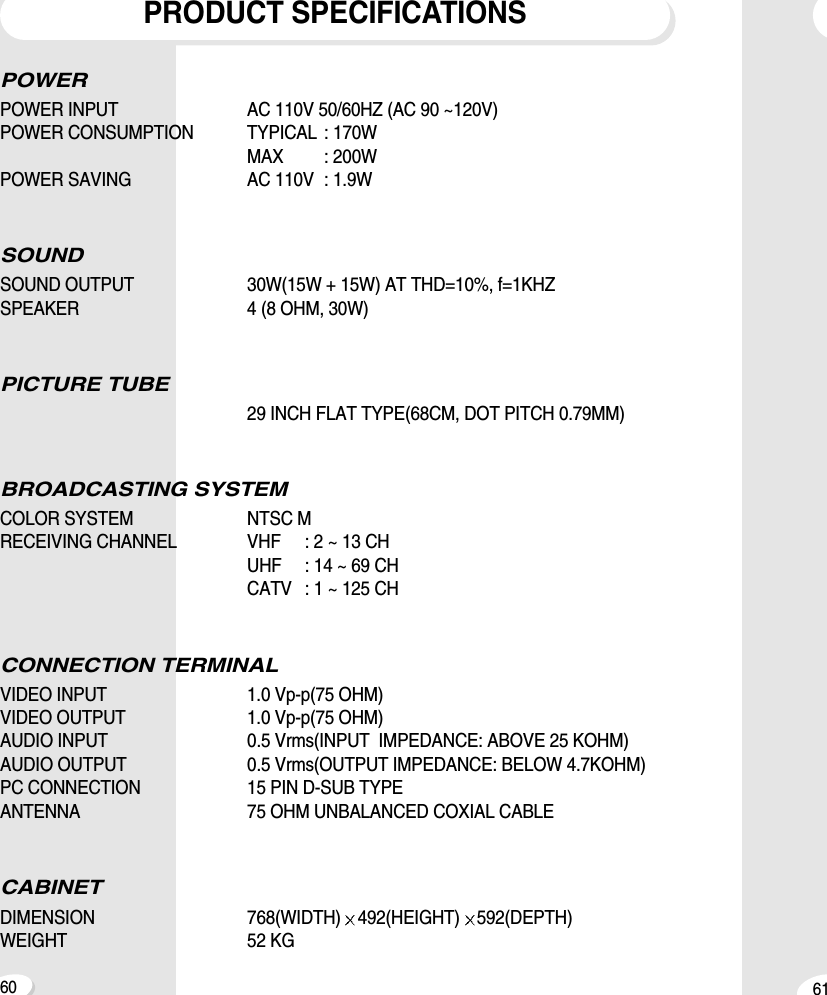
6160POWER POWER INPUT AC 110V 50/60HZ (AC 90 ~120V)POWER CONSUMPTION TYPICAL : 170W MAX : 200WPOWER SAVING AC 110V : 1.9WSOUNDSOUND OUTPUT 30W(15W + 15W) AT THD=10%, f=1KHZSPEAKER 4 (8 OHM, 30W)PICTURE TUBE29 INCH FLAT TYPE(68CM, DOT PITCH 0.79MM)BROADCASTING SYSTEMCOLOR SYSTEM NTSC MRECEIVING CHANNEL VHF : 2 ~ 13 CHUHF : 14 ~ 69 CHCATV : 1 ~ 125 CHCONNECTION TERMINALVIDEO INPUT 1.0 Vp-p(75 OHM)VIDEO OUTPUT 1.0 Vp-p(75 OHM)AUDIO INPUT 0.5 Vrms(INPUT  IMPEDANCE: ABOVE 25 KOHM)AUDIO OUTPUT 0.5 Vrms(OUTPUT IMPEDANCE: BELOW 4.7KOHM)PC CONNECTION 15 PIN D-SUB TYPEANTENNA 75 OHM UNBALANCED COXIAL CABLECABINETDIMENSION 768(WIDTH) 492(HEIGHT) 592(DEPTH)WEIGHT 52 KGPRODUCT SPECIFICATIONS
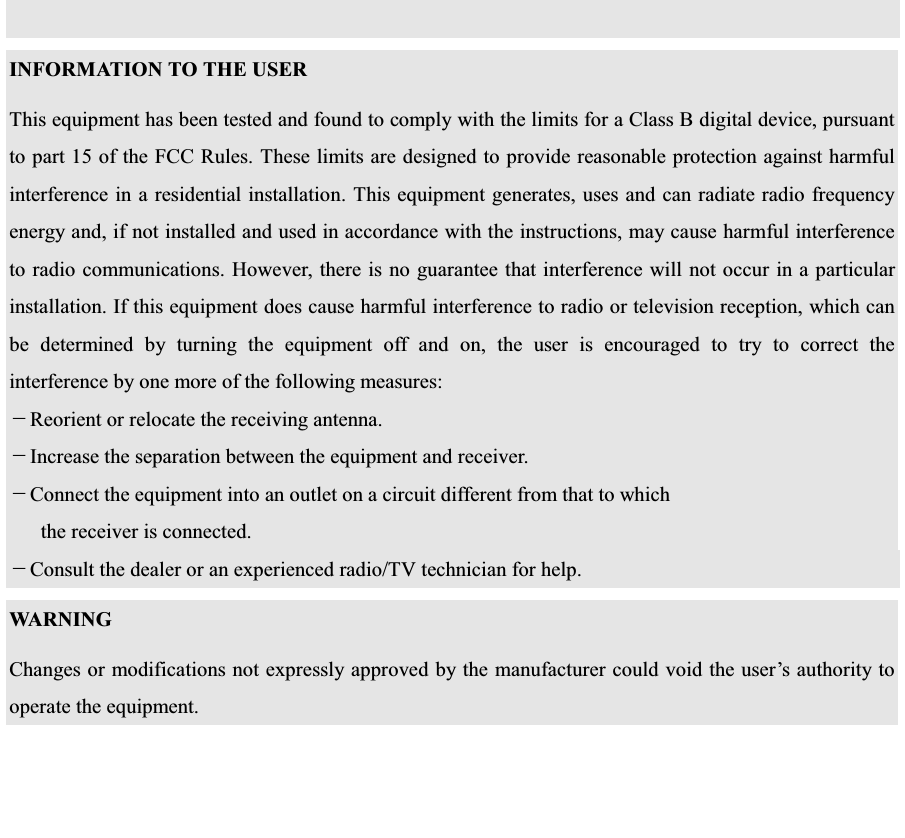
   !  "# "   $%& $' 

Navigation menu