LeapFrog 0203101 13 MHz Wireless Device - TX User Manual 21035 SCart r5 PG 051002 qx Page 1

LeapFrog Enterprises, Inc. 13 MHz Wireless Device - TX 21035 SCart r5 PG 051002 qx Page 1

users manual

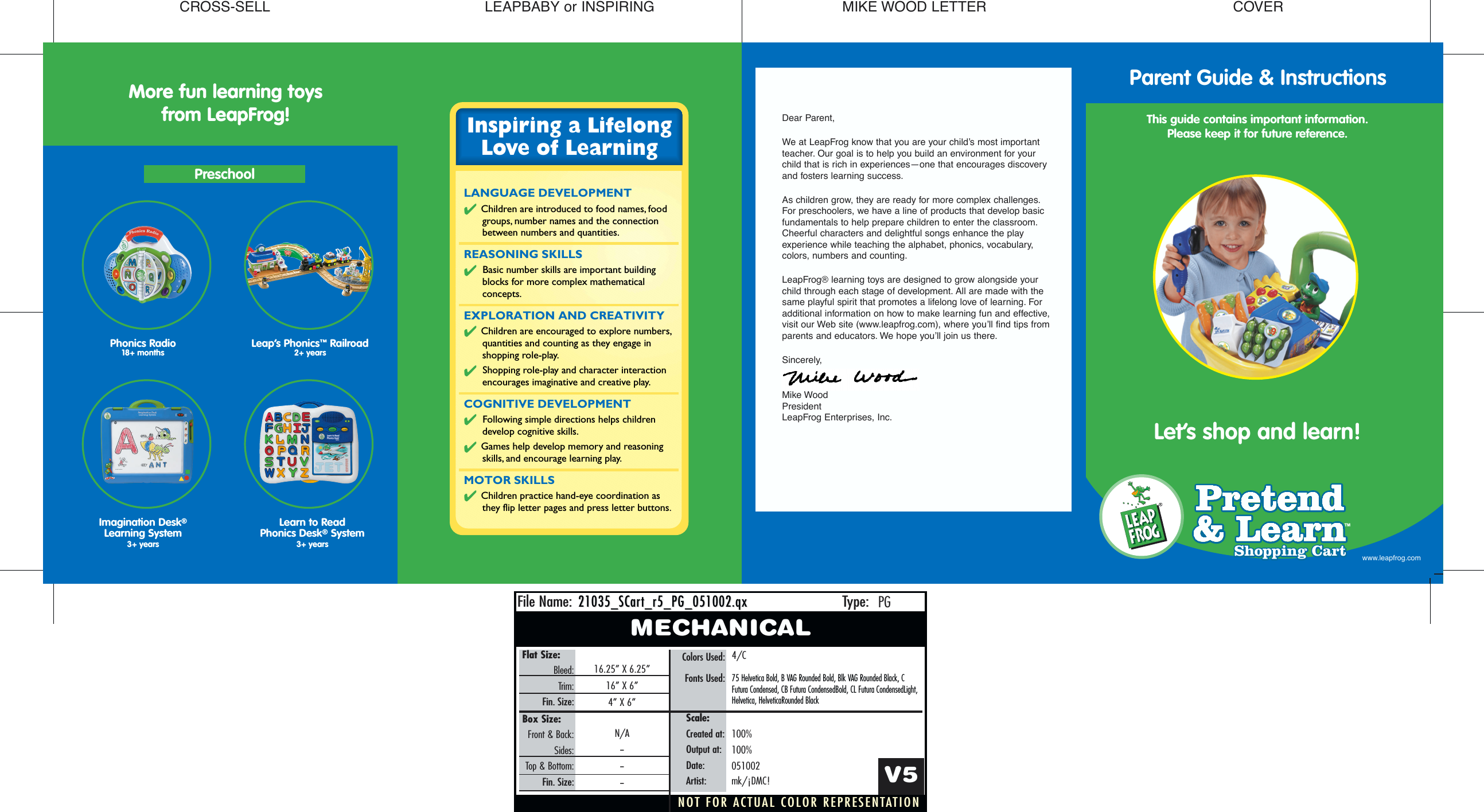
CROSS-SELLNOT FOR ACTUAL COLOR REPRESENTATIONFile Name: Type:21035_SCar21035_SCart_r5_PG_051002.qxt_r5_PG_051002.qxPGMECHANICALFlat Size:Bleed:Trim:Fin. Size:Colors Used:Fonts Used:16.25” X 6.25”16” X 6”4” X 6”4/C75 Helvetica Bold, B VAG Rounded Bold, Blk VAG Rounded Black, CFutura Condensed, CB Futura CondensedBold, CL Futura CondensedLight,Helvetica, HelveticaRounded BlackV5Scale:Created at:Output at:Date:Artist:100%100%051002mk/¡DMC!Box Size:Front & Back:Sides:Top & Bottom:Fin. Size:N/A------Shopping CartShopping Cart™Let’s shop and learn! Inspiring a LifelongLove of LearningLANGUAGE DEVELOPMENT✔ Children are introduced to food names, food groups, number names and the connection between numbers and quantities.REASONING SKILLS✔ Basic number skills are important building blocks for more complex mathematical concepts.EXPLORATION AND CREATIVITY✔ Children are encouraged to explore numbers, quantities and counting as they engage in shopping role-play.✔ Shopping role-play and character interaction encourages imaginative and creative play.COGNITIVE DEVELOPMENT✔ Following simple directions helps children develop cognitive skills.✔ Games help develop memory and reasoning skills, and encourage learning play.MOTOR SKILLS✔ Children practice hand-eye coordination as they flip letter pages and press letter buttons.COVERMIKE WOOD LETTERLEAPBABY or INSPIRINGMore fun learning toysfrom LeapFrog! Dear Parent, We at LeapFrog know that you are your child’s most importantteacher. Our goal is to help you build an environment for your child that is rich in experiences—one that encourages discovery and fosters learning success.As children grow, they are ready for more complex challenges.For preschoolers, we have a line of products that develop basicfundamentals to help prepare children to enter the classroom.Cheerful characters and delightful songs enhance the playexperience while teaching the alphabet, phonics, vocabulary, colors, numbers and counting.LeapFrog® learning toys are designed to grow alongside your child through each stage of development. All are made with thesame playful spirit that promotes a lifelong love of learning. Foradditional information on how to make learning fun and effective,visit our Web site (www.leapfrog.com), where you’ll find tips fromparents and educators. We hope you’ll join us there.Sincerely,Mike Wood PresidentLeapFrog Enterprises, Inc.Phonics Radio 18+ monthsPreschoolLeap’s Phonics™Railroad2+ years Imagination Desk®Learning System3+ yearsLearn to Read Phonics Desk®System3+ yearsParent Guide & InstructionsThis guide contains important information.Please keep it for future reference.www.leapfrog.com
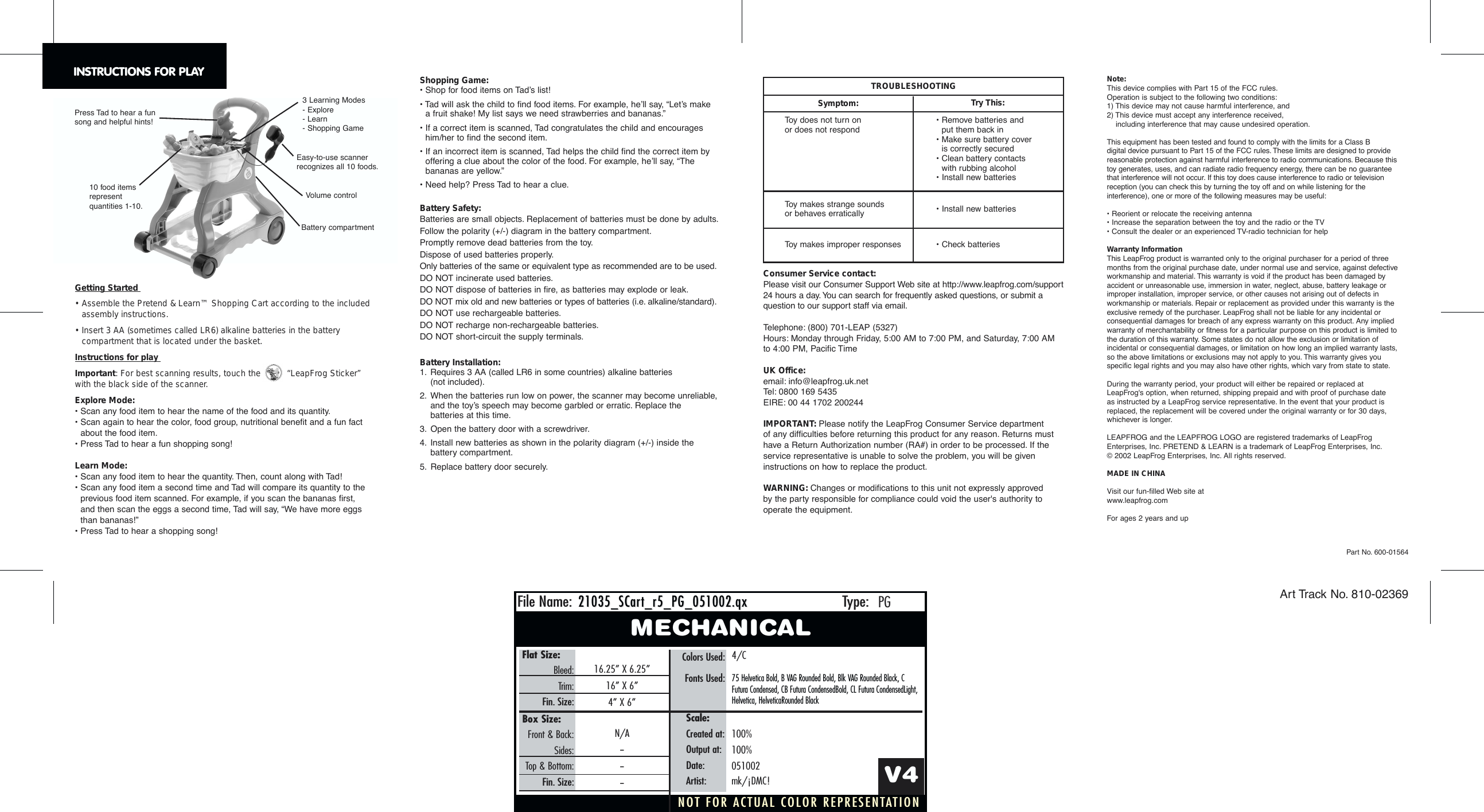
NOT FOR ACTUAL COLOR REPRESENTATIONFile Name: Type:21035_SCar21035_SCart_r5_PG_051002.qxt_r5_PG_051002.qxPGMECHANICALFlat Size:Bleed:Trim:Fin. Size:Colors Used:Fonts Used:16.25” X 6.25”16” X 6”4” X 6”4/C75 Helvetica Bold, B VAG Rounded Bold, Blk VAG Rounded Black, CFutura Condensed, CB Futura CondensedBold, CL Futura CondensedLight,Helvetica, HelveticaRounded BlackV4Scale:Created at:Output at:Date:Artist:100%100%051002mk/¡DMC!Box Size:Front & Back:Sides:Top & Bottom:Fin. Size:N/A------Getting Started • Assemble the Pretend & Learn™ Shopping Cart according to the includedassembly instructions.• Insert 3 AA (sometimes called LR6) alkaline batteries in the batterycompartment that is located under the basket.Instructions for play Important: For best scanning results, touch the  “LeapFrog Sticker” with the black side of the scanner.Explore Mode:• Scan any food item to hear the name of the food and its quantity.• Scan again to hear the color, food group, nutritional benefit and a fun factabout the food item.• Press Tad to hear a fun shopping song!Learn Mode:• Scan any food item to hear the quantity. Then, count along with Tad!• Scan any food item a second time and Tad will compare its quantity to theprevious food item scanned. For example, if you scan the bananas first, and then scan the eggs a second time, Tad will say, “We have more eggs than bananas!”• Press Tad to hear a shopping song!Part No. 600-01564Art Track No. 810-02369INSTRUCTIONS FOR PLAYToy does not turn on or does not respondToy makes strange soundsor behaves erraticallyToy makes improper responses• Remove batteries and put them back in• Make sure battery cover is correctly secured• Clean battery contacts with rubbing alcohol• Install new batteries• Install new batteries• Check batteriesTROUBLESHOOTINGSymptom: Try This:Volume controlBattery compartment3 Learning Modes- Explore - Learn - Shopping Game Press Tad to hear a funsong and helpful hints!10 food items represent quantities 1-10.Easy-to-use scanner recognizes all 10 foods.Note:This device complies with Part 15 of the FCC rules.Operation is subject to the following two conditions:1) This device may not cause harmful interference, and2) This device must accept any interference received, including interference that may cause undesired operation.This equipment has been tested and found to comply with the limits for a Class B digital device pursuant to Part 15 of the FCC rules. These limits are designed to providereasonable protection against harmful interference to radio communications. Because thistoy generates, uses, and can radiate radio frequency energy, there can be no guaranteethat interference will not occur. If this toy does cause interference to radio or televisionreception (you can check this by turning the toy off and on while listening for theinterference), one or more of the following measures may be useful:• Reorient or relocate the receiving antenna• Increase the separation between the toy and the radio or the TV• Consult the dealer or an experienced TV-radio technician for helpWarranty InformationThis LeapFrog product is warranted only to the original purchaser for a period of threemonths from the original purchase date, under normal use and service, against defectiveworkmanship and material. This warranty is void if the product has been damaged byaccident or unreasonable use, immersion in water, neglect, abuse, battery leakage orimproper installation, improper service, or other causes not arising out of defects inworkmanship or materials. Repair or replacement as provided under this warranty is theexclusive remedy of the purchaser. LeapFrog shall not be liable for any incidental orconsequential damages for breach of any express warranty on this product. Any impliedwarranty of merchantability or fitness for a particular purpose on this product is limited tothe duration of this warranty. Some states do not allow the exclusion or limitation ofincidental or consequential damages, or limitation on how long an implied warranty lasts,so the above limitations or exclusions may not apply to you. This warranty gives youspecific legal rights and you may also have other rights, which vary from state to state.During the warranty period, your product will either be repaired or replaced atLeapFrog's option, when returned, shipping prepaid and with proof of purchase date as instructed by a LeapFrog service representative. In the event that your product isreplaced, the replacement will be covered under the original warranty or for 30 days,whichever is longer.LEAPFROG and the LEAPFROG LOGO are registered trademarks of LeapFrogEnterprises, Inc. PRETEND & LEARN is a trademark of LeapFrog Enterprises, Inc.©2002 LeapFrog Enterprises, Inc. All rights reserved.MADE IN CHINAVisit our fun-filled Web site at www.leapfrog.comFor ages 2 years and upShopping Game:• Shop for food items on Tad’s list!• Tad will ask the child to find food items. For example, he’ll say, “Let’s make a fruit shake! My list says we need strawberries and bananas.”• If a correct item is scanned, Tad congratulates the child and encourageshim/her to find the second item.• If an incorrect item is scanned, Tad helps the child find the correct item byoffering a clue about the color of the food. For example, he’ll say, “The bananas are yellow.”• Need help? Press Tad to hear a clue.Battery Safety:Batteries are small objects. Replacement of batteries must be done by adults.Follow the polarity (+/-) diagram in the battery compartment.Promptly remove dead batteries from the toy.Dispose of used batteries properly.Only batteries of the same or equivalent type as recommended are to be used.DO NOT incinerate used batteries.DO NOT dispose of batteries in fire, as batteries may explode or leak.DO NOT mix old and new batteries or types of batteries (i.e. alkaline/standard).DO NOT use rechargeable batteries.DO NOT recharge non-rechargeable batteries.DO NOT short-circuit the supply terminals.Battery Installation:1. Requires 3 AA (called LR6 in some countries) alkaline batteries (not included).2. When the batteries run low on power, the scanner may become unreliable,and the toy’s speech may become garbled or erratic. Replace thebatteries at this time.3. Open the battery door with a screwdriver.4. Install new batteries as shown in the polarity diagram (+/-) inside the battery compartment.5. Replace battery door securely.Consumer Service contact:Please visit our Consumer Support Web site at http://www.leapfrog.com/support24 hours a day. You can search for frequently asked questions, or submit aquestion to our support staff via email.Telephone: (800) 701-LEAP (5327) Hours: Monday through Friday, 5:00 AM to 7:00 PM, and Saturday, 7:00 AMto 4:00 PM, Pacific TimeUK Office:email: info@leapfrog.uk.netTel: 0800 169 5435EIRE: 00 44 1702 200244IMPORTANT: Please notify the LeapFrog Consumer Service department of any difficulties before returning this product for any reason. Returns musthave a Return Authorization number (RA#) in order to be processed. If theservice representative is unable to solve the problem, you will be giveninstructions on how to replace the product.WARNING: Changes or modifications to this unit not expressly approved by the party responsible for compliance could void the user's authority tooperate the equipment.

Navigation menu