Lelux Electronics LELUX615PR Wireless Motion Detector Sensor User Manual

Lelux Electronics Ltd Wireless Motion Detector Sensor Users Manual

Users Manual

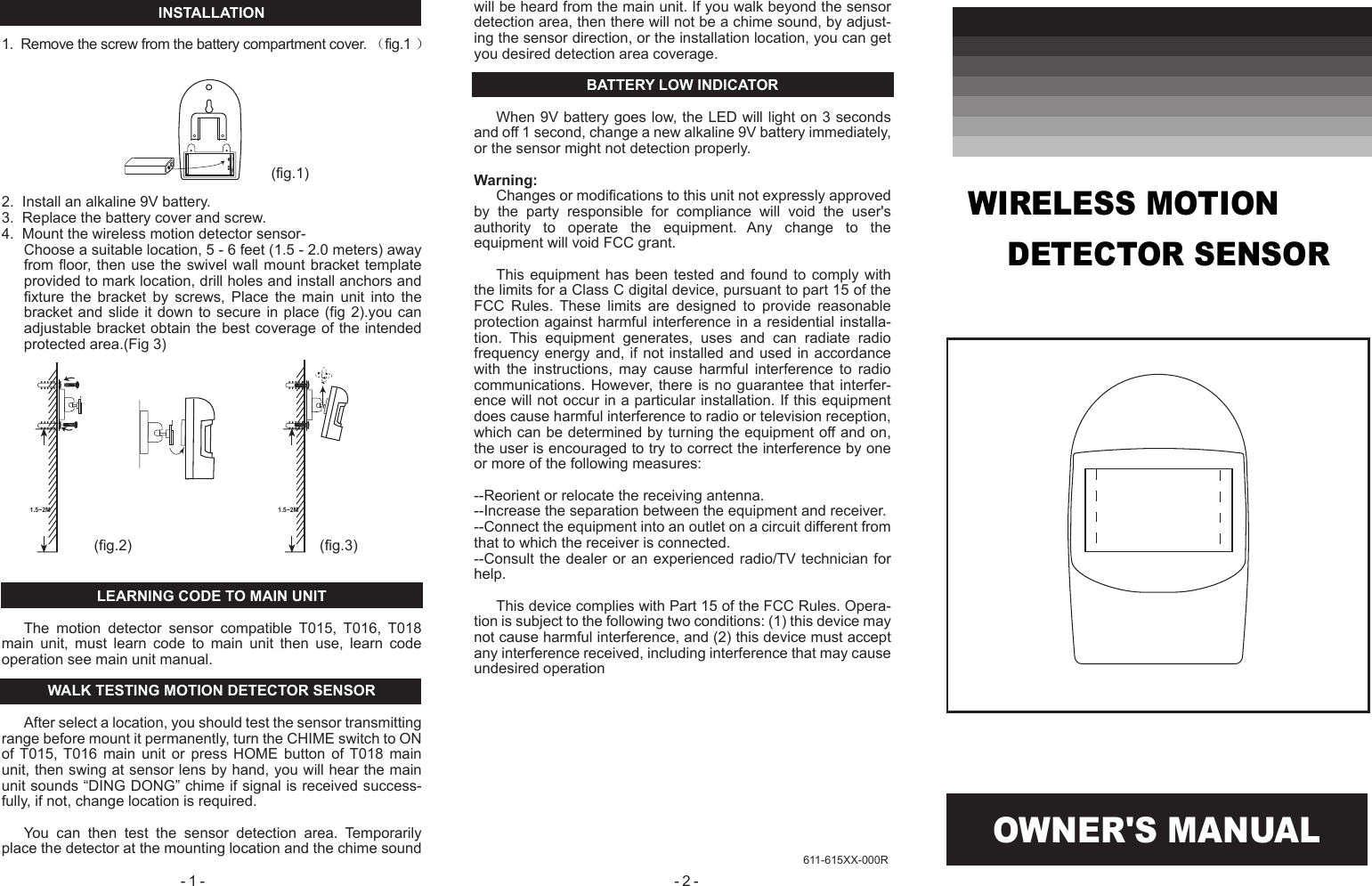
OWNER'S MANUAL- 2 - - 1 - 611-615XX-000RINSTALLATION1.  Remove the screw from the battery compartment cover. (fig.1 )2.  Install an alkaline 9V battery.3.  Replace the battery cover and screw.4.  Mount the wireless motion detector sensor-Choose a suitable location, 5 - 6 feet (1.5 - 2.0 meters) away from floor,  then  use  the  swivel  wall  mount  bracket template provided to mark location, drill holes and install anchors and fixture  the  bracket  by  screws,  Place  the  main  unit  into  the bracket and slide it down to secure  in  place  (fig  2).you can adjustable bracket obtain the best coverage of the intended protected area.(Fig 3)LEARNING CODE TO MAIN UNITThe  motion  detector  sensor  compatible  T015,  T016,  T018 main  unit,  must  learn  code  to  main  unit  then  use,  learn  code operation see main unit manual.WALK TESTING MOTION DETECTOR SENSORAfter select a location, you should test the sensor transmitting range before mount it permanently, turn the CHIME switch to ON of T015,  T016  main  unit  or  press  HOME  button  of T018  main unit, then swing at sensor lens by hand, you will hear the main unit sounds “DING DONG” chime if signal is received success-fully, if not, change location is required.You  can  then  test  the  sensor  detection  area.  Temporarily place the detector at the mounting location and the chime sound will be heard from the main unit. If you walk beyond the sensor detection area, then there will not be a chime sound, by adjust-ing the sensor direction, or the installation location, you can get you desired detection area coverage.BATTERY LOW INDICATORWhen 9V battery goes low, the LED will light on 3 seconds and off 1 second, change a new alkaline 9V battery immediately, or the sensor might not detection properly.Warning:Changes or modifications to this unit not expressly approved by  the  party  responsible  for  compliance  will  void  the  user's authority  to  operate  the  equipment.  Any  change  to  the equipment will void FCC grant.This equipment  has  been  tested  and  found  to  comply with the limits for a Class C digital device, pursuant to part 15 of the FCC  Rules.  These  limits  are  designed  to  provide  reasonable protection against harmful interference in a residential installa-tion.  This  equipment  generates,  uses  and  can  radiate  radio frequency energy and, if not installed and used in accordance with  the  instructions,  may  cause  harmful  interference  to  radio communications. However, there  is  no  guarantee  that interfer-ence will not occur in a particular installation. If this equipment does cause harmful interference to radio or television reception, which can be determined by turning the equipment off and on, the user is encouraged to try to correct the interference by one or more of the following measures:--Reorient or relocate the receiving antenna.--Increase the separation between the equipment and receiver.--Connect the equipment into an outlet on a circuit different from that to which the receiver is connected.--Consult the dealer or an experienced radio/TV technician for help.This device complies with Part 15 of the FCC Rules. Opera-tion is subject to the following two conditions: (1) this device may not cause harmful interference, and (2) this device must accept any interference received, including interference that may cause undesired operation(fig.1)(fig.2) (fig.3)1.5~2M 1.5~2MWIRELESS MOTION     DETECTOR SENSOR

Navigation menu