MAIXIN GROUP MAPAN MaPan Tablet PC User Manual

MAIXIN GROUP (CHINA) CO., LIMITED MaPan Tablet PC Users Manual

Users Manual

MaPan MaPan MaPan MaPanUser User User User’’’’ssssGuide Guide Guide GuideDearUsers,ThankyouforbuyingourMaPanTabletPC.ThisisaMaPanUser’sGuide,pleasereaditbeforeyouusetheproductinordertomakesureyoucanuseitconveniently.
Contents1.Notes2.Accessories3.Hardwarerules4.Startupandshutdown5.Thedesktop6.Buttons7.Systemsettings*Wireless&Networks*Sound*Date&Time*display*Screenstandby*wireless*HDMI8.Install,deleteandruntheapplication9.Touchcalibration10.Network11.Music12.Video13.Photobrowse14.Wallpaper15.Recording16.Photograph17.Market18.E-mail19.Externaldevice*USBconnection*OTGuse*Keyboardandmouse
Notes Notes Notes Notes: :::*Thisisahigh-densityelectronicproduct;pleasedonotdismantleitbyyourself.*Avoidstrongbeatandcollision.*Avoidusingthisproductinthefollowingenvironments:highandlowtemperature,humidity,dusty,withstrongmagneticandlong-termexposuretothesun.*Pleasewipetheproductshellusetwistdrywetcottonclothgently;theuseofotherchemicalcleaningisprohibited.Thisproductshouldkeepawayfromwaterdropandwatersplash,socupsfilledwithliquidsshouldnotbeplacedneartheproduct.*Usetheheadsetlongtime,highvolumemaycausepermanentdamagetohearing.*Donotuseheadphoneswhengoingacrossaroad,drivingamotorcycleorbicycle,inordertoavoidtrafficaccidents.*Pleaseusepermittedbattery,chargerandaccessoriesonly,theuseofanyothertypeofproductwouldbeabreachofwarrantyregulations,andmaybedangerous.*Pleasedealwithwastemachineryandaccessoriesaccordingtolocalenvironmentalregulations.*Ifyouhaveanyquestionsintheprocessofusingoftheproduct,pleasecontactthelocaldealerorcontactcustomerservicecenterofourcompanydirectly.*Forthesmearedmemorylossthatiscausedbyproductdamage,repairorothercausesofproductdamage,repair,thecompanyisnotresponsibleforit,sopleasefollowtheuser'sguideandtimelybackup.AAAAccessories ccessories ccessories ccessories: :::Charger:5V,2500maEarphoneCleaningclothUSBCable/OTGcable
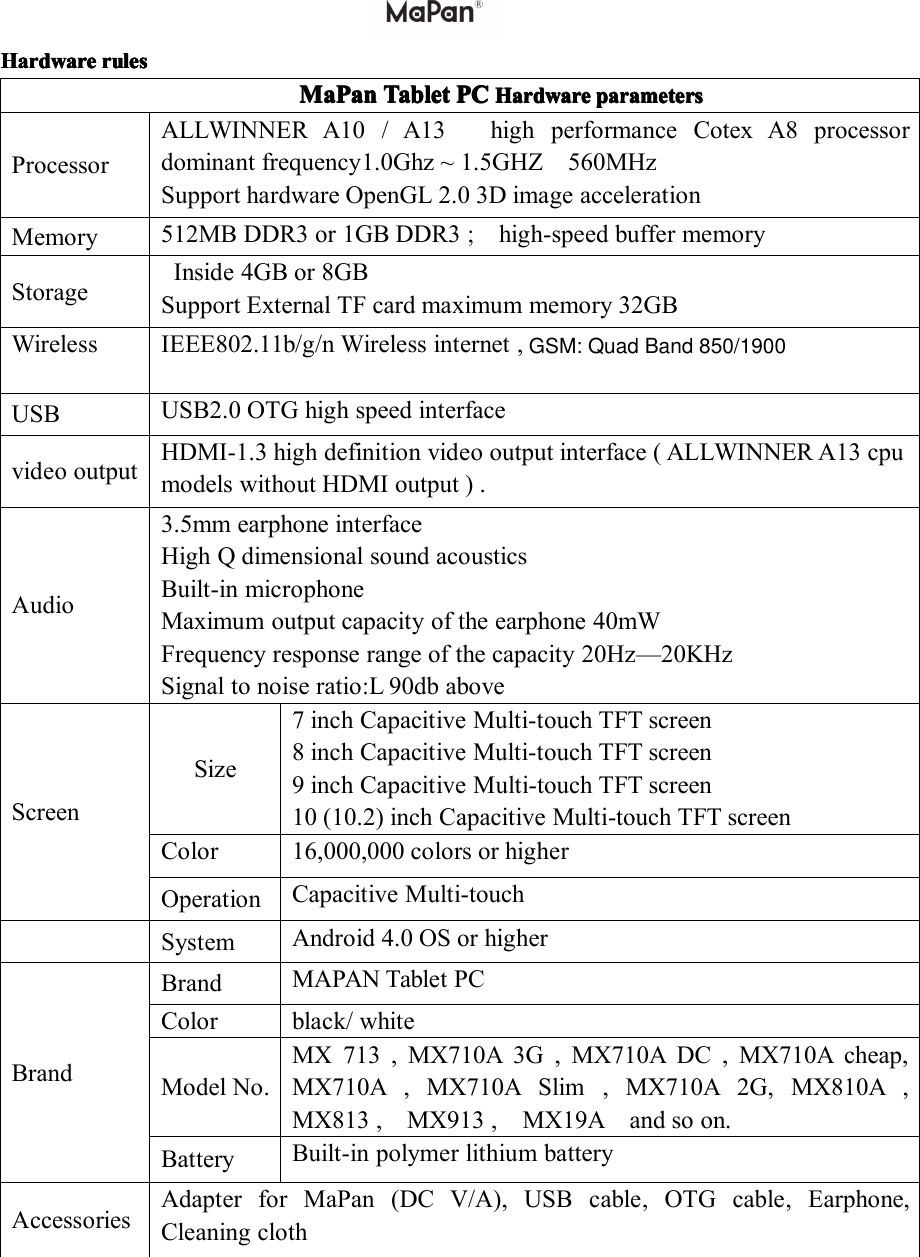
HHHHardware ardware ardware ardwarerules rules rules rulesMaPan MaPan MaPan MaPanTablet Tablet Tablet TabletPC PC PC PCHHHHardware ardware ardware ardwareparameters parameters parameters parametersProcessorALLWINNERA10/A13highperformanceCotexA8processordominantfrequency1.0Ghz~1.5GHZ560MHzSupporthardwareOpenGL2.03DimageaccelerationMemory512MBDDR3or1GBDDR3;high-speedbuffermemoryStorageInside4GBor8GBSupportExternalTFcardmaximummemory32GBWirelessIEEE802.11b/g/nWirelessinternet,USBUSB2.0OTGhighspeedinterfacevideooutputHDMI-1.3highdefinitionvideooutputinterface(ALLWINNERA13cpumodelswithoutHDMIoutput).Audio3.5mmearphoneinterfaceHighQdimensionalsoundacousticsBuilt-inmicrophoneMaximumoutputcapacityoftheearphone40mWFrequencyresponserangeofthecapacity20Hz—20KHzSignaltonoiseratio:L90dbaboveScreenSize7inchCapacitiveMulti-touchTFTscreen8inchCapacitiveMulti-touchTFTscreen9inchCapacitiveMulti-touchTFTscreen10(10.2)inchCapacitiveMulti-touchTFTscreenColor16,000,000colorsorhigherOperationCapacitiveMulti-touchSystemAndroid4.0OSorhigherBrandBrandMAPANTabletPCColorblack/whiteModelNo.MX713,MX710A3G,MX710ADC,MX710Acheap,MX710A,MX710ASlim,MX710A2G,MX810A,MX813,MX913,MX19Aandsoon.BatteryBuilt-inpolymerlithiumbatteryAccessoriesAdapterforMaPan(DCV/A),USBcable,OTGcable,Earphone,CleaningclothGSM: Quad Band 850/1900
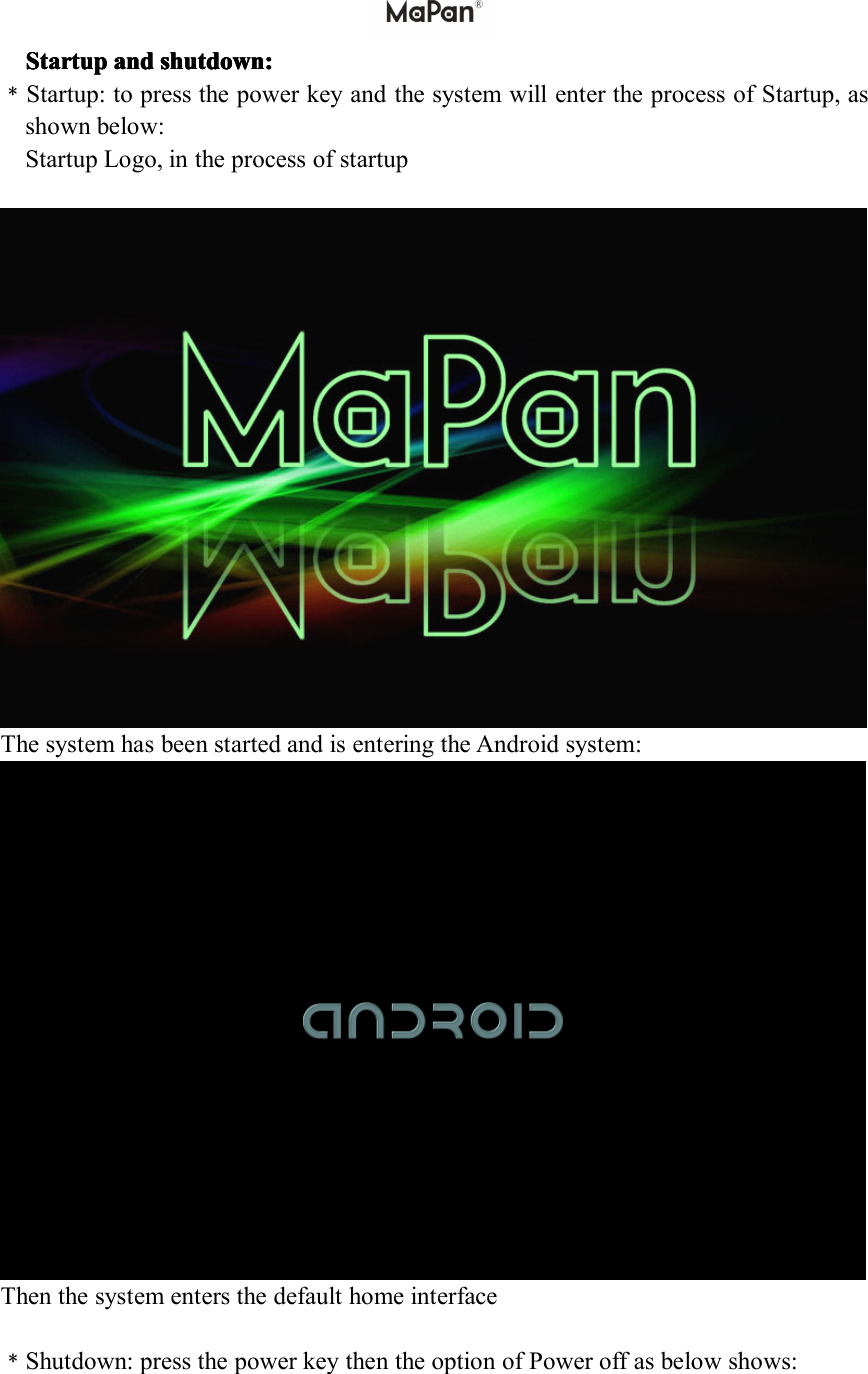
Startup Startup Startup Startupand and and andshutdown shutdown shutdown shutdown: :::﹡Startup:topressthepowerkeyandthesystemwillentertheprocessofStartup,asshownbelow:StartupLogo,intheprocessofstartupThesystemhasbeenstartedandisenteringtheAndroidsystem:Thenthesystementersthedefaulthomeinterface﹡Shutdown:pressthepowerkeythentheoptionofPoweroffasbelowshows:
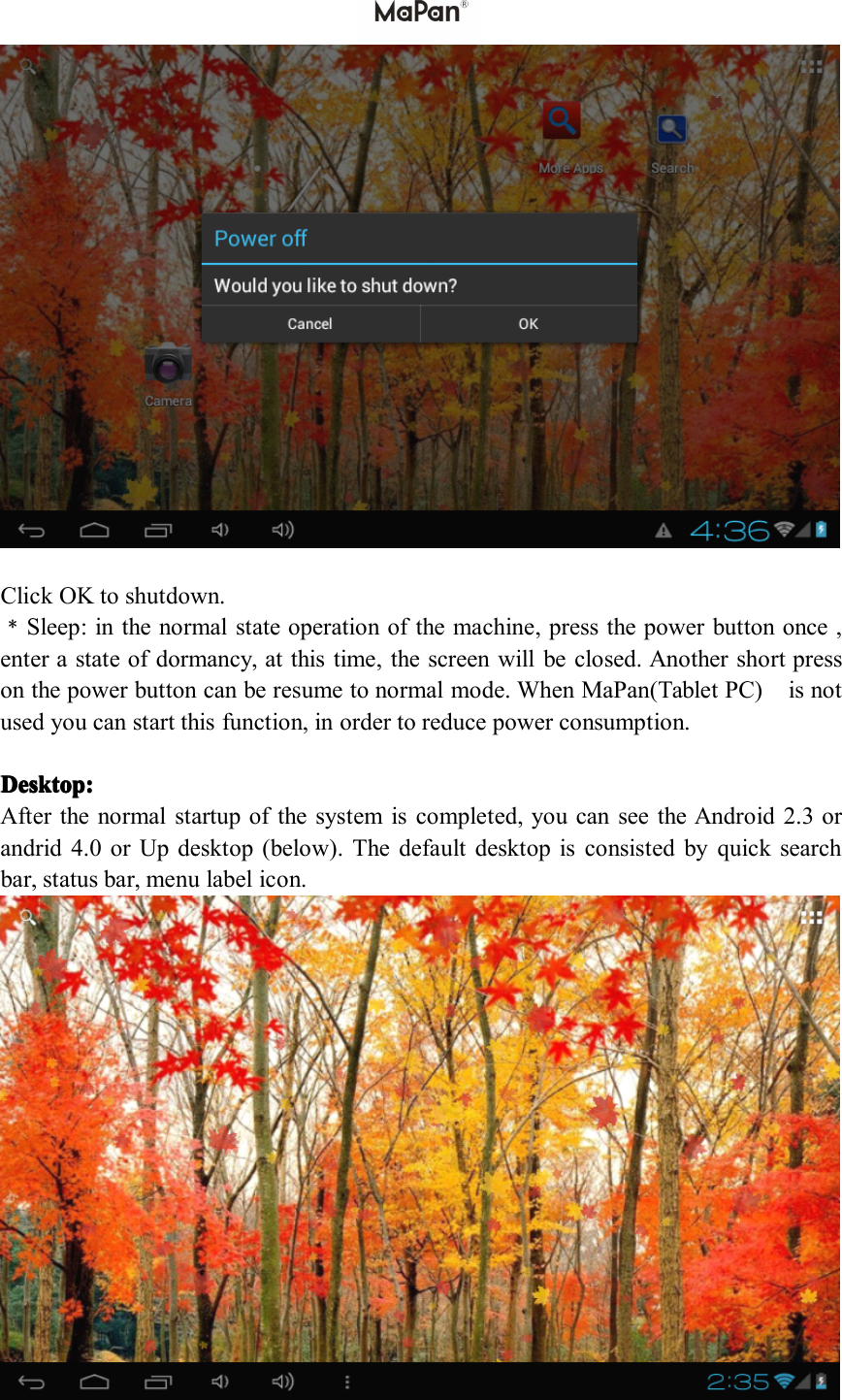
ClickOKtoshutdown.﹡Sleep:inthenormalstateoperationofthemachine,pressthepowerbuttononce,enterastateofdormancy,atthistime,thescreenwillbeclosed.Anothershortpressonthepowerbuttoncanberesumetonormalmode.WhenMaPan(TabletPC)isnotusedyoucanstartthisfunction,inordertoreducepowerconsumption.Desktop: Desktop: Desktop: Desktop:Afterthenormalstartupofthesystemiscompleted,youcanseetheAndroid2.3orandrid4.0orUpdesktop(below).Thedefaultdesktopisconsistedbyquicksearchbar,statusbar,menulabelicon.
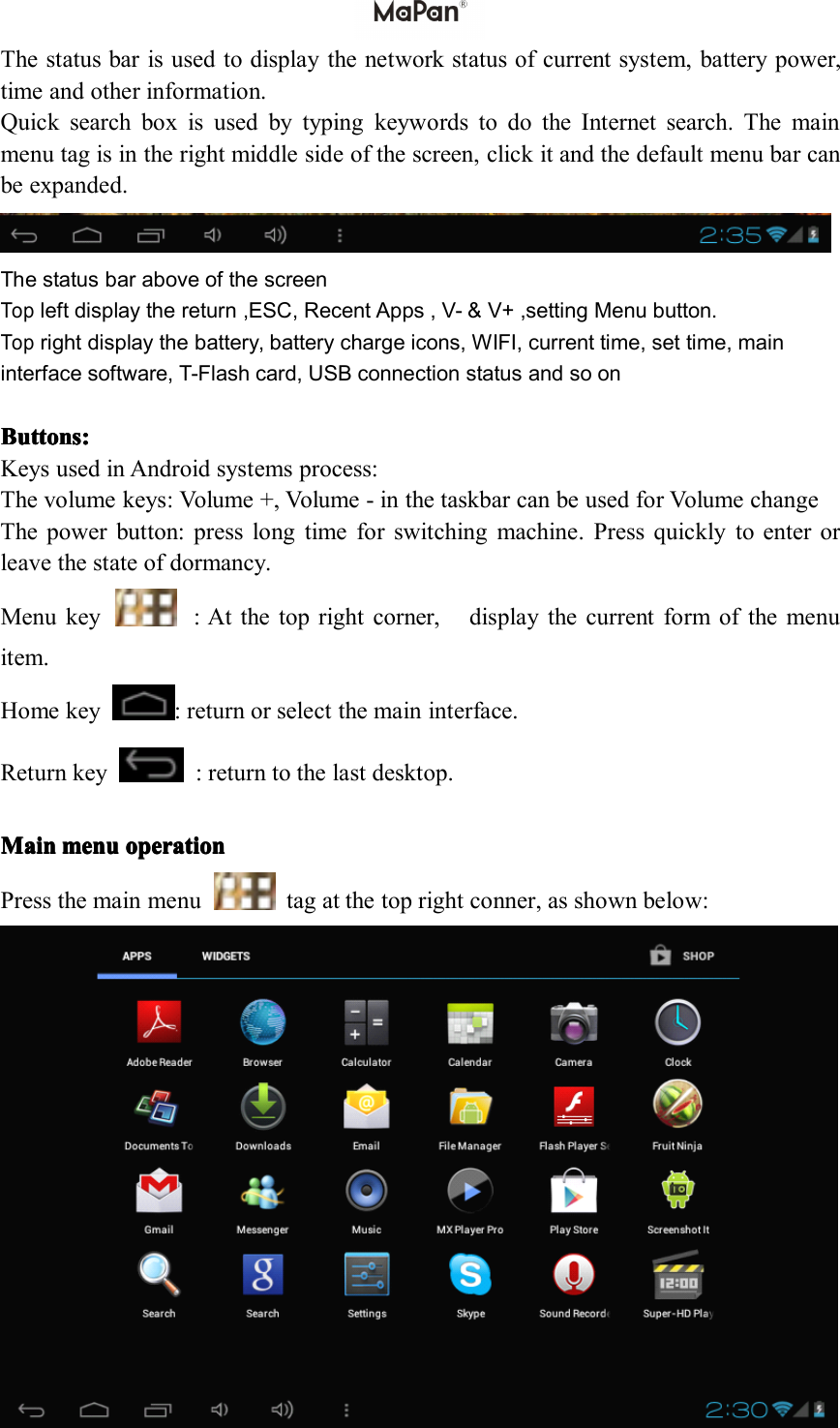
Thestatusbarisusedtodisplaythenetworkstatusofcurrentsystem,batterypower,timeandotherinformation.QuicksearchboxisusedbytypingkeywordstodotheInternetsearch.Themainmenutagisintherightmiddlesideofthescreen,clickitandthedefaultmenubarcanbeexpanded.ThestatusbaraboveofthescreenTopleftdisplaythereturn,ESC,RecentApps,V-&V+,settingMenubutton.Toprightdisplaythebattery,batterychargeicons,WIFI,currenttime,settime,maininterfacesoftware,T-Flashcard,USBconnectionstatusandsoonButton Button Button Buttons sss: :::KeysusedinAndroidsystemsprocess:Thevolumekeys:Volume+,V olume-inthetaskbarcanbeusedforVolumechangeThepowerbutton:presslongtimeforswitchingmachine.Pressquicklytoenterorleavethestateofdormancy.Menukey:Atthetoprightcorner,displaythecurrentformofthemenuitem.Homekey:returnorselectthemaininterface.Returnkey:returntothelastdesktop.Main Main Main Mainmenu menu menu menuoperation operation operation operationPressthemainmenutagatthetoprightconner,asshownbelow:
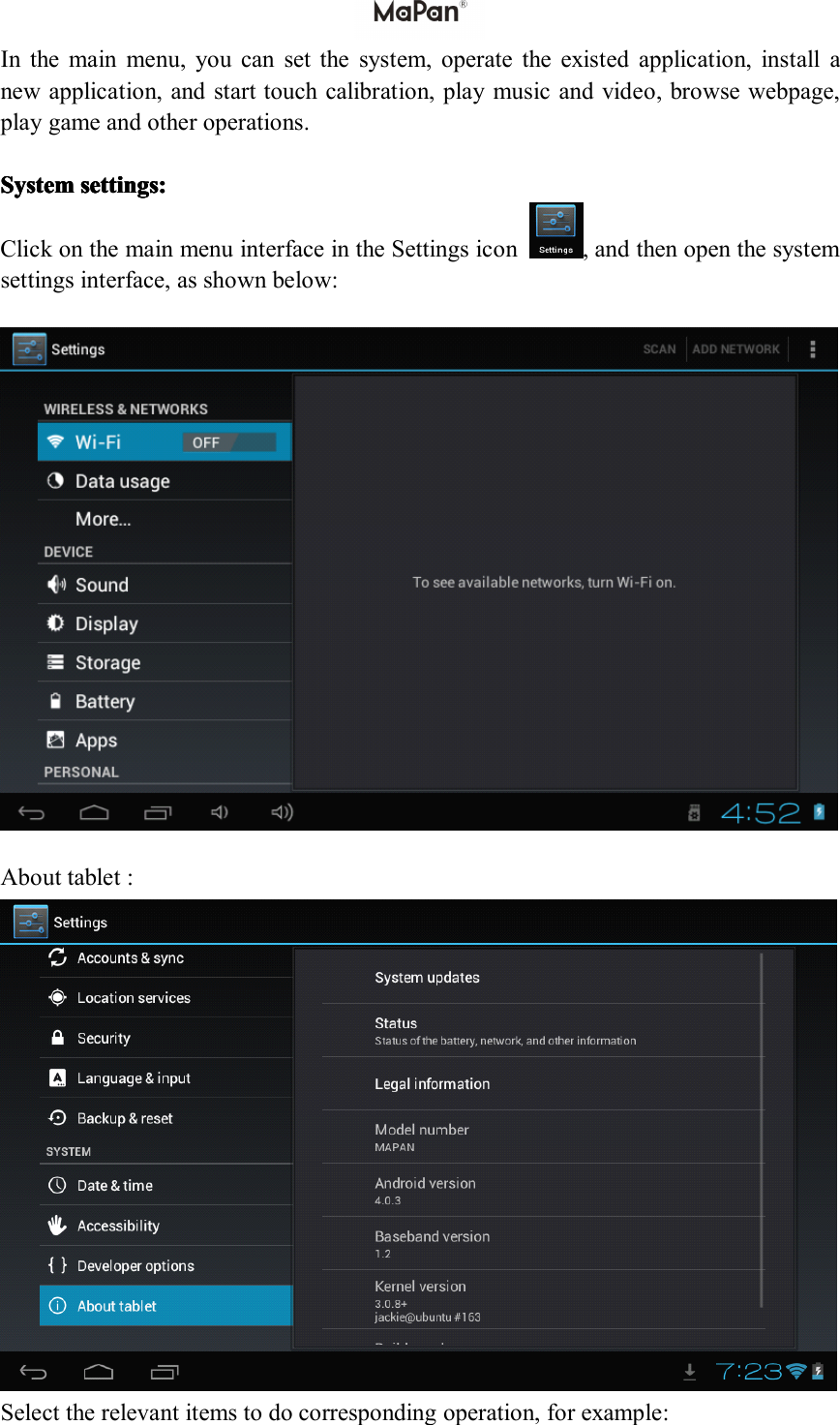
Inthemainmenu,youcansetthesystem,operatetheexistedapplication,installanewapplication,andstarttouchcalibration,playmusicandvideo,browsewebpage,playgameandotheroperations.System System System Systemsettings: settings: settings: settings:ClickonthemainmenuinterfaceintheSettingsicon,andthenopenthesystemsettingsinterface,asshownbelow:Abouttablet:Selecttherelevantitemstodocorrespondingoperation,forexample:
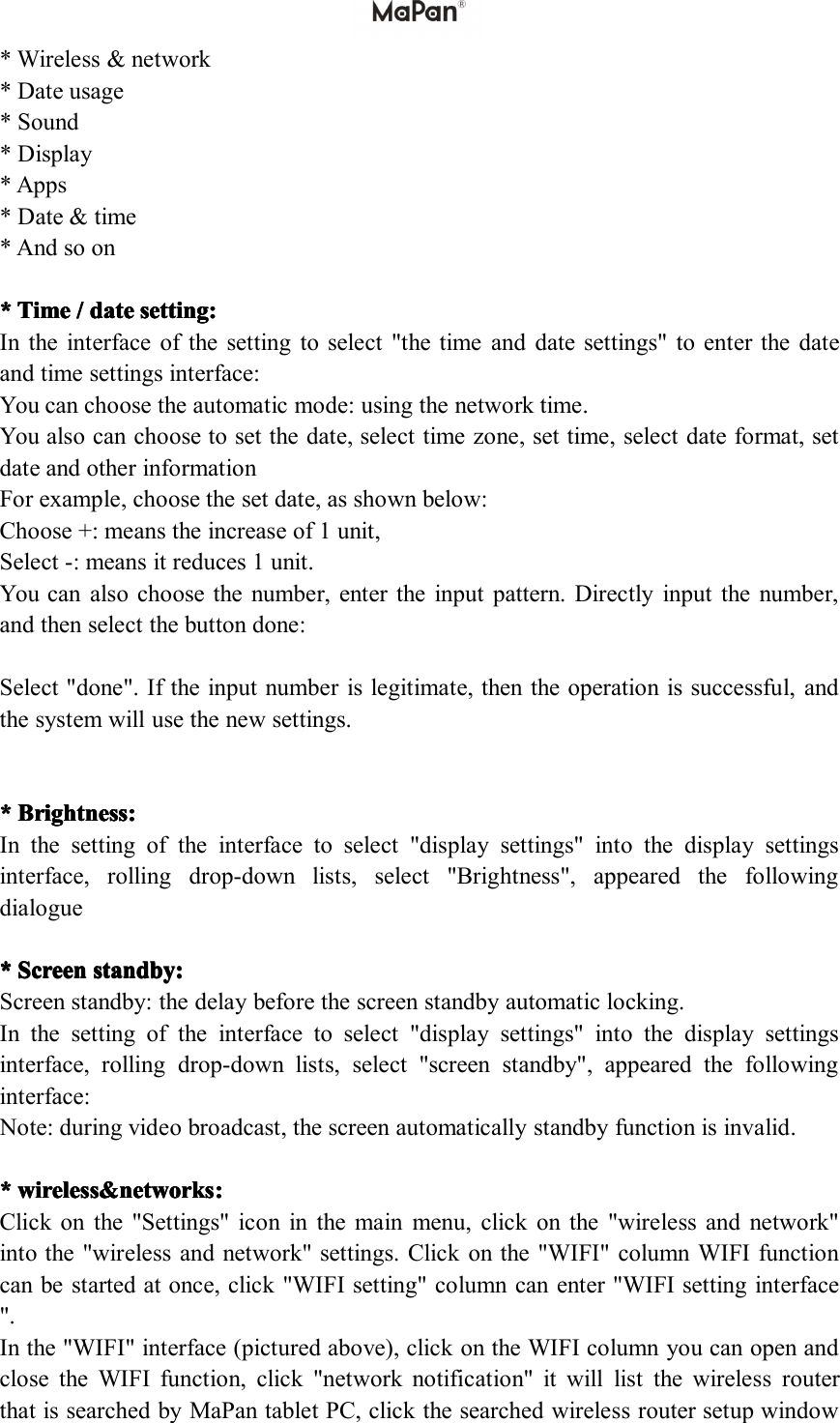
*Wireless&network*Dateusage*Sound*Display*Apps*Date&time*Andsoon****Time Time Time Time/ ///date date date datesetting: setting: setting: setting:Intheinterfaceofthesettingtoselect"thetimeanddatesettings"toenterthedateandtimesettingsinterface:Youcanchoosetheautomaticmode:usingthenetworktime.Youalsocanchoosetosetthedate,selecttimezone,settime,selectdateformat,setdateandotherinformationForexample,choosethesetdate,asshownbelow:Choose+:meanstheincreaseof1unit,Select-:meansitreduces1unit.Youcanalsochoosethenumber,entertheinputpattern.Directlyinputthenumber,andthenselectthebuttondone:Select"done".Iftheinputnumberislegitimate,thentheoperationissuccessful,andthesystemwillusethenewsettings.****Brightness Brightness Brightness Brightness: :::Inthesettingoftheinterfacetoselect"displaysettings"intothedisplaysettingsinterface,rollingdrop-downlists,select"Brightness",appearedthefollowingdialogue****S SSScreen creen creen creenstandby: standby: standby: standby:Screenstandby:thedelaybeforethescreenstandbyautomaticlocking.Inthesettingoftheinterfacetoselect"displaysettings"intothedisplaysettingsinterface,rollingdrop-downlists,select"screenstandby",appearedthefollowinginterface:Note:duringvideobroadcast,thescreenautomaticallystandbyfunctionisinvalid.****wireless&networks wireless&networks wireless&networks wireless&networks: :::Clickonthe"Settings"iconinthemainmenu,clickonthe"wirelessandnetwork"intothe"wirelessandnetwork"settings.Clickonthe"WIFI"columnWIFIfunctioncanbestartedatonce,click"WIFIsetting"columncanenter"WIFIsettinginterface".Inthe"WIFI"interface(picturedabove),clickontheWIFIcolumnyoucanopenandclosetheWIFIfunction,click"networknotification"itwilllistthewirelessrouterthatissearchedbyMaPantabletPC,clickthesearchedwirelessroutersetupwindow
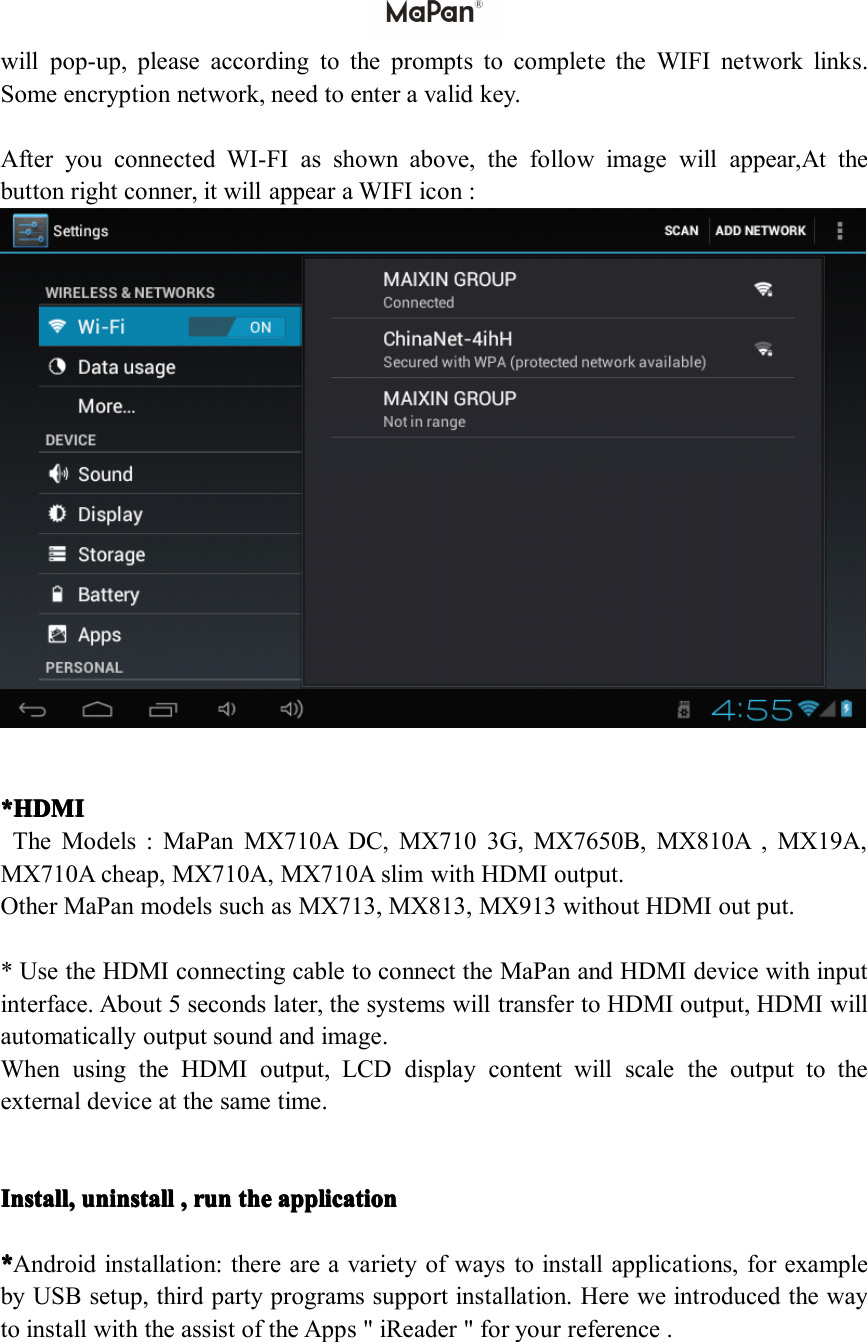
willpop-up,pleaseaccordingtothepromptstocompletetheWIFInetworklinks.Someencryptionnetwork,needtoenteravalidkey.AfteryouconnectedWI-FIasshownabove,thefollowimagewillappear,Atthebuttonrightconner,itwillappearaWIFIicon:*HDMI *HDMI *HDMI *HDMITheModels:MaPanMX710ADC,MX7103G,MX7650B,MX810A,MX19A,MX710Acheap,MX710A,MX710AslimwithHDMIoutput.OtherMaPanmodelssuchasMX713,MX813,MX913withoutHDMIoutput.*UsetheHDMIconnectingcabletoconnecttheMaPanandHDMIdevicewithinputinterface.About5secondslater,thesystemswilltransfertoHDMIoutput,HDMIwillautomaticallyoutputsoundandimage.WhenusingtheHDMIoutput,LCDdisplaycontentwillscaletheoutputtotheexternaldeviceatthesametime.Install, Install, Install, Install,un un un uninstall install install install, ,,,run run run runthe the the theapplication application application application****Androidinstallation:thereareavarietyofwaystoinstallapplications,forexamplebyUSBsetup,thirdpartyprogramssupportinstallation.HereweintroducedthewaytoinstallwiththeassistoftheApps"iReader"foryourreference.
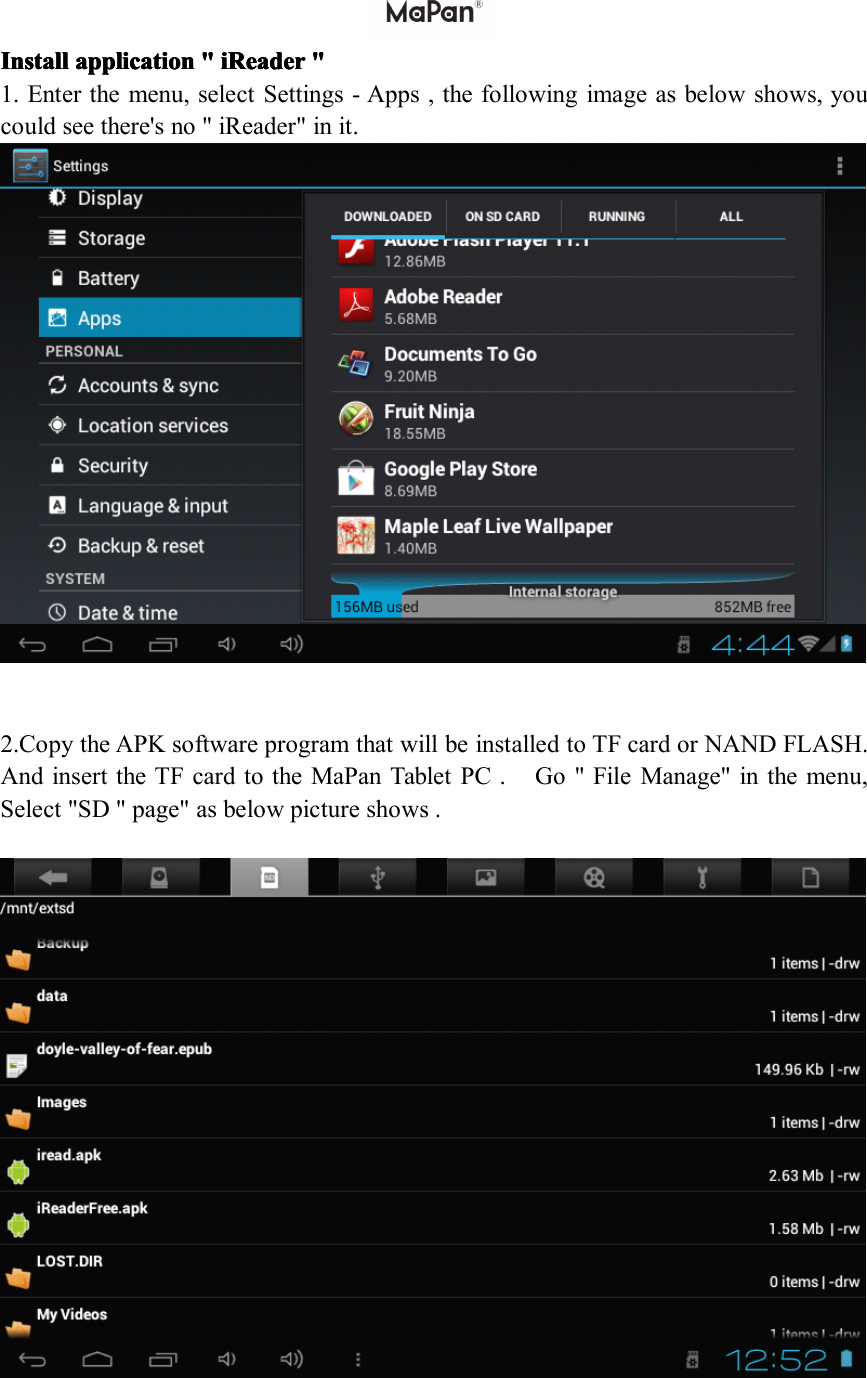
Install Install Install Installapplication application application application" """iReader iReader iReader iReader" """1.Enterthemenu,selectSettings-Apps,thefollowingimageasbelowshows,youcouldseethere'sno"iReader"init.2.CopytheAPKsoftwareprogramthatwillbeinstalledtoTFcardorNANDFLASH.AndinserttheTFcardtotheMaPanTabletPC.Go"FileManage"inthemenu,Select"SD"page"asbelowpictureshows.
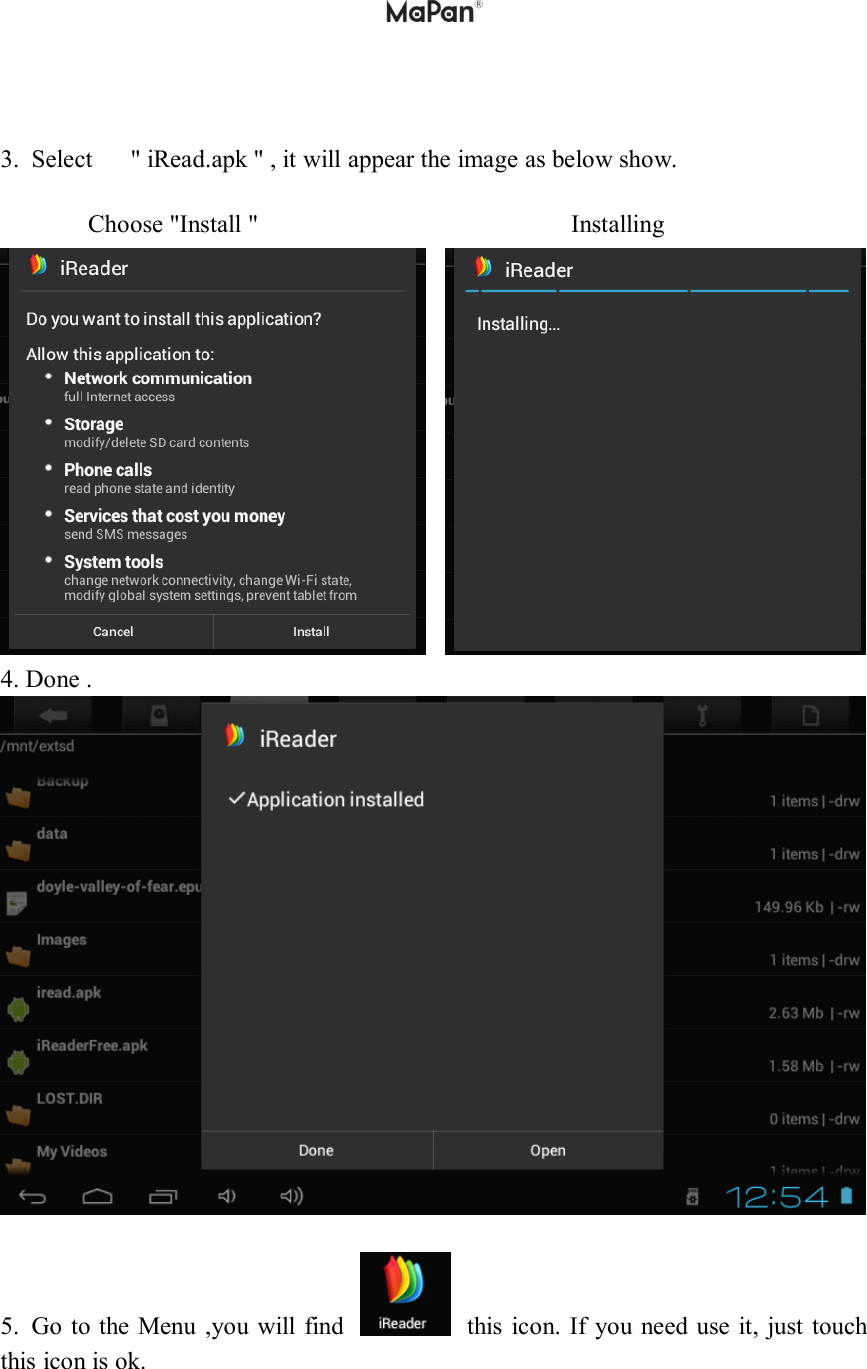
3.Select"iRead.apk",itwillappeartheimageasbelowshow.Choose"Install"Installing4.Done.5.GototheMenu,youwillfindthisicon.Ifyouneeduseit,justtouchthisiconisok.
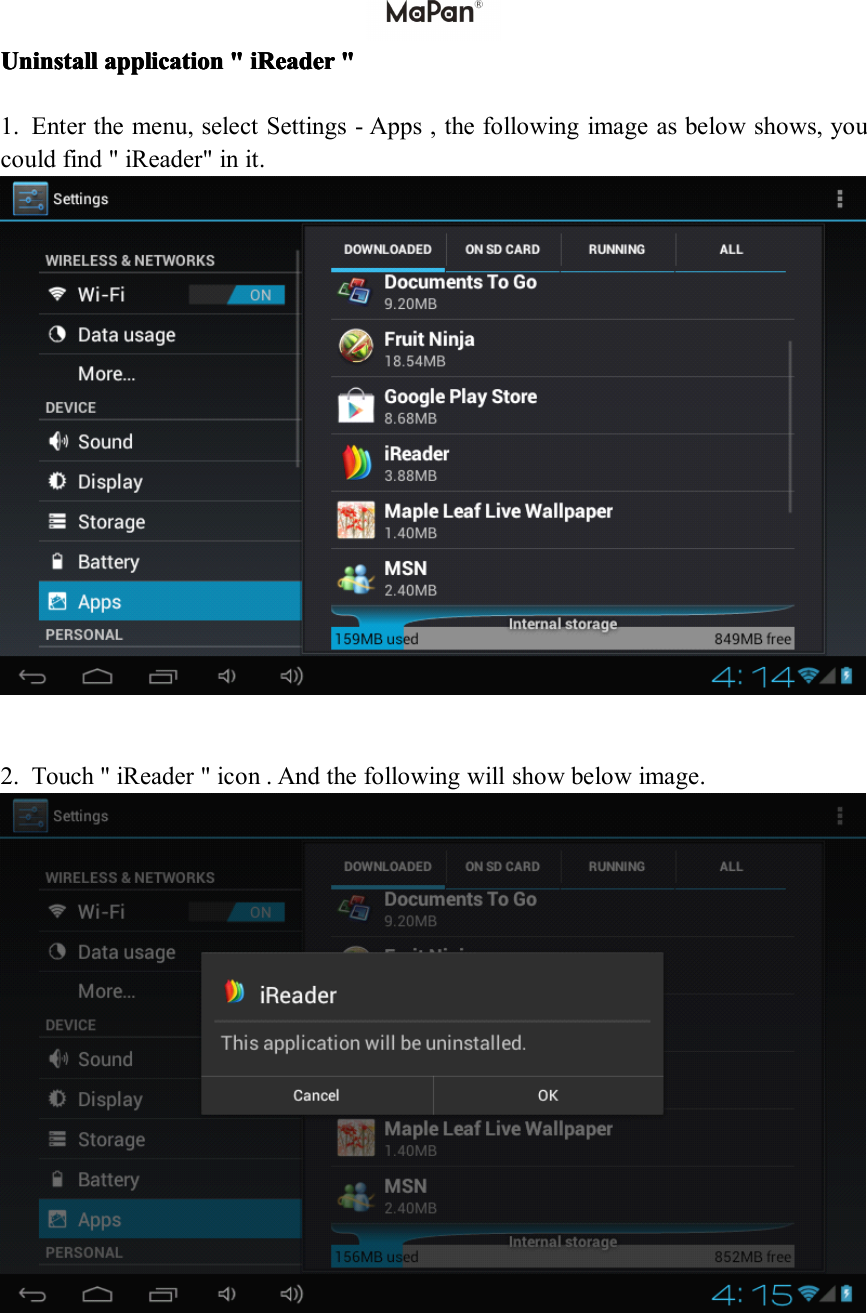
Uninstall Uninstall Uninstall Uninstallapplication application application application" """iReader iReader iReader iReader" """1.Enterthemenu,selectSettings-Apps,thefollowingimageasbelowshows,youcouldfind"iReader"init.2.Touch"iReader"icon.Andthefollowingwillshowbelowimage.
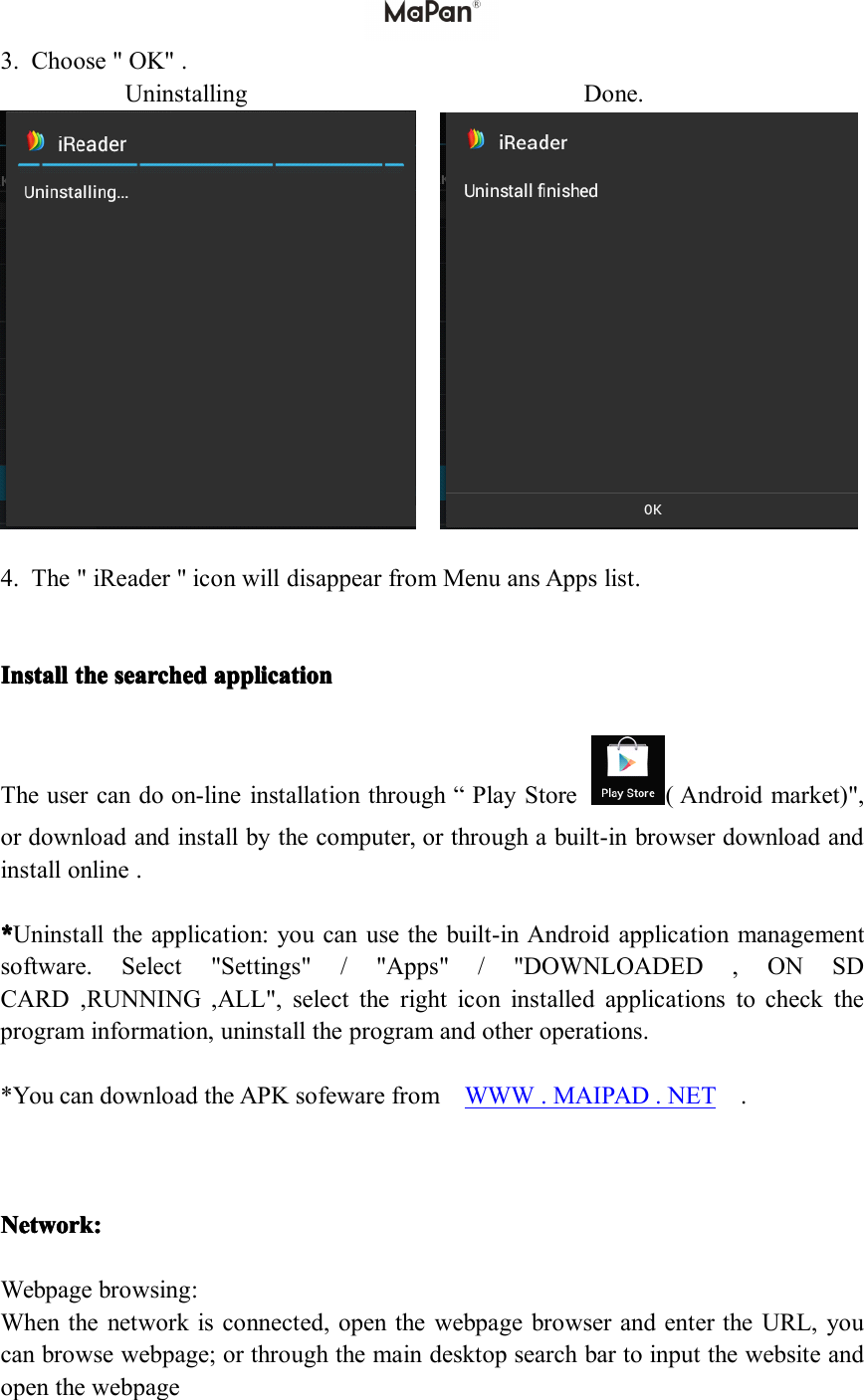
3.Choose"OK".UninstallingDone.4.The"iReader"iconwilldisappearfromMenuansAppslist.IIIInstall nstall nstall nstallthe the the thesearched searched searched searchedapplication application application applicationTheusercandoon-lineinstallationthrough“PlayStore(Androidmarket)",ordownloadandinstallbythecomputer,orthroughabuilt-inbrowserdownloadandinstallonline.****Uninstalltheapplication:youcanusethebuilt-inAndroidapplicationmanagementsoftware.Select"Settings"/"Apps"/"DOWNLOADED,ONSDCARD,RUNNING,ALL",selecttherighticoninstalledapplicationstochecktheprograminformation,uninstalltheprogramandotheroperations.*YoucandownloadtheAPKsofewarefromWWW.MAIPAD.NET.Network: Network: Network: Network:Webpagebrowsing:Whenthenetworkisconnected,openthewebpagebrowserandentertheURL,youcanbrowsewebpage;orthroughthemaindesktopsearchbartoinputthewebsiteandopenthewebpage
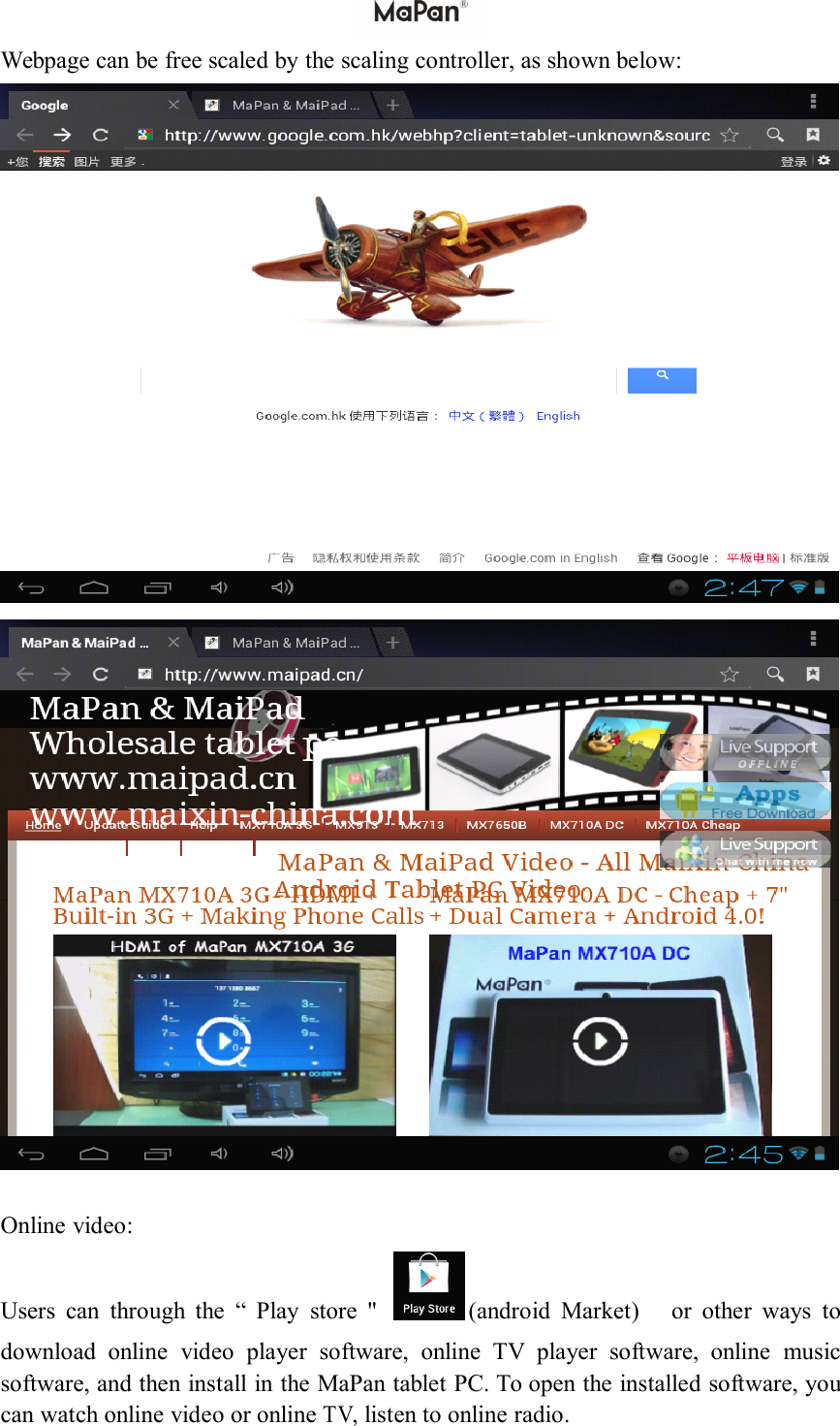
Webpage can be free scaled by the scaling controller, as shown below:Online video:Users can through the “ Play store " (android Market) or other ways todownload online video player software, online TV player software, online musicsoftware, and then install in the MaPan tablet PC . To open the installed software, youcan watch online video or onlineTV,listen to online radio.
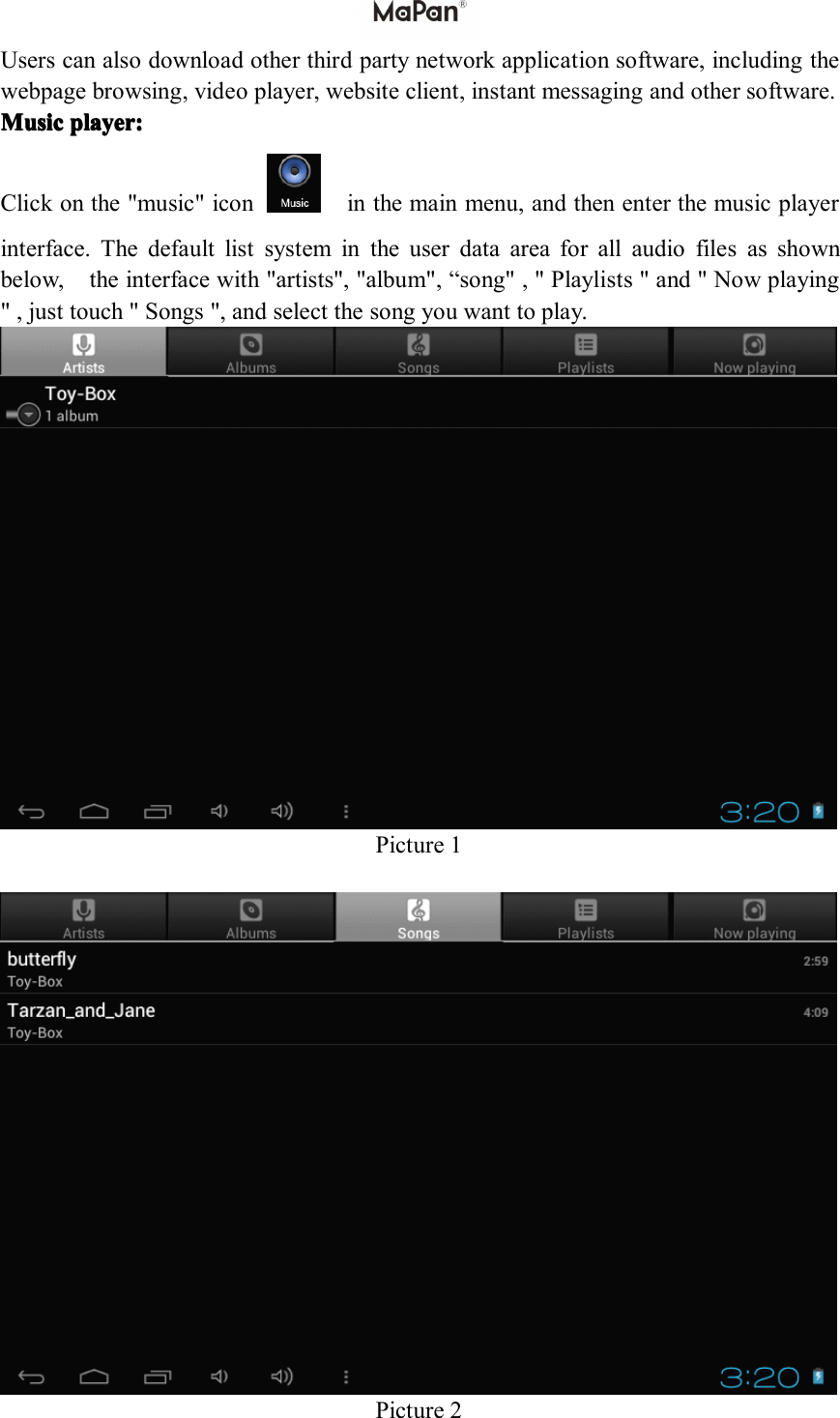
Users can also download other third party network application software, including thewebpage browsing, video player, website client, instant messaging and other software.MusicMusicMusicMusic player:player:player:player:Click on the "music" icon in the main menu, and then enter the music playerinterface. The default list system in the user data area for all audio files as shownbelow , the interface with "artists", "album", “ song" , " Playlists " a nd " Now playing" , just touch " Songs ", and select the song you want to play .Picture 1Picture 2
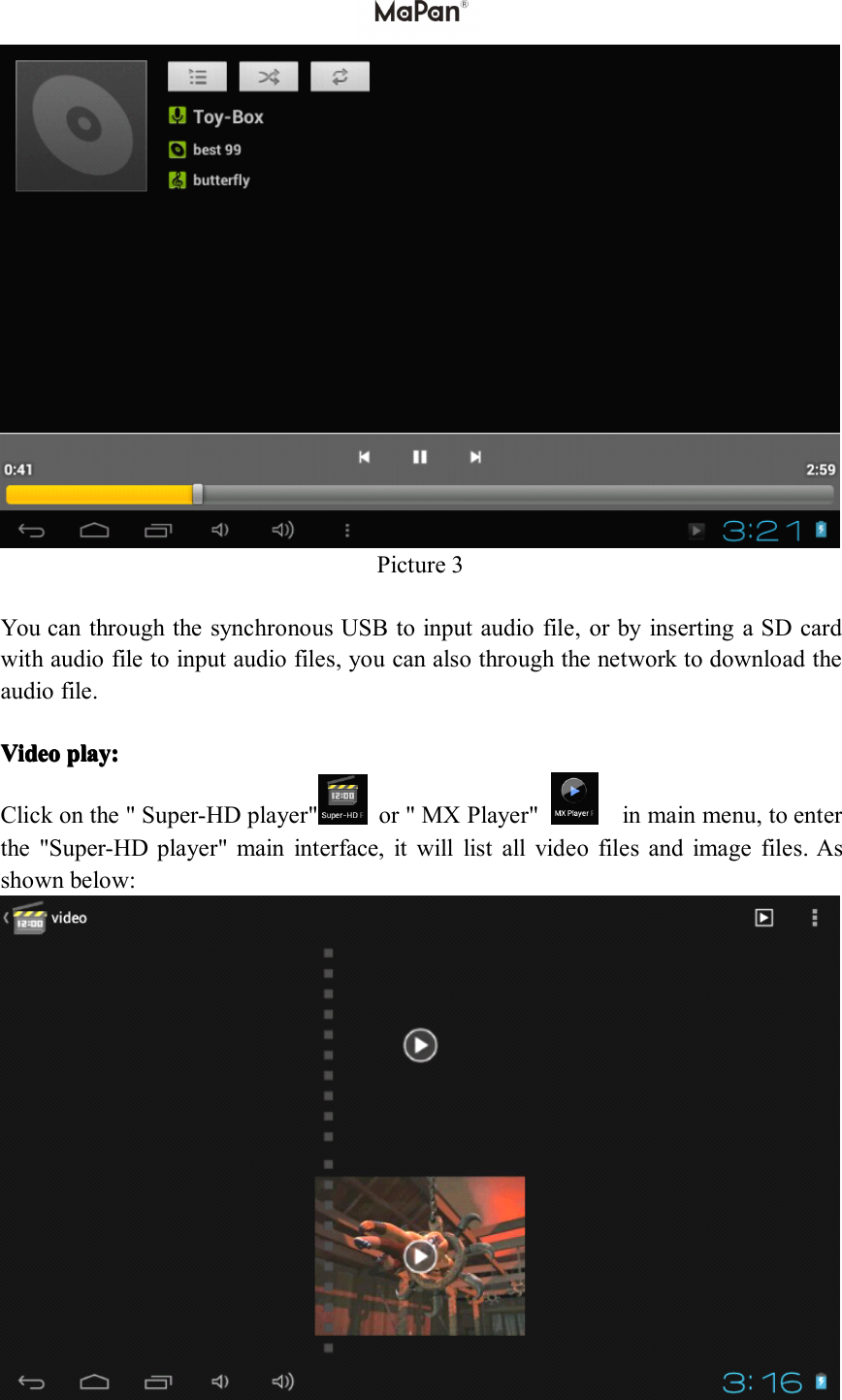
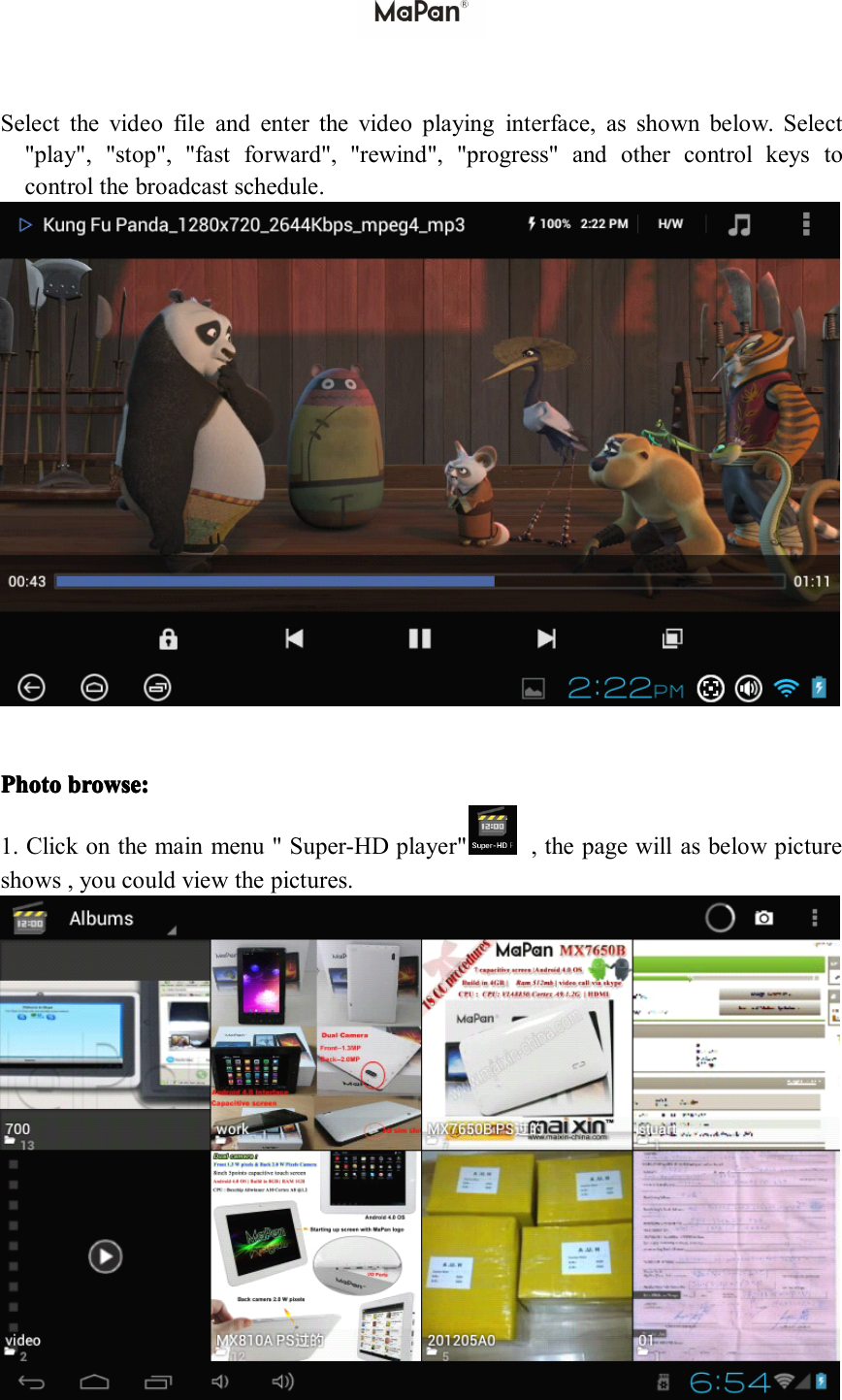
Picture 3You can through the synchronous USB to input audio file, or by inserting a SD cardwith audio file to input audio files, you can also through the network to download theaudio file.VideoVideoVideoVideo play:play:play:play:Click on the " Super-HD player" or " MX Player" in main menu, to enterthe "Super-HD player" main interface, it will list all video files and image files. Asshown below:
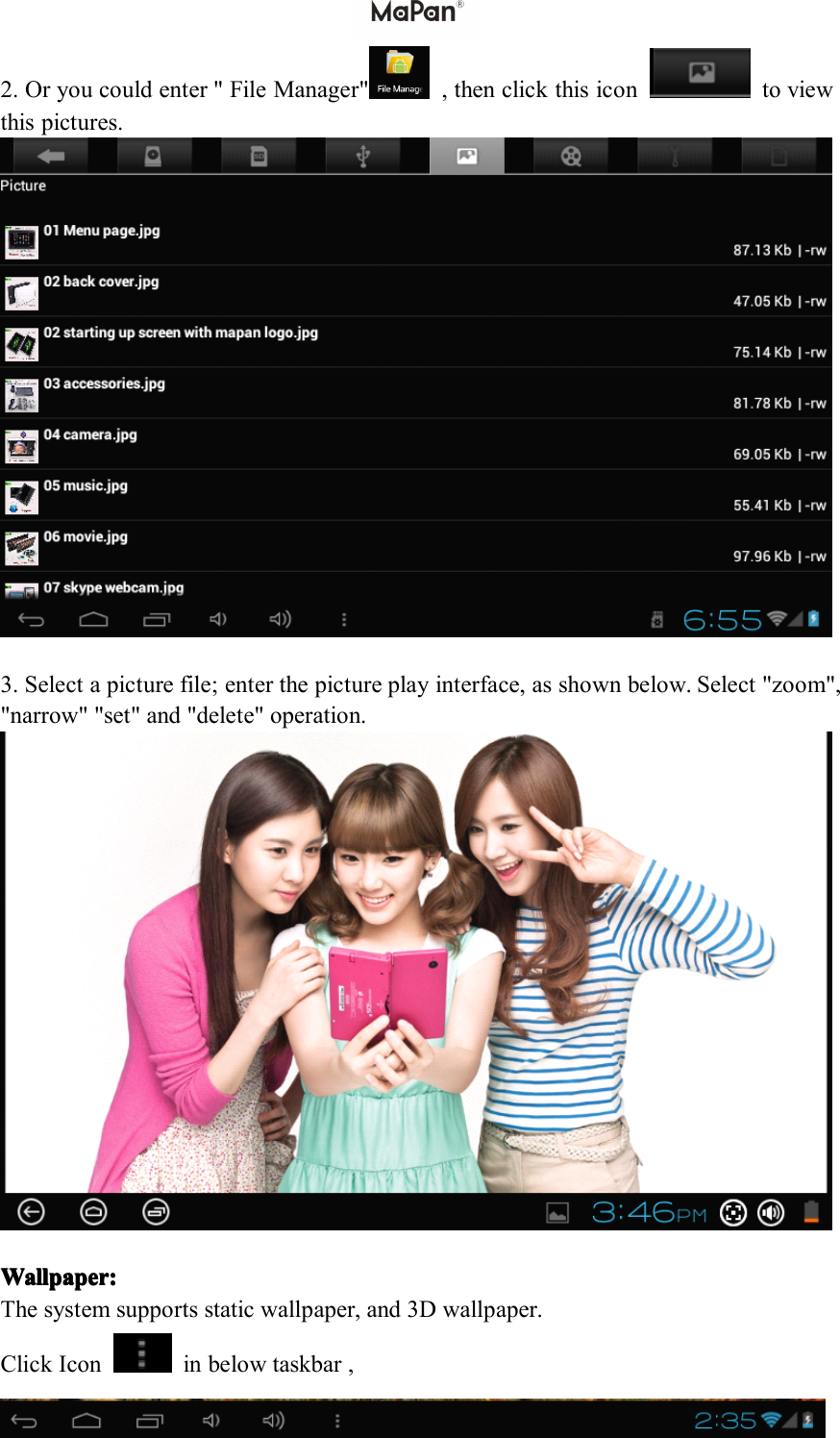
Select the video file and enter the video playing interface, as shown below. Select"play", "stop", "fast forward", "rewind", "progress" and other control keys tocontrol the broadcast schedule.PPPP hotohotohotohoto browsbrowsbrowsbrows eeee ::::1. Click on the main menu " Super-HD player" , the page will as below pictureshows , you could view the pictures.
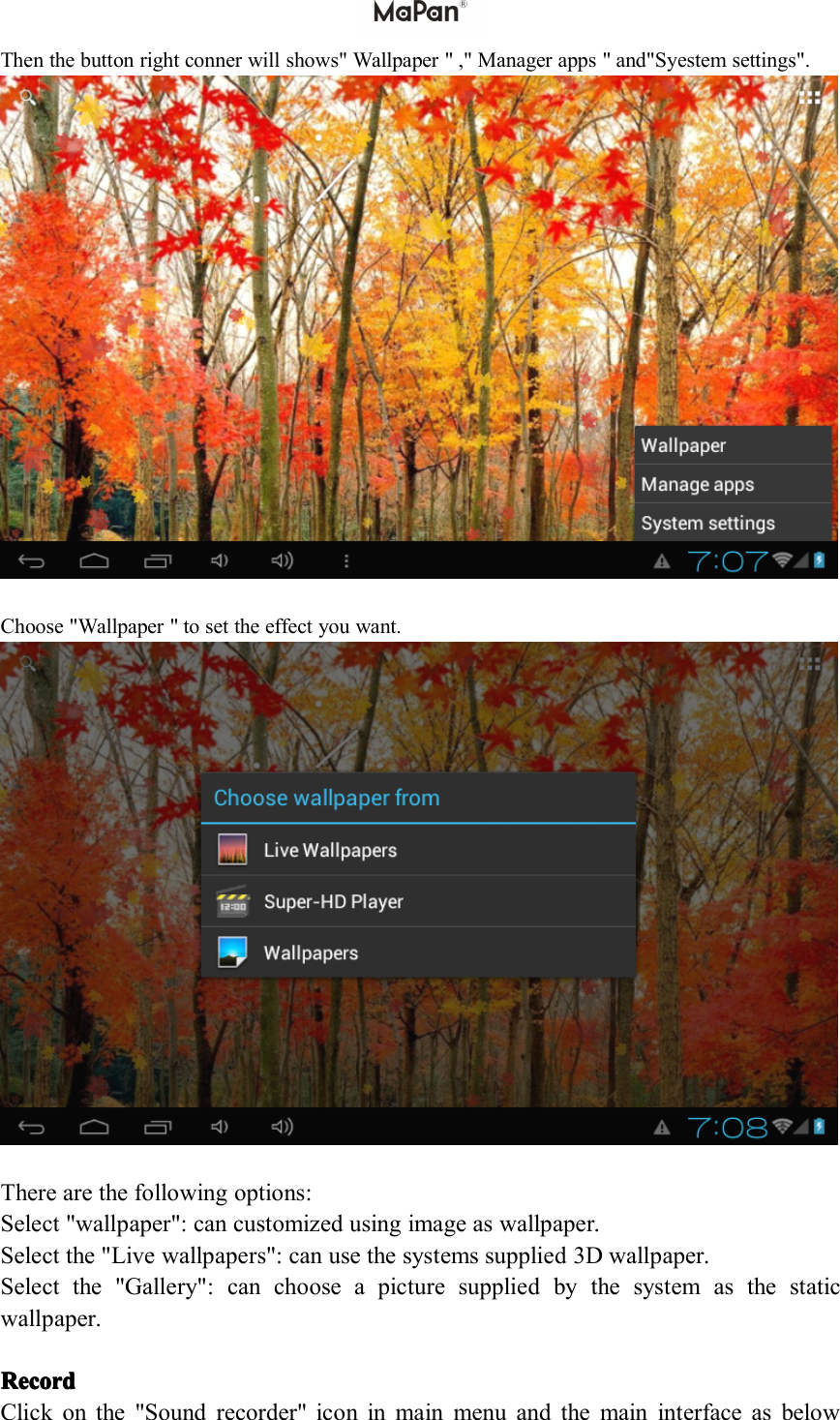
2. Or you could enter " File Manager" , then click this icon to viewthis pictures.3. Select a picture file; enter the picture play interface, as shown below. Select "zoom","narrow" "set" and "delete" operation.Wallpaper:Wallpaper:Wallpaper:Wallpaper:The system supports static wallpaper, and 3D wallpaper.Click Icon in below taskbar ,
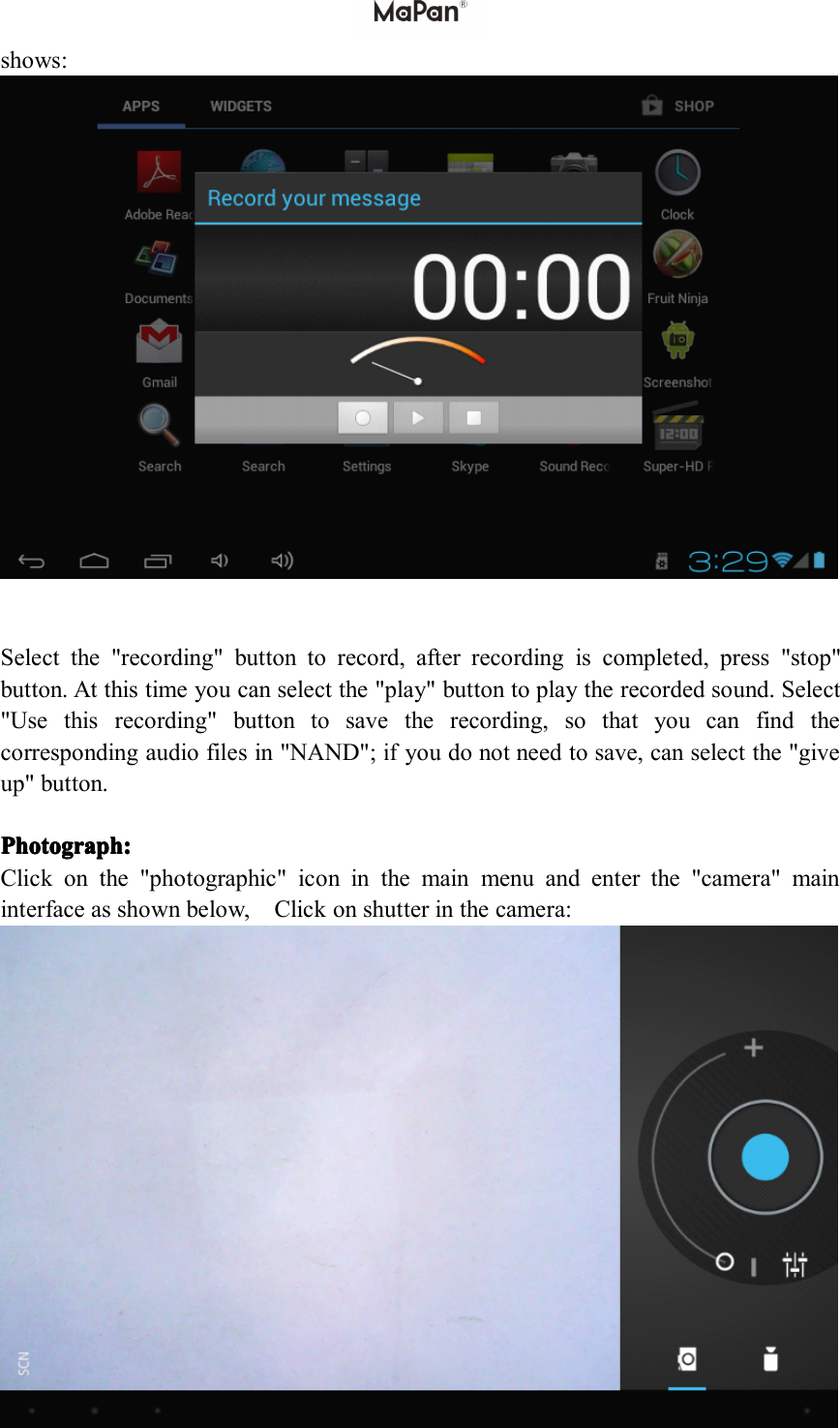
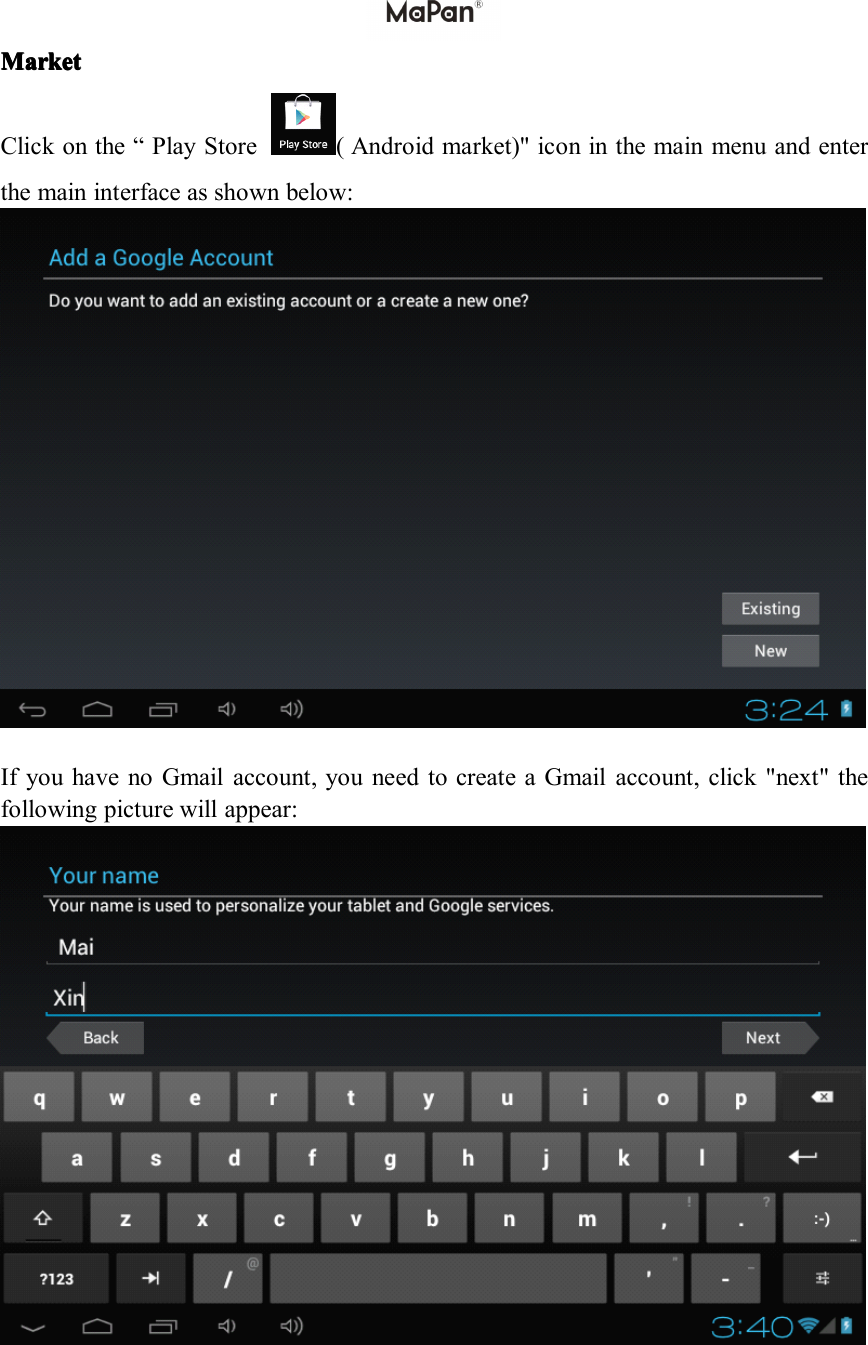
Then the button right conner will shows" Wallpaper " ," Manager apps " and"Syestem settings".Choose "Wallpaper " to set the effect you want.There are the following options:Select "wallpaper": can customized using image as wallpaper.Select the " Live wallpaper s ": can use the systems supplied 3D wallpaper.Select the "Gallery": can choose a picture supplied by the system as the staticwallpaper.RecordRecordRecordRecordClick on the " Sound recorder" icon in main menu and the main interface as below
show s :Select the "recording" button to record, after recording is completed, press "stop"button. At this time you can select the "play" button to play the recorded sound. Select"Use this recording" button to save the recording, so that you can find thecorresponding audio files in "NAND";ifyou do not need to save, can select the "giveup" button.PhotographPhotographPhotographPhotograph ::::Click on the "photographic" icon in the main menu and enter the "camera" maininterface as shown below , C lick on shutter in the camera:
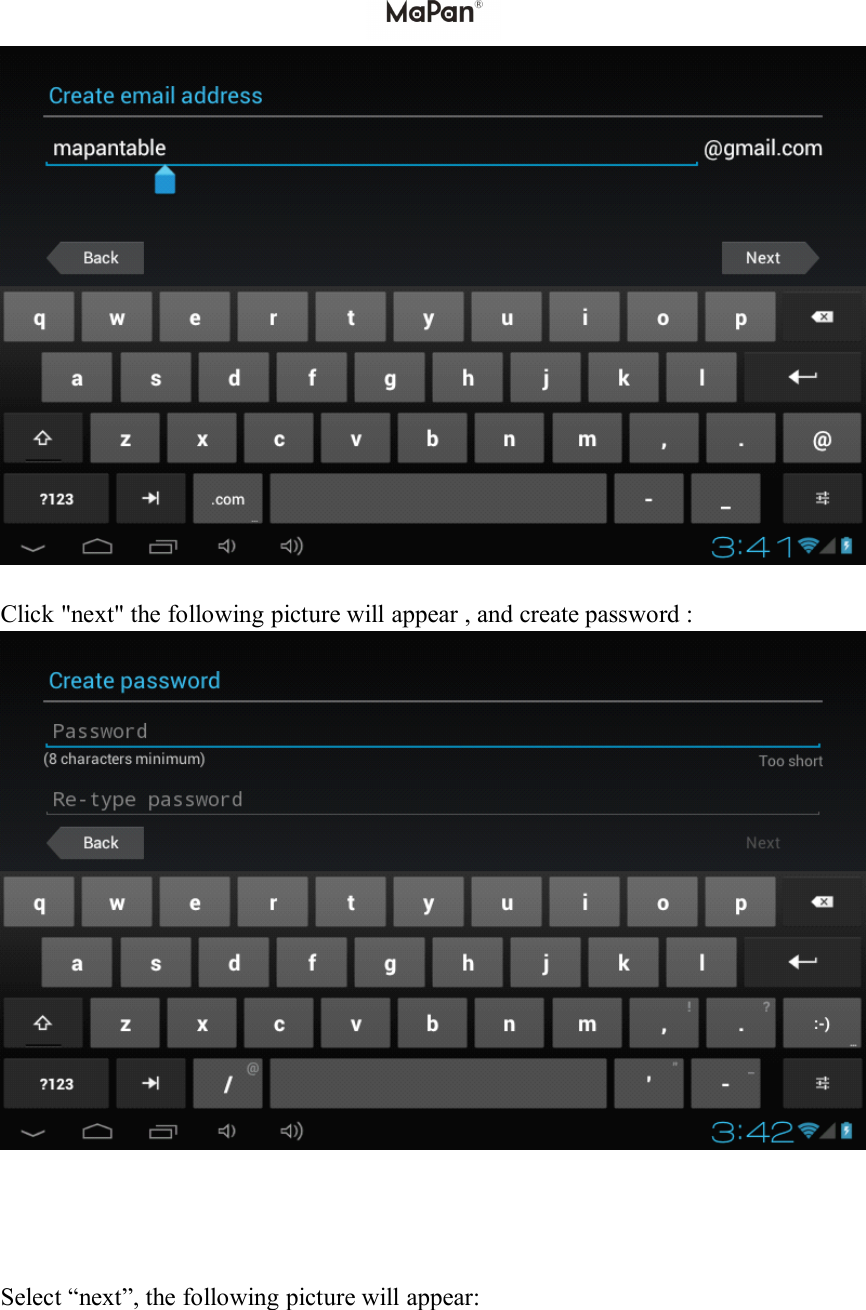
MarketMarketMarketMarketClick on the “ Play Store ( Android market ) " icon in the main menu and enterthe main interface as show n below:If you have no Gmail account, you need to create a Gmail account, click " next " thefollowing picture will appear:
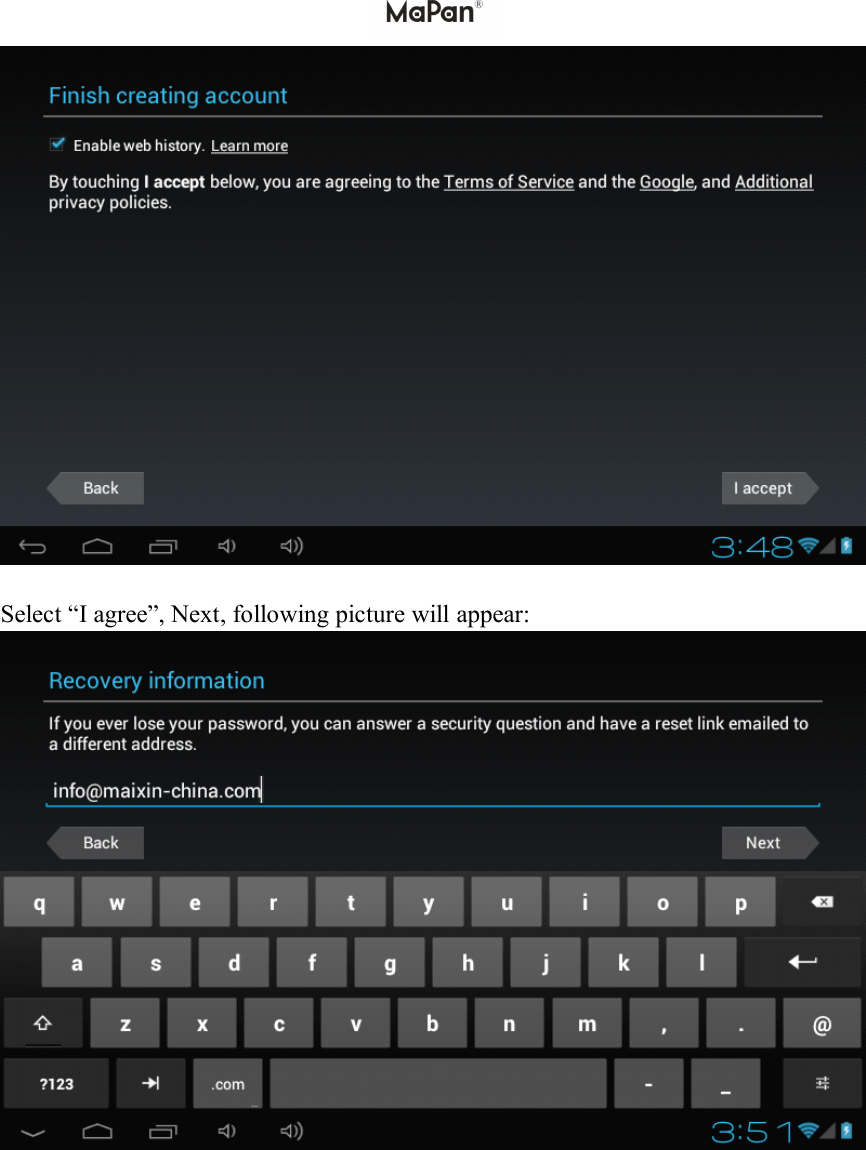
C lick " next " the following picture will appear , and create password :S elect“next ” , the following picture will appear:
S elect“I agree ” , Next, following picture will appear:
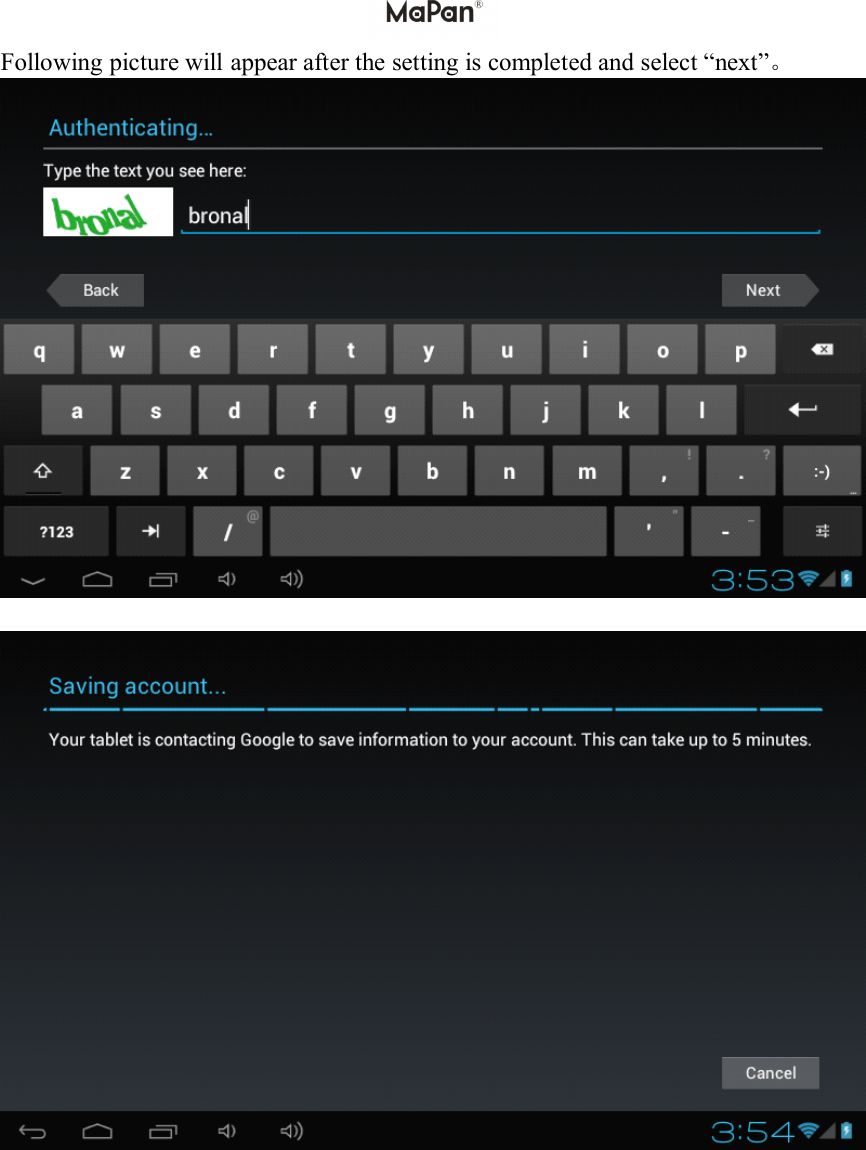
F ollowing picture will appear after the setting is completed and s elect “ next ” 。
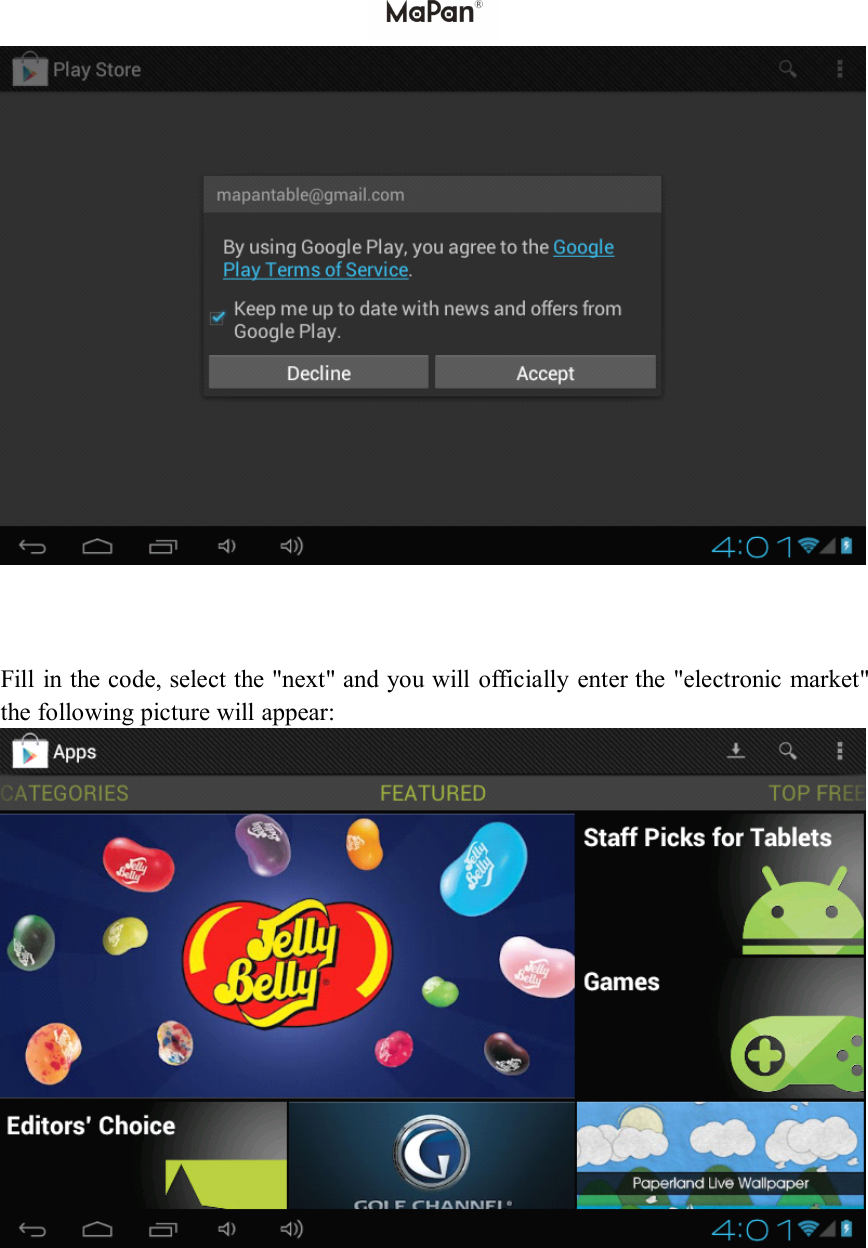
Fill in the code, select the "next" and you will officially enter the "electronic market"the following picture will appear:
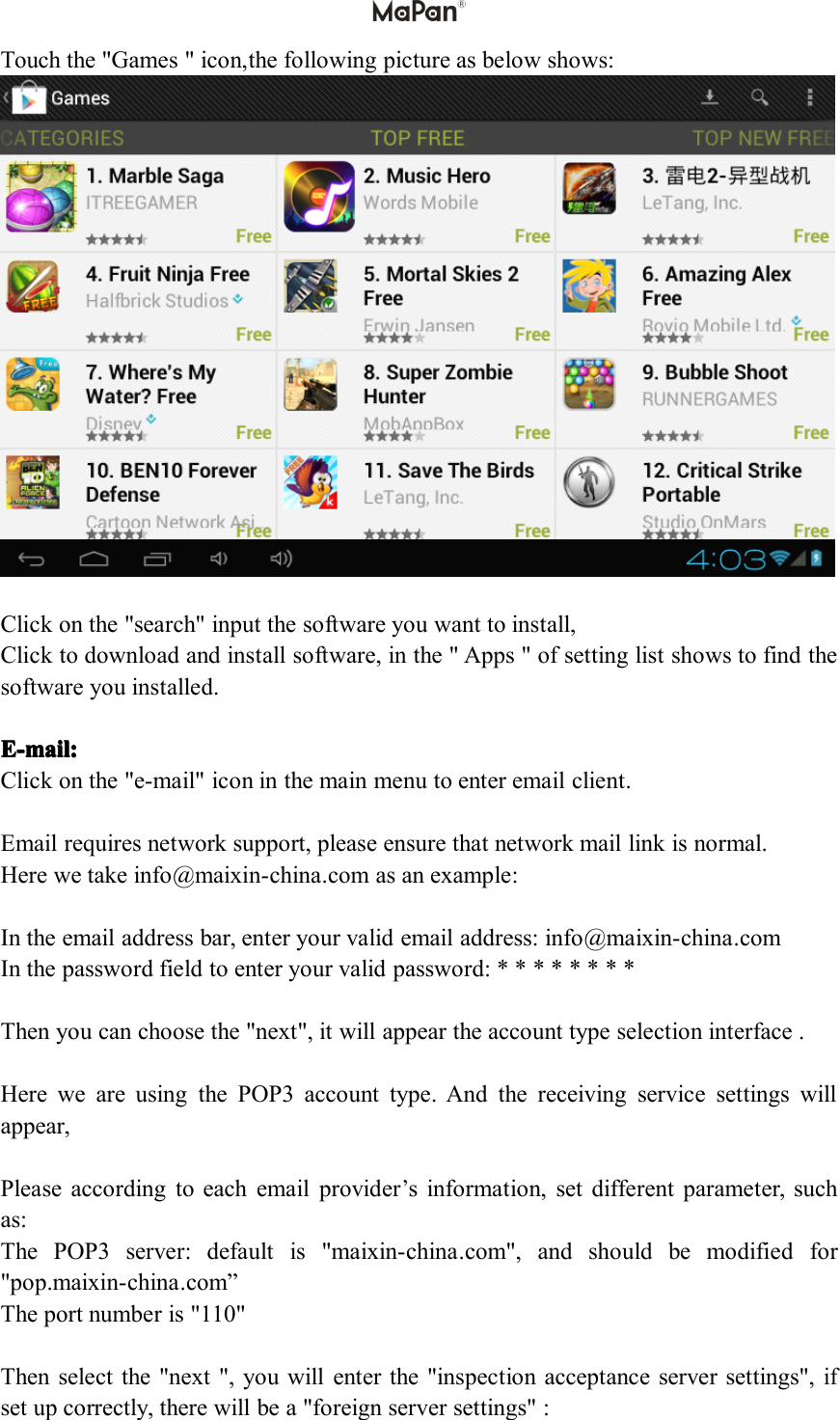
Touch the "Games " icon, the following picture as below shows:Click on the "search" input the software you want to install,Click to download and install software, in the " Apps " of setting list shows to find thesoftware you installed .E-mE-mE-mE-m ail:ail:ail:ail:Click on the "e-mail" icon in the main menu to enter email client.Email requires network support, please ensure that network mail link is normal.Here we take info @ maixin-china .com as an example:In the email address bar, enter your valid email address: info @ maixin-china .comIn the password field to enter your valid password: * * * * * * * *Then you can choose the "next", it will appear the account type selection interface .Here we are using the POP3 account type. And the receiving service settings willappear,Please according to each email provider’s information, set different parameter, suchas:The POP3 server: default is " maixin-china .com", and should be modified for"pop. maixin-china .com ”The port number is "110"Then select the "next ", you will enter the "inspection acceptance server settings",ifset up correctly, there will be a "foreign server settings" :
Correct the SMIP server " maixin-china .com" for "smtp. maixin-china .com"Modify the port number "587" to "25"Drag the scroll bar; select the "next", enter the "check out into the server settings"interface.Select the "next ", you will enter the account information custom interface:In the column "name" to input the name you want to display in the outgoing message,and then click "finish" button, you can enter the mail interface. It will load the mailautomatically;Select one of the column to be viewing the message, you can do "Reply", "delete","more reply" and other operations at the view bar.ExternalExternalExternalExternal devicedevicedevicedevice ::::**** USBUSBUSBUSB connectionconnectionconnectionconnectionUsing USB to connect the MaPan tablet PC with Computer, the default connectionmode is a synchronous mode. You can drag the status bar to drop, appeared the USBconnected ."USB is connected": means external memory (SD) loading is completed, and you cansee the corresponding letter in the PC terminal.*OTG*OTG*OTG*OTG useuseuseuseSupportFAT32format mobile equipment: such as U disk, mobile hard disk.The plug-and-play connection method:Use the OTG wire to connect the MaPan USB OTG and the external equipment.**** KeyboardKeyboardKeyboardKeyboard andandandand mousemousemousemouseSupport plug and play USB mouse, keyboard device.
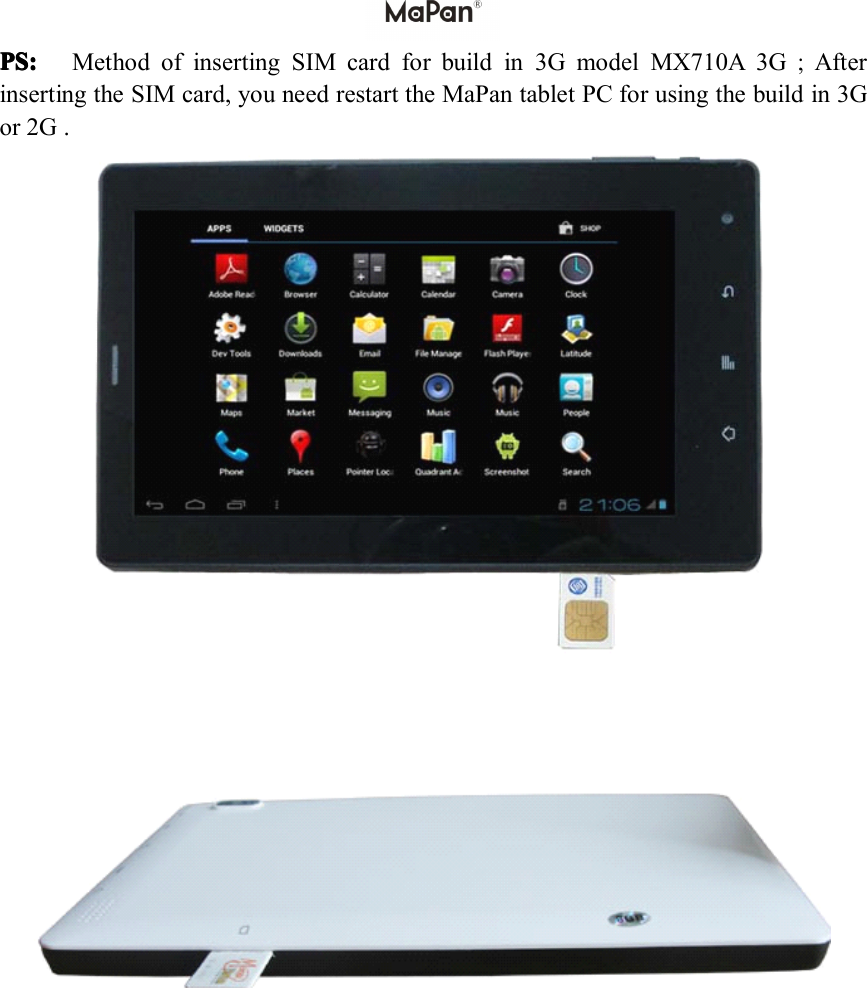
PS:PS:PS:PS: Method of inserting SIM card for build in 3G model MX710A 3G;Afterinserting the SIM card, you need restart the MaPan tablet PC for using the build in 3Gor 2G .
1.197of FCC Regulatory Compliance   Body worn operation   The device complies with RF specifications when used near your ear or at a distance 0 cm from your body. Ensure that the device accessories, such as a device case and device holster, are not composed of metal components. Keep the device away from your body to meet the distance requirement.   Certification information (SAR)   This device is also designed to meet the requirements for exposure to radio waves established by the Federal Communications Commission (USA).   The SAR limit adopted by the USA is 1.6 W/kg averaged over one gram of t issue. The highest SAR value reported to the FCC for this device type complies with this limit.   The highest SAR value reported to the FCC for this device type when tested for use at the ear is 0.194 W/kg, when properly worn on the body is   W/kg.   FCC statement   This equipment has been tested and found to comply with the limits for a Class B digital device, pursuant to Part 15 of the FCC Rules. These limits are designed to provide reasonable protection against harmful interference in a residential installation. This equipment generates, uses and can radiate radio frequency energy and, if not installed and used in accordance with the instructions, may cause harmful interference to radio communications. However, there is no guarantee that interference will not occur in a particular installation. If this equipment does cause harmful interference to radio or television reception, which can be determined by turning the equipment off and on, the user is encouraged to try to correct the interference by one or more of the following measures:  --Reorient or relocate the receiving antenna.   --Increase the separation between the equipment and receiver.   -- Connect the equipment into an outlet on a circuit different from that to which the receiver is connected.   -- Consult the dealer or an experienced radio/TV technician for help.   This device complies with Part 15 of the FCC Rules. Operation is subject to the following two conditions: (1) this device may not cause harmful interference, and (2) this device must accept any interference received, including interference that may cause undesired operation.   Any changes or modifications to this device not expressly approved by Huawei Technologies Co., Ltd. for compliance could void the user's authority to operate the equipment.

Navigation menu