Marson Technology Co MT600 Wireless Dongle User Manual MT600 QG for FCC only

Marson Technology Co Ltd Wireless Dongle MT600 QG for FCC only

User Manual

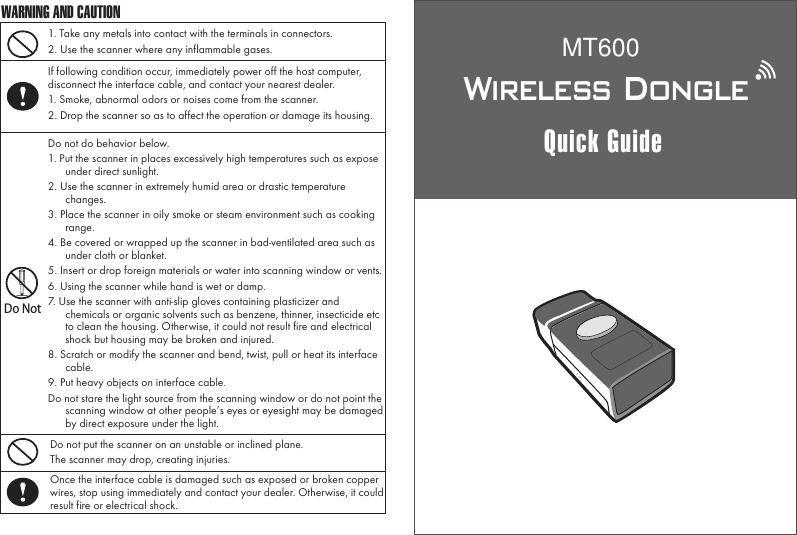
Wireless DongleQuick Guide1. Take any metals into contact with the terminals in connectors.2. Use the scanner where any inflammable gases.If following condition occur, immediately power off the host computer, disconnect the interface cable, and contact your nearest dealer.1. Smoke, abnormal odors or noises come from the scanner.2. Drop the scanner so as to affect the operation or damage its housing.Do NotDo not do behavior below.1. Put the scanner in places excessively high temperatures such as expose under direct sunlight.2. Use the scanner in extremely humid area or drastic temperature changes.3. Place the scanner in oily smoke or steam environment such as cooking range.4. Be covered or wrapped up the scanner in bad-ventilated area such as under cloth or blanket.5. Insert or drop foreign materials or water into scanning window or vents.6. Using the scanner while hand is wet or damp.7. Use the scanner with anti-slip gloves containing plasticizer and chemicals or organic solvents such as benzene, thinner, insecticide etc to clean the housing. Otherwise, it could not result fire and electrical shock but housing may be broken and injured.8. Scratch or modify the scanner and bend, twist, pull or heat its interface cable.9. Put heavy objects on interface cable.Do not stare the light source from the scanning window or do not point the scanning window at other people’s eyes or eyesight may be damaged by direct exposure under the light.Do not put the scanner on an unstable or inclined plane.The scanner may drop, creating injuries.Once the interface cable is damaged such as exposed or broken copper wires, stop using immediately and contact your dealer. Otherwise, it could result fire or electrical shock.WARNING AND CAUTIONMT600
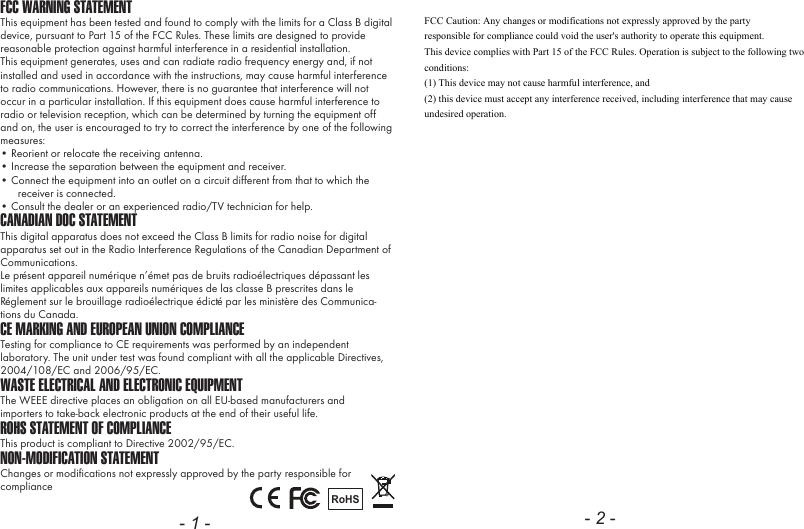
FCC WARNING STATEMENTThis equipment has been tested and found to comply with the limits for a Class B digital device, pursuant to Part 15 of the FCC Rules. These limits are designed to provide reasonable protection against harmful interference in a residential installation.This equipment generates, uses and can radiate radio frequency energy and, if not installed and used in accordance with the instructions, may cause harmful interference to radio communications. However, there is no guarantee that interference will not occur in a particular installation. If this equipment does cause harmful interference to radio or television reception, which can be determined by turning the equipment off and on, the user is encouraged to try to correct the interference by one of the following measures:• Reorient or relocate the receiving antenna.• Increase the separation between the equipment and receiver.• Connect the equipment into an outlet on a circuit different from that to which the receiver is connected.• Consult the dealer or an experienced radio/TV technician for help.CANADIAN DOC STATEMENTThis digital apparatus does not exceed the Class B limits for radio noise for digital apparatus set out in the Radio Interference Regulations of the Canadian Department of Communications.Le présent appareil numérique n’émet pas de bruits radioélectriques dépassant les limites applicables aux appareils numériques de las classe B prescrites dans le Réglement sur le brouillage radioélectrique édicté par les ministère des Communica-tions du Canada.CE MARKING AND EUROPEAN UNION COMPLIANCE Testing for compliance to CE requirements was performed by an independent laboratory. The unit under test was found compliant with all the applicable Directives, 2004/108/EC and 2006/95/EC.WASTE ELECTRICAL AND ELECTRONIC EQUIPMENTThe WEEE directive places an obligation on all EU-based manufacturers andimporters to take-back electronic products at the end of their useful life. ROHS STATEMENT OF COMPLIANCEThis product is compliant to Directive 2002/95/EC.NON-MODIFICATION STATEMENTChanges or modifications not expressly approved by the party responsible for compliance RoHS- 1 - - 2 -FCC Caution: Any changes or modifications not expressly approved by the party responsible for compliance could void the user's authority to operate this equipment. This device complies with Part 15 of the FCC Rules. Operation is subject to the following two conditions:  (1) This device may not cause harmful interference, and  (2) this device must accept any interference received, including interference that may cause undesired operation.
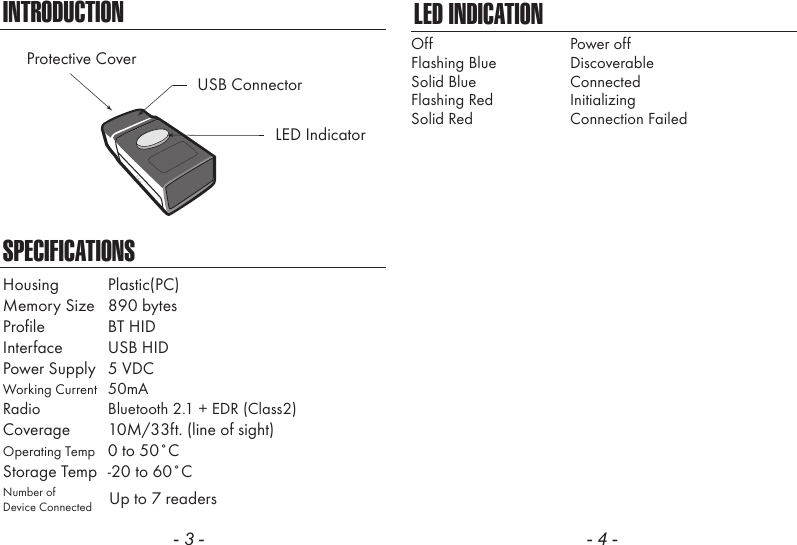
- 3 -INTRODUCTIONSPECIFICATIONSLED IndicatorUSB ConnectorProtective CoverHousing  Plastic(PC)Memory Size  890 bytesProfile  BT HIDInterface  USB HIDPower Supply  5 VDCWorking Current  50mARadio  Bluetooth 2.1 + EDR (Class2)Coverage  10M/33ft. (line of sight)Operating Temp  0 to 50˚CStorage Temp  -20 to 60˚CNumber ofDevice Connected Up to 7 readers- 4 -LED INDICATIONOffFlashing BlueSolid BlueFlashing RedSolid RedPower offDiscoverableConnectedInitializingConnection Failed

Navigation menu