Matias ONEKEYBOARD MATIAS ONEKEYBOARD User Manual USERS MANUAL

Matias Corporation MATIAS ONEKEYBOARD USERS MANUAL

USERS MANUAL

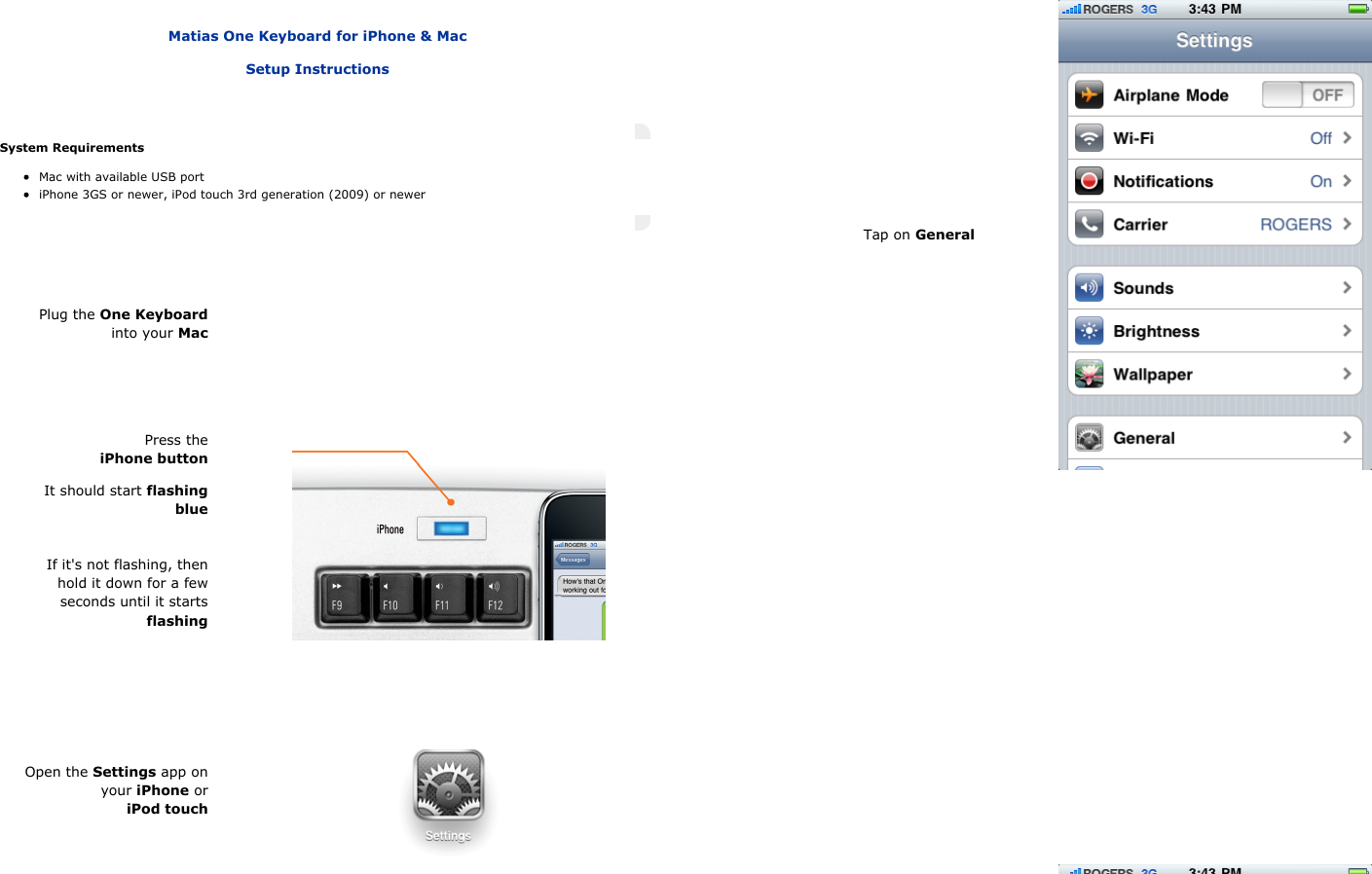
   Matias One Keyboard for iPhone & MacSetup InstructionsSystem RequirementsMac with available USB portiPhone 3GS or newer, iPod touch 3rd generation (2009) or newerPlug the One Keyboardinto your MacPress theiPhone buttonIt should start flashingblueIf it's not flashing, thenhold it down for a fewseconds until it startsflashingOpen the Settings app onyour iPhone oriPod touchTap on General
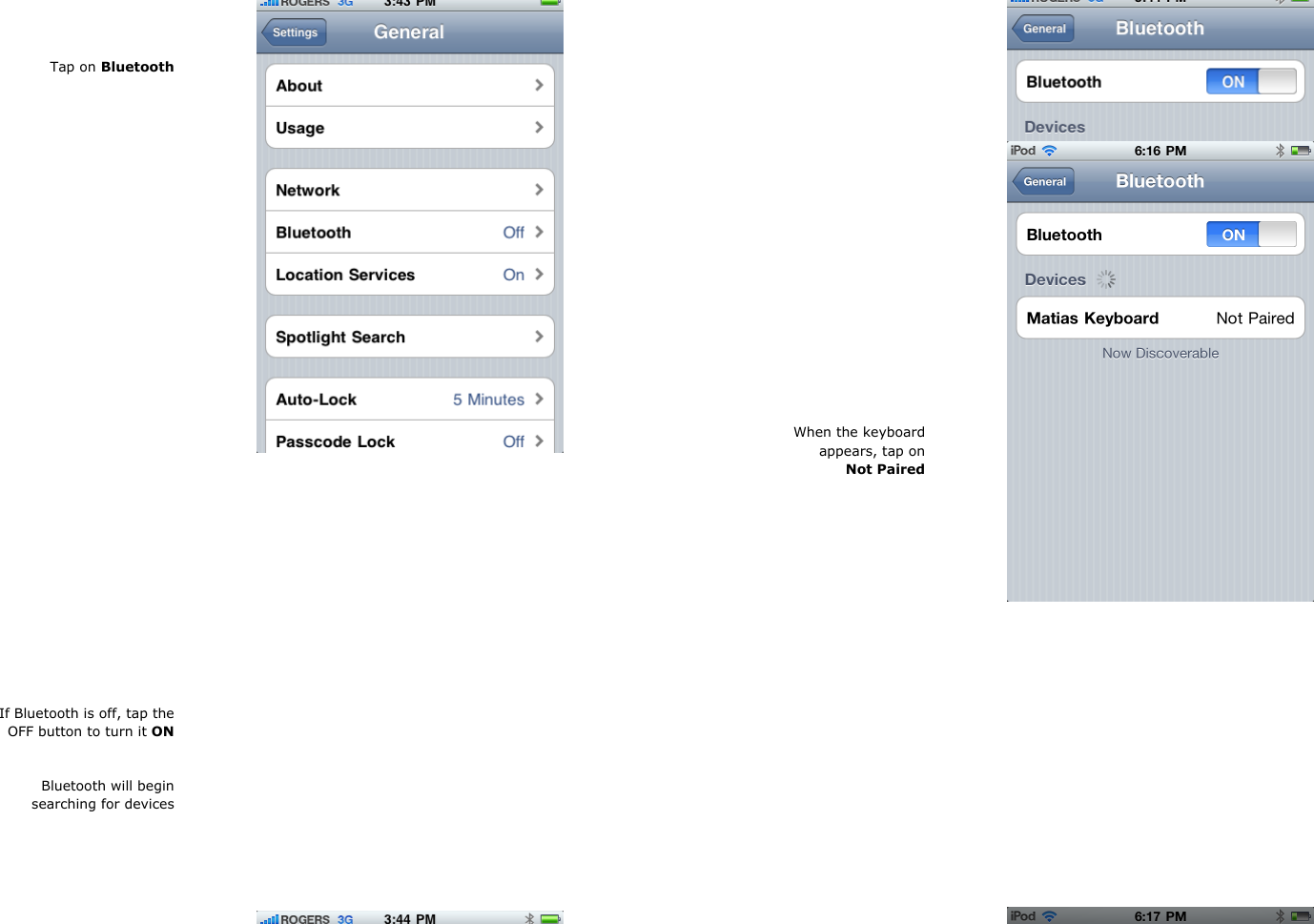
Tap on BluetoothIf Bluetooth is off, tap theOFF button to turn it ONBluetooth will beginsearching for devices When the keyboardappears, tap onNot Paired
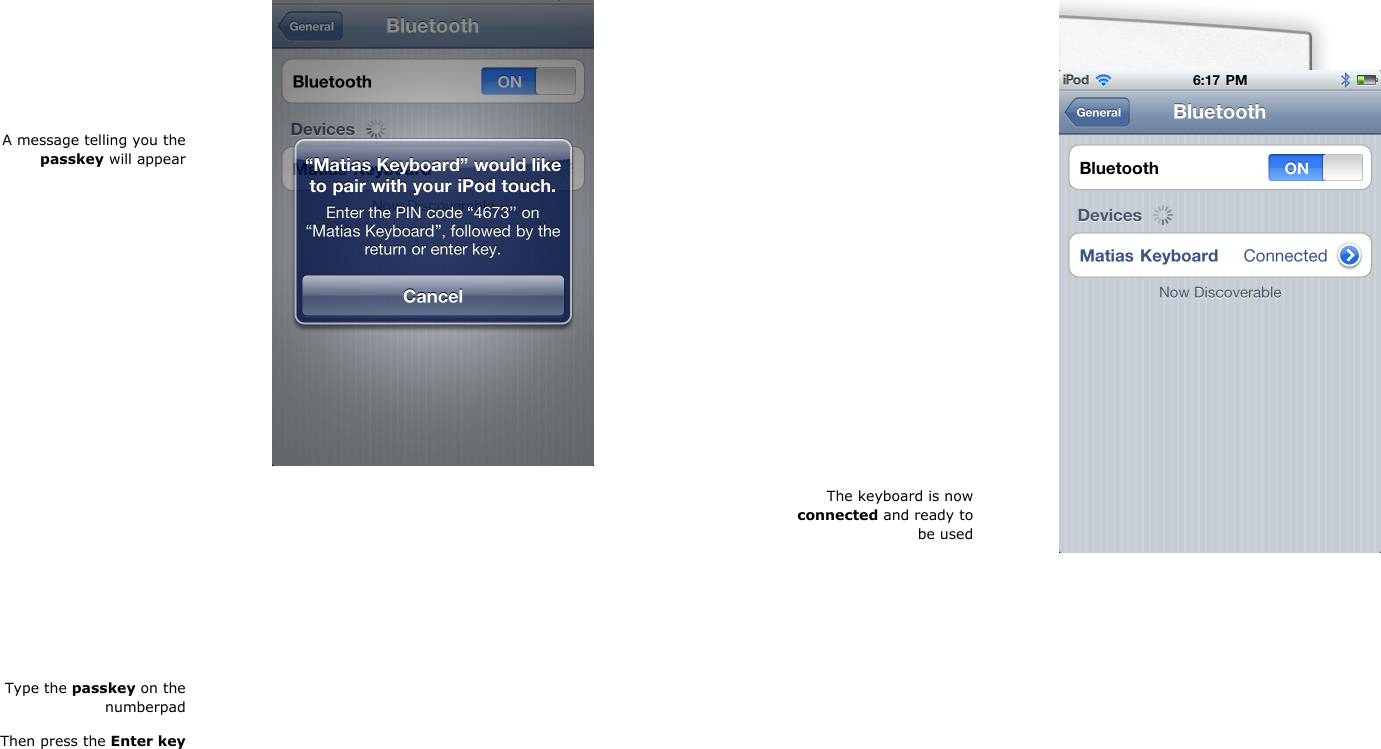
A message telling you thepasskey will appearType the passkey on thenumberpadThen press the Enter keyThe keyboard is nowconnected and ready tobe used
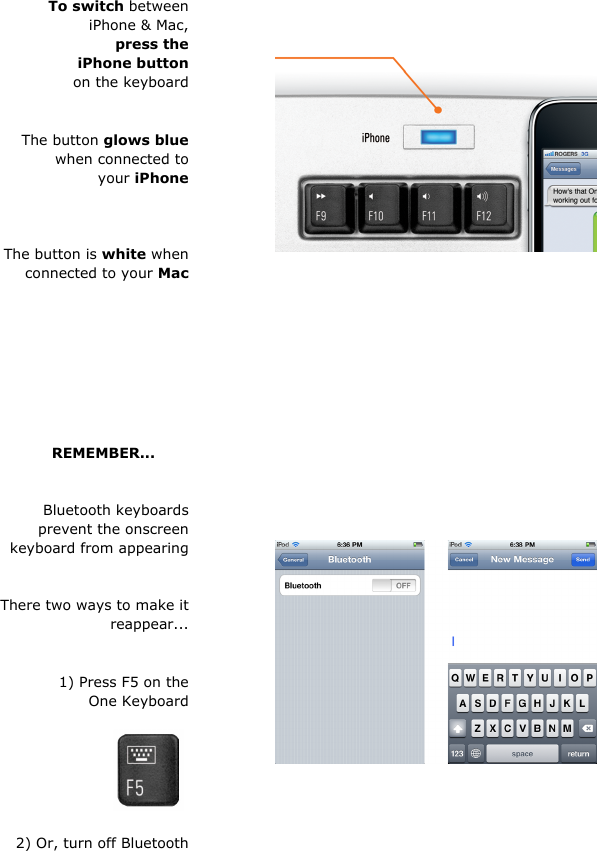
To switch betweeniPhone & Mac,press theiPhone buttonon the keyboardThe button glows bluewhen connected toyour iPhoneThe button is white whenconnected to your MacREMEMBER...       Bluetooth keyboardsprevent the onscreenkeyboard from appearingThere two ways to make itreappear...1) Press F5 on theOne Keyboard 2) Or, turn off Bluetooth
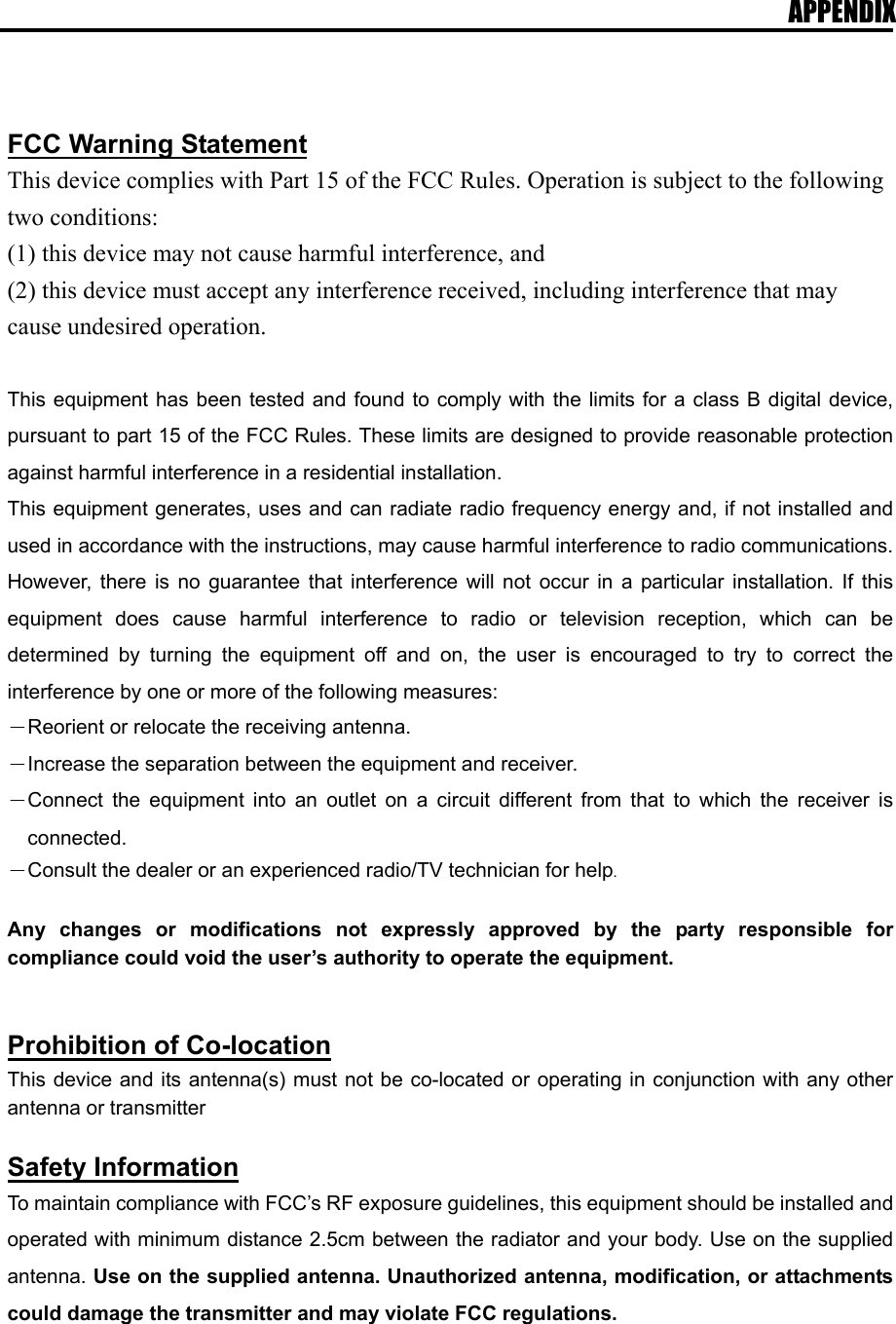
APPENDIX   FCC Warning Statement This device complies with Part 15 of the FCC Rules. Operation is subject to the following two conditions:   (1) this device may not cause harmful interference, and (2) this device must accept any interference received, including interference that may cause undesired operation.  This equipment has been tested and found to comply with the limits for a class B digital device, pursuant to part 15 of the FCC Rules. These limits are designed to provide reasonable protection against harmful interference in a residential installation. This equipment generates, uses and can radiate radio frequency energy and, if not installed and used in accordance with the instructions, may cause harmful interference to radio communications. However, there is no guarantee that interference will not occur in a particular installation. If this equipment does cause harmful interference to radio or television reception, which can be determined by turning the equipment off and on, the user is encouraged to try to correct the interference by one or more of the following measures: -Reorient or relocate the receiving antenna. -Increase the separation between the equipment and receiver. -Connect the equipment into an outlet on a circuit different from that to which the receiver is connected. -Consult the dealer or an experienced radio/TV technician for help.  Any changes or modifications not expressly approved by the party responsible for compliance could void the user’s authority to operate the equipment.   Prohibition of Co-location This device and its antenna(s) must not be co-located or operating in conjunction with any other antenna or transmitter  Safety Information To maintain compliance with FCC’s RF exposure guidelines, this equipment should be installed and operated with minimum distance 2.5cm between the radiator and your body. Use on the supplied antenna. Use on the supplied antenna. Unauthorized antenna, modification, or attachments could damage the transmitter and may violate FCC regulations.
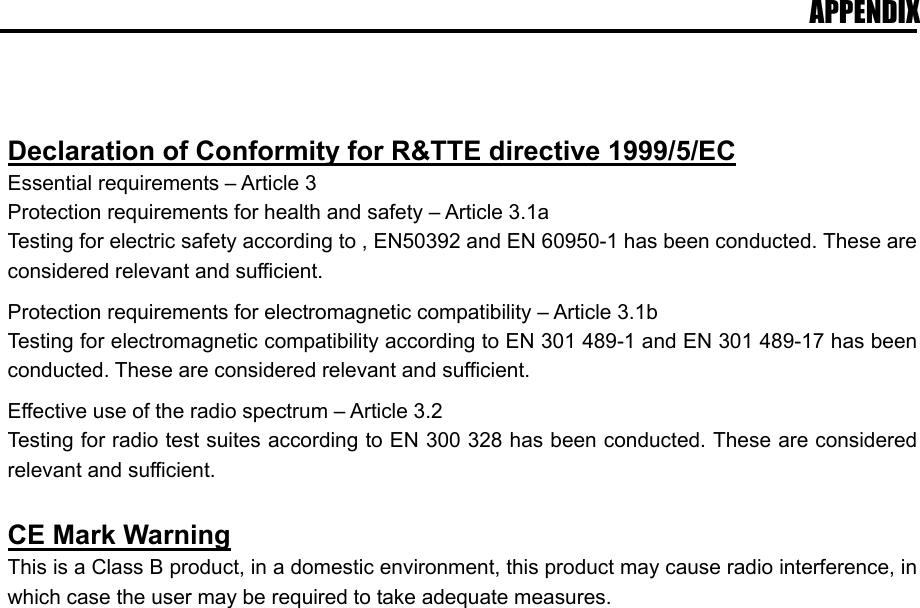
APPENDIX   Declaration of Conformity for R&TTE directive 1999/5/EC Essential requirements – Article 3 Protection requirements for health and safety – Article 3.1a Testing for electric safety according to , EN50392 and EN 60950-1 has been conducted. These are considered relevant and sufficient.  Protection requirements for electromagnetic compatibility – Article 3.1b Testing for electromagnetic compatibility according to EN 301 489-1 and EN 301 489-17 has been conducted. These are considered relevant and sufficient.  Effective use of the radio spectrum – Article 3.2 Testing for radio test suites according to EN 300 328 has been conducted. These are considered relevant and sufficient.  CE Mark Warning This is a Class B product, in a domestic environment, this product may cause radio interference, in which case the user may be required to take adequate measures.

Navigation menu