MetroTel of Minnesota MT9103CBU Cellular Tank Monitor User Manual 72 70 186 ITC RevP1 CellBaseUsersGuide

MetroTel Corp of Minnesota Cellular Tank Monitor 72 70 186 ITC RevP1 CellBaseUsersGuide

User Manual

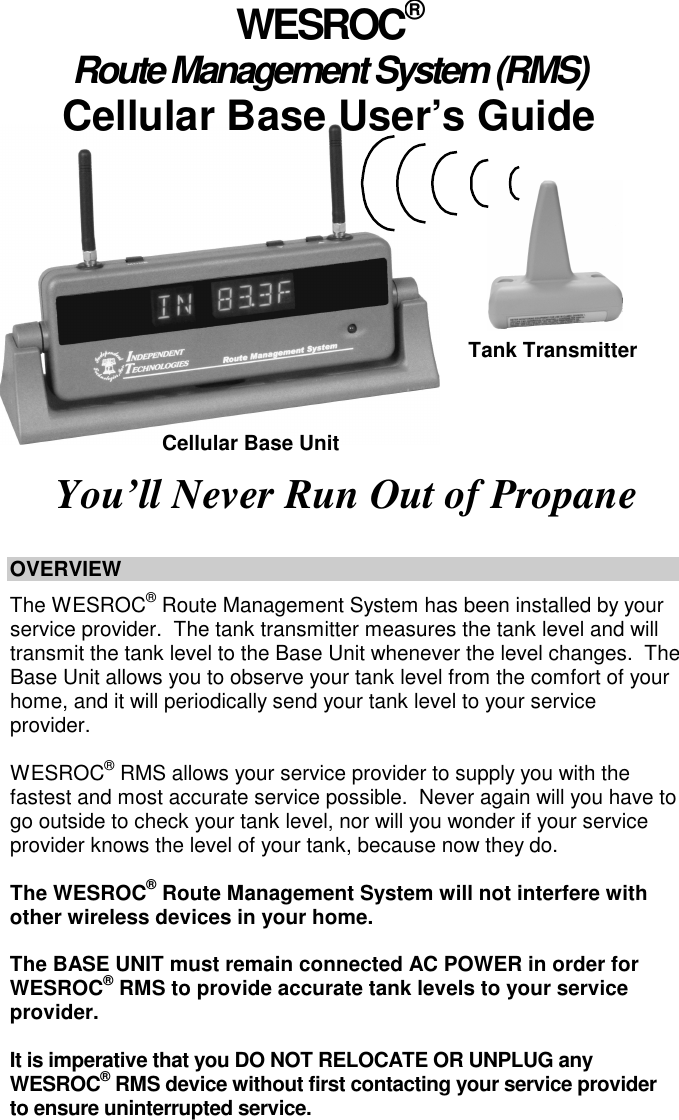
                      OVERVIEW    The WESROC® Route Management System has been installed by your service provider.  The tank transmitter measures the tank level and will transmit the tank level to the Base Unit whenever the level changes.  The Base Unit allows you to observe your tank level from the comfort of your home, and it will periodically send your tank level to your service provider.    WESROC® RMS allows your service provider to supply you with the fastest and most accurate service possible.  Never again will you have to go outside to check your tank level, nor will you wonder if your service provider knows the level of your tank, because now they do.  The WESROC® Route Management System will not interfere with other wireless devices in your home.    The BASE UNIT must remain connected AC POWER in order for WESROC® RMS to provide accurate tank levels to your service provider.    It is imperative that you DO NOT RELOCATE OR UNPLUG any WESROC® RMS device without first contacting your service provider to ensure uninterrupted service.      WESROC® Route Management System (RMS) Cellular Base User’s Guide You’ll Never Run Out of Propane  Tank Transmitter Cellular Base Unit
Page 2 THIS GUIDE COVERS   •  Safety Instructions •  Features •  Installation of the WESROC® RMS Deluxe Base Unit o  Selecting a Location o  Connecting Power •  Operation of the WESROC® RMS Deluxe Base Unit o  Operational Overview o  Power Up o  Level Display o  Digital Clock Display and Settings o  Temperature Display  o  Display Brightness Adjustment and Temperature Scale Settings •  Certifications •  Specifications •  Warranty •  Troubleshooting  SAFETY INSTRUCTIONS •  Read all instructions prior to operation. •  Unplug the Base Unit from the wall outlet before cleaning. •  Use a damp cloth for cleaning. •  Do not use the Base Unit near water.  •  Place the Base Unit on a secure and stable surface. •  Do not rest anything on the power.  Keep cords hidden and secure so they do not pose a trip hazard.   •  Do not overload wall outlets or extension cords as this can result in a fire or electrical shock.   •  Do not disassemble any WESROC® RMS device because this will void the warranty and may expose you to dangerous voltages or other risks.    •  Disconnect the Base Unit if a cord becomes damaged or frayed.  •  Do not use the Base Unit if there is a known gas leak. •  The Base Unit is intended for INDOOR USE ONLY.   IMPORTANT:  Only use the power adapter provided.  Using another adapter could seriously damage the Base Unit.
Page 3 FEATURES •  A large, bright display that can be easily read from across the room.  The display can be adjusted to the appropriate brightness level for various lighting conditions or an auto-off feature can be selected which will automatically turn off the display after about 4 minutes of no activity. •  The Base Unit’s electronics are housed in a durable enclosure, which can be tilted to accommodate different mounting configurations.  The Base Unit can sit on a flat surface or be wall mounted. •  If your tank level reaches a predetermined level, the Base Unit will immediately notify your propane supplier. •  With the Auto-Update (AUTO) feature enabled, you will never need to set the time after a power failure or during daylight savings time changes.  The Base Unit will automatically set the time when it sends your tank level to your service provider. •  The indoor and outdoor (external temperature transmitter required) temperature can be displayed in either Fahrenheit or Celsius.   •  A Transmitter Activity Indicator is included in the Base Unit.  The LED in the lower, right corner lights up when a transmitter is sending new information to the Base Unit.  INSTALLATION of the WESROC® RMS DELUXE BASE UNIT •  The following are several items that will help you and your service provider determine the best location for the Base Unit: o  Visibility:  The Base Unit should be located where it is easy to view and access. o  Power:  The Base Unit requires 110V - AC to operate and should be placed near an electrical outlet.  Make sure that the AC outlet is not connected through a switch because the Base Unit must be plugged into constant AC power to work correctly. o  Temperature Accuracy:  If you plan on using the indoor temperature display, the Base Unit should NOT be placed in direct sunlight, nor should it be placed near any heating or cooling source. o  Tank Location:  For best results, the Base Unit should be placed as close to the tank as possible.  This may not always be possible, but your service provider will be able to determine if the location you have chosen will be adequate for proper operation. •  Once an acceptable location for your Base Unit has been chosen, your service provider will complete the installation.   IMPORTANT:  If you choose to relocate your Base Unit, please contact your service provider prior to doing so.  This will allow them to ensure continued operation of your system.
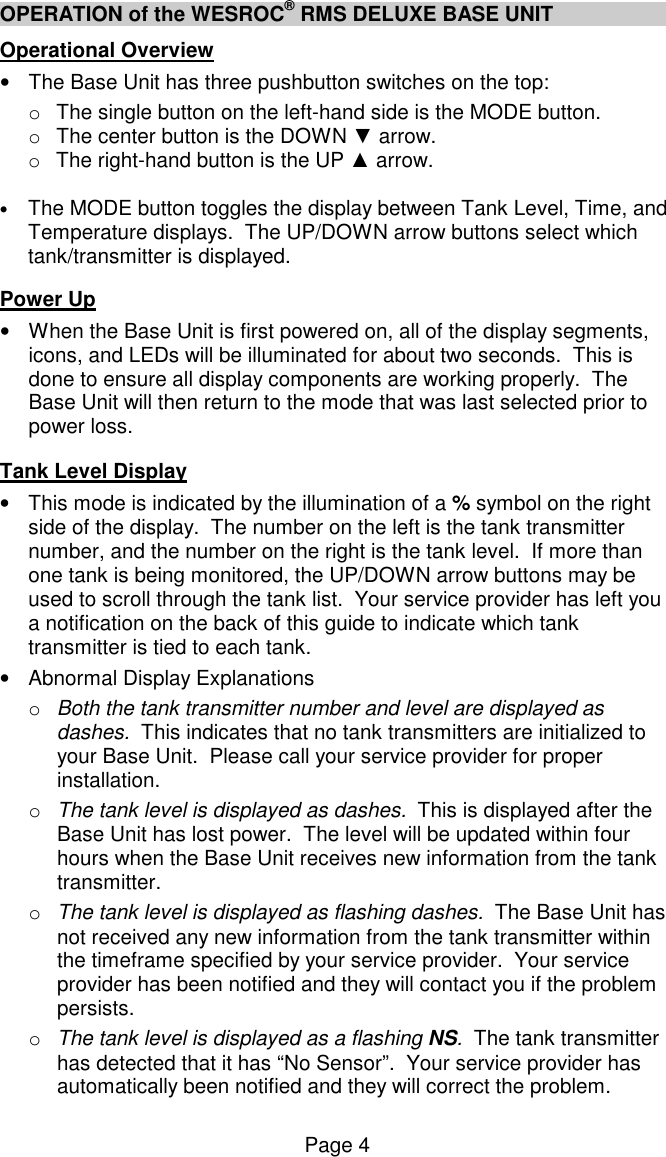
Page 4 OPERATION of the WESROC® RMS DELUXE BASE UNIT Operational Overview •  The Base Unit has three pushbutton switches on the top: o  The single button on the left-hand side is the MODE button.  o  The center button is the DOWN ▼ arrow. o  The right-hand button is the UP ▲ arrow.    • The MODE button toggles the display between Tank Level, Time, and Temperature displays.  The UP/DOWN arrow buttons select which tank/transmitter is displayed.    Power Up •  When the Base Unit is first powered on, all of the display segments, icons, and LEDs will be illuminated for about two seconds.  This is done to ensure all display components are working properly.  The Base Unit will then return to the mode that was last selected prior to power loss.   Tank Level Display •  This mode is indicated by the illumination of a % symbol on the right side of the display.  The number on the left is the tank transmitter number, and the number on the right is the tank level.  If more than one tank is being monitored, the UP/DOWN arrow buttons may be used to scroll through the tank list.  Your service provider has left you a notification on the back of this guide to indicate which tank transmitter is tied to each tank.  •  Abnormal Display Explanations o  Both the tank transmitter number and level are displayed as dashes.  This indicates that no tank transmitters are initialized to your Base Unit.  Please call your service provider for proper installation.  o  The tank level is displayed as dashes.  This is displayed after the Base Unit has lost power.  The level will be updated within four hours when the Base Unit receives new information from the tank transmitter. o  The tank level is displayed as flashing dashes.  The Base Unit has not received any new information from the tank transmitter within the timeframe specified by your service provider.  Your service provider has been notified and they will contact you if the problem persists. o  The tank level is displayed as a flashing NS.  The tank transmitter has detected that it has “No Sensor”.  Your service provider has automatically been notified and they will correct the problem.
Page 5 o  The tank level is flashing.  This occurs when the tank level has crossed a threshold specified by your service supplier.  If more than one tank has crossed its specified threshold, the Base Unit will display a different tank level each minute.  To return the Base Unit to its normal display mode, simply press any key.  Your service provider has been notified, and they will refill your tank if you have a “keep full” account.    Digital Clock Display and Setting •  This mode is indicated by the illumination of the clock colon in the center of the display window, and AM, PM, or HR on the right. •  Abnormal Display Explanations o  Both the hours and minutes are displayed as dashes.  This is displayed after the Base Unit has lost power.  The time will be automatically updated when the Base Unit sends a report to the host computer.  This could be an extended period of time if the system is working correctly, so you may want to set the time manually. •  Setting the Time  o  With the display in Time Mode, press and hold the MODE button for approximately two seconds. o  Once the HOURS start to flash, release the MODE button and use the UP/DOWN arrow buttons to adjust the HOURS. o  Press and release the MODE button to advance to the MINUTES position. o  Once the MINUTES start to flash, use the UP/DOWN arrow buttons to adjust the MINUTES. •  Enabling the Auto-Update option o  Press and release the MODE button to advance to the Auto-Update (AUTO) option. -  Auto-Update is a feature that allows the Base Unit to automatically set its clock when it sends a report to the host computer.  You may want to disable this feature if you have set your Base Unit to a time different than that supplied from your service provider.  o  With AUTO displayed on the right, use the UP/DOWN arrow buttons to select YS to enable this feature or NO to disable it. •  Setting the Time Format o  Press and release the MODE button to advance to the 12/24-Hour Time Display option.   o  With 24HR displayed on the right, use the UP/DOWN arrow buttons to select YS to enable 24-Hour Time Display, and NO to select 12-Hour Time Display.
Page 6 OPERATION of the WESROC® RMS DELUXE BASE UNIT (cont) •  Adjusting the Display Brightness o  Press and release the MODE button to advance to the Display Brightness Adjustment. o  With BRGT displayed on the right, use the UP/DOWN buttons to adjust the display brightness level shown as a flashing two-digit number on the left. o  The Base Unit has seven display brightness levels with “11” being the dimmest and “77” being the brightest. o  A setting of “00” or “LP” enables an auto-off feature, which turns the display off after about four minutes.  Pressing any button will reset the auto-off timer and turn the display back on with a mid-range brightness setting of 4. •  Setting the Temperature Display Format o Press and release the MODE button to advance to the Fahrenheit or Celsius (F/C) selection for the Temperature Display.   o With TEMP displayed on the right, use the UP/DOWN arrow buttons to select F for Fahrenheit or C for Celsius scale.   o Press and release the MODE button to return to the Time Display.  NOTE 1:  When the auto-off feature is active the Tank Activity Indicator will still continue to operate normally and critical alarms will be displayed until the alarm has been acknowledged with a button press or cleared.  In Low Power installations, the “LP” setting should be selected.  This setting prevents the display from turning back on until a button is pressed.  NOTE 2:  While setting the time, display brightness temperature mode if no buttons are pressed for 30 seconds, the Base Unit will automatically return to the Time Display.  Temperature Display •  This mode is indicated by the illumination of an F or a C in the right side of the display window to represent Fahrenheit or Celsius scales. •  If one or multiple temperature transmitters are being monitored, the UP/DOWN arrow buttons may be used to scroll through the device list.  Your service provider has left you a notification on the back of this guide to indicate the location of each temperature transmitter. •  Abnormal Display Explanations o  A flashing temperature indicates that the temperature has risen above, or dropped below the temperature threshold settings submitted to your service provider. To return the Base Unit to its normal display mode, simply press any key.
Page 7 Certifications Part 15 of FCC Rules (United States) •  The WESROC® RMS 3G Cellular Base Unit has been tested and found to comply with part 15 of the FCC Rules. •  FCC ID:  RWBMT9103CBU •  IC:  115A-MT9103CBU  PTCRB •  The WESROC® RMS 3G Cellular Base Unit has been certified by a PTCRB approved test lab for use on the GSM/UMTS digital cellular network.  Cellular Carrier •  The WESROC® RMS 3G Cellular Base Unit has been certified for use on the AT&T GSM (2G) and UMTS (3G) digital cellular networks.   Specifications Mechanical •  Dimensions:  10.5”W x 2.5”D x 3.5”H  (6.5”H with antennae)  Environment •  Temperature:  0C to +50C non-condensing  Power Source •  Model:  MT9103-ADP-9.0 •  Type:  Wall Transformer •  Voltage In:  120 VAC •  Voltage Out:  9.0VDC @ 300mA  Cellular Communication •  Type:  GSM/UMTS Quad-Band/Tri-Band Cellular Module •  Bands (GSM):  GSM850, EGSM900, DCS1800, PCS1900 •  Bands (UMTS):  850, AWS1700, PCS1900 (Bands II, IV, and V) •  Antenna:  MT9100-ANT-RS, Removable, Whip, ¼ Wave, Penta-Band, RP-SMA •  FCC ID:  RI7HE910NA •  IC:  5131A-HE910NA  ISM Communication •  Type:  US 900MHz ISM Band FSK Transceiver •  Frequency:  916.48MHz •  Power:  +8dBm (6.3mW) max •  Antenna:  MT9100-ANT-RS, Removable, Whip, ¼ Wave, Penta-Band, RP-SMA   Warranty Independent Technologies, Inc. (ITC) warrants the MT-9103CBU3 WESROC® RMS 3G Cellular Base Unit against defects in materials or workmanship for a period of two years from date of shipment to original purchaser.  All units deemed defective under this warranty will be replaced or repaired at ITC’s option.  No other warranty is expressed or implied, nor will responsibility for operation of this device be assumed by ITC.
Page 8 TROUBLESHOOTING Problem Solution Blank screen  -  Check that the AC adapter is properly installed, and there is power to the outlet.  When power is applied, the Base Unit should return to the mode it was in prior to power loss.  If this is the first time power has been applied, the Base Unit will default to the Tank Level Display.   Blank Screen,  -  The auto-off feature might be active or the display  Power OK     brightness  may  be  set  to  the  minimum  level,  which could be difficult to see in daylight.  Press any button to  reactivate  the  display.    If  the  screen  is  still  blank, temporarily relocate the Base Unit to a darker location and  adjust  the  brightness  to  the  appropriate  level  by following the instructions provided in this guide.   COMPLIANCE INFORMATION    Changes or modifications not expressly approved by the manufacturer could void the user’s authority to operate this equipment. This product meets the applicable FCC Part 15 rules and Industry Canada’s license exempt RSSs. Operation is subject to the following two conditions: (1) this device may not cause interference, and (2) this device must accept any interference, including interference that may cause undesired operation of the device. Le présent materiel est conforme aux exempts de licence d’Industrie Canada. Son fonctionnement est soumis aux deux conditions suivantes: (1) cet appareil ne peut pas provoquer d’interférences, et (2) cet appareil doit accepter toute interférence, y compris celles susceptibles de provoquer le fonctionnement du dispositif Ensure that 20cm (7.87in.) is maintained between the device and your body to limit RF exposure.  [8]  __________________________________________________       72-70-186-ITC   Revision A  © Copyright 2012.  Independent Technologies, Inc.  All rights reserved.

Navigation menu