Midmark 9A408T2 Medical Chair Controller Transmitter User Manual 00x xxxx xx Description Product name

Midmark Corporation Medical Chair Controller Transmitter 00x xxxx xx Description Product name

manual

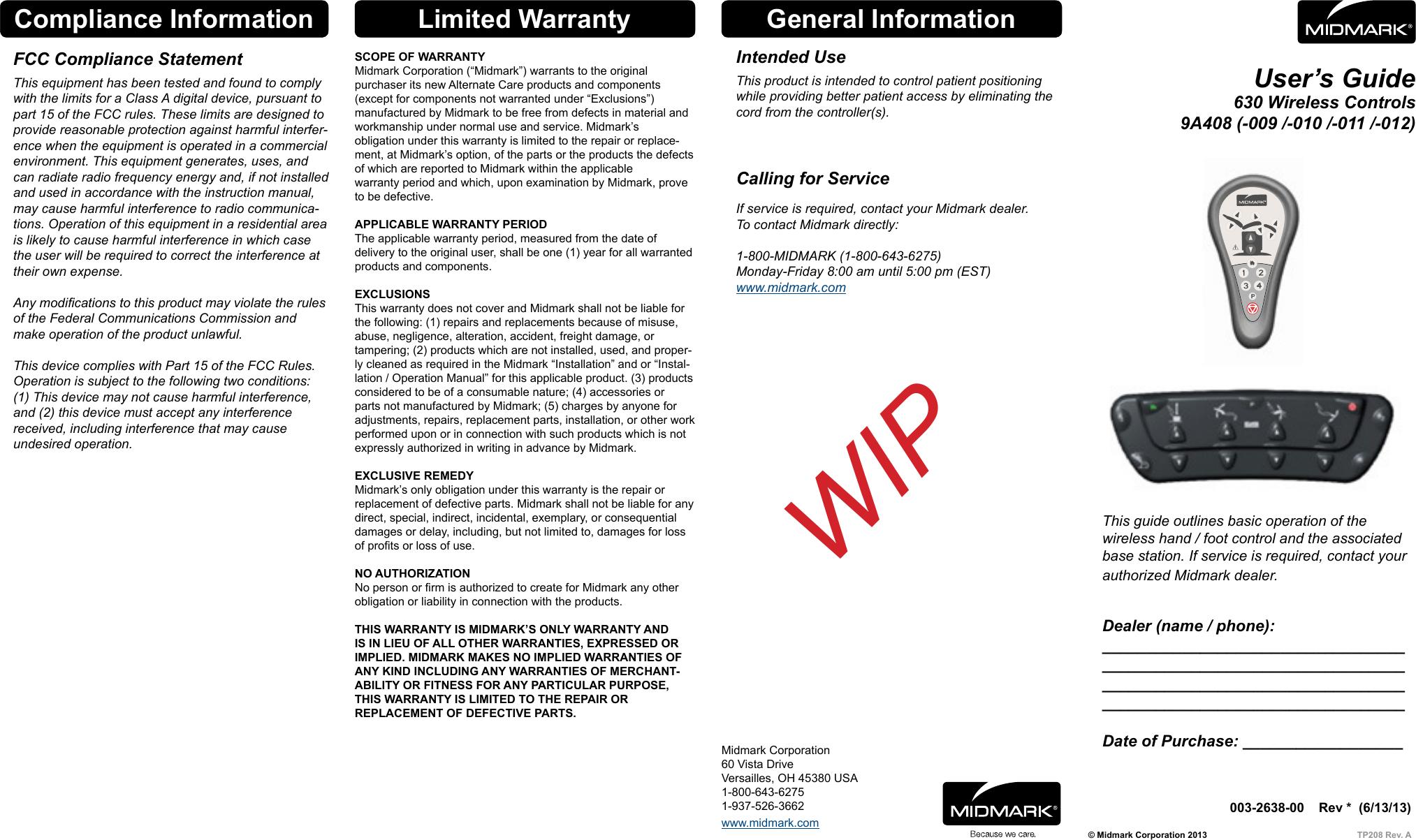
© Midmark Corporation 2013  TP208 Rev. A003-2638-00    Rev *  (6/13/13))Midmark Corporation60 Vista DriveVersailles, OH 45380 USA1-800-643-62751-937-526-3662User’s Guide630 Wireless Controls 9A408 (-009 /-010 /-011 /-012)This guide outlines basic operation of the  wireless hand / foot control and the associated base station. If service is required, contact your authorized Midmark dealer. Dealer (name / phone): __________________________________ __________________________________ __________________________________ __________________________________  Date of Purchase: __________________General InformationIntended UseThis product is intended to control patient positioning while providing better patient access by eliminating the cord from the controller(s).    Calling for ServiceIf service is required, contact your Midmark dealer. To contact Midmark directly:  1-800-MIDMARK (1-800-643-6275) Monday-Friday 8:00 am until 5:00 pm (EST) www.midmark.comLimited WarrantySCOPE OF WARRANTYMidmark Corporation (“Midmark”) warrants to the original  purchaser its new Alternate Care products and components  (except for components not warranted under “Exclusions”)  manufactured by Midmark to be free from defects in material and workmanship under normal use and service. Midmark’s  obligation under this warranty is limited to the repair or replace-ment, at Midmark’s option, of the parts or the products the defects of which are reported to Midmark within the applicable warranty period and which, upon examination by Midmark, prove to be defective. APPLICABLE WARRANTY PERIODThe applicable warranty period, measured from the date of delivery to the original user, shall be one (1) year for all warranted products and components.EXCLUSIONSThis warranty does not cover and Midmark shall not be liable for the following: (1) repairs and replacements because of misuse, abuse, negligence, alteration, accident, freight damage, or tampering; (2) products which are not installed, used, and proper-ly cleaned as required in the Midmark “Installation” and or “Instal-lation / Operation Manual” for this applicable product. (3) products considered to be of a consumable nature; (4) accessories or parts not manufactured by Midmark; (5) charges by anyone for adjustments, repairs, replacement parts, installation, or other work performed upon or in connection with such products which is not expressly authorized in writing in advance by Midmark.EXCLUSIVE REMEDYMidmark’s only obligation under this warranty is the repair or replacement of defective parts. Midmark shall not be liable for any direct, special, indirect, incidental, exemplary, or consequential damages or delay, including, but not limited to, damages for loss of prots or loss of use. NO AUTHORIZATIONNo person or rm is authorized to create for Midmark any other obligation or liability in connection with the products. THIS WARRANTY IS MIDMARK’S ONLY WARRANTY AND IS IN LIEU OF ALL OTHER WARRANTIES, EXPRESSED OR IMPLIED. MIDMARK MAKES NO IMPLIED WARRANTIES OF ANY KIND INCLUDING ANY WARRANTIES OF MERCHANT-ABILITY OR FITNESS FOR ANY PARTICULAR PURPOSE, THIS WARRANTY IS LIMITED TO THE REPAIR OR  REPLACEMENT OF DEFECTIVE PARTS. Compliance InformationFCC Compliance StatementThis equipment has been tested and found to comply with the limits for a Class A digital device, pursuant to part 15 of the FCC rules. These limits are designed to provide reasonable protection against harmful interfer-ence when the equipment is operated in a commercial environment. This equipment generates, uses, and can radiate radio frequency energy and, if not installed and used in accordance with the instruction manual, may cause harmful interference to radio communica-tions. Operation of this equipment in a residential area is likely to cause harmful interference in which case the user will be required to correct the interference at their own expense.  Any modications to this product may violate the rules of the Federal Communications Commission and make operation of the product unlawful.  This device complies with Part 15 of the FCC Rules. Operation is subject to the following two conditions: (1) This device may not cause harmful interference, and (2) this device must accept any interference received, including interference that may cause undesired operation.WIPStyle Ewww.midmark.com
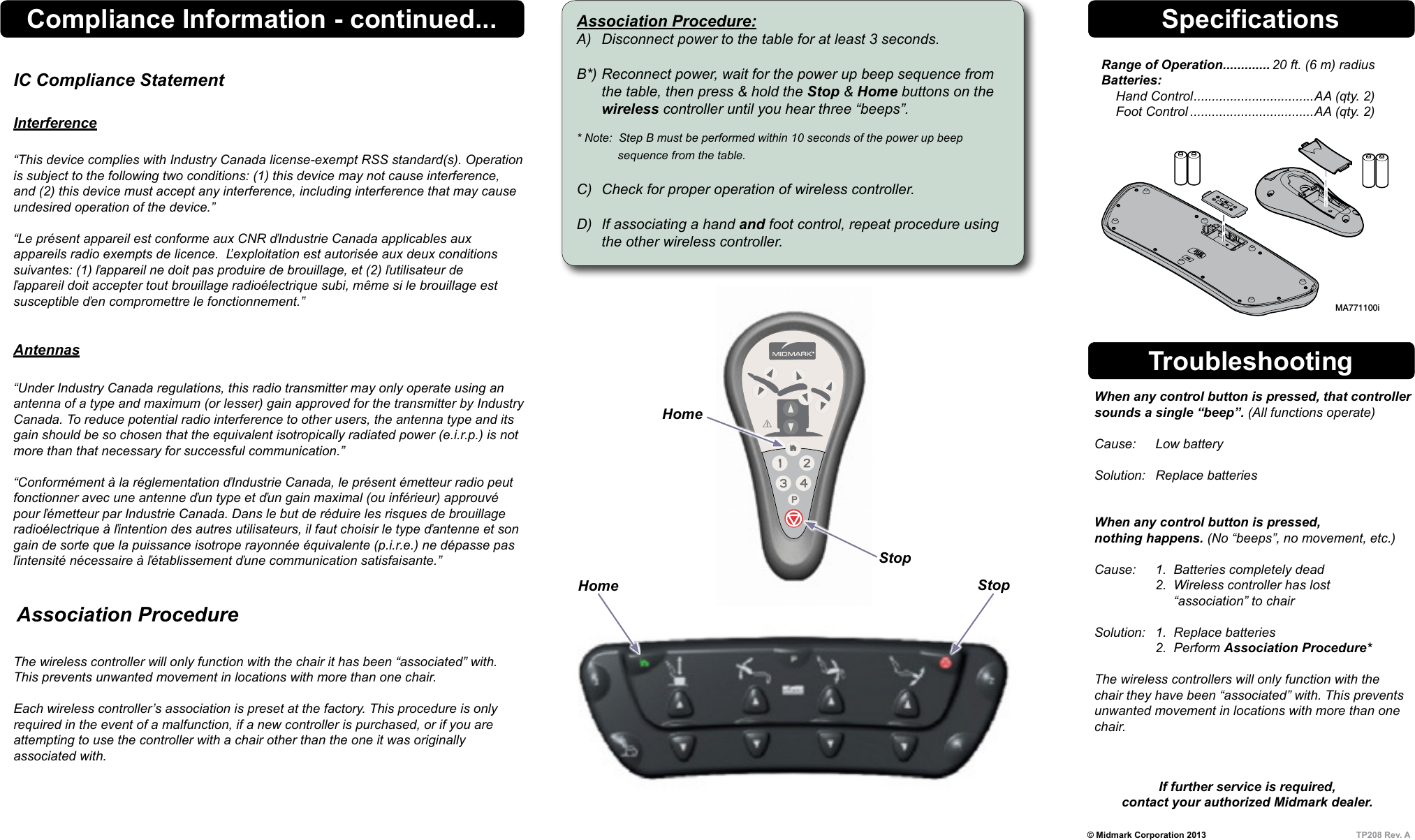
© Midmark Corporation 2013  TP208 Rev. ASpecificationsRange of Operation ............. 20 ft. (6 m) radius Batteries:     Hand Control ................................. AA (qty. 2)     Foot Control ..................................AA (qty. 2)Troubleshooting  When any control button is pressed, that controller    sounds a single “beep”. (All functions operate)    Cause:  Low battery    Solution:  Replace batteries     When any control button is pressed,    nothing happens. (No “beeps”, no movement, etc.)    Cause:  1.  Batteries completely dead     2.  Wireless controller has lost           “association” to chair    Solution:  1.  Replace batteries     2.  Perform Association Procedure*    The wireless controllers will only function with the   chair they have been “associated” with. This prevents    unwanted movement in locations with more than one   chair.  If further service is required, contact your authorized Midmark dealer.MA771100iAssociation Procedure:A)  Disconnect power to the table for at least 3 seconds.  B*) Reconnect power, wait for the power up beep sequence from    the table, then press & hold the Stop & Home buttons on the  wireless controller until you hear three “beeps”.  * Note:  Step B must be performed within 10 seconds of the power up beep        sequence from the table.  C)  Check for proper operation of wireless controller.  D)  If associating a hand and foot control, repeat procedure using    the other wireless controller.StopHomeHomeStop   Association Procedure The wireless controller will only function with the chair it has been “associated” with. This prevents unwanted movement in locations with more than one chair.  Each wireless controller’s association is preset at the factory. This procedure is only required in the event of a malfunction, if a new controller is purchased, or if you are  attempting to use the controller with a chair other than the one it was originally  associated with.Compliance Information - continued...IC Compliance Statement  Interference  “This device complies with Industry Canada license-exempt RSS standard(s). Operation is subject to the following two conditions: (1) this device may not cause interference, and (2) this device must accept any interference, including interference that may cause undesired operation of the device.”  “Le présent appareil est conforme aux CNR ďIndustrie Canada applicables aux appareils radio exempts de licence.  Ľexploitation est autorisée aux deux conditions suivantes: (1) ľappareil ne doit pas produire de brouillage, et (2) ľutilisateur de ľappareil doit accepter tout brouillage radioélectrique subi, même si le brouillage est susceptible ďen compromettre le fonctionnement.”   Antennas “Under Industry Canada regulations, this radio transmitter may only operate using an antenna of a type and maximum (or lesser) gain approved for the transmitter by Industry Canada. To reduce potential radio interference to other users, the antenna type and its gain should be so chosen that the equivalent isotropically radiated power (e.i.r.p.) is not more than that necessary for successful communication.”  “Conformément à la réglementation ďIndustrie Canada, le présent émetteur radio peut fonctionner avec une antenne ďun type et ďun gain maximal (ou inférieur) approuvé pour ľémetteur par Industrie Canada. Dans le but de réduire les risques de brouillage radioélectrique à ľintention des autres utilisateurs, il faut choisir le type ďantenne et son gain de sorte que la puissance isotrope rayonnée équivalente (p.i.r.e.) ne dépasse pas ľintensité nécessaire à ľétablissement ďune communication satisfaisante.”Style E

Navigation menu