Mobile Communications BST22023 Consumer Wide-band Coupling Booster User Manual 1

Mobile Communications Inc. Consumer Wide-band Coupling Booster 1

Contents

User Manual 1

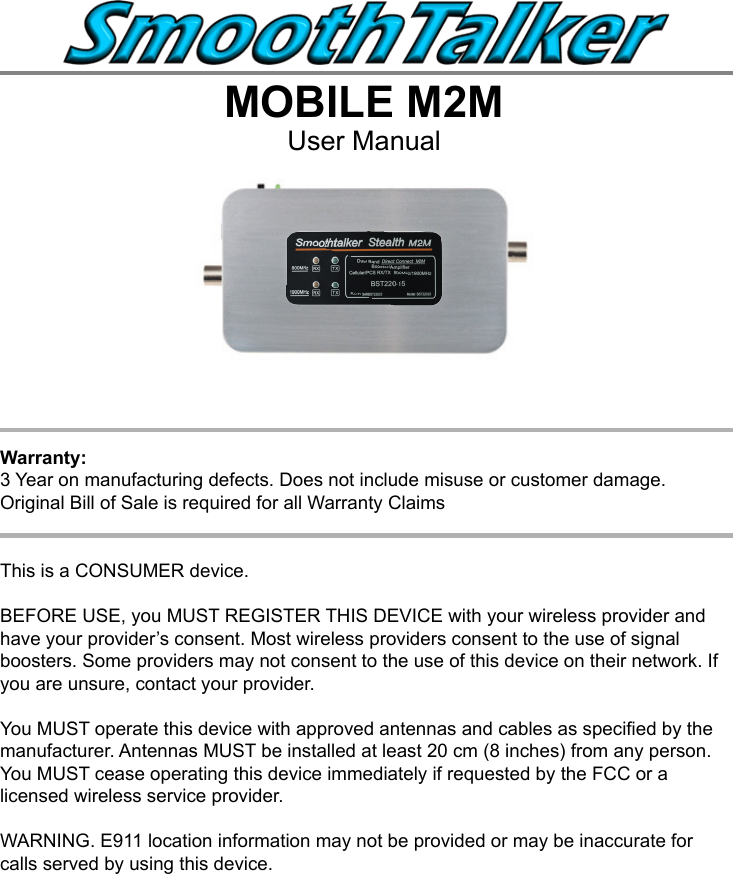
MOBILE M2MUser Manual This is a CONSUMER device.BEFORE USE, you MUST REGISTER THIS DEVICE with your wireless provider and have your provider’s consent. Most wireless providers consent to the use of signal boosters. Some providers may not consent to the use of this device on their network. If you are unsure, contact your provider.You MUST operate this device with approved antennas and cables as specied by the manufacturer. Antennas MUST be installed at least 20 cm (8 inches) from any person.You MUST cease operating this device immediately if requested by the FCC or a licensed wireless service provider.WARNING. E911 location information may not be provided or may be inaccurate for calls served by using this device.Warranty: 3 Year on manufacturing defects. Does not include misuse or customer damage.  Original Bill of Sale is required for all Warranty Claims
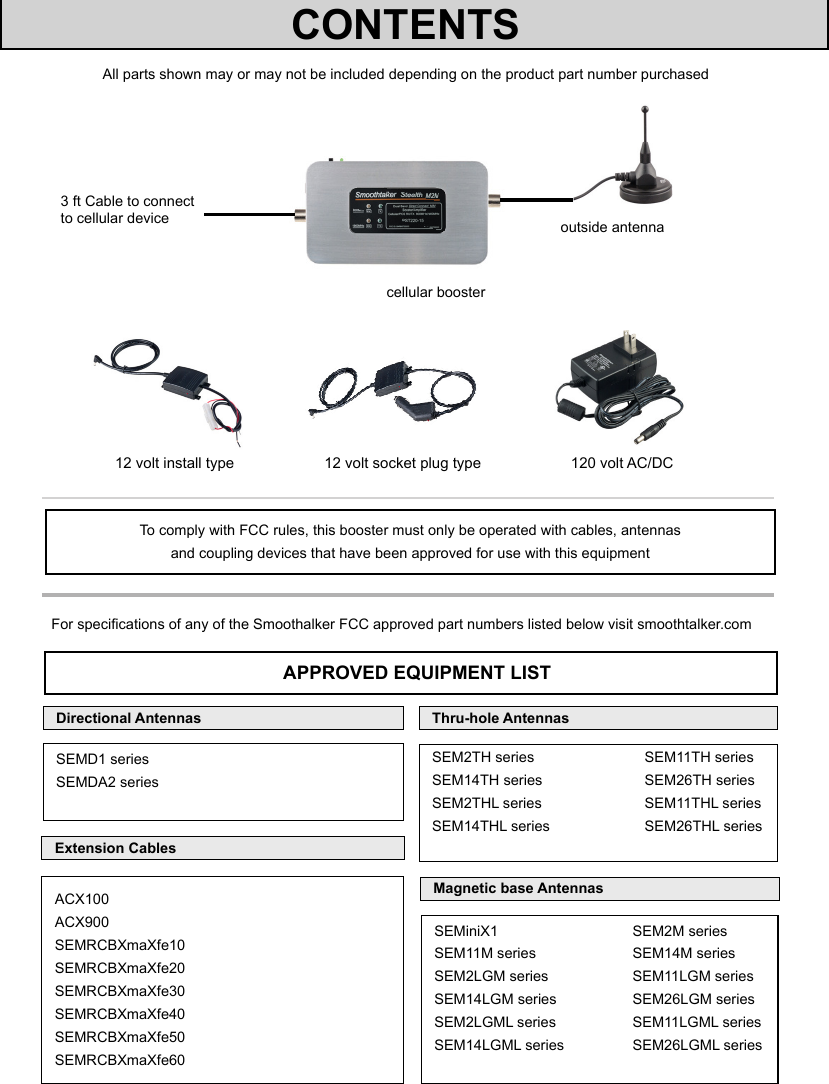
All parts shown may or may not be included depending on the product part number purchased3 ft Cable to connectto cellular devicecellular boosteroutside antenna12 volt install type 12 volt socket plug type 120 volt AC/DCTo comply with FCC rules, this booster must only be operated with cables, antennas  and coupling devices that have been approved for use with this equipmentFor specications of any of the Smoothalker FCC approved part numbers listed below visit smoothtalker.comAPPROVED EQUIPMENT LISTExtension CablesMagnetic base AntennasThru-hole AntennasACX100ACX900SEMRCBXmaXfe10SEMRCBXmaXfe20SEMRCBXmaXfe30 SEMRCBXmaXfe40SEMRCBXmaXfe50SEMRCBXmaXfe60SEMiniX1                 SEM2M seriesSEM11M series                 SEM14M seriesSEM2LGM series                 SEM11LGM seriesSEM14LGM series                 SEM26LGM seriesSEM2LGML series                 SEM11LGML seriesSEM14LGML series                 SEM26LGML seriesCONTENTSSEM2TH series    SEM11TH seriesSEM14TH series    SEM26TH seriesSEM2THL series    SEM11THL seriesSEM14THL series    SEM26THL seriesDirectional AntennasSEMD1 seriesSEMDA2 series
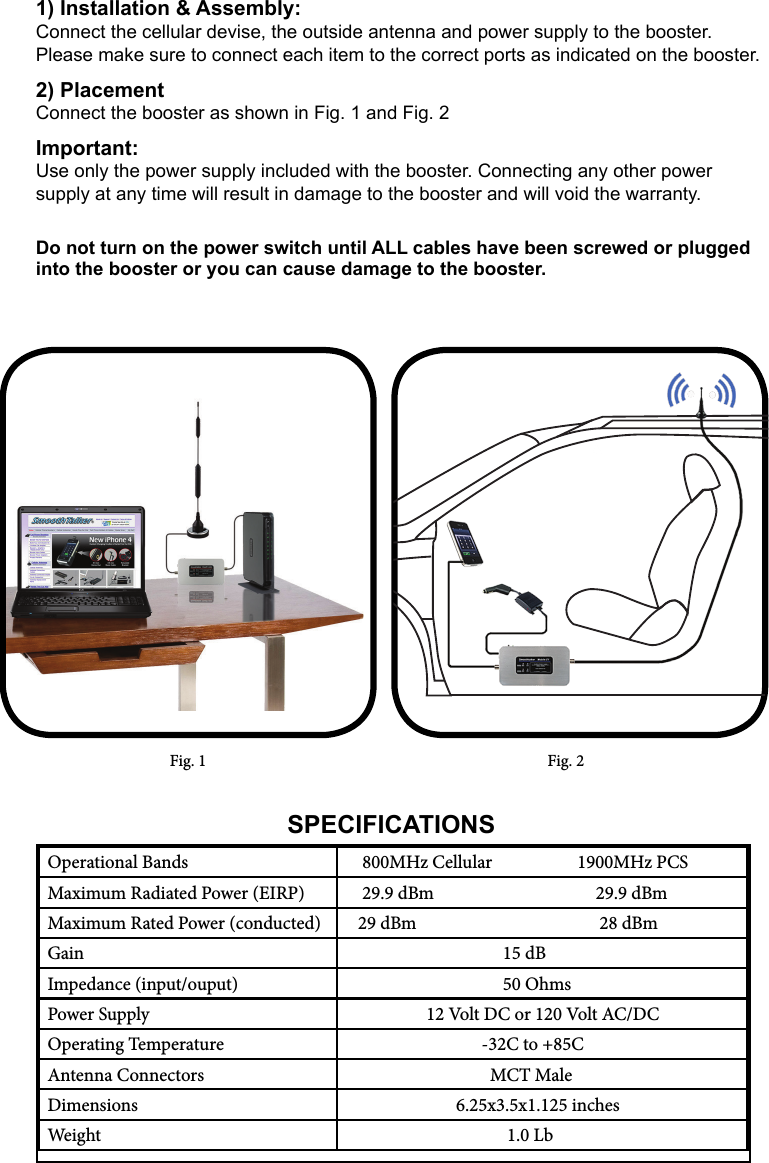
Fig. 1 Fig. 2Operational Bands     800MHz Cellular                    1900MHz PCSMaximum Radiated Power (EIRP)     29.9 dBm                                      29.9 dBmMaximum Rated Power (conducted)    29 dBm                                           28 dBmGain                                      15 dBImpedance (input/ouput)                                       50 OhmsPower Supply                    12 Volt DC or 120 Volt AC/DCOperating Temperature                                 -32C to +85CAntenna Connectors                                   MCT MaleDimensions                           6.25x3.5x1.125 inchesWeight                                       1.0 LbSPECIFICATIONS1) Installation & Assembly:Connect the cellular devise, the outside antenna and power supply to the booster. Please make sure to connect each item to the correct ports as indicated on the booster. 2) PlacementConnect the booster as shown in Fig. 1 and Fig. 2Important:Use only the power supply included with the booster. Connecting any other power  supply at any time will result in damage to the booster and will void the warranty. Do not turn on the power switch until ALL cables have been screwed or plugged into the booster or you can cause damage to the booster.
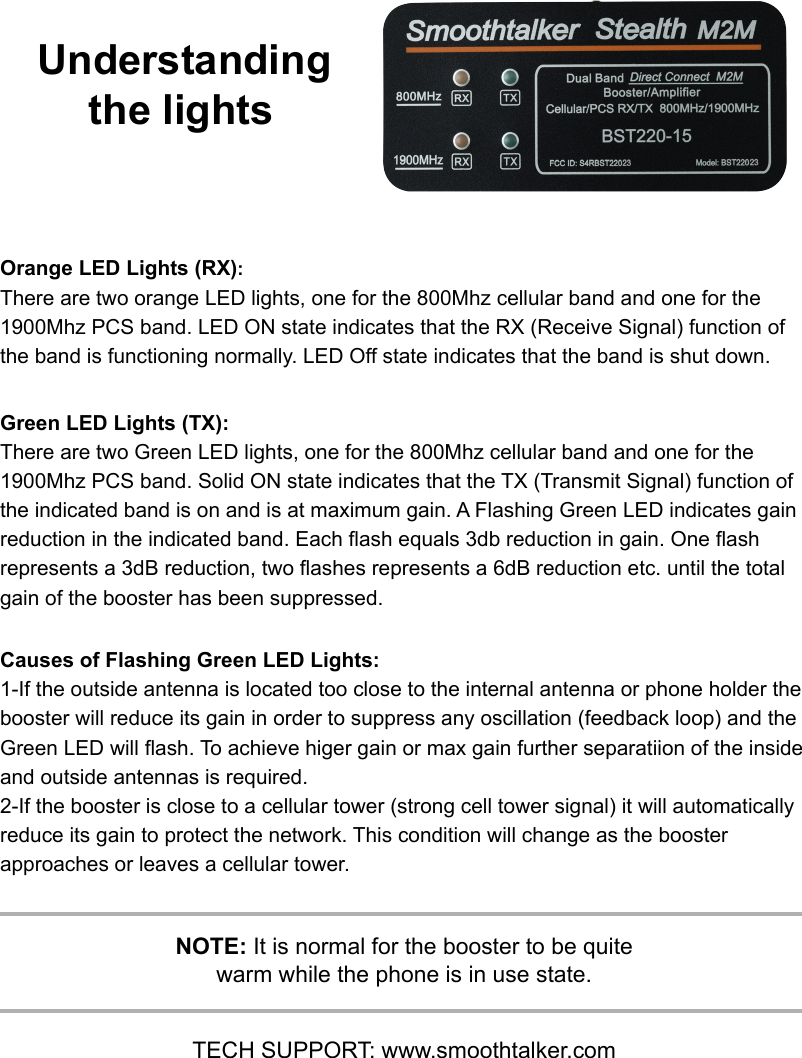
Orange LED Lights (RX): There are two orange LED lights, one for the 800Mhz cellular band and one for the 1900Mhz PCS band. LED ON state indicates that the RX (Receive Signal) function of the band is functioning normally. LED Off state indicates that the band is shut down.Green LED Lights (TX):  There are two Green LED lights, one for the 800Mhz cellular band and one for the 1900Mhz PCS band. Solid ON state indicates that the TX (Transmit Signal) function of the indicated band is on and is at maximum gain. A Flashing Green LED indicates gain reduction in the indicated band. Each ash equals 3db reduction in gain. One ash  represents a 3dB reduction, two ashes represents a 6dB reduction etc. until the total gain of the booster has been suppressed.Causes of Flashing Green LED Lights:1-If the outside antenna is located too close to the internal antenna or phone holder the booster will reduce its gain in order to suppress any oscillation (feedback loop) and the Green LED will ash. To achieve higer gain or max gain further separatiion of the inside and outside antennas is required. 2-If the booster is close to a cellular tower (strong cell tower signal) it will automatically reduce its gain to protect the network. This condition will change as the booster approaches or leaves a cellular tower.Understanding the lightsNOTE: It is normal for the booster to be quite warm while the phone is in use state.TECH SUPPORT: www.smoothtalker.com

Navigation menu