Ningbo Lumiaudio Electronic Technology OGT BLUETOOTH GARDEN ROCK SPEAKER User Manual OGT 6BT manual

Ningbo Lumiaudio Electronic Technology LTD BLUETOOTH GARDEN ROCK SPEAKER OGT 6BT manual

User Manual

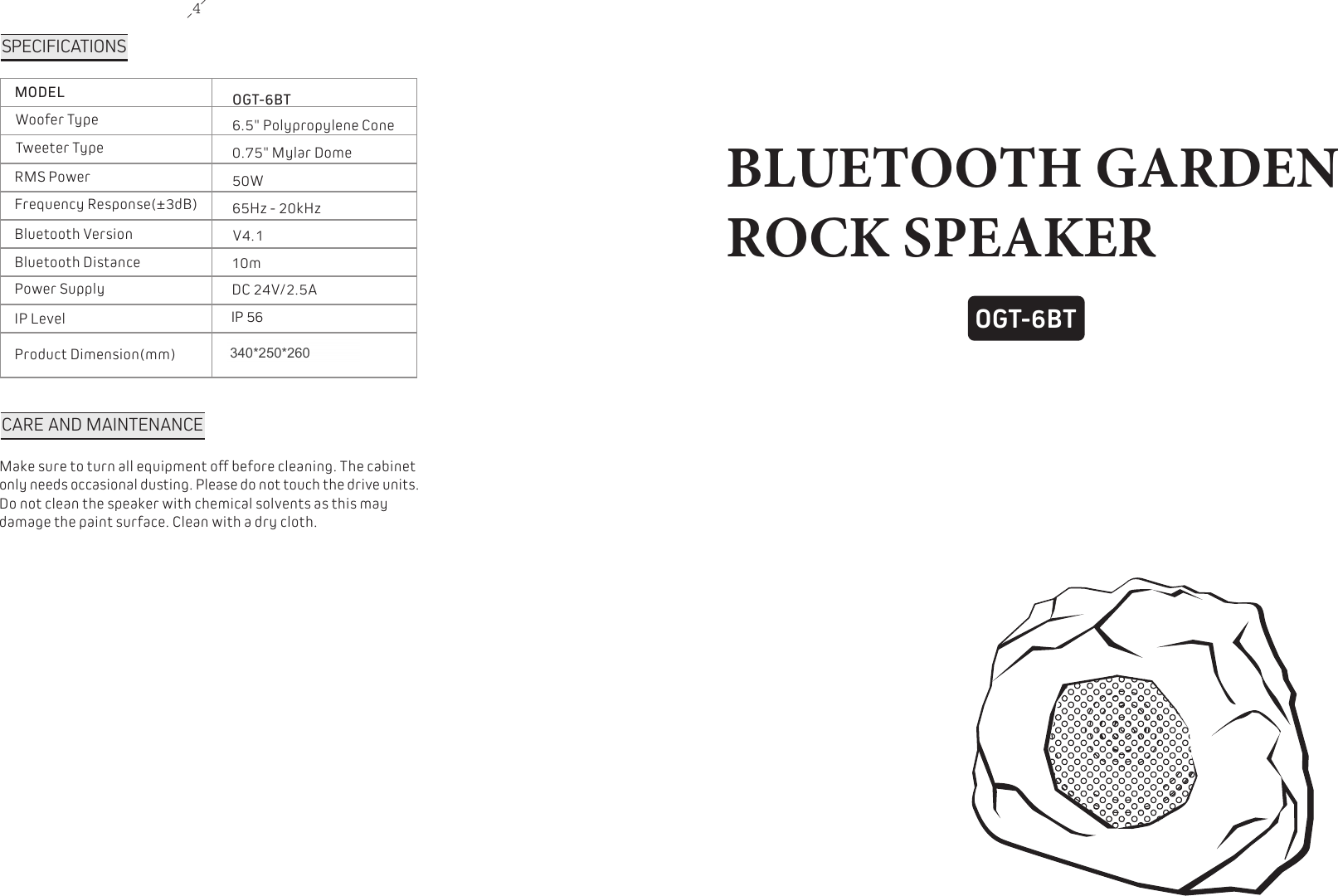
4OGT-6BTBLUETOOTH GARDEN ROCK SPEAKERSPECIFICATIONSMODELWoofer TypeTweeter TypeRMS PowerFrequency Response(±3dB)Bluetooth VersionBluetooth DistancePower SupplyIP LevelProduct Dimension(mm)OGT-6BT6.5" Polypropylene Cone 0.75" Mylar Dome 50W65Hz - 20kHzV4.110mDC 24V/2.5AIP 56340x250x270 CARE AND MAINTENANCEMake sure to turn all equipment off before cleaning. The cabinet only needs occasional dusting. Please do not touch the drive units. Do not clean the speaker with chemical solvents as this may damage the paint surface. Clean with a dry cloth.340*250*260
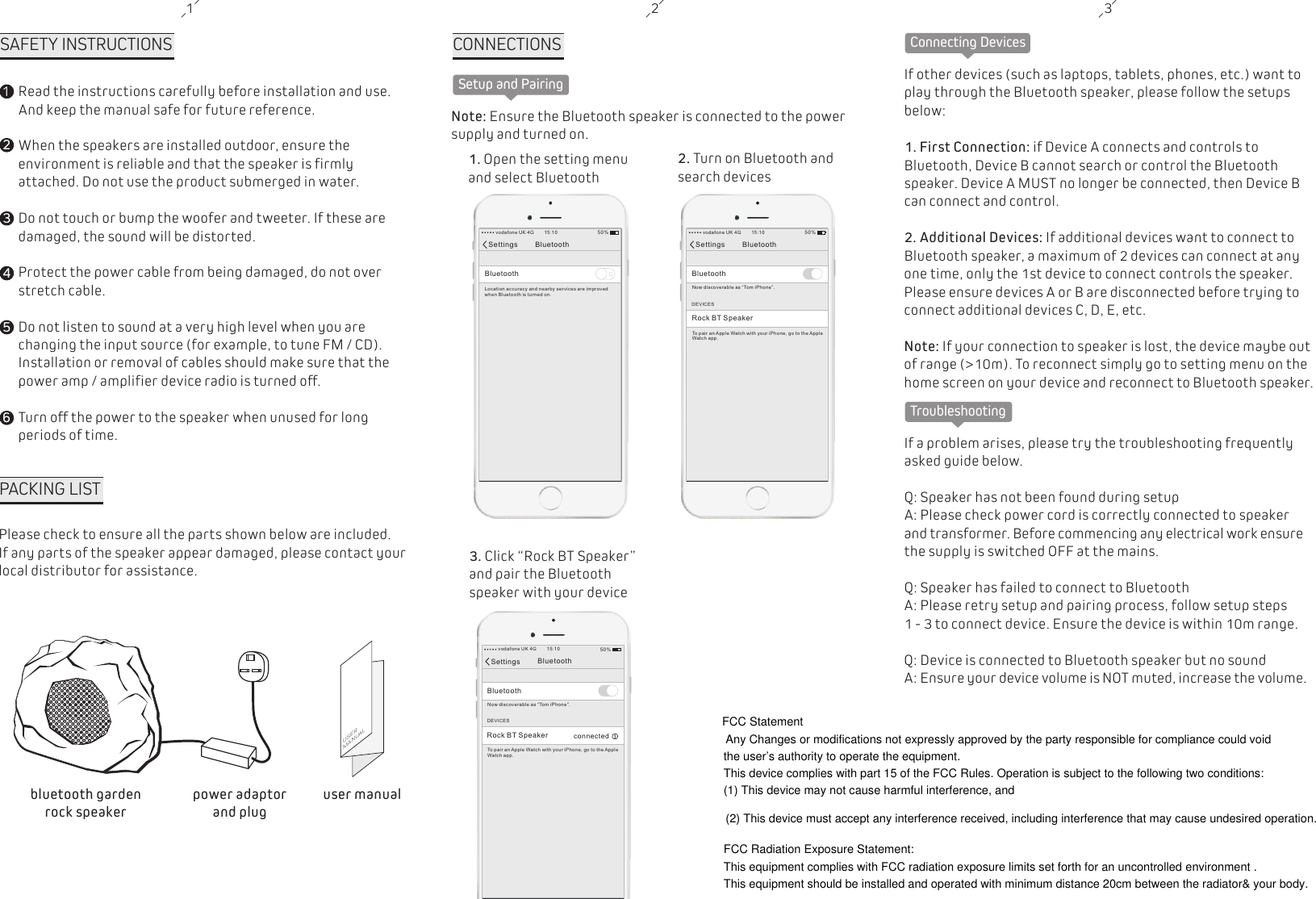
1SAFETY INSTRUCTIONS12345Read the instructions carefully before installation and use. And keep the manual safe for future reference.When the speakers are installed outdoor, ensure the environment is reliable and that the speaker is firmly attached. Do not use the product submerged in water.Do not touch or bump the woofer and tweeter. If these are damaged, the sound will be distorted.Protect the power cable from being damaged, do not over stretch cable.Do not listen to sound at a very high level when you are changing the input source (for example, to tune FM / CD). Installation or removal of cables should make sure that the power amp / amplifier device radio is turned off.Turn off the power to the speaker when unused for long periods of time.62 3PACKING LISTPlease check to ensure all the parts shown below are included. If any parts of the speaker appear damaged, please contact your local distributor for assistance.USERMANUALuser manualbluetooth garden rock speakerpower adaptorand plugSetup and PairingCONNECTIONS Note: Ensure the Bluetooth speaker is connected to the power supply and turned on.1. Open the setting menuand select Bluetooth2. Turn on Bluetooth and search devices3. Click “Rock BT Speaker” and pair the Bluetooth speaker with your deviceSettings BluetoothBluetoothLocation accu ra cy a nd nearby servi ce s ar e improvedwhen Bluetoot h is t ur ned on.vodafone UK 4G 15:10 50%Settings BluetoothBluetoothNow discovera bl e as “ Tom iPhone”.vodafone UK 4G 15:10 50%DEVICESRock BT SpeakerTo pair an Apple Watch with you r iP ho ne, go to the AppleWat ch a pp.Settings BluetoothBluetoothNow discovera bl e as “ Tom iPhone”.vodafone UK 4G 15:10 50%DEVICESRock BT SpeakerTo pair an Apple Watch with you r iP ho ne, go to the AppleWat ch a pp.connectedConnecting DevicesIf other devices (such as laptops, tablets, phones, etc.) want to play through the Bluetooth speaker, please follow the setups below:1. First Connection: if Device A connects and controls to Bluetooth, Device B cannot search or control the Bluetooth speaker. Device A MUST no longer be connected, then Device B can connect and control.2. Additional Devices: If additional devices want to connect to Bluetooth speaker, a maximum of 2 devices can connect at any one time, only the 1st device to connect controls the speaker. Please ensure devices A or B are disconnected before trying to connect additional devices C, D, E, etc.Note: If your connection to speaker is lost, the device maybe out of range (>10m). To reconnect simply go to setting menu on the home screen on your device and reconnect to Bluetooth speaker.TroubleshootingIf a problem arises, please try the troubleshooting frequently asked guide below. Q: Speaker has not been found during setupA: Please check power cord is correctly connected to speaker and transformer. Before commencing any electrical work ensure the supply is switched OFF at the mains. Q: Speaker has failed to connect to BluetoothA: Please retry setup and pairing process, follow setup steps 1 - 3 to connect device. Ensure the device is within 10m range.Q: Device is connected to Bluetooth speaker but no sound A: Ensure your device volume is NOT muted, increase the volume.FCC StatementAny Changes or modifications not expressly approved by the party responsible for compliance could void the user’s authority to operate the equipment.   This device complies with part 15 of the FCC Rules. Operation is subject to the following two conditions: (1) This device may not cause harmful interference, and  (2) This device must accept any interference received, including interference that may cause undesired operation. FCC Radiation Exposure Statement: This equipment complies with FCC radiation exposure limits set forth for an uncontrolled environment .This equipment should be installed and operated with minimum distance 20cm between the radiator& your body.

Navigation menu