Nortek Security and Control 2GIG CAMHD100 IP Network Camera User Manual 2GIG HD100 Camera Install Instructions online

2GIG Technologies, Inc. IP Network Camera 2GIG HD100 Camera Install Instructions online

user manual

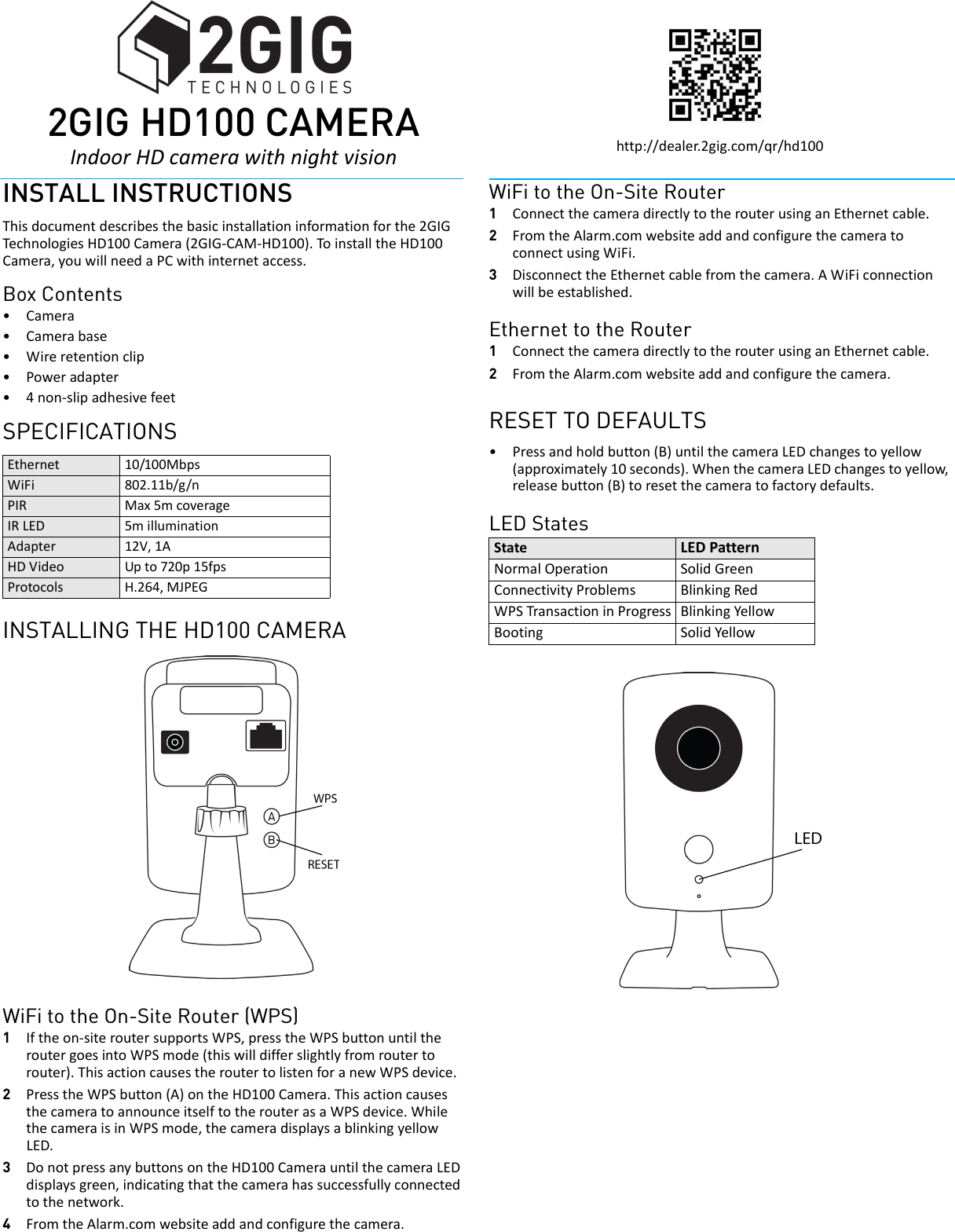
 2GIhttp://dealer.2gig.com/qr/hd100INSTALL INSTRUCTIONSThisdocumentdescribesthebasicinstallationinformationforthe2GIGTechnolo giesHD100Camera(2GIG‐CAM‐HD100).ToinstalltheHD100Camera,youwillneedaPCwithinternetaccess.Box Contents•Camera•Camerabase•Wireretentionclip•Poweradapter•4non‐slipadhesivefeetSPECIFICATIONSINSTALLING THE HD100 CAMERAWiFi to the On-Site Router (WPS)1Iftheon‐siteroutersupportsWPS,presstheWPSbuttonuntiltheroutergoesintoWPSmode(thiswilldifferslightlyfromroutertorouter).ThisactioncausestheroutertolistenforanewWPSdevice.2PresstheWPSbutton(A)ontheHD100Camera.ThisactioncausesthecameratoannounceitselftotherouterasaWPSdevice.WhilethecameraisinWPSmode,thecameradisplaysablinkingyellowLED.3DonotpressanybuttonsontheHD100CamerauntilthecameraLEDdisplaysgreen,indicatingthatthecamerahassuccessfullyconnectedtothenetwork.4FromtheAlarm.comwebsiteaddandconfigurethecamera.WiFi to the On-Site Router1ConnectthecameradirectlytotherouterusinganEthernetcable.2FromtheAlarm.comwebsiteaddandconfigurethecameratoconnectusingWiFi.3DisconnecttheEthernetcablefromthecamera.AWiFiconnectionwillbeestablished.Ethernet to the Router1ConnectthecameradirectlytotherouterusinganEthernetcable.2FromtheAlarm.comwebsiteaddandconfigurethecamera.RESET TO DEFAULTS•Pressandholdbutton(B)untilthecameraLEDchangestoyellow(approximately10seconds).WhenthecameraLEDchangestoyellow,releasebutton(B)toresetthecameratofactorydefaults.LED StatesEthernet 10/100MbpsWiFi 802.11b/g/nPIR Max5mcoverageIRLED 5milluminationAdapter 12V,1AHDVideo Upto720p15fpsProtocols H.264,MJPEGState LEDPatternNormalOperation SolidGreenConnectivityProblems BlinkingRedWPSTransactioninProgress BlinkingYellowBooting SolidYellow 2GI2GIG HD100 CAMERAIndoorHDcamerawithnightvision
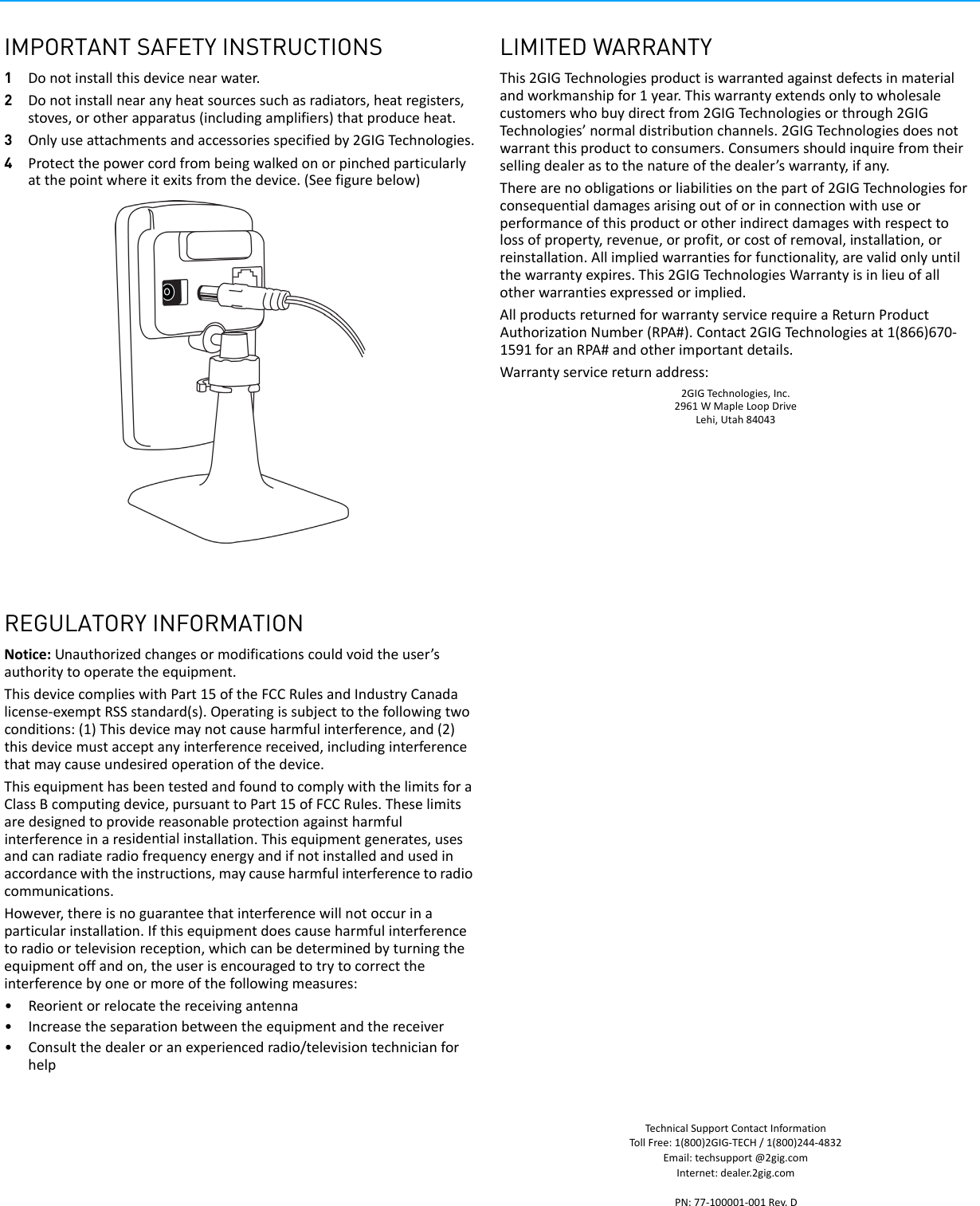
IMPORTANT SAFETY INSTRUCTIONS1Donotinstallthisdevicenearwater.2Donotinstallnearanyheatsourcessuchasradiators,heatregisters,stoves,orotherapparatus(includingamplifiers)thatproduceheat.3Onlyuseattachmentsandaccessoriesspecifiedby2GIGTechnologies.4Protectthepowercordfrombeingwalkedonorpinchedparticularlyatthepointwhereitexitsfromthedevice.(Seefigurebelow)REGULATORY INFORMATIONNotice:Unauthorizedchangesormodificationscouldvoidtheuser’sauthoritytooperatetheequipment.ThisdevicecomplieswithPart15oftheFCCRulesandIndustryCanadalicense‐exemptRSSstandard(s).Operatingissubjecttothefollowingtwoconditions:(1)Thisdevicemaynotcauseharmfulinterference,and(2)thisdevicemustacceptanyinterferencereceived,includinginterferencethatmaycauseundesiredoperationofthedevice.ThisequipmenthasbeentestedandfoundtocomplywiththelimitsforaClassBcomputingdevice,pursuanttoPart15ofFCCRules.Theselimitsaredesignedtoprovidereasonableprotectionagainstharmfulinterferenceinaresidentialinstallation.Thisequipmentgenerates,usesandcanradiateradiofrequencyenergyandifnotinstalledandusedinaccordancewiththeinstructions,maycauseharmfulinterferencetoradiocommunications.However,thereisnoguaranteethatinterferencewillnotoccurinaparticularinstallation.Ifthisequipmentdoescauseharmfulinterferencetoradioortelevisionreception,whichcanbedeterminedbyturningtheequipmentoffandon,theuserisencouragedtotrytocorrecttheinterferencebyoneormoreofthefollowingmeasures:•Reorientorrelocatethereceivingantenna•Increasetheseparationbetweentheequipmentandthereceiver•Consultthedealeroranexperiencedradio/televisiontechnicianforhelpLIMITED WARRANTYThis2GIGTechnologiesproductiswarrantedagainstdefectsinmaterialandworkmanshipfor1year.Thiswarrantyextendsonlytowholesalecustomerswhobuydirectfrom2GIGTechnologiesorthrough2GIGTechnologies’normaldistributionchannels.2GIGTechnologiesdoesnotwarrantthisproducttoconsumers.Consumersshouldinquirefromtheirsellingdealerastothenatureofthedealer’swarranty,ifany.Therearenoobligationsorliabilitiesonthepartof2GIGTechnologiesforconsequentialdamagesarisingoutoforinconnectionwithuseorperformanceofthisproductorotherindirectdamageswithrespecttolossofproperty,revenue,orprofit,orcostofremoval,installation,orreinstallation.Allimpliedwarrantiesforfunctionality,arevalidonlyuntilthewarrantyexpires.This2GIGTechnologiesWarrantyisinlieuofallotherwarrantiesexpressedorimplied.AllproductsreturnedforwarrantyservicerequireaReturnProductAuthorizationNumber(RPA#).Contact2GIGTechnologiesat1(866)670‐1591foranRPA#andotherimportantdetails.Warrantyservicereturnaddress:2GIGTechnologies,Inc.2961WMapleLoopDriveLehi,Utah84043TechnicalSupportContactInformationTollFree:1(800)2GIG‐TECH/1(800)244‐4832Email:techsupport@2gig.comInternet:dealer.2gig.comPN:77‐100001‐001Rev.D

Navigation menu