ONTOP TECHNOLOGY WB-210 BLUETOOTH SPEAKER User Manual WB 210 manual 011213

ONTOP TECHNOLOGY LTD BLUETOOTH SPEAKER WB 210 manual 011213

User Manual

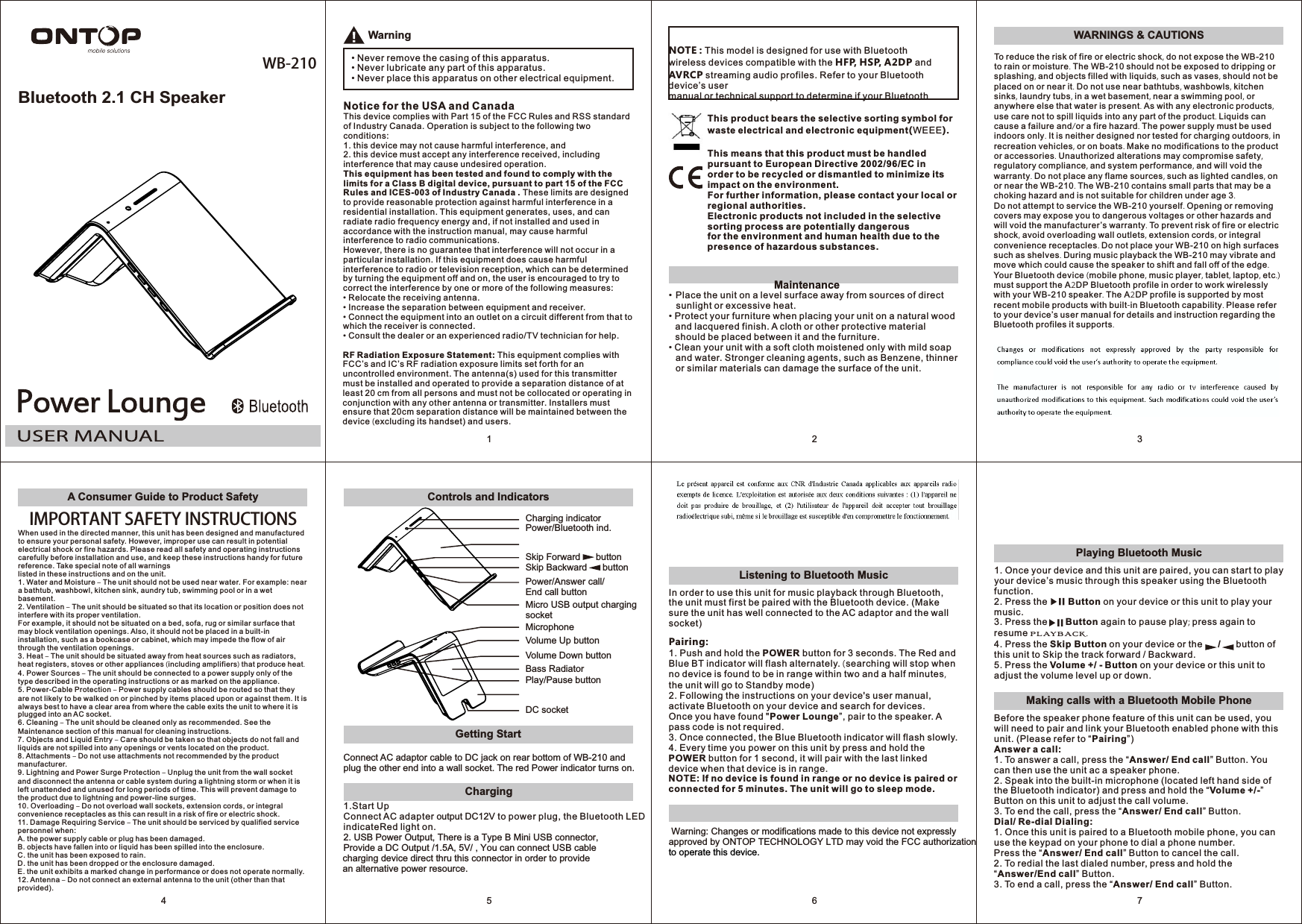
Bluetooth 2.1 CH SpeakerWB-2101Warning• Never remove the casing of this apparatus.• Never lubricate any part of this apparatus.• Never place this apparatus on other electrical equipment.Notice for the USA and CanadaThis device complies with Part 15 of the FCC Rules and RSS standard of Industry Canada. Operation is subject to the following two conditions:1. this device may not cause harmful interference, and2. this device must accept any interference received, includinginterference that may cause undesired operation.This equipment has been tested and found to comply with the limits for a Class B digital device, pursuant to part 15 of the FCC Rules and ICES-003 of Industry Canada . These limits are designed to provide reasonable protection against harmful interference in a residential installation. This equipment generates, uses, and can radiate radio frequency energy and, if not installed and used in accordance with the instruction manual, may cause harmful interference to radio communications.However, there is no guarantee that interference will not occur in a particular installation. If this equipment does cause harmful interference to radio or television reception, which can be determined by turning the equipment off and on, the user is encouraged to try to correct the interference by one or more of the following measures:• Relocate the receiving antenna.• Increase the separation between equipment and receiver.• Connect the equipment into an outlet on a circuit different from that to which the receiver is connected.• Consult the dealer or an experienced radio/TV technician for help.RF Radiation Exposure Statement: This equipment complies with FCC’s and IC’s RF radiation exposure limits set forth for an uncontrolled environment. The antenna(s) used for this transmitter must be installed and operated to provide a separation distance of at least 20 cm from all persons and must not be collocated or operating in conjunction with any other antenna or transmitter. Installers must ensure that 20cm separation distance will be maintained between the device (excluding its handset) and users.This product bears the selective sorting symbol for waste electrical and electronic equipment(WEEE).This means that this product must be handled pursuant to European Directive 2002/96/EC inorder to be recycled or dismantled to minimize its impact on the environment.For further information, please contact your local or regional authorities.Electronic products not included in the selective sorting process are potentially dangerousfor the environment and human health due to the presence of hazardous substances.2• Place the unit on a level surface away from sources of direct sunlight or excessive heat.• Protect your furniture when placing your unit on a natural wood and lacquered finish. A cloth or other protective material should be placed between it and the furniture.• Clean your unit with a soft cloth moistened only with mild soap and water. Stronger cleaning agents, such as Benzene, thinner or similar materials can damage the surface of the unit.NOTE : This model is designed for use with Bluetooth wireless devices compatible with the HFP, HSP, A2DP and AVRCP streaming audio profiles. Refer to your Bluetooth device’s usermanual or technical support to determine if your Bluetooth Maintenance3WARNINGS & CAUTIONSTo reduce the risk of fire or electric shock, do not expose the WB-210 to rain or moisture. The WB-210 should not be exposed to dripping or splashing, and objects filled with liquids, such as vases, should not be placed on or near it. Do not use near bathtubs, washbowls, kitchen sinks, laundry tubs, in a wet basement, near a swimming pool, or anywhere else that water is present. As with any electronic products, use care not to spill liquids into any part of the product. Liquids can cause a failure and/or a fire hazard. The power supply must be used indoors only. It is neither designed nor tested for charging outdoors, in recreation vehicles, or on boats. Make no modifications to the product or accessories. Unauthorized alterations may compromise safety, regulatory compliance, and system performance, and will void the warranty. Do not place any flame sources, such as lighted candles, on or near the WB-210. The WB-210 contains small parts that may be a choking hazard and is not suitable for children under age 3.Do not attempt to service the WB-210 yourself. Opening or removing covers may expose you to dangerous voltages or other hazards and will void the manufacturer’s warranty. To prevent risk of fire or electric shock, avoid overloading wall outlets, extension cords, or integral convenience receptacles. Do not place your WB-210 on high surfaces such as shelves. During music playback the WB-210 may vibrate and move which could cause the speaker to shift and fall off of the edge. Your Bluetooth device (mobile phone, music player, tablet, laptop, etc.) must support the A2DP Bluetooth profile in order to work wirelessly with your WB-210 speaker. The A2DP profile is supported by most recent mobile products with built-in Bluetooth capability. Please refer to your device’s user manual for details and instruction regarding the Bluetooth profiles it supports.A Consumer Guide to Product SafetyIMPORTANT SAFETY INSTRUCTIONSWhen used in the directed manner, this unit has been designed and manufactured to ensure your personal safety. However, improper use can result in potential electrical shock or fire hazards. Please read all safety and operating instructions carefully before installation and use, and keep these instructions handy for future reference. Take special note of all warningslisted in these instructions and on the unit.1. Water and Moisture – The unit should not be used near water. For example: near a bathtub, washbowl, kitchen sink, aundry tub, swimming pool or in a wet basement.2. Ventilation – The unit should be situated so that its location or position does not interfere with its proper ventilation.For example, it should not be situated on a bed, sofa, rug or similar surface that may block ventilation openings. Also, it should not be placed in a built-in installation, such as a bookcase or cabinet, which may impede the flow of air through the ventilation openings.3. Heat – The unit should be situated away from heat sources such as radiators, heat registers, stoves or other appliances (including amplifiers) that produce heat.4. Power Sources – The unit should be connected to a power supply only of the type described in the operating instructions or as marked on the appliance.5. Power-Cable Protection – Power supply cables should be routed so that they are not likely to be walked on or pinched by items placed upon or against them. It is always best to have a clear area from where the cable exits the unit to where it is plugged into an AC socket.6. Cleaning – The unit should be cleaned only as recommended. See the Maintenance section of this manual for cleaning instructions.7. Objects and Liquid Entry – Care should be taken so that objects do not fall and liquids are not spilled into any openings or vents located on the product.8. Attachments – Do not use attachments not recommended by the product manufacturer.9. Lightning and Power Surge Protection – Unplug the unit from the wall socket and disconnect the antenna or cable system during a lightning storm or when it is left unattended and unused for long periods of time. This will prevent damage to the product due to lightning and power-line surges.10. Overloading – Do not overload wall sockets, extension cords, or integral convenience receptacles as this can result in a risk of fire or electric shock.11. Damage Requiring Service – The unit should be serviced by qualified service personnel when:A. the power supply cable or plug has been damaged.B. objects have fallen into or liquid has been spilled into the enclosure.C. the unit has been exposed to rain.D. the unit has been dropped or the enclosure damaged.E. the unit exhibits a marked change in performance or does not operate normally.12. Antenna – Do not connect an external antenna to the unit (other than that provided).4Getting StartControls and IndicatorsConnect AC adaptor cable to DC jack on rear bottom of WB-210 and plug the other end into a wall socket. The red Power indicator turns on.DC socketCharging indicatorVolume Up buttonVolume Down buttonPower/Answer call/End call buttonMicro USB output charging socketPower/Bluetooth ind.MicrophoneSkip Forward      buttonSkip Backward      buttonBass RadiatorPlay/Pause button5Listening to Bluetooth Music6In order to use this unit for music playback through Bluetooth, the unit must first be paired with the Bluetooth device. (Make sure the unit has well connected to the AC adaptor and the wall socket)Pairing:1. Push and hold the POWER button for 3 seconds. TBlue BT indicator will flash alternately.  searching will stop whenno device is found to be in range within two and a half minutes, the unit will go to Standby mode)2. Following the instructions on your device's user manual, activate Bluetooth on your device and search for devices.Once you have found "Power Lounge”, pair to the speaker. A pass code is not required.3. Once connected, the Blue Bluetooth indicator will flash slowly.4. Every time you power on this unit by press and hold the POWER button for 1 second, it will pair with the last linked device when that device is in range.NOTE: If no device is found in range or no device is paired or connected for 5 minutes. The unit will go to sleep mode.he Red and (     Warning: Changes or modifications made to this device not expressly approved by ONTOP TECHNOLOGY LTD may void the FCC authorizationto operate this device.7Playing Bluetooth MusicMaking calls with a Bluetooth Mobile Phone1. Once your device and this unit are paired, you can start to play your device’s music through this speaker using the Bluetooth function.2. Press the        Button on your device or this unit to play your music.3. Press the       Button again to pause play; press again to resume playback.4. Press the Skip Button on your device or the      /      button of this unit to Skip the track forward / Backward.5. Press the Volume +/ - Button on your device or this unit to adjust the volume level up or down. Before the speaker phone feature of this unit can be used, you will need to pair and link your Bluetooth enabled phone with this unit. (Please refer to “Pairing”)Answer a call:1. To answer a call, press the “Answer/ End call” Button. You can then use the unit ac a speaker phone.2. Speak into the built-in microphone (located left hand side of the Bluetooth indicator) and press and hold the “Volume +/-” Button on this unit to adjust the call volume.3. To end the call, press the “Answer/ End call” Button.Dial/ Re-dial Dialing:1. Once this unit is paired to a Bluetooth mobile phone, you can use the keypad on your phone to dial a phone number.Press the “Answer/ End call” Button to cancel the call.2. To redial the last dialed number, press and hold the “Answer/End call” Button.3. To end a call, press the “Answer/ End call” Button.Charging 1.Start UpConnect AC adapter output DC12V to power plug, the Bluetooth LED indicateRed light on.2. USB Power Output, There is a Type B Mini USB connector, Provide a DC Output /1.5A, 5V/ , You can connect USB cablecharging device direct thru this connector in order to providean alternative power resource.

Navigation menu