Observation Without Limits 001-10024640 Reconfigurable Surveillance Sensor User Manual 20151207 v1 UserManual

Dynetics, Inc. Reconfigurable Surveillance Sensor 20151207 v1 UserManual

User Manual_20151207_v1 - UserManual

DYNETICS INCORPORATED GroundAware™ Reconfigurable Surveillance Sensor     Installation, Operation, and User’s Manual
 GROUNDAWARE™ RECONFIGURABLE SURVEILLANCE SENSOR Installation, Operation, and User’s Manual  Dynetics, Inc. 1002 Explorer Blvd Huntsville, AL 35806 Phone 256.964.4000
  Version/ Revision  Document Change #  Release Date  Originator  Reason for Change     1/16/15  Joel Simoneau and Mike Stokes  Initial version of the Installation, Operation, and User’s Manual for the GroundAware RSS
  Table of ContentsImportant Safety Instructions ..................................................... 1 Safe Usage ..................................................................................... 1 General Description and Specifications ..................................... 2  ........................................................................................................ 3 Specifications .................................................................................. 3 Installation .................................................................................. 4 Operation .................................................................................... 6 Configuration ................................................................................... 6 User Access .................................................................................... 6 User’s Guide ............................................................................... 6
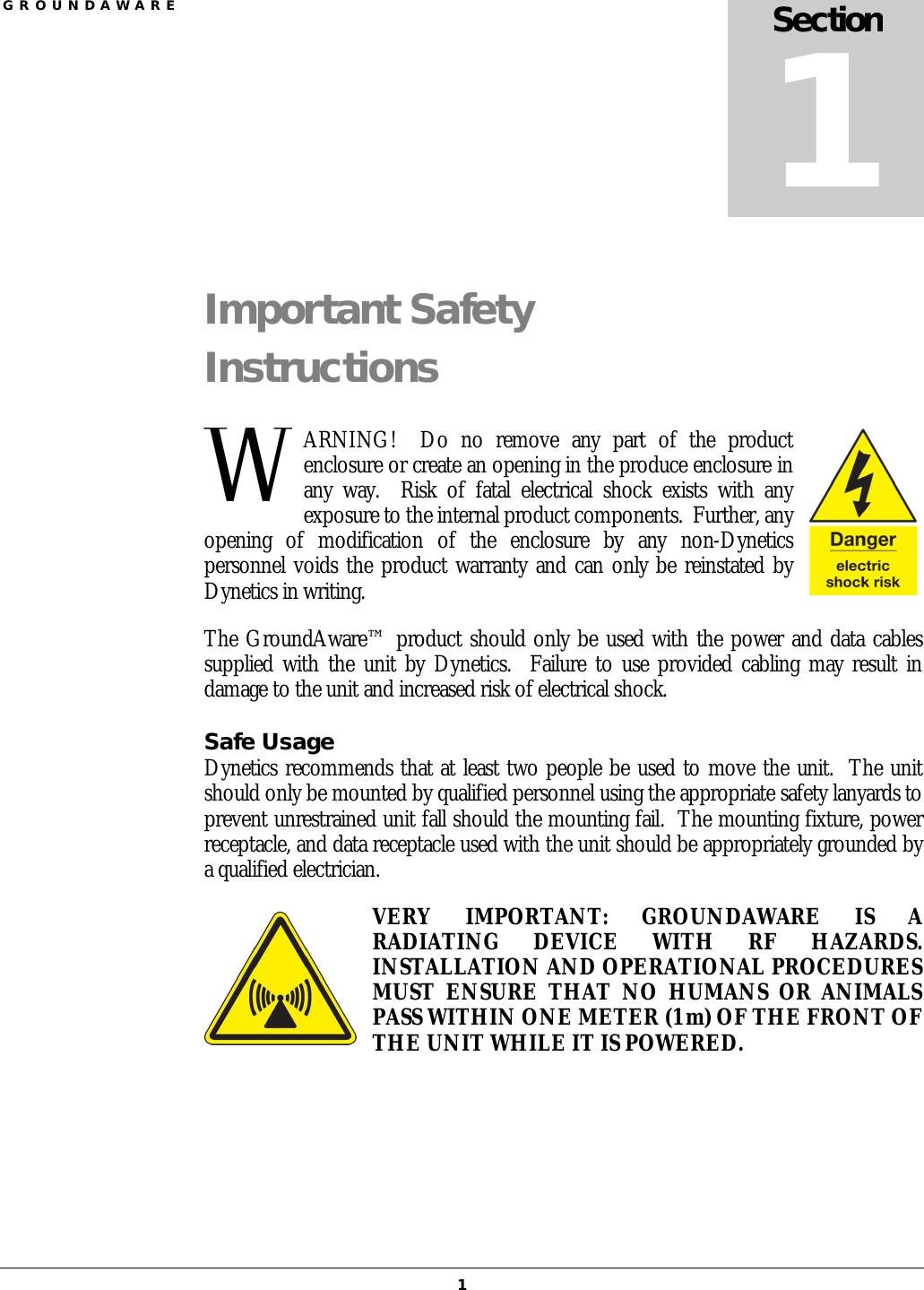
G R O U N D A W A R E  1 Important Safety Instructions ARNING!    Do  no  remove  any  part  of  the  product enclosure or create an opening in the produce enclosure in any  way.    Risk  of  fatal  electrical  shock  exists  with  any exposure to the internal product components.  Further, any opening  of  modification  of  the  enclosure  by  any  non-Dynetics personnel voids the product warranty and can only be reinstated by Dynetics in writing. The GroundAware™ product should only be used with the power and data cables supplied with the unit by Dynetics.   Failure  to  use provided cabling may result in damage to the unit and increased risk of electrical shock. Safe Usage Dynetics recommends that at least two people be used to move the unit.  The unit should only be mounted by qualified personnel using the appropriate safety lanyards to prevent unrestrained unit fall should the mounting fail.  The mounting fixture, power receptacle, and data receptacle used with the unit should be appropriately grounded by a qualified electrician. VERY  IMPORTANT:  GROUNDAWARE  IS  A RADIATING  DEVICE  WITH  RF  HAZARDS.  INSTALLATION AND OPERATIONAL PROCEDURES MUST  ENSURE  THAT  NO  HUMANS  OR  ANIMALS PASS WITHIN ONE METER (1 m) OF THE FRONT OF THE UNIT WHILE IT IS POWERED.   Section 1 W
  2 General Description and Specifications roundAware™  is a user Reconfigurable Surveillance Sensor that detects, tracks, classifies,  and  provides  actionable  information relevant  to  objects within a 120° field of view up to five kilometers from the sensor.  This capability is implemented via the interoperation of four sub-systems: The radar sub-system transmits S-band radio frequency signals, digitizes and processes the received returns, identifies detections, clusters detections to  identify tracks, and associates tracks with feature data that can be used to classify the object.  The radar can be configured to use three different waveforms, based on installed site, that will be explained in further detail in later sections.  This manual should be used with radar sub-system model number 10024640. The server sub-system receives track data, receives and processes classification data, hosts  the  GoogleMaps  based  user  interface,  and  implements  external  sensor  (e.g. single/dual  band  PTZ camera,  unattended  ground  sensor, etc) integration.    Server hosting  of  the user interface includes managing user-defined  alert zones, per-zone alerting criteria, and the per-zone violation log.  Commodity grade desktop or laptop computers may be used to execute the server sub-system software.   The client sub-system renders the GoogleMaps user interface for each unique browser session.  Users may maintain their own zoom and view settings, while sharing zone definitions, alert criteria, and camera control with other users.  The user interface is browser agnostic, but works best with Mozilla Firefox.  While the client software is executed  on  each  user’s  machine  within  a  web  browser,  it  is  provided  upon authentication and managed by the server sub-system software. The optional interface sub-system provides a cellular data link, optional use network interfaces, and independent radar power on/off control.  The interface sub-system also includes  the  cabling,  encoder,  and  power  supplies  required  to  integrate  external cameras or other sensors.  This sub-system is self-contained in an environmentally sealed  enclosure  with  the  external  switches  and  connectors  as  required  by  the customer.   GroundAware™ enables a customer to use the system in an environment where the interface is continually monitored by personnel on desktop or mobile devices, or in an Section 2 G
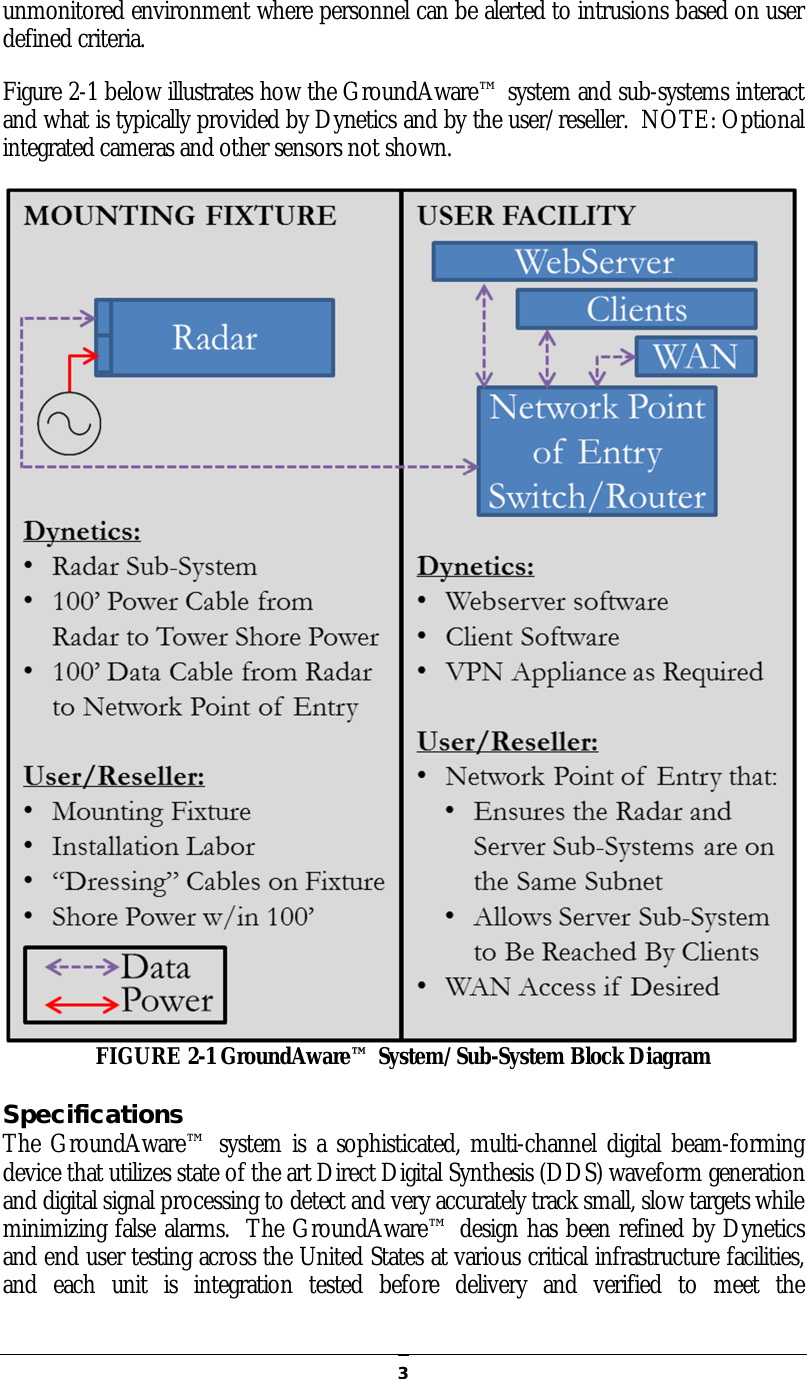
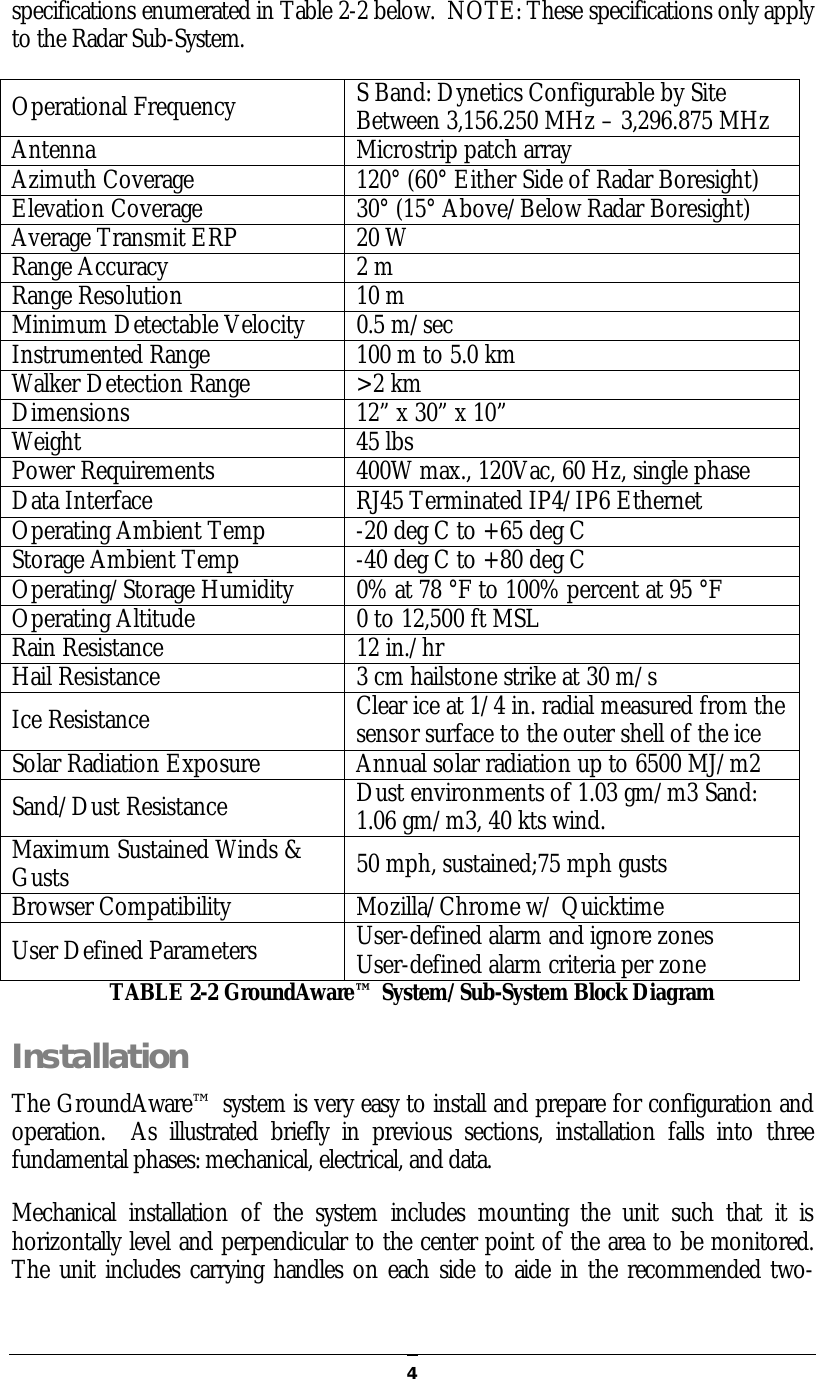
  3unmonitored environment where personnel can be alerted to intrusions based on user defined criteria. Figure 2-1 below illustrates how the GroundAware™ system and sub-systems interact and what is typically provided by Dynetics and by the user/reseller.  NOTE: Optional integrated cameras and other sensors not shown.  FIGURE 2-1 GroundAware™ System/Sub-System Block Diagram Specifications The  GroundAware™ system is a sophisticated,  multi-channel digital beam-forming device that utilizes state of the art Direct Digital Synthesis (DDS) waveform generation and digital signal processing to detect and very accurately track small, slow targets while minimizing false alarms.  The GroundAware™ design has been refined by Dynetics and end user testing across the United States at various critical infrastructure facilities, and  each  unit  is  integration  tested  before  delivery  and  verified  to  meet  the
  4specifications enumerated in Table 2-2 below.  NOTE: These specifications only apply to the Radar Sub-System. Operational Frequency  S Band: Dynetics Configurable by Site Between 3,156.250 MHz – 3,296.875 MHz Antenna  Microstrip patch array Azimuth Coverage  120° (60° Either Side of Radar Boresight) Elevation Coverage  30° (15° Above/Below Radar Boresight) Average Transmit ERP  20 W Range Accuracy  2 m Range Resolution  10 m Minimum Detectable Velocity  0.5 m/sec Instrumented Range  100 m to 5.0 km Walker Detection Range  >2 km Dimensions  12” x 30” x 10” Weight  45 lbs Power Requirements  400W max., 120Vac, 60 Hz, single phase Data Interface  RJ45 Terminated IP4/IP6 Ethernet Operating Ambient Temp  -20 deg C to +65 deg C Storage Ambient Temp  -40 deg C to +80 deg C Operating/Storage Humidity  0% at 78 °F to 100% percent at 95 °F Operating Altitude   0 to 12,500 ft MSL Rain Resistance  12 in./hr Hail Resistance  3 cm hailstone strike at 30 m/s Ice Resistance  Clear ice at 1/4 in. radial measured from the sensor surface to the outer shell of the ice Solar Radiation Exposure  Annual solar radiation up to 6500 MJ/m2 Sand/Dust Resistance  Dust environments of 1.03 gm/m3 Sand: 1.06 gm/m3, 40 kts wind.   Maximum Sustained Winds & Gusts  50 mph, sustained;75 mph gusts Browser Compatibility  Mozilla/Chrome w/ Quicktime User Defined Parameters  User-defined alarm and ignore zones User-defined alarm criteria per zone TABLE 2-2 GroundAware™ System/Sub-System Block Diagram Installation The GroundAware™ system is very easy to install and prepare for configuration and operation.    As  illustrated  briefly  in  previous  sections,  installation  falls  into  three fundamental phases: mechanical, electrical, and data. Mechanical  installation  of  the  system  includes  mounting  the  unit  such  that  it  is horizontally level and perpendicular to the center point of the area to be monitored.  The unit includes carrying handles on each side to aide in the recommended two-
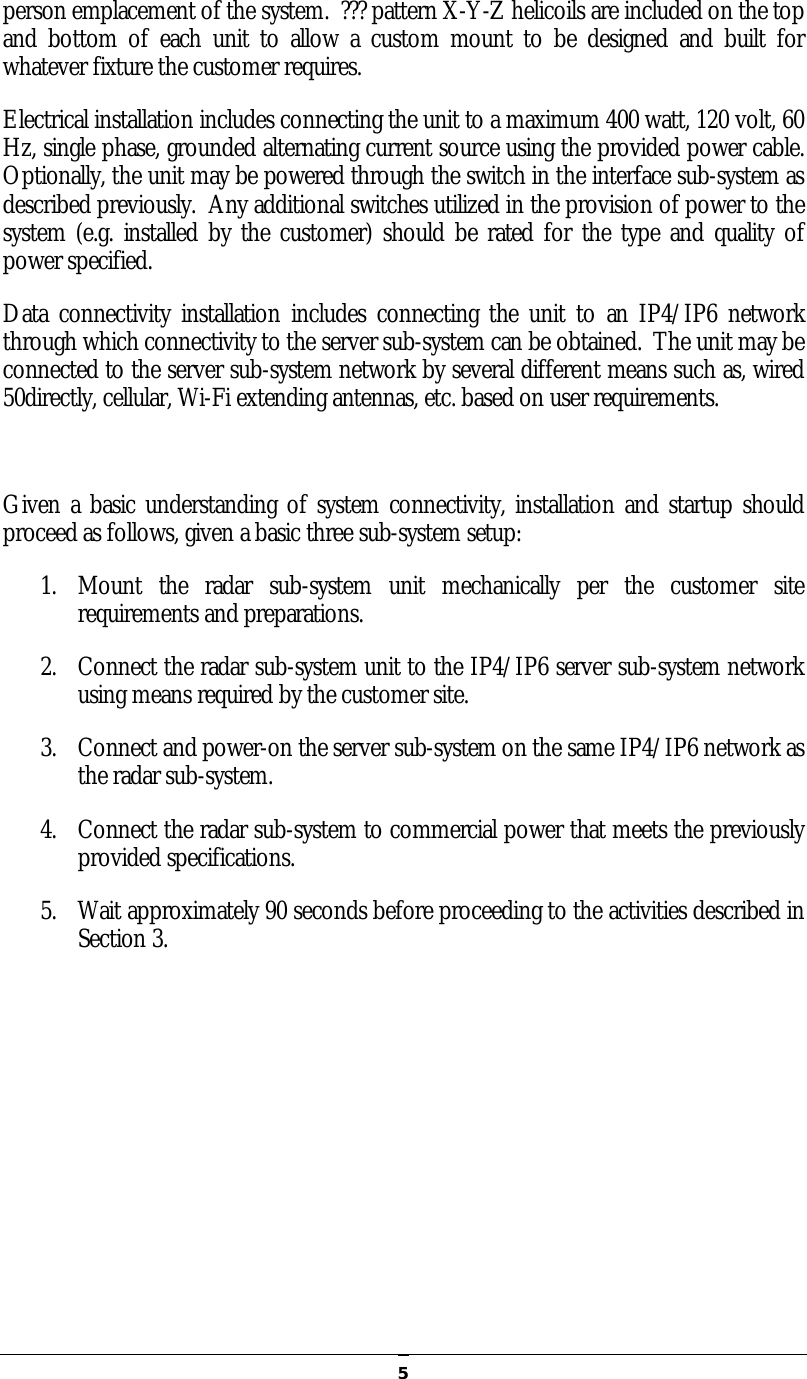
  5person emplacement of the system.  ??? pattern X-Y-Z helicoils are included on the top and  bottom  of  each  unit  to  allow  a  custom  mount  to  be  designed  and  built  for whatever fixture the customer requires. Electrical installation includes connecting the unit to a maximum 400 watt, 120 volt, 60 Hz, single phase, grounded alternating current source using the provided power cable.  Optionally, the unit may be powered through the switch in the interface sub-system as described previously.  Any additional switches utilized in the provision of power to the system (e.g. installed by  the customer) should  be rated for the type and quality of power specified. Data  connectivity  installation includes  connecting the  unit  to  an  IP4/IP6 network through which connectivity to the server sub-system can be obtained.  The unit may be connected to the server sub-system network by several different means such as, wired 50directly, cellular, Wi-Fi extending antennas, etc. based on user requirements.  Given a basic understanding of system connectivity, installation and startup should proceed as follows, given a basic three sub-system setup: 1. Mount  the  radar  sub-system  unit  mechanically  per  the  customer  site requirements and preparations. 2. Connect the radar sub-system unit to the IP4/IP6 server sub-system network using means required by the customer site. 3. Connect and power-on the server sub-system on the same IP4/IP6 network as the radar sub-system. 4. Connect the radar sub-system to commercial power that meets the previously provided specifications. 5. Wait approximately 90 seconds before proceeding to the activities described in Section 3.
  6Operation his section assumes that the precautions and setup steps of the previous two sections have been read, understood, and followed.  If any of the material or steps from sections 1 and 2 have been skipped or poorly understood, please pause  and review  the information and re-perform whatever steps  may  be necessary to ensure that GroundAware™ is properly and safely installed, powered, and connected before the activities of this section are performed. Configuration GroundAware™  may  be  generally  configured  by  the  user  for  three  modes  of operation: short, medium, and long rage.  Table 3-1 below specifies the parameters of interest for each one of these modes. Once  the  desired  operational  mode  has  been  determined  from  the  information provided in Table 3-1, the following steps should be performed: 1. From the server sub-system, connect to the radar configuration page. 2. Select and save the configuration file corresponding to the radar sub-system mode to be used. 3. Command the radar sub-system to begin radiating. Note:  GroundAware™  has  been  UL  certified  for  operation  in  the  three  modes described above and each unit is tested by Dynetics in each of these modes prior to delivery.  Additionally, each unit will be calibrated on-site by Dynetics personnel to detect and track a 2m tall, 92kg human at a distance of 1610m assuming at least a 10m emplacement height and unobstructed line of sight to target. User Access At this point, the desired operational mode should be set, the radar should be radiating, and any site specific calibration by Dynetics personnel should be complete.   User’s Guide The GroundAware™ user interface is an extended instance of GoogleMaps and is very intuitive to use by anyone who has experience with web-based mapping web sites.  The traditional controls for zoom, pan, etc. work the same as with a standard GoogleMaps Section 3 T
  7website. Dynetics will provide training as necessary to allow operators to monitor the system using this interface and configure alarm zones to their preferences.

Navigation menu