Omega Research and Development 111 Security/Remote Control Transmitter User Manual MAX EDP Owner Paginated

Omega Research and Development Inc Security/Remote Control Transmitter MAX EDP Owner Paginated

User Manual

COPYRIGHT  2007: OMEGA RESEARCH & DEVELOPMENT, INC.OmegaRS-210-DPOPERATION  MANUALProducts manufactured and sold by OMEGA RESEARCH & DEVELOPMENT,INC. (the "Company"), are warranted to be free from defects in materials andworkmanship under normal use.  If a product sold by the Company proves to bedefective, the Company will repair or replace it free of charge within the first yearand  thereafter all parts to be repaired will be free with only a nominal charge forOmega's labor and return shipping, to the original owner during the lifetime of thecar in which it was originally installed.All products for warranty repair must be sent postage prepaid to OmegaResearch & Development, Inc., P.O. Box 508, Douglasville, Georgia 30133, orsend via UPS to:  981 N. Burnt Hickory Rd., Douglasville, Georgia 30134, withbill of sale or other dated proof of purchase. This warranty is nontransferable anddoes not apply to any product damaged by accident, physical or electrical misuseor  abuse,  improper  installation,  alteration,  any  use  contrary  to  its  intendedfunction, unauthorized service, fire, flood, lightning, or other acts of God.This warranty limits the Company's liability to the repair or replacement ofthe product. The Company shall not be responsible for removal and/or reinstallationcharges, damage to or theft of the vehicle or its contents, or any incidental orconsequential damages caused by any failure or alleged failure of the product tofunction  properly.  UNDER  NO  CIRCUMSTANCES  SHOULD  THISWARRANTY, OR THE PRODUCT COVERED BY IT, BE CONSTRUEDAS  A  GUARANTEE  OR  INSURANCE  POLICY  AGAINST  LOSS.  TheCompany neither assumes nor authorizes any person or organization to make anywarranties or assume any liability in connection with the sale, installation, or useof this product.This  device  complies  with  F.C.C  Rules  part  15.  Operation  is  subject  to  thefollowing two conditions: (1) This device may not cause harmful interferenceand, (2) This device must accept any interference that may be received, includinginterference that may cause undesired operation. The manufacturer is not responsible for any radio TV interference caused byunauthorized modifications to this equipment. Such modifications could void theuser’s authority to operate the equipment.L I M I T E D     L I F E T I M E     W A R R A N T YOmega Research and Development, Inc.P. O. Box 508Douglasville, Georgia    30133www.caralarm.com07/08   MO-RS-210-DP   REV0
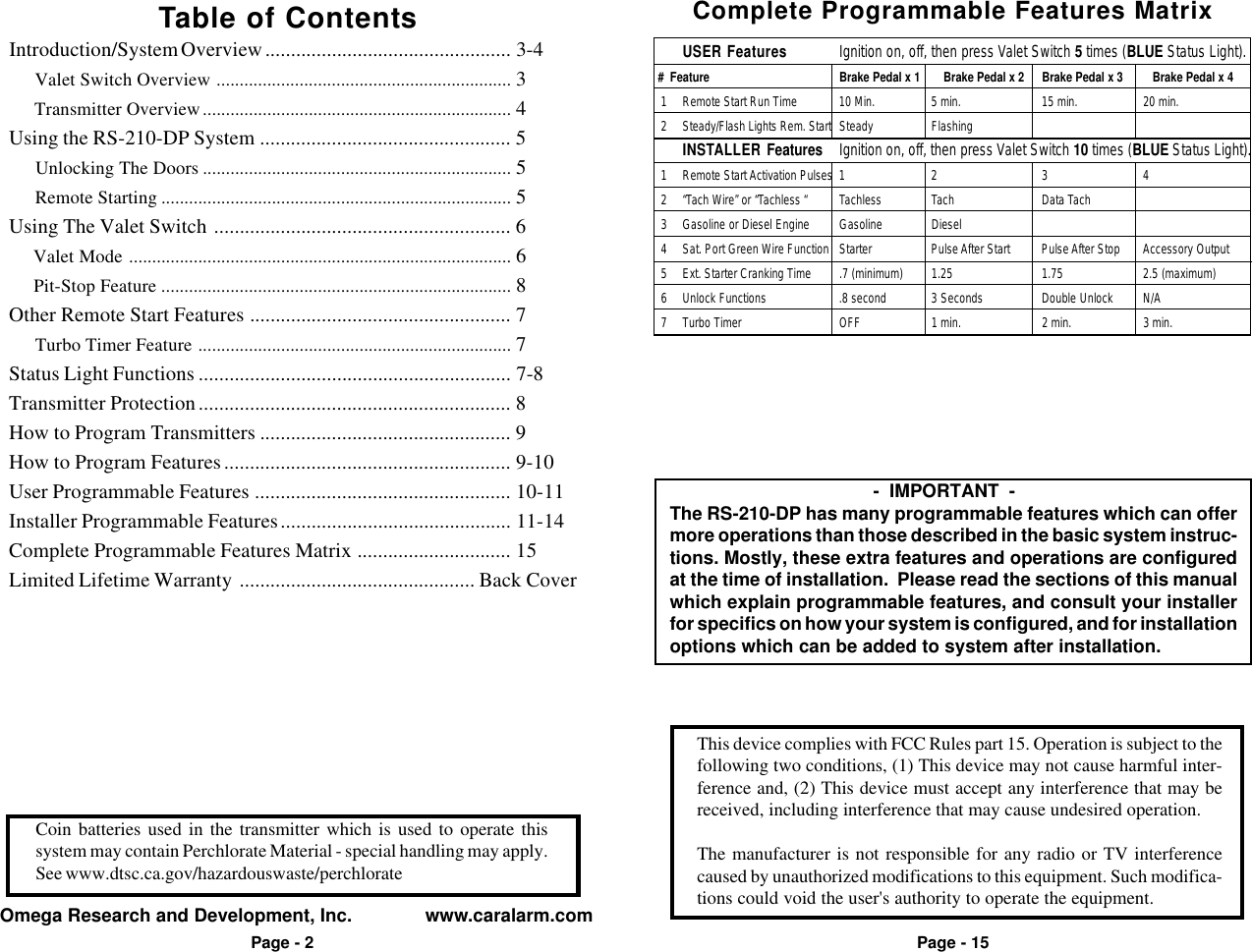
This device complies with FCC Rules part 15. Operation is subject to thefollowing two conditions, (1) This device may not cause harmful inter-ference and, (2) This device must accept any interference that may bereceived, including interference that may cause undesired operation.The manufacturer is not responsible for any radio or TV interferencecaused by unauthorized modifications to this equipment. Such modifica-tions could void the user's authority to operate the equipment.Omega Research and Development, Inc.              www.caralarm.comPage - 2Coin batteries used in the transmitter which is used to operate thissystem may contain Perchlorate Material - special handling may apply.See www.dtsc.ca.gov/hazardouswaste/perchloratePage - 15Table of ContentsIntroduction/System Overview ................................................ 3-4     Valet Switch Overview ................................................................ 3     Transmitter Overview................................................................... 4Using the RS-210-DP System ................................................. 5     Unlocking The Doors ................................................................... 5     Remote Starting ............................................................................ 5Using The Valet Switch .......................................................... 6     Valet Mode ................................................................................... 6     Pit-Stop Feature ............................................................................ 8Other Remote Start Features ................................................... 7     Turbo Timer Feature .................................................................... 7Status Light Functions ............................................................. 7-8Transmitter Protection............................................................. 8How to Program Transmitters ................................................. 9How to Program Features........................................................ 9-10User Programmable Features .................................................. 10-11Installer Programmable Features............................................. 11-14Complete Programmable Features Matrix .............................. 15Limited Lifetime Warranty .............................................. Back Cover           -  IMPORTANT  -The RS-210-DP has many programmable features which can offermore operations than those described in the basic system instruc-tions. Mostly, these extra features and operations are configuredat the time of installation.  Please read the sections of this manualwhich explain programmable features, and consult your installerfor specifics on how your system is configured, and for installationoptions which can be added to system after installation.Complete Programmable Features MatrixUSER Features Ignition on, off, then press Valet Switch 5 times (BLUE Status Light). #  Feature Brake Pedal x 1     Brake Pedal x 2 Brake Pedal x 3 Brake Pedal x 4  1 Remote Start Run Time 10 Min. 5 min. 15 min. 20 min.  2 Steady/Flash Lights Rem. Start Steady FlashingINSTALLER Features Ignition on, off, then press Valet Switch 10 times (BLUE Status Light).  1 Remote Start Activation Pulses 1 2 3 4  2 “Tach Wire” or “Tachless “ Tachless Tach Data Tach  3 Gasoline or Diesel Engine Gasoline Diesel  4 Sat. Port Green Wire Function Starter Pulse After Start Pulse After Stop Accessory Output  5 Ext. Starter Cranking Time .7 (minimum) 1.25 1.75 2.5 (maximum)  6 Unlock Functions .8 second 3 Seconds Double Unlock N/A  7 Turbo Timer OFF 1 min. 2 min. 3 min.
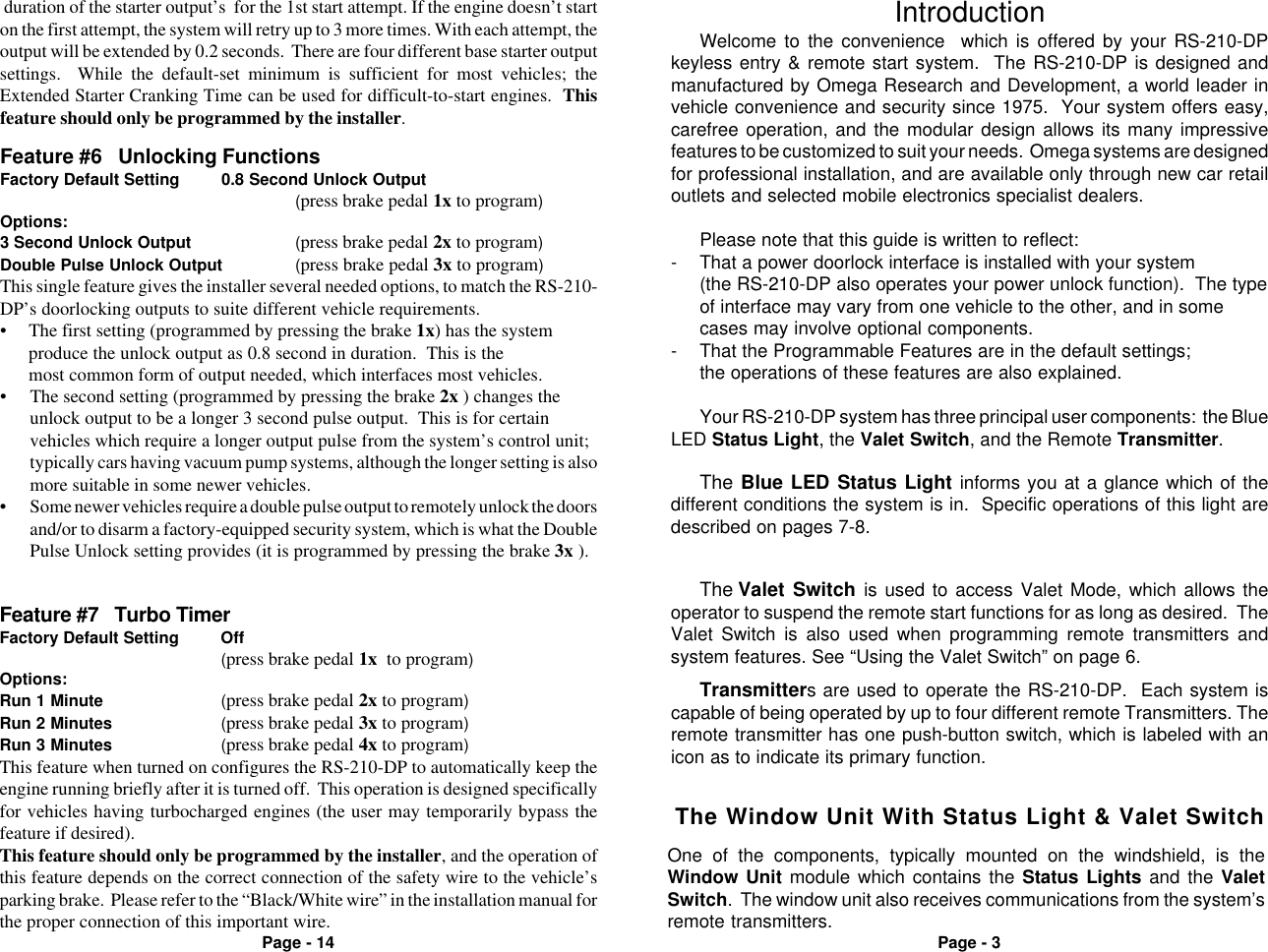
Page - 3Page - 14Welcome to the convenience  which is offered by your RS-210-DPkeyless entry & remote start system.  The RS-210-DP is designed andmanufactured by Omega Research and Development, a world leader invehicle convenience and security since 1975.  Your system offers easy,carefree operation, and the modular design allows its many impressivefeatures to be customized to suit your needs.  Omega systems are designedfor professional installation, and are available only through new car retailoutlets and selected mobile electronics specialist dealers.Please note that this guide is written to reflect:- That a power doorlock interface is installed with your system(the RS-210-DP also operates your power unlock function).  The typeof interface may vary from one vehicle to the other, and in somecases may involve optional components.- That the Programmable Features are in the default settings;the operations of these features are also explained.Your RS-210-DP system has three principal user components:  the BlueLED Status Light, the Valet Switch, and the Remote Transmitter.IntroductionThe Valet Switch is used to access Valet Mode, which allows theoperator to suspend the remote start functions for as long as desired.  TheValet Switch is also used when programming remote transmitters andsystem features. See “Using the Valet Switch” on page 6.The Blue LED Status Light informs you at a glance which of thedifferent conditions the system is in.  Specific operations of this light aredescribed on pages 7-8.Transmitters are used to operate the RS-210-DP.  Each system iscapable of being operated by up to four different remote Transmitters. Theremote transmitter has one push-button switch, which is labeled with anicon as to indicate its primary function.Feature #7   Turbo TimerFactory Default Setting Off(press brake pedal 1x  to program)Options:Run 1 Minute (press brake pedal 2x to program)Run 2 Minutes (press brake pedal 3x to program)Run 3 Minutes (press brake pedal 4x to program)This feature when turned on configures the RS-210-DP to automatically keep theengine running briefly after it is turned off.  This operation is designed specificallyfor vehicles having turbocharged engines (the user may temporarily bypass thefeature if desired).This feature should only be programmed by the installer, and the operation ofthis feature depends on the correct connection of the safety wire to the vehicle’sparking brake.  Please refer to the “Black/White wire” in the installation manual forthe proper connection of this important wire.• The second setting (programmed by pressing the brake 2x ) changes theunlock output to be a longer 3 second pulse output.  This is for certainvehicles which require a longer output pulse from the system’s control unit;typically cars having vacuum pump systems, although the longer setting is alsomore suitable in some newer vehicles.• Some newer vehicles require a double pulse output to remotely unlock the doorsand/or to disarm a factory-equipped security system, which is what the DoublePulse Unlock setting provides (it is programmed by pressing the brake 3x ).Feature #6   Unlocking FunctionsFactory Default Setting 0.8 Second Unlock Output(press brake pedal 1x to program)Options:3 Second Unlock Output (press brake pedal 2x to program)Double Pulse Unlock Output (press brake pedal 3x to program)This single feature gives the installer several needed options, to match the RS-210-DP’s doorlocking outputs to suite different vehicle requirements.• The first setting (programmed by pressing the brake 1x) has the systemproduce the unlock output as 0.8 second in duration.  This is themost common form of output needed, which interfaces most vehicles. duration of the starter output’s  for the 1st start attempt. If the engine doesn’t starton the first attempt, the system will retry up to 3 more times. With each attempt, theoutput will be extended by 0.2 seconds.  There are four different base starter outputsettings.  While the default-set minimum is sufficient for most vehicles; theExtended Starter Cranking Time can be used for difficult-to-start engines.  Thisfeature should only be programmed by the installer.The Window Unit With Status Light & Valet SwitchOne of the components, typically mounted on the windshield, is theWindow Unit module which contains the Status Lights and the ValetSwitch.  The window unit also receives communications from the system’sremote transmitters.
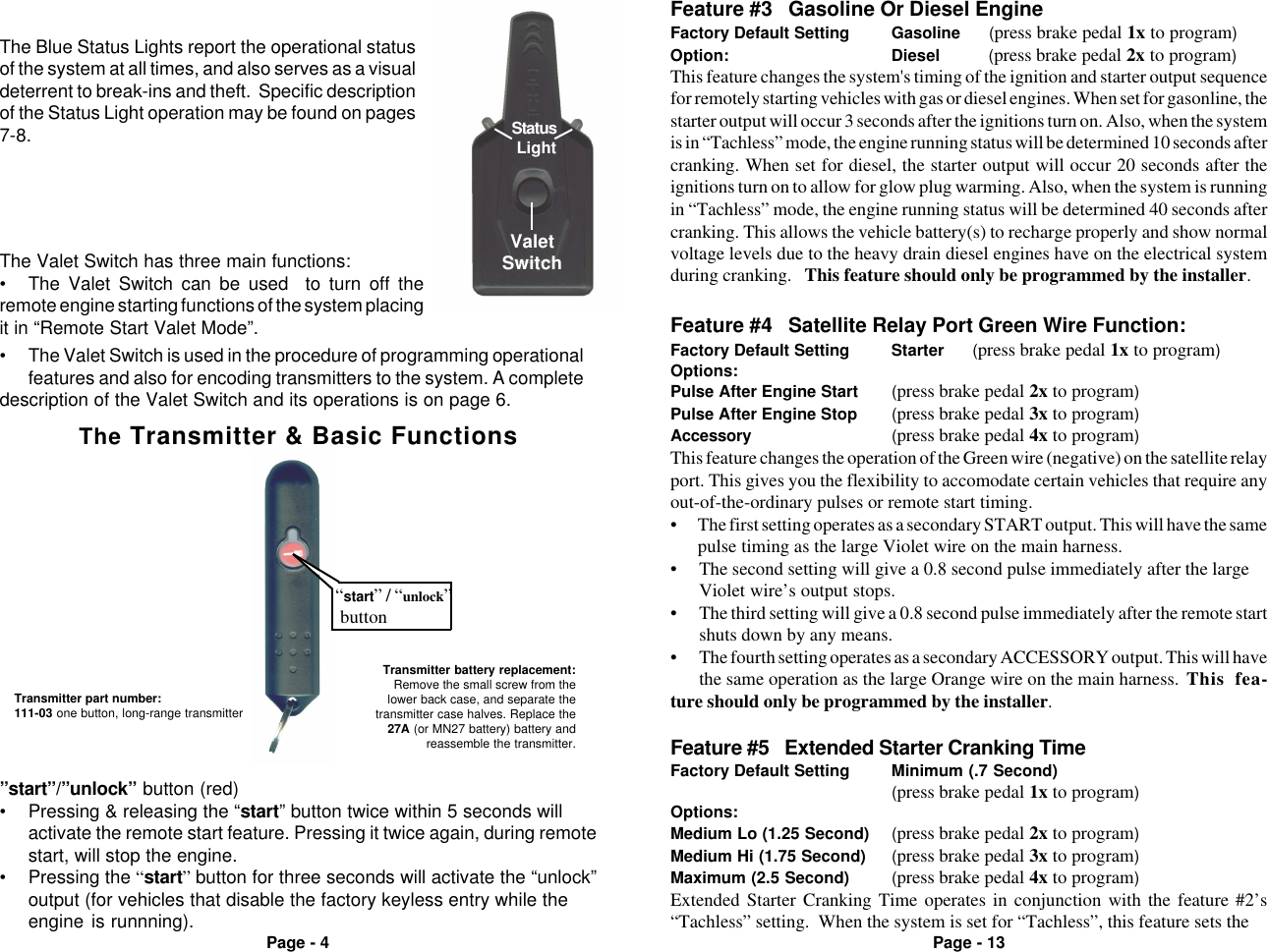
Page - 4 Page - 13ValetSwitchStatus Light• The Valet Switch is used in the procedure of programming operationalfeatures and also for encoding transmitters to the system. A completedescription of the Valet Switch and its operations is on page 6.The Blue Status Lights report the operational statusof the system at all times, and also serves as a visualdeterrent to break-ins and theft.  Specific descriptionof the Status Light operation may be found on pages7-8.The Valet Switch has three main functions:• The Valet Switch can be used  to turn off theremote engine starting functions of the system placingit in “Remote Start Valet Mode”.The Transmitter & Basic Functions“start” / “unlock” buttonTransmitter part number:111-03 one button, long-range transmitterTransmitter battery replacement:Remove the small screw from thelower back case, and separate thetransmitter case halves. Replace the27A (or MN27 battery) battery andreassemble the transmitter. Feature #5   Extended Starter Cranking TimeFactory Default Setting Minimum (.7 Second)(press brake pedal 1x to program)Options:Medium Lo (1.25 Second) (press brake pedal 2x to program)Medium Hi (1.75 Second) (press brake pedal 3x to program)Maximum (2.5 Second) (press brake pedal 4x to program)Extended Starter Cranking Time operates in conjunction with the feature #2’s“Tachless” setting.  When the system is set for “Tachless”, this feature sets theThis feature changes the operation of the Green wire (negative) on the satellite relayport. This gives you the flexibility to accomodate certain vehicles that require anyout-of-the-ordinary pulses or remote start timing.• The first setting operates as a secondary START output. This will have the samepulse timing as the large Violet wire on the main harness.• The second setting will give a 0.8 second pulse immediately after the largeViolet wire’s output stops.• The third setting will give a 0.8 second pulse immediately after the remote startshuts down by any means.• The fourth setting operates as a secondary ACCESSORY output. This will havethe same operation as the large Orange wire on the main harness. This fea-ture should only be programmed by the installer.Feature #3   Gasoline Or Diesel EngineFactory Default Setting Gasoline      (press brake pedal 1x to program)Option: Diesel      (press brake pedal 2x to program)This feature changes the system's timing of the ignition and starter output sequencefor remotely starting vehicles with gas or diesel engines. When set for gasonline, thestarter output will occur 3 seconds after the ignitions turn on. Also, when the systemis in “Tachless” mode, the engine running status will be determined 10 seconds aftercranking. When set for diesel, the starter output will occur 20 seconds after theignitions turn on to allow for glow plug warming. Also, when the system is runningin “Tachless” mode, the engine running status will be determined 40 seconds aftercranking. This allows the vehicle battery(s) to recharge properly and show normalvoltage levels due to the heavy drain diesel engines have on the electrical systemduring cranking.   This feature should only be programmed by the installer.Feature #4   Satellite Relay Port Green Wire Function:Factory Default Setting Starter      (press brake pedal 1x to program)Options:Pulse After Engine Start (press brake pedal 2x to program)Pulse After Engine Stop (press brake pedal 3x to program)Accessory (press brake pedal 4x to program)”start”/”unlock” button (red)• Pressing & releasing the “start” button twice within 5 seconds willactivate the remote start feature. Pressing it twice again, during remotestart, will stop the engine.• Pressing the “start” button for three seconds will activate the “unlock”output (for vehicles that disable the factory keyless entry while theengine is runnning).
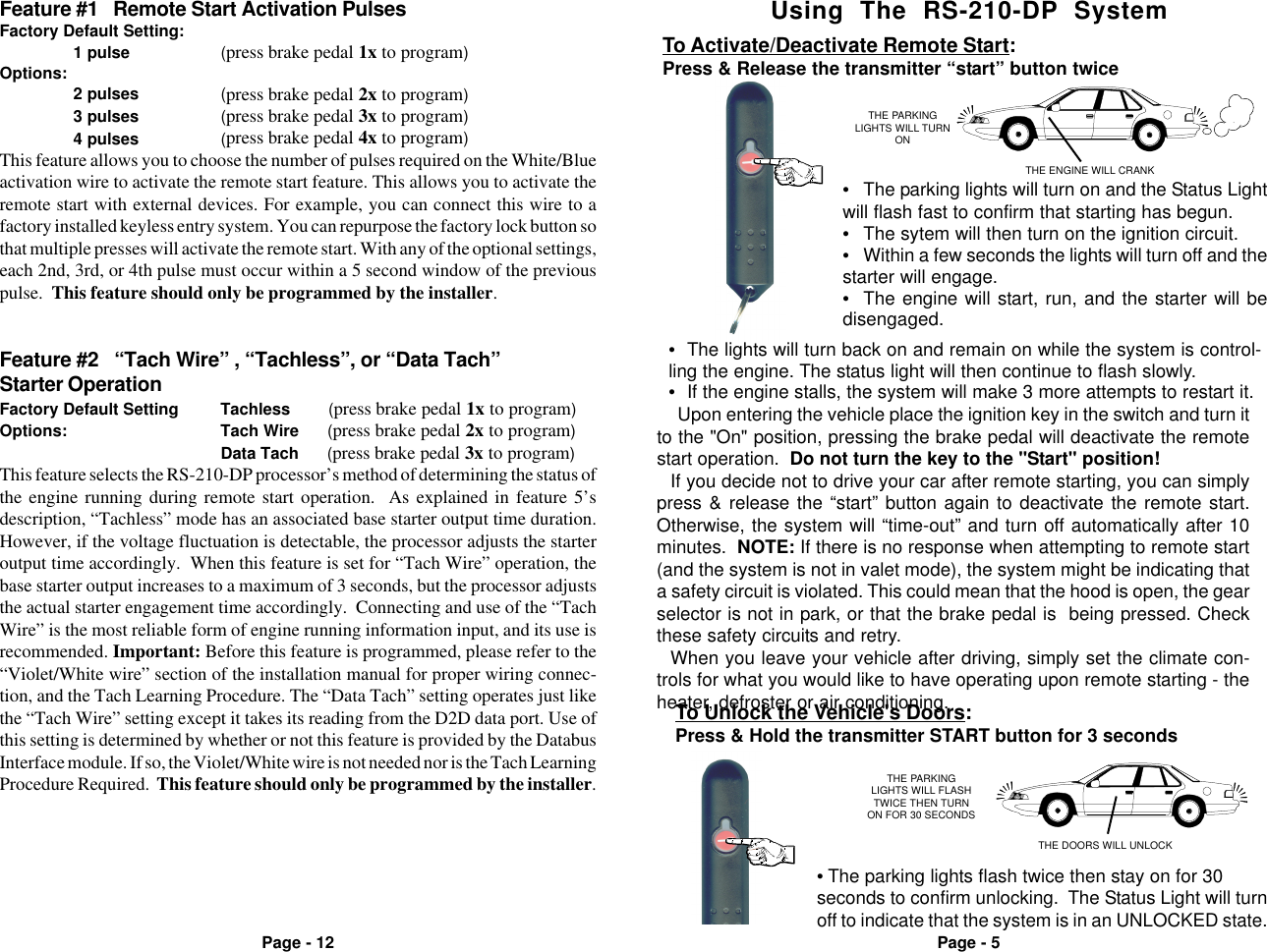
Page - 5Page - 12Using  The  RS-210-DP  SystemTHE PARKINGLIGHTS WILL TURNONTHE ENGINE WILL CRANKTo Activate/Deactivate Remote Start:Press & Release the transmitter “start” button twice•The lights will turn back on and remain on while the system is control-ling the engine. The status light will then continue to flash slowly.•If the engine stalls, the system will make 3 more attempts to restart it.•The parking lights will turn on and the Status Lightwill flash fast to confirm that starting has begun.•The sytem will then turn on the ignition circuit.•Within a few seconds the lights will turn off and thestarter will engage.•The engine will start, run, and the starter will bedisengaged.Upon entering the vehicle place the ignition key in the switch and turn itto the "On" position, pressing the brake pedal will deactivate the remotestart operation.  Do not turn the key to the "Start" position!If you decide not to drive your car after remote starting, you can simplypress & release the “start” button again to deactivate the remote start.Otherwise, the system will “time-out” and turn off automatically after 10minutes.  NOTE: If there is no response when attempting to remote start(and the system is not in valet mode), the system might be indicating thata safety circuit is violated. This could mean that the hood is open, the gearselector is not in park, or that the brake pedal is  being pressed. Checkthese safety circuits and retry.When you leave your vehicle after driving, simply set the climate con-trols for what you would like to have operating upon remote starting - theheater, defroster or air conditioning.Feature #2   “Tach Wire” , “Tachless”, or “Data Tach”Starter OperationFactory Default Setting Tachless        (press brake pedal 1x to program)Options: Tach Wire      (press brake pedal 2x to program)Data Tach      (press brake pedal 3x to program)This feature selects the RS-210-DP processor’s method of determining the status ofthe engine running during remote start operation.  As explained in feature 5’sdescription, “Tachless” mode has an associated base starter output time duration.However, if the voltage fluctuation is detectable, the processor adjusts the starteroutput time accordingly.  When this feature is set for “Tach Wire” operation, thebase starter output increases to a maximum of 3 seconds, but the processor adjuststhe actual starter engagement time accordingly.  Connecting and use of the “TachWire” is the most reliable form of engine running information input, and its use isrecommended. Important: Before this feature is programmed, please refer to the“Violet/White wire” section of the installation manual for proper wiring connec-tion, and the Tach Learning Procedure. The “Data Tach” setting operates just likethe “Tach Wire” setting except it takes its reading from the D2D data port. Use ofthis setting is determined by whether or not this feature is provided by the DatabusInterface module. If so, the Violet/White wire is not needed nor is the Tach LearningProcedure Required.  This feature should only be programmed by the installer.Feature #1   Remote Start Activation PulsesFactory Default Setting:1 pulse (press brake pedal 1x to program)Options:2 pulses (press brake pedal 2x to program)3 pulses (press brake pedal 3x to program)4 pulses (press brake pedal 4x to program)This feature allows you to choose the number of pulses required on the White/Blueactivation wire to activate the remote start feature. This allows you to activate theremote start with external devices. For example, you can connect this wire to afactory installed keyless entry system. You can repurpose the factory lock button sothat multiple presses will activate the remote start. With any of the optional settings,each 2nd, 3rd, or 4th pulse must occur within a 5 second window of the previouspulse.  This feature should only be programmed by the installer.THE PARKINGLIGHTS WILL FLASHTWICE THEN TURNON FOR 30 SECONDSTHE DOORS WILL UNLOCKTo Unlock the Vehicle's Doors:Press & Hold the transmitter START button for 3 seconds• The parking lights flash twice then stay on for 30seconds to confirm unlocking.  The Status Light will turnoff to indicate that the system is in an UNLOCKED state.
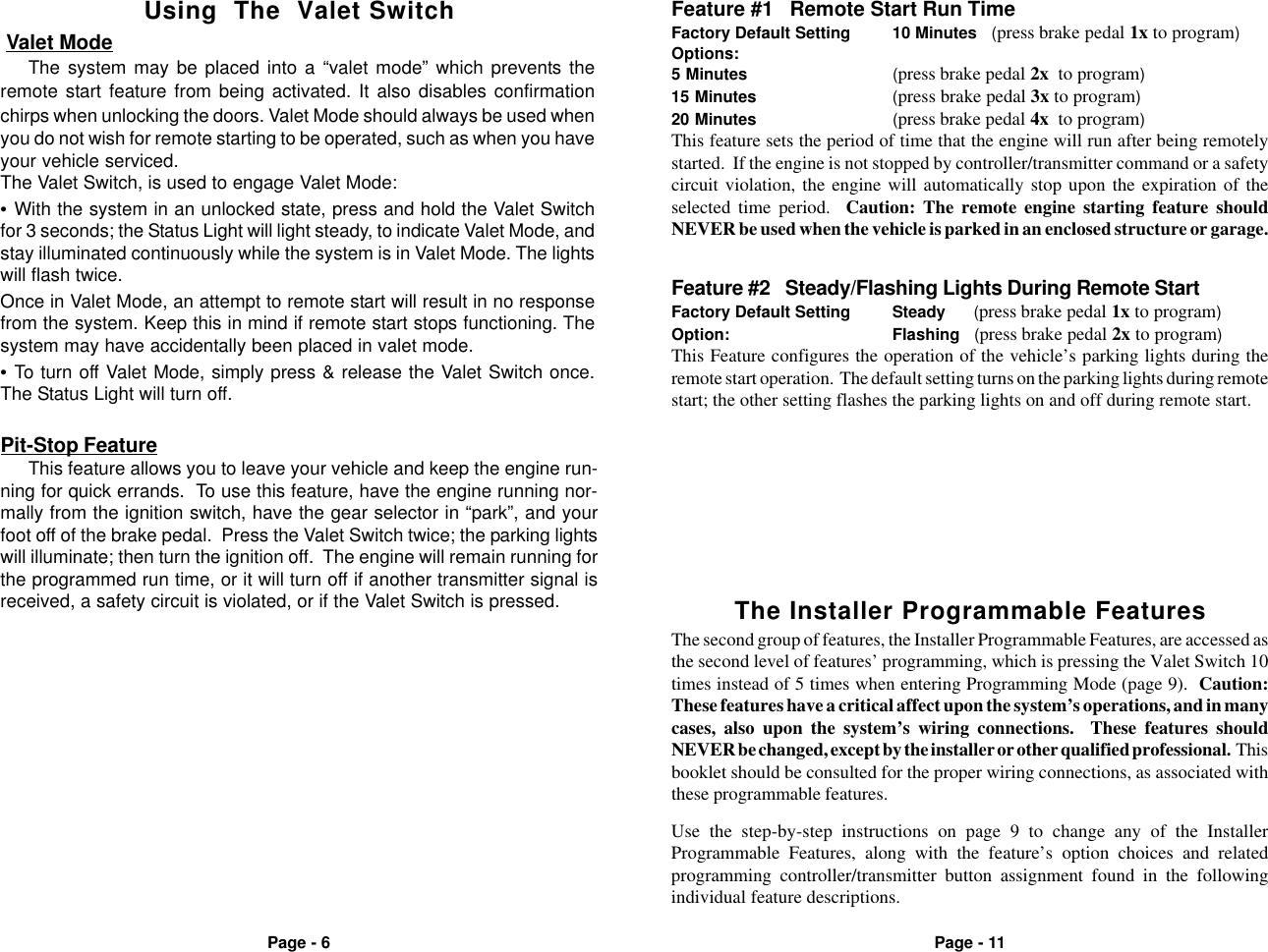
Page - 6 Page - 11The Installer Programmable FeaturesThe second group of features, the Installer Programmable Features, are accessed asthe second level of features’ programming, which is pressing the Valet Switch 10times instead of 5 times when entering Programming Mode (page 9).  Caution:These features have a critical affect upon the system’s operations, and in manycases, also upon the system’s wiring connections.  These features shouldNEVER be changed, except by the installer or other qualified professional.  Thisbooklet should be consulted for the proper wiring connections, as associated withthese programmable features.Feature #1   Remote Start Run TimeFactory Default Setting 10 Minutes   (press brake pedal 1x to program)Options:5 Minutes (press brake pedal 2x  to program)15 Minutes (press brake pedal 3x to program)20 Minutes (press brake pedal 4x  to program)This feature sets the period of time that the engine will run after being remotelystarted.  If the engine is not stopped by controller/transmitter command or a safetycircuit violation, the engine will automatically stop upon the expiration of theselected time period.  Caution: The remote engine starting feature shouldNEVER be used when the vehicle is parked in an enclosed structure or garage.Feature #2   Steady/Flashing Lights During Remote StartFactory Default Setting Steady      (press brake pedal 1x to program)Option: Flashing   (press brake pedal 2x to program)This Feature configures the operation of the vehicle’s parking lights during theremote start operation.  The default setting turns on the parking lights during remotestart; the other setting flashes the parking lights on and off during remote start. Valet ModeThe system may be placed into a “valet mode” which prevents theremote start feature from being activated. It also disables confirmationchirps when unlocking the doors. Valet Mode should always be used whenyou do not wish for remote starting to be operated, such as when you haveyour vehicle serviced.The Valet Switch, is used to engage Valet Mode:•With the system in an unlocked state, press and hold the Valet Switchfor 3 seconds; the Status Light will light steady, to indicate Valet Mode, andstay illuminated continuously while the system is in Valet Mode. The lightswill flash twice.Once in Valet Mode, an attempt to remote start will result in no responsefrom the system. Keep this in mind if remote start stops functioning. Thesystem may have accidentally been placed in valet mode.•To turn off Valet Mode, simply press & release the Valet Switch once.The Status Light will turn off.Using  The  Valet SwitchPit-Stop FeatureThis feature allows you to leave your vehicle and keep the engine run-ning for quick errands.  To use this feature, have the engine running nor-mally from the ignition switch, have the gear selector in “park”, and yourfoot off of the brake pedal.  Press the Valet Switch twice; the parking lightswill illuminate; then turn the ignition off.  The engine will remain running forthe programmed run time, or it will turn off if another transmitter signal isreceived, a safety circuit is violated, or if the Valet Switch is pressed.Use the step-by-step instructions on page 9 to change any of the InstallerProgrammable Features, along with the feature’s option choices and relatedprogramming controller/transmitter button assignment found in the followingindividual feature descriptions.
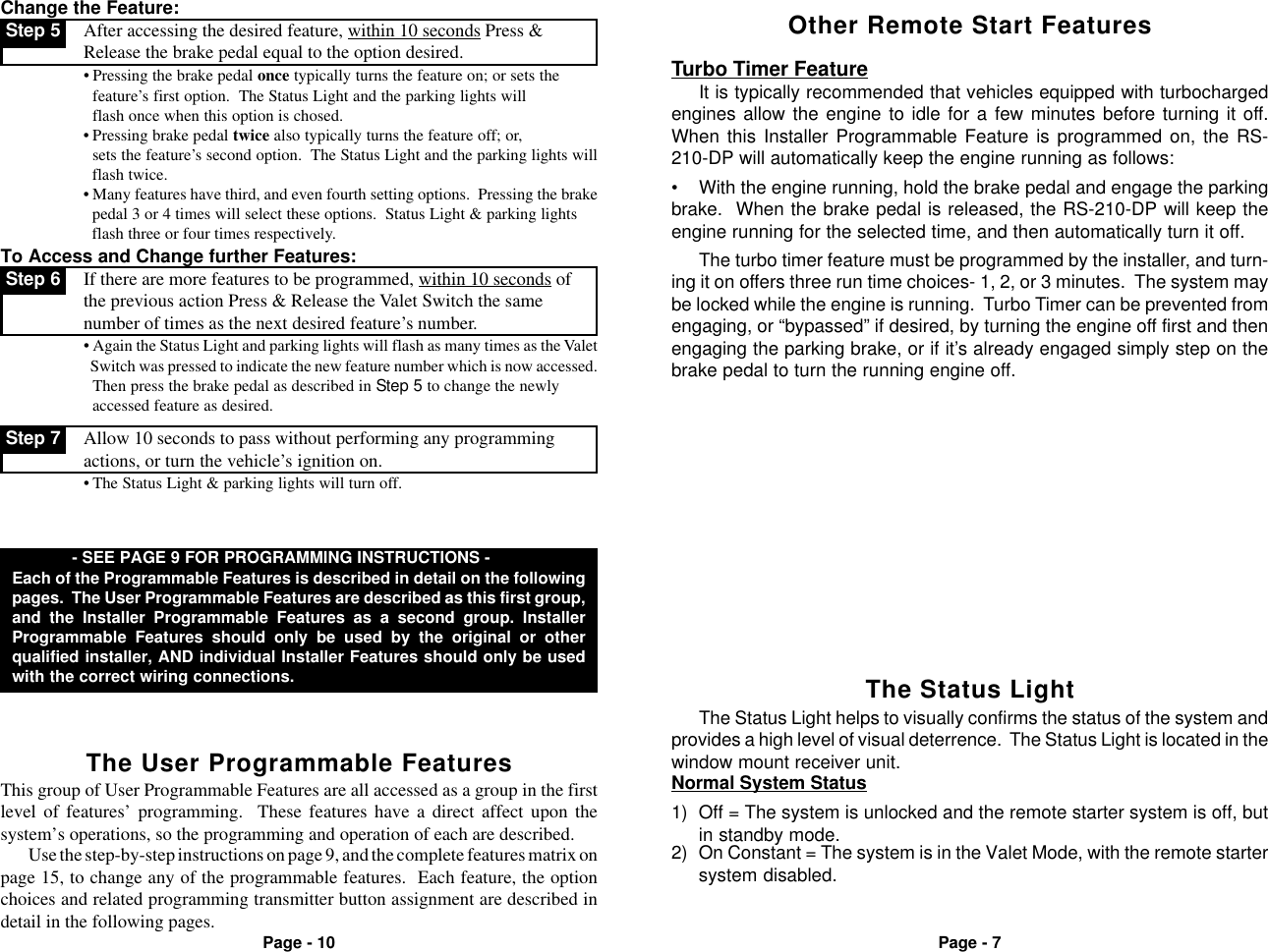
Page - 7Page - 10Other Remote Start FeaturesTurbo Timer FeatureIt is typically recommended that vehicles equipped with turbochargedengines allow the engine to idle for a few minutes before turning it off.When this Installer Programmable Feature is programmed on, the RS-210-DP will automatically keep the engine running as follows:• With the engine running, hold the brake pedal and engage the parkingbrake.  When the brake pedal is released, the RS-210-DP will keep theengine running for the selected time, and then automatically turn it off. Step 7 Allow 10 seconds to pass without performing any programmingactions, or turn the vehicle’s ignition on.• The Status Light & parking lights will turn off.Change the Feature: Step 5 After accessing the desired feature, within 10 seconds Press &Release the brake pedal equal to the option desired.• Pressing the brake pedal once typically turns the feature on; or sets thefeature’s first option.  The Status Light and the parking lights will  flash once when this option is chosed.• Pressing brake pedal twice also typically turns the feature off; or,  sets the feature’s second option.  The Status Light and the parking lights will  flash twice.• Many features have third, and even fourth setting options.  Pressing the brake  pedal 3 or 4 times will select these options.  Status Light & parking lights  flash three or four times respectively.To Access and Change further Features: Step 6 If there are more features to be programmed, within 10 seconds ofthe previous action Press & Release the Valet Switch the samenumber of times as the next desired feature’s number.• Again the Status Light and parking lights will flash as many times as the Valet  Switch was pressed to indicate the new feature number which is now accessed.Then press the brake pedal as described in Step 5 to change the newly  accessed feature as desired.The turbo timer feature must be programmed by the installer, and turn-ing it on offers three run time choices- 1, 2, or 3 minutes.  The system maybe locked while the engine is running.  Turbo Timer can be prevented fromengaging, or “bypassed” if desired, by turning the engine off first and thenengaging the parking brake, or if it’s already engaged simply step on thebrake pedal to turn the running engine off.The Status LightThe Status Light helps to visually confirms the status of the system andprovides a high level of visual deterrence.  The Status Light is located in thewindow mount receiver unit.Normal System Status2) On Constant = The system is in the Valet Mode, with the remote startersystem disabled.1) Off = The system is unlocked and the remote starter system is off, butin standby mode.The User Programmable Features - SEE PAGE 9 FOR PROGRAMMING INSTRUCTIONS -Each of the Programmable Features is described in detail on the followingpages.  The User Programmable Features are described as this first group,and the Installer Programmable Features as a second group. InstallerProgrammable Features should only be used by the original or otherqualified installer, AND individual Installer Features should only be usedwith the correct wiring connections.This group of User Programmable Features are all accessed as a group in the firstlevel of features’ programming.  These features have a direct affect upon thesystem’s operations, so the programming and operation of each are described.Use the step-by-step instructions on page 9, and the complete features matrix onpage 15, to change any of the programmable features.  Each feature, the optionchoices and related programming transmitter button assignment are described indetail in the following pages.
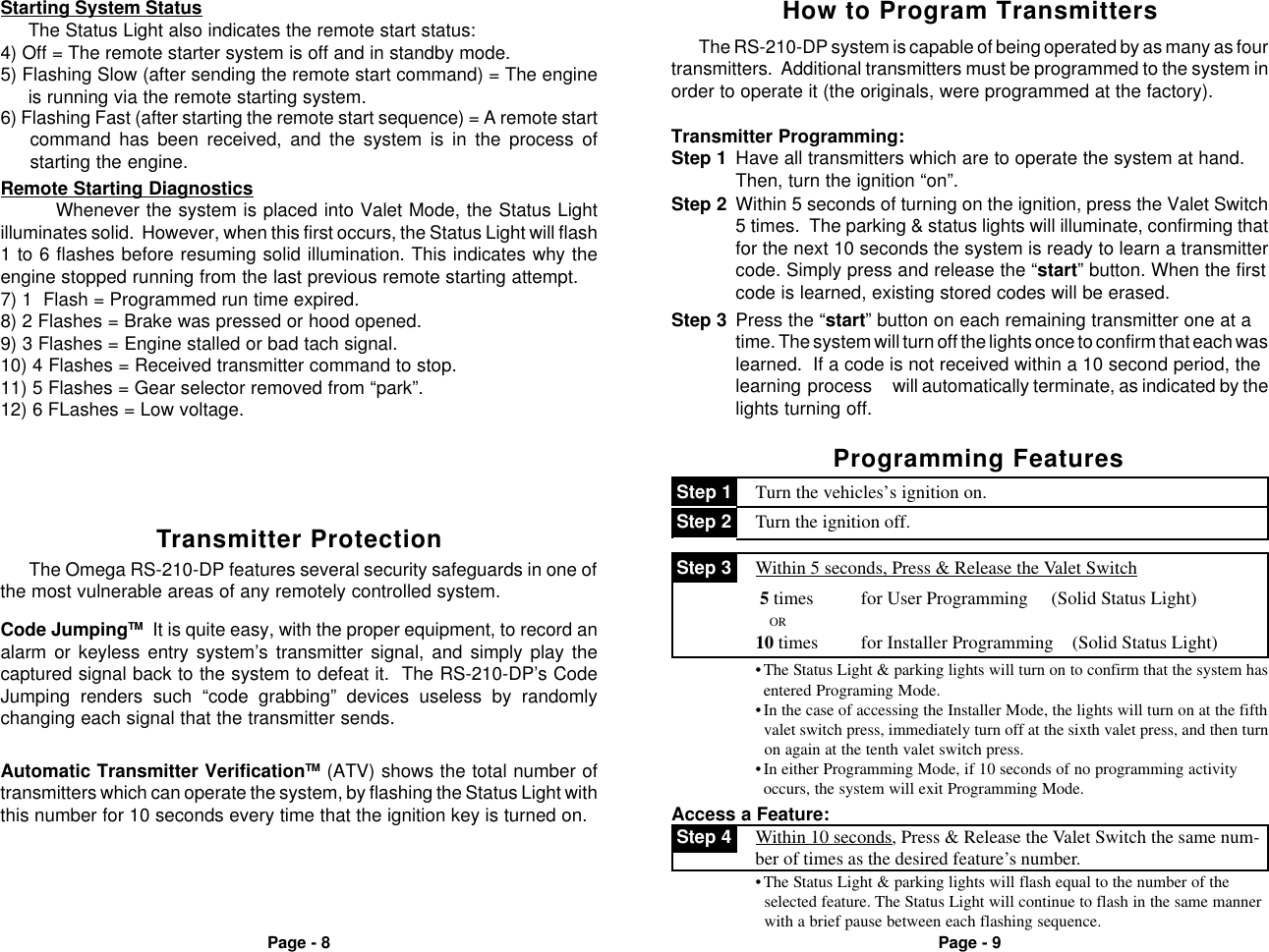
Page - 8 Page - 95) Flashing Slow (after sending the remote start command) = The engineis running via the remote starting system.Starting System StatusThe Status Light also indicates the remote start status:4) Off = The remote starter system is off and in standby mode.6) Flashing Fast (after starting the remote start sequence) = A remote startcommand has been received, and the system is in the process ofstarting the engine.Remote Starting DiagnosticsWhenever the system is placed into Valet Mode, the Status Lightilluminates solid.  However, when this first occurs, the Status Light will flash1 to 6 flashes before resuming solid illumination. This indicates why theengine stopped running from the last previous remote starting attempt.7) 1  Flash = Programmed run time expired.8) 2 Flashes = Brake was pressed or hood opened.9) 3 Flashes = Engine stalled or bad tach signal.10) 4 Flashes = Received transmitter command to stop.11) 5 Flashes = Gear selector removed from “park”.12) 6 FLashes = Low voltage.Automatic Transmitter VerificationTM (ATV) shows the total number oftransmitters which can operate the system, by flashing the Status Light withthis number for 10 seconds every time that the ignition key is turned on.The Omega RS-210-DP features several security safeguards in one ofthe most vulnerable areas of any remotely controlled system.Transmitter ProtectionCode JumpingTM  It is quite easy, with the proper equipment, to record analarm or keyless entry system’s transmitter signal, and simply play thecaptured signal back to the system to defeat it.  The RS-210-DP’s CodeJumping renders such “code grabbing” devices useless by randomlychanging each signal that the transmitter sends.Step 1 Have all transmitters which are to operate the system at hand.Then, turn the ignition “on”.Step 3 Press the “start” button on each remaining transmitter one at atime. The system will turn off the lights once to confirm that each waslearned.  If a code is not received within a 10 second period, thelearning process will automatically terminate, as indicated by thelights turning off.Step 2 Within 5 seconds of turning on the ignition, press the Valet Switch5 times.  The parking & status lights will illuminate, confirming thatfor the next 10 seconds the system is ready to learn a transmittercode. Simply press and release the “start” button. When the firstcode is learned, existing stored codes will be erased.Transmitter Programming:The RS-210-DP system is capable of being operated by as many as fourtransmitters.  Additional transmitters must be programmed to the system inorder to operate it (the originals, were programmed at the factory).How to Program TransmittersProgramming Features Step 2 Turn the ignition off. Step 1 Turn the vehicles’s ignition on.Access a Feature: Step 4 Within 10 seconds, Press & Release the Valet Switch the same num-ber of times as the desired feature’s number.•The Status Light & parking lights will flash equal to the number of the  selected feature. The Status Light will continue to flash in the same manner  with a brief pause between each flashing sequence.•The Status Light & parking lights will turn on to confirm that the system hasentered Programing Mode.•In the case of accessing the Installer Mode, the lights will turn on at the fifth  valet switch press, immediately turn off at the sixth valet press, and then turn  on again at the tenth valet switch press.•In either Programming Mode, if 10 seconds of no programming activityoccurs, the system will exit Programming Mode. 5 times          for User Programming     (Solid Status Light)               OR10 times         for Installer Programming    (Solid Status Light) Step 3 Within 5 seconds, Press & Release the Valet Switchch either:
Page - 16 Page - 17Note: This equipment has been tested and found to comply with the limitsfor a Class B digital device, pursuant to part 15 of the FCC Rules. These limits are designed to provide reasonable protection against harmful interference in a residential installation. This equipment generates, uses and can radiate radio frequency energy and, if not installed and used in accordance with the instructions, may cause harmful interference to radio communications. However, there is no guarantee that interference will not occur in a particular installation. If this equipment does cause harmful interference to radio or television reception, which can be determined by turning the equipment off and on,the user is encouraged to try to correct the interference by one or more of the following measures:—Reorient or relocate the receiving antenna.—Increase the separation between the equipment and receiver.—Connect the equipment into an outlet on a circuit different from that to which the receiver is connected.—Consult the dealer or an experienced radio/TV technician for help.Information to user The users manual or instruction manual for an intentional or unintentional radiator shall caution the user that changes or modifications not expressly approved by the party responsible for compliance could void the user's authority to operate the equipment. In cases where the manual is provided only in a form other than paper, such as on a computer disk or over the Internet, the information required by this section may be included in the manual in that alternative form, provided the user can reasonably be expected to have the capability to access information in that form.

Navigation menu